park assist OPEL INSIGNIA BREAK 2017.75 Manual user
[x] Cancel search | Manufacturer: OPEL, Model Year: 2017.75, Model line: INSIGNIA BREAK, Model: OPEL INSIGNIA BREAK 2017.75Pages: 323, PDF Size: 9.18 MB
Page 131 of 323

Instruments and controls129Auto Rear Demist: Automatically
activates heated rear window.
● Collision / Detection Systems
Forward Collision Alert : Activates
or deactivates forward collision alert.
Auto Collision Preparation :
Activates or deactivates the
automatic brake functionality of
the vehicle in the event of
imminent collision danger. The
following is selectable: the
system will take over brake
control, warn by chimes only or is
deactivated completely.
Front pedestrian protection :
Activates or deactivates and
changes the settings of the front
pedestrian protection.
Park Assist : Activates or
deactivates the ultrasonic
parking assist. Activation is
selectable with or without
attached trailer coupling.
Go Notifier : Activates or
deactivates the reminder function
of the adaptive cruise control.Side Blind Zone Alert : Activates
or deactivates side blind zone alert.
● Comfort and Convenience
Auto Memory Recall : Changes
the settings to the recall of
memorised settings for power
seat adjustment.
Easy Exit Driver Seat : Activates
or deactivates easy exit function
of the power seat.
Chime Volume : Changes the
volume of warning chimes.
Personalisation by Driver :
Activates or deactivates the
personalisation function.
Rainsense Wipers : Activates or
deactivates automatic wiping
with rain sensor.
Auto Wipe in Reverse Gear :
Activates or deactivates
automatic switching on of the
rear window wiper when reverse gear is engaged.
● Lighting
Vehicle Locator Lights : Activates
or deactivates the entry lighting.Exit Lighting : Activates or
deactivates and changes the
duration of exit lighting.
Left or Right Hand Traffic :
Changes between lighting for left or right-hand traffic.
Adaptive Forward Lighting :
Changes the settings of the
functions of the LED headlights.
● Power Door Locks
Unlocked Door Anti-Lockout :
Activates or deactivates the door
locking function while a door is
open.
Auto Door Lock : Activates or
deactivates the automatic door
locking function after switching
on ignition.
Delayed Door Lock : Activates or
deactivates the delayed door
locking function. This feature
delays the actual locking of the
doors until all doors are closed.
● Remote Lock, Unlock, Start
Remote Unlock Light Feedback :
Activates or deactivates the
hazard warning flasher feedback whilst unlocking.
Page 137 of 323

Lighting135LightingExterior lighting.......................... 135
Light switch .............................. 135
Automatic light control .............136
High beam ............................... 136
High beam assist .....................136
Headlight flash ......................... 138
Headlight range adjustment ....138
Headlights when driving abroad .................................... 138
Daytime running lights .............139
LED headlights ........................ 139
Hazard warning flashers ..........142
Turn and lane-change signals . 142
Front fog lights ......................... 143
Rear fog light ........................... 143
Parking lights ........................... 143
Reversing lights .......................144
Misted light covers ...................144
Interior lighting ........................... 144
Instrument panel illumination control ..................................... 144
Interior lights ............................ 144
Reading lights .......................... 145
Sunvisor lights ......................... 146Lighting features ........................146
Centre console lighting ............146
Entry lighting ............................ 146
Exit lighting .............................. 146
Battery discharge protection ....147Exterior lighting
Light switch
Turn light switch:
AUTO:automatic light control
switches automatically
between daytime running
light and headlight8:sidelights9:headlights
When switching on the ignition,
automatic light control is active.
Control indicator 8 3 111.
Page 142 of 323
140LightingParticular LEDs, based on steeringangle and speed, are additionally
triggered to improve lighting in
curves. This function is activated at
speeds from 40 km/h to 70 km/h and
reacts to steering angle.
Corner light
When turning off, depending on the
steering angle and the turn signal light, particular LEDs are triggered
which illuminate the direction of
travel. It is activated up to a speed of
40 km/h.
Reverse parking function
To assist driver's orientation when
parking, both corner lights and
reversing light illuminate when
headlights are on and reverse gear is
engaged. They remain illuminated for
a short time after disengaging reverse gear or until driving faster than
7 km/h in a forward gear.
High beam assist This feature allows the high beam to
function as main driving light at night.
The camera in the windscreen
detects the lights of oncoming or
preceding vehicles. Each LED on
right or left side can be triggered or
faded out particularly according to the
traffic situation. This gives the best
light distribution without dazzling
other road users. Once activated,
high beam assist remains active and
switches high beam on and off
depending on surrounding
conditions. The latest setting of the
high beam assist will remain after the ignition is switched on again.
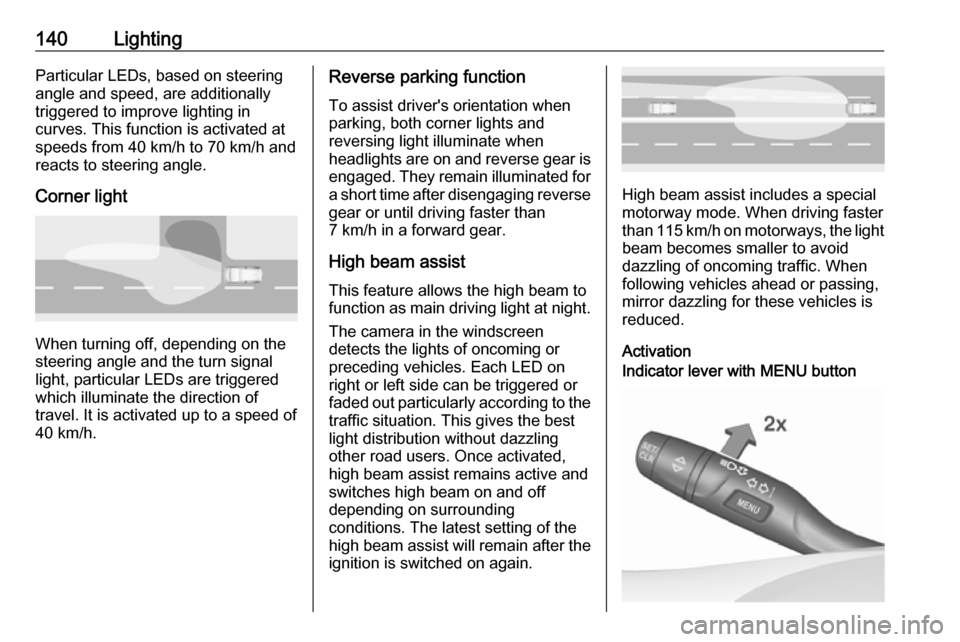
High beam assist includes a special
motorway mode. When driving faster
than 115 km/h on motorways, the light
beam becomes smaller to avoid
dazzling of oncoming traffic. When
following vehicles ahead or passing,
mirror dazzling for these vehicles is
reduced.
Activation
Indicator lever with MENU button
Page 163 of 323

Driving and operating161Driving and
operatingDriving hints ............................... 162
Control of the vehicle ...............162
Steering ................................... 162
Starting and operating ...............162
New vehicle running-in ............162
Power button ........................... 163
Retained power off ..................164
Starting the engine ..................164
Overrun cut-off ........................ 165
Stop-start system ....................166
Parking .................................... 168
Engine exhaust .......................... 169
Diesel particle filter ..................169
Catalytic converter ...................170
AdBlue ..................................... 171
Automatic transmission ..............174
Manual transmission ..................178
Drive systems ............................ 179
All-wheel drive ......................... 179
Brakes ........................................ 179
Antilock brake system .............179
Parking brake .......................... 180Brake assist............................. 181
Hill start assist ......................... 182
Ride control systems .................182
Traction Control system ..........182
Electronic Stability Control ......183
Interactive driving system ........184
Driver assistance systems .........187
Cruise control .......................... 187
Speed limiter ........................... 189
Adaptive cruise control ............190
Forward collision alert .............198
Following distance indication ...201
Active emergency braking .......202
Front pedestrian protection .....205
Parking assist .......................... 207
Side blind zone assistant .........215
Lane change alert ....................216
Panoramic view system ...........218
Rear view camera ...................221
Rear cross traffic alert .............223
Traffic sign assistant ................224
Lane keep assist .....................228
Fuel ............................................ 230
Fuel for petrol engines .............230
Fuel for diesel engines ............231
Refuelling ................................ 232
Fuel consumption - CO 2-
Emissions ............................... 234Trailer hitch................................ 235
General information .................235
Driving characteristics and towing tips .............................. 235
Trailer towing ........................... 235
Towing equipment ...................236
Trailer stability assist ...............238
Page 164 of 323

162Driving and operatingDriving hints
Control of the vehicle
Never coast with engine not
running
Many systems will not function in this situation ( e.g. brake servo unit, power
steering). Driving in this manner is a
danger to yourself and others.
All systems function during an
Autostop.
Stop-start system 3 166.
Idle boost
If charging of the vehicle battery is
required due to battery condition, the
power output of the generator must
be increased. This will be achieved by an idle boost which may be audible.
A message appears in the Driver
Information Centre.
Pedals
To ensure the pedal travel is
uninhibited, there must be no mats in
the area of the pedals.Use only floor mats, which fit properly and are fixed by the retainers on the
driver side.
Steering If power steering assist is lost
because the engine stops or due to a system malfunction, the vehicle can
be steered but may require increased
effort.Starting and operating
New vehicle running-in Do not brake unnecessarily hard for
the first few journeys.
During the first drive, smoke may
occur because of wax and oil
evaporating off the exhaust system.
Park the vehicle in the open for a
while after the first drive and avoid
inhaling the fumes.
During the running-in period, fuel and engine oil consumption may be
higher.
Additionally, the cleaning process of
the diesel particle filter may take
place more often.
Diesel particle filter 3 169.
Autostop may be inhibited to allow for
charging of the vehicle battery.
Page 167 of 323

Driving and operating165To switch off the engine when vehicle
is stationary, press
Engine Start/Stop briefly. Automatic
transmission: apply the parking brake
and engage P.
Manual transmission: during an
Autostop, the engine can be started
by depressing the clutch pedal
3 166.
Automatic transmission: during an
Autostop, the engine can be started
by releasing the brake pedal 3 166.
Emergency engine shut off during driving
If the engine needs to be switched off during driving in case of emergency,
press Engine Start/Stop for more than
two seconds or press twice briefly
within five seconds.9 Danger
Switching off the engine during
driving may cause loss of power
support for brake and steering
systems. Assistance systems and
airbag systems are disabled.
Lighting and brake lights will
extinguish. Therefore power down the engine and ignition while
driving only when required in case of emergency.
Starting the vehicle at low
temperatures
Starting the engine without additional
heaters is possible down to -25 °С for diesel engines and -30 °C for petrol
engines. Required is an engine oil
with the correct viscosity, the correct fuel, performed services and a
sufficiently charged vehicle battery.
With temperatures below -30 °C the
automatic transmission requires a
warming phase of approx.
five minutes. The selector lever must
be in position P.
Automatic Starter Control
This function controls the engine
starting procedure. The driver does
not need to hold Engine Start/Stop
pressed. Once applied, the system
will go on starting automatically until
the engine is running. Because of the checking procedure, the engine startsrunning after a short delay.
Possible reasons for a non-starting
engine:
● Clutch pedal not operated (manual transmission).
● Brake pedal not operated or selector lever not in P or N
(automatic transmission).
● Timeout occurred.
Turbo engine warm-up
Upon start-up, engine available
torque may be limited for a short time, especially when the engine
temperature is cold. The limitation is
to allow the lubrication system to fully
protect the engine.
Overrun cut-off
The fuel supply is automatically cut off
during overrun, i.e. when the vehicle
is driven with a gear engaged but accelerator pedal is released.
Depending on driving conditions, the
overrun cut-off may be deactivated.
Page 175 of 323
Driving and operating1731. Continuously drive the vehiclefor 10 minutes making sure that
vehicle speed is always higher
than 20 km/h.
2. If AdBlue refill is detected successfully, AdBlue supply-
driven limitations will disappear.
If AdBlue refill is still not detected,
seek the assistance of a workshop.
If AdBlue must be refilled at
temperatures below -11 °C, the
refilling of AdBlue may not be
detected by the system. In this
event, park the vehicle in a space
with a higher ambient temperature
until AdBlue is liquefied.
Note
When unscrewing the protective cap
from the filler neck, ammonia fumes
may emerge. Do not inhale as the fumes have a pungent smell. The
fumes are not harmful by inhalation.
The AdBlue tank should be filled
completely. This must be done if the
warning message regarding
prevention of an engine restart is
already displayed.The vehicle must be parked on a level surface.
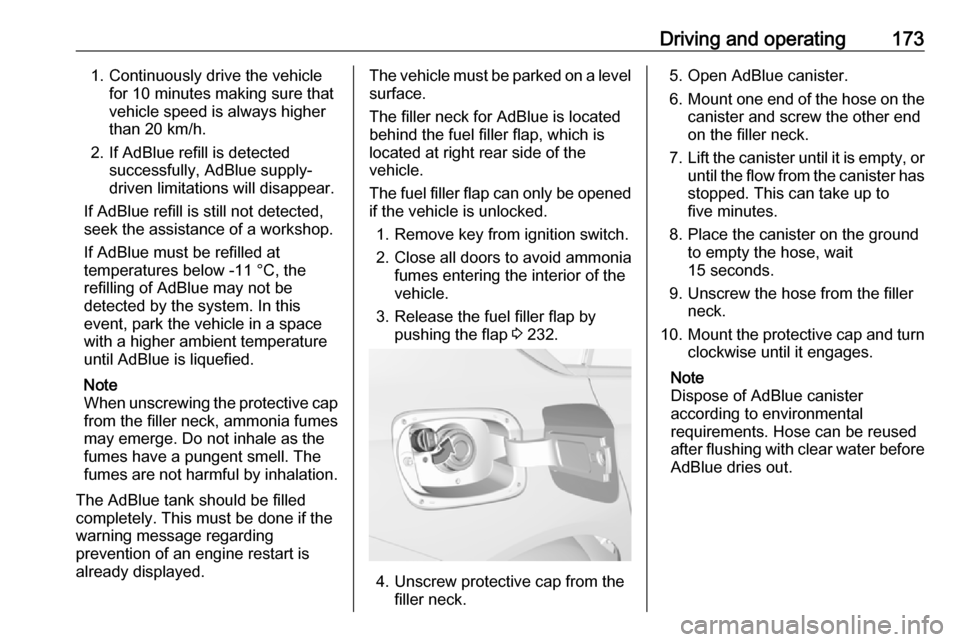
The filler neck for AdBlue is located
behind the fuel filler flap, which is located at right rear side of the
vehicle.
The fuel filler flap can only be opened
if the vehicle is unlocked.
1. Remove key from ignition switch.
2. Close all doors to avoid ammonia fumes entering the interior of the
vehicle.
3. Release the fuel filler flap by pushing the flap 3 232.
4. Unscrew protective cap from the
filler neck.
5. Open AdBlue canister.
6. Mount one end of the hose on the
canister and screw the other end
on the filler neck.
7. Lift the canister until it is empty, or
until the flow from the canister has stopped. This can take up to
five minutes.
8. Place the canister on the ground to empty the hose, wait
15 seconds.
9. Unscrew the hose from the filler neck.
10. Mount the protective cap and turn
clockwise until it engages.
Note
Dispose of AdBlue canister
according to environmental
requirements. Hose can be reused
after flushing with clear water before
AdBlue dries out.
Page 183 of 323

Driving and operating181The electric parking brake can always
be activated, even if the ignition is off.
Do not operate electric parking brake
system too often without engine
running as this will discharge the
vehicle battery.
Releasing
Switch on ignition. Keep foot brake
pedal depressed and then push
switch m.
Drive away function
Vehicles with manual transmission:
Depressing the clutch pedal and then slightly releasing the clutch pedal and
slightly depressing the accelerator
pedal releases the electric parking
brake automatically. This is not
possible when switch m is pulled at
the same time.
Vehicles with automatic transmission: Engaging D and then depressing the
accelerator pedal releases the
electric parking brake automatically.
This is not possible when switch m is
pulled at the same time.Dynamic braking when vehicle is
moving
When the vehicle is moving and the
switch m is kept pulled, the electric
parking brake system will decelerate the vehicle, but will not apply
statically.
As soon as the switch m is released,
dynamic braking will be stopped.
Automatic applying
If the vehicle is equipped with
automatic transmission and adaptive cruise control is active, electric
parking brake is applied automatically when vehicle is stopped by the
system for more than two minutes.
Parking brake releases automatically
after moving off.
Functionality check
When the vehicle is not moving, the
electric parking brake might be
applied automatically. This is done to
check the system.Fault
Failure mode of electric parking brake
is indicated by a control indicator j
and by a vehicle message which is
displayed in the Driver Information
Centre. Vehicle messages 3 124.
Apply electric parking brake: pull and
hold the switch m for more than
five seconds. If control indicator m
illuminates, electric parking brake is
applied.
Release electric parking brake: push
and hold the switch m for more than
two seconds. If control indicator m
extinguishes, electric parking brake is
released.
Control indicator m flashes: electric
parking brake is not fully applied or
released. When continuously
flashing, release electric parking
brake and retry applying.
Brake assist If brake pedal is depressed quickly
and forcefully, maximum brake force
is automatically applied.
Page 205 of 323

Driving and operating203Emergency automatic brakingAfter activation of brake preparation
system and just before the imminent
collision, this function automatically
applies limited braking to reduce the
impact speed of the collision or
prohibit a crash. Depending on the
situation, the vehicle may
automatically brake moderately or
hard. This front automatic braking can
only occur if a vehicle ahead is
detected, indicated by the vehicle
ahead indicator A 3 198 . On vehicles
with front pedestrian protection, front automatic braking can also occur
when a pedestrian ahead is detected,
indicated by the pedestrian ahead
indicator 7.
If equipped only with front camera the system operates up to a speed of 80
km/h.
Below a speed of 40 km/h the system
can apply full braking.
Emergency automatic braking may
slow the vehicle to a complete stop to
try to avoid a potential crash. If this
happens, emergency automatic
braking may engage the electricparking brake to hold the vehicle at a
stop. To release press the electric
parking brake button or firmly press
the accelerator pedal.9 Warning
Emergency automatic braking is
an emergency crash preparation
feature and is not designed to
avoid crashes. Do not rely on the
system to brake the vehicle.
Emergency automatic braking will
not brake outside of its operating speed range and only responds to
detected vehicles and
pedestrians.
Forward looking brake assist
In addition to the brake preparation
system and emergency automatic
braking, the forward looking brake
assist function makes the brake assist more sensitive. Therefore, pressing
the brake pedal less strongly results
in immediate hard braking. This
function helps the driver brake
quicker and harder before the
imminent collision.
If equipped only with front camera the
system operates up to a speed of 85
km/h.9 Warning
Active emergency braking is not
designed to apply hard
autonomous braking or to
automatically avoid a collision. It is designed to reduce the vehicle
speed before a collision. It may not
react to animals. After a sudden
lane change, the system needs a
certain time to detect the next
preceding vehicle.
The complete attention of the
driver is always required while
driving. The driver must always be
ready to take action and apply the brakes and steer to avoid
collisions.
The system is designed to work with
all occupants wearing their seat belts.
Intelligent Brake Assist
If the vehicle is equipped with radar
sensor Intelligent brake assist may
activate when the brake pedal is
Page 206 of 323

204Driving and operatingapplied quickly by providing a boost
to braking based on the speed of approach and distance to a vehicle
ahead.
Minor brake pedal pulsations or pedal movement during this time is normal
and the brake pedal should continue to be applied as needed. Intelligent
brake assist will automatically
disengage only when the brake pedal is released.9 Warning
Intelligent brake assist may
increase vehicle braking in
situations when it may not be
necessary. You could block the
flow of traffic. If this occurs, take
your foot off the brake pedal and
then apply the brakes as needed.
Front pedestrian protection
3 205.
Deactivation
Active emergency braking can be
deactivated in the personalisation
menu 3 126. If deactivated a
message is displayed in the Driver
Information Centre.
System limitations In some cases, the active emergencybraking system may provide an
automatic braking in situations that
seem to be unnecessary, for instance
in parking garages, due to traffic signs
in a curve or due to vehicles in
another lane. This is normal
operation, the vehicle does not need service. Firmly apply the accelerator
pedal to override the automatic
braking if the situation and the
surroundings permit.
In the following cases, Active
emergency braking performance is limited:
● Driving on winding or hilly roads.
● Detecting all vehicles, especially vehicles with a trailer, tractors,
muddy vehicles, etc.● Detecting a vehicle when weather limits visibility, such as in
fog, rain, or snow.
● During nighttime driving.
● Weather limits visibility, such as fog, rain, or snow.
● The sensor in the windscreen is blocked by snow, ice, slush, mud,dirt, windscreen damage or
affected by foreign items, e.g.
stickers.
To avoid malfunction keep the areas
of the camera sensor in the
windscreen and the radar sensor in
the radiator grille always clean from
dirt, dust, ice and snow.
Complete attention is always required
while driving, and you should be ready to take action and apply the
brakes and/or steer the vehicle to
avoid crashes.
Fault
In case the system requires a service,
a message is displayed in the Driver
Information Centre.