reset OPEL INSIGNIA BREAK 2017.75 Manual user
[x] Cancel search | Manufacturer: OPEL, Model Year: 2017.75, Model line: INSIGNIA BREAK, Model: OPEL INSIGNIA BREAK 2017.75Pages: 323, PDF Size: 9.18 MB
Page 191 of 323

Driving and operating189● The Traction Control system orElectronic Stability Control is
operating.
● Parking brake is applied.
● Simultaneous pressing RES/+
and brake pedal deactivates cruise control and will deletestored speed.
Resume stored speed Turn thumb wheel to RES/+ at a
speed above 30 km/h. The stored
speed will be obtained.
Switching off
Press m, control indicator m in
instrument cluster extinguishes. The
stored speed is deleted.
Pressing L to activate the speed
limiter or switching off the ignition also switches off cruise control and
deletes the stored speed.
Speed limiter
The speed limiter prevents the
vehicle exceeding a preset maximum
speed.The maximum speed can be set at
speeds above 25 km/h up to
200 km/h.
The driver can only accelerate up to
the preset speed. Deviations from the limited speed may occur when driving
downhill.
The preset speed limit is displayed in
the Driver Information Centre when
the system is active.
Activation
Illustrations show different versions.
Press L, symbol L illuminates in the
Driver Information Centre.
If cruise control has been activated
before, it is switched off when speed
limiter is activated and the control
indicator m extinguishes.
Set speed limit
Accelerate to the desired speed and
briefly turn thumb wheel to SET/-: the
current speed is stored as maximum speed.
On Baselevel display L and the
speed limit is displayed.
Page 229 of 323
Driving and operating227Select Alerts ON or Alerts OFF by
turning the adjuster wheel and press SET/CLR .
On Mid- or Uplevel Display, when
traffic sign assistant page is
displayed, press é on the steering
wheel controls.
Activate alerts by setting J,
deactivate alerts by setting I via
button 9.
Pop-up alert is displayed for approx.
eight seconds in the Driver
Information Centre.
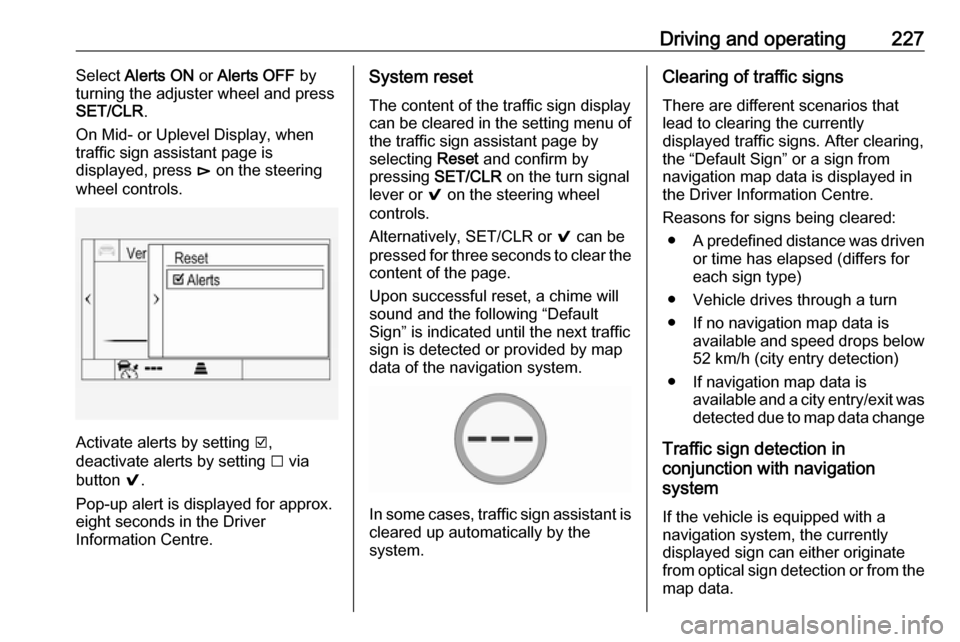
System reset
The content of the traffic sign display
can be cleared in the setting menu of
the traffic sign assistant page by
selecting Reset and confirm by
pressing SET/CLR on the turn signal
lever or 9 on the steering wheel
controls.
Alternatively, SET/CLR or 9 can be
pressed for three seconds to clear the
content of the page.
Upon successful reset, a chime will
sound and the following “Default
Sign” is indicated until the next traffic
sign is detected or provided by map
data of the navigation system.
In some cases, traffic sign assistant is
cleared up automatically by the
system.
Clearing of traffic signs
There are different scenarios that
lead to clearing the currently
displayed traffic signs. After clearing,
the “Default Sign” or a sign from
navigation map data is displayed in
the Driver Information Centre.
Reasons for signs being cleared: ● A predefined distance was driven
or time has elapsed (differs for
each sign type)
● Vehicle drives through a turn
● If no navigation map data is available and speed drops below52 km/h (city entry detection)
● If navigation map data is available and a city entry/exit was
detected due to map data change
Traffic sign detection in
conjunction with navigation
system
If the vehicle is equipped with a
navigation system, the currently
displayed sign can either originate
from optical sign detection or from the
map data.