instrument cluster OPEL INSIGNIA BREAK 2018.5 Manual user
[x] Cancel search | Manufacturer: OPEL, Model Year: 2018.5, Model line: INSIGNIA BREAK, Model: OPEL INSIGNIA BREAK 2018.5Pages: 329, PDF Size: 9.32 MB
Page 119 of 329
Instruments and controls117Some of the displayed functions differ
when the vehicle is being driven or at
a standstill and some functions are
only active when the vehicle is being
driven.
Uplevel instrument cluster can be
displayed as Sport mode or Tour
mode. See below: Settings Menu,
Display Themes.
Selecting menus and functions
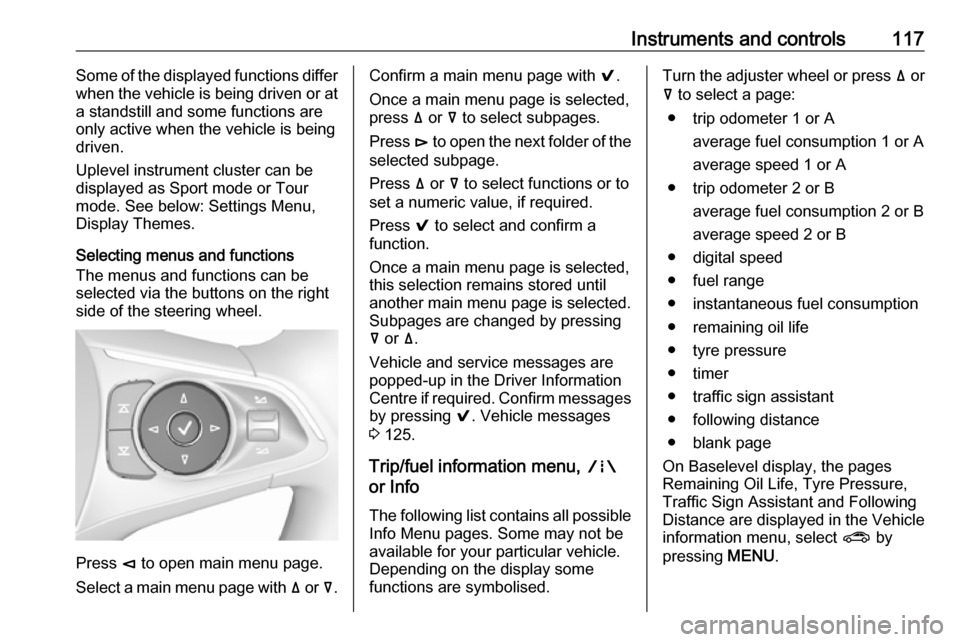
The menus and functions can be selected via the buttons on the right
side of the steering wheel.
Press è to open main menu page.
Select a main menu page with ä or å.
Confirm a main menu page with 9.
Once a main menu page is selected, press ä or å to select subpages.
Press é to open the next folder of the
selected subpage.
Press ä or å to select functions or to
set a numeric value, if required.
Press 9 to select and confirm a
function.
Once a main menu page is selected, this selection remains stored until
another main menu page is selected.
Subpages are changed by pressing
å or ä.
Vehicle and service messages are
popped-up in the Driver Information
Centre if required. Confirm messages
by pressing 9. Vehicle messages
3 125.
Trip/fuel information menu, ;
or Info
The following list contains all possible Info Menu pages. Some may not beavailable for your particular vehicle.
Depending on the display some
functions are symbolised.Turn the adjuster wheel or press ä or
å to select a page:
● trip odometer 1 or A average fuel consumption 1 or A
average speed 1 or A
● trip odometer 2 or B average fuel consumption 2 or B
average speed 2 or B
● digital speed
● fuel range
● instantaneous fuel consumption
● remaining oil life
● tyre pressure
● timer
● traffic sign assistant
● following distance
● blank page
On Baselevel display, the pages
Remaining Oil Life, Tyre Pressure,
Traffic Sign Assistant and Following
Distance are displayed in the Vehicle
information menu, select ? by
pressing MENU.
Page 123 of 329
Instruments and controls121Software information
Displays the open source software
information.
Info Display
The Info-Display is located in the
instrument panel near the instrument
cluster.
Depending on the vehicle
configuration the vehicle has a
● 7'' Colour-Info-Display with
touchscreen functionality
or
● 8'' Colour-Info-Display with
touchscreen functionality
The Info displays can indicate: ● time 3 93
● outside temperature 3 93
● date 3 93
● Infotainment system, see description in the Infotainment
manual
● climate control settings 3 153
● rear view camera 3 221
● panoramic view system 3 219● parking assist instructions
3 209
● rear cross traffic 3 223
● Flex Ride visualisation menu 3 186
● navigation, see description in the
Infotainment manual
● system messages
● settings for vehicle personalisation 3 127
7'' Colour-Info-Display
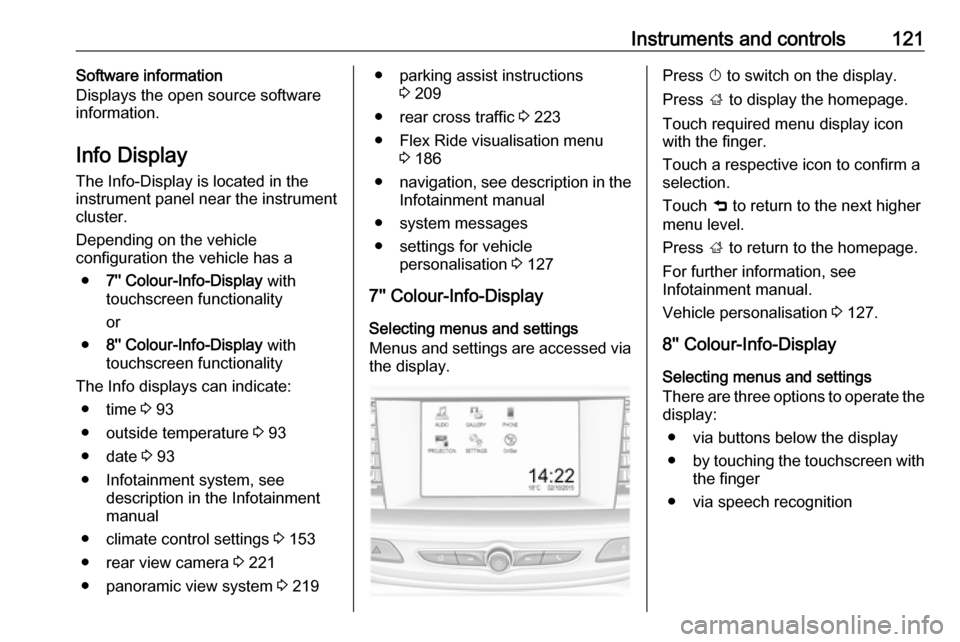
Selecting menus and settings
Menus and settings are accessed via the display.Press X to switch on the display.
Press ; to display the homepage.
Touch required menu display icon
with the finger.
Touch a respective icon to confirm a
selection.
Touch 9 to return to the next higher
menu level.
Press ; to return to the homepage.
For further information, see Infotainment manual.
Vehicle personalisation 3 127.
8'' Colour-Info-Display
Selecting menus and settings
There are three options to operate the
display:
● via buttons below the display
● by touching the touchscreen with
the finger
● via speech recognition
Page 124 of 329
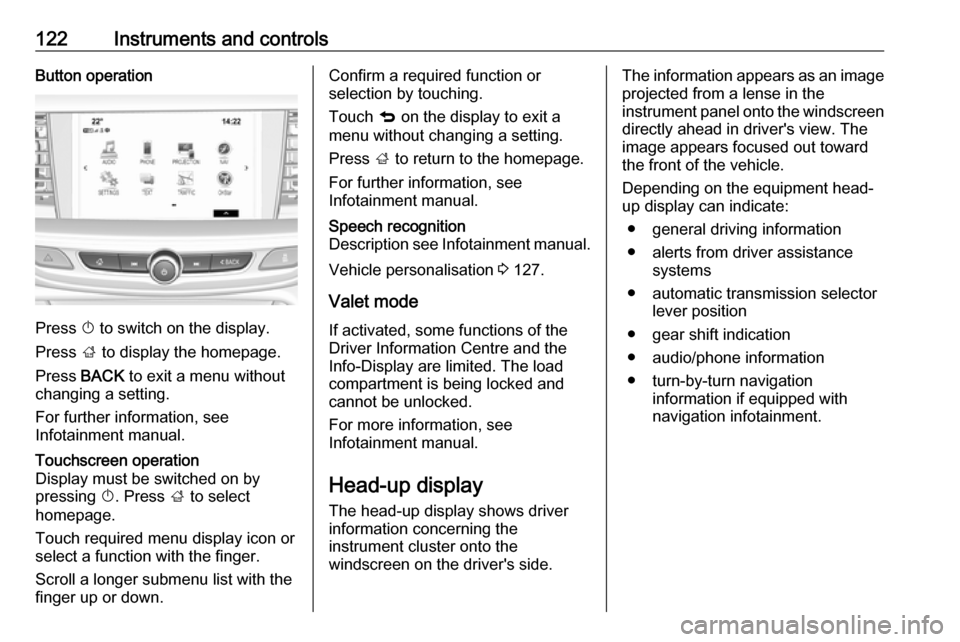
122Instruments and controlsButton operation
Press X to switch on the display.
Press ; to display the homepage.
Press BACK to exit a menu without
changing a setting.
For further information, see
Infotainment manual.
Touchscreen operation
Display must be switched on by
pressing X. Press ; to select
homepage.
Touch required menu display icon or select a function with the finger.
Scroll a longer submenu list with the
finger up or down.Confirm a required function or
selection by touching.
Touch q on the display to exit a
menu without changing a setting.
Press ; to return to the homepage.
For further information, see
Infotainment manual.Speech recognition
Description see Infotainment manual.
Vehicle personalisation 3 127.
Valet mode
If activated, some functions of the
Driver Information Centre and the
Info-Display are limited. The load
compartment is being locked and
cannot be unlocked.
For more information, see
Infotainment manual.
Head-up display
The head-up display shows driver information concerning the
instrument cluster onto the
windscreen on the driver's side.
The information appears as an image
projected from a lense in the
instrument panel onto the windscreen directly ahead in driver's view. The
image appears focused out toward
the front of the vehicle.
Depending on the equipment head-
up display can indicate:
● general driving information
● alerts from driver assistance systems
● automatic transmission selector lever position
● gear shift indication
● audio/phone information
● turn-by-turn navigation information if equipped with
navigation infotainment.
Page 178 of 329

176Driving and operating
The selector lever is locked in P and
can only be moved when the ignition
is on, the release button on the
selector lever is pushed and the brake
pedal is applied.
Without brake pedal applied, control
indicator j illuminates.
If the selector lever is not in P when
the ignition is switched off, control
indicator j flashes.
To engage P or R, press the release
button.
The engine can only be started with lever in position P or N. When position
N is selected, press brake pedal or
apply parking brake before starting.
Do not accelerate while engaging a
gear. Never depress the accelerator
pedal and brake pedal at the same
time.
When a gear is engaged, the vehicle
begins to creep when the brake is
released.
Engine braking To utilise the engine braking effect,
select a lower gear in good time when
driving downhill, see manual mode.
Rocking the vehicle
Rocking the vehicle is only
permissible if the vehicle is stuck in
sand, mud or snow. Move the selector lever between D and R in a repeat
pattern. Do not race the engine and
avoid sudden acceleration.
Parking
Apply the parking brake and engage
P .Manual mode
Selector lever
Move selector lever out of position D
towards the left in position M.
Manual mode M can be activated
from position D in each driving
situation and speed.
Tap selector lever upwards + to shift
to a higher gear.
Tap the selector lever downwards - to
shift to a lower gear.
The selected gear is indicated in the
instrument cluster.
Page 179 of 329
Driving and operating177Steering wheel paddles
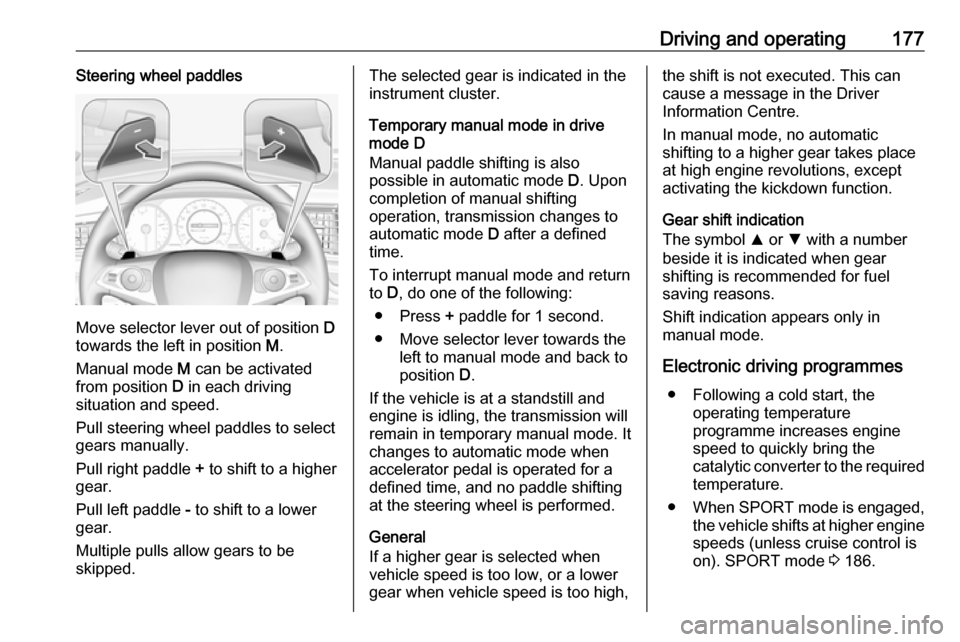
Move selector lever out of position D
towards the left in position M.
Manual mode M can be activated
from position D in each driving
situation and speed.
Pull steering wheel paddles to select
gears manually.
Pull right paddle + to shift to a higher
gear.
Pull left paddle - to shift to a lower
gear.
Multiple pulls allow gears to be
skipped.
The selected gear is indicated in the
instrument cluster.
Temporary manual mode in drive
mode D
Manual paddle shifting is also
possible in automatic mode D. Upon
completion of manual shifting
operation, transmission changes to
automatic mode D after a defined
time.
To interrupt manual mode and return
to D, do one of the following:
● Press + paddle for 1 second.
● Move selector lever towards the left to manual mode and back to
position D.
If the vehicle is at a standstill and
engine is idling, the transmission will
remain in temporary manual mode. It
changes to automatic mode when
accelerator pedal is operated for a
defined time, and no paddle shifting
at the steering wheel is performed.
General
If a higher gear is selected when
vehicle speed is too low, or a lower
gear when vehicle speed is too high,the shift is not executed. This can
cause a message in the Driver
Information Centre.
In manual mode, no automatic
shifting to a higher gear takes place
at high engine revolutions, except
activating the kickdown function.
Gear shift indication
The symbol R or S with a number
beside it is indicated when gear
shifting is recommended for fuel
saving reasons.
Shift indication appears only in
manual mode.
Electronic driving programmes ● Following a cold start, the operating temperature
programme increases engine
speed to quickly bring the
catalytic converter to the required
temperature.
● When SPORT mode is engaged,
the vehicle shifts at higher engine
speeds (unless cruise control is
on). SPORT mode 3 186.
Page 188 of 329
186Driving and operating
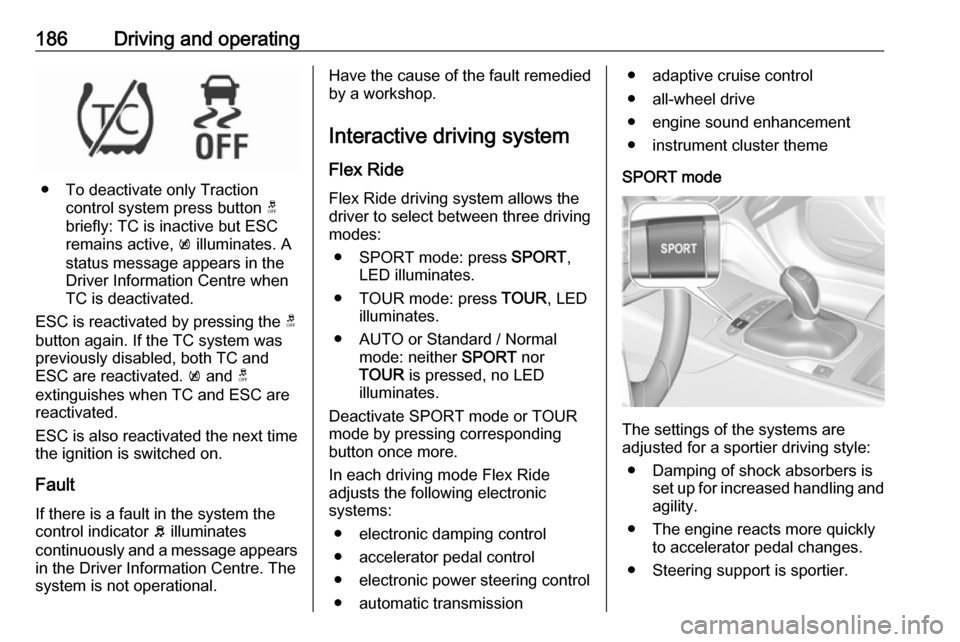
● To deactivate only Tractioncontrol system press button t
briefly: TC is inactive but ESC
remains active, k illuminates. A
status message appears in the
Driver Information Centre when
TC is deactivated.
ESC is reactivated by pressing the t
button again. If the TC system was
previously disabled, both TC and
ESC are reactivated. k and t
extinguishes when TC and ESC are reactivated.
ESC is also reactivated the next time
the ignition is switched on.
Fault
If there is a fault in the system the
control indicator b illuminates
continuously and a message appears in the Driver Information Centre. The
system is not operational.
Have the cause of the fault remedied by a workshop.
Interactive driving system Flex RideFlex Ride driving system allows the
driver to select between three driving
modes:
● SPORT mode: press SPORT,
LED illuminates.
● TOUR mode: press TOUR, LED
illuminates.
● AUTO or Standard / Normal mode: neither SPORT nor
TOUR is pressed, no LED
illuminates.
Deactivate SPORT mode or TOUR
mode by pressing corresponding
button once more.
In each driving mode Flex Ride adjusts the following electronic
systems:
● electronic damping control
● accelerator pedal control
● electronic power steering control
● automatic transmission● adaptive cruise control
● all-wheel drive
● engine sound enhancement
● instrument cluster theme
SPORT mode
The settings of the systems are
adjusted for a sportier driving style:
● Damping of shock absorbers is set up for increased handling andagility.
● The engine reacts more quickly to accelerator pedal changes.
● Steering support is sportier.
Page 191 of 329

Driving and operating189Driver assistance
systems9 Warning
Driver assistance systems are
developed to support the driver
and not to replace the driver's
attention.
The driver stays in full control of
the vehicle and accepts full
responsibility when driving the
vehicle.
When using driver assistance
systems, always take care
regarding the current traffic
situation and follow applicable
traffic rules.
Cruise control
The cruise control can store and
maintain speeds of approx. 30 km/h
to maximum vehicle speed.
Deviations from the stored speeds
may occur when driving uphill or
downhill.
Activating in first gear is not possible.
Do not use the cruise control if it is not advisable to maintain a constant
speed.
Illustrations show different versions.
Control indicator m 3 113.
Switching on
Press m; control indicator m in
instrument cluster illuminates white.
Activation
Accelerate to the desired speed and
turn thumb wheel to SET/-, the
current speed is stored and
maintained. Control indicator m in
instrument cluster illuminates green.
On Mid- and Uplevel display m
illuminates green and set speed is
indicated. Accelerator pedal can be
released.
Page 192 of 329
190Driving and operatingVehicle speed can be increased by
depressing the accelerator pedal.
When the accelerator pedal is
released, the previously stored speed
is resumed.
Cruise control remains activated
while gearshifting.
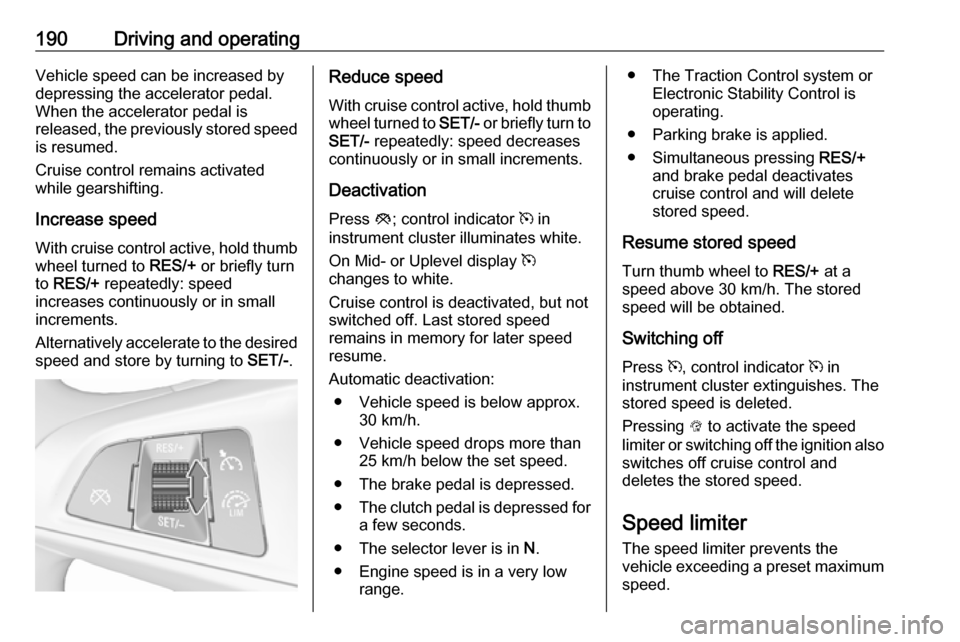
Increase speed With cruise control active, hold thumb
wheel turned to RES/+ or briefly turn
to RES/+ repeatedly: speed
increases continuously or in small
increments.
Alternatively accelerate to the desired speed and store by turning to SET/-.Reduce speed
With cruise control active, hold thumb
wheel turned to SET/- or briefly turn to
SET/- repeatedly: speed decreases
continuously or in small increments.
Deactivation Press y; control indicator m in
instrument cluster illuminates white.
On Mid- or Uplevel display m
changes to white.
Cruise control is deactivated, but not
switched off. Last stored speed
remains in memory for later speed
resume.
Automatic deactivation: ● Vehicle speed is below approx. 30 km/h.
● Vehicle speed drops more than 25 km/h below the set speed.
● The brake pedal is depressed.
● The clutch pedal is depressed for
a few seconds.
● The selector lever is in N.
● Engine speed is in a very low range.● The Traction Control system orElectronic Stability Control is
operating.
● Parking brake is applied.
● Simultaneous pressing RES/+
and brake pedal deactivates
cruise control and will delete
stored speed.
Resume stored speed
Turn thumb wheel to RES/+ at a
speed above 30 km/h. The stored
speed will be obtained.
Switching off
Press m, control indicator m in
instrument cluster extinguishes. The stored speed is deleted.
Pressing L to activate the speed
limiter or switching off the ignition also switches off cruise control and
deletes the stored speed.
Speed limiter
The speed limiter prevents the
vehicle exceeding a preset maximum speed.
Page 202 of 329
200Driving and operatingaccident, consult a workshop to
verify and adjust the radar unit
position.
Settings
Settings can be changed in the
vehicle personalisation menu in the
Info-Display.
Select the relevant setting in Settings,
I Vehicle in the Info-Display.
Info-Display 3 121.
Vehicle personalisation 3 127.
Fault
If the adaptive cruise control does not
work due to temporary conditions
(e.g. blockage by ice, overheated
brakes or low speed manoeuvres) or
if there is a permanent system error,
a message is displayed in the Driver
Information Centre.
Vehicle messages 3 125.
Forward collision alert The forward collision alert may help toavoid or reduce the harm caused by
front-end crashes.
If the vehicle is equipped with
conventional cruise control, the
forward collision alert uses the front
camera in the windscreen to detect a
vehicle directly ahead, in your path.
If the vehicle is equipped with
adaptive cruise control, the forward
collision alert uses the radar sensor
and front camera to detect a vehicle
directly ahead, in your path.
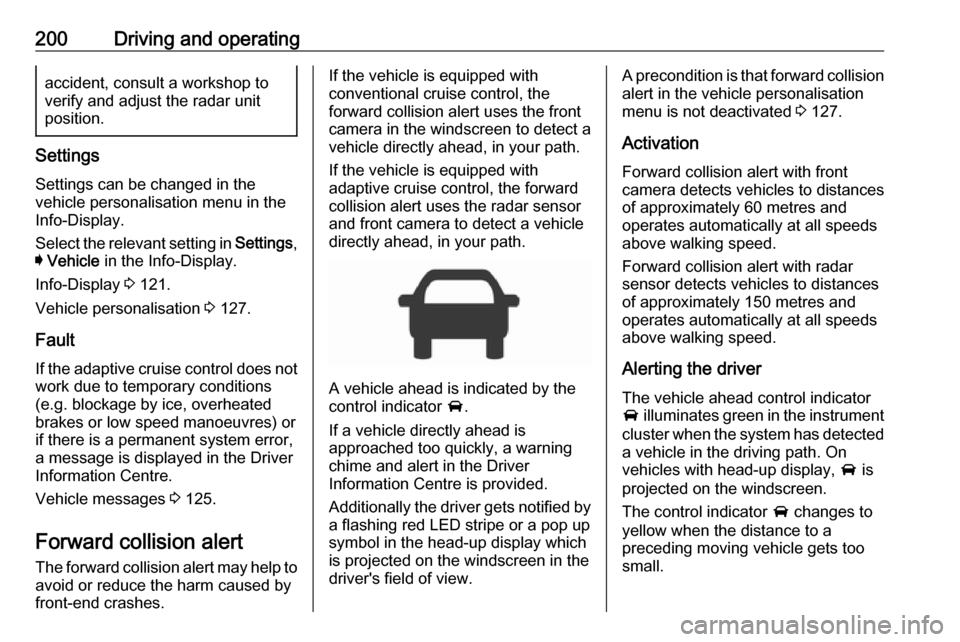
A vehicle ahead is indicated by the
control indicator A.
If a vehicle directly ahead is
approached too quickly, a warning
chime and alert in the Driver
Information Centre is provided.
Additionally the driver gets notified by
a flashing red LED stripe or a pop up
symbol in the head-up display which
is projected on the windscreen in the
driver's field of view.
A precondition is that forward collision
alert in the vehicle personalisation
menu is not deactivated 3 127.
Activation
Forward collision alert with front
camera detects vehicles to distances
of approximately 60 metres and
operates automatically at all speeds
above walking speed.
Forward collision alert with radar
sensor detects vehicles to distances
of approximately 150 metres and
operates automatically at all speeds
above walking speed.
Alerting the driver The vehicle ahead control indicator
A illuminates green in the instrument
cluster when the system has detected
a vehicle in the driving path. On
vehicles with head-up display, A is
projected on the windscreen.
The control indicator A changes to
yellow when the distance to a
preceding moving vehicle gets too
small.
Page 209 of 329
Driving and operating207Front pedestrian protection can beset to Off, Alert, or Alert & Brake in
vehicle personalisation 3 127.9 Danger
Front pedestrian braking does not
provide an alert or automatically
brake the vehicle, unless it detects
a pedestrian.
The system may not detect
pedestrians, including children,
when the pedestrian is not directly ahead, not fully visible, not
standing upright, or when part of a
group.
Front pedestrian protection includes:
● detecting front pedestrian ahead● front pedestrian alert
● automatic braking
Detecting front pedestrian ahead
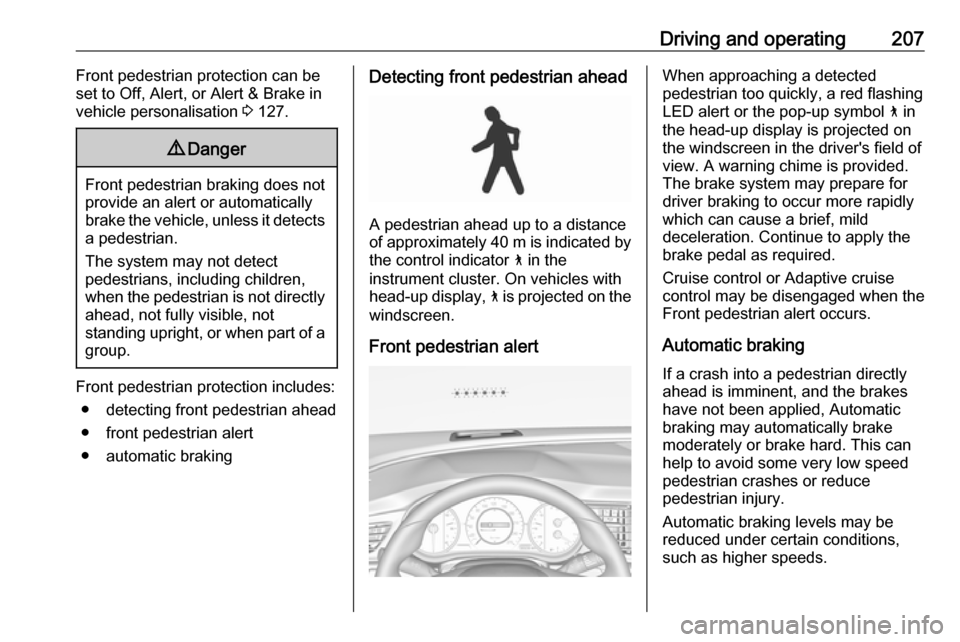
A pedestrian ahead up to a distance
of approximately 40 m is indicated by the control indicator 7 in the
instrument cluster. On vehicles with
head-up display, 7 is projected on the
windscreen.
Front pedestrian alert
When approaching a detected
pedestrian too quickly, a red flashing
LED alert or the pop-up symbol 7 in
the head-up display is projected on the windscreen in the driver's field of
view. A warning chime is provided.
The brake system may prepare for
driver braking to occur more rapidly
which can cause a brief, mild
deceleration. Continue to apply the
brake pedal as required.
Cruise control or Adaptive cruise
control may be disengaged when the
Front pedestrian alert occurs.
Automatic braking If a crash into a pedestrian directly
ahead is imminent, and the brakes
have not been applied, Automatic
braking may automatically brake
moderately or brake hard. This can
help to avoid some very low speed
pedestrian crashes or reduce
pedestrian injury.
Automatic braking levels may be reduced under certain conditions,
such as higher speeds.