automatic transmission OPEL INSIGNIA BREAK 2018.5 Manual user
[x] Cancel search | Manufacturer: OPEL, Model Year: 2018.5, Model line: INSIGNIA BREAK, Model: OPEL INSIGNIA BREAK 2018.5Pages: 329, PDF Size: 9.32 MB
Page 189 of 329
Driving and operating187● Automatic transmission shiftpoints optimised for sporty
driving.
● Adaptive cruise control is adjusted for a sportier driving
style.
● All-wheel drive supports active sporty driving of the vehicle.
● Engine sound enhancement intensifies interior engine sound
in a sporty manner.
● Cluster theme changes to sport.
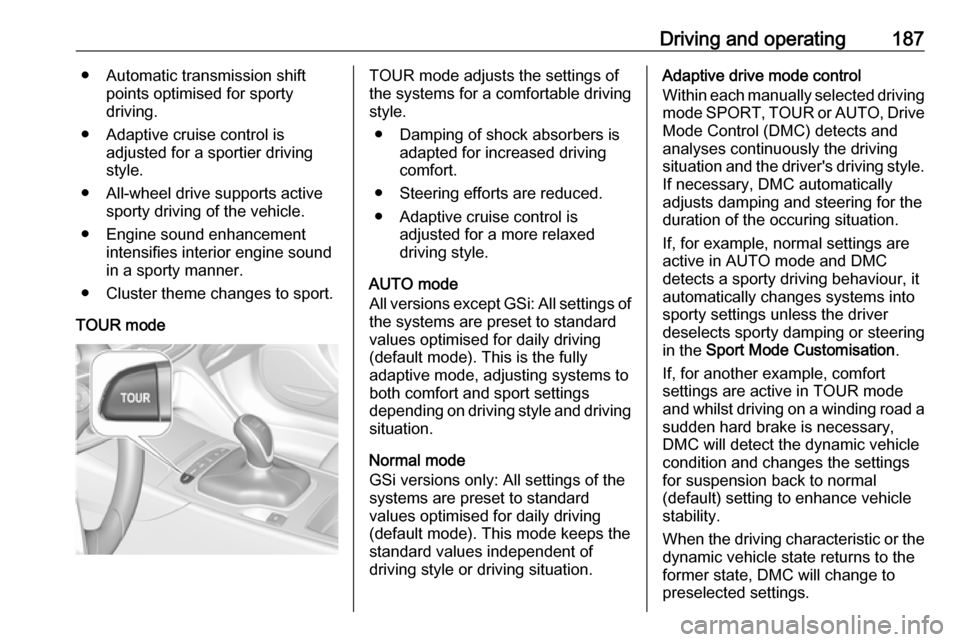
TOUR modeTOUR mode adjusts the settings of
the systems for a comfortable driving
style.
● Damping of shock absorbers is adapted for increased driving
comfort.
● Steering efforts are reduced. ● Adaptive cruise control is adjusted for a more relaxed
driving style.
AUTO mode
All versions except GSi: All settings of the systems are preset to standard
values optimised for daily driving
(default mode). This is the fully
adaptive mode, adjusting systems to
both comfort and sport settings
depending on driving style and driving
situation.
Normal mode
GSi versions only: All settings of the
systems are preset to standard
values optimised for daily driving
(default mode). This mode keeps the
standard values independent of
driving style or driving situation.Adaptive drive mode control
Within each manually selected driving
mode SPORT , TOUR or AUTO , Drive
Mode Control (DMC) detects and
analyses continuously the driving
situation and the driver's driving style. If necessary, DMC automatically
adjusts damping and steering for the
duration of the occuring situation.
If, for example, normal settings are
active in AUTO mode and DMC
detects a sporty driving behaviour, it
automatically changes systems into
sporty settings unless the driver
deselects sporty damping or steering
in the Sport Mode Customisation .
If, for another example, comfort
settings are active in TOUR mode
and whilst driving on a winding road a sudden hard brake is necessary,DMC will detect the dynamic vehicle
condition and changes the settings
for suspension back to normal
(default) setting to enhance vehicle
stability.
When the driving characteristic or the
dynamic vehicle state returns to the
former state, DMC will change to
preselected settings.
Page 194 of 329

192Driving and operatingRelease the accelerator pedal and
the speed limiter function is
reactivated once a speed lower than the limit speed is obtained.
Deactivation Press y: speed limiter is deactivated
and the vehicle can be driven without
speed limit.
On Baselevel display the stored
limited speed is indicated in brackets.
On Mid- or Uplevel display L
changes to white.
Additionally, a corresponding
message appears.
Speed limiter is deactivated, but not
switched off. Last stored speed
remains in memory for later speed
resume.
Resume limit speed
Turn thumb wheel to RES/+. The
stored speed limit will be obtained
and is indicated without brackets in
the Driver Information Centre.
Switching off
Press L, the speed limit indication
extinguishes in the Driver Information Centre. The stored speed is deleted.
By pressing m to activate cruise
control or adaptive cruise control, speed limiter is also deactivated and
the stored speed is deleted.
By switching off the ignition, speed
limiter is also deactivated, but the
speed limit will be stored for next
speed limiter activation.
Adaptive cruise control
Adaptive cruise control is an
enhancement to conventional cruise control with the additional feature ofmaintaining a certain distance behind the vehicle ahead.Adaptive cruise control automaticallydecelerates the vehicle when
approaching a slower moving vehicle. It then adjusts the vehicle speed to
follow the vehicle ahead at the
selected following distance. The
vehicle speed increases or decreases
to follow the vehicle in front, but will
not exceed the set speed. It may
apply limited braking with activated
brake lights.
To facilitate overtaking a vehicle on
the motorway, the activation of the
turn signal reduces the following
distance for a short time. This function is implemented only on the respective
driver's side depending on left or right
hand drive vehicle configuration.
The adaptive cruise control can store set speed over 30 km/h for manual
transmission. On vehicles with
automatic transmissions the system
can brake until a full stop and drive off
from a stop.
Page 195 of 329
Driving and operating193
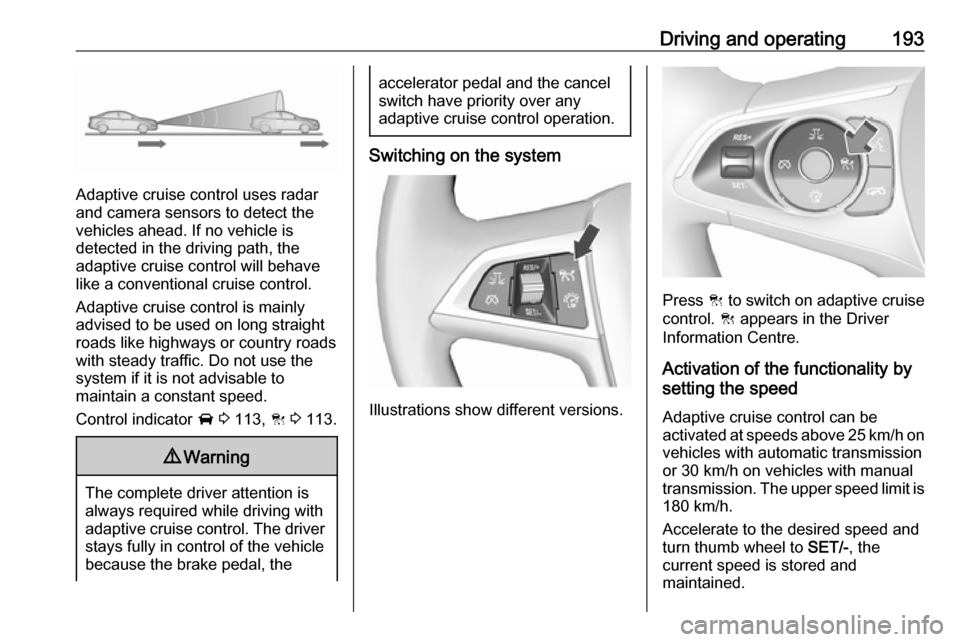
Adaptive cruise control uses radar
and camera sensors to detect the
vehicles ahead. If no vehicle is
detected in the driving path, the
adaptive cruise control will behave
like a conventional cruise control.
Adaptive cruise control is mainly
advised to be used on long straight
roads like highways or country roads
with steady traffic. Do not use the
system if it is not advisable to
maintain a constant speed.
Control indicator A 3 113, C 3 113.
9 Warning
The complete driver attention is
always required while driving with adaptive cruise control. The driver
stays fully in control of the vehicle
because the brake pedal, the
accelerator pedal and the cancel
switch have priority over any
adaptive cruise control operation.
Switching on the system
Illustrations show different versions.
Press C to switch on adaptive cruise
control. C appears in the Driver
Information Centre.
Activation of the functionality by
setting the speed
Adaptive cruise control can be
activated at speeds above 25 km/h on
vehicles with automatic transmission
or 30 km/h on vehicles with manual
transmission. The upper speed limit is 180 km/h.
Accelerate to the desired speed and
turn thumb wheel to SET/-, the
current speed is stored and
maintained.
Page 196 of 329
194Driving and operating
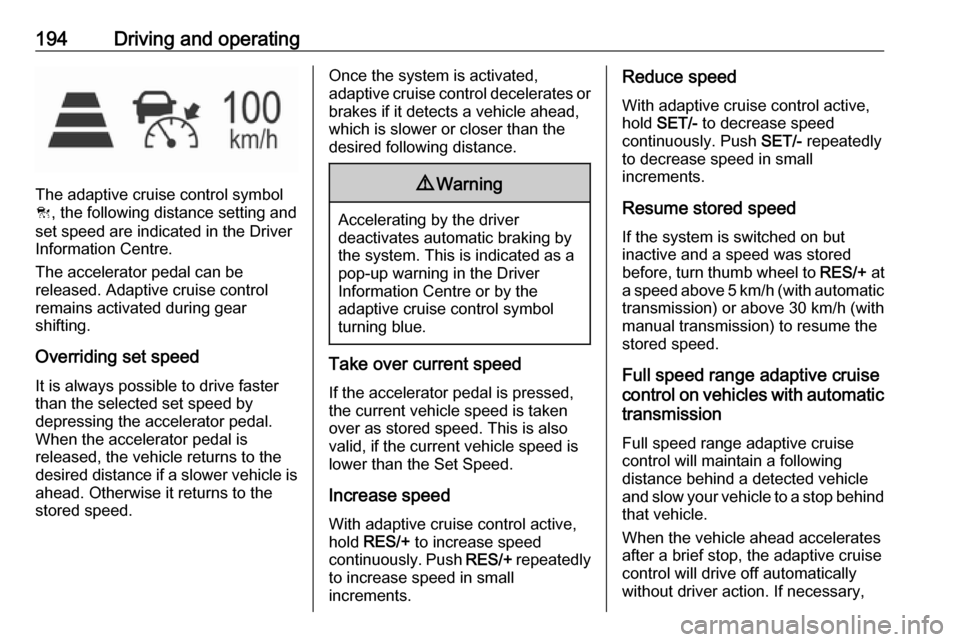
The adaptive cruise control symbol
C , the following distance setting and
set speed are indicated in the Driver
Information Centre.
The accelerator pedal can be
released. Adaptive cruise control
remains activated during gear
shifting.
Overriding set speed
It is always possible to drive faster
than the selected set speed by
depressing the accelerator pedal.
When the accelerator pedal is
released, the vehicle returns to the
desired distance if a slower vehicle is ahead. Otherwise it returns to the
stored speed.
Once the system is activated,
adaptive cruise control decelerates or
brakes if it detects a vehicle ahead,
which is slower or closer than the
desired following distance.9 Warning
Accelerating by the driver
deactivates automatic braking by
the system. This is indicated as a
pop-up warning in the Driver
Information Centre or by the
adaptive cruise control symbol
turning blue.
Take over current speed
If the accelerator pedal is pressed,
the current vehicle speed is taken
over as stored speed. This is also
valid, if the current vehicle speed is
lower than the Set Speed.
Increase speed
With adaptive cruise control active,
hold RES/+ to increase speed
continuously. Push RES/+ repeatedly
to increase speed in small
increments.
Reduce speed
With adaptive cruise control active,
hold SET/- to decrease speed
continuously. Push SET/- repeatedly
to decrease speed in small
increments.
Resume stored speed
If the system is switched on but
inactive and a speed was stored
before, turn thumb wheel to RES/+ at
a speed above 5 km/h (with automatic transmission) or above 30 km/h (with
manual transmission) to resume the stored speed.
Full speed range adaptive cruise
control on vehicles with automatic
transmission
Full speed range adaptive cruisecontrol will maintain a following
distance behind a detected vehicle
and slow your vehicle to a stop behind
that vehicle.
When the vehicle ahead accelerates
after a brief stop, the adaptive cruise
control will drive off automatically
without driver action. If necessary,
Page 198 of 329
196Driving and operating9Warning
The Driver accepts full
responsibility to drive with the
appropriate following distance
based on traffic, weather, visibility and regional regulation. Followingdistance must be adjusted or the
system switched off when required by the prevailing conditions.
Adaptive cruise control in Sport
mode
On vehicles with Flex Ride driving
modes, the driver can slightly
increase the Adaptive cruise control
acceleration when Sport mode is
selected. This function can be
deactivated in the Flex Ride
visualisation menu 3 186
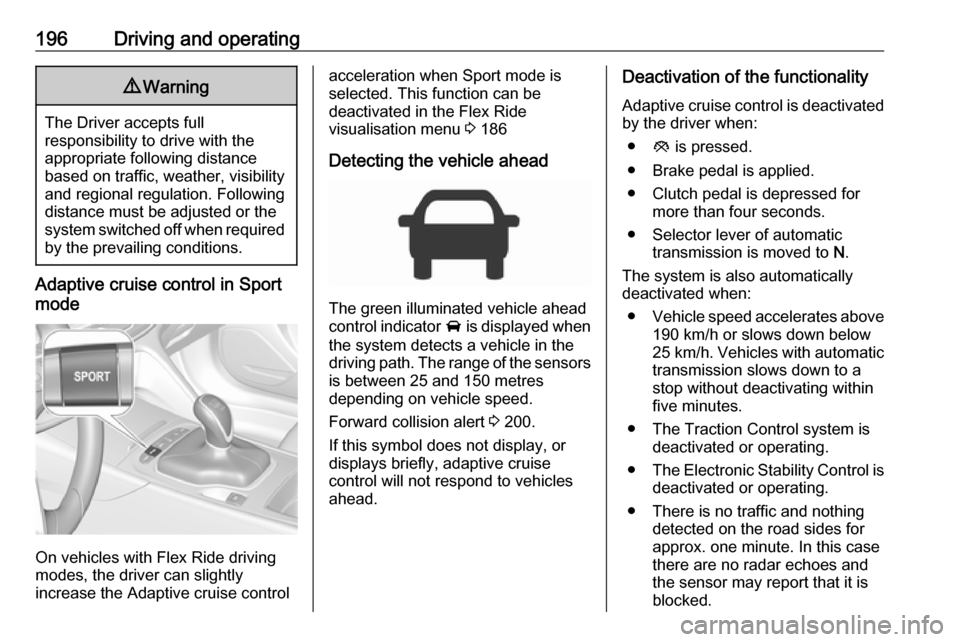
Detecting the vehicle ahead
The green illuminated vehicle ahead
control indicator A is displayed when
the system detects a vehicle in the driving path. The range of the sensors
is between 25 and 150 metres
depending on vehicle speed.
Forward collision alert 3 200.
If this symbol does not display, or
displays briefly, adaptive cruise
control will not respond to vehicles ahead.
Deactivation of the functionality
Adaptive cruise control is deactivated by the driver when:
● y is pressed.
● Brake pedal is applied.
● Clutch pedal is depressed for more than four seconds.
● Selector lever of automatic transmission is moved to N.
The system is also automatically
deactivated when:
● Vehicle speed accelerates above
190 km/h or slows down below
25 km/h . Vehicles with automatic
transmission slows down to a
stop without deactivating within
five minutes.
● The Traction Control system is deactivated or operating.
● The Electronic Stability Control is
deactivated or operating.
● There is no traffic and nothing detected on the road sides for
approx. one minute. In this case there are no radar echoes and
the sensor may report that it is blocked.
Page 199 of 329
Driving and operating197● The active emergency brakingsystem is applying the brakes.
● Driving on steep inclines.
● The radar sensor is blocked by an ice or water film.
● A fault is detected in the radar, camera, engine or brake system.
● The brakes need to cool down.
Additionally, the system is
automatically deactivated on vehicles with automatic transmission (full
speed range adaptive cruise control)
when:
● The incline uphill or downhill is greater than 20 %.
● The electric parking brake is applied.
● The vehicle is being held to a stop
by the system for more than
five minutes.
● The vehicle stops, the driver's seat belt is unbuckled and thedriver's door is opened.When adaptive cruise control is
deactivated, the control indicator m
changes from green to white and a
pop-up message is displayed in the
Driver Information Centre.
The stored speed is maintained.
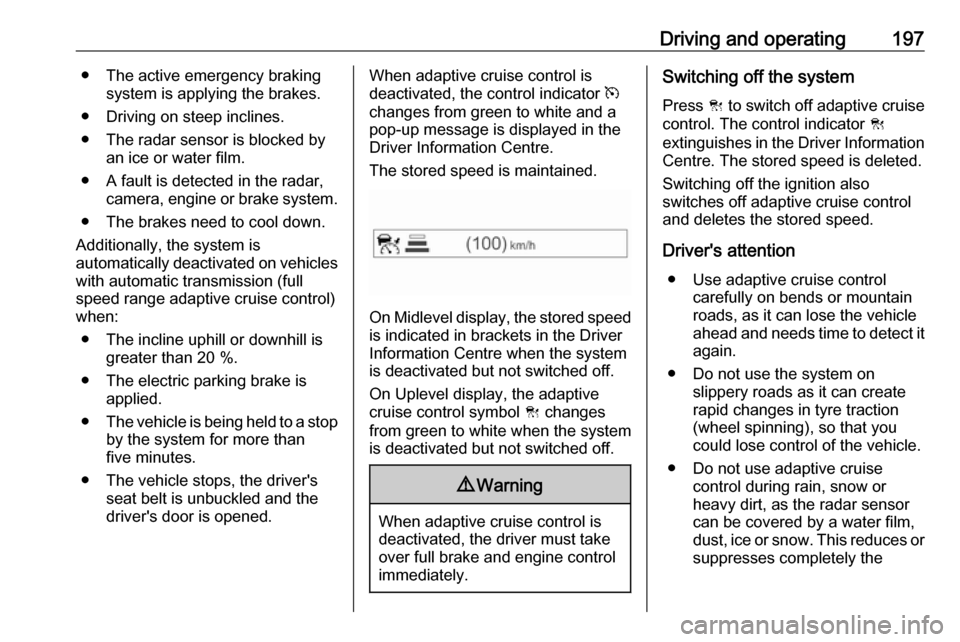
On Midlevel display, the stored speed is indicated in brackets in the Driver
Information Centre when the system
is deactivated but not switched off.
On Uplevel display, the adaptive
cruise control symbol C changes
from green to white when the system
is deactivated but not switched off.
9 Warning
When adaptive cruise control is
deactivated, the driver must take
over full brake and engine control
immediately.
Switching off the system
Press C to switch off adaptive cruise
control. The control indicator C
extinguishes in the Driver Information Centre. The stored speed is deleted.
Switching off the ignition also
switches off adaptive cruise control
and deletes the stored speed.
Driver's attention ● Use adaptive cruise control carefully on bends or mountain
roads, as it can lose the vehicle
ahead and needs time to detect it again.
● Do not use the system on slippery roads as it can create
rapid changes in tyre traction
(wheel spinning), so that you
could lose control of the vehicle.
● Do not use adaptive cruise control during rain, snow or
heavy dirt, as the radar sensor
can be covered by a water film,
dust, ice or snow. This reduces or suppresses completely the
Page 212 of 329

210Driving and operatingIndication
The system warns the driver with
acoustic signals against potentially
hazardous obstacles in front of the
vehicle in a distance range up to 80
cm and against potentially hazardous
obstacles behind the vehicle in a
distance range up to 50 cm while a
forward gear is engaged, or up to 1.5 m while reverse gear is engaged.
Depending on which side of the
vehicle is closer to an obstacle, you
will hear acoustic warning signals in
the vehicle on the respective side.
The interval between the sounds
becomes shorter as the vehicle gets
closer to that obstacle. When the
distance is less than approx. 30 cm, the sound is continuous.
Additionally, the distance to rear and
front obstacles is displayed by
changing distance lines in the Driver
Information Centre 3 114 or,
depending on the version, on the Info- Display 3 121.
The distance indication can be
inhibited by vehicle messages with a higher priority. After dismissing themessage distance indication appears
again.
Acoustic signal is muted when
parking brake is engaged or the
selector lever of automatic
transmission is in N.
Deactivation
The system is deactivated
automatically when vehicle speed
exceeds 11 km/h.
Manual deactivation is also possible by pressing the parking assist button
r .
When the system is deactivated
manually, the LED in the button
extinguishes and Park Assist Off
pops-up in the Driver Information
Centre.
After a manual deactivation, the front- rear parking assist is activated again
if r is pressed.
The complete system can be
manually deactivated in the vehicle
personalisation menu in the
Info-Display. It remains deactivated
during the ignition cycle or until
activation in personalisation menu
again. Vehicle personalisation 3 127.
Fault
In the event of a fault or if the system
does not work temporarily, e.g.
because of high external noise level
or other interference factors, a
message pops-up in the Driver
Information Centre.
Vehicle messages 3 125.
Page 213 of 329

Driving and operating211Advanced parking assist9Warning
The driver bears full responsibility
for accepting the parking slot
suggested by the system and the
parking manoeuvre.
Always check the surrounding
area in all directions when using
the advanced parking assist.
The advanced parking assist
measures a suitable parking slot
while passing, calculates the
trajectory and automatically steers
the vehicle into a parallel or
perpendicular parking slot.
Instructions are given in the Driver
Information Centre 3 114 or,
depending on the version, on the Info- Display 3 121 , supported by acoustic
signals.
In vehicles with manual transmission, the driver must control acceleration,
braking and gear shifting, while
steering is done automatically.
In vehicles with automatic
transmission, the driver must control
acceleration and gear shifting, while
braking and steering is done
automatically.
Advanced parking assist is always
combined with front-rear parking assist. Both systems use the same
sensors in the front and rear bumper.
The system has six ultrasonic parking sensors each in both the rear and
front bumper.
Activation of advanced parking assist
Advanced parking assist can only be
activated when driving forwards.
When searching for a parking slot, the system is ready to operate with a
short press of (.
The system recognises and
memorises ten metres for parallel parking slots or six metres for
perpendicular parking slots in the
parking assist mode.
The system can only be activated and
searches for a parking slot at a speed
up to 30 km/h.
Advanced parking assist may not be
activated when driving on very steep
inclines.
Page 215 of 329

Driving and operating213
When a slot is detected, a visual
feedback on the Colour-Info-Display
and an acoustic signal is given.
If the driver does not stop the vehicle after a parking slot is proposed, the
system starts to search for another
suitable parking slot.
Park guiding mode
The parking slot suggestion of the system is accepted when the vehicle
is stopped by the driver within ten
metres for parallel parking slots or
six metres for perpendicular parking
slots after the Stop message is given.
The system calculates the optimal
path into the parking slot.A brief vibration in the steering wheel
after engaging reverse gear indicates
that the steering is controlled by the
system. Then the vehicle with manual transmission is steered into the slot
automatically by giving the driver
detailed instructions for braking,
accelerating and gear shifting. With
automatic transmission the vehicle is
steered into the slot automatically by
giving the driver detailed instructions for accelerating and shifting forward
or reversing. The driver must keep
hands away from the steering wheel.
During park guiding mode the
manoeuvring speed is limited.
Always pay attention to the sound of
the front-rear parking assist.
Continuous sound indicates that the
distance to an obstacle is less than
approx. 30 cm.
If, for any reason, the driver must take over control of the steering, hold the
steering wheel only at the outer edge.
Automatic steering is cancelled in this event.Display indication
The instructions on the display show:
● General hints and warning messages.
● A hint when driving faster than 30 km/h during parking slot
searching mode.
● The demand to stop the vehicle, when a parking slot is detected.
● The direction of driving during the
parking manoeuvre.
● The demand to shift into reverse or first gear, or R or D with
automatic transmission.
● The demand to stop or to drive slowly.
● For some of the instructions a progress bar is shown in the
Driver Information Centre.
● The successful completion of the
parking manoeuvre indicated by
a pop-up symbol and a chime.
● The cancelling of a parking manoeuvre.
Page 216 of 329

214Driving and operatingDisplay priorities
Advanced parking assist indication in the Driver Information Centre can beinhibited by vehicle messages with a
higher priority. After approving the
message by pressing SET/CLR on
the turn signal lever or 9 on the
steering wheel, advanced parking
assist instructions appear again and
the parking manoeuvre can be
continued.
Deactivation
The system is deactivated by:
● a short press of (
● parking manoeuvre successfully ended
● driving faster than 30 km/h during
parking slot search
● driving faster than 8 km/h during parking guidance
● driver interference on steering wheel detected
● exceeding maximum number of gear changes: eight cycles when
parallel parking or five cycles
when perpendicular parking
● switching off the ignitionDeactivation by the driver or by the system during manoeuvring will beindicated by Parking Deactivated on
the display. Additionally, an acoustic
signal sounds.
Automatic transmission:
If advanced park assist is deactivated
during the parking manoeuvre or
manoeuvre is finished successfully, the assist holds the vehicle in position
until one of the following conditions
occur:
1. brake pedal is applied.
2. electric parking brake is activated.
3. Selector lever is set to P
Fault
A message appears when:
● There is a fault in the system.
● The driver did not successfully complete the parking
manoeuvre.
● The system is not operational.
● Any of the deactivation reasons described above apply.If an object is detected during parkinginstructions, Stop is indicated on the
display. Removing the object will
resume the parking manoeuvre. If the
object is not removed, the system will
be deactivated.
Basic notes on parking assist
systems9 Warning
Under certain circumstances,
various reflective surfaces on
objects or clothing as well as
external noise sources may cause the system to fail to detect
obstacles.
Caution
Performance of the system can be reduced when sensors are
covered, e.g. by ice or snow.
Performance of the parking assist
system can be reduced due to
heavy loading.