check oil OPEL INSIGNIA BREAK 2018.5 Manual user
[x] Cancel search | Manufacturer: OPEL, Model Year: 2018.5, Model line: INSIGNIA BREAK, Model: OPEL INSIGNIA BREAK 2018.5Pages: 329, PDF Size: 9.32 MB
Page 20 of 329
18In briefStarting off
Check before starting off ● Tyre pressure and condition 3 264, 3 304.
● Engine oil level and fluid levels 3 242.
● All windows, mirrors, exterior lighting and number plates are
free from dirt, snow and ice and
are operational.
● Proper position of mirrors, seats, and seat belts 3 37, 3 47,
3 57.
● Brake function at low speed, particularly if the brakes are wet.Starting the engine
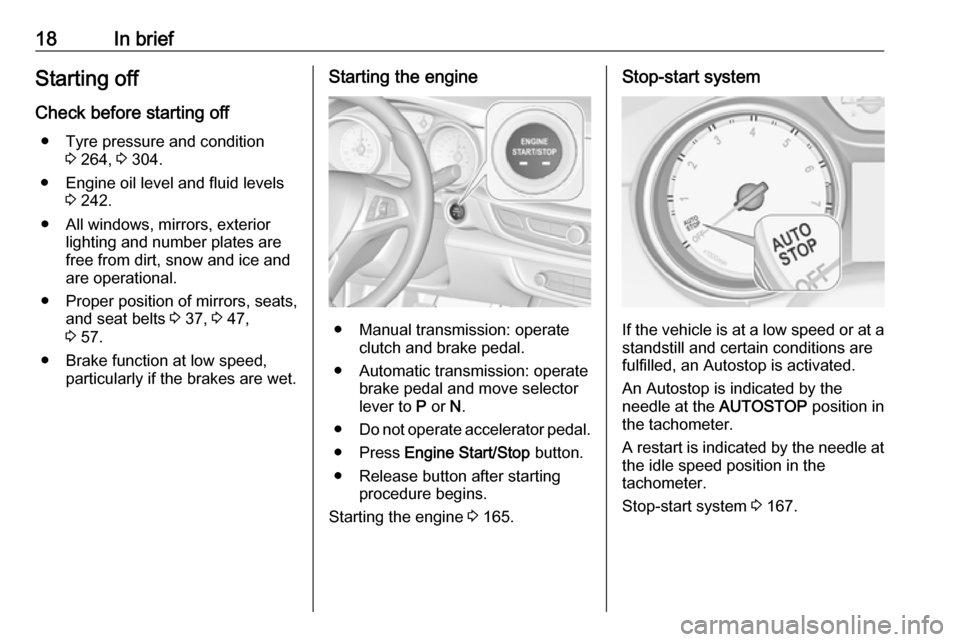
● Manual transmission: operateclutch and brake pedal.
● Automatic transmission: operate brake pedal and move selector
lever to P or N.
● Do not operate accelerator pedal.
● Press Engine Start/Stop button.
● Release button after starting procedure begins.
Starting the engine 3 165.
Stop-start system
If the vehicle is at a low speed or at a
standstill and certain conditions are
fulfilled, an Autostop is activated.
An Autostop is indicated by the
needle at the AUTOSTOP position in
the tachometer.
A restart is indicated by the needle at
the idle speed position in the
tachometer.
Stop-start system 3 167.
Page 58 of 329
56Seats, restraintsSeat belts
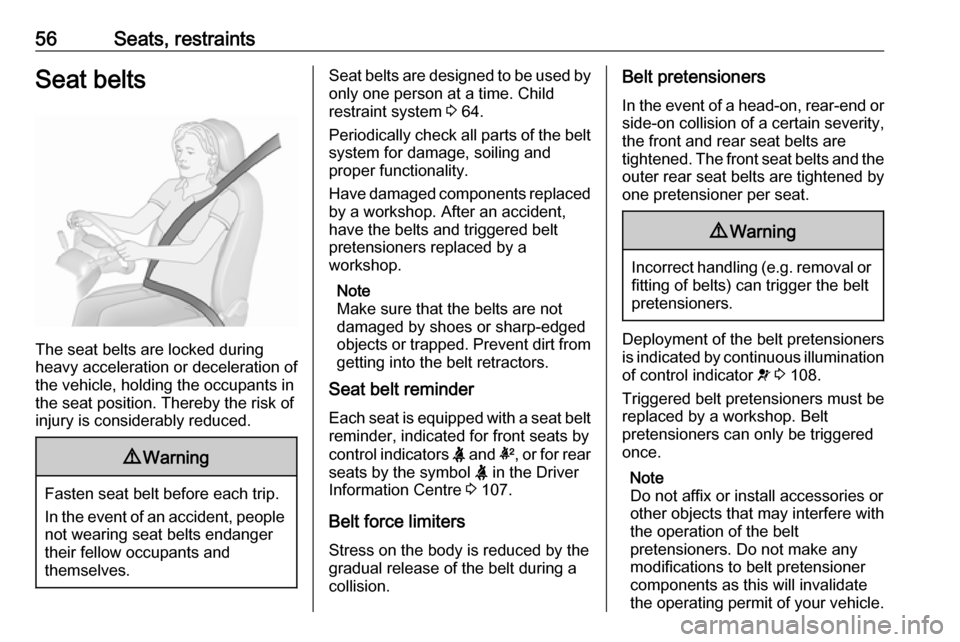
The seat belts are locked during
heavy acceleration or deceleration of
the vehicle, holding the occupants in
the seat position. Thereby the risk of
injury is considerably reduced.
9 Warning
Fasten seat belt before each trip.
In the event of an accident, people
not wearing seat belts endanger their fellow occupants and
themselves.
Seat belts are designed to be used by only one person at a time. Child
restraint system 3 64.
Periodically check all parts of the belt
system for damage, soiling and
proper functionality.
Have damaged components replaced by a workshop. After an accident,
have the belts and triggered belt
pretensioners replaced by a
workshop.
Note
Make sure that the belts are not
damaged by shoes or sharp-edged objects or trapped. Prevent dirt from getting into the belt retractors.
Seat belt reminder
Each seat is equipped with a seat belt reminder, indicated for front seats by
control indicators X and k, or for rear
seats by the symbol X in the Driver
Information Centre 3 107.
Belt force limiters
Stress on the body is reduced by the
gradual release of the belt during a
collision.Belt pretensioners
In the event of a head-on, rear-end or
side-on collision of a certain severity,
the front and rear seat belts are
tightened. The front seat belts and the outer rear seat belts are tightened by
one pretensioner per seat.9 Warning
Incorrect handling (e.g. removal or
fitting of belts) can trigger the belt
pretensioners.
Deployment of the belt pretensioners
is indicated by continuous illumination
of control indicator v 3 108.
Triggered belt pretensioners must be replaced by a workshop. Belt
pretensioners can only be triggered
once.
Note
Do not affix or install accessories or
other objects that may interfere with
the operation of the belt
pretensioners. Do not make any
modifications to belt pretensioner components as this will invalidate
the operating permit of your vehicle.
Page 108 of 329
106Instruments and controlsEngine coolant temperaturegauge
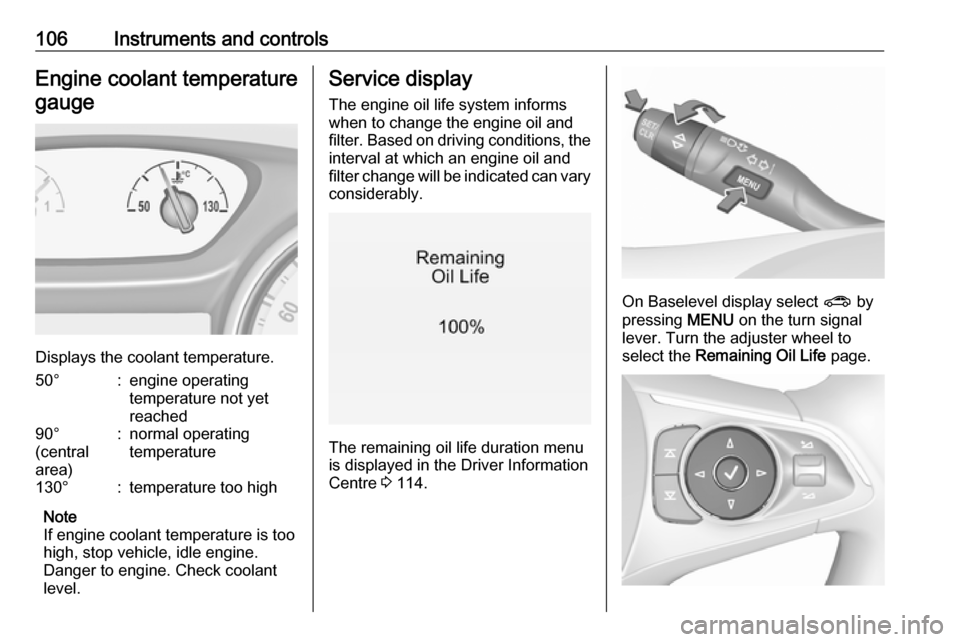
Displays the coolant temperature.
50°:engine operating
temperature not yet
reached90°
(central
area):normal operating
temperature130°:temperature too high
Note
If engine coolant temperature is too
high, stop vehicle, idle engine.
Danger to engine. Check coolant
level.
Service display
The engine oil life system informswhen to change the engine oil and
filter. Based on driving conditions, the interval at which an engine oil and
filter change will be indicated can vary
considerably.
The remaining oil life duration menu
is displayed in the Driver Information
Centre 3 114.
On Baselevel display select ? by
pressing MENU on the turn signal
lever. Turn the adjuster wheel to
select the Remaining Oil Life page.
Page 113 of 329
Instruments and controls111Have the cause of the fault remedied
by a workshop.
Flashes
The system is actively engaged.
Engine output may be reduced and
the vehicle may be braked
automatically to a small degree.
Electronic Stability Control 3 185,
Traction Control system 3 184.
Traction Control system off
k illuminates yellow.
The system is deactivated.
Engine coolant temperature W illuminates red.
Illuminates when the engine is
running
Stop, switch off engine.Caution
Coolant temperature too high.
Check coolant level immediately
3 243.
If there is sufficient coolant, consult a workshop.
Preheating
! illuminates yellow.
Preheating of Diesel engine is
activated. Only activates when
outside temperature is low. Start the
engine when control indicator
extinguishes.
AdBlue
Y flashes yellow.
AdBlue level is low. Refill AdBlue
soon to avoid prevention of the
engine start.
AdBlue 3 172.
Tyre pressure monitoring system
w illuminates or flashes yellow.Illuminates
Tyre pressure loss. Stop immediately and check tyre pressure.
Flashes
Fault in system or tyre without
pressure sensor mounted (e.g. spare
wheel). After 60 to 90 seconds the
control indicator illuminates
continuously. Consult a workshop.
Engine oil pressure
I illuminates red.
Illuminates when the ignition is
switched on and extinguishes shortly after the engine starts.
Illuminates when the engine is
runningCaution
Engine lubrication may be
interrupted. This may result in
damage to the engine and/or
locking of the drive wheels.
Page 114 of 329

112Instruments and controls1. Depress clutch.
2. Select neutral gear.
3. Move out of the flow of traffic as quickly as possible without
impeding other vehicles.
4. Switch off ignition.9 Warning
When the engine is off,
considerably more force is needed
to brake and steer.
During an Autostop, the brake
servo unit will still be operational.
Do not remove key until vehicle is stationary, otherwise the steeringwheel lock could engage
unexpectedly.
Check oil level before seeking
assistance of a workshop 3 242.
Low fuel
Y illuminates or flashes yellow.
Illuminates
Level in fuel tank is too low.
Flashes
Fuel used up. Refuel immediately.
Never run the tank dry.
Refuelling 3 233.
Catalytic converter 3 171.
Bleeding the diesel fuel system
3 246.
Immobiliser d flashes yellow.
Fault in the immobiliser system. The
engine cannot be started.
Immobiliser 3 36.
Exterior light 8 illuminates green.
The exterior lights are on 3 136.
High beam
C illuminates blue.
Illuminated when high beam is on or
during headlight flash 3 137.High beam assist
f illuminates green.
The high beam assist is activated,
see LED headlights 3 140.
LED headlights f illuminates or flashes yellow.
Illuminates
Fault in the system.
Seek the assistance of a workshop.
Flashes
System is switched to symmetrical
low beam.
Control indicator f flashes for approx.
four seconds after the ignition is
switched on as a reminder for
symmetrical headlight 3 139.
Fog light
> illuminates green.
The front fog lights are on 3 144.
Page 120 of 329

118Instruments and controlsTrip odometer 1/A or 2/B
Trip odometer displays the current
distance since a certain reset.
Trip odometer counts up to a distance
of 9,999 km then restarts at 0.
To reset on Baselevel display, press
SET/CLR for a few seconds, on
Midlevel and Uplevel display, press
é and confirm with 9.
The information of trip odometer page 1 and 2 can be reset separately for
odometer, average consumption and
average speed while the respective
display is active.
Average fuel consumption 1/A or 2/B
Display of average consumption. The
measurement can be reset at any
time and starts with a default value.
To reset on Baselevel display, press
SET/CLR for a few seconds, on
Midlevel and Uplevel display, press
é and confirm with 9.
Average speed 1/A or 2/B
Display of average speed. The
measurement can be reset at any
time.To reset on Baselevel display, press
SET/CLR for a few seconds, on
Midlevel and Uplevel display, press
é and confirm with 9.
Digital speed
Digital display of the instantaneous
speed.
Fuel range
Range is calculated from current fuel
tank level and current consumption.
The display shows average values.
After refuelling, the range is updated
automatically after a brief delay.
When the fuel level in the tank is low, a message appears on the display
and control indicator Y in the fuel
gauge illuminates.
When the tank must be refuelled
immediately, a warning message
appears and remains on the display.
Additionally, control indicator Y in the
fuel gauge flashes 3 112.
Instantaneous fuel consumption
Display of the instantaneous
consumption.Remaining oil life
Indicates an estimate of the oil's
useful life. The number in % means
the remaining of current oil life 3 106.
Tyre pressure
Checks tyre pressure of all wheels
during driving 3 265.
Timer
To start and stop press 9. To reset,
press é and confirm Reset.
Traffic sign assistant
Displays the detected traffic signs for
the current route section 3 224.
Following distance
Displays the distance in seconds to a preceding moving vehicle 3 202. If
Adaptive cruise control is active this
page shows the following distance
setting instead.
Blank page
A blank page can be selected when
no DIC information is requested.
Page 122 of 329
120Instruments and controlsVehicle information menu, ? or
Options
The following list contains all possible
Options Menu pages. Some may not be available for your particular
vehicle. Depending on the display
some functions are symbolised.
Turn the adjuster wheel or press ä or
å to select a page and follow the
instructions given in the submenus:
● units
● display themes
● info pages
● speed warning
● tyre loading
● pocket gauges
● software information
Units
Press é while units page is
displayed. Select imperial or metric
units by pressing 9.
Display themes
Press é while display themes is
displayed. Select Sport or Touring
mode by pressing 9. Sport modeincludes more vehicle information,
Tour mode includes more mediainformation.
This setting is only available with
Uplevel display.
Info pages
Press é while Info pages is
displayed. A list of all items in the Info Menu is displayed. Select the
functions to be displayed in the Info
page by pressing 9. Selected pages
have a 9 in a checkbox. Non
viewable functions have a blank
checkbox. See Info Menu above.
Speed warning
The speed warning display allows
you to set a speed that you do not
want to exceed.
To set the speed warning, press é
while the page is displayed. Press ä
or å to adjust the value. Press 9 to
set the speed. Once the speed is set,
this feature can be turned off by
pressing 9 while viewing this page. If
the selected speed limit is exceeded,
a pop-up warning is displayed with a
chime.Tyre loading
The tyre pressure category according to the actual tyre inflation pressure
can be selected 3 265.
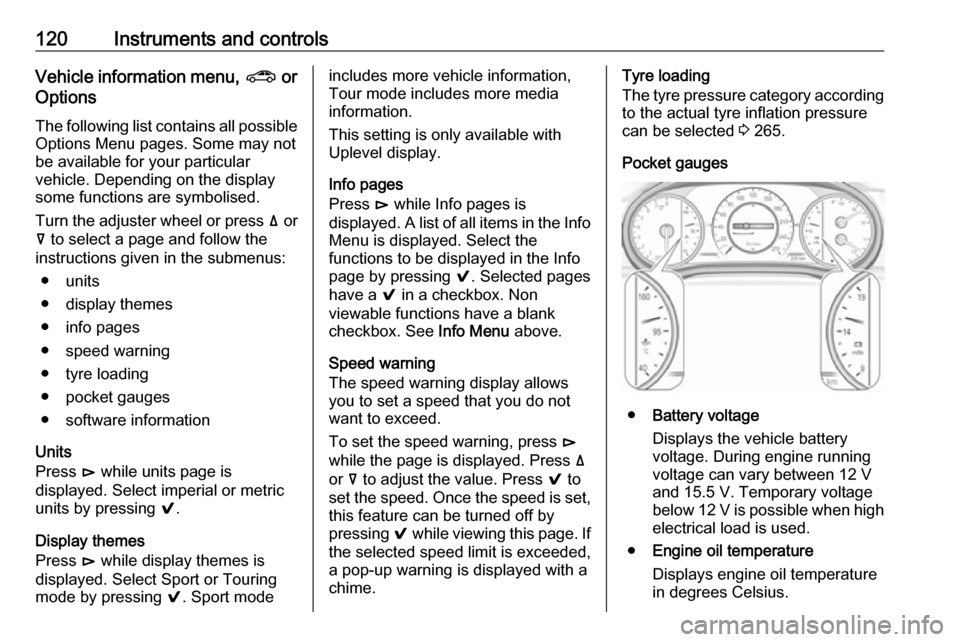
Pocket gauges
● Battery voltage
Displays the vehicle battery
voltage. During engine running
voltage can vary between 12 V and 15.5 V. Temporary voltage
below 12 V is possible when high
electrical load is used.
● Engine oil temperature
Displays engine oil temperature
in degrees Celsius.
Page 135 of 329

Instruments and controls133breakdown, a flat tyre and empty fuel
tank, press Z to establish a
connection to an advisor.
Emergency services
In the case of an emergency situation,
press [ and talk to an advisor. The
advisor then contacts emergency or
assistance service providers and
directs them to your vehicle.
In the case of an accident with
activation of airbags or belt
tensioners, an automatic emergency
call is established. The advisor is
immediately connected to your
vehicle to see whether help is
needed.
Note
Establishing an emergency call may
not be possible in areas without
sufficient network availability or due
to hardware damage during an
accident.
Wi-Fi hotspot
The Wi-Fi hotspot of the vehicle
provides internet connectivity with a
maximum speed of 4G/LTE.Note
The Wi-Fi hotspot functionality is not available for all markets.
Note
Some mobile devices connect to Wi-
Fi hotspots automatically and use
mobile data capacity in the
background, even if they are not in use. This includes automatic
updates, downloads, as well as
programme or app synchronisation
traffic. The data volume purchased
via OnStar might be consumed
rapidly. Turn off automatic
synchronisations in the settings of
your device.
Up to seven devices may be
connected.
To connect a mobile device with the
Wi-Fi hotspot:
1. Press j and then select Wi-Fi
settings on the Info-Display. The
settings displayed include the Wi- Fi hotspot name (SSID),
password and connection type.
2. Start a Wi-Fi network search on your mobile device.3. Select your vehicle hotspot(SSID) when listed.
4. When prompted, enter the password on your mobile device.
Note
To change the SSID or password,
press Z and talk to an advisor or log
in to your account.
To switch off the Wi-Fi hotspot
functionality, press Z to call an
advisor.
Smartphone app
With the myOpel smartphone app,
some vehicle functions can be
operated remotely.
The following functions are available: ● Lock or unlock vehicle.
● Honk horn or flash lights.
● Check fuel level, engine oil life and tyre pressure (only with tyre
pressure monitoring system).
● Send navigation destination to the vehicle, if equipped with a
built-in navigation system.
● Locate vehicle on a map.
● Manage Wi-Fi settings.
Page 168 of 329
166Driving and operatingPress Engine Start/Stop briefly: an
automatic procedure operates the
starter with a short delay until the engine is running.
To switch off the engine when vehicle is stationary, press
Engine Start/Stop briefly. Automatic
transmission: apply the parking brake
and engage P.
To start the engine during an
Autostop:
Manual transmission: during an
Autostop, the engine can be started
by depressing the clutch pedal
3 167.
Automatic transmission: during an
Autostop, the engine can be started
by releasing the brake pedal 3 167.
Emergency engine shut off during driving
If the engine needs to be switched offduring driving in case of emergency,
press Engine Start/Stop for more than
two seconds or press twice briefly
within five seconds.9 Danger
Switching off the engine during
driving may cause loss of power
support for brake and steering
systems. Assistance systems and
airbag systems are disabled.
Lighting and brake lights will
extinguish. Therefore power down the engine and ignition while
driving only when required in case of emergency.
Starting the vehicle at low
temperatures
Starting the engine without additional
heaters is possible down to -25 °С for diesel engines and -30 °C for petrol
engines. Required is an engine oil
with the correct viscosity, the correct fuel, performed services and a
sufficiently charged vehicle battery.
With temperatures below -30 °C the
automatic transmission requires a
warming phase of approx.
five minutes. The selector lever must
be in position P.
Automatic Starter Control
This function controls the engine
starting procedure. The driver does
not need to hold Engine Start/Stop
pressed. Once applied, the system
will go on starting automatically until
the engine is running. Because of the checking procedure, the engine startsrunning after a short delay.
Possible reasons for a non-starting
engine:
● Clutch pedal not operated (manual transmission).
● Brake pedal not operated or selector lever not in P or N
(automatic transmission).
● Timeout occurred.
Turbo engine warm-up
Upon start-up, engine available
torque may be limited for a short time, especially when the engine
temperature is cold. The limitation is
to allow the lubrication system to fully
protect the engine.
Page 241 of 329

Vehicle care239Vehicle careGeneral Information...................239
Accessories and vehicle modifications .......................... 239
Vehicle storage ........................240
End-of-life vehicle recovery .....240
Vehicle checks ........................... 241
Performing work ......................241
Bonnet ..................................... 241
Engine oil ................................. 242
Engine coolant ......................... 243
Washer fluid ............................ 244
Brakes ..................................... 244
Brake fluid ............................... 244
Vehicle battery ......................... 245
Diesel fuel system bleeding .....246
Wiper blade replacement ........246
Bulb replacement .......................247
Halogen headlights ..................247
LED headlights ........................ 249
Fog lights ................................. 249
Tail lights ................................. 251
Side turn lights ......................... 256
Number plate light ...................257
Interior lights ............................ 257
Instrument panel illumination ...257Electrical system ........................257
Fuses ....................................... 257
Engine compartment fuse box . 258
Instrument panel fuse box .......261
Vehicle tools .............................. 262
Tools ........................................ 262
Wheels and tyres .......................263
Winter tyres ............................. 263
Tyre designations ....................264
Tyre pressure .......................... 264
Tyre pressure monitoring system .................................... 265
Tread depth ............................. 268
Changing tyre and wheel size . 268
Wheel covers ........................... 268
Tyre chains .............................. 269
Tyre repair kit .......................... 269
Wheel changing .......................274
Spare wheel ............................ 276
Jump starting ............................. 278
Towing ....................................... 279
Towing the vehicle ...................279
Towing another vehicle ...........280
Appearance care .......................281
Exterior care ............................ 281
Interior care ............................. 283General Information
Accessories and vehiclemodifications
We recommend the use of genuine
parts and accessories and factory approved parts specific for your
vehicle type. We cannot assess or guarantee reliability of other products
- even if they have a regulatory or
otherwise granted approval.
Any modification, conversion or other changes made to standard vehicle
specifications (including, without
limitation, software modifications,
modifications of the electronic control
units) may invalidate the warranty
offered by Opel. Furthermore, such
changes may affect driver assistance
systems, fuel consumption, CO 2
emissions and other emissions of the
vehicle. They may also invalidate the
vehicle operating permit.