steering wheel OPEL INSIGNIA BREAK 2019.5 Manual user
[x] Cancel search | Manufacturer: OPEL, Model Year: 2019.5, Model line: INSIGNIA BREAK, Model: OPEL INSIGNIA BREAK 2019.5Pages: 323, PDF Size: 9.49 MB
Page 166 of 323

164Driving and operatingVehicles with automatic transmission
Release the brake pedal or move selector lever out of D into N or P to
restart the engine.
Restart of the engine by the stop- start system
The selector lever must be in neutral to enable an automatic restart.
If one of the following conditions
occurs during an Autostop, the
engine will be restarted automatically
by the stop-start system:
● The stop-start system is manually deactivated.
● The bonnet is opened.
● The driver's seat belt is unfastened and the driver's door
is opened.
● The engine temperature is too low.
● The charging level of the vehicle battery is below a defined level.
● The brake vacuum is not sufficient.
● The vehicle is driven at least at walking speed.● The climate control systemrequests an engine start.
● The air conditioning is manually switched on.
If the bonnet is not fully closed, a warning message is displayed in the
Driver Information Centre.
If an electrical accessory, e.g. a
portable CD player, is connected to
the power outlet, a brief power drop
during the restart might be noticeable.
Note
If a trailer or a bike carrier is
attached, late restart is deactivated.
Parking9 Warning
● Do not park the vehicle on an
easily ignitable surface. The
high temperature of the
exhaust system could ignite the
surface.
● Always apply the parking brake. Pull switch m for
approx. 1 second and check if
the control indicator m
illuminates.
The electric parking brake is
applied when control indicator
m illuminates 3 107.
● Switch off the engine. ● If the vehicle is on a level surface or uphill slope, engage
first gear or set the selector
lever to position P before
switching off ignition. On an
uphill slope, turn the front
wheels away from the kerb.
If the vehicle is on a downhill
slope, engage reverse gear or
set the selector lever to position P before switching off ignition.
Turn the front wheels towards
the kerb.
● Close the windows and the sunroof.
● Switch off ignition with power button. Turn the steering wheel
until the steering wheel lock is
felt to engage.
Page 171 of 323

Driving and operating1692. Close all doors to avoid ammoniafumes entering the interior of the
vehicle.
3. Release the fuel filler flap by pushing the flap 3 229.
4. Unscrew protective cap from the
filler neck.
5. Open AdBlue canister.
6. Mount one end of the hose on the
canister and screw the other end
on the filler neck.
7. Lift the canister until it is empty, or
until the flow from the canister has stopped. This can take up to
five minutes.
8. Place the canister on the ground to empty the hose, wait
15 seconds.
9. Unscrew the hose from the filler neck.
10. Mount the protective cap and turn
clockwise until it engages.
Note
Dispose of AdBlue canister
according to environmental
requirements. To reuse the hose
flush it with clear water after usage.Automatic transmission
The automatic transmission permits
automatic gear shifting (automatic
mode) or manual gear shifting
(manual mode).
Manual shifting is possible in manual
mode by tapping the selector lever to + or - or pulling the steering wheel
paddles.
Transmission display
Illustrations show different versions.
Page 173 of 323

Driving and operating171Do not accelerate while engaging a
gear. Never depress the accelerator
pedal and brake pedal at the same
time.
When a gear is engaged, the vehicle
begins to creep when the brake is
released.
Engine braking To utilise the engine braking effect,
select a lower gear in good time when
driving downhill, see manual mode.
Rocking the vehicle
Rocking the vehicle is only
permissible if the vehicle is stuck in
sand, mud or snow. Move the selector
lever between D and R in a repeat
pattern. Do not race the engine and
avoid sudden acceleration.
Parking
Apply the parking brake and engage P .Manual mode
Selector lever
Move selector lever out of position D
towards the left in position M.
Manual mode M can be activated
from position D in each driving
situation and speed.
Move selector lever to the front + to
shift to a higher gear.
Move selector lever to the rear - to
shift to a lower gear.
The selected gear is indicated in the instrument cluster.
Steering wheel paddles
Move selector lever out of position D
towards the left in position M.
Manual mode M can be activated
from position D in each driving
situation and speed.
Pull steering wheel paddles to select
gears manually.
Pull right paddle + to shift to a higher
gear.
Pull left paddle - to shift to a lower
gear.
Multiple pulls allow gears to be
skipped.
Page 174 of 323

172Driving and operatingThe selected gear is indicated in the
instrument cluster.
Temporary manual mode in drive
mode D
Manual paddle shifting is also
possible in automatic mode D. Upon
completion of manual shifting
operation, transmission changes to
automatic mode D after a defined
time.
To interrupt manual mode and return
to D, do one of the following:
● Press + paddle for 1 second.
● Move selector lever towards the left to manual mode and back toposition D.
If the vehicle is at a standstill and
engine is idling, the transmission will remain in temporary manual mode. It
changes to automatic mode when
accelerator pedal is operated for a
defined time, and no paddle shifting
at the steering wheel is performed.
General
If a higher gear is selected when
vehicle speed is too low, or a lower
gear when vehicle speed is too high,the shift is not executed. This can
cause a message in the Driver
Information Centre.
In manual mode, no automatic
shifting to a higher gear takes place
at high engine revolutions, except
activating the kickdown function.
Gear shift indication
The symbol R or S with a number
beside it is indicated when gear
shifting is recommended for fuel
saving reasons.
Shift indication appears only in
manual mode.
Electronic driving programmes
● When SPORT mode is engaged,
the vehicle shifts at higher engine speeds (unless cruise control is
on).
SPORT mode 3 180.● Special programmes
automatically adapt the shifting
points when driving up inclines or
down hills.
● In snowy or icy conditions or on other slippery surfaces, the
electronic transmission control
enables the driver to manually
select first, second or third gear
for starting off.
Kickdown Pressing down the accelerator pedal
beyond the kickdown detent will lead to maximum acceleration
independent of the selected driving
mode. The transmission shifts to a
lower gear depending on engine
speed and shifts to a higher gear at
high engine revolutions.
Overheat protection
In the event of transmission-
overheating due to high outside
temperatures or sporty driving style,
the torque and the maximum speed of the engine can be temporarily
reduced.
Page 181 of 323
Driving and operating179
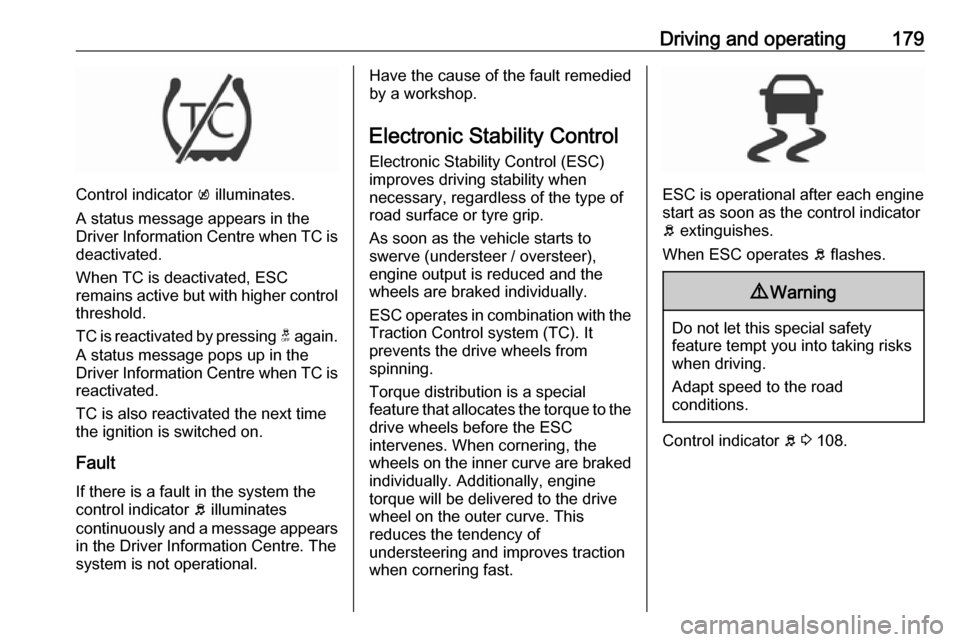
Control indicator k illuminates.
A status message appears in the
Driver Information Centre when TC is
deactivated.
When TC is deactivated, ESC
remains active but with higher control threshold.
TC is reactivated by pressing t again.
A status message pops up in the Driver Information Centre when TC is reactivated.
TC is also reactivated the next time
the ignition is switched on.
Fault
If there is a fault in the system the
control indicator b illuminates
continuously and a message appears
in the Driver Information Centre. The
system is not operational.
Have the cause of the fault remedied
by a workshop.
Electronic Stability Control Electronic Stability Control (ESC)
improves driving stability when
necessary, regardless of the type of
road surface or tyre grip.
As soon as the vehicle starts to
swerve (understeer / oversteer),
engine output is reduced and the wheels are braked individually.
ESC operates in combination with the
Traction Control system (TC). It
prevents the drive wheels from
spinning.
Torque distribution is a special
feature that allocates the torque to the drive wheels before the ESC
intervenes. When cornering, the
wheels on the inner curve are braked
individually. Additionally, engine
torque will be delivered to the drive wheel on the outer curve. This
reduces the tendency of
understeering and improves traction
when cornering fast.
ESC is operational after each engine
start as soon as the control indicator
b extinguishes.
When ESC operates b flashes.
9 Warning
Do not let this special safety
feature tempt you into taking risks
when driving.
Adapt speed to the road
conditions.
Control indicator b 3 108.
Page 183 of 323

Driving and operating181● adaptive cruise control
● all-wheel drive
● engine sound enhancement
● instrument cluster theme
SPORT mode
The settings of the systems are
adjusted for a sportier driving style:
● Damping of shock absorbers is set up for increased handling andagility.
● The engine reacts more quickly to accelerator pedal changes.
● Steering support is sportier.
● Automatic transmission shift points optimised for sporty
driving.
● Adaptive cruise control is adjusted for a sportier driving
style.
● All-wheel drive supports active sporty driving of the vehicle.
● Engine sound enhancement intensifies interior engine sound
in a sporty manner.
● Cluster theme changes to sport.
TOUR modeTOUR mode adjusts the settings of
the systems for a comfortable driving
style.
● Damping of shock absorbers is adapted for increased driving
comfort.
● Steering efforts are reduced. ● Adaptive cruise control is adjusted for a more relaxed
driving style.
AUTO mode
All versions except GSi: All settings of the systems are preset to standard
values optimised for daily driving
(default mode). This is the fully
adaptive mode, adjusting systems to
both comfort and sport settings
depending on driving style and driving
situation.
Normal mode
GSi versions only: All settings of the
systems are preset to standard
values optimised for daily driving
(default mode). This mode keeps the
standard values independent of
driving style or driving situation.
Page 197 of 323

Driving and operating195Note
The driver stays fully responsible for
driving conform to speed limits and
has to supervise any automatic set
speed change performed by this
system.
Due to system limitations and
latencies, the set speed might be
changed after entering the road
section with the new speed limit.
Speed limit signs between 30 km/h
and 150 km/h are considered.
Switching on the system
The function can be activated or
deactivated in the vehicle settings
menu of the Driver Information Centre
3 112. Furthermore, adaptive cruise
control has be to switched on as
described above.Usage
Even if adaptive cruise control is
inactive, the set speed is updated
automatically at each new detected
speed limit as described in the next
section. Press RES+ to re-activate
adaptive cruise control, using the
memorised set speed.
Note
Adaptive cruise control has to be
initiated once by pressing SET- after
ignition or just adaptive cruise
control has been is switched on.
If adaptive cruise control is active, the detected speed limit will be displayed in the Driver Information Centre. The
driver can accept or decline the
detected new set speed while the
display message is shown.
Press SET- on the steering wheel to
accept the detected speed limit and
take over as new set speed.
Press RES+ to decline detected
speed limit and keep the current set
speed.
If no action is performed when the
message is displayed, the detected
speed limit is taken over as new set
speed automatically after 3 seconds.
The message disappears and is
followed by the offset message:
If a new set speed was defined, a
confirmation message is displayed.
During this time, the offset from the
set speed can be adjusted.
Press SET- or RES+ to adjust the
offset.
Page 201 of 323

Driving and operating199General information9Warning
Forward collision alert is just a
warning system and does not
apply the brakes. When
approaching a vehicle ahead too
rapidly, it may not provide you
enough time to avoid a collision.
The driver accepts full
responsibility for the appropriate
following distance based on traffic, weather and visibility conditions.
The complete attention of the
driver is always required while
driving. The driver must always be
ready to take action and apply the
brakes.
System limitations
Forward collision alert is designed to warn on vehicles only, but may reactalso to other objects.
In the following cases, forward
collision alert may not detect a vehicle ahead or sensor performance is
limited:
● driving on winding or hilly roads● during nighttime driving
● weather limits visibility, such as fog, rain, or snow
● the sensor in the windscreen is blocked by snow, ice, slush, mud,dirt, windscreen damage or
affected by foreign items, e.g.
stickers
Following distance
indication
The following distance indication
displays the distance to a preceding
moving vehicle. The front camera in
the windscreen is used to detect the
distance of a vehicle directly ahead in
the vehicle's path. It is active at
speeds above 40 km/h.
When a preceding vehicle is detected
ahead, the distance is indicated in
seconds, displayed on a page in the
Driver Information Centre.On Baselevel display, choose Info
Menu ? and choose following
distance indication page 3 112.
On Mid- and Uplevel display, select
Info menu via steering wheel buttons
and press å to select following
distance indication 3 112.
The minimum indicated distance is 0.5 seconds.
If there is no vehicle ahead or the vehicle ahead is out of range, two
dashes will be displayed: -.- sec.
Page 211 of 323

Driving and operating209Indication in the Info Display
Select parallel or perpendicular
parking slot by tapping the respective icon on the display.
Select parking side by tapping the
respective icon on the display.
When a slot is detected, a visual
feedback on the Info Display and an
acoustic signal is given.
If the driver does not stop the vehicle after a parking slot is proposed, the
system starts to search for another
suitable parking slot.
Park guiding mode
The parking slot suggestion of the system is accepted when the vehicle
is stopped by the driver within ten
metres for parallel parking slots or
six metres for perpendicular parking
slots after the message to stop the car
is indicated. The system calculates
the optimal path into the parking slot.A brief vibration in the steering wheel
after engaging reverse gear indicates
that the steering is controlled by the
system. Then the vehicle with manual transmission is steered into the slot
automatically by giving the driver
detailed instructions for braking,
accelerating and gear shifting. With
automatic transmission the vehicle is
steered into the slot automatically by
giving the driver detailed instructions for accelerating and shifting forward
or reversing. The driver must keep
hands away from the steering wheel.
During park guiding mode the
manoeuvring speed is limited.
Always pay attention to the signals of
the front-rear parking assist.
Continuous signal indicates that the
distance to an obstacle is less than approx. 30 cm.
If, for any reason, the driver must take over control of the steering, hold the
steering wheel only at the outer edge. Automatic steering is cancelled in thisevent.
Page 212 of 323

210Driving and operatingDisplay indication
The instructions on the display show:
● General hints and warning messages.
● A hint when driving faster than 30 km/h during parking slot
searching mode.
● The demand to stop the vehicle, when a parking slot is detected.
● The direction of driving during the
parking manoeuvre.
● The demand to shift into reverse or first gear, or R or D with
automatic transmission.
● The demand to stop or to drive slowly.
● For some of the instructions a progress bar is shown in the
Driver Information Centre.
● The successful completion of the
parking manoeuvre indicated by
a pop-up symbol and a chime.
● The cancelling of a parking manoeuvre.Display priorities
Advanced parking assist indication in the Driver Information Centre can be
inhibited by vehicle messages with a
higher priority. After approving the
message 9 on the steering wheel,
advanced parking assist instructions
appear again and the parking
manoeuvre can be continued.
Deactivation
The system is deactivated by:
● a short press of (
● parking manoeuvre successfully ended
● driving faster than 30 km/h during
parking slot search
● driving faster than 8 km/h during parking guidance
● driver interference on steering wheel detected
● steep hill incline detected
● exceeding maximum number of gear changes: eight cycles when
parallel parking or five cycles
when perpendicular parking
● switching off the ignitionDeactivation by the driver or by the system during manoeuvring will beindicated by a message on the
display. Additionally, an acoustic
signal sounds.
Automatic transmission:
If advanced park assist is deactivated
during the parking manoeuvre or
manoeuvre is finished successfully,
the assist holds the vehicle in position
until one of the following conditions
occurs:
1. brake pedal is applied
2. electric parking brake is activated
3. selector lever is set to P
Fault
A message appears when:
● There is a fault in the system.● The driver did not successfully complete the parking
manoeuvre.
● The system is not operational.
● Any of the deactivation reasons described above apply.