warning OPEL KARL 2019 Manual user
[x] Cancel search | Manufacturer: OPEL, Model Year: 2019, Model line: KARL, Model: OPEL KARL 2019Pages: 191, PDF Size: 5.51 MB
Page 56 of 191
54Storage
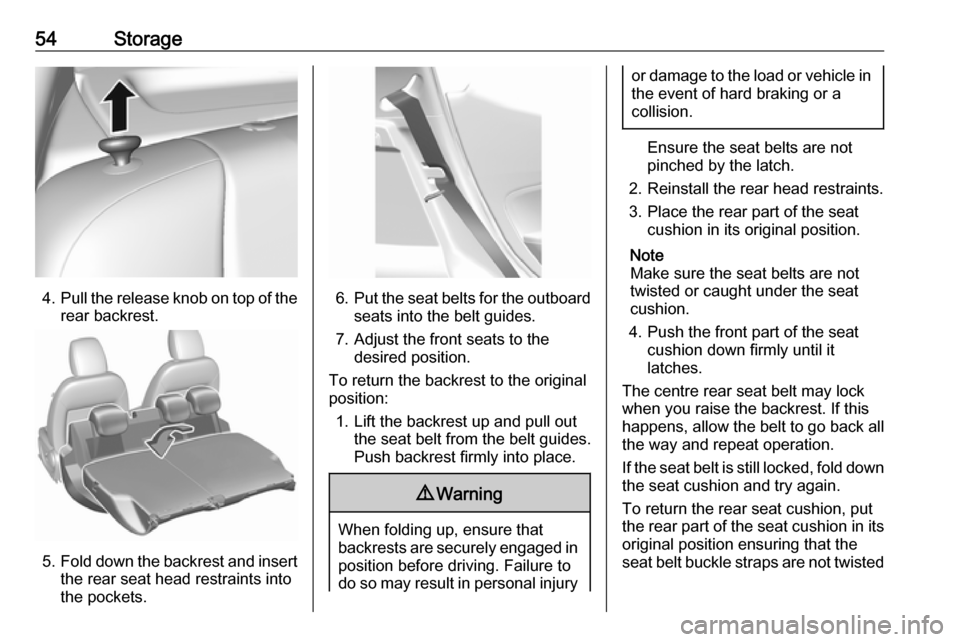
4.Pull the release knob on top of the
rear backrest.
5. Fold down the backrest and insert
the rear seat head restraints into
the pockets.
6. Put the seat belts for the outboard
seats into the belt guides.
7. Adjust the front seats to the desired position.
To return the backrest to the original
position:
1. Lift the backrest up and pull out the seat belt from the belt guides.
Push backrest firmly into place.
9 Warning
When folding up, ensure that
backrests are securely engaged in position before driving. Failure to
do so may result in personal injury
or damage to the load or vehicle in the event of hard braking or a
collision.
Ensure the seat belts are not
pinched by the latch.
2. Reinstall the rear head restraints.
3. Place the rear part of the seat cushion in its original position.
Note
Make sure the seat belts are not
twisted or caught under the seat
cushion.
4. Push the front part of the seat cushion down firmly until it
latches.
The centre rear seat belt may lock
when you raise the backrest. If this
happens, allow the belt to go back all the way and repeat operation.
If the seat belt is still locked, fold down the seat cushion and try again.
To return the rear seat cushion, put
the rear part of the seat cushion in its original position ensuring that the
seat belt buckle straps are not twisted
Page 58 of 191
56StorageRear floor storage coverRear floor cover
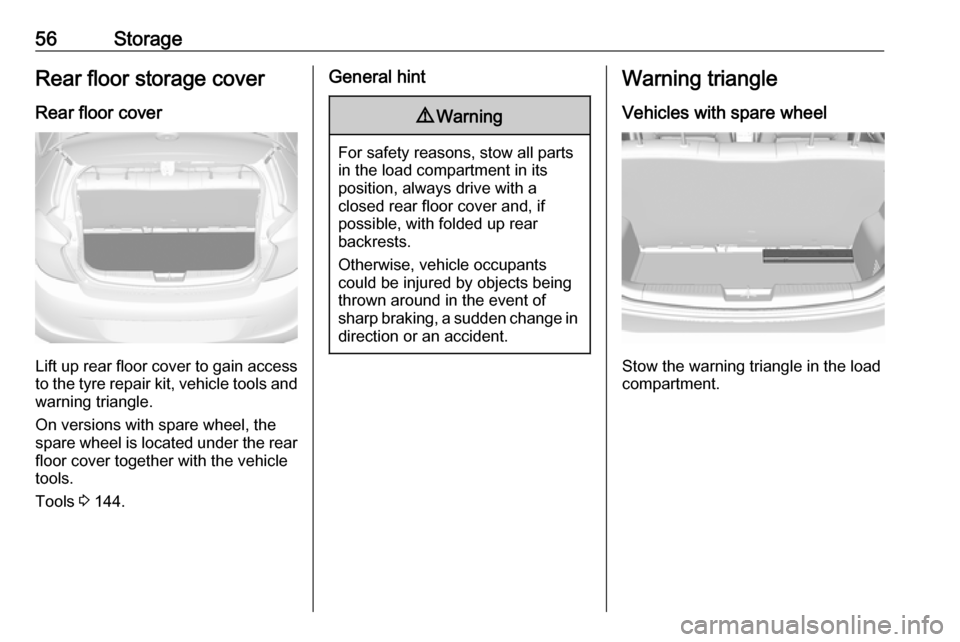
Lift up rear floor cover to gain access
to the tyre repair kit, vehicle tools and
warning triangle.
On versions with spare wheel, the
spare wheel is located under the rear
floor cover together with the vehicle
tools.
Tools 3 144.
General hint9 Warning
For safety reasons, stow all parts
in the load compartment in its
position, always drive with a
closed rear floor cover and, if
possible, with folded up rear
backrests.
Otherwise, vehicle occupants
could be injured by objects being
thrown around in the event of
sharp braking, a sudden change in direction or an accident.
Warning triangle
Vehicles with spare wheel
Stow the warning triangle in the load
compartment.
Page 59 of 191
Storage57Vehicles with tyre repair kit
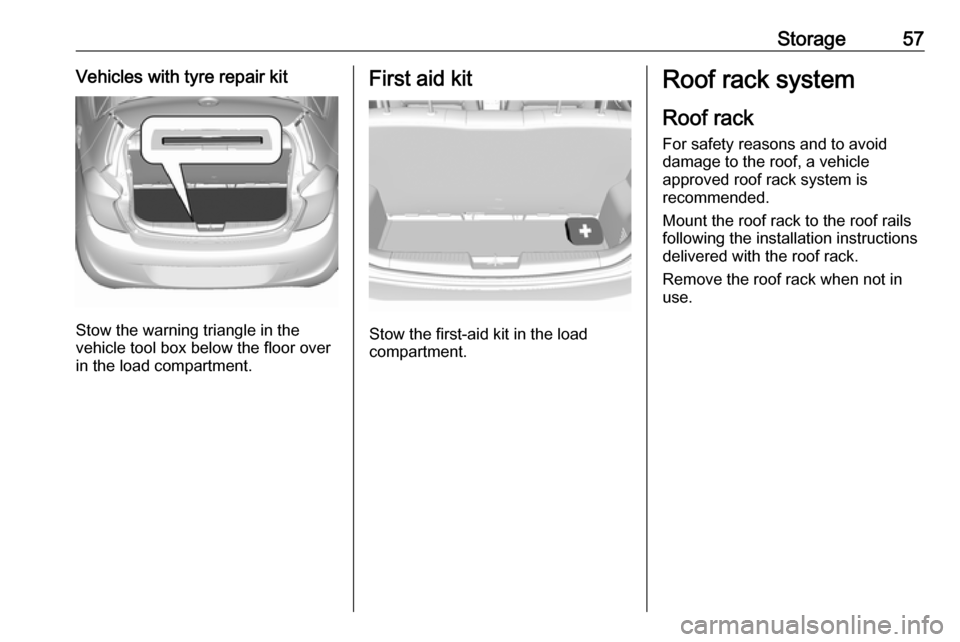
Stow the warning triangle in the
vehicle tool box below the floor over
in the load compartment.
First aid kit
Stow the first-aid kit in the load
compartment.
Roof rack system
Roof rackFor safety reasons and to avoid
damage to the roof, a vehicle
approved roof rack system is
recommended.
Mount the roof rack to the roof rails
following the installation instructions
delivered with the roof rack.
Remove the roof rack when not in use.
Page 60 of 191
58StorageLoading information● Heavy objects in the load compartment should be placedagainst the seat backrests.
Ensure that the backrests are
securely engaged. If objects can
be stacked, heavier objects
should be placed at the bottom.
● Prevent sliding of loose objects by securing them with straps
attached to the lashing eyes.
● When transporting objects in the load compartment, the backrests
of the rear seats must not be
angled forward.
● Do not allow the load to protrude above the upper edge of the
backrests.
● Do not place any objects on the load compartment cover or theinstrument panel, and do not
cover the sensor on top of the instrument panel.
● The load must not obstruct the operation of the pedals, parking
brake and gear selector lever, orhinder the freedom of movement of the driver. Do not place any
unsecured objects in the interior.
● Do not drive with an open load compartment.9Warning
Always make sure that the load in
the vehicle is securely stowed.
Otherwise objects can be thrown
around inside the vehicle and
cause personal injury or damage
to the load or vehicle.
● The payload is the difference between the permitted gross
vehicle weight (see identification
plate 3 168) and the EC kerb
weight.
To calculate the payload, enter
the data for your vehicle in the
weights table at the front of this
manual.
The EC kerb weight includes
weights for the driver (68 kg),
luggage (7 kg) and all fluids (fuel
tank 90% full).
Optional equipment and
accessories increase the kerb
weight.
● Driving with a roof load increases
the sensitivity of the vehicle to
cross-winds and has a
detrimental effect on vehicle
handling due to the vehicle's
higher centre of gravity.
Distribute the load evenly and secure it properly with retaining
straps. Adjust the tyre pressure
and vehicle speed according to
the load conditions. Check and
retighten the straps frequently.
The permissible roof load for
vehicles with roof railing is 50 kg.
The roof load is the combined
weight of the roof rack and the
load.
Page 61 of 191

Instruments and controls59Instruments and
controlsControls ....................................... 60
Steering wheel adjustment ........60
Steering wheel controls .............60
Heated steering wheel ...............60
Horn ........................................... 61
Windscreen wiper and washer ..61
Rear window wiper and washer ...................................... 62
Outside temperature ..................62
Clock ......................................... 62
Power outlets ............................. 64
Cigarette lighter ......................... 64
Ashtrays .................................... 64
Warning lights, gauges and indi‐ cators ........................................... 64
Instrument cluster ......................64
Speedometer ............................. 64
Odometer .................................. 65
Trip odometer ............................ 65
Tachometer ............................... 65
Fuel gauge ................................ 65
Engine coolant temperature gauge ....................................... 66
Service display .......................... 66Control indicators ......................67
Turn lights .................................. 69
Seat belt reminder .....................70
Airbag and belt tensioners .........70
Airbag deactivation ....................70
Charging system .......................71
Malfunction indicator light ..........71
Service vehicle soon .................71
Brake and clutch system ...........71
Operate pedal ............................ 71
Antilock brake system (ABS) .....72
Gear shifting .............................. 72
Power steering .......................... 72
Lane departure warning ............72
Parking assist ............................ 72
Electronic Stability Control off ...72
Electronic Stability Control and Traction Control system ...........72
Traction Control system off .......73
Engine coolant temperature ......73
Tyre pressure monitoring system ...................................... 73
Engine oil pressure ....................73
Low fuel ..................................... 74
Immobiliser ................................ 74
Reduced engine power .............74
Exterior light .............................. 74
High beam ................................. 74
Front fog lights ........................... 74
Rear fog light ............................. 74Cruise control............................ 74
Speed limiter ............................. 74
Bonnet open .............................. 74
Door open .................................. 75
Displays ....................................... 75
Driver Information Centre ..........75
Info Display ................................ 80
Vehicle messages ........................81
Warning chimes .........................83
Battery voltage .......................... 83
Vehicle personalisation ................83
Telematics service .......................86
OnStar ....................................... 86
Page 64 of 191
62Instruments and controlsRear window wiper andwasher
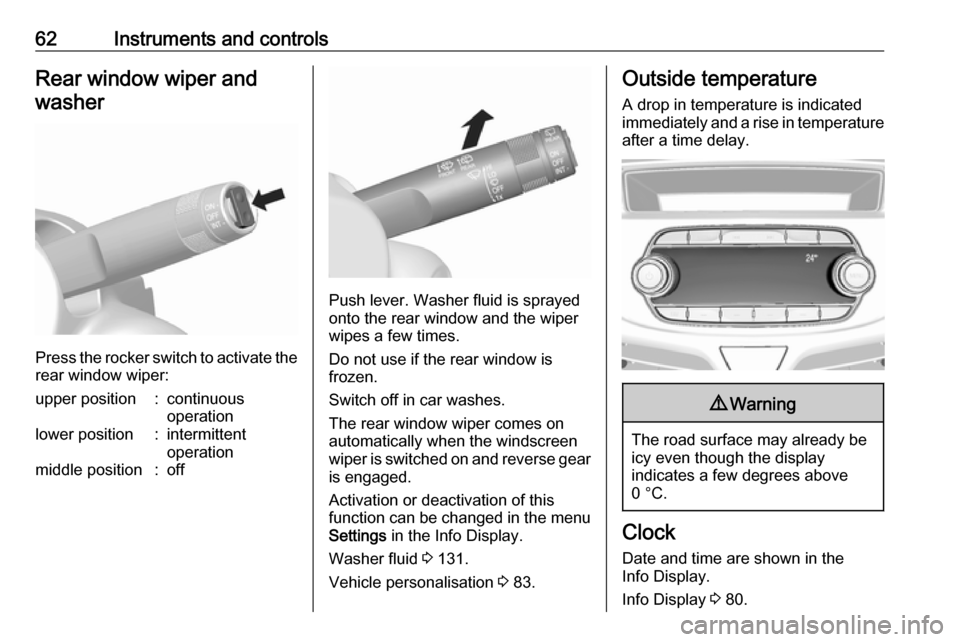
Press the rocker switch to activate the
rear window wiper:
upper position:continuous
operationlower position:intermittent
operationmiddle position:off
Push lever. Washer fluid is sprayed
onto the rear window and the wiper
wipes a few times.
Do not use if the rear window is
frozen.
Switch off in car washes.
The rear window wiper comes on
automatically when the windscreen
wiper is switched on and reverse gear
is engaged.
Activation or deactivation of this
function can be changed in the menu Settings in the Info Display.
Washer fluid 3 131.
Vehicle personalisation 3 83.
Outside temperature
A drop in temperature is indicated
immediately and a rise in temperature
after a time delay.9 Warning
The road surface may already be
icy even though the display
indicates a few degrees above
0 °C.
Clock
Date and time are shown in the
Info Display.
Info Display 3 80.
Page 66 of 191
64Instruments and controlsPower outlets
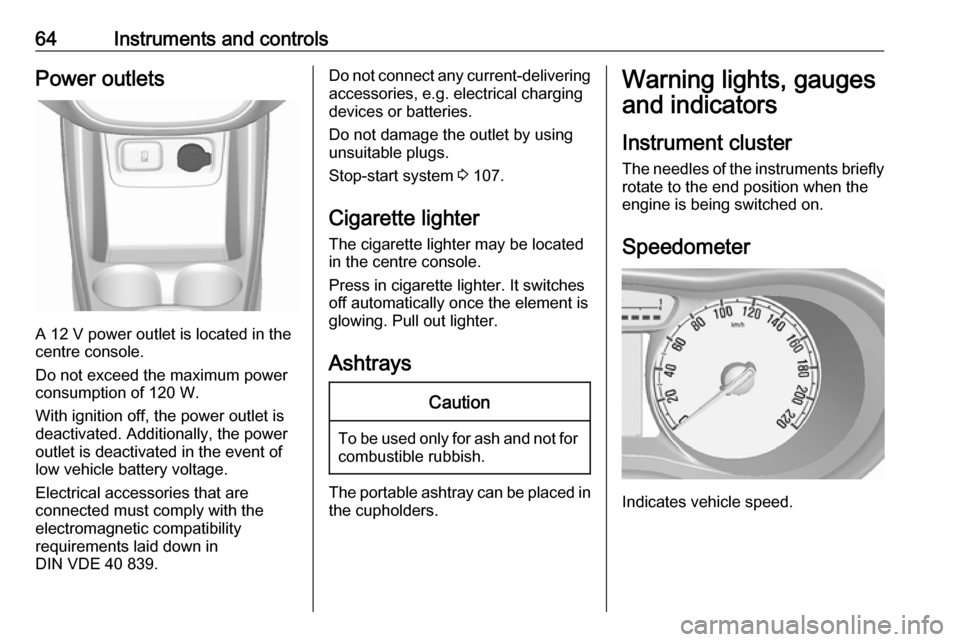
A 12 V power outlet is located in the
centre console.
Do not exceed the maximum power
consumption of 120 W.
With ignition off, the power outlet is deactivated. Additionally, the poweroutlet is deactivated in the event of
low vehicle battery voltage.
Electrical accessories that are
connected must comply with the
electromagnetic compatibility
requirements laid down in
DIN VDE 40 839.
Do not connect any current-delivering
accessories, e.g. electrical charging devices or batteries.
Do not damage the outlet by using
unsuitable plugs.
Stop-start system 3 107.
Cigarette lighter
The cigarette lighter may be located
in the centre console.
Press in cigarette lighter. It switches
off automatically once the element is
glowing. Pull out lighter.
AshtraysCaution
To be used only for ash and not for combustible rubbish.
The portable ashtray can be placed inthe cupholders.
Warning lights, gauges
and indicators
Instrument cluster
The needles of the instruments briefly
rotate to the end position when the
engine is being switched on.
Speedometer
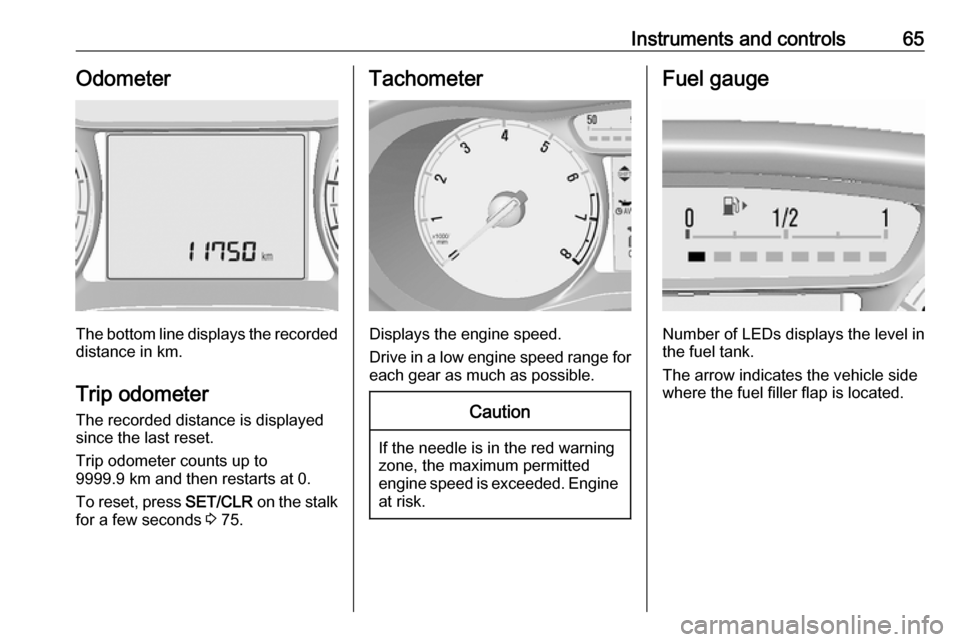
Indicates vehicle speed.
Page 67 of 191
Instruments and controls65Odometer
The bottom line displays the recordeddistance in km.
Trip odometer The recorded distance is displayedsince the last reset.
Trip odometer counts up to
9999.9 km and then restarts at 0.
To reset, press SET/CLR on the stalk
for a few seconds 3 75.
Tachometer
Displays the engine speed.
Drive in a low engine speed range for each gear as much as possible.
Caution
If the needle is in the red warning
zone, the maximum permitted
engine speed is exceeded. Engine at risk.
Fuel gauge
Number of LEDs displays the level in
the fuel tank.
The arrow indicates the vehicle side
where the fuel filler flap is located.
Page 68 of 191
66Instruments and controls
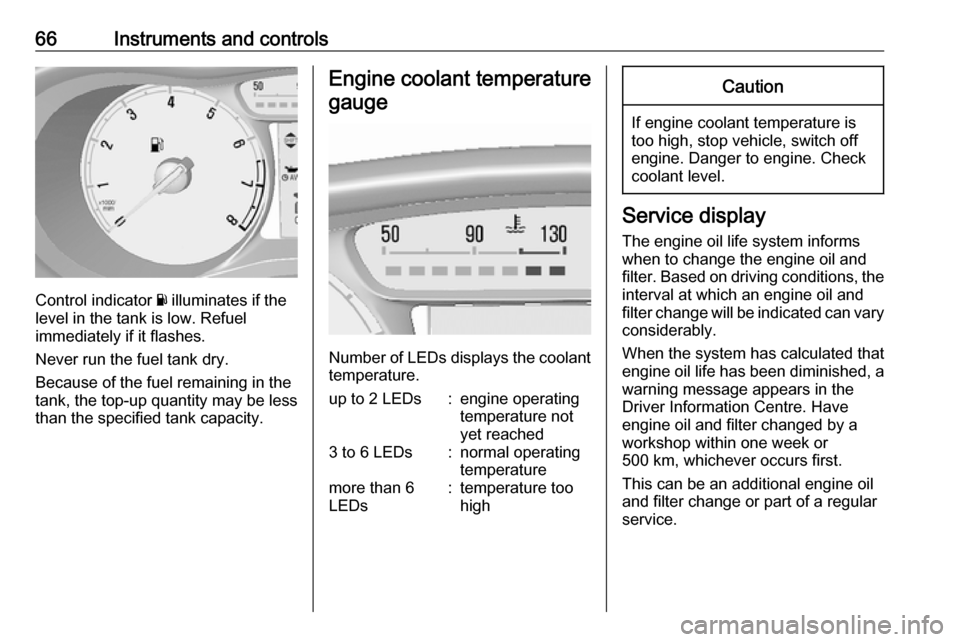
Control indicator Y illuminates if the
level in the tank is low. Refuel
immediately if it flashes.
Never run the fuel tank dry.
Because of the fuel remaining in the
tank, the top-up quantity may be less
than the specified tank capacity.
Engine coolant temperature
gauge
Number of LEDs displays the coolant temperature.
up to 2 LEDs:engine operating
temperature not
yet reached3 to 6 LEDs:normal operating
temperaturemore than 6
LEDs:temperature too
highCaution
If engine coolant temperature is
too high, stop vehicle, switch off
engine. Danger to engine. Check
coolant level.
Service display
The engine oil life system informs
when to change the engine oil and
filter. Based on driving conditions, the interval at which an engine oil and
filter change will be indicated can vary
considerably.
When the system has calculated that
engine oil life has been diminished, a warning message appears in theDriver Information Centre. Have
engine oil and filter changed by a
workshop within one week or
500 km, whichever occurs first.
This can be an additional engine oil
and filter change or part of a regular
service.
Page 69 of 191
Instruments and controls67
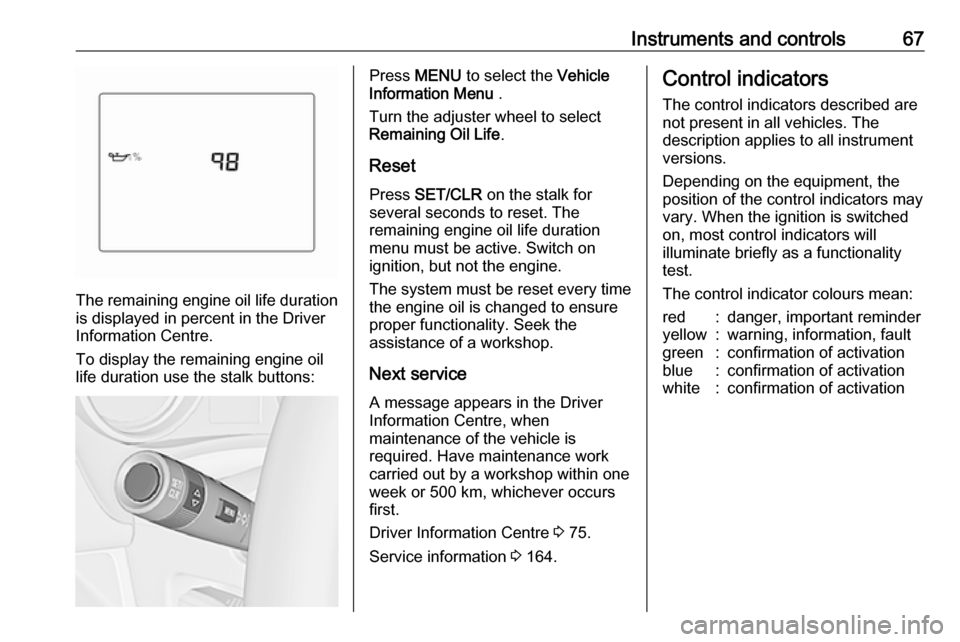
The remaining engine oil life duration
is displayed in percent in the Driver
Information Centre.
To display the remaining engine oil
life duration use the stalk buttons:
Press MENU to select the Vehicle
Information Menu .
Turn the adjuster wheel to select
Remaining Oil Life .
Reset Press SET/CLR on the stalk for
several seconds to reset. The
remaining engine oil life duration
menu must be active. Switch on
ignition, but not the engine.
The system must be reset every time
the engine oil is changed to ensure
proper functionality. Seek the
assistance of a workshop.
Next service A message appears in the Driver
Information Centre, when
maintenance of the vehicle is
required. Have maintenance work
carried out by a workshop within one
week or 500 km, whichever occurs first.
Driver Information Centre 3 75.
Service information 3 164.Control indicators
The control indicators described are
not present in all vehicles. The
description applies to all instrument
versions.
Depending on the equipment, the
position of the control indicators may vary. When the ignition is switched
on, most control indicators will
illuminate briefly as a functionality
test.
The control indicator colours mean:red:danger, important reminderyellow:warning, information, faultgreen:confirmation of activationblue:confirmation of activationwhite:confirmation of activation