fuel OPEL MOKKA 2017 User Guide
[x] Cancel search | Manufacturer: OPEL, Model Year: 2017, Model line: MOKKA, Model: OPEL MOKKA 2017Pages: 233, PDF Size: 6.69 MB
Page 90 of 233
88Instruments and controlsIlluminates when the engine is
runningCaution
Engine lubrication may be
interrupted. This may result in
damage to the engine and/or
locking of the drive wheels.
1. Depress clutch.
2. Select neutral gear, set selector lever to N.
3. Move out of the flow of traffic as quickly as possible without
impeding other vehicles.
4. Switch off ignition.
9 Warning
When the engine is off,
considerably more force is needed
to brake and steer. During an
Autostop the brake servo unit will still be operational.
Do not remove key until vehicle is
stationary, otherwise the steeringwheel lock could engage
unexpectedly.
Check oil level before seeking the
assistance of a workshop 3 166.
Low fuel
i illuminates or flashes yellow.
Illuminates
Level in fuel tank is too low.
Flashes
Fuel used up. Refuel immediately.
Never run the tank dry.
Refuelling 3 155.
Catalytic converter 3 131.
Bleeding the diesel fuel system
3 171.
Immobiliser d flashes yellow.
Fault in the immobiliser system. The
engine cannot be started.
Have the cause of the fault remedied
by a repairer.
Exterior light
8 illuminates green.
The exterior lights are on 3 107.
High beam
C illuminates blue.
Illuminates when high beam is on or
during headlight flash 3 108 , or when
high beam is on with high beam
assist, adaptive forward lighting
3 110.
Adaptive forward lighting f illuminates or flashes yellow.
Illuminates
The adaptive forward lighting system
needs a service.
Seek the assistance of a workshop. Adaptive forward lighting 3 110.
Page 92 of 233

90Instruments and controls● trip/fuel information
● vehicle messages, displayed as code numbers 3 94
In the Uplevel-Display the following
main menus can be selected by
pressing MENU on the turn signal
lever:
● Vehicle Information Menu
● Trip/Fuel Information Menu
In the Uplevel-Combi-Display, menu
pages can be selected by pressing
MENU on the turn signal lever. Menu
symbols are indicated in the top line
of the display:
● X Vehicle Information Menu
● W Trip/Fuel Information Menu
● s ECO Information Menu
Some of the displayed functions differ
when the vehicle is being driven or at
a standstill. Some functions are only
available when the vehicle is being
driven.
Vehicle personalisation 3 100.
Memorised settings 3 22.
Selecting menus and functions
The menus and functions can be
selected via the buttons on the turn
signal lever.
Press MENU to switch between the
menus or to return from a submenu to the next higher menu level.
Page 93 of 233

Instruments and controls91
Turn the adjuster wheel to highlight a
menu option or to set a numeric value.
Press SET/CLR to select a function or
to confirm a message.
Vehicle Information Menu
Press MENU to select the Vehicle
Information Menu , or on Uplevel-
Combi-Display select X.
Turn the adjuster wheel to select a
submenu. Press SET/CLR to confirm.
Follow the instructions given in the
submenus.
Possible submenus can be,
depending on version:
● Unit : displayed units can be
changed
● Tyre Pressure System : checks
tyre pressure of all wheels during
driving 3 186
● Tyre Load : select tyre pressure
category according to the actual tyre inflation pressure 3 186
● Remaining Oil Life : indicates
when to change the engine oil
and filter 3 80
● Traffic Sign Assistant : displays
detected traffic signs for the
current route section 3 148
● Speed Warning : if exceeding the
preset speed a warning chime
will be activatedSelection and indication can be
different between Midlevel-Display,
Uplevel-Display and Uplevel-Combi-
Display.
Trip/Fuel Information Menu
Press MENU to select the Trip/Fuel
Information Menu , or select W on
Uplevel-Combi-Display.
Turn the adjuster wheel to select a
submenu. Press SET/CLR to confirm.
● trip odometer 1
● trip odometer 2
● digital speed
Trip odometer 2 and digital speed are
only available on vehicles with
Uplevel-Display or Uplevel-Combi-
Display.
On vehicles with trip computer more
submenus are available.
Selection and indication can be
different between Midlevel-, Uplevel-,
and Uplevel-Combi-Display.
Trip/Fuel Information Menu, Trip
Computer 3 97.
Page 94 of 233

92Instruments and controlsECO Information MenuPress MENU to select s in the top
line of the Uplevel-Combi-Display.
Turn the adjuster wheel to select a
submenu. Press SET/CLR to confirm.
Submenus are:
● Shift indication : Current gear is
indicated inside an arrow. The
illustration above recommends
upshifting for fuel saving
reasons.
Eco index display : The current
fuel consumption is indicated on a segment display. For
economical driving, adapt your driving style to keep the filled
segments within the Eco area.
The more segments are filled, the higher the fuel consumption.
Simultaneously the current
consumption value is indicated.
● Top Consumers : List of top
comfort consumers currently
switched on is displayed in
descending order. Fuel saving
potential is indicated. A switched-
off consumer disappears from
the list and the consumption
value will be updated.
During sporadic driving
conditions, the heated rear
window is activated automatically to increase engine load. In this
event, the heated rear window is
indicated as one of the top
consumers, without activation by
the driver.
● Economy Trend : Displays the
average consumption
development over a distance of
50 km. Filled segments display
the consumption in 5 km steps
and shows the effect of
topography or driving behaviour
on fuel consumption.
Page 97 of 233
Instruments and controls95Vehicle messages on the
Midlevel-Display
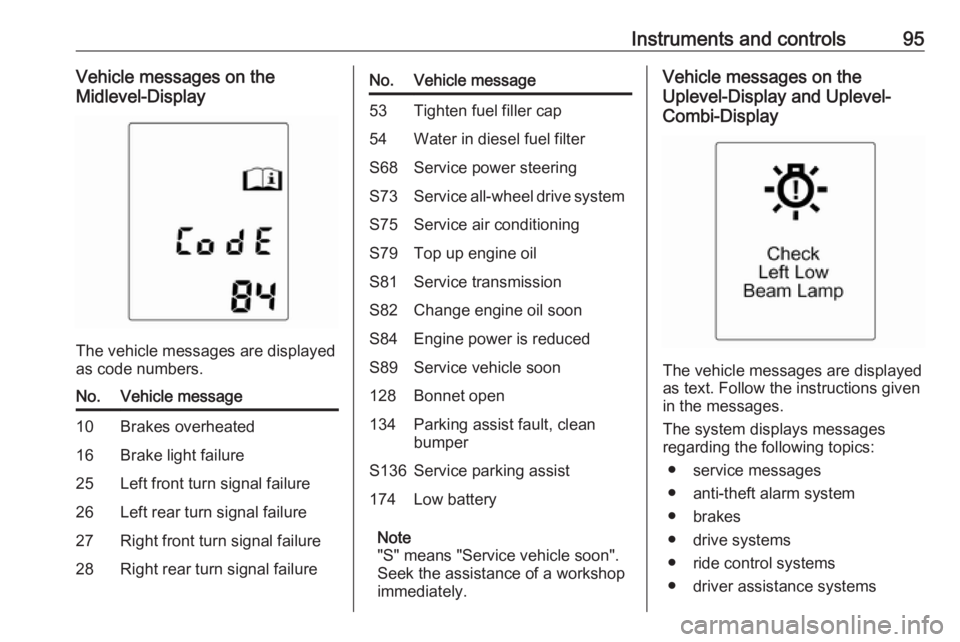
The vehicle messages are displayed
as code numbers.
No.Vehicle message10Brakes overheated16Brake light failure25Left front turn signal failure26Left rear turn signal failure27Right front turn signal failure28Right rear turn signal failureNo.Vehicle message53Tighten fuel filler cap54Water in diesel fuel filterS68Service power steeringS73Service all-wheel drive systemS75Service air conditioningS79Top up engine oilS81Service transmissionS82Change engine oil soonS84Engine power is reducedS89Service vehicle soon128Bonnet open134Parking assist fault, clean
bumperS136Service parking assist174Low battery
Note
"S" means "Service vehicle soon".
Seek the assistance of a workshop
immediately.
Vehicle messages on the
Uplevel-Display and Uplevel-
Combi-Display
The vehicle messages are displayed
as text. Follow the instructions given
in the messages.
The system displays messages
regarding the following topics:
● service messages
● anti-theft alarm system
● brakes
● drive systems
● ride control systems
● driver assistance systems
Page 98 of 233
96Instruments and controls● cruise control
● speed limiter
● parking assist systems
● lighting, bulb replacement
● adaptive forward lighting
● doors, windows
● traffic sign assistant
● lane departure warning
● load compartment, boot lid
● radio remote control
● seat belts
● airbag systems
● engine and transmission
● tyre pressure
● diesel particle filter
● vehicle battery status
Warning chimes
When starting the engine or whilst driving
Only one warning chime will sound at a time.The warning chime regarding
unfastened seat belts has priority
over any other warning chime.
● If the door or bonnet is open.
● If seat belt is not fastened.
● If a certain speed is exceeded with parking brake applied.
● If a warning message or a warning code appears in the
Driver Information Centre.
● If the parking assist detects an object.
● If the fuel level is low.
When the vehicle is parked and/or the driver's door is opened
● With exterior lights on.
During an Autostop ● If the driver's door is opened.
Battery voltage
When the battery voltage is running
low, a warning message or warning
code 174 will appear in the Driver
Information Centre.1. Switch off immediately any electrical consumers which are
not required for a safe ride, e.g.
seat heating, heated rear window or other main consumers.
2. Charge the battery by driving continuously for a while or by
using a charging device.
The warning message or warning
code will disappear after the engine
has been started twice consecutively
without a voltage drop.
If the battery cannot be recharged,
have the cause of the fault remedied
by a workshop.
Page 99 of 233
Instruments and controls97Trip computer
The menus and functions can be
selected via the buttons on the turn signal lever 3 89.
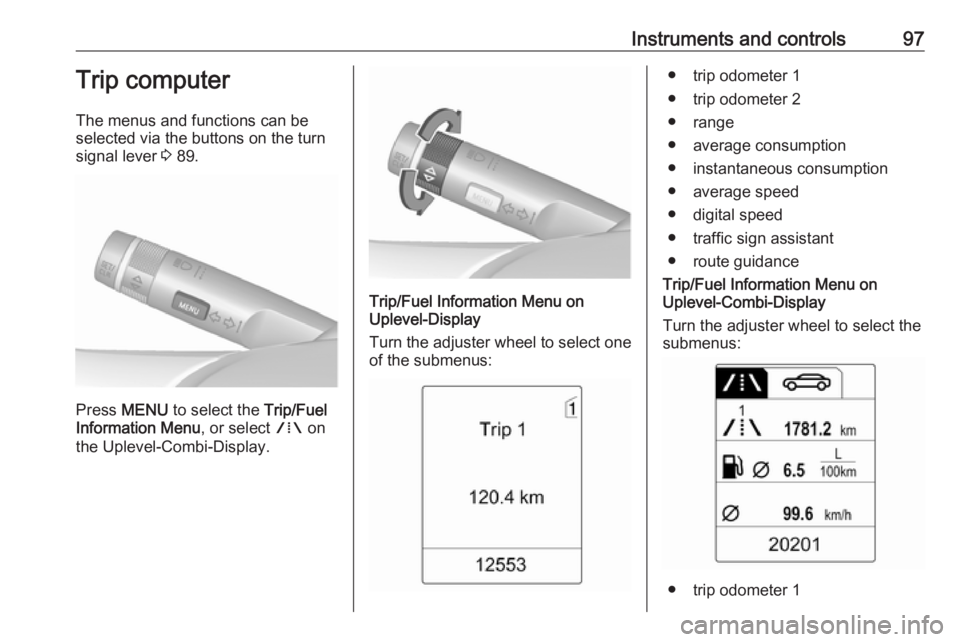
Press MENU to select the Trip/Fuel
Information Menu , or select W on
the Uplevel-Combi-Display.
Trip/Fuel Information Menu on
Uplevel-Display
Turn the adjuster wheel to select one of the submenus:
● trip odometer 1
● trip odometer 2
● range
● average consumption
● instantaneous consumption
● average speed
● digital speed
● traffic sign assistant
● route guidance
Trip/Fuel Information Menu on
Uplevel-Combi-Display
Turn the adjuster wheel to select the
submenus:
● trip odometer 1
Page 100 of 233
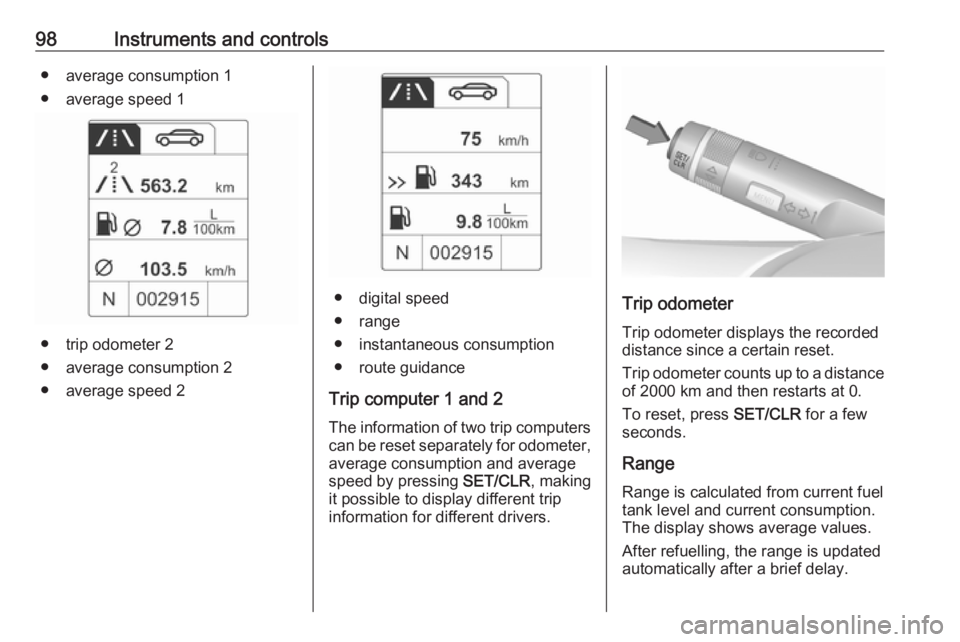
98Instruments and controls● average consumption 1
● average speed 1
● trip odometer 2
● average consumption 2
● average speed 2
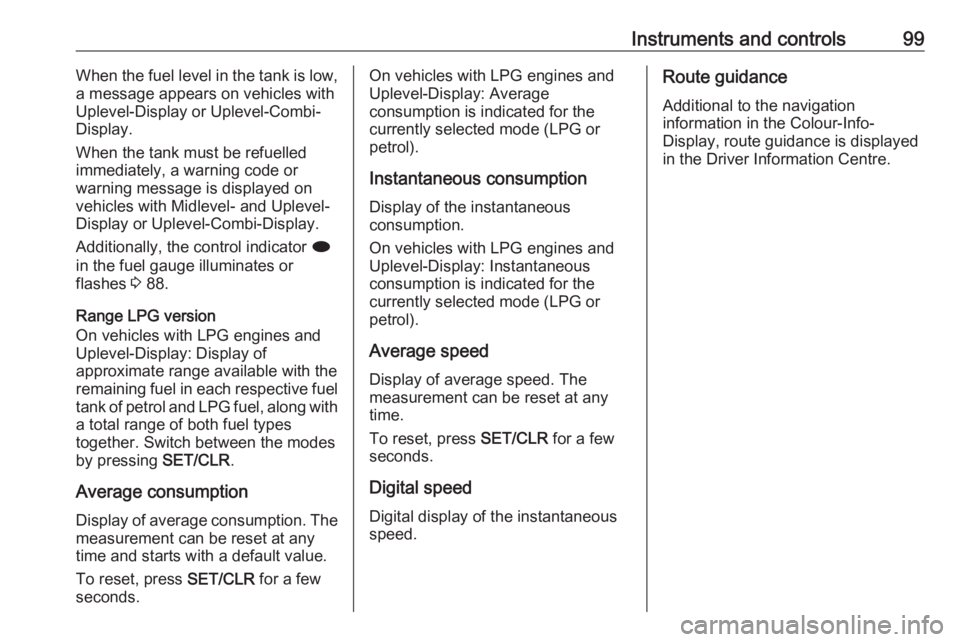
● digital speed
● range
● instantaneous consumption
● route guidance
Trip computer 1 and 2 The information of two trip computerscan be reset separately for odometer,
average consumption and average
speed by pressing SET/CLR, making
it possible to display different trip information for different drivers.Trip odometer
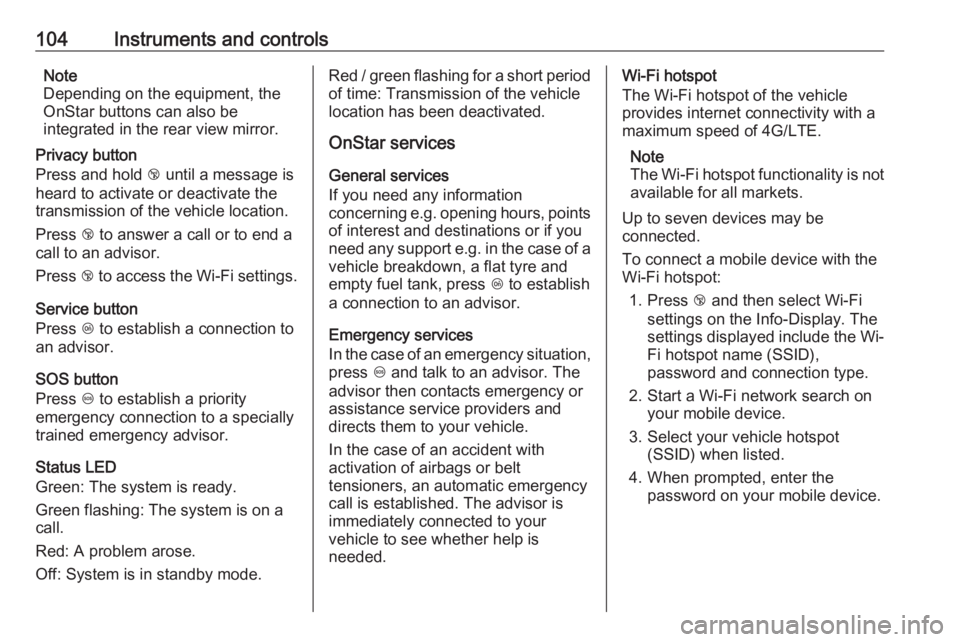
Trip odometer displays the recorded
distance since a certain reset.
Trip odometer counts up to a distance
of 2000 km and then restarts at 0.
To reset, press SET/CLR for a few
seconds.
Range Range is calculated from current fuel
tank level and current consumption.
The display shows average values.
After refuelling, the range is updated
automatically after a brief delay.
Page 101 of 233
Instruments and controls99When the fuel level in the tank is low,
a message appears on vehicles with
Uplevel-Display or Uplevel-Combi-
Display.
When the tank must be refuelled
immediately, a warning code or
warning message is displayed on
vehicles with Midlevel- and Uplevel-
Display or Uplevel-Combi-Display.
Additionally, the control indicator i
in the fuel gauge illuminates or
flashes 3 88.
Range LPG version
On vehicles with LPG engines and Uplevel-Display: Display of
approximate range available with the
remaining fuel in each respective fuel
tank of petrol and LPG fuel, along with
a total range of both fuel types
together. Switch between the modes
by pressing SET/CLR.
Average consumption
Display of average consumption. The measurement can be reset at any
time and starts with a default value.
To reset, press SET/CLR for a few
seconds.On vehicles with LPG engines and
Uplevel-Display: Average
consumption is indicated for the
currently selected mode (LPG or
petrol).
Instantaneous consumption
Display of the instantaneous
consumption.
On vehicles with LPG engines and Uplevel-Display: Instantaneous
consumption is indicated for the
currently selected mode (LPG or
petrol).
Average speed Display of average speed. The
measurement can be reset at any
time.
To reset, press SET/CLR for a few
seconds.
Digital speed Digital display of the instantaneous
speed.Route guidance
Additional to the navigationinformation in the Colour-Info-
Display, route guidance is displayed
in the Driver Information Centre.
Page 106 of 233
104Instruments and controlsNote
Depending on the equipment, the
OnStar buttons can also be
integrated in the rear view mirror.
Privacy button
Press and hold j until a message is
heard to activate or deactivate the transmission of the vehicle location.
Press j to answer a call or to end a
call to an advisor.
Press j to access the Wi-Fi settings.
Service button
Press Z to establish a connection to
an advisor.
SOS button
Press [ to establish a priority
emergency connection to a specially
trained emergency advisor.
Status LED
Green: The system is ready.
Green flashing: The system is on a
call.
Red: A problem arose.
Off: System is in standby mode.Red / green flashing for a short period of time: Transmission of the vehicle
location has been deactivated.
OnStar services
General services
If you need any information
concerning e.g. opening hours, points of interest and destinations or if you
need any support e.g. in the case of a
vehicle breakdown, a flat tyre and
empty fuel tank, press Z to establish
a connection to an advisor.
Emergency services
In the case of an emergency situation,
press [ and talk to an advisor. The
advisor then contacts emergency or
assistance service providers and
directs them to your vehicle.
In the case of an accident with
activation of airbags or belt
tensioners, an automatic emergency
call is established. The advisor is
immediately connected to your
vehicle to see whether help is
needed.Wi-Fi hotspot
The Wi-Fi hotspot of the vehicle
provides internet connectivity with a
maximum speed of 4G/LTE.
Note
The Wi-Fi hotspot functionality is not available for all markets.
Up to seven devices may be
connected.
To connect a mobile device with the
Wi-Fi hotspot:
1. Press j and then select Wi-Fi
settings on the Info-Display. The
settings displayed include the Wi- Fi hotspot name (SSID),
password and connection type.
2. Start a Wi-Fi network search on your mobile device.
3. Select your vehicle hotspot (SSID) when listed.
4. When prompted, enter the password on your mobile device.