fuel filter OPEL MOKKA 2017 Owners Manual
[x] Cancel search | Manufacturer: OPEL, Model Year: 2017, Model line: MOKKA, Model: OPEL MOKKA 2017Pages: 233, PDF Size: 6.69 MB
Page 73 of 233
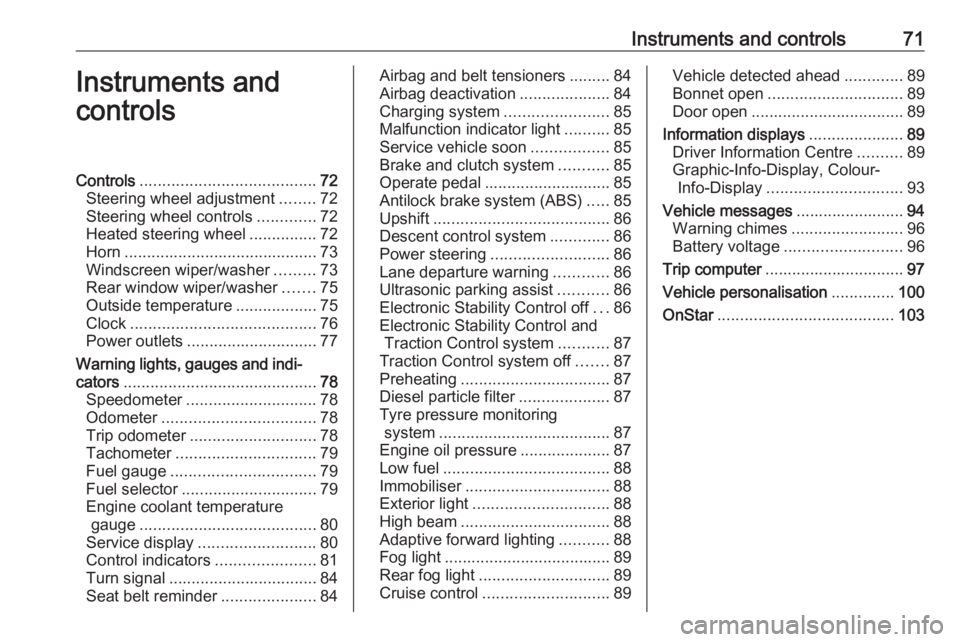
Instruments and controls71Instruments and
controlsControls ....................................... 72
Steering wheel adjustment ........72
Steering wheel controls .............72
Heated steering wheel ...............72
Horn ........................................... 73
Windscreen wiper/washer .........73
Rear window wiper/washer .......75
Outside temperature ..................75
Clock ......................................... 76
Power outlets ............................. 77
Warning lights, gauges and indi‐
cators ........................................... 78
Speedometer ............................. 78
Odometer .................................. 78
Trip odometer ............................ 78
Tachometer ............................... 79
Fuel gauge ................................ 79
Fuel selector .............................. 79
Engine coolant temperature gauge ....................................... 80
Service display .......................... 80
Control indicators ......................81
Turn signal ................................. 84
Seat belt reminder .....................84Airbag and belt tensioners .........84
Airbag deactivation ....................84
Charging system .......................85
Malfunction indicator light ..........85
Service vehicle soon .................85
Brake and clutch system ...........85
Operate pedal ............................ 85
Antilock brake system (ABS) .....85
Upshift ....................................... 86
Descent control system .............86
Power steering .......................... 86
Lane departure warning ............86
Ultrasonic parking assist ...........86
Electronic Stability Control off ...86
Electronic Stability Control and Traction Control system ...........87
Traction Control system off .......87
Preheating ................................. 87
Diesel particle filter ....................87
Tyre pressure monitoring system ...................................... 87
Engine oil pressure ....................87
Low fuel ..................................... 88
Immobiliser ................................ 88
Exterior light .............................. 88
High beam ................................. 88
Adaptive forward lighting ...........88
Fog light ..................................... 89
Rear fog light ............................. 89
Cruise control ............................ 89Vehicle detected ahead .............89
Bonnet open .............................. 89
Door open .................................. 89
Information displays .....................89
Driver Information Centre ..........89
Graphic-Info-Display, Colour- Info-Display .............................. 93
Vehicle messages ........................94
Warning chimes .........................96
Battery voltage .......................... 96
Trip computer ............................... 97
Vehicle personalisation ..............100
OnStar ....................................... 103
Page 82 of 233
80Instruments and controlsLED off:petrol operationLED
flashes:checking conditions for
fuel transition to liquid
gas operation.
Illuminates if conditions
are fulfilled.LED illu‐
minates:liquid gas operationLED
flashes
five
times
and
extin‐
guishes:liquid gas tank is empty
or failure in liquid gas
system. A message is
displayed in the Driver
Information Centre.
As soon as the liquid gas tank is empty, petrol operation is
automatically engaged until the
ignition is switched off.
Fuel for liquid gas operation 3 153.
Engine coolant temperature
gauge
Displays the coolant temperature.
left area:engine operating
temperature not yet
reachedcentral
area:normal operating
temperatureright area:temperature too highCaution
If engine coolant temperature is
too high, stop vehicle, switch off
engine. Danger to engine. Check
coolant level.
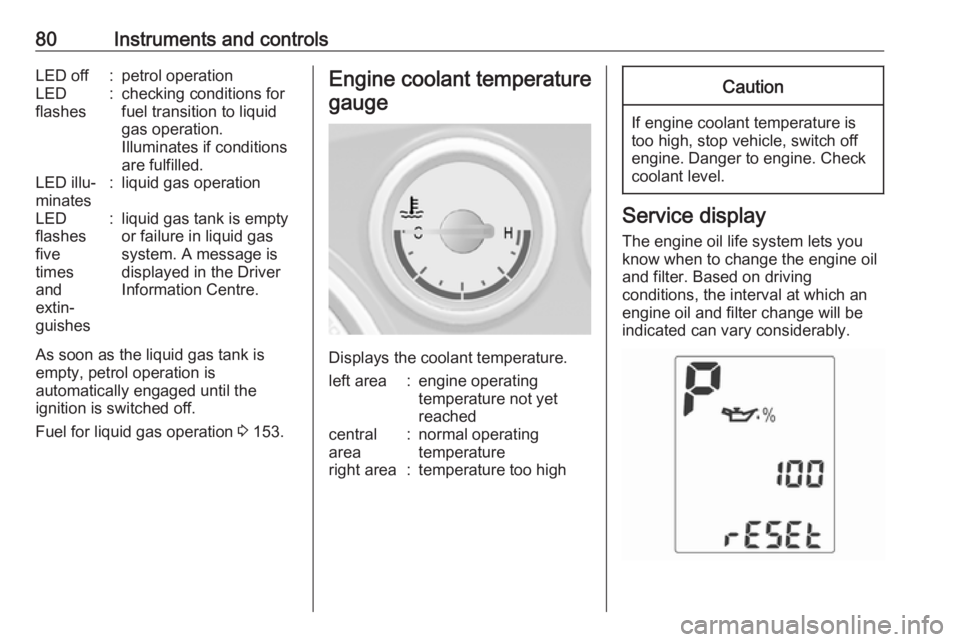
Service display
The engine oil life system lets you
know when to change the engine oil
and filter. Based on driving
conditions, the interval at which an
engine oil and filter change will be
indicated can vary considerably.
Page 85 of 233
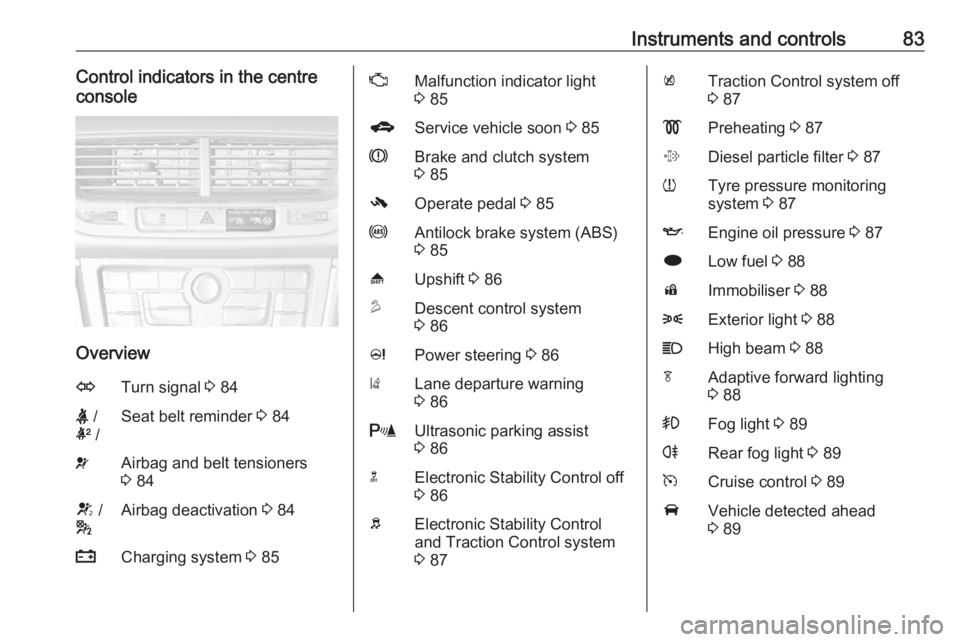
Instruments and controls83Control indicators in the centre
console
Overview
OTurn signal 3 84X /
k /Seat belt reminder 3 84vAirbag and belt tensioners
3 84V /
*Airbag deactivation 3 84pCharging system 3 85ZMalfunction indicator light
3 85gService vehicle soon 3 85RBrake and clutch system
3 85-Operate pedal 3 85uAntilock brake system (ABS)
3 85[Upshift 3 86uDescent control system
3 86cPower steering 3 86)Lane departure warning
3 86rUltrasonic parking assist
3 86nElectronic Stability Control off
3 86bElectronic Stability Control
and Traction Control system
3 87kTraction Control system off
3 87!Preheating 3 87%Diesel particle filter 3 87wTyre pressure monitoring
system 3 87IEngine oil pressure 3 87iLow fuel 3 88dImmobiliser 3 888Exterior light 3 88CHigh beam 3 88fAdaptive forward lighting
3 88>Fog light 3 89rRear fog light 3 89mCruise control 3 89AVehicle detected ahead
3 89
Page 93 of 233

Instruments and controls91
Turn the adjuster wheel to highlight a
menu option or to set a numeric value.
Press SET/CLR to select a function or
to confirm a message.
Vehicle Information Menu
Press MENU to select the Vehicle
Information Menu , or on Uplevel-
Combi-Display select X.
Turn the adjuster wheel to select a
submenu. Press SET/CLR to confirm.
Follow the instructions given in the
submenus.
Possible submenus can be,
depending on version:
● Unit : displayed units can be
changed
● Tyre Pressure System : checks
tyre pressure of all wheels during
driving 3 186
● Tyre Load : select tyre pressure
category according to the actual tyre inflation pressure 3 186
● Remaining Oil Life : indicates
when to change the engine oil
and filter 3 80
● Traffic Sign Assistant : displays
detected traffic signs for the
current route section 3 148
● Speed Warning : if exceeding the
preset speed a warning chime
will be activatedSelection and indication can be
different between Midlevel-Display,
Uplevel-Display and Uplevel-Combi-
Display.
Trip/Fuel Information Menu
Press MENU to select the Trip/Fuel
Information Menu , or select W on
Uplevel-Combi-Display.
Turn the adjuster wheel to select a
submenu. Press SET/CLR to confirm.
● trip odometer 1
● trip odometer 2
● digital speed
Trip odometer 2 and digital speed are
only available on vehicles with
Uplevel-Display or Uplevel-Combi-
Display.
On vehicles with trip computer more
submenus are available.
Selection and indication can be
different between Midlevel-, Uplevel-,
and Uplevel-Combi-Display.
Trip/Fuel Information Menu, Trip
Computer 3 97.
Page 97 of 233
Instruments and controls95Vehicle messages on the
Midlevel-Display
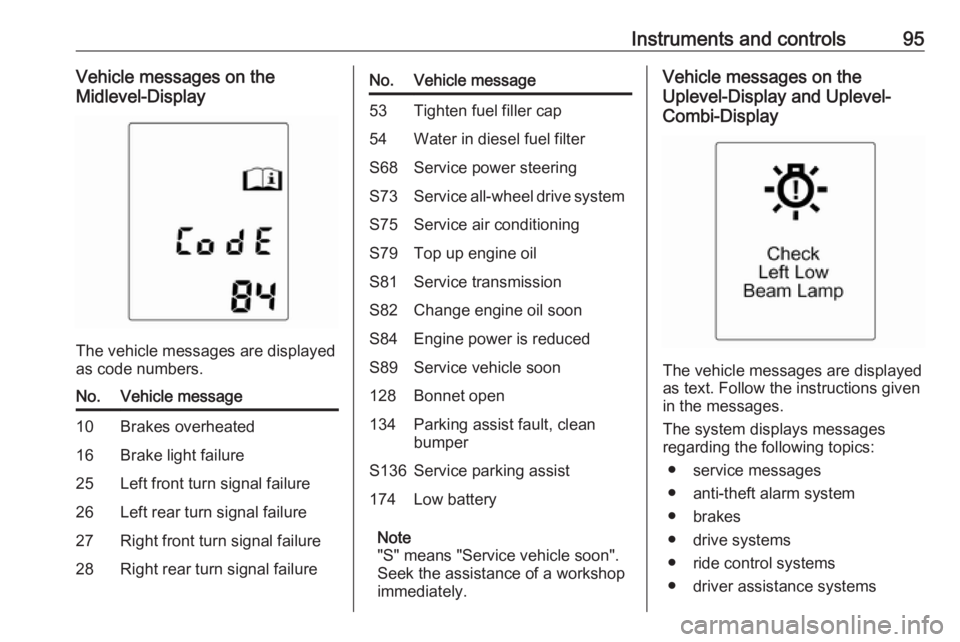
The vehicle messages are displayed
as code numbers.
No.Vehicle message10Brakes overheated16Brake light failure25Left front turn signal failure26Left rear turn signal failure27Right front turn signal failure28Right rear turn signal failureNo.Vehicle message53Tighten fuel filler cap54Water in diesel fuel filterS68Service power steeringS73Service all-wheel drive systemS75Service air conditioningS79Top up engine oilS81Service transmissionS82Change engine oil soonS84Engine power is reducedS89Service vehicle soon128Bonnet open134Parking assist fault, clean
bumperS136Service parking assist174Low battery
Note
"S" means "Service vehicle soon".
Seek the assistance of a workshop
immediately.
Vehicle messages on the
Uplevel-Display and Uplevel-
Combi-Display
The vehicle messages are displayed
as text. Follow the instructions given
in the messages.
The system displays messages
regarding the following topics:
● service messages
● anti-theft alarm system
● brakes
● drive systems
● ride control systems
● driver assistance systems
Page 98 of 233
96Instruments and controls● cruise control
● speed limiter
● parking assist systems
● lighting, bulb replacement
● adaptive forward lighting
● doors, windows
● traffic sign assistant
● lane departure warning
● load compartment, boot lid
● radio remote control
● seat belts
● airbag systems
● engine and transmission
● tyre pressure
● diesel particle filter
● vehicle battery status
Warning chimes
When starting the engine or whilst driving
Only one warning chime will sound at a time.The warning chime regarding
unfastened seat belts has priority
over any other warning chime.
● If the door or bonnet is open.
● If seat belt is not fastened.
● If a certain speed is exceeded with parking brake applied.
● If a warning message or a warning code appears in the
Driver Information Centre.
● If the parking assist detects an object.
● If the fuel level is low.
When the vehicle is parked and/or the driver's door is opened
● With exterior lights on.
During an Autostop ● If the driver's door is opened.
Battery voltage
When the battery voltage is running
low, a warning message or warning
code 174 will appear in the Driver
Information Centre.1. Switch off immediately any electrical consumers which are
not required for a safe ride, e.g.
seat heating, heated rear window or other main consumers.
2. Charge the battery by driving continuously for a while or by
using a charging device.
The warning message or warning
code will disappear after the engine
has been started twice consecutively
without a voltage drop.
If the battery cannot be recharged,
have the cause of the fault remedied
by a workshop.
Page 126 of 233
124Driving and operatingDriving and
operatingDriving hints ............................... 125
Control of the vehicle ...............125
Steering ................................... 125
Starting and operating ...............125
New vehicle running-in ............125
Ignition switch positions ...........126
Starting the engine ..................126
Overrun cut-off ........................ 127
Stop-start system ....................127
Parking .................................... 129
Engine exhaust .......................... 130
Diesel particle filter ..................130
Catalytic converter ...................131
Automatic transmission ..............131
Transmission display ...............131
Selector lever .......................... 132
Manual mode ........................... 133
Electronic driving programmes 133
Fault ........................................ 133
Interruption of power supply ....133
Manual transmission ..................134
Drive systems ............................ 135
All-wheel drive ......................... 135Brakes........................................ 136
Antilock brake system .............136
Parking brake .......................... 136
Brake assist ............................. 137
Hill start assist ......................... 137
Ride control systems .................137
Traction Control system ..........137
Electronic Stability Control ......138
Descent control system ...........139
Driver assistance systems .........140
Cruise control .......................... 140
Speed limiter ........................... 141
Forward collision alert .............142
Parking assist .......................... 144
Rear view camera ...................146
Traffic sign assistant ................148
Lane departure warning ..........151
Fuel ............................................ 152
Fuel for petrol engines .............152
Fuel for diesel engines ............152
Fuel for liquid gas operation ....153
Refuelling ................................ 155
Fuel consumption - CO 2-
Emissions ............................... 158
Trailer hitch ................................ 159
General information .................159
Driving characteristics and towing tips .............................. 159Trailer towing........................... 159
Towing equipment ...................160
Page 127 of 233
Driving and operating125Driving hints
Control of the vehicle
Never coast with engine not
running (except during Autostop)
Many systems will not function in this
situation (e.g. brake servo unit, power steering). Driving in this manner is a
danger to yourself and others. All
systems function during an Autostop,
but there will be a controlled reduction
in power steering assist and vehicle
speed is reduced.
Stop-start system 3 127.
Pedals To ensure the pedal travel is
uninhibited, there must be no mats in
the area of the pedals.
Use only floor mats, which fit properly
and are fixed by the retainers on the
driver side.Steering
If power steering assist is lost
because the engine stops or due to a system malfunction, the vehicle can
be steered but may require increased
effort.
Control indicator c 3 86.Caution
Vehicles equipped with hydraulic
power steering:
If the steering wheel is turned until it reaches the end of its travel, and
is held in that position for more
than 10 seconds, damage may
occur to the power steering
system and there may be loss of
power steering assist.
Starting and operating
New vehicle running-in
Do not brake unnecessarily hard for
the first few journeys.
During the first drive, smoke may
occur because of wax and oil
evaporating off the exhaust system.
Park the vehicle in the open for a
while after the first drive and avoid
inhaling the fumes.
During the running-in period fuel and engine oil consumption may be
higher and the cleaning process of the diesel particle filter may take
place more often. Autostop may be
inhibited to allow for charging the
battery.
Diesel particle filter 3 130.
Page 132 of 233
130Driving and operatingTurn the steering wheel until
the steering wheel lock is felt to
engage.
● Lock the vehicle.
● Activate the anti-theft alarm system.
Note
In the event of an accident with
airbag deployment, the engine is
turned off automatically if the vehicle comes to a standstill within a certain
time.
Engine exhaust9 Danger
Engine exhaust gases contain
poisonous carbon monoxide,
which is colourless and odourless and could be fatal if inhaled.
If exhaust gases enter the interior
of the vehicle, open the windows.
Have the cause of the fault
rectified by a workshop.
Avoid driving with an open load
compartment, otherwise exhaust
gases could enter the vehicle.
Diesel particle filter
The diesel particle filter system filters
harmful soot particles out of the
exhaust gases. The system includes
a self-cleaning function that runs
automatically during driving without
any notification. The filter is cleaned
by periodically burning off the soot
particles at high temperature. This
process takes place automatically
under set driving conditions and may
take up to 25 minutes. Typically it
needs between 7 and 12 minutes.
Autostop is not available and fuel
consumption may be higher during
this period. The emission of smells
and smoke during this process is
normal.
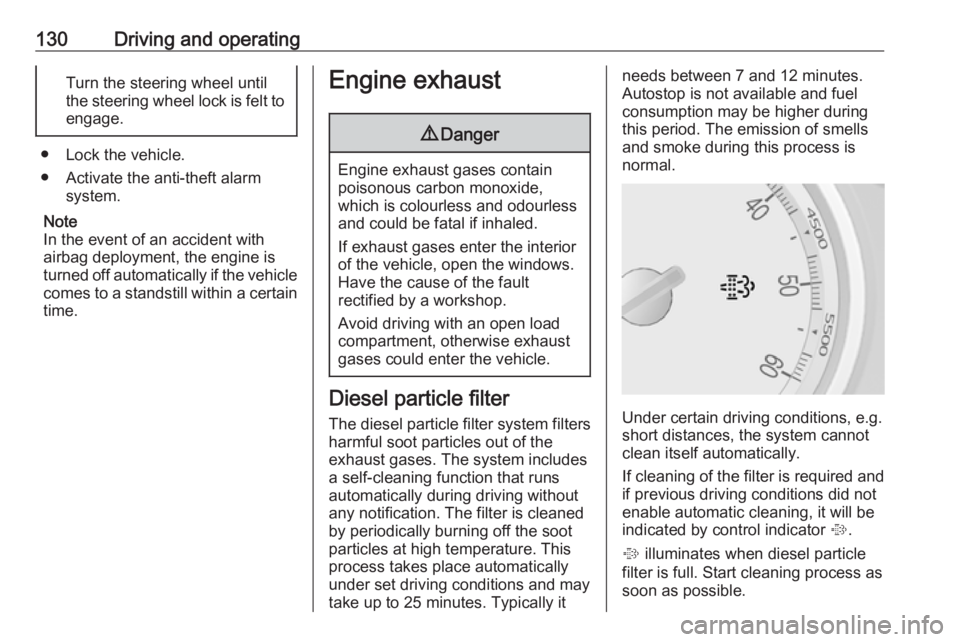
Under certain driving conditions, e.g.
short distances, the system cannot
clean itself automatically.
If cleaning of the filter is required and if previous driving conditions did not
enable automatic cleaning, it will be
indicated by control indicator %.
% illuminates when diesel particle
filter is full. Start cleaning process as
soon as possible.
Page 133 of 233

Driving and operating131% flashes when diesel particle filter
has reached the maximum filling level. Start cleaning process
immediately to avoid damage to the
engine.
Cleaning process
To activate cleaning process,
continue driving, keep engine speed
above 2000 revolutions per minute.
Shift down if necessary. Diesel
particle filter cleaning is then started.
If control indicator g also
illuminates, cleaning is not possible:
seek the assistance of a workshop.Caution
If the cleaning process is
interrupted, there is a risk of
provoking severe engine damage.
Cleaning takes place quickest at high engine speeds and loads.
The control indicator % extinguishes
as soon as the self-cleaning
operation is complete.
Catalytic converter
The catalytic converter reduces the
amount of harmful substances in the
exhaust gases.Caution
Fuel grades other than those listed on pages 3 152, 3 213 could
damage the catalytic converter or
electronic components.
Unburnt petrol will overheat and
damage the catalytic converter.
Therefore avoid excessive use of the starter, running the fuel tank
dry and starting the engine by
pushing or towing.
In the event of misfiring, uneven
engine running, a reduction in engine performance or other unusual
problems, have the cause of the fault
rectified by a workshop as soon as
possible. In an emergency, driving
can be continued for a short period,
keeping vehicle speed and engine
speed low.
Automatic transmission
The automatic transmission permits
automatic gearshifting (automatic
mode) or manual gearshifting
(manual mode).
Transmission display
The mode or selected gear is shown
in the transmission display.