change OPEL MOKKA X 2017 Infotainment system
[x] Cancel search | Manufacturer: OPEL, Model Year: 2017, Model line: MOKKA X, Model: OPEL MOKKA X 2017Pages: 155, PDF Size: 2.56 MB
Page 108 of 155
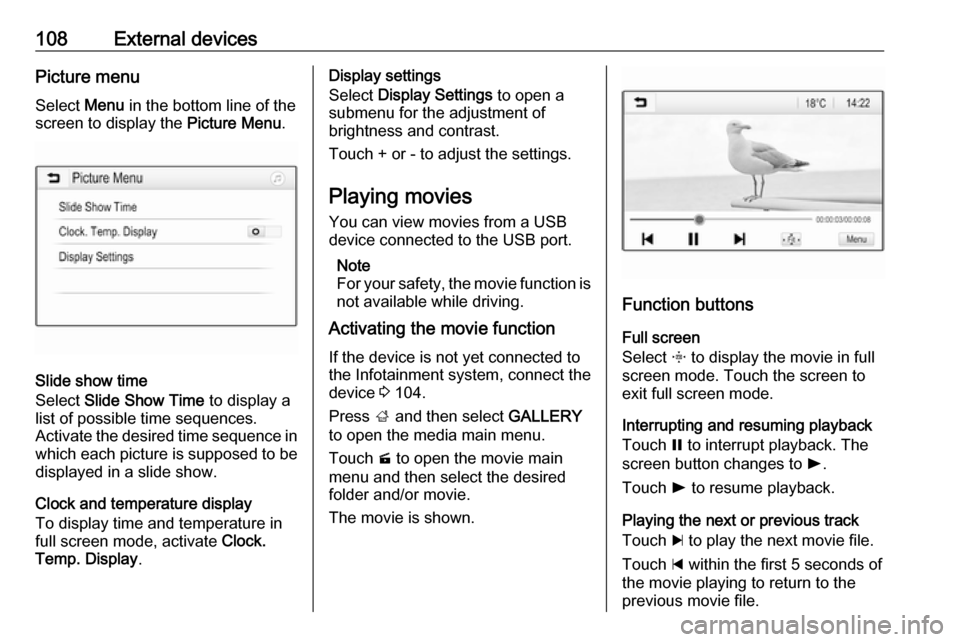
108External devicesPicture menuSelect Menu in the bottom line of the
screen to display the Picture Menu.
Slide show time
Select Slide Show Time to display a
list of possible time sequences.
Activate the desired time sequence in which each picture is supposed to be
displayed in a slide show.
Clock and temperature display
To display time and temperature in
full screen mode, activate Clock.
Temp. Display .
Display settings
Select Display Settings to open a
submenu for the adjustment of
brightness and contrast.
Touch + or - to adjust the settings.
Playing movies
You can view movies from a USB device connected to the USB port.
Note
For your safety, the movie function is
not available while driving.
Activating the movie function
If the device is not yet connected to
the Infotainment system, connect the
device 3 104.
Press ; and then select GALLERY
to open the media main menu.
Touch m to open the movie main
menu and then select the desired
folder and/or movie.
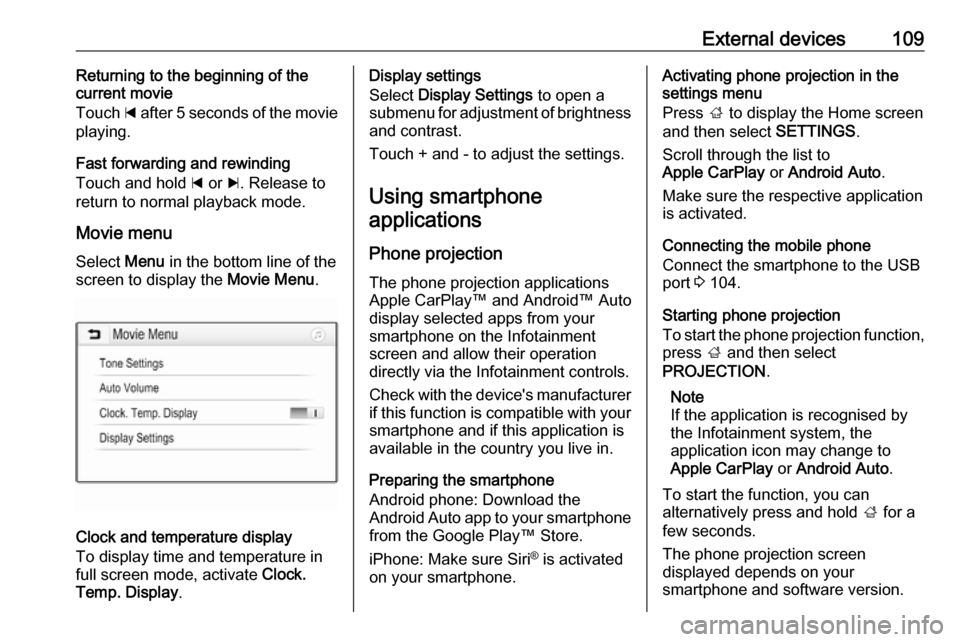
The movie is shown.
Function buttons
Full screen
Select x to display the movie in full
screen mode. Touch the screen to
exit full screen mode.
Interrupting and resuming playback
Touch = to interrupt playback. The
screen button changes to l.
Touch l to resume playback.
Playing the next or previous track
Touch c to play the next movie file.
Touch d within the first 5 seconds of
the movie playing to return to the
previous movie file.
Page 109 of 155
External devices109Returning to the beginning of the
current movie
Touch d after 5 seconds of the movie
playing.
Fast forwarding and rewinding
Touch and hold d or c. Release to
return to normal playback mode.
Movie menuSelect Menu in the bottom line of the
screen to display the Movie Menu.
Clock and temperature display
To display time and temperature in
full screen mode, activate Clock.
Temp. Display .
Display settings
Select Display Settings to open a
submenu for adjustment of brightness and contrast.
Touch + and - to adjust the settings.
Using smartphone applications
Phone projection
The phone projection applications
Apple CarPlay™ and Android™ Auto display selected apps from your
smartphone on the Infotainment
screen and allow their operation
directly via the Infotainment controls.
Check with the device's manufacturer if this function is compatible with your
smartphone and if this application is
available in the country you live in.
Preparing the smartphone
Android phone: Download the
Android Auto app to your smartphone
from the Google Play™ Store.
iPhone: Make sure Siri ®
is activated
on your smartphone.Activating phone projection in the
settings menu
Press ; to display the Home screen
and then select SETTINGS.
Scroll through the list to
Apple CarPlay or Android Auto .
Make sure the respective application is activated.
Connecting the mobile phone
Connect the smartphone to the USB
port 3 104.
Starting phone projection
To start the phone projection function,
press ; and then select
PROJECTION .
Note
If the application is recognised by
the Infotainment system, the
application icon may change to
Apple CarPlay or Android Auto .
To start the function, you can
alternatively press and hold ; for a
few seconds.
The phone projection screen
displayed depends on your
smartphone and software version.
Page 113 of 155
Phone113interference is caused by the
mobile phone or if dangerous
situations can occur.
Bluetooth
The Phone portal is certified by the
Bluetooth Special Interest Group
(SIG).
You can find further information about the specification on the internet at
http://www.bluetooth.com
Bluetooth connection Bluetooth is a radio standard for the
wireless connection of e.g. mobile
phones, smartphones or other
devices.
The pairing (PIN code exchange
between Bluetooth device and
Infotainment system) and connecting
of the Bluetooth devices to the
Infotainment system are carried out
via the Bluetooth menu.
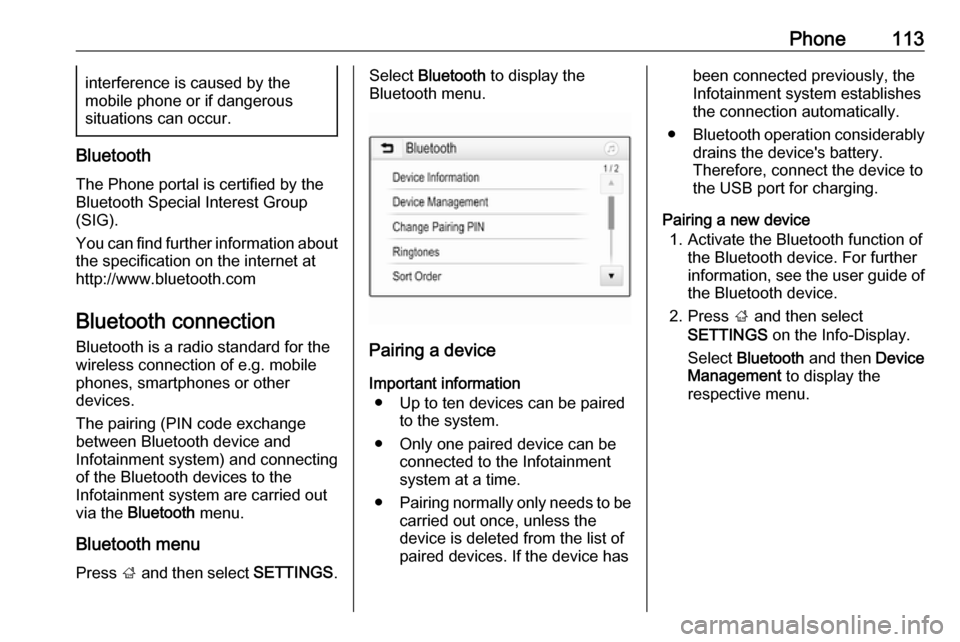
Bluetooth menu Press ; and then select SETTINGS.
Select Bluetooth to display the
Bluetooth menu.
Pairing a device
Important information ● Up to ten devices can be paired to the system.
● Only one paired device can be connected to the Infotainment
system at a time.
● Pairing normally only needs to be
carried out once, unless the
device is deleted from the list of
paired devices. If the device has
been connected previously, the
Infotainment system establishes
the connection automatically.
● Bluetooth operation considerably
drains the device's battery.
Therefore, connect the device to
the USB port for charging.
Pairing a new device 1. Activate the Bluetooth function of the Bluetooth device. For furtherinformation, see the user guide of
the Bluetooth device.
2. Press ; and then select
SETTINGS on the Info-Display.
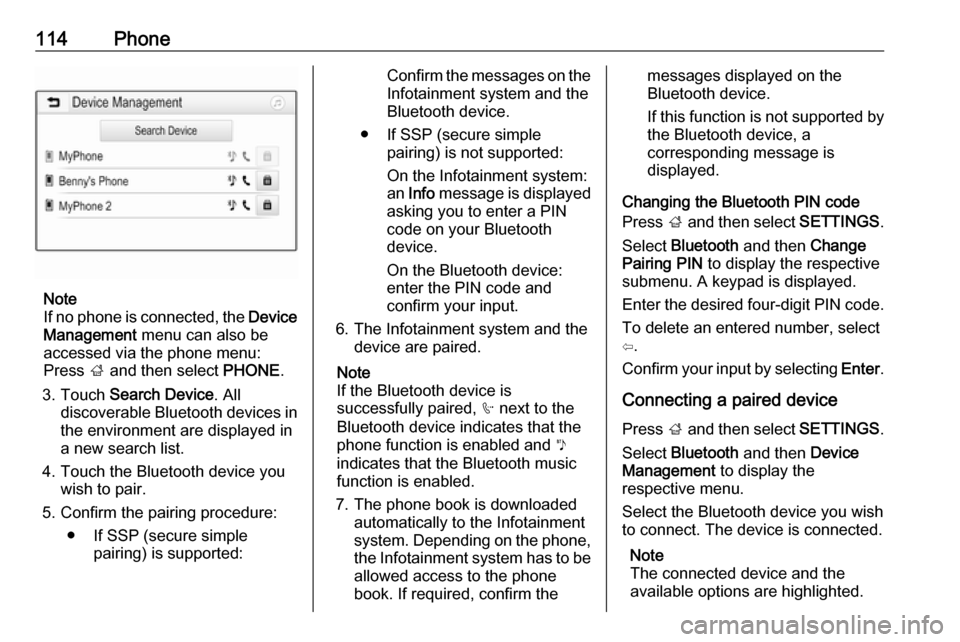
Select Bluetooth and then Device
Management to display the
respective menu.
Page 114 of 155
114Phone
Note
If no phone is connected, the Device
Management menu can also be
accessed via the phone menu:
Press ; and then select PHONE.
3. Touch Search Device . All
discoverable Bluetooth devices in
the environment are displayed in a new search list.
4. Touch the Bluetooth device you wish to pair.
5. Confirm the pairing procedure: ● If SSP (secure simple pairing) is supported:
Confirm the messages on the
Infotainment system and the
Bluetooth device.
● If SSP (secure simple pairing) is not supported:
On the Infotainment system: an Info message is displayed
asking you to enter a PIN
code on your Bluetooth
device.
On the Bluetooth device: enter the PIN code and
confirm your input.
6. The Infotainment system and the device are paired.
Note
If the Bluetooth device is
successfully paired, h next to the
Bluetooth device indicates that the
phone function is enabled and y
indicates that the Bluetooth music
function is enabled.
7. The phone book is downloaded automatically to the Infotainment
system. Depending on the phone, the Infotainment system has to be
allowed access to the phone
book. If required, confirm themessages displayed on the
Bluetooth device.
If this function is not supported by
the Bluetooth device, a
corresponding message is
displayed.
Changing the Bluetooth PIN code
Press ; and then select SETTINGS.
Select Bluetooth and then Change
Pairing PIN to display the respective
submenu. A keypad is displayed.
Enter the desired four-digit PIN code. To delete an entered number, select
⇦.
Confirm your input by selecting Enter.
Connecting a paired device Press ; and then select SETTINGS.
Select Bluetooth and then Device
Management to display the
respective menu.
Select the Bluetooth device you wish to connect. The device is connected.
Note
The connected device and the
available options are highlighted.
Page 126 of 155

126IntroductionIntroductionGeneral information...................126
Theft-deterrent feature ...............127
Control elements overview ........128
Usage ........................................ 130General information
The Infotainment system provides
you with state-of-the-art in-car
infotainment.
Using the FM, AM or DAB radio
functions, you can register a large
number of stations on different
favourites pages.
You can connect external data
storage devices to the Infotainment
system as further audio sources;
either via a cable or via Bluetooth ®
.
The digital sound processor provides
you with several preset equaliser
modes for sound optimisation.
In addition, the Infotainment system is equipped with a Phone portal that
allows comfortable and safe use of
your mobile phone in the vehicle.
Optionally, the Infotainment system
can be operated using the control
panel or the controls on the steering
wheel, or - if provided by your mobile
phone - via speech recognition.
Note
This manual describes all options
and features available for the
various Infotainment systems.Certain descriptions, including those
for display and menu functions, may
not apply to your vehicle due to
model variant, country
specifications, special equipment or
accessories.
Important information on
operation and traffic safety9 Warning
Drive safely at all times when
using the Infotainment system.
If in doubt, stop the vehicle before operating the Infotainment
system.
Radio reception
Radio reception may be disrupted by static, noise, distortion or loss of
reception due to:
● changes in distance from the transmitter
● multi-path reception due to reflection
● shadowing
Page 129 of 155

Introduction1291X......................................... 130
If switched off: short press:
switch power on
If switched on: short press: mute system; long press:
switch power off
Turn: adjust volume
2 RADIO
Activate radio or change
waveband ........................... 136
3 MEDIA
Activate media or change
media source ...................... 142
4 t
Radio: short press: skip to
previous station; press
and hold: seek down ...........136
External devices: short press: skip to previous
track; press and hold:
rewind ................................. 1425v
Radio: short press: skip to
next station; press and
hold: seek up ...................... 136
External devices: short
press: skip to next track;
press and hold: fast forward 142
5 PHONE
Short press: open phone
menu ................................... 145
Long press: activate
speech recognition ..............144
6 BACK
Menu: one level back ..........132
Input: delete last character
or entire entry ......................1327 MENU................................. 132
Turn: mark screen buttons or menu items; set
numeric values
Press: select/activate a
marked screen button or
menu item; confirm set
value; switch to different
setting option; open
application-specific menu
(if available)
8 Softkeys
Favourites: press: select
favourites; press and hold: save radio stations as
favourites ............................ 137
Menu: press: select
corresponding screen
button .................................. 132
9 FAV
Press: display favourites
bar ....................................... 137
Page 132 of 155

132Basic operationBasic operationBasic operation.......................... 132
Tone settings ............................. 132
Volume settings .........................133
System settings ......................... 133Basic operation
Control panel
MENU knob
The MENU knob is one of the central
control elements for menu operation.Turn: ● to select a screen button or menu
item
● to scroll through a list of menu items
● to change a settings valuePress: ● to activate a selected screen button or menu item
● to confirm a changed settings value
● to switch to a different settings option
● to display the application-specific
submenuNote
In subsequent chapters, the
operating steps for selecting and
activating a screen button or menu
item will be described as "...select
Page 134 of 155

134Basic operationSelect Time and Date .
Set Time
Select Set Time to enter the
respective submenu.
Select Auto Set at the bottom of the
screen. Activate either On - RDS or
Off (Manual) .
If Off (Manual) is selected, adjust
hours and minutes.
Repeatedly select 12-24 HR at the
bottom of the screen to choose a time mode.
If the 12-hour mode is selected, a
third column for AM and PM selection
is displayed. Select the desired
option.
Set Date
Select Set Date to enter the
respective submenu.
Select Auto Set at the bottom of the
screen. Activate either On - RDS or
Off (Manual) .
If Off (Manual) is selected, adjust the
date settings.Language
Press MENU to open the respective
audio menu.
Select Settings , scroll through the list
and select Vehicle Settings .
Select Languages .
Scroll through the list and select the
desired language.
Restore Factory Settings
Press MENU to open the respective
audio menu.
Select Settings , scroll through the list
and select Vehicle Settings .
Select Restore Factory Settings to
enter the respective submenu.
Select the desired option and confirm the message.
Software Information The Software Information menu
contains specific information on the
software.
Press MENU to open the respective
audio menu.Select Settings , scroll through the list
and select Vehicle Settings .
Select Software Information .
Valet mode
If valet mode is activated, all vehicle
displays are locked and no changes
may be performed within the system.
Note
Vehicle-related messages remain
enabled.
Locking the system
Press MENU to open the respective
audio menu.
Select Settings , scroll through the list
and select Vehicle Settings .
Select Valet Mode . A keypad is
displayed.
Enter a four-digit code and select
Enter . The keypad is redisplayed.
To confirm the first input, reenter the
four-digit code and select Lock. The
system is locked.
Unlocking the system
Turn the Infotainment system on. A
keypad is displayed.
Page 136 of 155
136RadioRadioUsage........................................ 136
Station search ............................ 136
Favourite lists ............................. 137
Radio data system (RDS) ..........137
Digital audio broadcasting .........138Usage
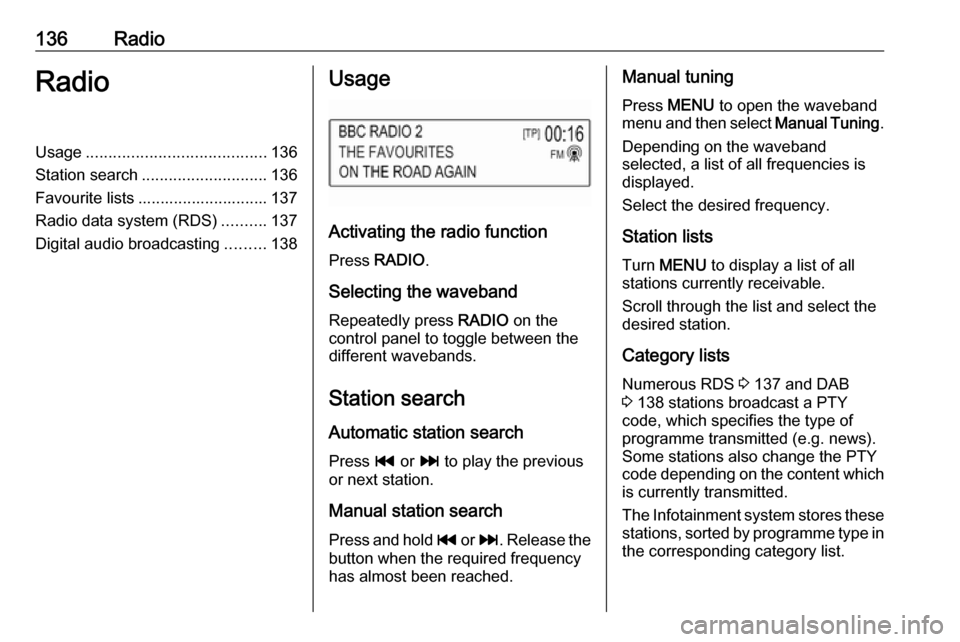
Activating the radio function
Press RADIO .
Selecting the waveband
Repeatedly press RADIO on the
control panel to toggle between the different wavebands.
Station search Automatic station search
Press t or v to play the previous
or next station.
Manual station search
Press and hold t or v . Release the
button when the required frequency
has almost been reached.
Manual tuning
Press MENU to open the waveband
menu and then select Manual Tuning.
Depending on the waveband selected, a list of all frequencies is displayed.
Select the desired frequency.
Station lists Turn MENU to display a list of all
stations currently receivable.
Scroll through the list and select the
desired station.
Category lists
Numerous RDS 3 137 and DAB
3 138 stations broadcast a PTY
code, which specifies the type of
programme transmitted (e.g. news). Some stations also change the PTY
code depending on the content which
is currently transmitted.
The Infotainment system stores these stations, sorted by programme type in
the corresponding category list.
Page 146 of 155

146Phoneinterference is caused by the
mobile phone or if dangerous
situations can occur.
Bluetooth
The Phone portal is certified by the
Bluetooth Special Interest Group
(SIG).
You will find further information about the specification on the internet at
http://www.bluetooth.com.
Bluetooth connection
Bluetooth is a radio standard for the
wireless connection of e.g. mobile
phones or other devices.
To be able to set up a Bluetooth
connection to the Infotainment
system, the Bluetooth function of the
Bluetooth device must be activated.
For further information, please
consult the user guide of the
Bluetooth device.
Via the Phone portal, pairing (PIN
code exchange between Bluetooth
device and Infotainment system) and
connecting of the Bluetooth devices
with the Infotainment system are
carried out.
Pairing a device
Important information ● Up to five devices can be paired to the system.
● Only one paired device can be connected to the Infotainment
system at a time.
● Pairing normally only needs to be
carried out once, unless the
device is deleted from the list of
paired devices. If the device has
been connected previously, the
Infotainment system establishes
the connection automatically.
● Bluetooth operation considerably
drains the device's battery.
Therefore, connect the device to
the USB port for charging.
Pairing the first device 1. Press PHONE and then select
Pair .
A message is displayed on the Infotainment system indicatingthe name and PIN code of the
Infotainment system.
2. Start Bluetooth searching on the Bluetooth device to be paired.
3. Confirm pairing: ● If SSP (secure simple pairing) is supported:
Compare the PIN code (if demanded) and confirm the
messages on the Infotainment system and the
Bluetooth device.
● If SSP (secure simple pairing) is not supported:
Enter the Infotainment PIN
code on the Bluetooth device and confirm your input.
4. The Infotainment system and the device are paired. The phone
menu is displayed.
5. If available on the Bluetooth device, phone book and calls lists
are downloaded to the
Infotainment system. If required,
confirm the respective message
on your smartphone.