fuel OPEL MOKKA X 2018.5 Infotainment system
[x] Cancel search | Manufacturer: OPEL, Model Year: 2018.5, Model line: MOKKA X, Model: OPEL MOKKA X 2018.5Pages: 255, PDF Size: 6.79 MB
Page 88 of 255

86Instruments and controlsIn extreme situations, the system may
also switch back to petrol mode if the
minimum requirements are not
fulfilled. If conditions allow, it may be
possible to manually switch back to
liquid gas operation.
Seek the assistance of a workshop in the event of all other faults.Caution
Repairs and adjustments may only
be made by trained specialists in
order to maintain the safety and
warranty on the LPG system.
Liquid gas is given a particular odour
(odorised) so that any leaks can be
detected easily.
9 Warning
If you smell gas in the vehicle or in
the immediate vicinity, switch to petrol mode immediately. No
smoking. No naked flames or
ignition sources.
If the gas odour persists, do not start
the engine. Have the cause of the
fault remedied by a workshop.
When using underground car parks,
follow the instructions of the operator
and local laws.
Note
In the event of an accident, switch off
the ignition.
Fuel for liquid gas operation 3 171.
Engine coolant temperature gauge
Displays the coolant temperature.
50:engine operating
temperature not yet
reachedcentral
area:normal operating
temperature130:temperature too highCaution
If engine coolant temperature is
too high, stop vehicle, switch off
engine. Danger to engine. Check
coolant level.
Service display
The engine oil life system informs
when to change the engine oil and
filter. Based on driving conditions, the interval at which an engine oil and
filter change will be indicated can vary
considerably.
Page 92 of 255
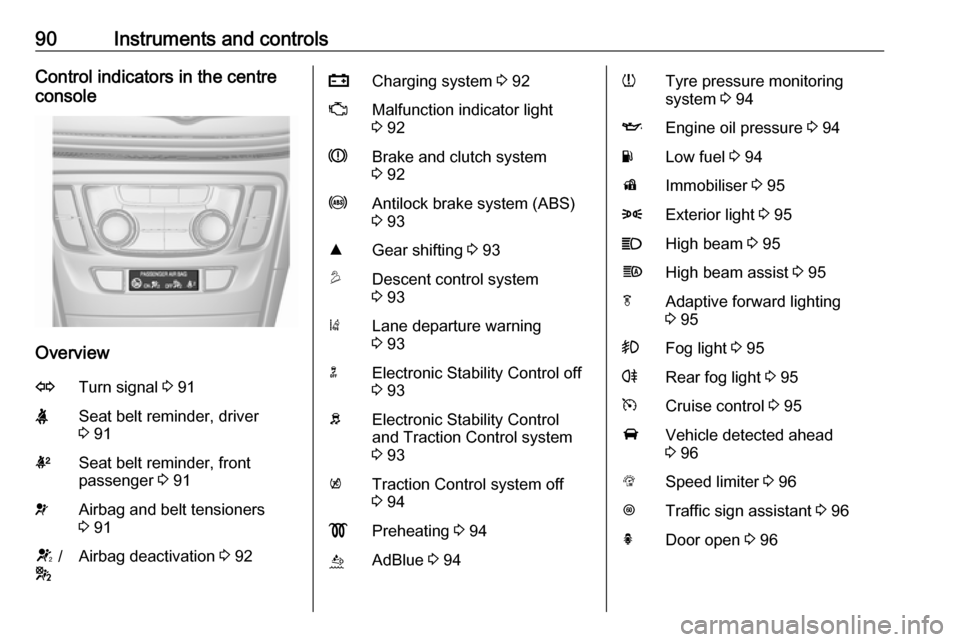
90Instruments and controlsControl indicators in the centre
console
Overview
OTurn signal 3 91XSeat belt reminder, driver
3 91kSeat belt reminder, front
passenger 3 91vAirbag and belt tensioners
3 91V /
*Airbag deactivation 3 92pCharging system 3 92ZMalfunction indicator light
3 92RBrake and clutch system
3 92uAntilock brake system (ABS)
3 93RGear shifting 3 93uDescent control system
3 93)Lane departure warning
3 93nElectronic Stability Control off
3 93bElectronic Stability Control
and Traction Control system
3 93kTraction Control system off
3 94!Preheating 3 94ùAdBlue 3 94wTyre pressure monitoring
system 3 94IEngine oil pressure 3 94YLow fuel 3 94dImmobiliser 3 958Exterior light 3 95CHigh beam 3 95fHigh beam assist 3 95fAdaptive forward lighting
3 95>Fog light 3 95rRear fog light 3 95mCruise control 3 95AVehicle detected ahead
3 96LSpeed limiter 3 96LTraffic sign assistant 3 96hDoor open 3 96
Page 95 of 255

Instruments and controls939Warning
Stop. Do not continue your
journey. Consult a workshop.
Illuminates when the manual parking
brake is applied and ignition is
switched on 3 151.
Antilock brake system (ABS)
u illuminates yellow.
Illuminates for a few seconds after the ignition is switched on. The system is
ready for operation when the control
indicator extinguishes.
If the control indicator does not
extinguish after a few seconds, or if it illuminates while driving, there is a
fault in the ABS. The brake system
remains operational but without ABS
regulation.
Antilock brake system 3 150.
Gear shifting
R or S with the number of a higher or
lower gear is indicated, when up- or
downshifting is recommended for fuel
saving reasons.
Descent control system u illuminates or flashes green.
Illuminates green
The system is ready for operation.
Flashes green
The system is in operation.
Lane departure warning
) illuminates green or flashes yellow.
Illuminates green
System is switched on and ready to
operate.
Flashes yellow
System recognises an unintended
lane change.
Lane departure warning 3 168.Electronic Stability Control
off
n illuminates yellow.
The system is deactivated.
Electronic Stability Control
and Traction Control system
b illuminates or flashes yellow.
Illuminates A fault in the system is present.
Continued driving is possible. Driving
stability, however, may deteriorate depending on road surface
conditions.
Have the cause of the fault remedied
by a workshop.
Flashes
The system is actively engaged.
Engine output may be reduced and
the vehicle may be braked
automatically to a small degree.
Electronic Stability Control 3 153.
Traction Control system 3 152.
Page 96 of 255
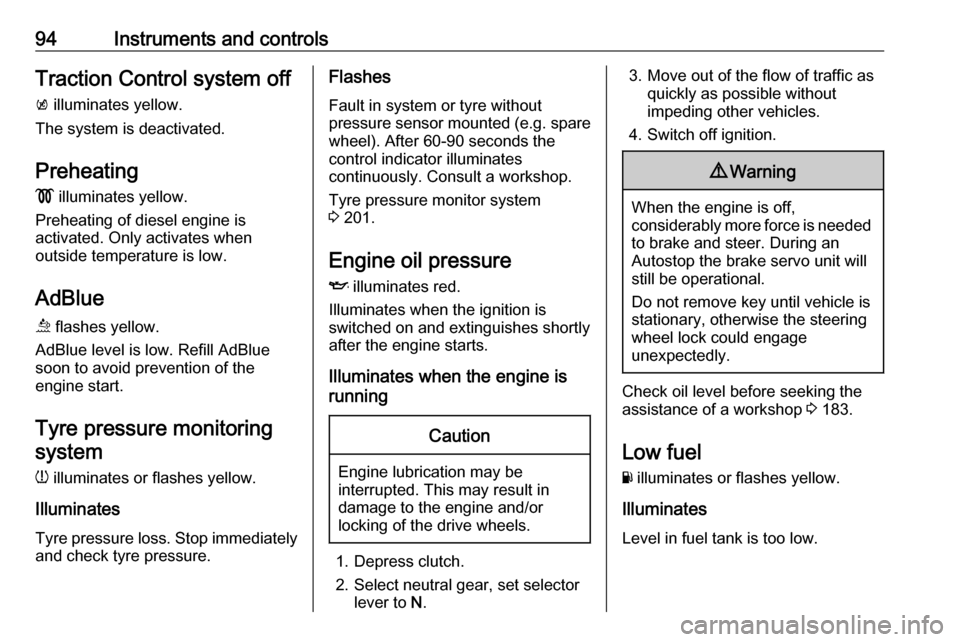
94Instruments and controlsTraction Control system offk illuminates yellow.
The system is deactivated.
Preheating ! illuminates yellow.
Preheating of diesel engine is
activated. Only activates when
outside temperature is low.
AdBlue
ù flashes yellow.
AdBlue level is low. Refill AdBlue
soon to avoid prevention of the
engine start.
Tyre pressure monitoringsystem
w illuminates or flashes yellow.
Illuminates
Tyre pressure loss. Stop immediately
and check tyre pressure.Flashes
Fault in system or tyre without
pressure sensor mounted (e.g. spare wheel). After 60-90 seconds the
control indicator illuminates
continuously. Consult a workshop.
Tyre pressure monitor system
3 201.
Engine oil pressure
I illuminates red.
Illuminates when the ignition is
switched on and extinguishes shortly
after the engine starts.
Illuminates when the engine is
runningCaution
Engine lubrication may be
interrupted. This may result in
damage to the engine and/or
locking of the drive wheels.
1. Depress clutch.
2. Select neutral gear, set selector lever to N.
3. Move out of the flow of traffic as
quickly as possible without
impeding other vehicles.
4. Switch off ignition.9 Warning
When the engine is off,
considerably more force is needed
to brake and steer. During an
Autostop the brake servo unit will still be operational.
Do not remove key until vehicle is stationary, otherwise the steeringwheel lock could engage
unexpectedly.
Check oil level before seeking the
assistance of a workshop 3 183.
Low fuel
Y illuminates or flashes yellow.
Illuminates
Level in fuel tank is too low.
Page 97 of 255

Instruments and controls95Flashes
Fuel used up. Refuel immediately.
Never run the tank dry.
Refuelling 3 171.
Catalytic converter 3 142.
Bleeding the diesel fuel system
3 187.
Immobiliser
d flashes yellow.
Fault in the immobiliser system. The
engine cannot be started.
Have the cause of the fault remedied by a repairer.
Exterior light
8 illuminates green.
The exterior lights are on 3 115.
High beam C illuminates blue.Illuminates when high beam is on or
during headlight flash 3 116 , or when
high beam is on with high beam
assist, adaptive forward lighting
3 119.
High beam assist
f illuminates green.
The high beam assist is activated
3 119.
Adaptive forward lighting
f illuminates or flashes yellow.
Illuminates
The adaptive forward lighting system
needs a service.
Seek the assistance of a workshop.
Adaptive forward lighting 3 119.
Flashes
System switched to symmetrical low
beam.Control indicator f flashes for approx.
4 seconds after the ignition is
switched on as a reminder that the
system has been activated 3 118.
Automatic light control 3 116.
Fog light
> illuminates green.
The front fog lights are on 3 122.
Rear fog light
r illuminates yellow.
The rear fog light is on 3 122.
Cruise control
m illuminates white or green.
Illuminates white The system is on.
Illuminates green
Cruise control is active.
Cruise control 3 155.
Page 98 of 255

96Instruments and controlsVehicle detected aheadA illuminates green or yellow.
Illuminates green
A vehicle ahead is detected in the
same lane.
Illuminates yellow The distance to a preceding moving
vehicle gets too small or when
approaching another vehicle too
rapidly.
Forward collision alert 3 158.
Speed limiter
L illuminates white or green.
Illuminates white The system is on.
Illuminates green
Speed limiter is active. Set speed is
indicated near L symbol.
Speed limiter 3 156.Traffic sign assistant
L displays detected traffic signs as a
control indicator.
Traffic sign assistant 3 164.
Door open h illuminates red.
A door or the tailgate is open.Displays
Driver Information Centre
The Driver Information Centre is
located in the instrument cluster.
Depending on the version and the
instrument cluster, the Driver
Information Centre is available as
Midlevel display or Uplevel display.
Driver Information Centre indicates
depending on the equipment:
● overall and trip odometer
● vehicle information
● trip / fuel information
● driving economy information ● vehicle and warning messages
● vehicle settings
Page 99 of 255
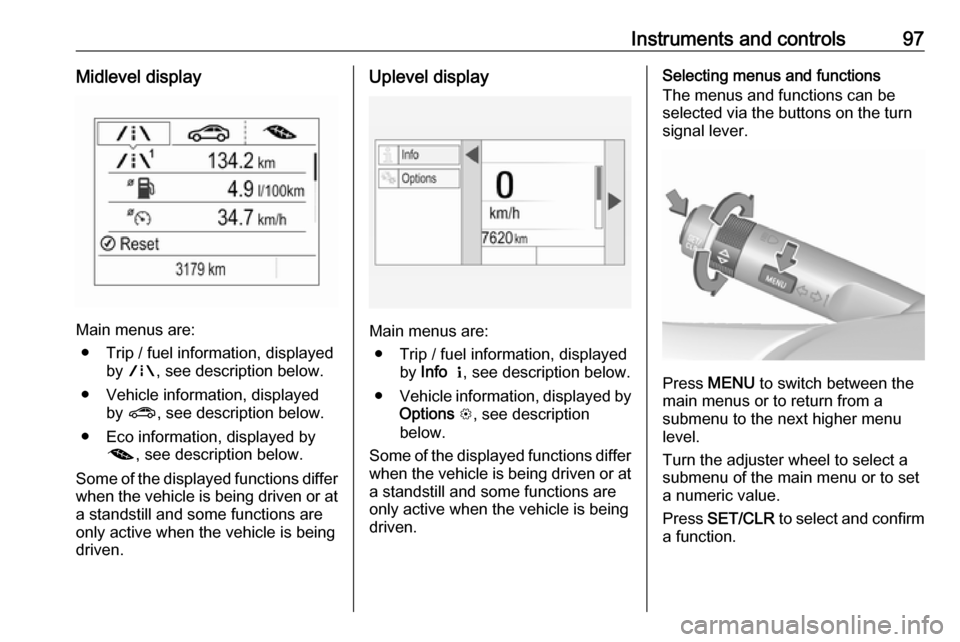
Instruments and controls97Midlevel display
Main menus are:● Trip / fuel information, displayed by ; , see description below.
● Vehicle information, displayed by ? , see description below.
● Eco information, displayed by @ , see description below.
Some of the displayed functions differ
when the vehicle is being driven or at a standstill and some functions are
only active when the vehicle is being
driven.
Uplevel display
Main menus are:
● Trip / fuel information, displayed by Info Q , see description below.
● Vehicle information, displayed by
Options L, see description
below.
Some of the displayed functions differ
when the vehicle is being driven or at a standstill and some functions are
only active when the vehicle is being
driven.
Selecting menus and functions
The menus and functions can be selected via the buttons on the turnsignal lever.
Press MENU to switch between the
main menus or to return from a
submenu to the next higher menu
level.
Turn the adjuster wheel to select a
submenu of the main menu or to set
a numeric value.
Press SET/CLR to select and confirm
a function.
Page 100 of 255

98Instruments and controlsVehicle and service messages are
popped up in the Driver Information
Centre if required. Confirm messages by pressing SET/CLR.
Vehicle messages 3 103.
Trip / fuel information menu, ;
or Info Q
The following list contains all possible
Info Menu pages. Some may not be
available for your particular vehicle. Depending on the display, some
functions are symbolised.
Turn the adjuster wheel to select a
page:
● Trip odometer 1/2 or A/B
● Average fuel consumption
● Average speed
● Digital speed
● Fuel range
● Instantaneous fuel consumption ● Remaining oil life
● Tyre pressure
● Traffic sign assistant
● Following distance● Timer
● AdBlue level
On Midlevel display the pages
Remaining Oil Life, Tyre Pressure,
Traffic Sign Assistant and Following
Distance are displayed in the Vehicle information menu, select ?.
Trip odometer 1/2 or A/B
Trip odometer displays the current
distance since a certain reset.
Trip odometer counts up to a distance
of 9,999 km then restarts at 0.
To reset press SET/CLR for a few
seconds.
The information of trip odometer page 1/A and 2/B can be reset separately
while the respective display is active.
Average Fuel Consumption
Display of average consumption. The
measurement can be reset at any
time and starts with a default value.
To reset press SET/CLR for a few
seconds.Average speed
Display of average speed. The
measurement can be reset at any
time.
To reset press SET/CLR for a few
seconds.
Digital speed
Digital display of the instantaneous
speed.
Fuel range
Range is calculated from current fuel
level and current consumption. The
display shows average values.
After refuelling, the range is updated
automatically after a brief delay.
When the level in the fuel tank is low, a message appears on the display
and the control indicator Y in the fuel
gauge illuminates.
When the fuel tank must be refuelled
immediately, a warning message
appears and remains on the display.
Additionally, the control indicator Y in
the fuel gauge flashes 3 94.
Page 101 of 255

Instruments and controls99Instantaneous Fuel Consumption
Display of the instantaneous
consumption.
Remaining Oil Life
Indicates an estimate of the oil's
useful life. The number in percentage
means the remainder of current oil life 3 86.
Tyre Pressure
Checks tyre pressure of all wheels
during driving 3 201.
Traffic sign assistant
Displays the detected traffic signs for
the current route section 3 164.
Following Distance
Displays the distance in seconds to a preceding moving vehicle 3 160.
Timer
To start and stop follow the
instructions on the display. To reset,
press SET/CLR .AdBlue
Indicates an estimate of the AdBlue
level. The number of percentage
means the remainder of AdBlue.
Additionally, it is indicated whether
the level is sufficient or low.
Eco information menu, @
● Top consumers
● Economy trend
● Eco index
On Uplevel display the pages Top
Consumers, Economy Trend and Eco
index, are displayed in the Trip/fuel
information menu, select Info.
Top Consumers
List of top comfort consumers
currently switched on is displayed in
descending order. Fuel saving
potential is indicated.
During sporadic driving conditions,
the engine will activate the heated
rear window automatically to increase
the engine load. In this event, the
heated rear window is indicated as
one of the top consumers, without
activation by the driver.Economy Trend
Displays the average consumption
development over a distance of
50 km. Filled segments display the
consumption in 5 km steps and shows the effect of topography or driving
behaviour on fuel consumption.
Economy index
The current fuel consumption is
indicated on an economic scale. For
economical driving, adapt driving
style to keep the filled segments
within the Eco area. The more
segments are filled, the higher the
fuel consumption.
Page 105 of 255
Instruments and controls103Vehicle messages
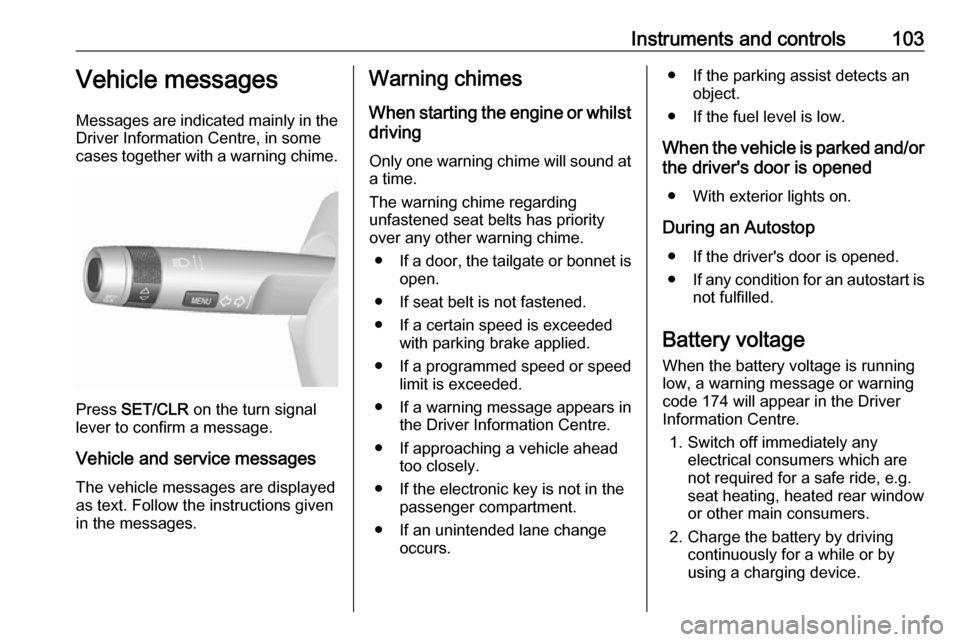
Messages are indicated mainly in the
Driver Information Centre, in some
cases together with a warning chime.
Press SET/CLR on the turn signal
lever to confirm a message.
Vehicle and service messages The vehicle messages are displayed
as text. Follow the instructions given
in the messages.
Warning chimes
When starting the engine or whilstdriving
Only one warning chime will sound at a time.
The warning chime regarding
unfastened seat belts has priority
over any other warning chime.
● If a door, the tailgate or bonnet is
open.
● If seat belt is not fastened.
● If a certain speed is exceeded with parking brake applied.
● If a programmed speed or speed
limit is exceeded.
● If a warning message appears in the Driver Information Centre.
● If approaching a vehicle ahead too closely.
● If the electronic key is not in the passenger compartment.
● If an unintended lane change occurs.● If the parking assist detects an object.
● If the fuel level is low.
When the vehicle is parked and/or the driver's door is opened
● With exterior lights on.
During an Autostop ● If the driver's door is opened.
● If any condition for an autostart is
not fulfilled.
Battery voltage When the battery voltage is running
low, a warning message or warning code 174 will appear in the Driver
Information Centre.
1. Switch off immediately any electrical consumers which are
not required for a safe ride, e.g.
seat heating, heated rear window
or other main consumers.
2. Charge the battery by driving continuously for a while or by
using a charging device.