battery OPEL MOKKA X 2018.5 Infotainment system
[x] Cancel search | Manufacturer: OPEL, Model Year: 2018.5, Model line: MOKKA X, Model: OPEL MOKKA X 2018.5Pages: 255, PDF Size: 6.79 MB
Page 23 of 255
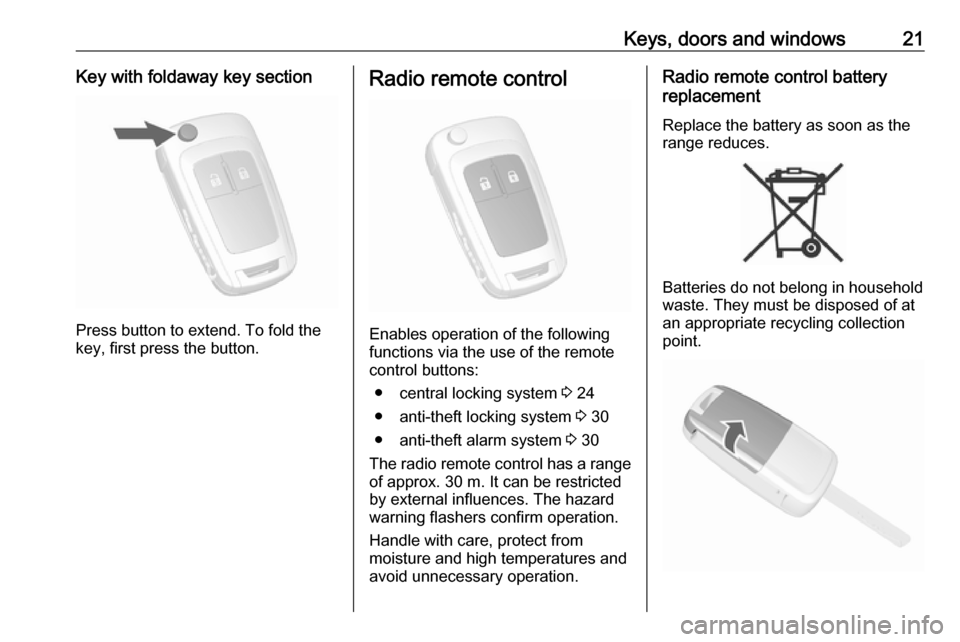
Keys, doors and windows21Key with foldaway key section
Press button to extend. To fold the
key, first press the button.
Radio remote control
Enables operation of the following
functions via the use of the remote control buttons:
● central locking system 3 24
● anti-theft locking system 3 30
● anti-theft alarm system 3 30
The radio remote control has a range of approx. 30 m. It can be restricted
by external influences. The hazard
warning flashers confirm operation.
Handle with care, protect from
moisture and high temperatures and
avoid unnecessary operation.
Radio remote control battery
replacement
Replace the battery as soon as the
range reduces.
Batteries do not belong in household
waste. They must be disposed of at
an appropriate recycling collection
point.
Page 24 of 255

22Keys, doors and windowsExtend the key and open the unit.
Replace the battery (battery type
CR 2032), paying attention to the
installation position. Close the unit
and synchronise.
Fault
If the central locking system cannot
be operated with the radio remote
control, it may be due to the following:
● The range is exceeded.
● The battery voltage is too low.
● Frequent, repeated operation of the radio remote control while notin range, which will require re-
synchronisation.
● Overload of the central locking system by operating at frequent
intervals, the power supply is
interrupted for a short time.
● Interference from higher-power radio waves from other sources.Electronic key system
Enables a keyless operation of the
following functions:
● central locking system 3 24
● starting the engine 3 137
The electronic key simply needs to be on the driver's person.
Additionally, the electronic key
includes the functionality of the radio
remote control 3 21.
Handle with care, protect from
moisture and high temperatures and
avoid unnecessary operation.
Note
Do not put the electronic key into the
load compartment or in front of the
Info Display.
Replacing battery in electronic
key
Replace the battery as soon as the
system no longer operates properly
or the range is reduced. The need for
battery replacement is indicated by a
message in the Driver Information
Centre 3 103.
Batteries do not belong in household
waste. They must be disposed of at
an appropriate recycling collection
point.
Page 25 of 255

Keys, doors and windows23To replace:
1. Press button at the back of theelectronic key unit and extract thekey blade from the housing.
2. Insert the key blade approx. 6 mm
into the housing and turn the key
to open the housing. Further
insertion of the key blade can
damage the housing.
3. Remove and replace battery. Use
CR 2032 or equivalent battery.
Pay attention to the installation
position.
4. Close the housing and insert key blade.
Batteries do not belong in household
waste. They must be disposed of at
an appropriate recycling collection
point.
Electronic key synchronisation
The electronic key synchronises itself automatically during every starting
procedure.Fault
If the central locking cannot be
operated or the engine cannot be
started, the cause may be one of the
following:
● Fault in electronic key.
● Electronic key is out of reception range.
● The battery voltage is too low. ● Overload of the central locking system by operating at frequent
intervals, the power supply is
interrupted for a short time.
● Interference from higher-power radio waves from other sources.
To rectify the cause of the fault,
change the position of the electronic
key.
Manual unlocking 3 24.
Memorised settings
Whenever the ignition is switched off, the following settings may be
automatically memorised by the
remote control unit or the electronic
key:
Page 29 of 255
Keys, doors and windows27Confirmation
Operation of central locking system is
confirmed by the hazard warning
flashers. A precondition is that the
setting is activated in the vehicle
personalisation 3 104.
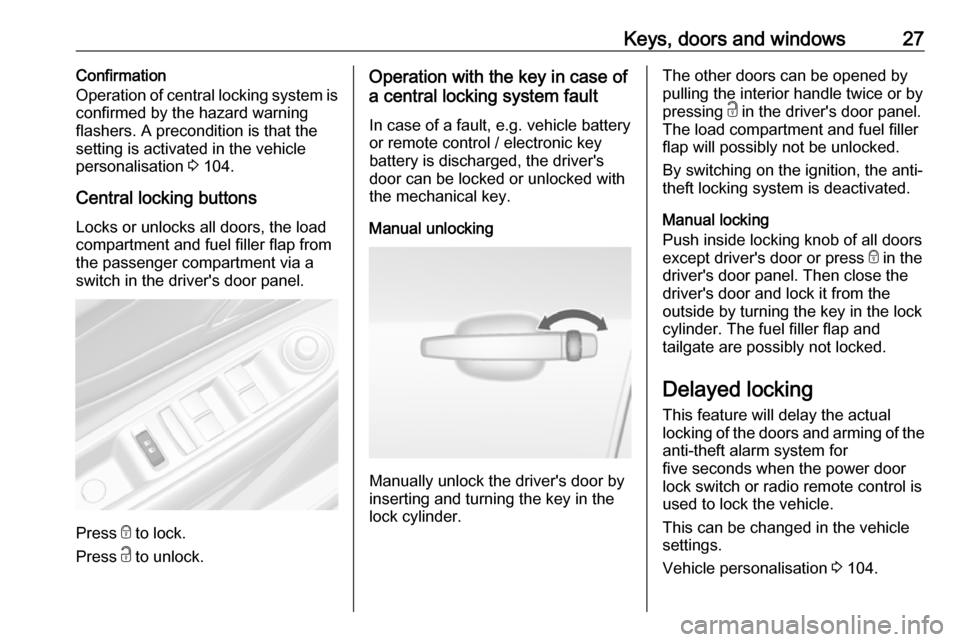
Central locking buttons
Locks or unlocks all doors, the load
compartment and fuel filler flap from
the passenger compartment via a
switch in the driver's door panel.
Press e to lock.
Press c to unlock.
Operation with the key in case of
a central locking system fault
In case of a fault, e.g. vehicle battery
or remote control / electronic key
battery is discharged, the driver's
door can be locked or unlocked with
the mechanical key.
Manual unlocking
Manually unlock the driver's door by
inserting and turning the key in the
lock cylinder.
The other doors can be opened by
pulling the interior handle twice or by
pressing c in the driver's door panel.
The load compartment and fuel filler
flap will possibly not be unlocked.
By switching on the ignition, the anti-
theft locking system is deactivated.
Manual locking
Push inside locking knob of all doors
except driver's door or press e in the
driver's door panel. Then close the driver's door and lock it from the
outside by turning the key in the lock
cylinder. The fuel filler flap and
tailgate are possibly not locked.
Delayed locking
This feature will delay the actual
locking of the doors and arming of the
anti-theft alarm system for
five seconds when the power door
lock switch or radio remote control is
used to lock the vehicle.
This can be changed in the vehicle
settings.
Vehicle personalisation 3 104.
Page 38 of 255

36Keys, doors and windowsInitialising the power windowsIf the windows cannot be closed
automatically (e.g. after
disconnecting the vehicle battery),
activate the window electronics as
follows:
1. Close doors.
2. Switch on ignition.
3. Pull switch until the window is closed and keep pulling for
additional two seconds.
4. Repeat for each window.
Heated rear window
Operated by pressing Ü.
The LED in the button indicates
activation.
Heating works with the engine
running and is switched off
automatically after a short time.
Sun visors The sun visors can be folded down or
swivelled to the side to prevent
dazzling.
The sun visors mirror covers should
be closed when driving.
If the sun visors have a vanity mirror
lamp, the lamp will illuminate when
opening the vanity mirror cover.Roof
Sunroof9 Warning
Take care when operating the
sunroof. Risk of injury, particularly to children.
Keep a close eye on the movable parts when operating them.
Ensure that nothing becomes
trapped in them as they move.
Switch on ignition to operate the
sunroof.
Page 77 of 255

Instruments and controls75Instruments and
controlsControls ....................................... 76
Steering wheel adjustment ........76
Steering wheel controls .............76
Heated steering wheel ...............76
Horn ........................................... 77
Windscreen wiper and washer ..77
Rear window wiper and washer ...................................... 79
Outside temperature ..................79
Clock ......................................... 80
Power outlets ............................. 82
Warning lights, gauges and indi‐ cators ........................................... 83
Speedometer ............................. 83
Odometer .................................. 83
Trip odometer ............................ 83
Tachometer ............................... 84
Fuel gauge ................................ 84
Fuel selector .............................. 85
Engine coolant temperature gauge ....................................... 86
Service display .......................... 86
Control indicators ......................87
Turn lights .................................. 91Seat belt reminder.....................91
Airbag and belt tensioners .........91
Airbag deactivation ....................92
Charging system .......................92
Malfunction indicator light ..........92
Brake and clutch system ...........92
Antilock brake system (ABS) .....93
Gear shifting .............................. 93
Descent control system .............93
Lane departure warning ............93
Electronic Stability Control off ...93
Electronic Stability Control and Traction Control system ...........93
Traction Control system off .......94
Preheating ................................. 94
AdBlue ....................................... 94
Tyre pressure monitoring system ...................................... 94
Engine oil pressure ....................94
Low fuel ..................................... 94
Immobiliser ................................ 95
Exterior light .............................. 95
High beam ................................. 95
High beam assist .......................95
Adaptive forward lighting ...........95
Fog light ..................................... 95
Rear fog light ............................. 95
Cruise control ............................ 95
Vehicle detected ahead .............96
Speed limiter ............................. 96Traffic sign assistant ..................96
Door open .................................. 96
Displays ....................................... 96
Driver Information Centre ..........96
Info Display .............................. 100
Vehicle messages ......................103
Warning chimes .......................103
Battery voltage ........................ 103
Vehicle personalisation ..............104
Telematics service .....................109
OnStar ..................................... 109
ERA GLONASS .......................113
Page 84 of 255
82Instruments and controlsPower outlets
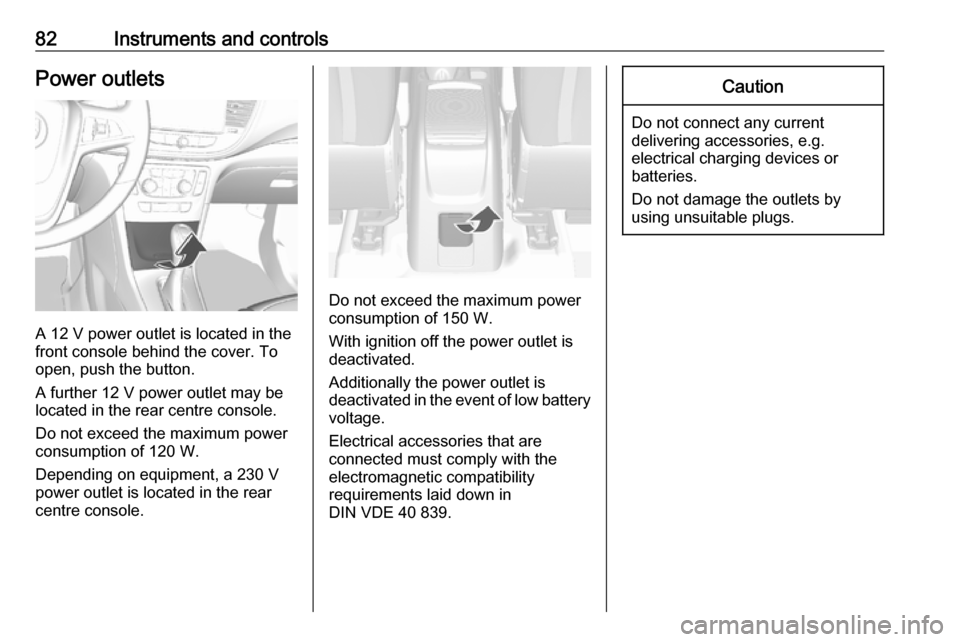
A 12 V power outlet is located in the
front console behind the cover. To
open, push the button.
A further 12 V power outlet may be
located in the rear centre console.
Do not exceed the maximum power
consumption of 120 W.
Depending on equipment, a 230 V
power outlet is located in the rear
centre console.
Do not exceed the maximum power
consumption of 150 W.
With ignition off the power outlet is
deactivated.
Additionally the power outlet is
deactivated in the event of low battery
voltage.
Electrical accessories that are
connected must comply with the
electromagnetic compatibility
requirements laid down in
DIN VDE 40 839.
Caution
Do not connect any current
delivering accessories, e.g.
electrical charging devices or
batteries.
Do not damage the outlets by
using unsuitable plugs.
Page 94 of 255
92Instruments and controlsairbags and belt pretensioners may
fail to trigger in the event of an
accident.
Deployment of the belt pretensioners
or airbags is indicated by continuous
illumination of v.9 Warning
Have the cause of the fault
remedied immediately by a
workshop.
Belt pretensioners 3 43.
Airbag system 3 46.
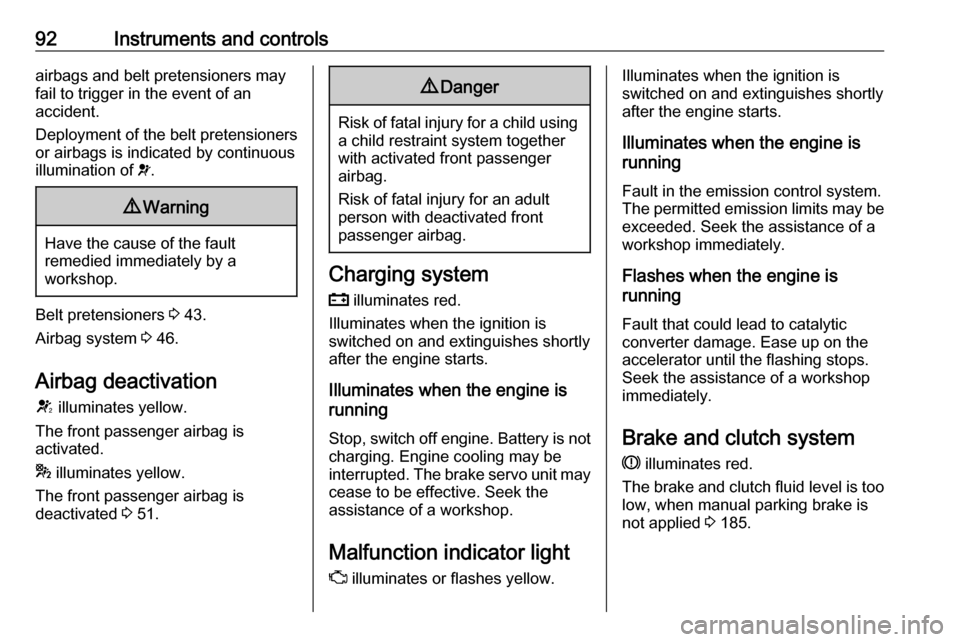
Airbag deactivation V illuminates yellow.
The front passenger airbag is
activated.
* illuminates yellow.
The front passenger airbag is
deactivated 3 51.
9 Danger
Risk of fatal injury for a child using
a child restraint system together
with activated front passenger
airbag.
Risk of fatal injury for an adult
person with deactivated front
passenger airbag.
Charging system
p illuminates red.
Illuminates when the ignition is
switched on and extinguishes shortly
after the engine starts.
Illuminates when the engine is
running
Stop, switch off engine. Battery is not
charging. Engine cooling may be
interrupted. The brake servo unit may cease to be effective. Seek the
assistance of a workshop.
Malfunction indicator light
Z illuminates or flashes yellow.
Illuminates when the ignition is
switched on and extinguishes shortly
after the engine starts.
Illuminates when the engine is
running
Fault in the emission control system.The permitted emission limits may be
exceeded. Seek the assistance of a
workshop immediately.
Flashes when the engine is
running
Fault that could lead to catalytic converter damage. Ease up on the
accelerator until the flashing stops.
Seek the assistance of a workshop
immediately.
Brake and clutch system
R illuminates red.
The brake and clutch fluid level is too low, when manual parking brake is
not applied 3 185.
Page 105 of 255
Instruments and controls103Vehicle messages
Messages are indicated mainly in the
Driver Information Centre, in some
cases together with a warning chime.
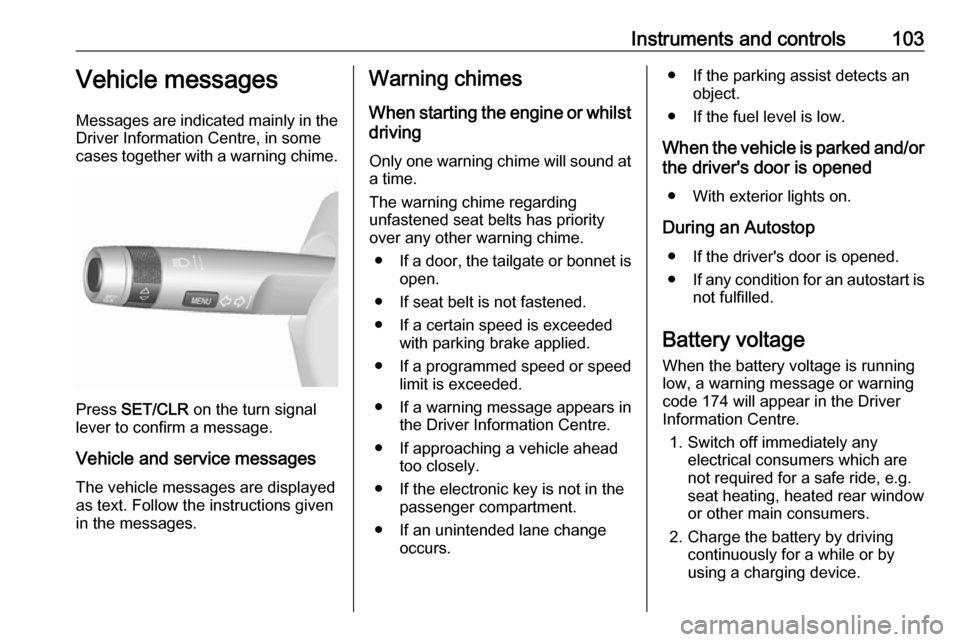
Press SET/CLR on the turn signal
lever to confirm a message.
Vehicle and service messages The vehicle messages are displayed
as text. Follow the instructions given
in the messages.
Warning chimes
When starting the engine or whilstdriving
Only one warning chime will sound at a time.
The warning chime regarding
unfastened seat belts has priority
over any other warning chime.
● If a door, the tailgate or bonnet is
open.
● If seat belt is not fastened.
● If a certain speed is exceeded with parking brake applied.
● If a programmed speed or speed
limit is exceeded.
● If a warning message appears in the Driver Information Centre.
● If approaching a vehicle ahead too closely.
● If the electronic key is not in the passenger compartment.
● If an unintended lane change occurs.● If the parking assist detects an object.
● If the fuel level is low.
When the vehicle is parked and/or the driver's door is opened
● With exterior lights on.
During an Autostop ● If the driver's door is opened.
● If any condition for an autostart is
not fulfilled.
Battery voltage When the battery voltage is running
low, a warning message or warning code 174 will appear in the Driver
Information Centre.
1. Switch off immediately any electrical consumers which are
not required for a safe ride, e.g.
seat heating, heated rear window
or other main consumers.
2. Charge the battery by driving continuously for a while or by
using a charging device.
Page 106 of 255

104Instruments and controlsThe warning message or warning
code will disappear after the engine
has been started twice consecutively
without a voltage drop.
If the battery cannot be recharged,
have the cause of the fault remedied
by a workshop.Vehicle personalisation
The vehicle's behaviour can be
personalised by changing the settings in the Info Display.
Depending on vehicle equipment and
country-specific regulations some of
the functions described below may
not be available.
Some functions are only displayed or
active when the engine is running.
Personal settings Graphic Info Display
Press MENU to open the respective
menu.
Select Settings , scroll through the list
and select Vehicle Settings
In the corresponding submenus the
following settings can be changed:
Vehicle Settings
● Climate and Air Quality
Auto Fan Max Speed : Modifies
the level of the cabin airflow of the climate control in automatic
mode.
Auto Heated Seats :
Automatically activates the seat
heating.
Auto Demist : Activates or
deactivates auto demist.
Auto Rear Demist : Activates the
heated rear window
automatically.
● Park Assist / Collision Detection
Park Assist : Activates or
deactivates the ultrasonic
sensors.
● Comfort Settings
Chime Volume : Changes the
volume of warning chimes.
Personalisation by Driver :
Activates or deactivates the
personalisation function.
Rear Auto Wipe in Reverse :
Activates or deactivates
automatic switching on of the