seats OPEL MOKKA X 2018 Infotainment system
[x] Cancel search | Manufacturer: OPEL, Model Year: 2018, Model line: MOKKA X, Model: OPEL MOKKA X 2018Pages: 251, PDF Size: 6.61 MB
Page 56 of 251
54Seats, restraints
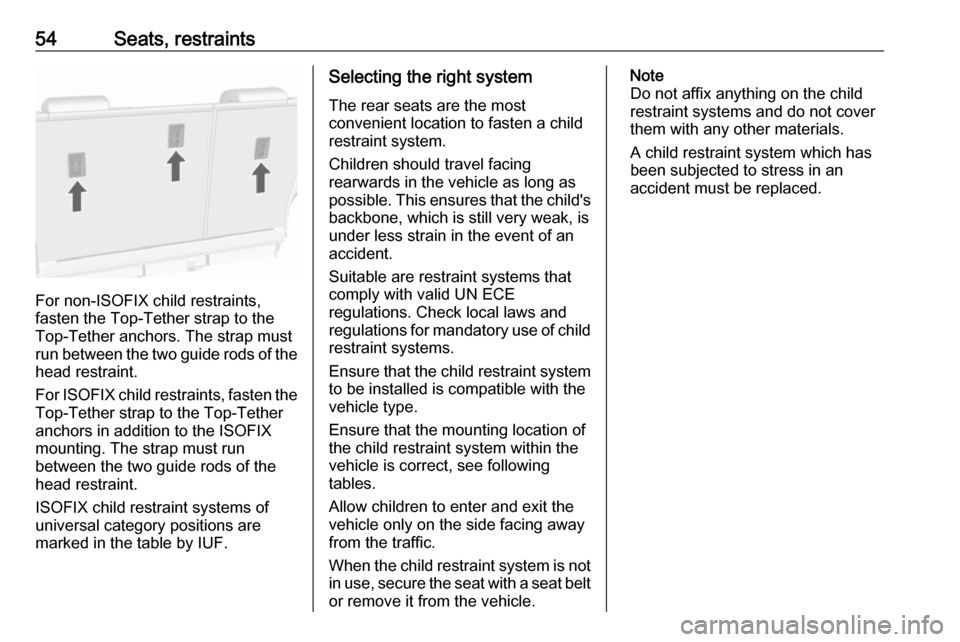
For non-ISOFIX child restraints,
fasten the Top-Tether strap to the
Top-Tether anchors. The strap must
run between the two guide rods of the
head restraint.
For ISOFIX child restraints, fasten the
Top-Tether strap to the Top-Tether
anchors in addition to the ISOFIX
mounting. The strap must run
between the two guide rods of the
head restraint.
ISOFIX child restraint systems of
universal category positions are
marked in the table by IUF.
Selecting the right system
The rear seats are the most
convenient location to fasten a child
restraint system.
Children should travel facing
rearwards in the vehicle as long as
possible. This ensures that the child's backbone, which is still very weak, is
under less strain in the event of an
accident.
Suitable are restraint systems that
comply with valid UN ECE
regulations. Check local laws and
regulations for mandatory use of child restraint systems.
Ensure that the child restraint system
to be installed is compatible with the
vehicle type.
Ensure that the mounting location of
the child restraint system within the
vehicle is correct, see following
tables.
Allow children to enter and exit the
vehicle only on the side facing away
from the traffic.
When the child restraint system is not in use, secure the seat with a seat beltor remove it from the vehicle.Note
Do not affix anything on the child
restraint systems and do not cover
them with any other materials.
A child restraint system which has
been subjected to stress in an
accident must be replaced.
Page 57 of 251

Seats, restraints55Child restraint installation locations
Permissible options for fitting a child restraint system
Weight class
On front passenger seat
On rear outboard seatsOn rear centre seat
activated airbagdeactivated airbagGroup 0: up to 10 kgXU 1U 2U2Group 0+: up to 13 kgXU1U 2U2Group I: 9 to 18 kgXU1U2U2Group II: 15 to 25 kgXXU2U2Group III: 22 to 36 kgXXU 2U21:if the child restraint system is being secured using a three-point seat belt, move seat height adjustment to uppermost
position and ensure that vehicle seat belt runs forwards from the upper anchorage point. Adjust seat backrest
inclination as far as necessary to a vertical position to ensure that the belt is tight on the buckle side.2:move the head restraint to uppermost position. If it interferes with the proper installation of the child restraint system, remove the head restraint 3 38.U:universal suitability in conjunction with three-point seat belt.X:no child restraint system permitted in this weight class.
Page 58 of 251

56Seats, restraintsPermissible options for fitting an ISOFIX child restraint systemWeight classSize classFixtureOn front passenger seatOn rear outboard seatsOn rear centre seatGroup 0: up to 10 kgEISO/R1XIL1XGroup 0+: up to 13 kgEISO/R1XIL1XDISO/R2XIL1XCISO/R3XIL1XGroup I: 9 to 18 kgDISO/R2XIL 1XCISO/R3XIL1XBISO/F2XIL, IUFXB1ISO/F2XXIL, IUFXAISO/F3XIL, IUFXGroup II: 15 to 25 kgXILXGroup III: 22 to 36 kgXILX1:move front passenger seat to the foremost position or adjust front seat backrest inclination as far as necessary to
a vertical position to ensure that there is no interference between child restraint system and front seat backrest.IL:suitable for particular ISOFIX restraint systems of the "specific-vehicle", "restricted" or "semi-universal" categories.
The ISOFIX restraint system must be approved for the specific vehicle type.IUF:suitable for ISOFIX forward-facing child restraint systems of universal category approved for use in this weight class.X:no ISOFIX child restraint system approved in this weight class.
Page 59 of 251

Seats, restraints57ISOFIX size class and seat deviceA – ISO/F3:forward-facing child restraint system for children of maximum size in the weight class 9 to 18 kgB – ISO/F2:forward-facing child restraint system for smaller children in the weight class 9 to 18 kgB1 – ISO/F2X:forward-facing child restraint system for smaller children in the weight class 9 to 18 kgC – ISO/R3:rear-facing child restraint system for children of maximum size in the weight class up to 18 kgD – ISO/R2:rear-facing child restraint system for smaller children in the weight class up to 18 kgE – ISO/R1:rear-facing child restraint system for young children in the weight class up to 13 kg
Page 60 of 251

58Seats, restraintsISOFIX child restraintsystems
Installation of ISOFIX child
restraint systems without
permanent guide
Fasten vehicle-approved ISOFIX
child restraint systems to the ISOFIX
mounting brackets. Specific vehicle
ISOFIX child restraint system
positions are marked in the table by
IL.
ISOFIX mounting brackets are
indicated by a label on the backrest.
Installation of ISOFIX child
restraint systems with permanent
guide
The vehicle might be equipped with
guides in front of the mounting
brackets to support the installation of the child restraint system.
Page 61 of 251

Seats, restraints59
The covers of the guides will swivel
backwards automatically when
attaching the child restraint system.
Top-tether fastening eyes Depending on country specific
equipment, the vehicle might have
two or three fastening eyes.
Top-Tether fastening eyes are
marked with the symbol : for a child
restraint.For non-ISOFIX child restraints,
fasten the Top-Tether strap to the
Top-Tether fastening eyes. The strap
must run between the two guide rods of the head restraint.
For ISOFIX child restraints, fasten the
Top-Tether strap to the Top-Tether fastening eyes in addition to the
ISOFIX mounting. The strap must run between the two guide rods of the
head restraint.
ISOFIX child restraint systems of
universal category positions are
marked in the table by IUF.
Page 74 of 251
72StorageLoad compartmentLoad compartment extensionCaution
First fold down the rear seat
cushion before folding the rear
seat backrest.
Disregard may lead to damage to
the rear seat.
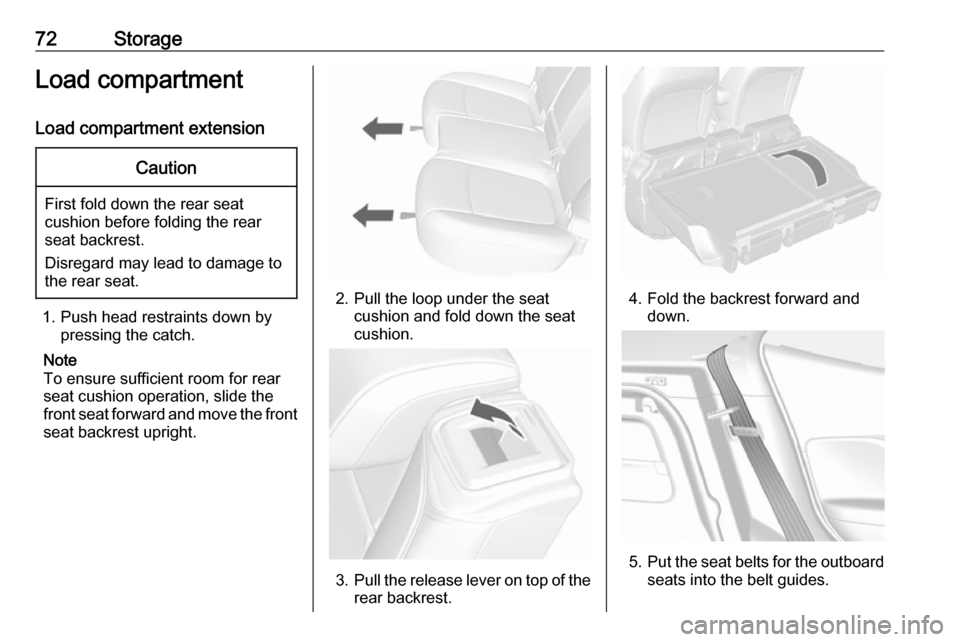
1. Push head restraints down by pressing the catch.
Note
To ensure sufficient room for rear
seat cushion operation, slide the
front seat forward and move the front seat backrest upright.
2. Pull the loop under the seat cushion and fold down the seat
cushion.
3. Pull the release lever on top of the
rear backrest.
4. Fold the backrest forward and down.
5.Put the seat belts for the outboard
seats into the belt guides.
Page 77 of 251
Storage75Roof rack system
Roof rack
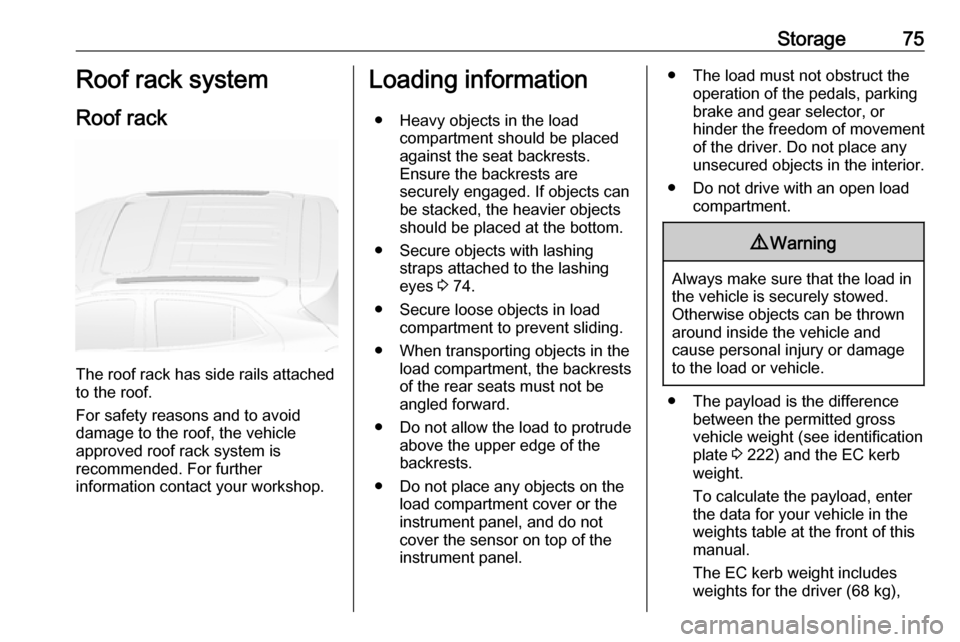
The roof rack has side rails attached
to the roof.
For safety reasons and to avoid
damage to the roof, the vehicle
approved roof rack system is
recommended. For further
information contact your workshop.
Loading information
● Heavy objects in the load compartment should be placed
against the seat backrests.
Ensure the backrests are
securely engaged. If objects can
be stacked, the heavier objects
should be placed at the bottom.
● Secure objects with lashing straps attached to the lashing
eyes 3 74.
● Secure loose objects in load compartment to prevent sliding.
● When transporting objects in the load compartment, the backrests
of the rear seats must not be
angled forward.
● Do not allow the load to protrude above the upper edge of the
backrests.
● Do not place any objects on the load compartment cover or the
instrument panel, and do not
cover the sensor on top of the instrument panel.● The load must not obstruct the operation of the pedals, parking
brake and gear selector, or
hinder the freedom of movement
of the driver. Do not place any
unsecured objects in the interior.
● Do not drive with an open load compartment.9Warning
Always make sure that the load in
the vehicle is securely stowed.
Otherwise objects can be thrown
around inside the vehicle and
cause personal injury or damage
to the load or vehicle.
● The payload is the difference between the permitted gross
vehicle weight (see identification
plate 3 222) and the EC kerb
weight.
To calculate the payload, enter
the data for your vehicle in the
weights table at the front of this
manual.
The EC kerb weight includes
weights for the driver (68 kg),
Page 95 of 251

Instruments and controls93Illuminates brieflyThe parking lights are switched on.
Flashes
A turn signal or the hazard warning
flashers are activated.
Rapid flashing: failure of a turn signal
light or associated fuse, failure of turn signal light on trailer.
Bulb replacement 3 186, Fuses
3 191.
Turn signals 3 123.
Seat belt reminder
Seat belt reminder on front seats
X for driver's seat illuminates or
flashes red in the instrument cluster.
k for front passenger seat illuminates
or flashes red in the centre console
when seat is occupied.
Illuminates
After the ignition has been switched on until the seat belt has been
fastened.Flashes
After having started the engine until
the seat belt has been fastened.
Seat belt status on rear seats
(vehicles with Midlevel display)
X illuminates or flashes white or grey
in the Driver Information Centre, after having started the engine.
Illuminates white
Seat belt is unfastened.
Illuminates grey
Seat belt has been fastened.
Flashes white or grey
Fastened seat belt has been
unfastened.
Fastening the seat belt 3 44.
Seat belt status on rear seats
(vehicles with Uplevel display)
X illuminates green or grey or flashes
yellow in the Driver Information
Centre, after having started the
engine.Illuminates grey
Seat belt is unfastened.
Illuminates green
Seat belt has been fastened.
Flashes yellow
Fastened seat belt has been
unfastened.
Fastening the seat belt 3 44.
Airbag and belt tensioners
v illuminates red.
When the ignition is switched on, the control indicator illuminates for a fewseconds. If it does not illuminate,
does not go out after a few seconds
or illuminates whilst driving, there is a
fault in the airbag system. Seek the
assistance of a workshop. The
airbags and belt pretensioners may
fail to trigger in the event of an
accident.
Deployment of the belt pretensioners
or airbags is indicated by continuous
illumination of v.
Page 108 of 251
106Instruments and controlsVehicle personalisationThe vehicle's behaviour can be
personalised by changing the settings in the Info-Display.
Depending on vehicle equipment and
country-specific regulations some of
the functions described below may
not be available.
Some functions are only displayed or
active when the engine is running.
Personal settings Graphic-Info-Display
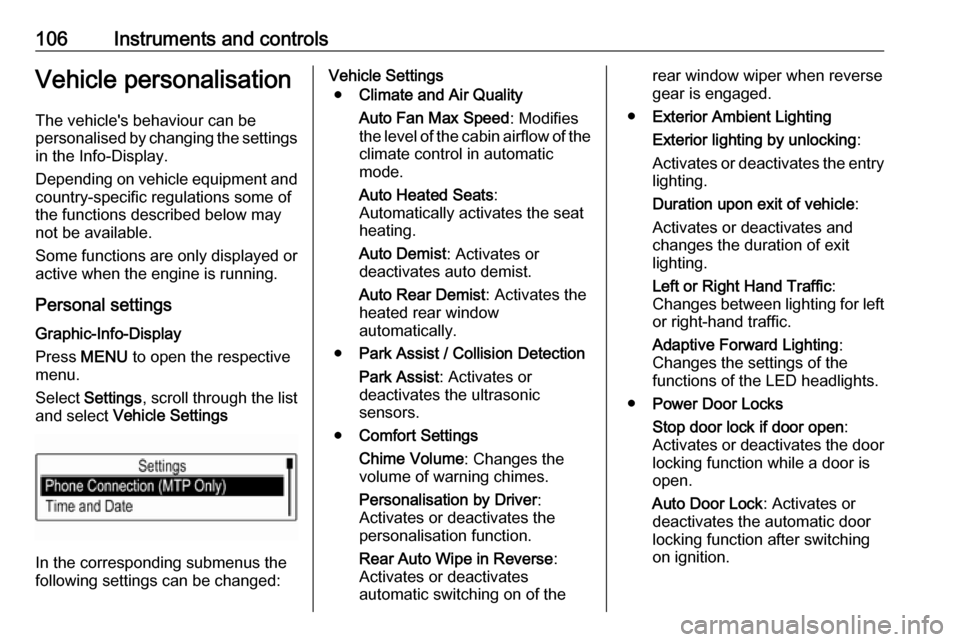
Press MENU to open the respective
menu.
Select Settings , scroll through the list
and select Vehicle Settings
In the corresponding submenus the
following settings can be changed:
Vehicle Settings
● Climate and Air Quality
Auto Fan Max Speed : Modifies
the level of the cabin airflow of the climate control in automatic
mode.
Auto Heated Seats :
Automatically activates the seat
heating.
Auto Demist : Activates or
deactivates auto demist.
Auto Rear Demist : Activates the
heated rear window
automatically.
● Park Assist / Collision Detection
Park Assist : Activates or
deactivates the ultrasonic
sensors.
● Comfort Settings
Chime Volume : Changes the
volume of warning chimes.
Personalisation by Driver :
Activates or deactivates the
personalisation function.
Rear Auto Wipe in Reverse :
Activates or deactivates
automatic switching on of therear window wiper when reverse gear is engaged.
● Exterior Ambient Lighting
Exterior lighting by unlocking :
Activates or deactivates the entry
lighting.
Duration upon exit of vehicle :
Activates or deactivates and
changes the duration of exit
lighting.
Left or Right Hand Traffic :
Changes between lighting for left or right-hand traffic.
Adaptive Forward Lighting :
Changes the settings of the
functions of the LED headlights.
● Power Door Locks
Stop door lock if door open :
Activates or deactivates the door
locking function while a door is open.
Auto Door Lock : Activates or
deactivates the automatic door
locking function after switching
on ignition.