ignition OPEL MOVANO_B 2018.5 Manual user
[x] Cancel search | Manufacturer: OPEL, Model Year: 2018.5, Model line: MOVANO_B, Model: OPEL MOVANO_B 2018.5Pages: 271, PDF Size: 6.5 MB
Page 160 of 271

158Driving and operatingDeactivation
The Laden mode is switched off by:
● pressing kg again
● turning off the ignition
Kickdown If the accelerator pedal is pressed
past the pressure point, the
transmission shifts to a lower gear depending on engine speed. Full
engine power is available for
acceleration.
If engine speed is too high the
transmission switches to a higher
gear, even in manual mode. Without
kickdown this automatic shift is not
effected in manual mode.
Fault
In the event of a fault, control indicator
W is shown in the transmission
display. Continued driving is possible
provided the vehicle is driven with
care and anticipation.
Have the cause of the fault remedied
by a workshop.Interruption of power supply
The clutch is not disengaged if there
is an interruption of the power supply
when a gear is engaged. The vehicle
cannot move.
If the vehicle battery is discharged,
start the vehicle using jump leads
3 219.
If the cause of the fault is not a
discharged vehicle battery, seek the
assistance of a workshop.
If neutral cannot be selected, the
vehicle must only be towed with the
drive wheels raised off the ground
3 221.
Towing the vehicle 3 221.Brakes
The brake system comprises two
independent brake circuits.
If a brake circuit fails, the vehicle can
still be braked using the other brake
circuit. However, braking effect is
achieved only when you depress the
brake pedal firmly. You need to use considerably more force for this. The
braking distance is extended. Seek the assistance of a workshop beforecontinuing your journey.
When the engine is not running, the
support of the brake servo unit
disappears once the brake pedal has
been depressed once or twice.
Braking effect is not reduced, but
braking requires significantly greater
force. It is especially important to bear this in mind when being towed.
Control indicator R 3 102.
Antilock brake system
Antilock brake system (ABS)
prevents the wheels from locking.
Page 163 of 271
Driving and operating161Ride control systems
Traction Control system The Traction Control system (TC) is a
component part of the Electronic
Stability Program (ESP® Plus
) which
improves driving stability when
necessary, regardless of the type of
road surface or tyre grip, by
preventing the drive wheels from
spinning.
As soon as the drive wheels starts to spin, engine output is reduced and
the wheel spinning the most is braked
individually. This considerably
improves the driving stability of the
vehicle on slippery road surfaces.
TC is operational as soon as the
ignition is switched on and control
indicator b extinguishes in the
instrument cluster. A corresponding
message also appears in the Driver
Information Centre 3 106.
When TC is active b flashes.9 Warning
Do not let this special safety
feature tempt you into taking risks
when driving.
Adapt speed to the road
conditions.
Control indicator b 3 103.
Trailer stability assist (TSA) 3 178.
Enhanced Traction function
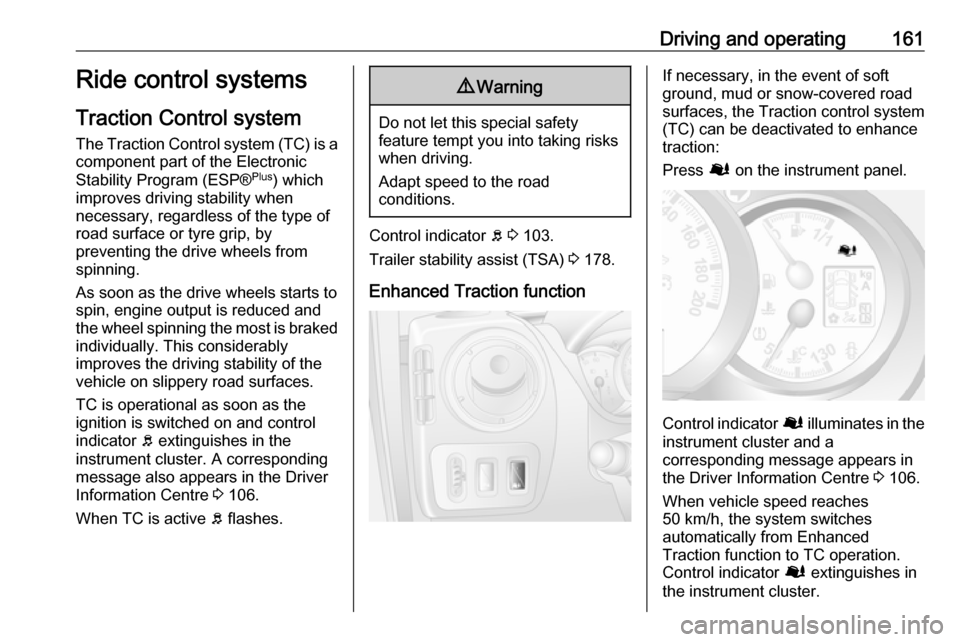
If necessary, in the event of soft
ground, mud or snow-covered road
surfaces, the Traction control system
(TC) can be deactivated to enhance
traction:
Press Ø on the instrument panel.
Control indicator Ø illuminates in the
instrument cluster and a
corresponding message appears in
the Driver Information Centre 3 106.
When vehicle speed reaches 50 km/h, the system switches
automatically from Enhanced
Traction function to TC operation.
Control indicator Ø extinguishes in
the instrument cluster.
Page 164 of 271
162Driving and operatingTC is reactivated by pressing Ø
again. Control indicator Ø
extinguishes.
TC is also reactivated the next time
the ignition is switched on.
Fault
If the system detects a fault, control indicator b 3 103 illuminates together
with j 3 101 in the instrument cluster
and a corresponding message
appears in the Driver Information
Centre 3 106.
The Traction control system (TC) is not operational. Have the cause of the fault remedied by a workshop.
Vehicle messages 3 107.
Electronic stability program
The Electronic Stability Program
(ESP® Plus
) improves driving stability
when necessary, regardless of the
type of road surface or tyre grip. It also
prevents the drive wheels from
spinning.As soon as the vehicle starts to
swerve (understeer / oversteer),
engine output is reduced and the
wheels are braked individually. This
considerably improves the driving
stability of the vehicle on slippery road surfaces.
ESP® Plus
is operational as soon as
the ignition is switched on and control indicator b extinguishes in the
instrument cluster. A corresponding message also appears in the Driver
Information Centre 3 106.
When ESP® Plus
comes into action b
flashes.9 Warning
Do not let this special safety
feature tempt you into taking risks
when driving.
Adapt speed to the road
conditions.
Control indicator b 3 103.
Trailer stability assist (TSA) 3 178.
Enhanced Traction function
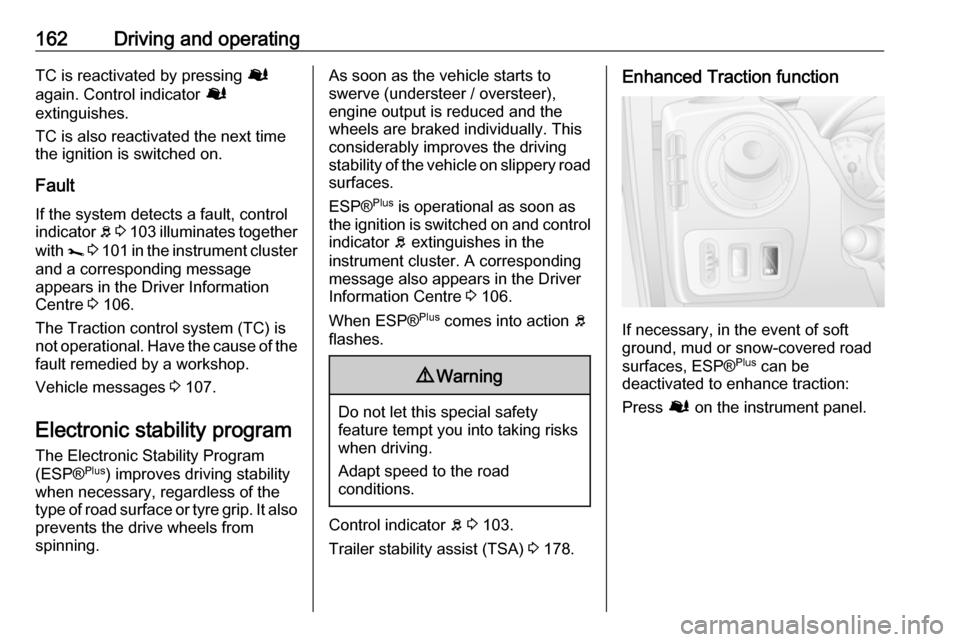
If necessary, in the event of soft
ground, mud or snow-covered road
surfaces, ESP® Plus
can be
deactivated to enhance traction:
Press Ø on the instrument panel.
Page 165 of 271
Driving and operating163
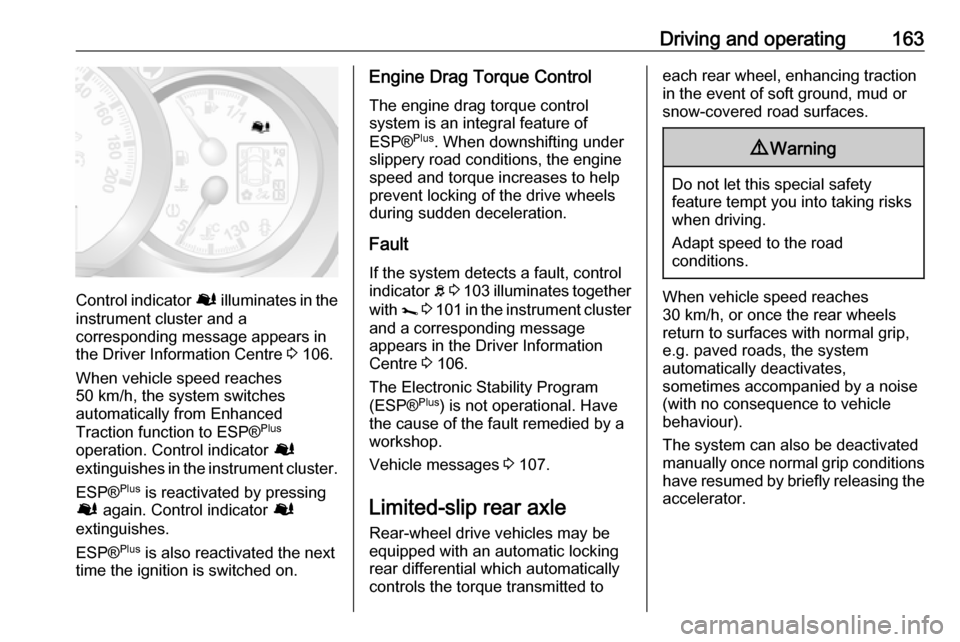
Control indicator Ø illuminates in the
instrument cluster and a
corresponding message appears in
the Driver Information Centre 3 106.
When vehicle speed reaches 50 km/h, the system switches
automatically from Enhanced
Traction function to ESP® Plus
operation. Control indicator Ø
extinguishes in the instrument cluster.
ESP® Plus
is reactivated by pressing
Ø again. Control indicator Ø
extinguishes.
ESP® Plus
is also reactivated the next
time the ignition is switched on.
Engine Drag Torque Control
The engine drag torque control
system is an integral feature of
ESP® Plus
. When downshifting under
slippery road conditions, the engine
speed and torque increases to help
prevent locking of the drive wheels
during sudden deceleration.
Fault
If the system detects a fault, control indicator b 3 103 illuminates together
with j 3 101 in the instrument cluster
and a corresponding message
appears in the Driver Information
Centre 3 106.
The Electronic Stability Program
(ESP® Plus
) is not operational. Have
the cause of the fault remedied by a
workshop.
Vehicle messages 3 107.
Limited-slip rear axle Rear-wheel drive vehicles may be
equipped with an automatic locking
rear differential which automatically
controls the torque transmitted toeach rear wheel, enhancing traction
in the event of soft ground, mud or
snow-covered road surfaces.9 Warning
Do not let this special safety
feature tempt you into taking risks
when driving.
Adapt speed to the road
conditions.
When vehicle speed reaches
30 km/h, or once the rear wheels
return to surfaces with normal grip,
e.g. paved roads, the system
automatically deactivates,
sometimes accompanied by a noise
(with no consequence to vehicle
behaviour).
The system can also be deactivated
manually once normal grip conditions have resumed by briefly releasing the
accelerator.
Page 167 of 271
Driving and operating165
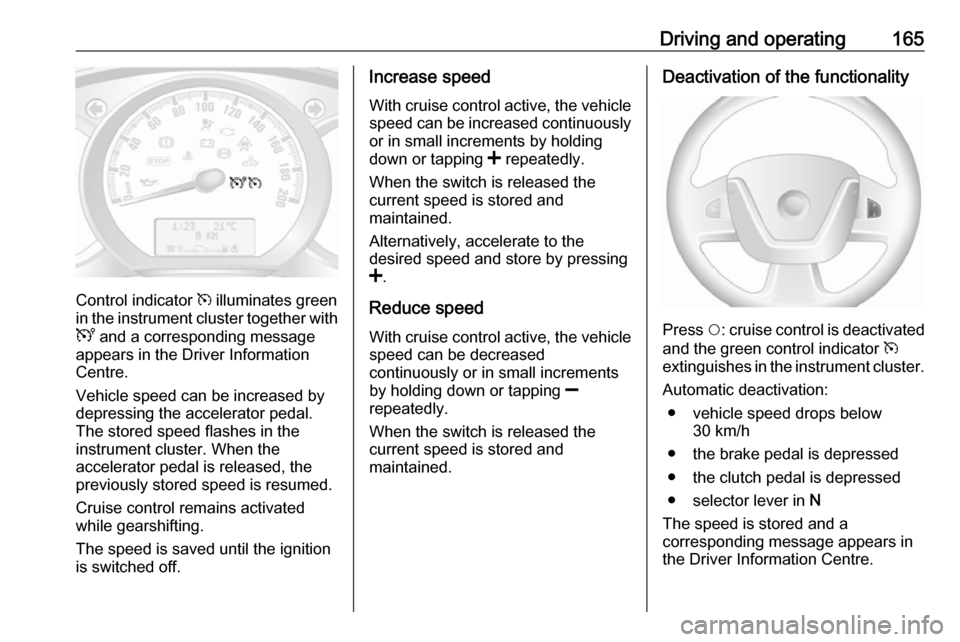
Control indicator m illuminates green
in the instrument cluster together with
U and a corresponding message
appears in the Driver Information
Centre.
Vehicle speed can be increased by
depressing the accelerator pedal.
The stored speed flashes in the
instrument cluster. When the
accelerator pedal is released, the
previously stored speed is resumed.
Cruise control remains activated
while gearshifting.
The speed is saved until the ignition
is switched off.
Increase speed
With cruise control active, the vehicle speed can be increased continuously
or in small increments by holding
down or tapping < repeatedly.
When the switch is released the
current speed is stored and
maintained.
Alternatively, accelerate to the
desired speed and store by pressing
< .
Reduce speed
With cruise control active, the vehicle speed can be decreased
continuously or in small increments
by holding down or tapping ]
repeatedly.
When the switch is released the
current speed is stored and
maintained.Deactivation of the functionality
Press $: cruise control is deactivated
and the green control indicator m
extinguishes in the instrument cluster.
Automatic deactivation: ● vehicle speed drops below 30 km/h
● the brake pedal is depressed
● the clutch pedal is depressed
● selector lever in N
The speed is stored and a
corresponding message appears in
the Driver Information Centre.
Page 170 of 271
168Driving and operatingOperation conditions
The system is operational at a vehicle
speed between 15 km/h and
100 km/h.
Activation The system is automatically activewhen the ignition is switched on.
Functionality
When driving in the speed range
mentioned above and a risk of
collision with the vehicle ahead is
imminent, l will flash and a warning
chime sounds.
The indicator light l and the chimes
stop when the system detects that a
collision is not imminent anymore.
Just before the imminent collision, the
system brakes automatically to
reduce the impact speed of the
collision or prohibit a crash.9 Warning
Do not rely on the system to brake
the vehicle. Active emergency
braking will not brake outside of its
operating speed range and only
responds to detected vehicles.
Deactivation and re-activation
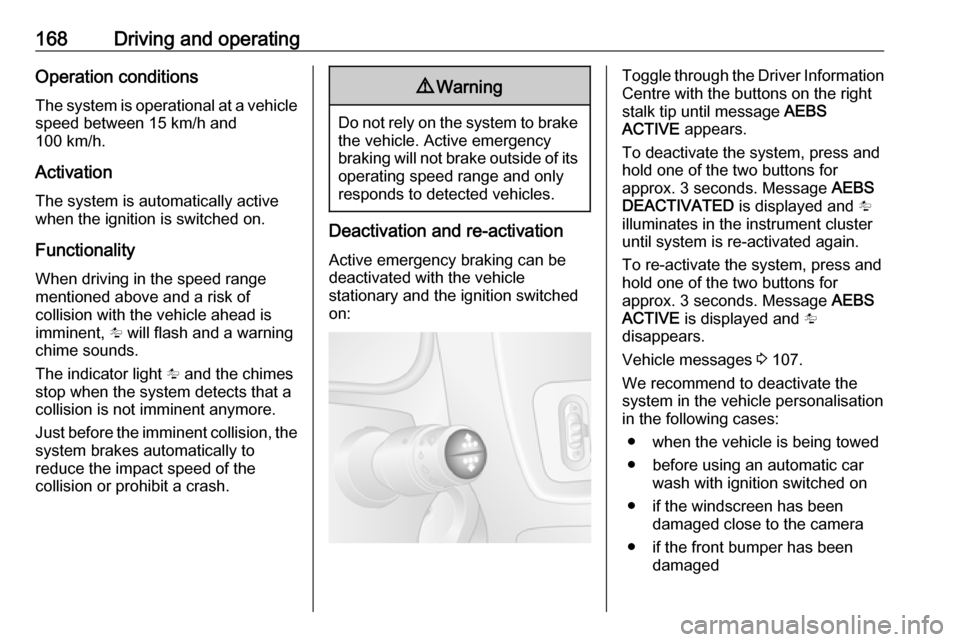
Active emergency braking can be
deactivated with the vehicle
stationary and the ignition switched
on:
Toggle through the Driver Information Centre with the buttons on the right
stalk tip until message AEBS
ACTIVE appears.
To deactivate the system, press and
hold one of the two buttons for
approx. 3 seconds. Message AEBS
DEACTIVATED is displayed and l
illuminates in the instrument cluster until system is re-activated again.
To re-activate the system, press and hold one of the two buttons for
approx. 3 seconds. Message AEBS
ACTIVE is displayed and l
disappears.
Vehicle messages 3 107.
We recommend to deactivate the
system in the vehicle personalisation
in the following cases:
● when the vehicle is being towed
● before using an automatic car wash with ignition switched on
● if the windscreen has been damaged close to the camera
● if the front bumper has been damaged
Page 172 of 271
170Driving and operating
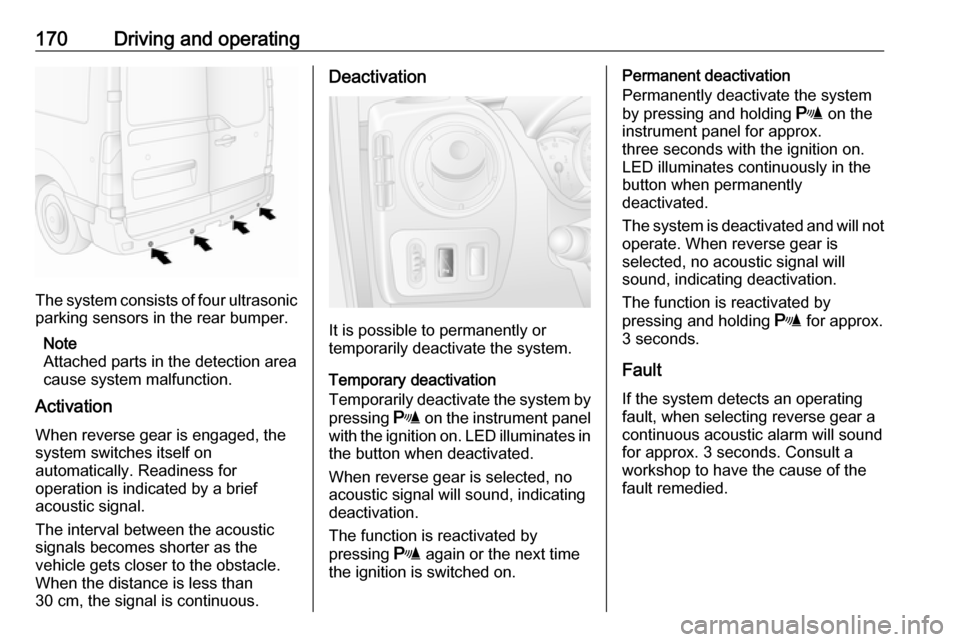
The system consists of four ultrasonicparking sensors in the rear bumper.
Note
Attached parts in the detection area
cause system malfunction.
Activation
When reverse gear is engaged, the
system switches itself on
automatically. Readiness for
operation is indicated by a brief
acoustic signal.
The interval between the acoustic
signals becomes shorter as the
vehicle gets closer to the obstacle.
When the distance is less than
30 cm, the signal is continuous.
Deactivation
It is possible to permanently or
temporarily deactivate the system.
Temporary deactivation
Temporarily deactivate the system by
pressing r on the instrument panel
with the ignition on. LED illuminates in
the button when deactivated.
When reverse gear is selected, no
acoustic signal will sound, indicating
deactivation.
The function is reactivated by
pressing r again or the next time
the ignition is switched on.
Permanent deactivation
Permanently deactivate the system
by pressing and holding r on the
instrument panel for approx. three seconds with the ignition on.
LED illuminates continuously in the
button when permanently
deactivated.
The system is deactivated and will not
operate. When reverse gear is
selected, no acoustic signal will
sound, indicating deactivation.
The function is reactivated by
pressing and holding r for approx.
3 seconds.
Fault
If the system detects an operating fault, when selecting reverse gear a
continuous acoustic alarm will sound
for approx. 3 seconds. Consult a
workshop to have the cause of the
fault remedied.
Page 178 of 271
176Driving and operating9Danger
Fuel is flammable and explosive.
No smoking. No naked flames or
sparks.
If you can smell fuel in your
vehicle, have the cause of this
remedied immediately by a
workshop.
A label with symbols at the fuel filler
flap is indicating the allowed fuel
types. In Europe the pump nozzles of the filling stations are marked with
these symbols. Refuel only the
allowed fuel type.
Caution
In case of misfuelling, do not
switch on ignition.
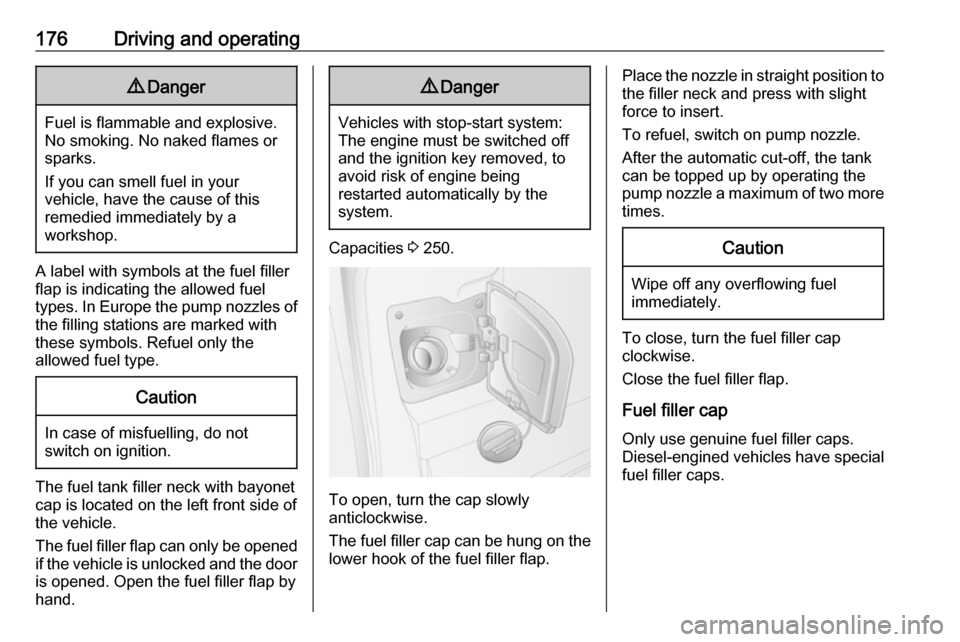
The fuel tank filler neck with bayonet
cap is located on the left front side of
the vehicle.
The fuel filler flap can only be opened
if the vehicle is unlocked and the door is opened. Open the fuel filler flap by
hand.
9 Danger
Vehicles with stop-start system:
The engine must be switched off
and the ignition key removed, to
avoid risk of engine being
restarted automatically by the
system.
Capacities 3 250.
To open, turn the cap slowly
anticlockwise.
The fuel filler cap can be hung on the lower hook of the fuel filler flap.
Place the nozzle in straight position to
the filler neck and press with slight
force to insert.
To refuel, switch on pump nozzle.
After the automatic cut-off, the tank
can be topped up by operating the
pump nozzle a maximum of two more times.Caution
Wipe off any overflowing fuel
immediately.
To close, turn the fuel filler cap
clockwise.
Close the fuel filler flap.
Fuel filler cap Only use genuine fuel filler caps.Diesel-engined vehicles have special
fuel filler caps.
Page 184 of 271
182Vehicle careEnd-of-life vehicle recoveryInformation on end-of-life vehicle
recovery centres and the recycling of
end-of-life vehicles is available on our website, where legally required. Only
entrust this work to an authorised
recycling centre.Vehicle checks
Performing work9 Warning
Only perform engine compartment
checks when the ignition is off.
The vehicle must not be in an
Autostop 3 140.
The cooling fan may start
operating even if the ignition is off.
9 Danger
The ignition system generates
extremely high voltages. Do not
touch.
The caps for topping up the engine oil, the coolant, the washer fluid and the
oil dipstick handle are yellow for ease
of identification.
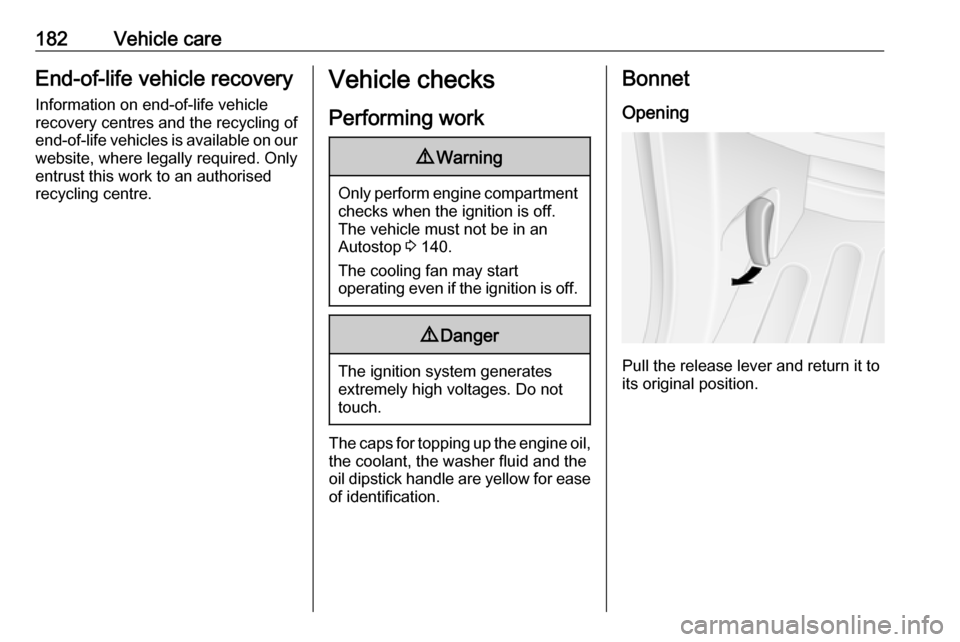
Bonnet
Opening
Pull the release lever and return it to
its original position.
Page 190 of 271
188Vehicle care9Danger
Ensure the ignition is switched off
completely (the vehicle must not
be in an Autostop) before
connecting or disconnecting the
vehicle battery.
Stop-start system 3 140.
Battery discharge protection 3 119.
Battery access
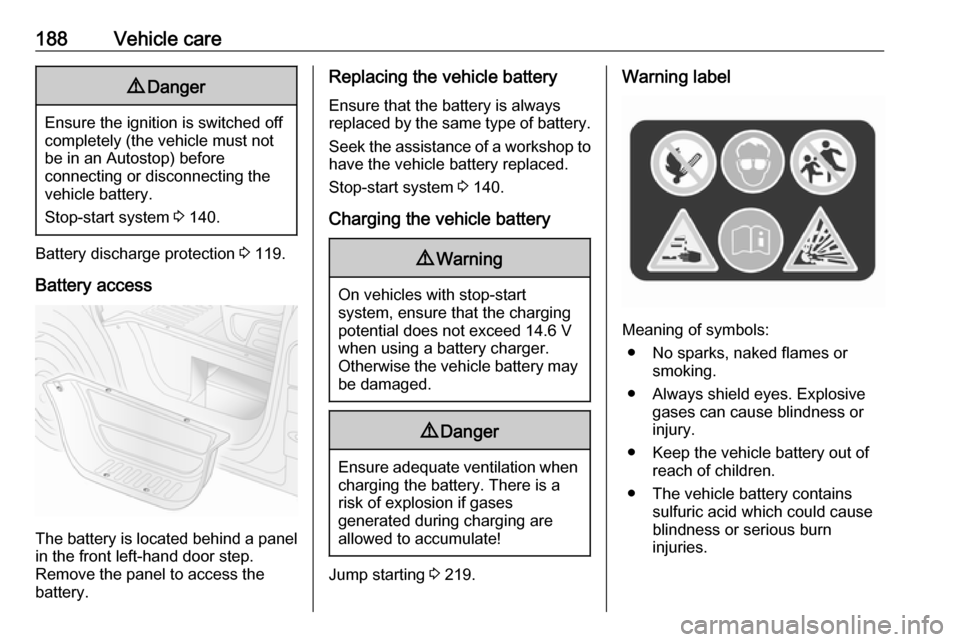
The battery is located behind a panel in the front left-hand door step.
Remove the panel to access the
battery.
Replacing the vehicle battery
Ensure that the battery is always
replaced by the same type of battery.
Seek the assistance of a workshop to
have the vehicle battery replaced.
Stop-start system 3 140.
Charging the vehicle battery9 Warning
On vehicles with stop-start
system, ensure that the charging potential does not exceed 14.6 V
when using a battery charger.
Otherwise the vehicle battery may be damaged.
9 Danger
Ensure adequate ventilation when
charging the battery. There is a
risk of explosion if gases
generated during charging are
allowed to accumulate!
Jump starting 3 219.
Warning label
Meaning of symbols:
● No sparks, naked flames or smoking.
● Always shield eyes. Explosive gases can cause blindness or
injury.
● Keep the vehicle battery out of reach of children.
● The vehicle battery contains sulfuric acid which could cause
blindness or serious burn
injuries.