lights OPEL MOVANO_B 2019 Manual user
[x] Cancel search | Manufacturer: OPEL, Model Year: 2019, Model line: MOVANO_B, Model: OPEL MOVANO_B 2019Pages: 251, PDF Size: 6.46 MB
Page 119 of 251
Lighting117Interior lighting
Interior lights
Courtesy lights illuminate when the vehicle is unlocked with the remote
control or the front doors are opened.
When the doors are closed, the
courtesy light extinguishes after a
delay or immediately after the ignition
is switched on.
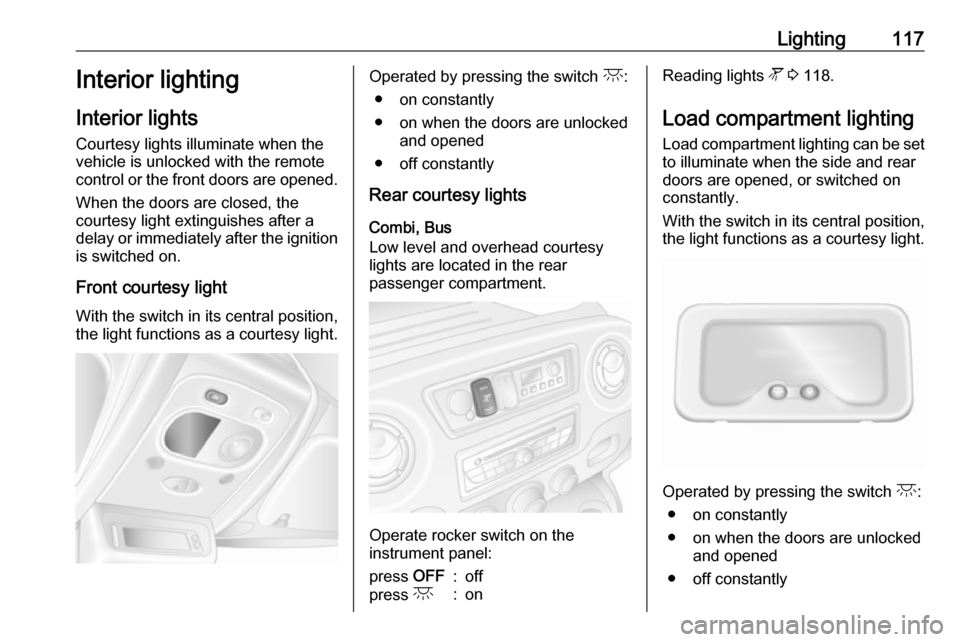
Front courtesy light
With the switch in its central position,
the light functions as a courtesy light.Operated by pressing the switch c:
● on constantly
● on when the doors are unlocked and opened
● off constantly
Rear courtesy lights
Combi, Bus
Low level and overhead courtesy
lights are located in the rear
passenger compartment.
Operate rocker switch on the
instrument panel:
press OFF:offpress c:onReading lights l 3 118.
Load compartment lighting Load compartment lighting can be setto illuminate when the side and rear
doors are opened, or switched on
constantly.
With the switch in its central position,
the light functions as a courtesy light.
Operated by pressing the switch c:
● on constantly
● on when the doors are unlocked and opened
● off constantly
Page 120 of 251
118LightingWhen the doors are closed, the
courtesy light extinguishes after a
delay or immediately after the ignition
is switched on.
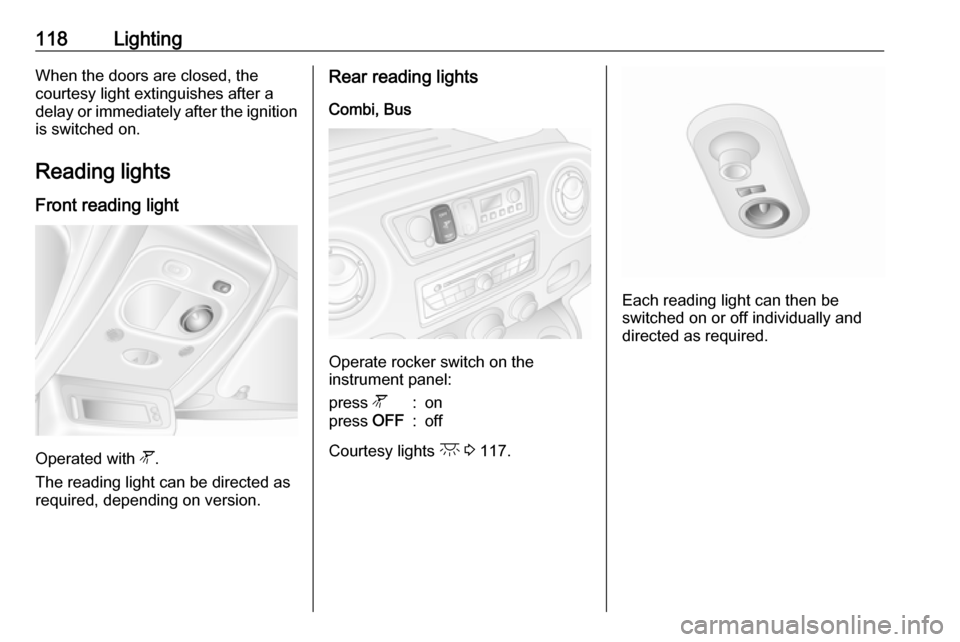
Reading lights Front reading light
Operated with l.
The reading light can be directed as
required, depending on version.
Rear reading lights
Combi, Bus
Operate rocker switch on the
instrument panel:
press l:onpress OFF:off
Courtesy lights c 3 117.
Each reading light can then be
switched on or off individually and
directed as required.
Page 121 of 251
Lighting119Lighting features
Exit lighting
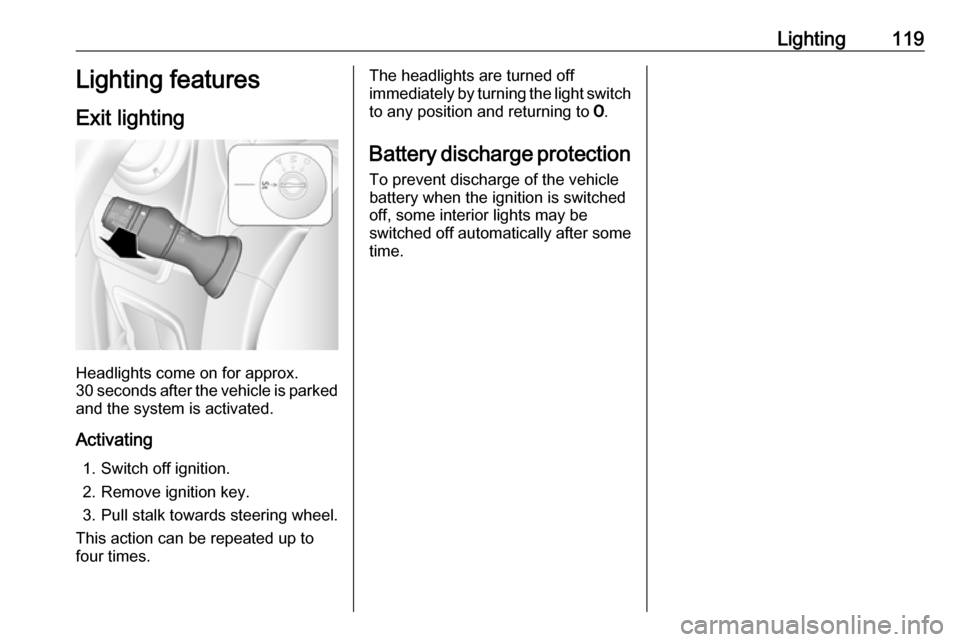
Headlights come on for approx.
30 seconds after the vehicle is parked
and the system is activated.
Activating 1. Switch off ignition.
2. Remove ignition key.
3. Pull stalk towards steering wheel.
This action can be repeated up to
four times.
The headlights are turned off immediately by turning the light switch
to any position and returning to 7.
Battery discharge protection To prevent discharge of the vehicle
battery when the ignition is switched
off, some interior lights may be
switched off automatically after some
time.
Page 171 of 251
Driving and operating169●detecting a vehicle when weather
limits visibility, such as in fog,
rain, or snow
● driving during nighttime
● sensor in the windscreen or radar
unit behind the front bumper
blocked by snow, ice, slush, mud, dirt, etc.
● windscreen damaged or affected
by foreign objects, e.g. stickers
Complete attention is always required
while driving, and you should be
ready to take action and apply the
brakes and / or steer the vehicle to
avoid crashes.
Fault
In case the system requires a service,
a message is displayed in the Driver
Information Centre.
Additionally, warning lights l and
j illuminate at the same time.
When the system detects that its
function is not available, warning light l or j illuminates and stays on.
Additionally, a message in the Driver
Information Centre appears. The
system may be temporarily disrupted(for example: radar or camera
obscured by dirt, mud, snow etc.). In
this case, park the vehicle and switch
off the engine. Clean the windscreen
area around the camera and the
detection zone of the radar in the front bumper. When the warning lights and
messages still appear after starting
the vehicle again, seek the
assistance of a workshop.
Parking assist9 Warning
It is the driver who bears full
responsibility for the parking
manoeuvre.
Always check the surrounding
area while reversing and using the rear parking assist system.
The parking assist measures the
distance between the vehicle and
obstacles behind the vehicle. It
informs and warns the driver by giving acoustic signals.
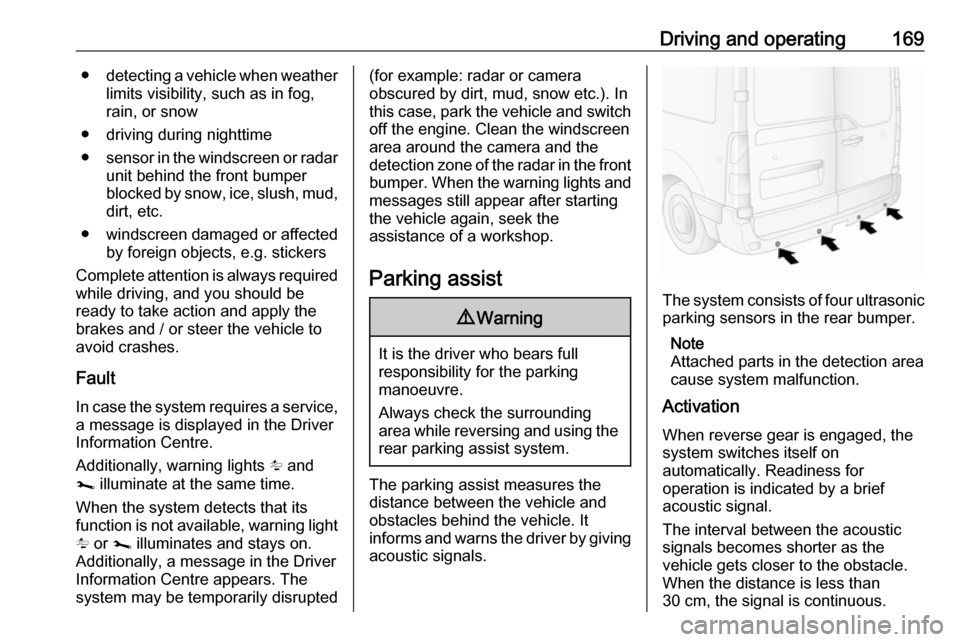
The system consists of four ultrasonic parking sensors in the rear bumper.
Note
Attached parts in the detection area
cause system malfunction.
Activation
When reverse gear is engaged, the
system switches itself on
automatically. Readiness for
operation is indicated by a brief
acoustic signal.
The interval between the acoustic
signals becomes shorter as the
vehicle gets closer to the obstacle.
When the distance is less than
30 cm, the signal is continuous.
Page 174 of 251
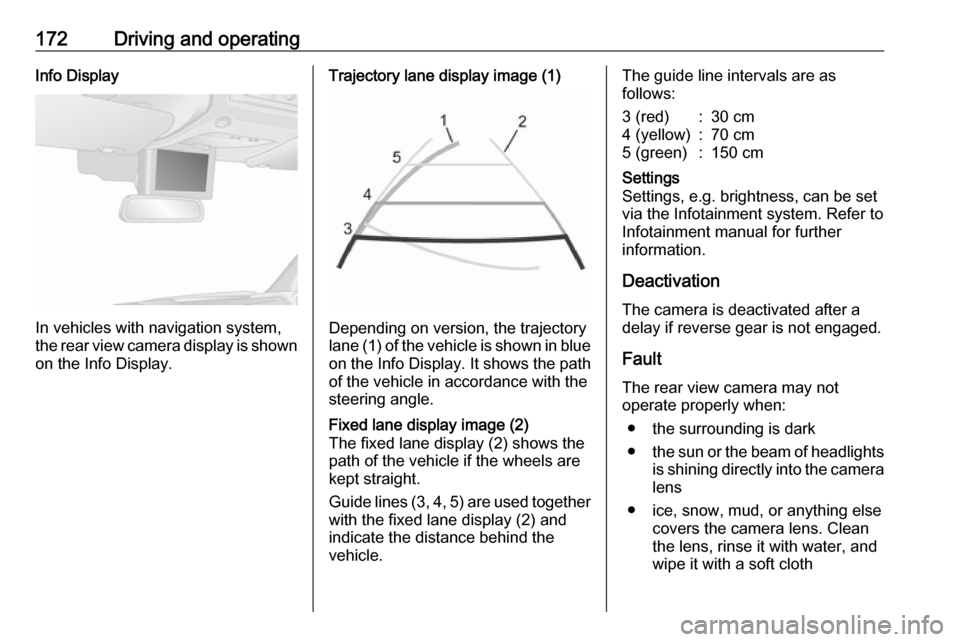
172Driving and operatingInfo Display
In vehicles with navigation system,
the rear view camera display is shown
on the Info Display.
Trajectory lane display image (1)
Depending on version, the trajectory
lane (1) of the vehicle is shown in blue
on the Info Display. It shows the path of the vehicle in accordance with the
steering angle.
Fixed lane display image (2)
The fixed lane display (2) shows the
path of the vehicle if the wheels are
kept straight.
Guide lines (3, 4, 5) are used together
with the fixed lane display (2) and
indicate the distance behind the
vehicle.The guide line intervals are as
follows:3 (red):30 cm4 (yellow):70 cm5 (green):150 cmSettings
Settings, e.g. brightness, can be set
via the Infotainment system. Refer to
Infotainment manual for further
information.
Deactivation
The camera is deactivated after a
delay if reverse gear is not engaged.
Fault
The rear view camera may not
operate properly when:
● the surrounding is dark
● the sun or the beam of headlights
is shining directly into the camera lens
● ice, snow, mud, or anything else covers the camera lens. Clean
the lens, rinse it with water, and
wipe it with a soft cloth
Page 175 of 251
Driving and operating173● the rear doors are not closedcorrectly
● the vehicle had a rear-end accident
● there are extreme temperature changes
Lane departure warning The lane departure warning system
uses a front camera to observe the
lane markings between which the
vehicle is driving. The system detects
lane changes and warns the driver in
the event of an unintended lane
change via visual and acoustic
signals.
Criteria for the detection of an
unintended lane change are:
● no operation of turn lights
● no active steering
If the driver is performing these
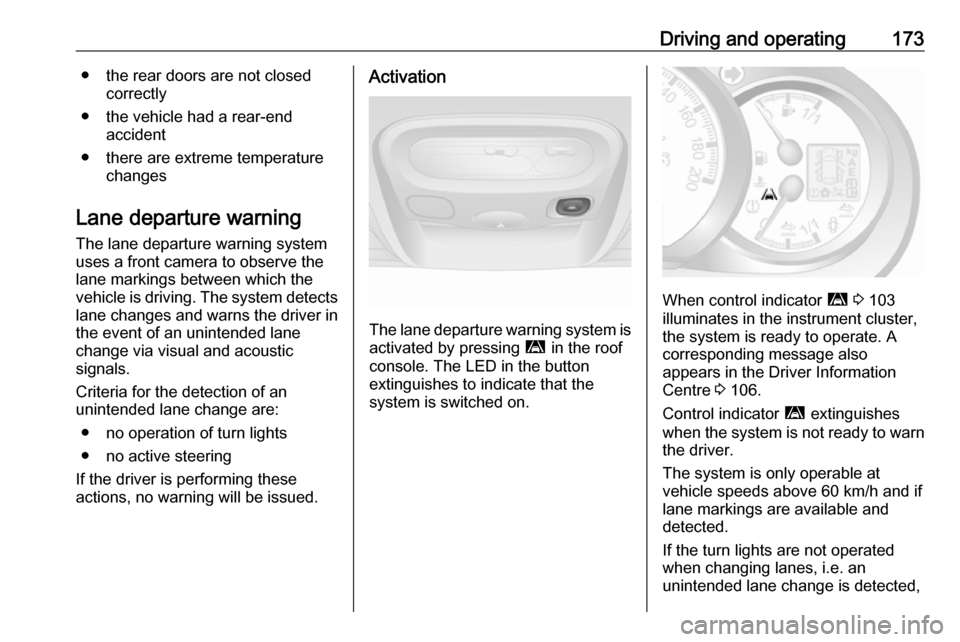
actions, no warning will be issued.Activation
The lane departure warning system is activated by pressing ì in the roof
console. The LED in the button
extinguishes to indicate that the
system is switched on.
When control indicator ì 3 103
illuminates in the instrument cluster,
the system is ready to operate. A
corresponding message also
appears in the Driver Information
Centre 3 106.
Control indicator ì extinguishes
when the system is not ready to warn the driver.
The system is only operable at
vehicle speeds above 60 km/h and if
lane markings are available and
detected.
If the turn lights are not operated
when changing lanes, i.e. an
unintended lane change is detected,
Page 180 of 251
178Driving and operatingIn the case of trailer loads of
1200 kg or more, the vertical coupling load should not be less than 50 kg.
Rear axle load When the trailer is coupled and the
towing vehicle fully loaded (including all occupants), the permissible rear
axle load (see identification plate or
vehicle documents) must not be
exceeded.
Towing equipmentCaution
When operating without a trailer,
remove the coupling ball bar.
Towing equipment audible
warning
For vehicles fitted with towing
equipment, when connected to a
trailer the pitch of the audible warning
changes upon operation of the turn
lights.
The pitch of the audible warning will
change if a turn light on the trailer or
the towing vehicle fails.
Trailer stability assist
If the system detects snaking
movements, engine power is reduced
and the vehicle / trailer combination is
selectively braked until the snaking
ceases. While the system is working, keep steering wheel as still as
possible.
Trailer stability assist is a function of
the Electronic Stability Control (ESC)
3 161.Auxiliary features
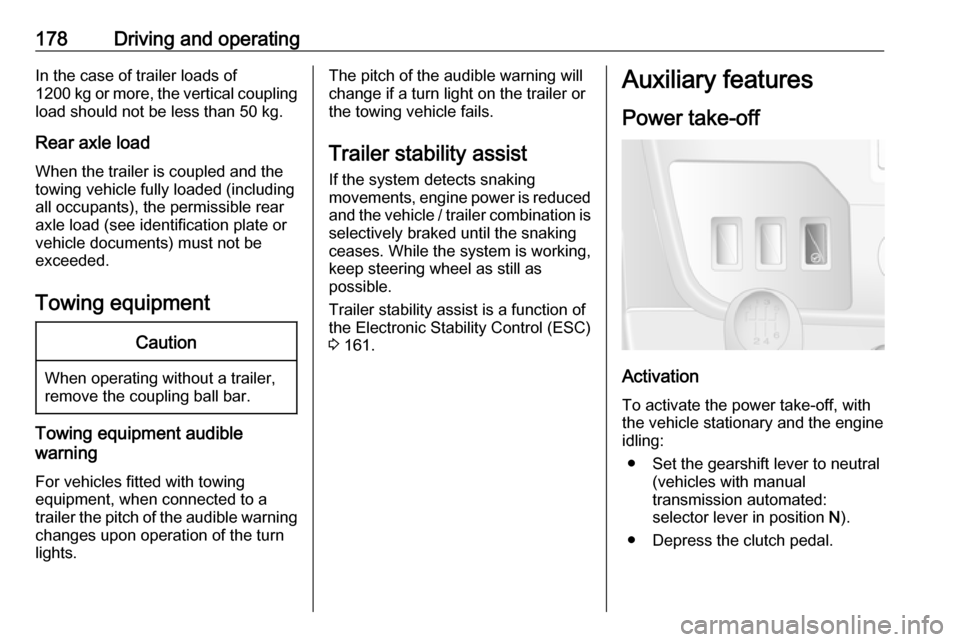
Power take-off
Activation
To activate the power take-off, with
the vehicle stationary and the engine
idling:
● Set the gearshift lever to neutral (vehicles with manual
transmission automated:
selector lever in position N).
● Depress the clutch pedal.
Page 182 of 251

180Vehicle careVehicle careGeneral Information...................181
Accessories and vehicle modifications .......................... 181
Vehicle storage ........................181
End-of-life vehicle recovery .....182
Vehicle checks ........................... 182
Performing work ......................182
Bonnet ..................................... 182
Engine oil ................................. 183
Engine coolant ......................... 185
Power steering fluid .................185
Washer fluid ............................ 186
Brakes ..................................... 187
Brake fluid ............................... 187
Vehicle battery ......................... 187
Diesel fuel filter ........................189
Diesel fuel system bleeding .....189
Wiper blade replacement ........190
Bulb replacement .......................191
Headlights ............................... 191
Front fog lights ......................... 194
Front turn lights .......................194
Tail lights ................................. 195
Side turn lights ......................... 196Centre high-mounted brake
light ......................................... 197
Number plate light ...................198
Interior lights ............................ 198
Instrument panel illumination ...199
Electrical system ........................200
Fuses ....................................... 200
Engine compartment fuse box . 201
Instrument panel fuse box .......201
Load compartment fuse box ....202
Vehicle tools .............................. 204
Tools ........................................ 204
Wheels and tyres .......................205
Tyres ....................................... 205
Winter tyres ............................. 206
Tyre designations ....................206
Tyre pressure .......................... 206
Tyre pressure monitoring system .................................... 207
Tread depth ............................. 209
Changing tyre and wheel size . 210 Wheel covers ........................... 210
Tyre chains .............................. 210
Tyre repair kit .......................... 211
Wheel changing .......................214
Spare wheel ............................ 216
Jump starting ............................. 218Towing....................................... 221
Towing the vehicle ...................221
Towing another vehicle ...........222
Appearance care .......................222
Exterior care ............................ 222
Interior care ............................. 224
Page 192 of 251
190Vehicle careFill the tank with fuel and proceed asfollows:
1. Place a suitable container underneath the fuel filter vent
screw to collect fuel.
2. Loosen the vent screw (arrowed) by one turn.
3. Manually operate the in-line supply pump slowly and steadily
until fuel discharging from the
loosened vent screw is free of air
bubbles.
4. Retighten the vent screw.
In vehicles without an in-line supply
pump, fill the tank with fuel and
proceed as follows:Caution
Do not turn ignition key to position 3 before beginning the bleeding
procedure.
Ignition switch positions 3 138.
1. Turn ignition key to position 2 and
hold for 5 seconds.
2. Turn key back to position 1 and
wait for 3 seconds.
3. Repeat Step 1 and 2 multiple times.
4. Turn key to position 3, then return
to 0.
If the engine cannot be started after
several attempts to bleed the diesel
fuel system, seek the assistance of a
workshop.
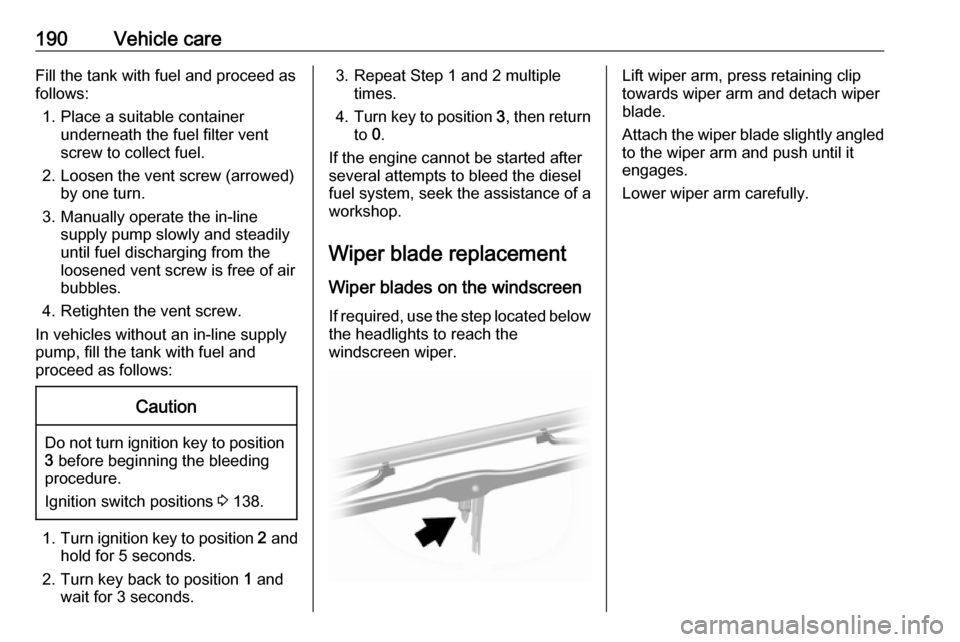
Wiper blade replacement
Wiper blades on the windscreen If required, use the step located below
the headlights to reach the
windscreen wiper.Lift wiper arm, press retaining clip
towards wiper arm and detach wiper
blade.
Attach the wiper blade slightly angled
to the wiper arm and push until it
engages.
Lower wiper arm carefully.
Page 193 of 251
Vehicle care191Bulb replacement
Ensure the ignition is switched off
completely (the vehicle must not be in
an Autostop 3 140) and turn off the
relevant switch or close the doors.
Only hold a new bulb at the base. Do not touch the bulb glass with bare
hands.
Use only the same bulb type for
replacement.
Bulb check
After a bulb replacement, switch on
the ignition, operate and check the
lights.
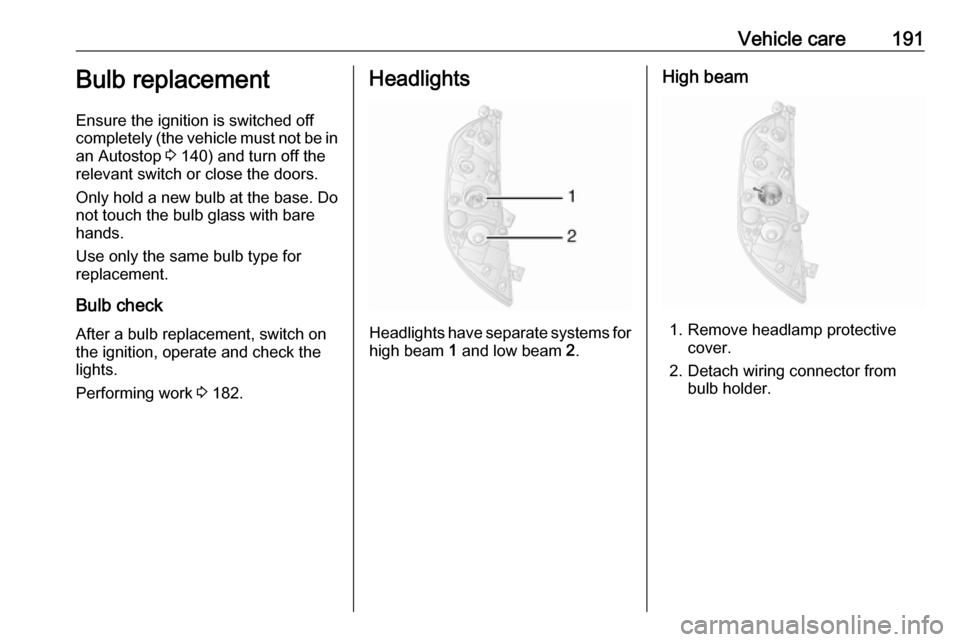
Performing work 3 182.Headlights
Headlights have separate systems for
high beam 1 and low beam 2.
High beam
1. Remove headlamp protective
cover.
2. Detach wiring connector from bulb holder.