ESP OPEL MOVANO_B 2020 Manual user
[x] Cancel search | Manufacturer: OPEL, Model Year: 2020, Model line: MOVANO_B, Model: OPEL MOVANO_B 2020Pages: 353, PDF Size: 9.4 MB
Page 159 of 353

Infotainment system157Radio 15 USB
Bluetooth connection
A connection must be set up between the audio device and the Infotainment
system via Bluetooth, i.e. the device
must be paired to the vehicle before
using it.
Refer to "Bluetooth connection" in the "Phone" section 3 197.
● A maximum of five audio devices
can be paired and saved in the
device list, but only one can be connected at a time.
● If the device has both audio player and telephone functions,
both functions will be paired.
Pairing a mobile phone 3 195.
● Phone functions will remain active while the audio player is inuse, and audio playback will be
suspended during phone use.
Pairing an auxiliary audio device to the Infotainment system
To pair the audio device, press TEL
and select Pair device by turning and
pressing OK. The Ready to Pair
screen is displayed.Then, on the audio device, search for
Bluetooth equipment in the vicinity of
the device.
Select My Radio (i.e. the name of the
system) from the list on the audio
device, then, if applicable, on the
audio device keypad enter the pairing code shown on the Infotainment
system display screen.
Note
If the audio device does not have a
screen, enter the default pairing
code on the device, then on the
Infotainment system. Refer to the
operating instructions for this default
audio device pairing code, usually
0000 . Depending on the device, the
pairing code may need to be entered
in reverse order, i.e. on the
Infotainment system first.
If pairing fails, the system returns to
the previous menu and a
corresponding message is displayed. Repeat procedure if necessary.
When pairing is completed, a
confirmation message followed by the
name of the paired audio device is shown on the Infotainment system
display screen.Note
When a Bluetooth connection is
active, controlling the audio device
via the Infotainment system will
discharge the audio device battery more rapidly.
Connecting an audio device
Audio devices are automatically
connected to the Infotainment system after the pairing procedure is
completed.
To connect any audio device that has
been paired, or to connect to a
different paired audio device than the
current one, press TEL and select the
Select Device menu. The device list
shows the audio devices already
paired.
Select the desired device from the list and confirm by pressing OK. A
display message confirms
connection.
Disconnecting an audio device
To disconnect an audio device from the Infotainment system, press TEL
(or SETUP ) and select Bluetooth
connection . Select the desired device
from the device list then select
Page 201 of 353

Infotainment system199maximum of five mobile phones can
be paired and stored in the device list,
but only one can be connected at a
time.
Note
Depending on version of
NAVI 50 IntelliLink, a maximum of
eight mobile phones can be paired.
When pairing is completed, a
message with the name of the paired phone is shown on the Infotainment
system display screen and the phone is automatically connected to the
handsfree phone system. The mobile
phone can then be operated via the
Infotainment system controls.
Note
When a Bluetooth connection is
active, using the handsfree phone
system will discharge the mobile
phone battery more rapidly.
Radio 15 USB
To pair a phone to the handsfree
phone system, press TEL and select
Pair device by turning and pressing
OK . The Ready to Pair screen is
displayed.On the mobile phone, search for
Bluetooth equipment in the vicinity of
the device.
Select My Radio (i.e. the name of the
handsfree phone system) from the list
on the mobile phone, then, on the
mobile phone keypad, enter the
pairing code shown on the
Infotainment system display screen.
If pairing fails, the system returns to
the previous menu and a
corresponding message is displayed. Repeat procedure if necessary.
NAVI 50 IntelliLink
Touch 7 followed by ÿSettings .
Select Connectivity then either
Search for Bluetooth device or
External device authorization .
Alternatively, when in the Phone
menu screen, touch y.
On the mobile phone, search for Bluetooth equipment in the vicinity ofthe device.
Select the name of the handsfree
phone system (e.g. MEDIA-NAV)
from the list on the mobile phone, then
(if required), on the mobile phonekeypad, enter the pairing code shown on the Infotainment system display
screen.
Note
The pairing code may only be shown
on the Infotainment system display
for a limited time.
The default pairing code is 0000. To
change this pairing code before the
pairing procedure is started, select
Change passkey to update.
If pairing fails, repeat procedure if
necessary.
NAVI 80 IntelliLink
To access the Phone settings menu
from the Home page, touch MENU
then gPhone followed by Settings.
Select Manage devices from the list of
options. A message appears on the
display asking if you wish to set up a
Bluetooth connection between your
device and the Infotainment system. Select Yes to continue. The
Infotainment system begins a search
for Bluetooth equipment in the vicinity
and displays a list of devices.
Page 204 of 353

202Infotainment systemNAVI 50 IntelliLink
With the yPhone menu displayed,
touch = in top left corner and select
Dial from the list.
Enter the desired number using the numerical keyboard and select y to
start dialling.
Refer to (NAVI 50 IntelliLink)
"Operating keyboards in the display"
in the "General information" section
3 193.
Entries can be corrected during input
with the k keyboard character.
Touch and hold k to delete all
numbers at once.
NAVI 80 IntelliLink
From the Home page, select MENU
then gPhone followed by Dial a
number .
Enter the desired number using the
numerical keyboard and touch Call to
start dialling.
Entries can be corrected during input
with the k keyboard character.Phonebook
The phonebook contains contact lists available only to the current vehicle
user. For reasons of confidentiality,
each downloaded contacts list can
only be viewed when the
corresponding phone is connected.
Radio 15 USB
After pairing the mobile phone to the
Infotainment system, the contact list
in the mobile phone is downloaded to the handsfree phone system.
To dial a number from the
phonebook, with the Phone menu
displayed, select Phonebook and
select the desired contact from the
alphabetical list. Press OK to start the
dialling process.
NAVI 50 IntelliLink
After pairing the mobile phone to the
Infotainment system, the contact list
in the mobile phone is downloaded to
the handsfree phone system.
With the yPhone menu displayed,
touch S in top left corner and select
Phone Book from the list.To dial a number from the
phonebook, select the desired
contact from the list.
Alternatively, select Search by Name,
then enter the name of the desired
contact using the keyboard.
Refer to (NAVI 50 IntelliLink)
"Operating keyboards in the display"
in the "General information" section 3 193.
NAVI 80 IntelliLink
After pairing the mobile phone to the
Infotainment system, the contact list
in the mobile phone is downloaded to the handsfree phone system.
Note
Data sharing must be authorised on
the phone. Refer to the operating
instructions for the mobile phone or
consult the network provider.
The feature "Automatically
download phone data" must also be
switched on in the Infotainment
phone settings menu. Refer to
(NAVI 80 IntelliLink) "Phone
settings" below.
Page 225 of 353
Climate control223Maintenance
Air intake
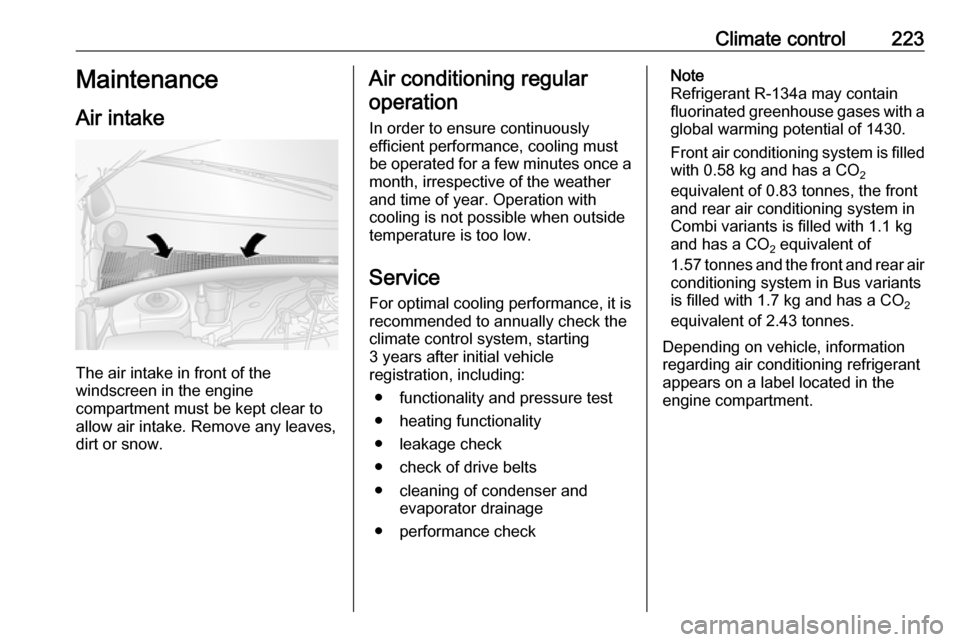
The air intake in front of the
windscreen in the engine
compartment must be kept clear to
allow air intake. Remove any leaves,
dirt or snow.
Air conditioning regular
operation
In order to ensure continuously
efficient performance, cooling must
be operated for a few minutes once a
month, irrespective of the weather
and time of year. Operation with
cooling is not possible when outside
temperature is too low.
ServiceFor optimal cooling performance, it is
recommended to annually check the
climate control system, starting
3 years after initial vehicle
registration, including:
● functionality and pressure test
● heating functionality
● leakage check
● check of drive belts
● cleaning of condenser and evaporator drainage
● performance checkNote
Refrigerant R-134a may contain
fluorinated greenhouse gases with a global warming potential of 1430.
Front air conditioning system is filled
with 0.58 kg and has a CO 2
equivalent of 0.83 tonnes, the front
and rear air conditioning system in
Combi variants is filled with 1.1 kg
and has a CO 2 equivalent of
1.57 tonnes and the front and rear air
conditioning system in Bus variants
is filled with 1.7 kg and has a CO 2
equivalent of 2.43 tonnes.
Depending on vehicle, information
regarding air conditioning refrigerant
appears on a label located in the
engine compartment.
Page 229 of 353
Driving and operating227Steering wheel lockRemove key from ignition switch and
turn steering wheel until it engages.9 Danger
Never remove the key from
ignition switch during driving as
this will cause steering wheel lock.
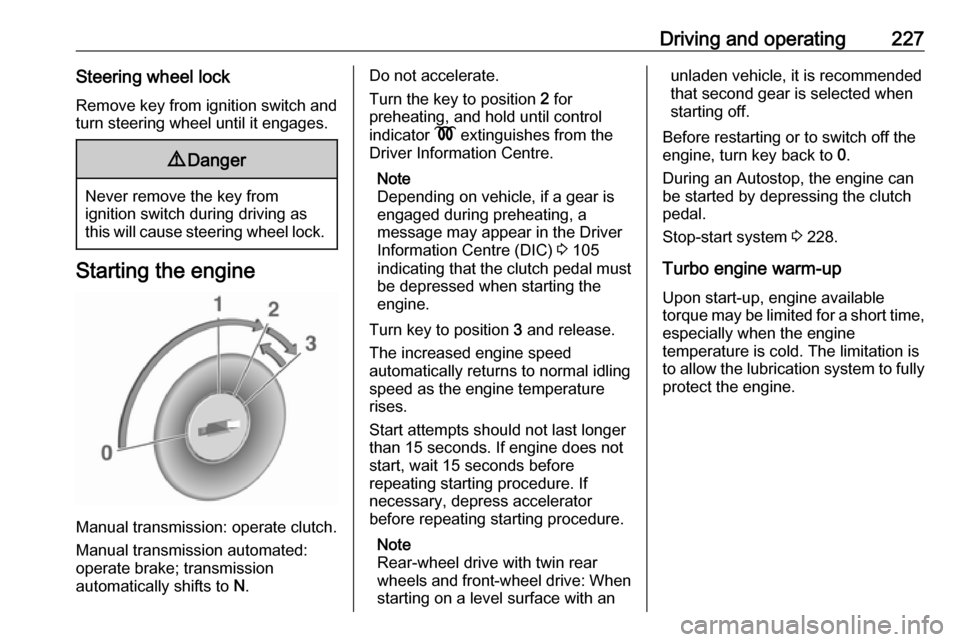
Starting the engine
Manual transmission: operate clutch.
Manual transmission automated:
operate brake; transmission
automatically shifts to N.
Do not accelerate.
Turn the key to position 2 for
preheating, and hold until control
indicator N extinguishes from the
Driver Information Centre.
Note
Depending on vehicle, if a gear is
engaged during preheating, a
message may appear in the Driver
Information Centre (DIC) 3 105
indicating that the clutch pedal must be depressed when starting the
engine.
Turn key to position 3 and release.
The increased engine speed
automatically returns to normal idling
speed as the engine temperature
rises.
Start attempts should not last longer
than 15 seconds. If engine does not
start, wait 15 seconds before
repeating starting procedure. If
necessary, depress accelerator
before repeating starting procedure.
Note
Rear-wheel drive with twin rear
wheels and front-wheel drive: When
starting on a level surface with anunladen vehicle, it is recommended
that second gear is selected when
starting off.
Before restarting or to switch off the
engine, turn key back to 0.
During an Autostop, the engine can
be started by depressing the clutch
pedal.
Stop-start system 3 228.
Turbo engine warm-up
Upon start-up, engine available
torque may be limited for a short time, especially when the engine
temperature is cold. The limitation is
to allow the lubrication system to fully
protect the engine.
Page 231 of 353
Driving and operating229Deactivation
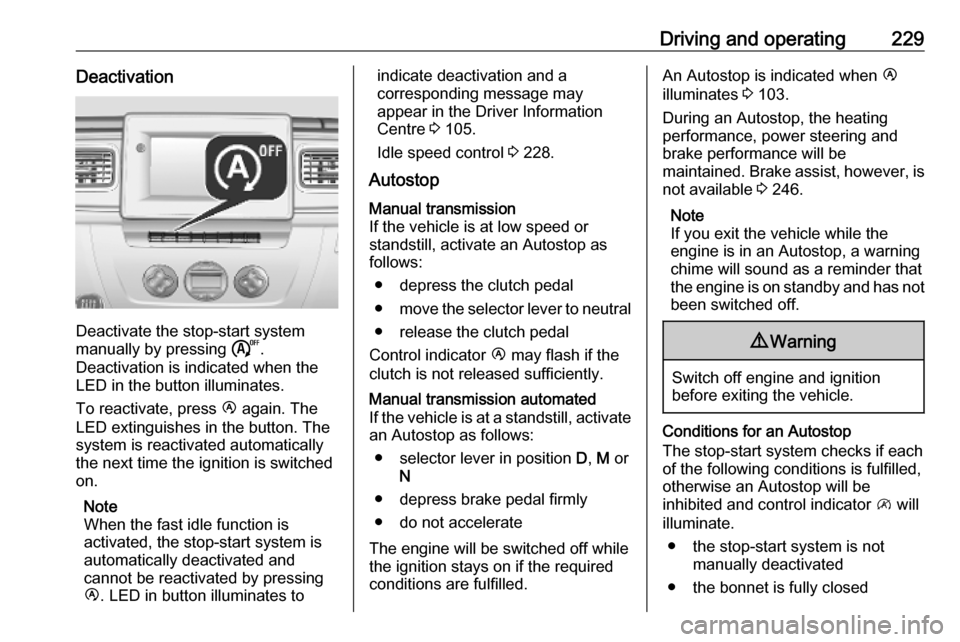
Deactivate the stop-start system
manually by pressing ).
Deactivation is indicated when the
LED in the button illuminates.
To reactivate, press Ï again. The
LED extinguishes in the button. The system is reactivated automatically
the next time the ignition is switched
on.
Note
When the fast idle function is
activated, the stop-start system is
automatically deactivated and
cannot be reactivated by pressing
Ï . LED in button illuminates to
indicate deactivation and a
corresponding message may
appear in the Driver Information
Centre 3 105.
Idle speed control 3 228.
AutostopManual transmission
If the vehicle is at low speed or
standstill, activate an Autostop as
follows:
● depress the clutch pedal
● move the selector lever to neutral
● release the clutch pedal
Control indicator Ï may flash if the
clutch is not released sufficiently.Manual transmission automated
If the vehicle is at a standstill, activate an Autostop as follows:
● selector lever in position D, M or
N
● depress brake pedal firmly
● do not accelerate
The engine will be switched off while
the ignition stays on if the required
conditions are fulfilled.
An Autostop is indicated when Ï
illuminates 3 103.
During an Autostop, the heating
performance, power steering and
brake performance will be
maintained. Brake assist, however, is
not available 3 246.
Note
If you exit the vehicle while the
engine is in an Autostop, a warning
chime will sound as a reminder that
the engine is on standby and has not been switched off.9 Warning
Switch off engine and ignition
before exiting the vehicle.
Conditions for an Autostop
The stop-start system checks if each
of the following conditions is fulfilled,
otherwise an Autostop will be
inhibited and control indicator \ will
illuminate.
● the stop-start system is not manually deactivated
● the bonnet is fully closed
Page 233 of 353
Driving and operating231Restart of the engine by the stop-start system
If one of the conditions for an
Autostop is not fulfilled anymore or
the vehicle starts to move, the engine
may be restarted automatically by the
stop-start system.
An automatic engine restart may not
be possible if a door or the bonnet is
open.
If an electrical accessory, e.g. a
portable CD player, is connected to
the power outlet, a brief power drop
during restart might be noticeable.
If the Infotainment system is active,
audio sound may briefly be reduced
or interrupted during the restart.
Fault
If the LED illuminates in deactivation
button ) without first being pressed
to deactivate the system, there is a
fault in the stop-start system and it is
deactivated. A corresponding
message also appears in the Driver
Information Centre 3 105.
Seek the assistance of a workshop.Parking9 Warning
● Do not park the vehicle on an
easily ignitable surface. The
high temperature of the
exhaust system could ignite the
surface.
● Always apply parking brake without pressing release
button. Apply as firmly as
possible on a downhill slope or
uphill slope. Depress brake
pedal at the same time to
reduce operating force.
● Switch off the engine.
● If the vehicle is on a level surface or uphill slope, engage
first gear. On an uphill slope,
turn the front wheels away from
the kerb.
If the vehicle is on a downhill
slope, engage reverse gear.
Turn the front wheels towards the kerb.
● Close the windows.
● Turn the ignition key to position
0 and remove it. Turn the
steering wheel until the
steering wheel lock is felt to
engage.
Lock the vehicle 3 24 and activate the
anti-theft locking system 3 35 and
anti-theft alarm system 3 36.
Air suspension
Operates automatically when the
vehicle is driven. The air suspension
system constantly adjusts the ride
height according to the vehicle load.
Caution
To ensure safe operation of the air
suspension system, do not exceed the maximum permissible gross
vehicle weight rating. Refer to
identification plate 3 316 or the
vehicle documents.
Page 235 of 353
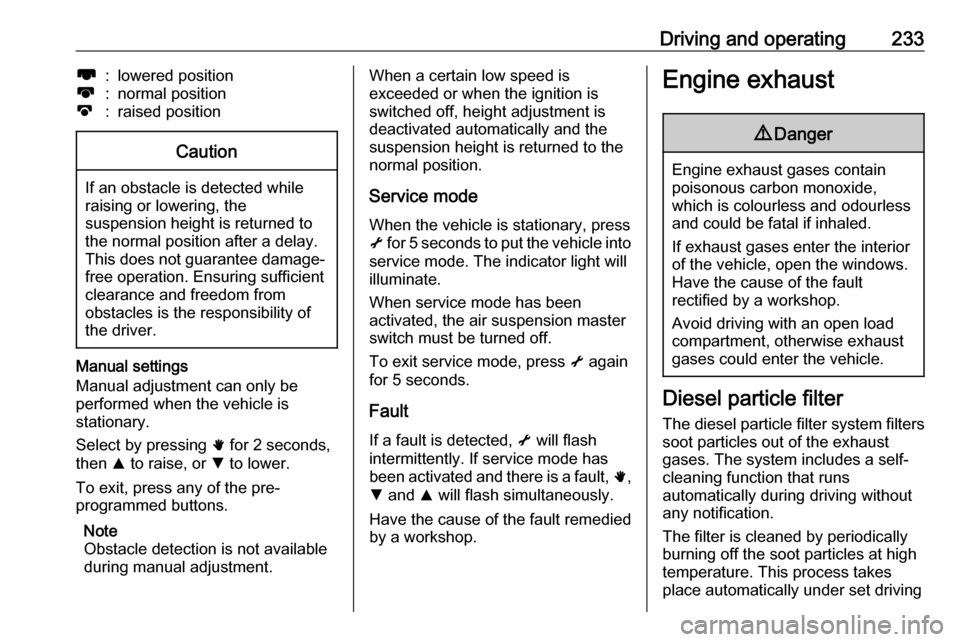
Driving and operating233l:lowered positionk:normal positionj:raised positionCaution
If an obstacle is detected while
raising or lowering, the
suspension height is returned to the normal position after a delay.
This does not guarantee damage- free operation. Ensuring sufficient
clearance and freedom from
obstacles is the responsibility of the driver.
Manual settings
Manual adjustment can only be
performed when the vehicle is
stationary.
Select by pressing h for 2 seconds,
then R to raise, or S to lower.
To exit, press any of the pre-
programmed buttons.
Note
Obstacle detection is not available
during manual adjustment.
When a certain low speed is
exceeded or when the ignition is
switched off, height adjustment is deactivated automatically and the
suspension height is returned to the
normal position.
Service mode
When the vehicle is stationary, press
i for 5 seconds to put the vehicle into
service mode. The indicator light will
illuminate.
When service mode has been
activated, the air suspension master
switch must be turned off.
To exit service mode, press i again
for 5 seconds.
Fault
If a fault is detected, i will flash
intermittently. If service mode has been activated and there is a fault, h,
S and R will flash simultaneously.
Have the cause of the fault remedied
by a workshop.Engine exhaust9 Danger
Engine exhaust gases contain
poisonous carbon monoxide,
which is colourless and odourless and could be fatal if inhaled.
If exhaust gases enter the interior
of the vehicle, open the windows.
Have the cause of the fault
rectified by a workshop.
Avoid driving with an open load
compartment, otherwise exhaust
gases could enter the vehicle.
Diesel particle filter
The diesel particle filter system filters
soot particles out of the exhaust
gases. The system includes a self-
cleaning function that runs
automatically during driving without
any notification.
The filter is cleaned by periodically
burning off the soot particles at high
temperature. This process takes
place automatically under set driving
Page 242 of 353
240Driving and operatingAdditionally, the fumes in the tank
are captured in the canister and do
not emerge.
Note
Since AdBlue has a limited
durability, check the date of expiry
before refilling.
1. Switch off engine and remove key
from ignition switch.
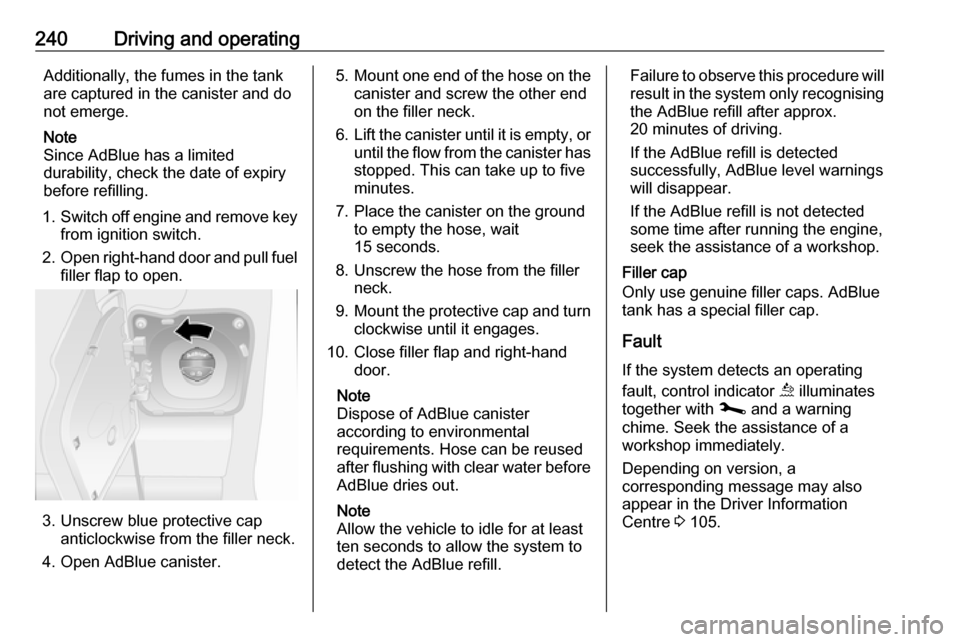
2. Open right-hand door and pull fuel
filler flap to open.
3. Unscrew blue protective cap anticlockwise from the filler neck.
4. Open AdBlue canister.
5. Mount one end of the hose on the
canister and screw the other end
on the filler neck.
6. Lift the canister until it is empty, or
until the flow from the canister has stopped. This can take up to five
minutes.
7. Place the canister on the ground to empty the hose, wait
15 seconds.
8. Unscrew the hose from the filler neck.
9. Mount the protective cap and turn
clockwise until it engages.
10. Close filler flap and right-hand door.
Note
Dispose of AdBlue canister
according to environmental
requirements. Hose can be reused
after flushing with clear water before
AdBlue dries out.
Note
Allow the vehicle to idle for at least
ten seconds to allow the system to
detect the AdBlue refill.Failure to observe this procedure will
result in the system only recognising the AdBlue refill after approx.
20 minutes of driving.
If the AdBlue refill is detected
successfully, AdBlue level warnings
will disappear.
If the AdBlue refill is not detected
some time after running the engine,
seek the assistance of a workshop.
Filler cap
Only use genuine filler caps. AdBlue tank has a special filler cap.
Fault
If the system detects an operating
fault, control indicator ú illuminates
together with j and a warning
chime. Seek the assistance of a
workshop immediately.
Depending on version, a
corresponding message may also
appear in the Driver Information
Centre 3 105.
Page 245 of 353
Driving and operating243warning may sound as a signal to
depress the brake pedal or apply the
parking brake.
Switch off engine if stopping for a lengthy period, e.g. in traffic jams.
When the vehicle is parked and the
driver's door is opened, a warning
chime will sound if neutral is not
selected or the brake pedal has not
been depressed.
Engine braking
Automatic mode
When driving downhill, the manual transmission automated does not shift into higher gears until a fairly
high engine speed has been reached. It shifts down in good time when
braking.
Manual mode
To utilise the engine braking effect, select a lower gear in good time when driving downhill.Rocking the vehicle
Rocking the vehicle is only
permissible if the vehicle is stuck in
sand, mud, snow or a hole. Move the
selector lever between R and D/M (or
between + and -) in a repeat pattern,
while applying light pressure to the
accelerator pedal. Do not race the
engine and avoid sudden
acceleration.
Parking
Apply the parking brake. The most recently engaged gear (see
transmission display) remains
engaged. With N, no gear is engaged.
When the ignition is switched off, the transmission no longer responds to
movement of the selector lever.
If the ignition is not switched off, or the parking brake has not been applied, a
warning chime will sound upon
opening the driver's door.
Manual mode If a higher gear is selected when the
engine speed is too low, or a lower
gear when the speed is too high, theshift is not executed. This prevents
the engine from running at too low or
too high an engine speed.
If engine speed is too low, the
transmission automatically shifts to a
lower gear.
If engine speed is too high, the
transmission only switches to a higher gear via kickdown.
Electronic driving programmes
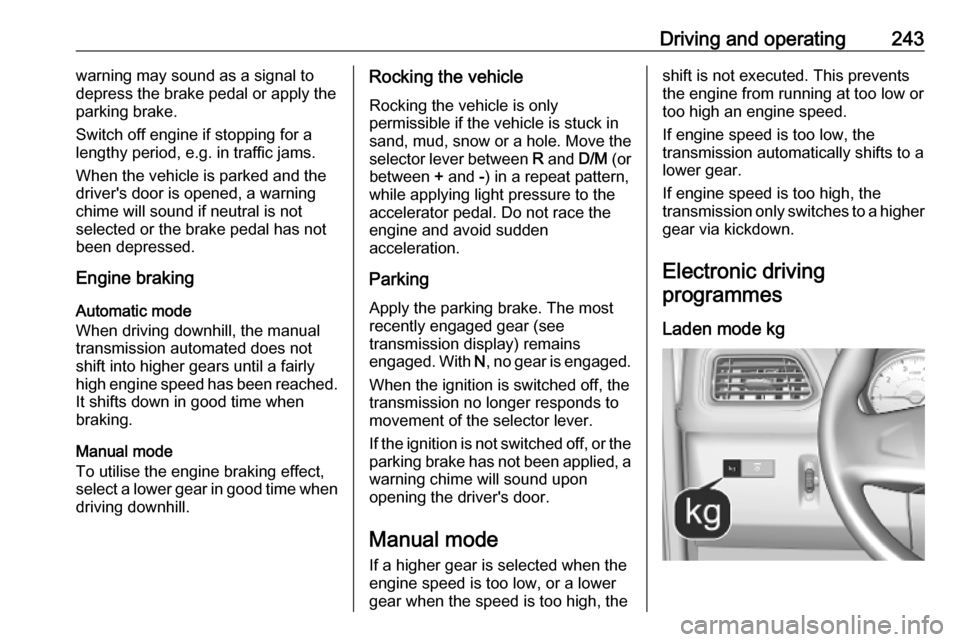
Laden mode kg