brake OPEL MOVANO_B 2020 Manual user
[x] Cancel search | Manufacturer: OPEL, Model Year: 2020, Model line: MOVANO_B, Model: OPEL MOVANO_B 2020Pages: 353, PDF Size: 9.4 MB
Page 103 of 353
Instruments and controls1019Warning
Have the cause of the fault
remedied immediately by a
workshop.
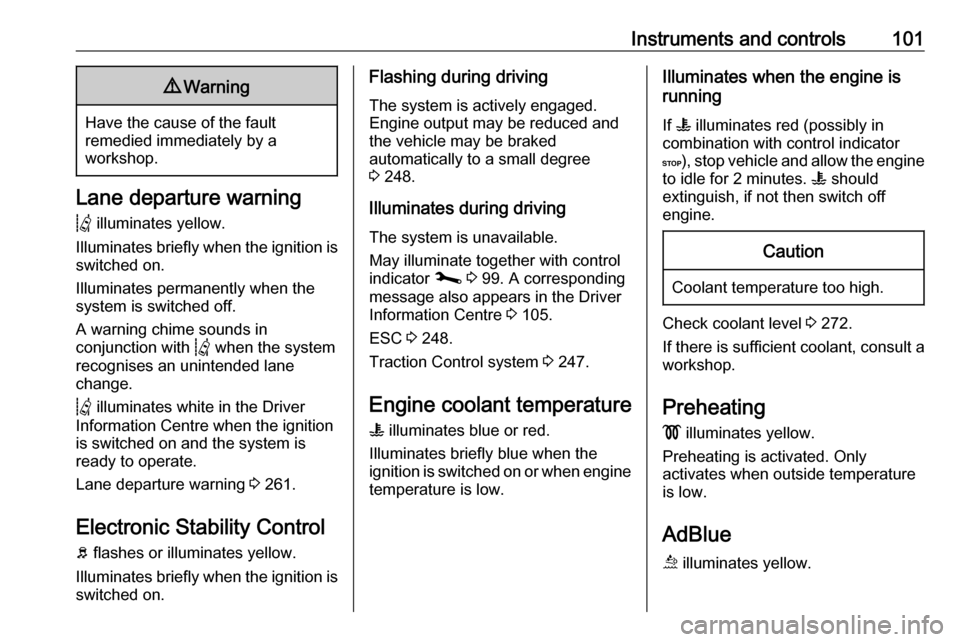
Lane departure warning
Q illuminates yellow.
Illuminates briefly when the ignition is
switched on.
Illuminates permanently when the
system is switched off.
A warning chime sounds in
conjunction with Q when the system
recognises an unintended lane
change.
Q illuminates white in the Driver
Information Centre when the ignition
is switched on and the system is
ready to operate.
Lane departure warning 3 261.
Electronic Stability Control
b flashes or illuminates yellow.
Illuminates briefly when the ignition is switched on.
Flashing during driving
The system is actively engaged.
Engine output may be reduced and
the vehicle may be braked
automatically to a small degree
3 248.
Illuminates during driving
The system is unavailable.
May illuminate together with control
indicator j 3 99. A corresponding
message also appears in the Driver
Information Centre 3 105.
ESC 3 248.
Traction Control system 3 247.
Engine coolant temperature
W illuminates blue or red.
Illuminates briefly blue when the
ignition is switched on or when engine temperature is low.Illuminates when the engine is
running
If W illuminates red (possibly in
combination with control indicator
C ), stop vehicle and allow the engine
to idle for 2 minutes. W should
extinguish, if not then switch off
engine.Caution
Coolant temperature too high.
Check coolant level 3 272.
If there is sufficient coolant, consult a workshop.
Preheating
! illuminates yellow.
Preheating is activated. Only
activates when outside temperature
is low.
AdBlue ú illuminates yellow.
Page 105 of 353

Instruments and controls1039Warning
When the engine is off,
considerably more force is needed
to brake and steer. During an
Autostop the brake servo unit will still be operational.
Do not remove key until vehicle is stationary, otherwise the steeringwheel lock could engage
unexpectedly.
Check engine oil level 3 271.
Keep engine turned off and let the
vehicle be towed to a workshop.
Low fuel Y illuminates yellow.
Illuminates when the ignition is
switched on and extinguishes shortly
after the engine starts.
Illuminates when the engine is
running
Fuel level in the tank is too low. Refuel
immediately.
Never run the tank dry.
Refuelling 3 263.
Catalytic converter 3 234.
Bleeding the diesel fuel system
3 276.
Stop-start system \ illuminates when an Autostop is
inhibited when certain conditions are
not fulfilled.
Ï illuminates during an Autostop.
Ï flashes if the clutch is not released
sufficiently.
Stop-start system 3 228.
Exterior light
F illuminates green.
Illuminated when the side lights are
on 3 110.
Low beam
9 illuminates or flashes green.
Illuminates
Illuminated when the headlights are on 3 110.Flashes
Fault in the lighting.
High beam P illuminates blue.
Illuminated when high beam is on and during headlight flash 3 111.
High beam assist f illuminates when the high beam
assist is activated 3 111.
Front fog lights
> illuminates green.
Illuminated when the front fog lights
are on 3 113.
Rear fog light ø illuminates yellow.
Illuminated when the rear fog light is on 3 114.
Cruise control
U , m illuminate green.
Page 106 of 353

104Instruments and controlsU illuminates green when the system
is on.
m illuminates green when a certain
speed is stored.
Cruise control 3 249.
Active emergency braking
l illuminates or flashes red.
Illuminates
The system has been deactivated or
a fault has been detected.
Additionally, a warning message is
displayed in the Driver Information
Centre.
In case of a system fault, seek the
assistance of a workshop.
Flashes The system is actively engaged.
Depending on the situation, the
vehicle may automatically brake
moderately or hard.
Active emergency braking 3 253.Speed warning
Depending on vehicle and country,
$ is displayed as long as the speed
is over a set value.
Limited speed
Depending on version and country, the maximum speed is set by default.
A warning chime will sound for
10 seconds if the vehicle briefly
exceeds the set limit.
Note
Under certain conditions (e.g. steep inclines) the vehicle speed may
exceed the set limit.
Speed limiter 3 251.
Speed limiter
U illuminates yellow.
Illuminates when the system is on.
Speed limiter 3 251.
Tachograph & illuminates when there is a fault in
the system.Tachograph 3 109.
Door open y illuminates yellow.
Illuminates with the ignition switched
on when a door or the load
compartment is open.
Page 109 of 353

Instruments and controls107Warning chimesIf several warnings appear at the
same time, only one warning chime will sound.
When starting the engine or whilst driving
The warning chime regarding
unfastened seat belts has priority
over any other warning chime.
● If seat belt is not fastened 3 56.
● If a certain speed is exceeded with the parking brake applied
3 245.
● If the parking assist detects an object or a fault is present
3 255.
● If the vehicle has manual transmission automated and the
clutch temperature is too high
3 241.
● If the vehicle speed briefly exceeds a set limit 3 91.
● During closing of the power sliding door 3 30.
● If the sliding door is open and the
parking brake is released 3 30.● During activation and
deactivation of alarm monitoring
of vehicle inclination 3 36.
● If the AdBlue level falls below a certain amount or a fault is
present 3 234.
● If the lane departure warning system detects an unintended
lane change and when the
system is activated 3 261.
When the vehicle is parked and /
or the driver's door is opened
● When the key is in the ignition switch.
● With exterior lights on 3 110.
● There is a fault with the power door lock system 3 28.
● If the vehicle has manual transmission automated 3 241,
the parking brake has not been
applied, neutral is not selected or the brake pedal has not been
depressed. A corresponding
message may also appear in the
Driver Information Centre 3 105.● If the sliding side door exterior
handle is in the open position
when unlocking the vehicle 3 30.
● If the parking brake is not applied
when the power sliding door
switch is pressed 3 30.
● If the power sliding door is locked
from the inside with the child lock
active 3 30.
● If the engine is in an Autostop but
not switched off. Stop-start
system 3 228.
Page 135 of 353

Infotainment system133NAVI 50 IntelliLink
Detailed descriptions of:
● AUX input functions 3 152
● USB port (including iPod) functions 3 153
● Bluetooth music operation 3 156NAVI 80 IntelliLink
Detailed descriptions of:
● AUX input functions 3 152
● USB port functions 3 153
● Bluetooth music operation 3 156
Navigation, Map (NAVI 50 IntelliLink,
NAVI 80 IntelliLink)
Detailed description of the navigation
system 3 164, Browse map 3 183.
Phone
Use the display options in the
following menus to connect mobile
phones, make telephone calls, create
contacts lists and adjust various
settings.
Detailed description of the handsfree
phone system functions 3 193.
Radio 15 USB
To access the Phone menu: Press
6 or TEL .
To access the phone settings menu: Press TEL and select Phone settings .NAVI 50 IntelliLink
To access the Phone menu at any
time: Touch 7 followed by yPhone .NAVI 80 IntelliLink
To access the Phone menu from the
Home page, touch MENU followed by
Phone .
Vehicle information
To access the Vehicle menu from the Home page, touch MENU followed by
Vehicle .
Depending on vehicle, the following
menus are displayed:
● Eco Driving
● Onboard computer
● Settings
Eco Driving
The following features are available:
● Trip report
Displays the following data from the last journey:Average fuel consumption,
average speed, total fuel
consumption, total distance, etc.
Within the trip report, Eco
scoring provides an overall score
out of 100 for driving economy.
Higher figures indicate better
driving economy. Ratings are
also given for average
environmental driving
performance (Acceleration),
gearchanging efficiency
(Gearbox) and brake control
(Anticipation).
To save journey data: Touch
'Save' then select the journey
type from the following list:
Home/work, holiday/vacation,
weekend, trip/tour, personal.
To reset journey data: Touch
'Reset'. Confirm or cancel with
'Yes' or 'No'.
Touch < to open pop-up menu
where trip reports can be compared or to show/hide
reports after the completion of a
journey.
Page 226 of 353

224Driving and operatingDriving and
operatingDriving hints ............................... 225
Driving economically ...............225
Control of the vehicle ...............225
Steering ................................... 225
Starting and operating ...............226
New vehicle running-in ............226
Ignition switch positions ...........226
Starting the engine ..................227
Idle speed control ....................228
Overrun cut-off ........................ 228
Stop-start system ....................228
Parking .................................... 231
Air suspension ......................... 231
Engine exhaust .......................... 233
Diesel particle filter ..................233
Catalytic converter ...................234
AdBlue ..................................... 234
Manual transmission ..................241
Manual transmission automa‐ ted .............................................. 241
Transmission display ...............241
Starting the engine ..................242
Selector lever .......................... 242Manual mode........................... 243
Electronic driving programmes 243
Fault ........................................ 244
Interruption of power supply ....244
Brakes ........................................ 244
Antilock brake system .............244
Parking brake .......................... 245
Brake assist ............................. 246
Hill start assist ......................... 246
Ride control systems .................247
Traction Control system ..........247
Electronic Stability Control ......248
Limited-slip rear axle ...............249
Driver assistance systems .........249
Cruise control .......................... 249
Speed limiter ........................... 251
Active emergency braking .......253
Parking assist .......................... 255
Side blind spot alert .................257
Rear view camera ...................259
Lane departure warning ..........261
Fuel ............................................ 262
Fuel for diesel engines ............262
Refuelling ................................ 263
Trailer hitch ................................ 265
General information .................265
Driving characteristics and towing tips .............................. 265
Trailer towing ........................... 265Towing equipment ...................266
Trailer stability assist ...............266
Auxiliary features .......................266
Power take-off ......................... 266
Page 227 of 353
Driving and operating225Driving hints
Driving economically
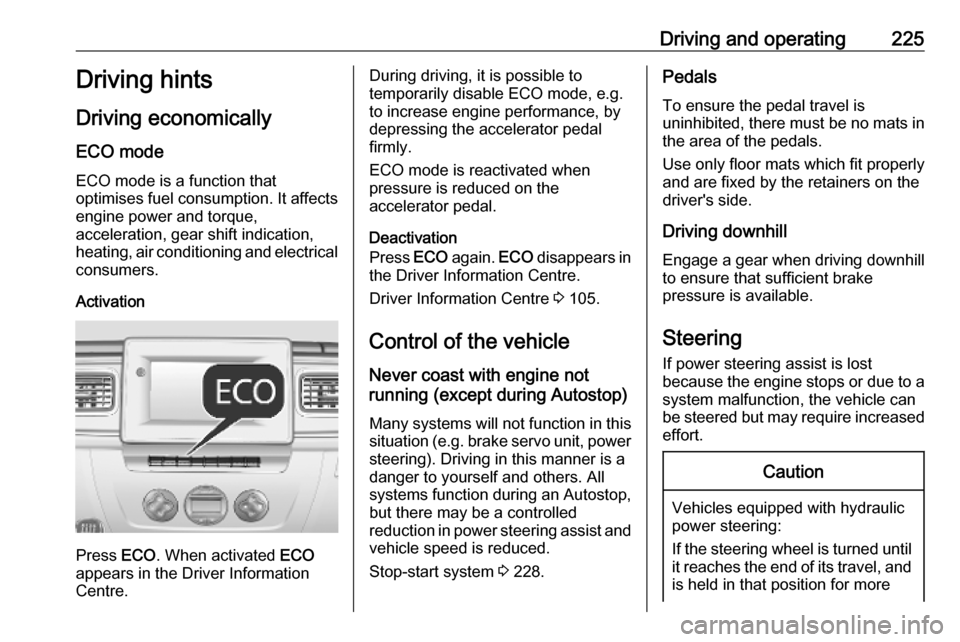
ECO mode ECO mode is a function that
optimises fuel consumption. It affects
engine power and torque,
acceleration, gear shift indication,
heating, air conditioning and electrical consumers.
Activation
Press ECO. When activated ECO
appears in the Driver Information
Centre.
During driving, it is possible to
temporarily disable ECO mode, e.g. to increase engine performance, by
depressing the accelerator pedal
firmly.
ECO mode is reactivated when
pressure is reduced on the
accelerator pedal.
Deactivation
Press ECO again. ECO disappears in
the Driver Information Centre.
Driver Information Centre 3 105.
Control of the vehicle
Never coast with engine not
running (except during Autostop)
Many systems will not function in this
situation (e.g. brake servo unit, power steering). Driving in this manner is a
danger to yourself and others. All
systems function during an Autostop,
but there may be a controlled
reduction in power steering assist and
vehicle speed is reduced.
Stop-start system 3 228.Pedals
To ensure the pedal travel is
uninhibited, there must be no mats in the area of the pedals.
Use only floor mats which fit properly
and are fixed by the retainers on the
driver's side.
Driving downhill
Engage a gear when driving downhill
to ensure that sufficient brake
pressure is available.
Steering If power steering assist is lost
because the engine stops or due to a
system malfunction, the vehicle can
be steered but may require increased
effort.Caution
Vehicles equipped with hydraulic
power steering:
If the steering wheel is turned until it reaches the end of its travel, and
is held in that position for more
Page 228 of 353

226Driving and operatingthan 15 seconds, damage may
occur to the power steering
system and there may be loss of
power steering assist.Starting and operating
New vehicle running-in Do not brake unnecessarily hard for
the first few journeys and after new
disc brake pads have been fitted.
During the first drive, smoke may
occur because of wax and oil
evaporating off the exhaust system. Park the vehicle in the open for a
while after the first drive and avoid
inhaling the fumes.
Limit the engine speed to 2,500/min for the first 1,500 km.
During the running-in period fuel and engine oil consumption may be
higher and the cleaning process of
the diesel particle filter may take
place more often. Autostop may be
inhibited to allow for charging the
vehicle battery.
Stop-start system 3 228.
Diesel particle filter 3 233.
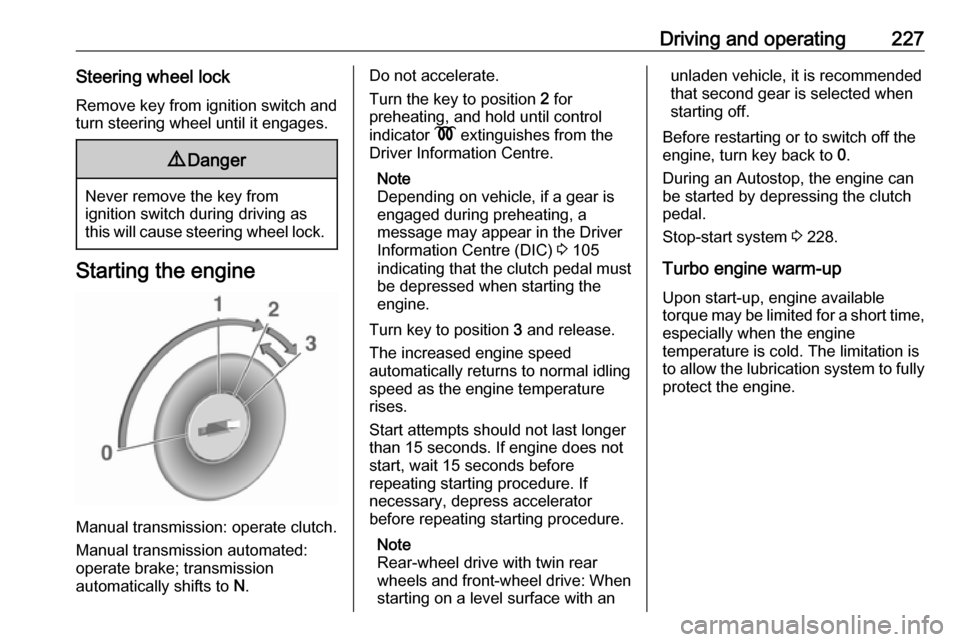
Ignition switch positions Turn key:0:ignition off: Some functions
remain active until key is
removed or driver's door is
opened, provided the ignition was
on previously1:accessory power mode: Steering wheel lock released, some
electrical functions are operable,
ignition is off2:ignition is on, diesel engine is
preheating. Control indicators
illuminate and most electrical
functions are operable3:engine start: Release key after
starting procedure begins
Page 229 of 353
Driving and operating227Steering wheel lockRemove key from ignition switch and
turn steering wheel until it engages.9 Danger
Never remove the key from
ignition switch during driving as
this will cause steering wheel lock.
Starting the engine
Manual transmission: operate clutch.
Manual transmission automated:
operate brake; transmission
automatically shifts to N.
Do not accelerate.
Turn the key to position 2 for
preheating, and hold until control
indicator N extinguishes from the
Driver Information Centre.
Note
Depending on vehicle, if a gear is
engaged during preheating, a
message may appear in the Driver
Information Centre (DIC) 3 105
indicating that the clutch pedal must be depressed when starting the
engine.
Turn key to position 3 and release.
The increased engine speed
automatically returns to normal idling
speed as the engine temperature
rises.
Start attempts should not last longer
than 15 seconds. If engine does not
start, wait 15 seconds before
repeating starting procedure. If
necessary, depress accelerator
before repeating starting procedure.
Note
Rear-wheel drive with twin rear
wheels and front-wheel drive: When
starting on a level surface with anunladen vehicle, it is recommended
that second gear is selected when
starting off.
Before restarting or to switch off the
engine, turn key back to 0.
During an Autostop, the engine can
be started by depressing the clutch
pedal.
Stop-start system 3 228.
Turbo engine warm-up
Upon start-up, engine available
torque may be limited for a short time, especially when the engine
temperature is cold. The limitation is
to allow the lubrication system to fully
protect the engine.
Page 230 of 353
228Driving and operatingIdle speed control
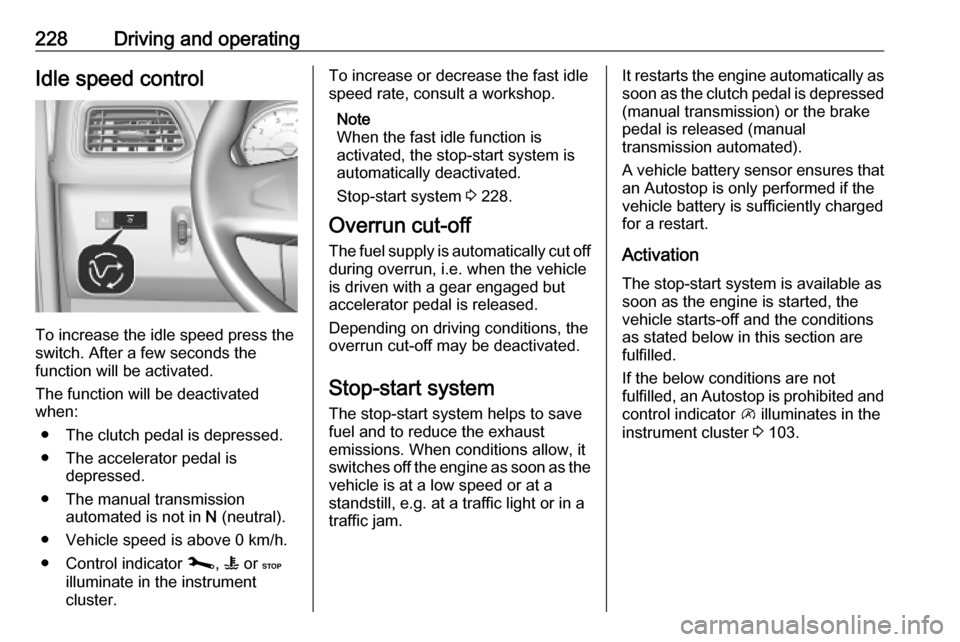
To increase the idle speed press the
switch. After a few seconds the
function will be activated.
The function will be deactivated
when:
● The clutch pedal is depressed.
● The accelerator pedal is depressed.
● The manual transmission automated is not in N (neutral).
● Vehicle speed is above 0 km/h. ● Control indicator j, W or C
illuminate in the instrument
cluster.
To increase or decrease the fast idle
speed rate, consult a workshop.
Note
When the fast idle function is
activated, the stop-start system is
automatically deactivated.
Stop-start system 3 228.
Overrun cut-off
The fuel supply is automatically cut off
during overrun, i.e. when the vehicle
is driven with a gear engaged but accelerator pedal is released.
Depending on driving conditions, the
overrun cut-off may be deactivated.
Stop-start system The stop-start system helps to save
fuel and to reduce the exhaust
emissions. When conditions allow, it
switches off the engine as soon as the
vehicle is at a low speed or at a
standstill, e.g. at a traffic light or in a
traffic jam.It restarts the engine automatically as
soon as the clutch pedal is depressed (manual transmission) or the brake
pedal is released (manual
transmission automated).
A vehicle battery sensor ensures that
an Autostop is only performed if the vehicle battery is sufficiently charged
for a restart.
Activation
The stop-start system is available as
soon as the engine is started, the
vehicle starts-off and the conditions
as stated below in this section are
fulfilled.
If the below conditions are not
fulfilled, an Autostop is prohibited and
control indicator \ illuminates in the
instrument cluster 3 103.