instrument panel OPEL MOVANO_B 2020 Manual user
[x] Cancel search | Manufacturer: OPEL, Model Year: 2020, Model line: MOVANO_B, Model: OPEL MOVANO_B 2020Pages: 353, PDF Size: 9.4 MB
Page 91 of 353
Instruments and controls89
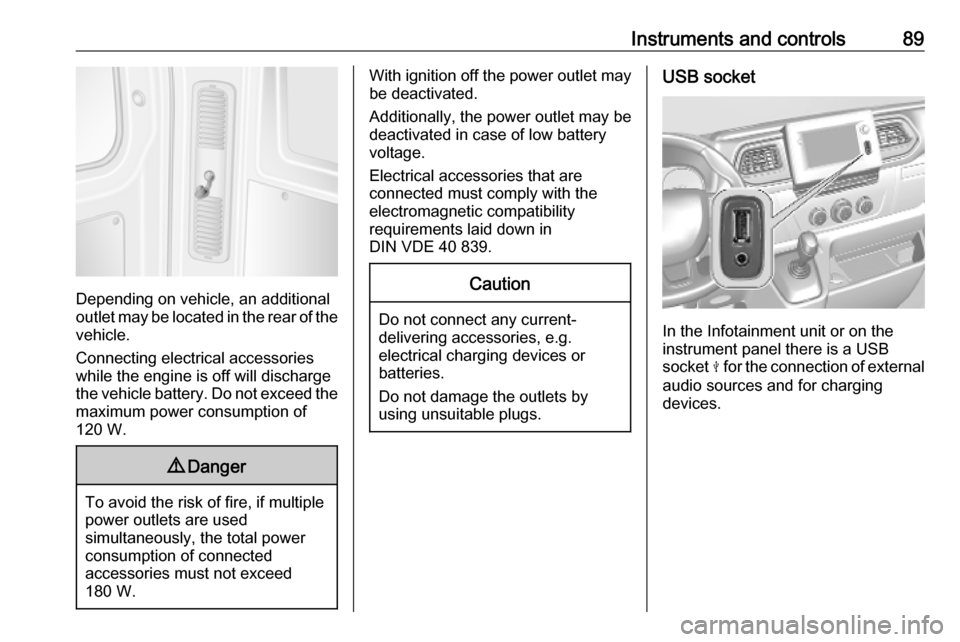
Depending on vehicle, an additional
outlet may be located in the rear of the
vehicle.
Connecting electrical accessories
while the engine is off will discharge
the vehicle battery. Do not exceed the
maximum power consumption of
120 W.
9 Danger
To avoid the risk of fire, if multiple
power outlets are used
simultaneously, the total power
consumption of connected
accessories must not exceed
180 W.
With ignition off the power outlet may
be deactivated.
Additionally, the power outlet may be
deactivated in case of low battery
voltage.
Electrical accessories that are
connected must comply with the
electromagnetic compatibility
requirements laid down in
DIN VDE 40 839.Caution
Do not connect any current- delivering accessories, e.g.
electrical charging devices or
batteries.
Do not damage the outlets by
using unsuitable plugs.
USB socket
In the Infotainment unit or on the
instrument panel there is a USB
socket M for the connection of external
audio sources and for charging
devices.
Page 131 of 353

Infotainment system129Note
If equipped, the voice recognition
button 5 may be located on the
steering column controls.
Usage
Infotainment controls The Infotainment system is operated
via buttons, rotary knobs and/or
display menus.
Inputs are made via:
● the central control unit in the instrument panel 3 122, or
● the controls on the steering column 3 122
● the voice recognition system (if available) 3 191
● the touchscreen (NAVI 50 IntelliLink,
NAVI 80 IntelliLink) 3 136
Note
Only the most direct ways for menu
operation are described in the
subsequent chapters. In some
cases, there may be other options.Switching the Infotainment
system on or off
Press X to switch the Infotainment
system on.
The previously used audio source is
active.
Press X (or, depending on
Infotainment system, press and hold)
to switch the Infotainment system off.
Note
The clock and/or outside
temperature may be displayed when
the Infotainment system is switched
off (depending on version).NAVI 50 IntelliLink:
The Infotainment system
automatically switches on/off when
the ignition is switched on/off. Press
X instead, if required.
Press and hold X for 5 seconds to
restart the system.NAVI 80 IntelliLink:
The Infotainment system switches on automatically when the ignition is
switched on (depending on version).
Press X instead, if required.The following options may be
displayed (depending on version):
● Change settings (to authorise or
reject data sharing)
The system displays a screen to
confirm the authorisation of data
sharing after touching Change
settings .
Note
When data sharing is switched off,
certain features may not operate
correctly.
● Language (to change the system
language)
● Done (to continue to the Home
page)
● Help (to see more detailed
information)
The Infotainment system
automatically switches off when the
ignition is switched off and the driver's door is opened. Press X instead, if
required.
Automatic switch-off
With the ignition off, if the
Infotainment system is switched on
with X, it will switch-off automatically
Page 136 of 353

134Infotainment system●My preferred trips
Displays changes in driving style
(when journey data has been
saved).
The 'Summary' tab for each
journey type (e.g. Home/work)
displays the following: Total route distance, distance covered, date
of information update and
average driving economy rating
out of 100.
The 'Detailed report'/'Details' tab
displays journey record
information.
● Eco-coaching
Displays advice for reducing fuel consumption.
Scroll through the pages and
familiarise yourself with the
advice.Onboard computer
Displays the following information
since the last reset:
● start date of calculation
● total distance
● average speed● average fuel consumption
● total fuel consumption
To reset onboard computer and
instrument panel trip computer
information, touch Reset then Yes to
confirm.
For further information, refer to "Trip
computer" in the Owner's Manual.Settings
The following settings can be
changed:
● Park assist
● Volume :
Touch < or ] alongside the
volume bar to change volume of the ultrasonic parking
assist system. For further
information, refer to "Parking
assist" in the Owner's
Manual.
● Rear camera view settings
(available depending on
version):
Select to switch rear view
camera on/off, change
guidelines (static/dynamic)
and adjust image settings(e.g. brightness, colour and
contrast).
Touch Done to save
changes. For further
information, refer to "Rear view camera" in the Owner's
Manual.
● < (pop-up menu):
Touch < in the Park Assist
menu or submenus followed
by Reset to the default
values to restore default
factory settings for all or
current park assist options.
● Image settings (available
depending on version)
To adjust e.g., brightness, colour
and contrast.
● The following options (depending
on vehicle) can also be adjusted:
● Daytime running lights (switch on/off).
● Unlock the driver's door only when opening the door
(switch on/off).
● Easy access (switch on/off).
Page 153 of 353
Infotainment system151Digital audio broadcasting
Digital audio broadcasting (DAB) is
an innovative and universal
broadcast system.
General information ● DAB stations are indicated by the
programme name instead of thebroadcasting frequency.
● With DAB, several radio programmes (services) can be
broadcast on a single frequency (ensemble).
● Besides high-quality digital audio
services, DAB is also able to
transmit programme-associated
data and a multitude of other data services including travel andtraffic information.
● As long as a given DAB receiver can pick up the signal sent out bya broadcasting station (even if
the signal is very weak), sound
reproduction is ensured.
● There is no fading (weakening of
the sound) that is typical of AM or
FM reception. The DAB signal is
reproduced at a constant volume.● Interference caused by stations that are on nearby frequencies (a
phenomenon that is typical of AM and FM reception) does not
occur with DAB.
If the DAB signal is too weak to
be picked up by the receiver, the
system switches over to the
same programme on another
DAB or FM station.
● If the DAB signal is reflected by natural obstacles or buildings,
the reception quality of DAB is
improved, whereas AM or FM
reception is considerably
impaired in such cases.
● When DAB reception is enabled, the FM tuner of the Infotainmentsystem remains active in the
background and continually
searches for the best receivable
FM stations.AUX input
General information
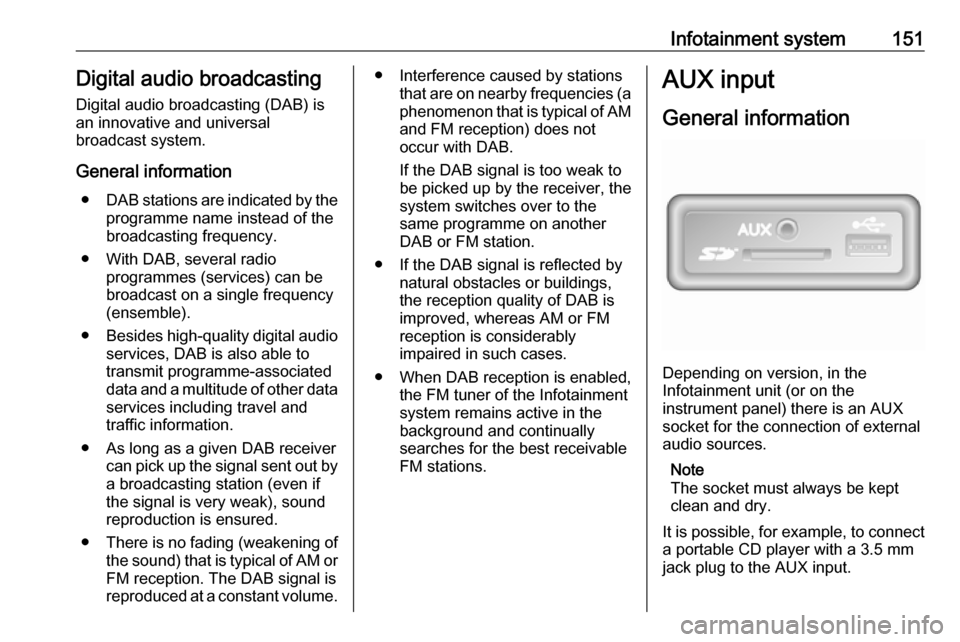
Depending on version, in the
Infotainment unit (or on the
instrument panel) there is an AUX
socket for the connection of external audio sources.
Note
The socket must always be kept
clean and dry.
It is possible, for example, to connect a portable CD player with a 3.5 mm
jack plug to the AUX input.
Page 155 of 353
Infotainment system153Touch < to open a pop-up menu
(depending on version). The following
options are available:
● Auxiliary socket : Change the
audio source to AUX mode, then
switch on the auxiliary device.
● USB : Refer to
(NAVI 80 IntelliLink) "USB port"
3 153.
● Bluetooth connection : Refer to
(NAVI 80 IntelliLink) "Bluetooth music" 3 156USB port
General information
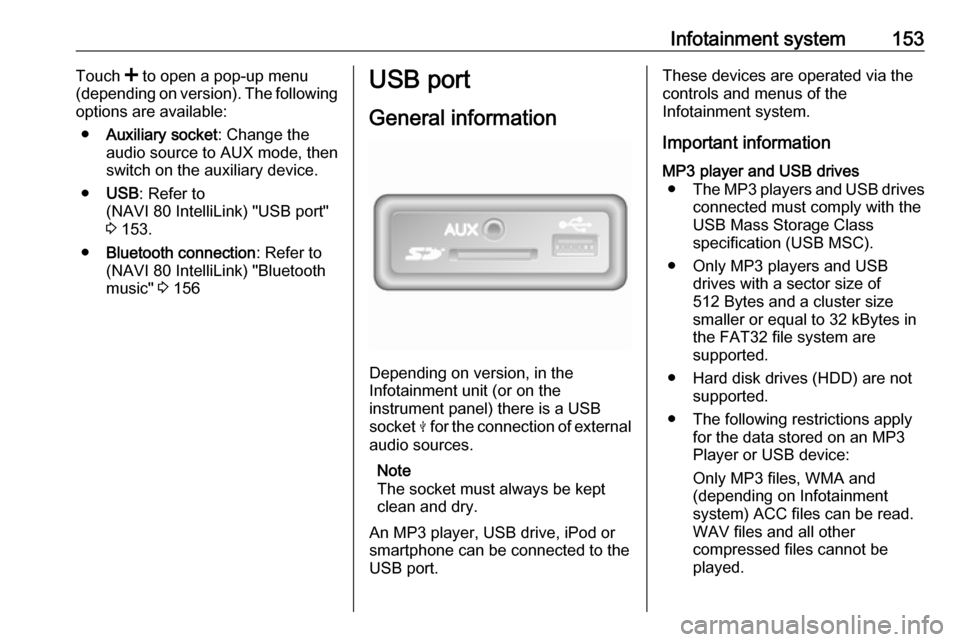
Depending on version, in the
Infotainment unit (or on the
instrument panel) there is a USB
socket M for the connection of external
audio sources.
Note
The socket must always be kept
clean and dry.
An MP3 player, USB drive, iPod or
smartphone can be connected to the
USB port.
These devices are operated via the
controls and menus of the
Infotainment system.
Important informationMP3 player and USB drives ● The MP3 players and USB drives
connected must comply with the
USB Mass Storage Class
specification (USB MSC).
● Only MP3 players and USB drives with a sector size of
512 Bytes and a cluster size smaller or equal to 32 kBytes in
the FAT32 file system are
supported.
● Hard disk drives (HDD) are not supported.
● The following restrictions apply for the data stored on an MP3
Player or USB device:
Only MP3 files, WMA and
(depending on Infotainment
system) ACC files can be read.
WAV files and all other
compressed files cannot be
played.
Page 169 of 353
Infotainment system167SD cardNAVI 80 IntelliLinkInserting the SD card
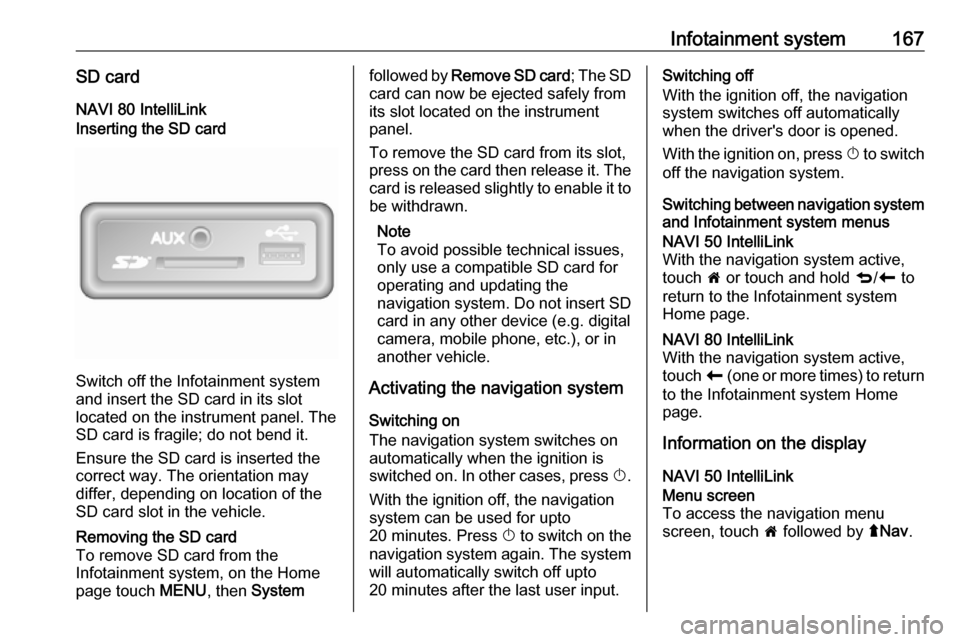
Switch off the Infotainment system
and insert the SD card in its slot
located on the instrument panel. The
SD card is fragile; do not bend it.
Ensure the SD card is inserted the
correct way. The orientation may
differ, depending on location of the
SD card slot in the vehicle.
Removing the SD card
To remove SD card from the
Infotainment system, on the Home
page touch MENU, then Systemfollowed by Remove SD card ; The SD
card can now be ejected safely from its slot located on the instrument
panel.
To remove the SD card from its slot,
press on the card then release it. The
card is released slightly to enable it to be withdrawn.
Note
To avoid possible technical issues,
only use a compatible SD card for
operating and updating the
navigation system. Do not insert SD
card in any other device (e.g. digital
camera, mobile phone, etc.), or in
another vehicle.
Activating the navigation system
Switching on
The navigation system switches on
automatically when the ignition is
switched on. In other cases, press X.
With the ignition off, the navigation
system can be used for upto
20 minutes. Press X to switch on the
navigation system again. The system
will automatically switch off upto
20 minutes after the last user input.Switching off
With the ignition off, the navigation system switches off automatically
when the driver's door is opened.
With the ignition on, press X to switch
off the navigation system.
Switching between navigation system and Infotainment system menusNAVI 50 IntelliLink
With the navigation system active,
touch 7 or touch and hold q/r to
return to the Infotainment system
Home page.NAVI 80 IntelliLink
With the navigation system active,
touch r (one or more times) to return
to the Infotainment system Home page.
Information on the display
NAVI 50 IntelliLink
Menu screen
To access the navigation menu
screen, touch 7 followed by ýNav .
Page 212 of 353
210Climate controlAir recirculation system
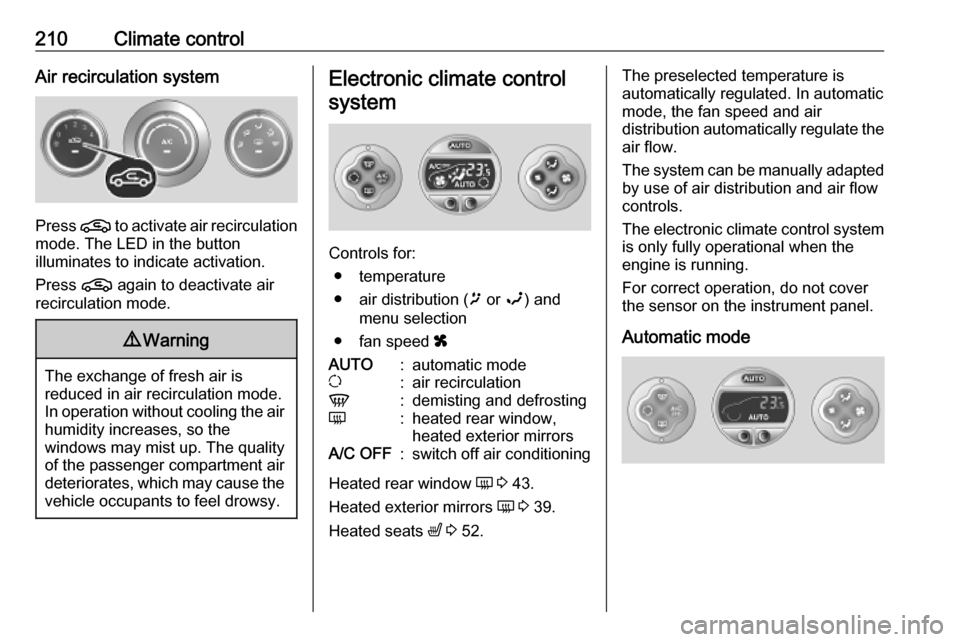
Press n to activate air recirculation
mode. The LED in the button
illuminates to indicate activation.
Press n again to deactivate air
recirculation mode.
9 Warning
The exchange of fresh air is
reduced in air recirculation mode.
In operation without cooling the air humidity increases, so the
windows may mist up. The quality
of the passenger compartment air
deteriorates, which may cause the vehicle occupants to feel drowsy.
Electronic climate control
system
Controls for: ● temperature
● air distribution ( ï or î) and
menu selection
● fan speed x
AUTO:automatic modeu:air recirculationV:demisting and defrostingÜ:heated rear window,
heated exterior mirrorsA/C OFF:switch off air conditioning
Heated rear window Ü 3 43.
Heated exterior mirrors Ü 3 39.
Heated seats ß 3 52.
The preselected temperature is
automatically regulated. In automatic
mode, the fan speed and air
distribution automatically regulate the
air flow.
The system can be manually adapted by use of air distribution and air flow
controls.
The electronic climate control system
is only fully operational when the
engine is running.
For correct operation, do not cover
the sensor on the instrument panel.
Automatic mode
Page 219 of 353
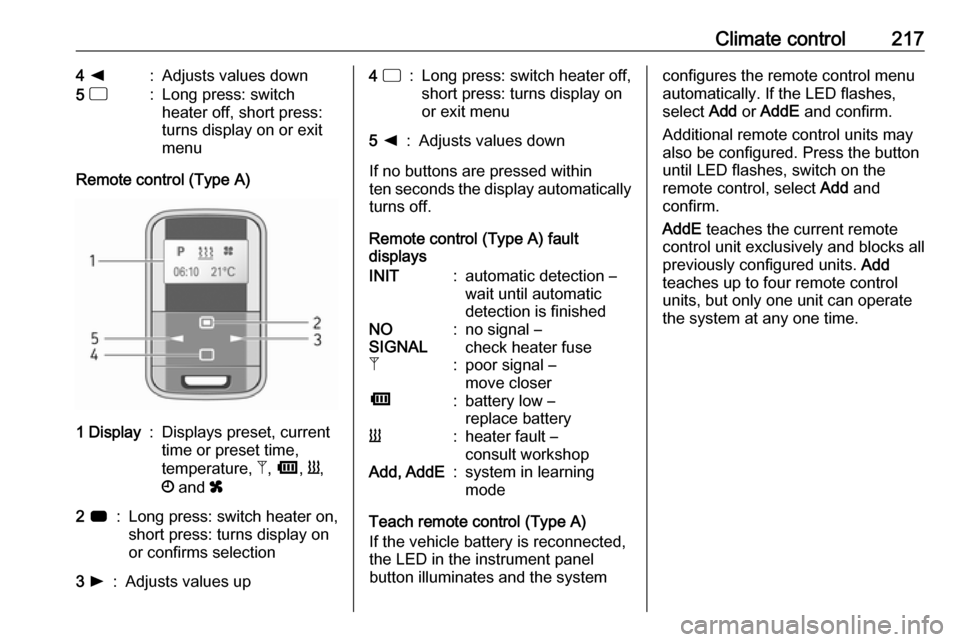
Climate control2174 k:Adjusts values down5 d:Long press: switch
heater off, short press:
turns display on or exit
menu
Remote control (Type A)
1 Display:Displays preset, current
time or preset time,
temperature, Z, Ü , Y ,
Ö and x2 7:Long press: switch heater on,
short press: turns display on
or confirms selection3 l:Adjusts values up4 d:Long press: switch heater off,
short press: turns display on
or exit menu5 k:Adjusts values down
If no buttons are pressed within
ten seconds the display automatically
turns off.
Remote control (Type A) fault
displays
INIT:automatic detection –
wait until automatic
detection is finishedNO
SIGNAL:no signal –
check heater fuseZ:poor signal –
move closerÜ:battery low –
replace batteryY:heater fault –
consult workshopAdd, AddE:system in learning
mode
Teach remote control (Type A)
If the vehicle battery is reconnected,
the LED in the instrument panel
button illuminates and the system
configures the remote control menu
automatically. If the LED flashes,
select Add or AddE and confirm.
Additional remote control units may
also be configured. Press the button
until LED flashes, switch on the
remote control, select Add and
confirm.
AddE teaches the current remote
control unit exclusively and blocks all
previously configured units. Add
teaches up to four remote control
units, but only one unit can operate
the system at any one time.
Page 221 of 353

Climate control219Depending on version, the auxiliary
heater can also be switched on for the
last duration time or the default
duration 30 minutes, or cut-off
immediately, using the button on the
instrument panel. The LED in the
button confirms operation.
Battery replacement Replace the battery when the range
of the remote control is reduced or
when the battery charge symbol
flashes.
Open the cover and replace the
battery (Type A: CR 2430, Type B:
2CR 11108, or equivalent), ensuring
the new battery is correctly installed
with the positive ( <) side facing the
positive terminals. Replace the cover
securely.
Dispose of old batteries in
accordance with environmental
regulations.Batteries do not belong in household
waste. They must be disposed of at
an appropriate recycling collection
point.
Operation (Type A)
Heating Y
Select Y in the menu bar and press
G to confirm. The predetermined
heating duration, e.g. L 30, flashes in
the display. The factory setting is 30 minutes.
Adjust the heating duration using k
or l and confirm. The value can be
set from 10 to 120 minutes. Due to the
power consumption, note the heating duration.
To switch off, select Y in the menu bar
again and press d.
Ventilation x
Select x in the menu bar and press
G to confirm.
Adjust the ventilation duration using k or l and confirm. The value can
be set from 10 to 120 minutes. Due to the power consumption, note the
heating duration.To switch off, select x in the menu bar
again and press d.
Programming P
Up to three preset departure times
can be programmed, either during
one day or over one week.
● Select P in the menu bar and
press G to confirm.
● Select desired preset memory number P1, P2 or P3 and
confirm.
● Select F and confirm.
● Select weekday or weekday group and confirm.
● Select hour and confirm.
● Select minutes and confirm.
● Select Y or x and confirm.
● Select ECO or HIGH and confirm.
● Select duration and confirm.
● Press d to exit.
Repeat the procedure to programme
the other preset memory numbers if
required.
Page 232 of 353

230Driving and operating● the vehicle battery is sufficientlycharged and in good condition
● the engine is warmed up
● the engine coolant temperature is
not too high
● the ambient temperature is not too low
● the altitude is not too high
● the slope is not too steep
● the defrosting function is not activated
● the parking assist is not in operation
● the climate control system does not inhibit an Autostop
● the rear air conditioning system is
not activated
● the brake vacuum is sufficient
● the self-cleaning function of the diesel particle filter is not active
3 233
● the vehicle has moved since the last Autostop
Otherwise an Autostop will be
inhibited.An Autostop may become
unavailable as the ambient
temperature approaches freezing
point.
Certain settings of the climate control
system may also inhibit an Autostop.
See "Climate control" chapter for
further information 3 208.
Immediately after motorway driving
an Autostop may be inhibited.
New vehicle running-in 3 226.
Vehicle battery discharge protection
To ensure reliable engine restarts, several vehicle battery discharge
protection features are implemented
as part of the stop-start system.
Restart of the engine by the driverManual transmission
With the selector lever in neutral,
depress the clutch pedal to restart the
engine.
Note
If any gear is selected, the clutch
pedal must be fully depressed to
restart the engine.If the engine does not restart first
time, depress clutch pedal fully again.Manual transmission automated
With the selector lever in position D,
M or N and the parking brake
released, release the brake pedal to
restart the engine.
Engaging reverse gear or depressing the accelerator pedal may also restart
the engine.
The control indicator Ï will extinguish
in the instrument cluster when the
engine is restarted. If certain
conditions are not fulfilled, a restart will not take place. Start using the
ignition key.
Starting the engine 3 227.
Bus
The engine is restarted automatically
when operating the power sliding
door switch on the instrument panel
during an Autostop.
Sliding door 3 30.