battery OPEL VIVARO 2015 User Guide
[x] Cancel search | Manufacturer: OPEL, Model Year: 2015, Model line: VIVARO, Model: OPEL VIVARO 2015Pages: 205, PDF Size: 4.47 MB
Page 110 of 205
108Climate control
In addition to the remote control unit,
the heating can also be switched on
for 30 minutes, or off, using the
button.
Battery replacement
Replace the battery when the range
of the remote control is reduced or
when the battery charge symbol
flashes.
Open the cover using a coin and
replace the battery (CR 2430 or
equivalent), ensuring the new battery
is correctly installed with the positive
( < ) side facing the positive terminals.
Replace the cover securely.
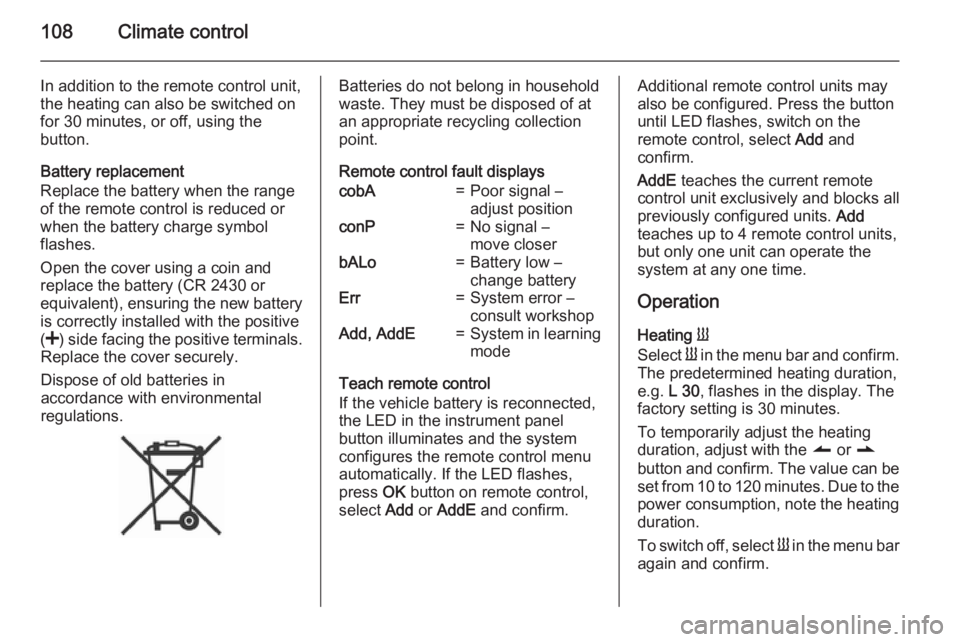
Dispose of old batteries in
accordance with environmental
regulations.Batteries do not belong in household
waste. They must be disposed of at
an appropriate recycling collection
point.
Remote control fault displayscobA=Poor signal –
adjust positionconP=No signal –
move closerbALo=Battery low –
change batteryErr=System error –
consult workshopAdd, AddE=System in learning
mode
Teach remote control
If the vehicle battery is reconnected, the LED in the instrument panel
button illuminates and the system
configures the remote control menu
automatically. If the LED flashes,
press OK button on remote control,
select Add or AddE and confirm.
Additional remote control units may
also be configured. Press the button
until LED flashes, switch on the
remote control, select Add and
confirm.
AddE teaches the current remote
control unit exclusively and blocks all
previously configured units. Add
teaches up to 4 remote control units,
but only one unit can operate the
system at any one time.
Operation
Heating Y
Select Y in the menu bar and confirm.
The predetermined heating duration,
e.g. L 30, flashes in the display. The
factory setting is 30 minutes.
To temporarily adjust the heating
duration, adjust with the q or r
button and confirm. The value can be
set from 10 to 120 minutes. Due to the power consumption, note the heatingduration.
To switch off, select Y in the menu bar
again and confirm.
Page 111 of 205
Climate control109
Ventilation x
Select x in the menu bar and confirm.
The ventilation duration can be
accepted or adjusted. The duration
shown is accepted without
confirmation.
To switch off, select x in the menu bar
again and confirm.
Programming P
Up to 3 preset departure times can be
programmed, either during one day or
over one week.
■ Select P in the menu bar and
confirm
■ Select desired preset memory number 1, 2 or 3 and confirm
■ Select day and confirm
■ Select hour and confirm
■ Select minutes and confirm
■ Select Y or x and confirm
■ If necessary, adjust the runtime duration prior to departure and
confirmThe next preset memory number to
be activated is underlined and the
weekday is displayed. Repeat the
procedure to programme the other preset memory numbers.
Pressing button X during the
procedure will exit without storing
programme adjustments.
To delete a preset departure time,
follow the steps for programming until
heating symbol Y flashes. Press
button q or r until oFF appears in
the display and confirm.
Heating stops automatically
5 minutes after the programmed
departure time.
Note
The remote control system features
a temperature sensor which
calculates the runtime according to
the ambient temperature and the desired heating level (ECO or
HIGH). The system starts
automatically between 5 and
60 minutes prior to the programmed
departure time.Set weekday, time and heating
duration Ö
If the vehicle battery is disconnected or its voltage is too low, the unit will
need to be reset.
■ Select Ö and confirm
■ Select weekday and confirm
■ Change hours and confirm
■ Change minutes and confirm
■ Change the default heating duration and confirm
Heating level Y
The preferred heating level for
programmed departure times can be
set to either ECO or HIGH.
Select Y and confirm. ECO or HIGH
flashes in the display. Adjust using
the q or r button and confirm.
Page 115 of 205
Driving and operating113Control of the vehicleNever coast with engine not
running
Many systems will not function in this
situation ( e.g. brake servo unit, power
steering). Driving in this manner is a
danger to yourself and others.
Pedals To ensure the pedal travel is
uninhibited, there must be no mats in the area of the pedals.
Steering If power steering assist is lost
because the engine stops or due to a
system malfunction, the vehicle can
be steered but may require increased
effort.Caution
Vehicles equipped with hydraulic
power steering:
If the steering wheel is turned until it reaches the end of its travel, and
is held in that position for more
than 15 seconds, damage may
occur to the power steering
system and there may be loss of
power steering assist.
Starting and operating
New vehicle running-in Do not brake unnecessarily hard for
the first few journeys and after new
disc brake pads have been fitted.
During the first drive, smoke may
occur because of wax and oil
evaporating off the exhaust system.
Park the vehicle in the open for a
while after the first drive and avoid
inhaling the fumes.
During the running-in period fuel and
engine oil consumption may be
higher and the cleaning process of the diesel particle filter may take
place more often. Autostop may be inhibited to allow for charging the
vehicle battery.
Stop-start system 3 117.
Diesel particle filter 3 120.
Page 117 of 205
Driving and operating115
At very low outside temperatures
(e.g. below -10 °C) keep the clutch
pedal depressed while pressing the
Start/Stop button until the engine
starts.
If one of the starting conditions is not
applied, a corresponding message
appears in the Driver Information
Centre 3 90.
Vehicle messages 3 91.
Engine stop Electronic key must be inside the
vehicle, either in the card reader or
the front passenger compartment.
With the vehicle stationary, press the
Start/Stop button to stop the engine.
The steering wheel lock is engaged
when the driver's door is opened and the vehicle is locked.
If the electronic key is not detected, a
corresponding message appears in
the Driver Information Centre 3 90 . In
this event, press the Start/Stop button
for 2 seconds to stop the engine.
Central locking system 3 25.Retained power off
Press the Start/Stop button for more
than two seconds; the engine is
stopped while some functions, e.g.
Infotainment system, are available for
use for approx. 10 minutes.
These functions stop working when
the driver's door is opened and the
vehicle is locked.
Note
Always take the electronic key with you when exiting the vehicle.
The electronic key being left in the
card reader is indicated by a warning
chime 3 91 and a message in the
Driver Information Centre 3 91 when
the driver's door is opened.9 Danger
Never leave an electronic key
inside the vehicle when children or animals are left in the vehicle, to
avoid unintended operation of
windows, doors or engine. Risk of
fatal injury.
Fault
If the engine cannot be started, the
cause may be one of the following:
■ Fault in electronic key.
■ Electronic key out of reception range.
■ Battery voltage too low.
■ Overload of the central locking system by operating at frequentintervals, the power supply is
interrupted for a short time.
■ Interference from higher-power radio waves from other sources.
Battery replacement 3 21.
Central locking system 3 25.
Electronic key system 3 23.
Page 120 of 205
118Driving and operating
Deactivation
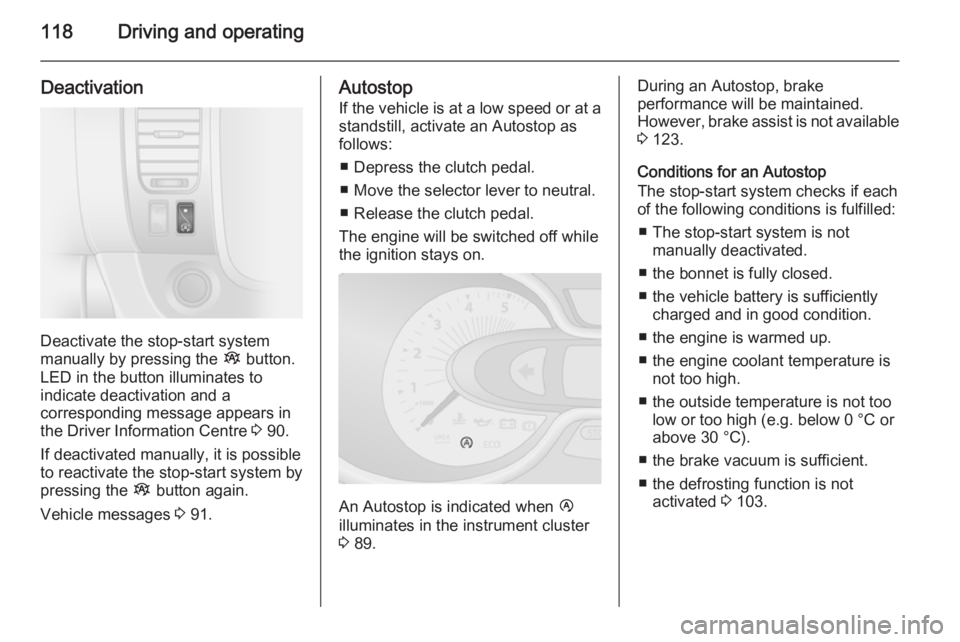
Deactivate the stop-start system
manually by pressing the Î button.
LED in the button illuminates to
indicate deactivation and a
corresponding message appears in
the Driver Information Centre 3 90.
If deactivated manually, it is possible to reactivate the stop-start system by
pressing the Î button again.
Vehicle messages 3 91.
Autostop
If the vehicle is at a low speed or at a standstill, activate an Autostop as
follows:
■ Depress the clutch pedal.
■ Move the selector lever to neutral.
■ Release the clutch pedal.
The engine will be switched off while
the ignition stays on.
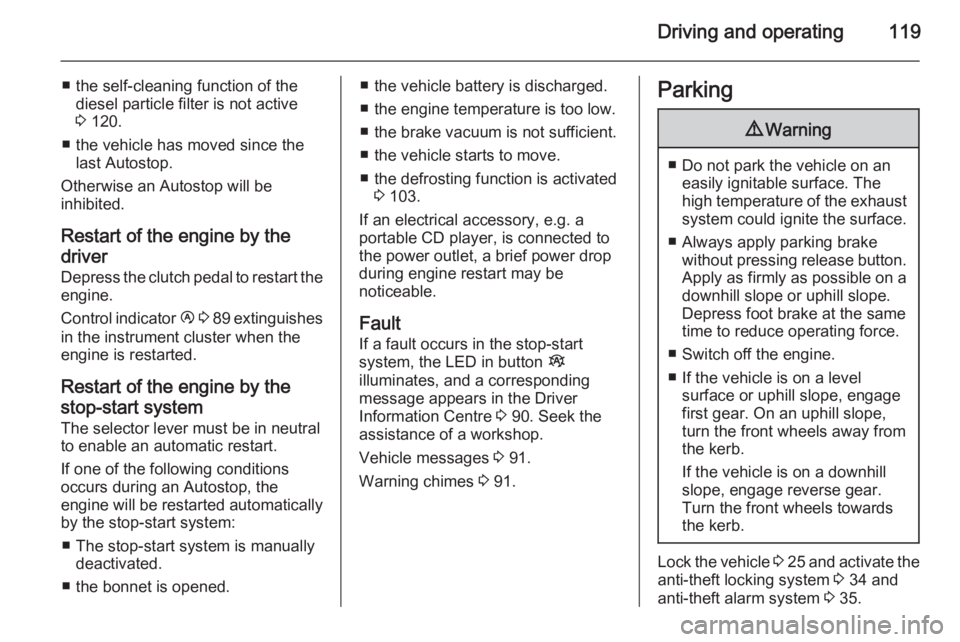
An Autostop is indicated when Ï
illuminates in the instrument cluster
3 89.
During an Autostop, brake
performance will be maintained.
However, brake assist is not available
3 123.
Conditions for an Autostop
The stop-start system checks if each
of the following conditions is fulfilled:
■ The stop-start system is not manually deactivated.
■ the bonnet is fully closed.
■ the vehicle battery is sufficiently charged and in good condition.
■ the engine is warmed up.
■ the engine coolant temperature is not too high.
■ the outside temperature is not too low or too high (e.g. below 0 °C orabove 30 °C).
■ the brake vacuum is sufficient. ■ the defrosting function is not activated 3 103.
Page 121 of 205
Driving and operating119
■ the self-cleaning function of thediesel particle filter is not active
3 120.
■ the vehicle has moved since the last Autostop.
Otherwise an Autostop will be
inhibited.
Restart of the engine by the
driver
Depress the clutch pedal to restart the
engine.
Control indicator Ï 3 89 extinguishes
in the instrument cluster when the
engine is restarted.
Restart of the engine by the
stop-start system
The selector lever must be in neutral to enable an automatic restart.
If one of the following conditions
occurs during an Autostop, the
engine will be restarted automatically
by the stop-start system:
■ The stop-start system is manually deactivated.
■ the bonnet is opened.■ the vehicle battery is discharged.
■ the engine temperature is too low.
■ the brake vacuum is not sufficient.
■ the vehicle starts to move.
■ the defrosting function is activated 3 103.
If an electrical accessory, e.g. a
portable CD player, is connected to
the power outlet, a brief power drop during engine restart may be
noticeable.
Fault If a fault occurs in the stop-start
system, the LED in button Î
illuminates, and a corresponding
message appears in the Driver
Information Centre 3 90. Seek the
assistance of a workshop.
Vehicle messages 3 91.
Warning chimes 3 91.Parking9 Warning
■ Do not park the vehicle on an
easily ignitable surface. The
high temperature of the exhaust system could ignite the surface.
■ Always apply parking brake without pressing release button.Apply as firmly as possible on a
downhill slope or uphill slope.
Depress foot brake at the same
time to reduce operating force.
■ Switch off the engine.
■ If the vehicle is on a level surface or uphill slope, engage
first gear. On an uphill slope,
turn the front wheels away from the kerb.
If the vehicle is on a downhill
slope, engage reverse gear.
Turn the front wheels towards
the kerb.
Lock the vehicle 3 25 and activate the
anti-theft locking system 3 34 and
anti-theft alarm system 3 35.
Page 141 of 205
Vehicle care139
■ Open the bonnet, close all doorsand lock the vehicle.
■ Disconnect the clamp from the negative terminal of the vehicle
battery. Beware that all systems are
not functional, e.g. anti-theft alarm
system.
Putting back into operation
When the vehicle is to be put back into
operation:
■ Connect the clamp to the negative terminal of the vehicle battery.
Activate the electronics of the
power windows.
■ Check tyre pressure.
■ Fill up the washer fluid reservoir.
■ Check the engine oil level.
■ Check the coolant level.
■ Fit the number plate, if necessary.End-of-life vehicle
recovery
Information on end-of-life vehicle
recovery centres and the recycling of
end-of-life vehicles is available on our website. Only entrust this work to an
authorised recycling centre.Vehicle checks
Performing work9 Warning
Only perform engine compartment
checks when the ignition is off.
The cooling fan may start
operating even if the ignition is off.
9 Danger
The ignition system generates
extremely high voltages. Do not
touch.
The caps for topping up the engine oil, the coolant, the washer fluid and the
oil dipstick handle are yellow for ease
of identification.
Page 146 of 205
144Vehicle care
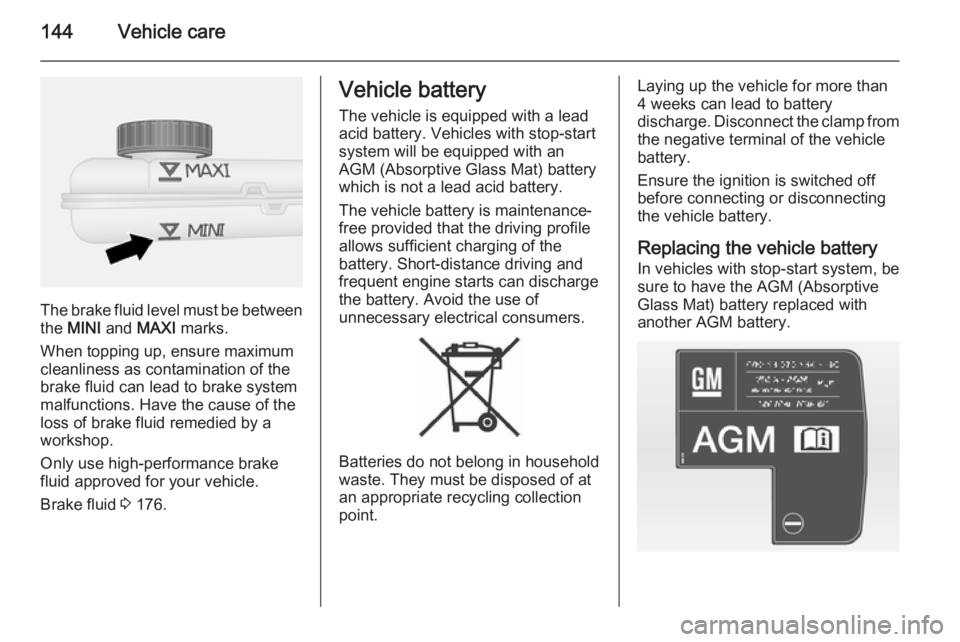
The brake fluid level must be betweenthe MINI and MAXI marks.
When topping up, ensure maximum cleanliness as contamination of the
brake fluid can lead to brake system
malfunctions. Have the cause of the
loss of brake fluid remedied by a
workshop.
Only use high-performance brake
fluid approved for your vehicle.
Brake fluid 3 176.
Vehicle battery
The vehicle is equipped with a lead
acid battery. Vehicles with stop-start
system will be equipped with an
AGM (Absorptive Glass Mat) battery
which is not a lead acid battery.
The vehicle battery is maintenance-
free provided that the driving profile
allows sufficient charging of the
battery. Short-distance driving and
frequent engine starts can discharge
the battery. Avoid the use of
unnecessary electrical consumers.
Batteries do not belong in household
waste. They must be disposed of at
an appropriate recycling collection
point.
Laying up the vehicle for more than
4 weeks can lead to battery
discharge. Disconnect the clamp from the negative terminal of the vehicle
battery.
Ensure the ignition is switched off
before connecting or disconnecting
the vehicle battery.
Replacing the vehicle battery
In vehicles with stop-start system, be
sure to have the AGM (Absorptive
Glass Mat) battery replaced with
another AGM battery.
Page 147 of 205
Vehicle care145
An AGM battery can be identified by
the label on the battery. We
recommend the use of an original
Opel battery.
Note
Using an AGM vehicle battery
different from the original Opel
vehicle battery may result in a lower performance of the stop-start
system.
We recommend that you have the
vehicle battery replaced by a
workshop.
Stop-start system 3 117.
Charging the vehicle battery9 Warning
On vehicles with stop-start
system, ensure that the charging potential does not exceed
14.6 volts when using a battery
charger. Otherwise the vehicle
battery might be damaged.
9 Danger
Ensure adequate ventilation when
charging the battery. There is a
risk of explosion if gases
generated during charging are
allowed to accumulate!
Jump starting 3 168.
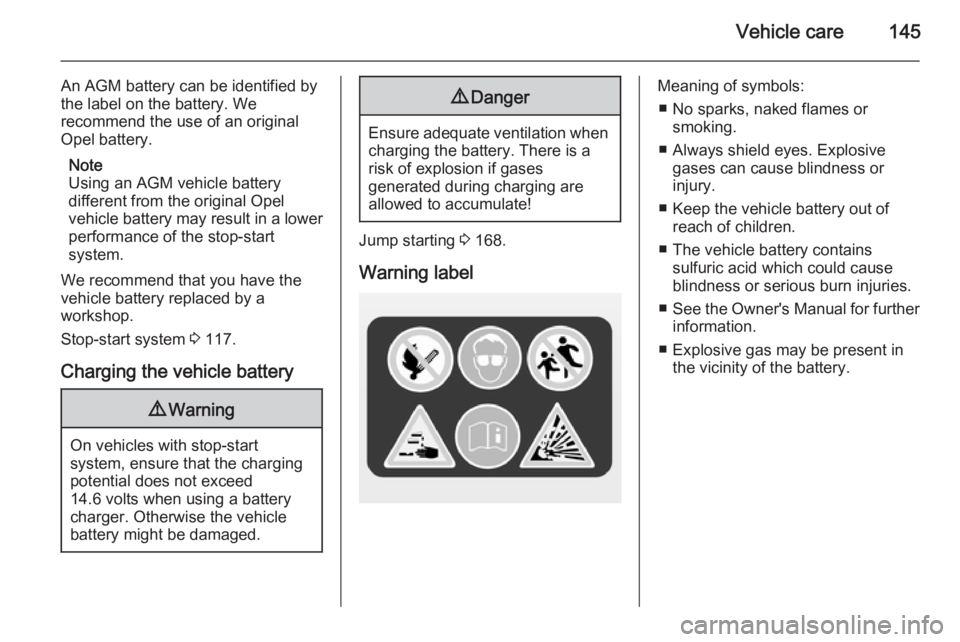
Warning label
Meaning of symbols: ■ No sparks, naked flames or smoking.
■ Always shield eyes. Explosive gases can cause blindness or
injury.
■ Keep the vehicle battery out of reach of children.
■ The vehicle battery contains sulfuric acid which could cause
blindness or serious burn injuries.
■ See the Owner's Manual for further
information.
■ Explosive gas may be present in the vicinity of the battery.
Page 157 of 205
Vehicle care155
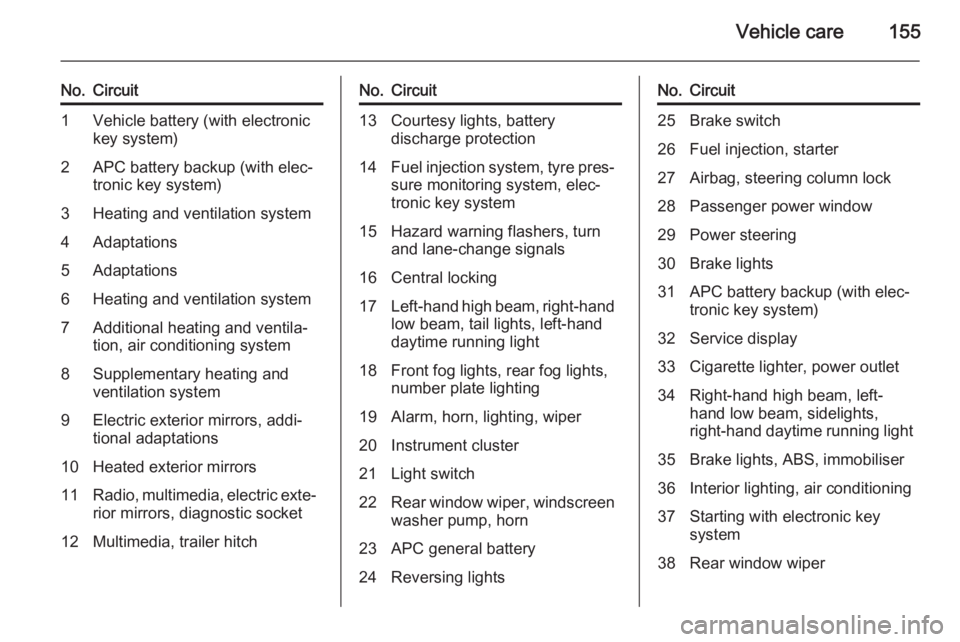
No.Circuit1Vehicle battery (with electronic
key system)2APC battery backup (with elec‐
tronic key system)3Heating and ventilation system4Adaptations5Adaptations6Heating and ventilation system7Additional heating and ventila‐
tion, air conditioning system8Supplementary heating and
ventilation system9Electric exterior mirrors, addi‐
tional adaptations10Heated exterior mirrors11Radio, multimedia, electric exte‐ rior mirrors, diagnostic socket12Multimedia, trailer hitchNo.Circuit13Courtesy lights, battery
discharge protection14Fuel injection system, tyre pres‐ sure monitoring system, elec‐
tronic key system15Hazard warning flashers, turn and lane-change signals16Central locking17Left-hand high beam, right-hand
low beam, tail lights, left-hand
daytime running light18Front fog lights, rear fog lights,
number plate lighting19Alarm, horn, lighting, wiper20Instrument cluster21Light switch22Rear window wiper, windscreen
washer pump, horn23APC general battery24Reversing lightsNo.Circuit25Brake switch26Fuel injection, starter27Airbag, steering column lock28Passenger power window29Power steering30Brake lights31APC battery backup (with elec‐
tronic key system)32Service display33Cigarette lighter, power outlet34Right-hand high beam, left-
hand low beam, sidelights,
right-hand daytime running light35Brake lights, ABS, immobiliser36Interior lighting, air conditioning37Starting with electronic key
system38Rear window wiper