instrument panel OPEL VIVARO 2015 User Guide
[x] Cancel search | Manufacturer: OPEL, Model Year: 2015, Model line: VIVARO, Model: OPEL VIVARO 2015Pages: 205, PDF Size: 4.47 MB
Page 82 of 205
80Instruments and controls
The cigarette lighter is located on the
instrument panel.
Press in cigarette lighter. It switches
off automatically once the element is
glowing. Pull out lighter.
AshtraysCaution
To be used only for ash and not forcombustible rubbish.
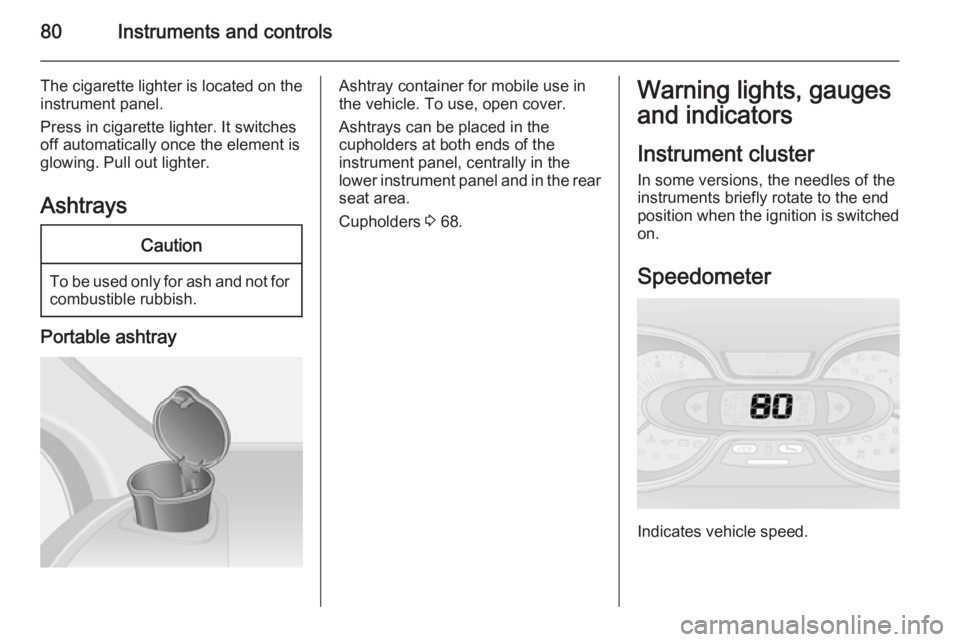
Portable ashtray
Ashtray container for mobile use in
the vehicle. To use, open cover.
Ashtrays can be placed in the
cupholders at both ends of the
instrument panel, centrally in the
lower instrument panel and in the rear
seat area.
Cupholders 3 68.Warning lights, gauges
and indicators
Instrument cluster
In some versions, the needles of the instruments briefly rotate to the end
position when the ignition is switched
on.
Speedometer
Indicates vehicle speed.
Page 83 of 205
Instruments and controls81
Speed limiterMaximum speed may be restricted by
a speed limiter. As a visible indication
of this, a warning label is located on
the instrument panel.
A warning buzzer will sound for
10 seconds every 40 seconds if the vehicle briefly exceeds the set limit.
Note
Under certain conditions (e.g. steep inclines), the vehicle speed may
exceed the set limit.
Speed limiter 3 130, cruise control
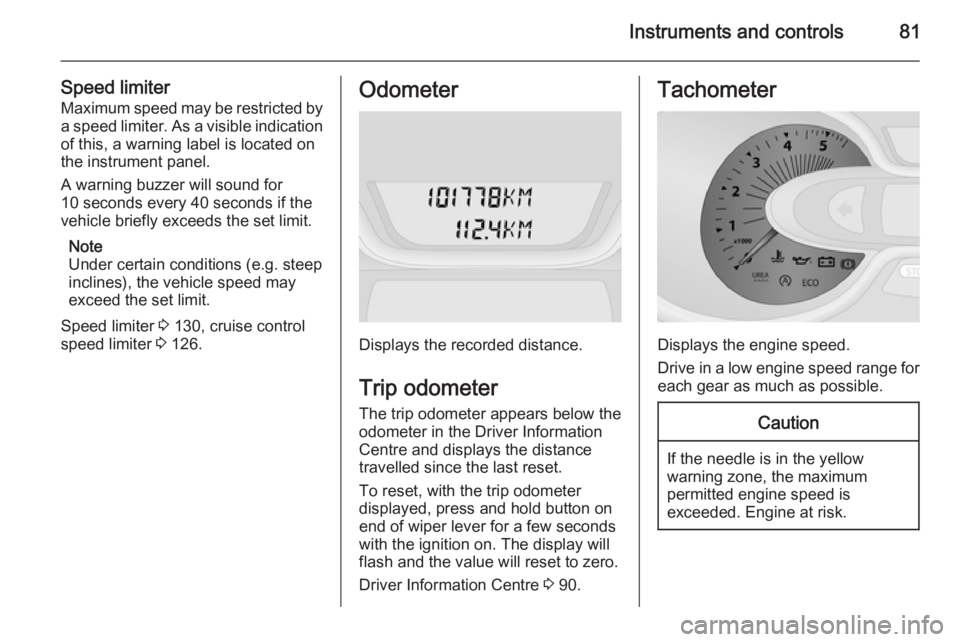
speed limiter 3 126.Odometer
Displays the recorded distance.
Trip odometer The trip odometer appears below the
odometer in the Driver Information
Centre and displays the distance
travelled since the last reset.
To reset, with the trip odometer
displayed, press and hold button on
end of wiper lever for a few seconds
with the ignition on. The display will
flash and the value will reset to zero.
Driver Information Centre 3 90.
Tachometer
Displays the engine speed.
Drive in a low engine speed range for each gear as much as possible.
Caution
If the needle is in the yellow
warning zone, the maximum
permitted engine speed is
exceeded. Engine at risk.
Page 90 of 205
88Instruments and controlsElectronic Stability
Program off
Ø illuminates yellow.
If ESP ®Plus
has been deactivated with
button Ø on the instrument panel,
control indicator Ø illuminates and a
corresponding message appears in
the Driver Information Centre 3 90.
ESP® Plus
3 125, Traction Control
system 3 124.
Engine coolant
temperature
W illuminates blue or red.
Illuminates red briefly when the
ignition is switched on, then turns
blue.
Illuminates red when the engine
is running Stop, switch off engine.Caution
Coolant temperature too high.
Check coolant level 3 142.
If there is sufficient coolant, consult a workshop.
The control indicator must be blue
before continuing driving.
Preheating
! illuminates yellow.
Preheating is activated. Only
activates when outside temperature
is low.
Tyre pressure monitoring
system
w illuminates or flashes.
Illuminates Tyre pressure loss. Stop immediately
and check tyre pressure.
Flashes Fault in system or tyre without
pressure sensor mounted ( e.g. spare
wheel). After a delay the control
indicator illuminates continuously.
Consult a workshop.Tyre pressure monitoring system 3 158.
Engine oil pressure
I illuminates red.
Illuminates briefly when the ignition is
switched on.
Illuminates when the engine is running
If control indicator I illuminates
when the engine is running (together
with control indicator C and a
warning chime): Stop, switch off
engine.Caution
Engine lubrication may be
interrupted. This may result in
damage to the engine and/or
locking of the drive wheels.
1. Depress clutch.
2. Select neutral gear (or move selector lever to N).
Page 100 of 205
98Lighting
If the lever is moved past the first stop,the turn signal is switched on
constantly. Switch the turn signal off
manually by moving the lever to its
original position.
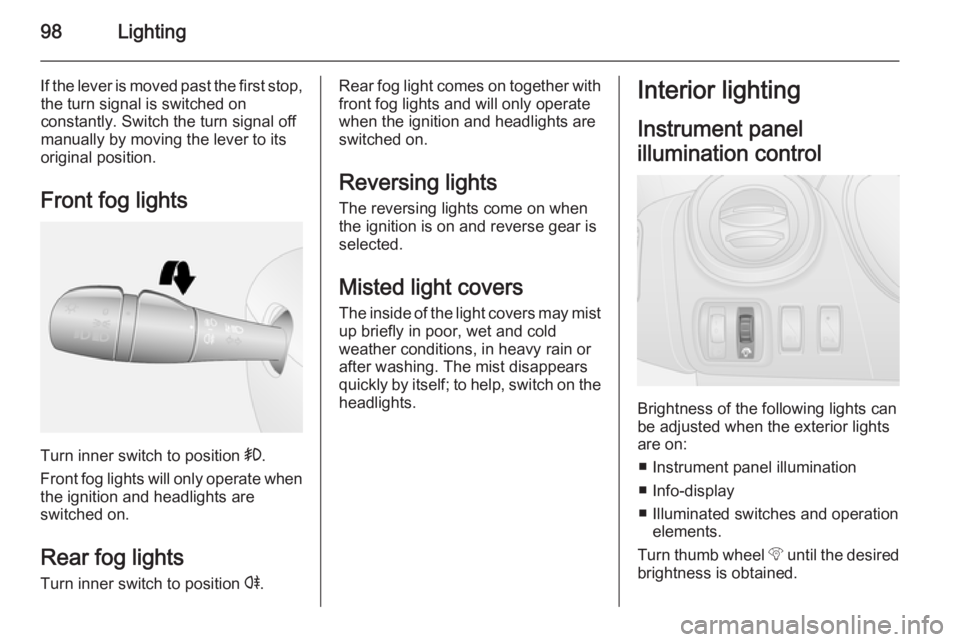
Front fog lights
Turn inner switch to position >.
Front fog lights will only operate when
the ignition and headlights are
switched on.
Rear fog lights Turn inner switch to position r.
Rear fog light comes on together with
front fog lights and will only operate
when the ignition and headlights are
switched on.
Reversing lights The reversing lights come on when
the ignition is on and reverse gear is
selected.
Misted light covers The inside of the light covers may mistup briefly in poor, wet and cold
weather conditions, in heavy rain or
after washing. The mist disappears
quickly by itself; to help, switch on the
headlights.Interior lighting
Instrument panel
illumination control
Brightness of the following lights can
be adjusted when the exterior lights
are on:
■ Instrument panel illumination
■ Info-display
■ Illuminated switches and operation elements.
Turn thumb wheel b until the desired
brightness is obtained.
Page 107 of 205
Climate control1059Warning
The exchange of fresh air is
reduced in air recirculation mode.
In operation without cooling the air humidity increases, so the
windows may mist up from inside.
The quality of the passenger
compartment air deteriorates,
which may cause the vehicle
occupants to feel drowsy.
To return to Automatic mode: Press
AUTO button.
Rear heating system
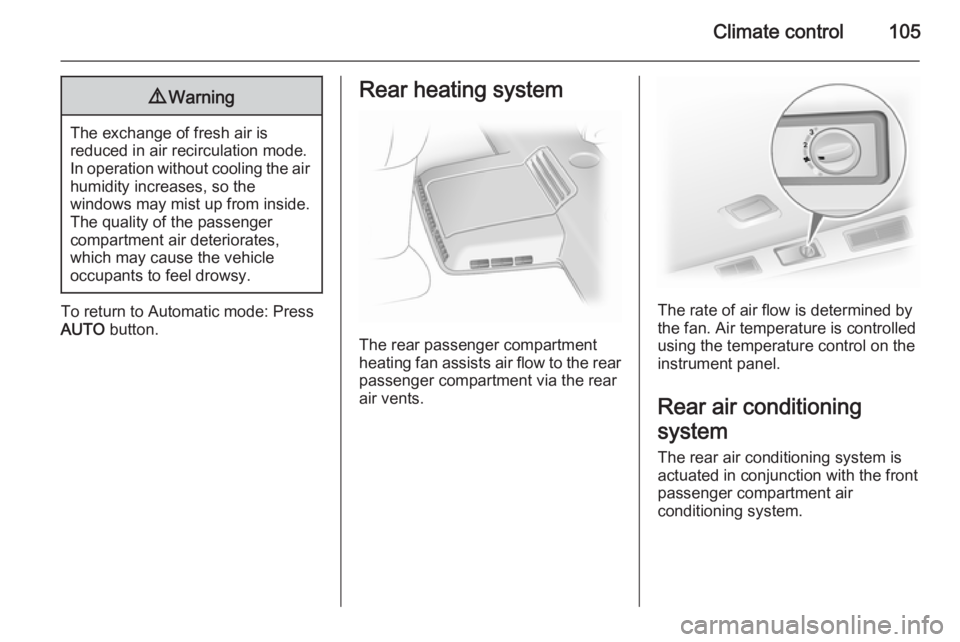
The rear passenger compartment
heating fan assists air flow to the rear
passenger compartment via the rear
air vents.
The rate of air flow is determined by
the fan. Air temperature is controlled
using the temperature control on the
instrument panel.
Rear air conditioning
system
The rear air conditioning system is
actuated in conjunction with the front
passenger compartment air
conditioning system.
Page 110 of 205
108Climate control
In addition to the remote control unit,
the heating can also be switched on
for 30 minutes, or off, using the
button.
Battery replacement
Replace the battery when the range
of the remote control is reduced or
when the battery charge symbol
flashes.
Open the cover using a coin and
replace the battery (CR 2430 or
equivalent), ensuring the new battery
is correctly installed with the positive
( < ) side facing the positive terminals.
Replace the cover securely.
Dispose of old batteries in
accordance with environmental
regulations.Batteries do not belong in household
waste. They must be disposed of at
an appropriate recycling collection
point.
Remote control fault displayscobA=Poor signal –
adjust positionconP=No signal –
move closerbALo=Battery low –
change batteryErr=System error –
consult workshopAdd, AddE=System in learning
mode
Teach remote control
If the vehicle battery is reconnected, the LED in the instrument panel
button illuminates and the system
configures the remote control menu
automatically. If the LED flashes,
press OK button on remote control,
select Add or AddE and confirm.
Additional remote control units may
also be configured. Press the button
until LED flashes, switch on the
remote control, select Add and
confirm.
AddE teaches the current remote
control unit exclusively and blocks all
previously configured units. Add
teaches up to 4 remote control units,
but only one unit can operate the
system at any one time.
Operation
Heating Y
Select Y in the menu bar and confirm.
The predetermined heating duration,
e.g. L 30, flashes in the display. The
factory setting is 30 minutes.
To temporarily adjust the heating
duration, adjust with the q or r
button and confirm. The value can be
set from 10 to 120 minutes. Due to the power consumption, note the heatingduration.
To switch off, select Y in the menu bar
again and confirm.
Page 126 of 205
124Driving and operatingRide control systems
Traction Control system
The Traction Control system (TC) is a
component part of the Electronic
Stability Program (ESP® Plus
) which
improves driving stability when
necessary, regardless of the type of
road surface or tyre grip, by
preventing the drive wheels from
spinning.
As soon as the drive wheels starts to spin, engine output is reduced and
the wheel spinning the most is braked
individually. This considerably
improves the driving stability of the
vehicle on slippery road surfaces.
TC is operational as soon as the
ignition is switched on and control
indicator b extinguishes in the
instrument cluster. A corresponding
message also appears in the Driver
Information Centre 3 90.
When TC is active b flashes.9 Warning
Do not let this special safety
feature tempt you into taking risks
when driving.
Adapt speed to the road
conditions.
Control indicator b 3 87.
Trailer stability assist (TSA) 3 137.
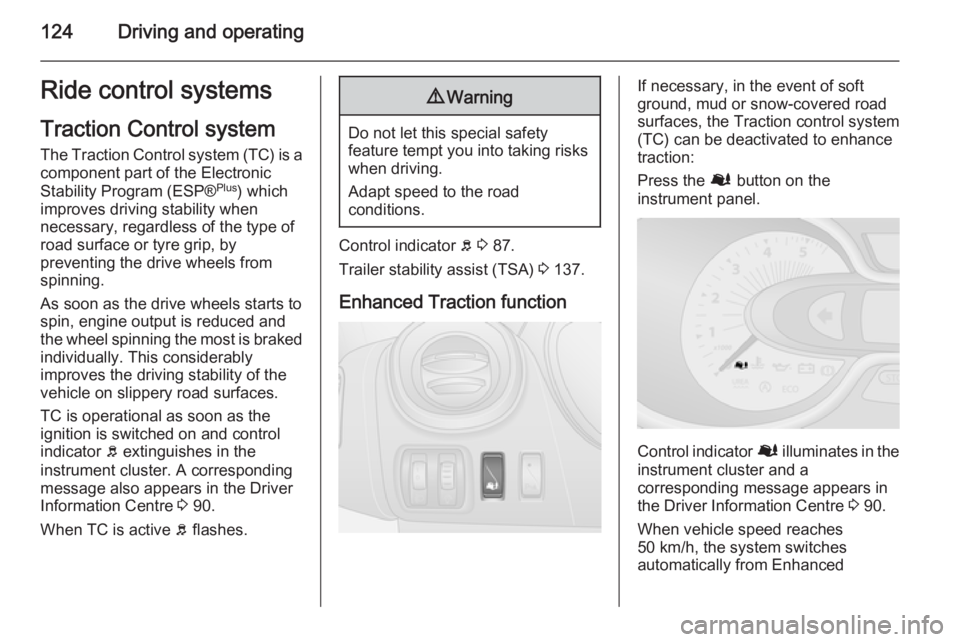
Enhanced Traction function
If necessary, in the event of soft
ground, mud or snow-covered road
surfaces, the Traction control system
(TC) can be deactivated to enhance
traction:
Press the Ø button on the
instrument panel.
Control indicator Ø illuminates in the
instrument cluster and a
corresponding message appears in
the Driver Information Centre 3 90.
When vehicle speed reaches 50 km/h, the system switches
automatically from Enhanced
Page 127 of 205
Driving and operating125
Traction function to TC operation.
Control indicator Ø extinguishes in
the instrument cluster.
TC is reactivated by pressing the Ø
button again. Control indicator Ø
extinguishes.
TC is also reactivated the next time
the ignition is switched on.
Fault If the system detects a fault, control
indicator b 3 87 illuminates together
with F 3 86 in the instrument cluster
and a corresponding message
appears in the Driver Information
Centre 3 90.
TC is not operational. Have the cause of the fault remedied by a workshop.
Vehicle messages 3 91.
Electronic stability
program
The Electronic Stability Program
(ESP® Plus
) improves driving stability
when necessary, regardless of thetype of road surface or tyre grip. It also
prevents the drive wheels from
spinning.
As soon as the vehicle starts to
swerve (understeer/oversteer),
engine output is reduced and the
wheels are braked individually. This
considerably improves the driving
stability of the vehicle on slippery road
surfaces.
ESP® Plus
is operational as soon as
the ignition is switched on and control
indicator b extinguishes in the
instrument cluster. A corresponding message also appears in the Driver
Information Centre 3 90.
When ESP® Plus
comes into action b
flashes.9 Warning
Do not let this special safety
feature tempt you into taking risks
when driving.
Adapt speed to the road
conditions.
Control indicator b 3 87.
Trailer stability assist (TSA) 3 137.
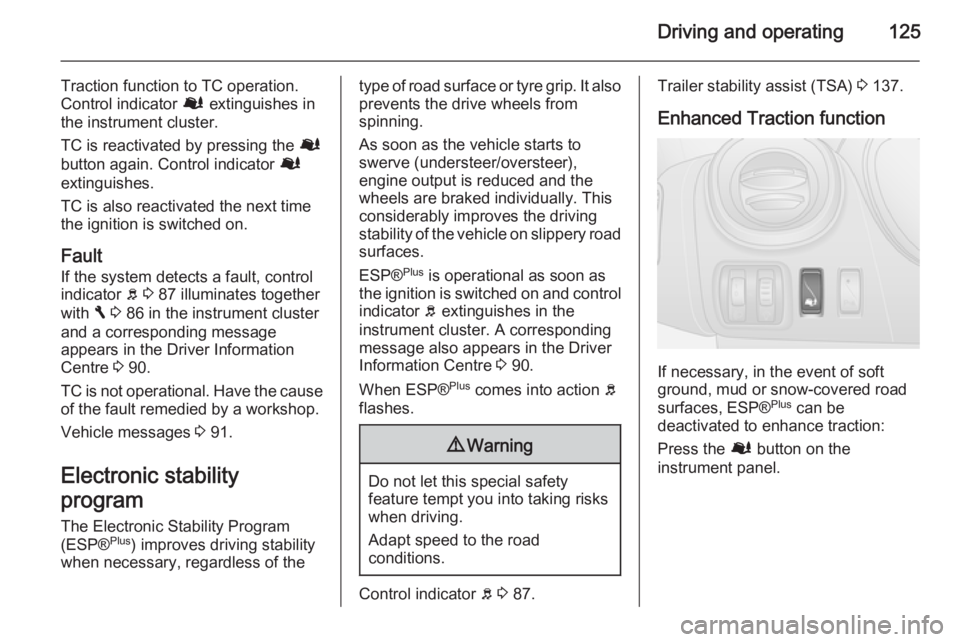
Enhanced Traction function
If necessary, in the event of soft
ground, mud or snow-covered road
surfaces, ESP® Plus
can be
deactivated to enhance traction:
Press the Ø button on the
instrument panel.
Page 132 of 205
130Driving and operating
Deleting the limit speed
Press switch U: Yellow control
indicator U extinguishes in the
instrument cluster.
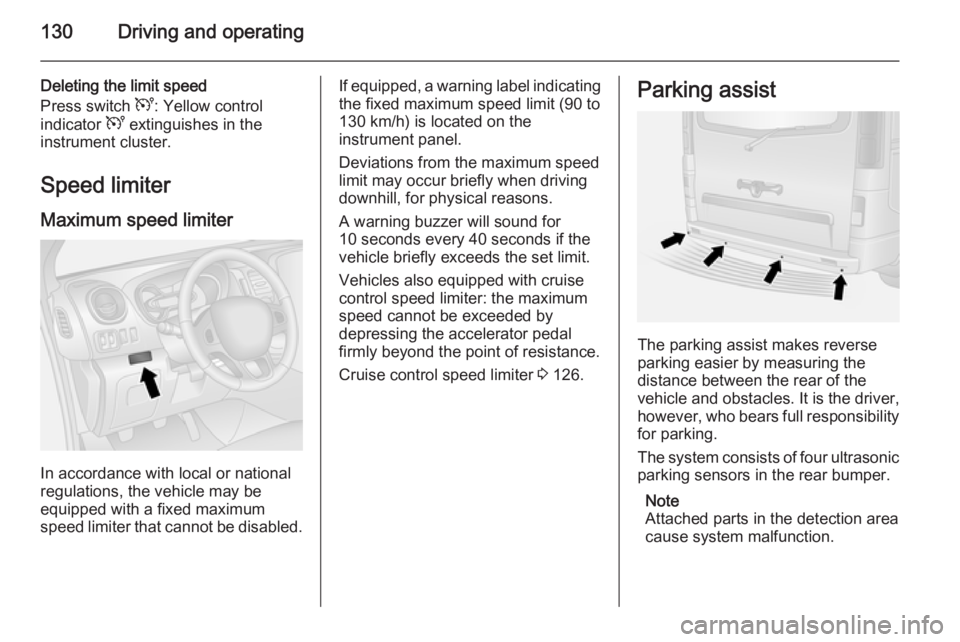
Speed limiter Maximum speed limiter
In accordance with local or national
regulations, the vehicle may be
equipped with a fixed maximum
speed limiter that cannot be disabled.
If equipped, a warning label indicating the fixed maximum speed limit (90 to
130 km/h) is located on the
instrument panel.
Deviations from the maximum speed
limit may occur briefly when driving
downhill, for physical reasons.
A warning buzzer will sound for
10 seconds every 40 seconds if the
vehicle briefly exceeds the set limit.
Vehicles also equipped with cruise
control speed limiter: the maximum
speed cannot be exceeded by
depressing the accelerator pedal
firmly beyond the point of resistance.
Cruise control speed limiter 3 126.Parking assist
The parking assist makes reverse
parking easier by measuring the
distance between the rear of the
vehicle and obstacles. It is the driver,
however, who bears full responsibility for parking.
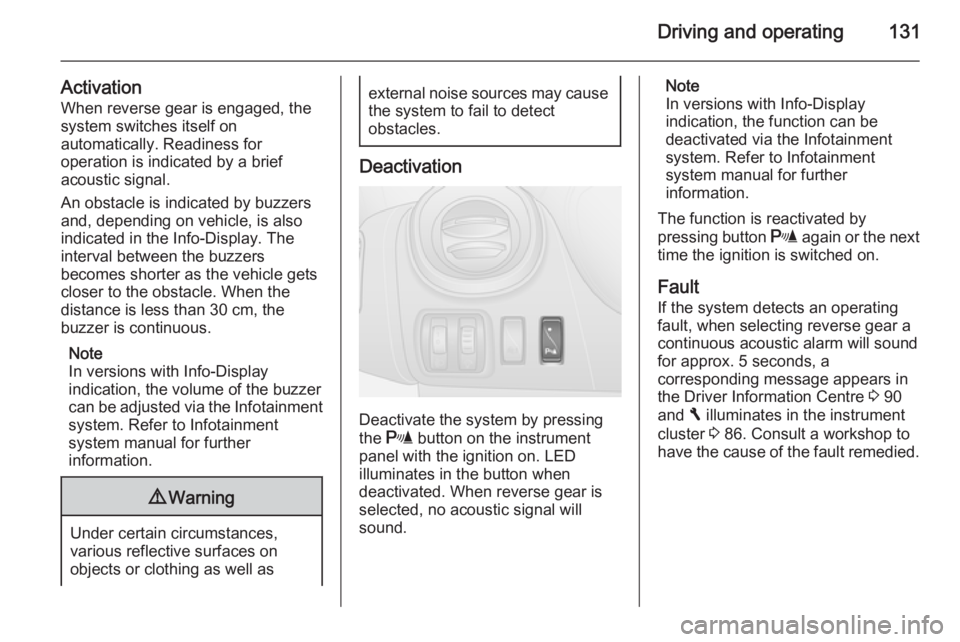
The system consists of four ultrasonic
parking sensors in the rear bumper.
Note
Attached parts in the detection area
cause system malfunction.
Page 133 of 205
Driving and operating131
ActivationWhen reverse gear is engaged, the
system switches itself on
automatically. Readiness for
operation is indicated by a brief
acoustic signal.
An obstacle is indicated by buzzers
and, depending on vehicle, is also
indicated in the Info-Display. The
interval between the buzzers
becomes shorter as the vehicle gets
closer to the obstacle. When the
distance is less than 30 cm, the buzzer is continuous.
Note
In versions with Info-Display
indication, the volume of the buzzer
can be adjusted via the Infotainment
system. Refer to Infotainment
system manual for further
information.9 Warning
Under certain circumstances,
various reflective surfaces on
objects or clothing as well as
external noise sources may cause the system to fail to detect
obstacles.
Deactivation
Deactivate the system by pressing
the r button on the instrument
panel with the ignition on. LED
illuminates in the button when
deactivated. When reverse gear is
selected, no acoustic signal will
sound.
Note
In versions with Info-Display
indication, the function can be
deactivated via the Infotainment
system. Refer to Infotainment
system manual for further
information.
The function is reactivated by
pressing button r again or the next
time the ignition is switched on.
Fault If the system detects an operating
fault, when selecting reverse gear a
continuous acoustic alarm will sound
for approx. 5 seconds, a
corresponding message appears in
the Driver Information Centre 3 90
and F illuminates in the instrument
cluster 3 86. Consult a workshop to
have the cause of the fault remedied.