cruise control OPEL VIVARO B 2017.5 Manual user
[x] Cancel search | Manufacturer: OPEL, Model Year: 2017.5, Model line: VIVARO B, Model: OPEL VIVARO B 2017.5Pages: 233, PDF Size: 5.43 MB
Page 13 of 233

In brief111Side air vents ...................... 127
2 Ashtray .................................. 90
Cupholder ............................ 75
3 Light switch ........................ 108
Rear fog light ....................... 112
Front fog lights ...................111
Exit lighting .......................... 114
Turn and lane-change
signals ................................. 111
Sidelights ............................ 108
Headlight flash, low beam
and high beam ....................109
4 Instruments .......................... 91
Driver Information Centre .... 102
Trip computer .....................105
5 Horn ...................................... 85
Driver airbag ......................... 626Windscreen wiper,
windscreen washer system ..86
Rear window wiper, rear
window washer system ........87
Trip computer .....................105
7 Card reader for electronic
key system ............................ 24
8 Steering column controls ......85
9 Centre air vents ................... 127
10 Power outlet .......................... 88
Cigarette lighter ..................... 90
Coin tray, USB slot ................ 73
11 Info display .......................... 102
12 Front passenger airbag .........62
13 Glovebox .............................. 74
14 Heated exterior mirrors .........41
Heated rear window ..............45
Idle speed control ...............134
15 Power outlet .......................... 88
Cigarette lighter ..................... 9016 Climate control system ........ 116
Electronic climate control
system ................................. 118
17 Ashtray .................................. 90
Cupholder ............................ 75
18 Hazard warning flashers .....111
Central locking system ..........26
19 Power button for electronic
key system .......................... 131
20 Eco button for fuel
economy mode ...................129
21 Stop-start system ................135
Cruise control and speed
limiter ................................. 150
22 Remote control on
steering wheel ......................85
Cruise control .....................150
23 Ignition switch with
steering wheel lock .............131
24 Steering wheel adjustment ...85
25 Bonnet release lever ...........164
26 Fuse box ............................. 180
Page 86 of 233

84Instruments and controlsInstruments and
controlsControls ....................................... 85
Steering wheel adjustment ........85
Steering wheel controls .............85
Horn ........................................... 85
Steering column controls ...........85
Windscreen wiper/washer .........86
Rear window wiper/washer .......87
Outside temperature ..................87
Clock ......................................... 88
Power outlets ............................. 88
Cigarette lighter ......................... 90
Ashtrays .................................... 90
Warning lights, gauges and indi‐ cators ........................................... 91
Instrument cluster ......................91
Speedometer ............................. 91
Odometer .................................. 91
Trip odometer ............................ 91
Tachometer ............................... 92
Fuel gauge ................................ 92
Fuel economy gauge .................93
Service display .......................... 93
Control indicators ......................94
Turn signal ................................. 96Seat belt reminder.....................97
Airbag and belt tensioners .........97
Airbag deactivation ....................97
Charging system .......................98
Malfunction indicator light ..........98
Service vehicle soon .................98
Stop engine ............................... 98
Brake system ............................. 98
Antilock brake system (ABS) .....99
Upshift ....................................... 99
Electronic Stability Program ......99
Electronic Stability Program off ............................................. 99
Engine coolant temperature ......99
Preheating ............................... 100
AdBlue ..................................... 100
Tyre pressure monitoring system .................................... 100
Engine oil pressure ..................100
Fuel economy mode ................101
Low fuel ................................... 101
Stop-start system ....................101
Exterior light ............................ 101
High beam ............................... 101
Fog light ................................... 101
Rear fog light ........................... 101
Cruise control .......................... 102
Tachograph ............................. 102
Door open ................................ 102Information displays...................102
Driver Information Centre ........102
Info display .............................. 102
Vehicle messages ......................103
Warning chimes .......................104
Engine oil level ........................ 104
Trip computer ............................. 105
Tachograph ................................ 107
Page 87 of 233
Instruments and controls85Controls
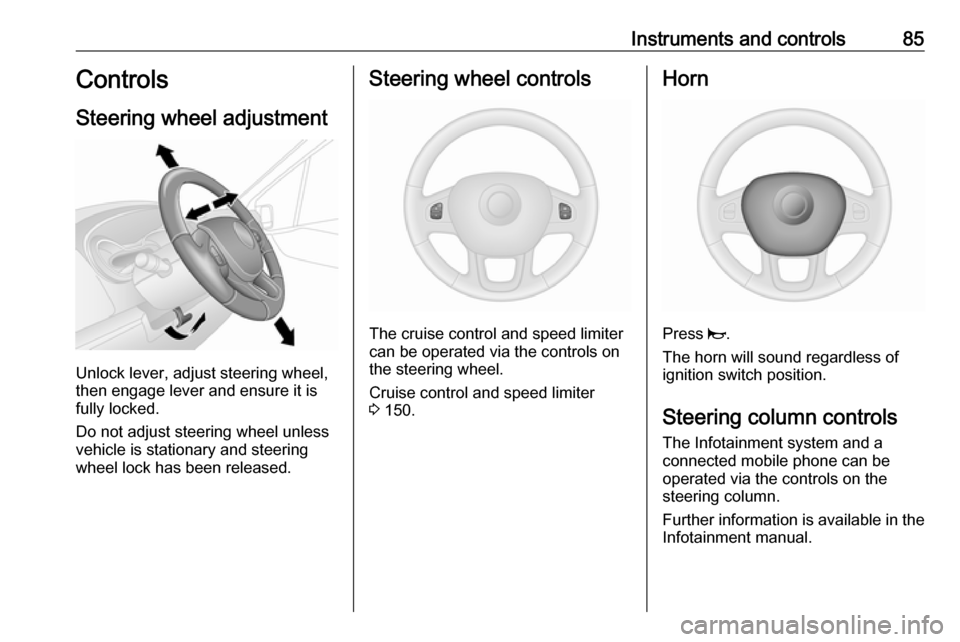
Steering wheel adjustment
Unlock lever, adjust steering wheel,
then engage lever and ensure it is
fully locked.
Do not adjust steering wheel unless
vehicle is stationary and steering
wheel lock has been released.
Steering wheel controls
The cruise control and speed limiter
can be operated via the controls on
the steering wheel.
Cruise control and speed limiter
3 150.
Horn
Press j.
The horn will sound regardless of
ignition switch position.
Steering column controls The Infotainment system and a
connected mobile phone can be
operated via the controls on the
steering column.
Further information is available in the
Infotainment manual.
Page 93 of 233
Instruments and controls91Warning lights, gauges
and indicators
Instrument cluster
In some versions, the needles of the
instruments briefly rotate to the end
position when the ignition is switched on.
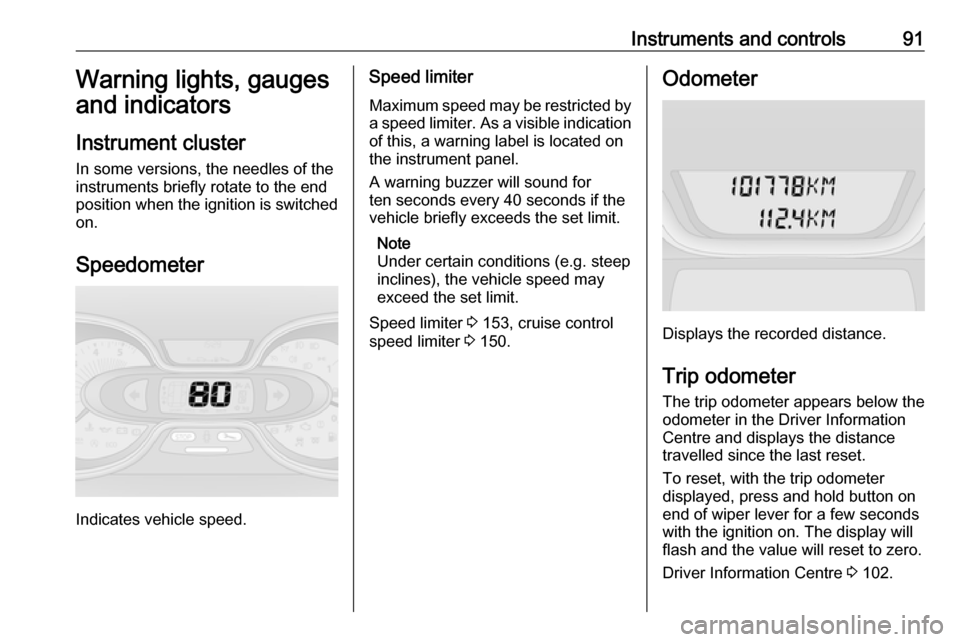
Speedometer
Indicates vehicle speed.
Speed limiter Maximum speed may be restricted by
a speed limiter. As a visible indication
of this, a warning label is located on
the instrument panel.
A warning buzzer will sound for
ten seconds every 40 seconds if the
vehicle briefly exceeds the set limit.
Note
Under certain conditions (e.g. steep
inclines), the vehicle speed may
exceed the set limit.
Speed limiter 3 153, cruise control
speed limiter 3 150.Odometer
Displays the recorded distance.
Trip odometer The trip odometer appears below the
odometer in the Driver Information
Centre and displays the distance
travelled since the last reset.
To reset, with the trip odometer
displayed, press and hold button on
end of wiper lever for a few seconds
with the ignition on. The display will
flash and the value will reset to zero.
Driver Information Centre 3 102.
Page 98 of 233
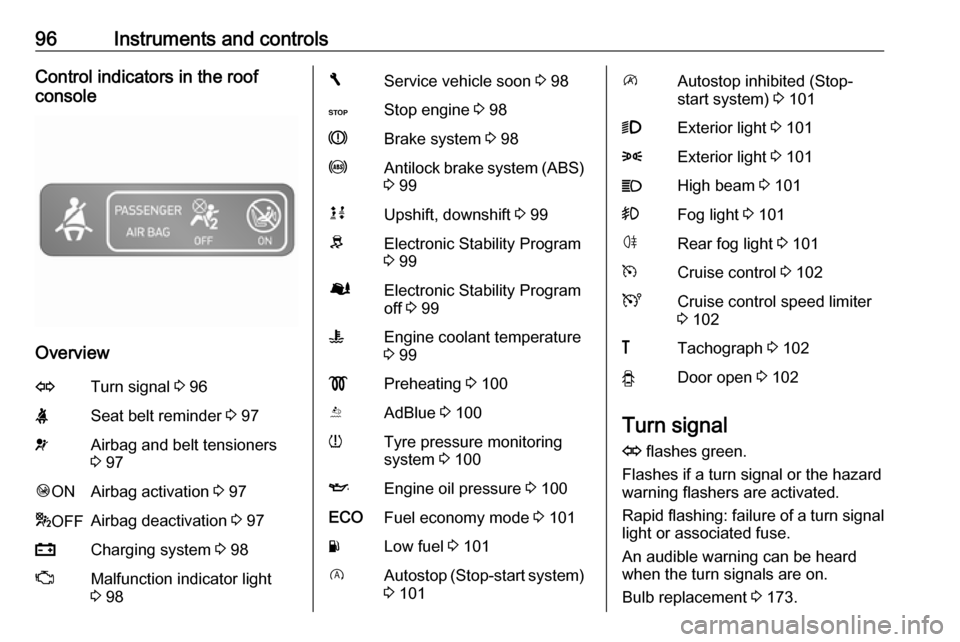
96Instruments and controlsControl indicators in the roof
console
Overview
OTurn signal 3 96XSeat belt reminder 3 97vAirbag and belt tensioners
3 97Ó ONAirbag activation 3 97* OFFAirbag deactivation 3 97pCharging system 3 98ZMalfunction indicator light
3 98FService vehicle soon 3 98CStop engine 3 98RBrake system 3 98uAntilock brake system (ABS)
3 99kjUpshift, downshift 3 99RElectronic Stability Program
3 99ØElectronic Stability Program
off 3 99WEngine coolant temperature
3 99!Preheating 3 100YAdBlue 3 100wTyre pressure monitoring
system 3 100IEngine oil pressure 3 100ECOFuel economy mode 3 101YLow fuel 3 101DAutostop (Stop-start system)
3 101\Autostop inhibited (Stop-
start system) 3 1019Exterior light 3 1018Exterior light 3 101CHigh beam 3 101>Fog light 3 101øRear fog light 3 101mCruise control 3 102UCruise control speed limiter
3 102&Tachograph 3 102yDoor open 3 102
Turn signal
O flashes green.
Flashes if a turn signal or the hazard
warning flashers are activated.
Rapid flashing: failure of a turn signal
light or associated fuse.
An audible warning can be heard
when the turn signals are on.
Bulb replacement 3 173.
Page 104 of 233

102Instruments and controlsCruise controlm , U illuminates green or yellow.
m illuminates green when a certain
speed is stored.
U illuminates green when the system
is on.
Speed limiter U illuminates yellow.
U illuminates yellow when the
system is on.
Cruise control and speed limiter
3 150.
Tachograph & illuminates when there is a fault
3 107.
Door open y illuminates red.
Illuminates when a door is not fully
closed.
A corresponding message also
appears in the Driver Information
Centre 3 102.Information displays
Driver Information Centre
Depending on vehicle configuration,
the following items appear in the
display:
● outside temperature 3 87
● clock 3 88
● odometer 3 91
● trip odometer 3 91
● service display 3 93
● vehicle messages 3 103
● trip computer 3 105
Info display
The central display in the
Infotainment system displays the time (and/or outside temperature,
depending on version) and
Infotainment system information.
Press X to switch the Infotainment
system on. Alternatively, it automatically switches on when the
ignition is switched on.
Depending on system, the
Infotainment system is operated via
buttons and rotary knobs on the
Infotainment system fascia, the
Page 107 of 233
Instruments and controls105Trip computer
The trip computer provides
information on driving data, which is
continually recorded and evaluated electronically.
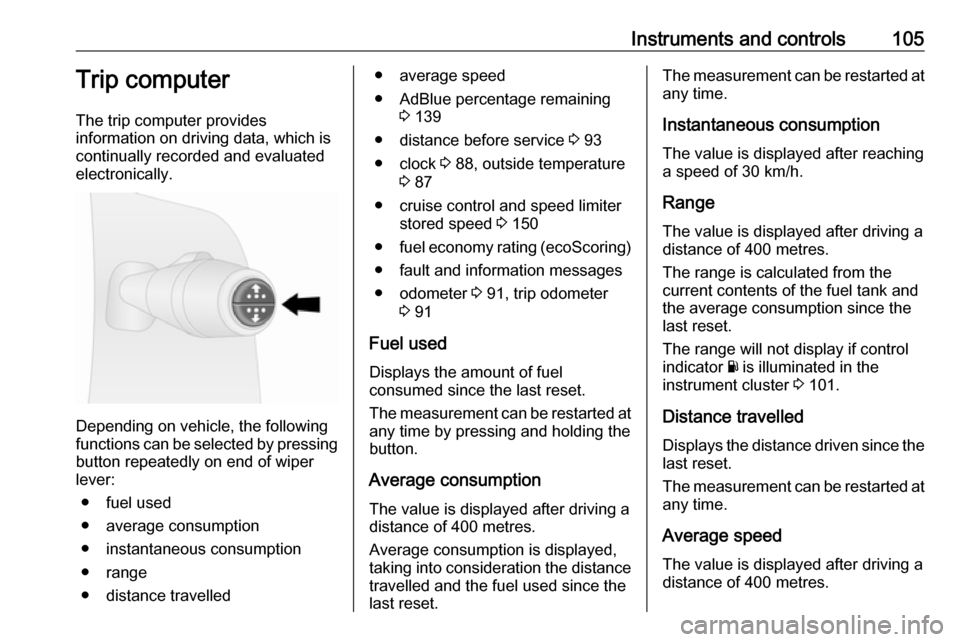
Depending on vehicle, the following
functions can be selected by pressing button repeatedly on end of wiper
lever:
● fuel used
● average consumption
● instantaneous consumption
● range
● distance travelled
● average speed
● AdBlue percentage remaining 3 139
● distance before service 3 93
● clock 3 88, outside temperature
3 87
● cruise control and speed limiter stored speed 3 150
● fuel economy rating (ecoScoring)
● fault and information messages
● odometer 3 91, trip odometer
3 91
Fuel used Displays the amount of fuel
consumed since the last reset.
The measurement can be restarted at
any time by pressing and holding the
button.
Average consumption The value is displayed after driving a
distance of 400 metres.
Average consumption is displayed,
taking into consideration the distance
travelled and the fuel used since the
last reset.The measurement can be restarted at
any time.
Instantaneous consumption
The value is displayed after reaching
a speed of 30 km/h.
Range The value is displayed after driving adistance of 400 metres.
The range is calculated from the
current contents of the fuel tank and
the average consumption since the
last reset.
The range will not display if control
indicator Y is illuminated in the
instrument cluster 3 101.
Distance travelled
Displays the distance driven since the
last reset.
The measurement can be restarted at
any time.
Average speedThe value is displayed after driving a
distance of 400 metres.
Page 131 of 233

Driving and operating129Driving and
operatingDriving hints ............................... 129
Driving economically ...............129
Control of the vehicle ...............130
Steering ................................... 130
Starting and operating ...............131
New vehicle running-in ............131
Ignition switch positions ...........131
Power button ........................... 131
Starting the engine ..................133
Idle speed control ....................134
Vehicle shutdown ....................134
Overrun cut-off ........................ 135
Stop-start system ....................135
Parking .................................... 138
Engine exhaust .......................... 138
Diesel particle filter ..................138
Catalytic converter ...................139
AdBlue ..................................... 139
Manual transmission ..................145
Brakes ........................................ 146
Antilock brake system .............146
Parking brake .......................... 147Brake assist............................. 147
Hill start assist ......................... 147
Ride control systems .................148
Traction Control system ..........148
Electronic stability program .....149
Driver assistance systems .........150
Cruise control .......................... 150
Speed limiter ........................... 153
Parking assist .......................... 154
Rear view camera ...................156
Fuel ............................................ 158
Fuel for diesel engines ............158
Refuelling ................................ 158
Fuel consumption - CO 2-
Emissions ............................... 160
Trailer hitch ................................ 160
General information .................160
Driving characteristics and towing tips .............................. 160
Trailer towing ........................... 161
Trailer stability assist ...............161Driving hints
Driving economically
ECO mode ECO mode is a function that
optimises fuel consumption. It affects
engine power and torque,
acceleration, gear shift indication,
heating, air conditioning and electrical consumers.
Activation
Press ECO. Control indicator ECO
illuminates in the instrument cluster when activated.
Page 152 of 233

150Driving and operating
Control indicator Ø illuminates in the
instrument cluster and a
corresponding message appears in
the Driver Information Centre 3 102.
When vehicle speed reaches 50 km/h, the system switches
automatically from Enhanced
Traction function to ESP® Plus
operation. Control indicator Ø
extinguishes in the instrument cluster.
ESP® Plus
is reactivated by pressing
Ø again. Control indicator Ø
extinguishes.
ESP® Plus
is also reactivated the next
time the ignition is switched on.
Engine Drag Torque Control
The engine drag torque control
system is an integral feature of
ESP® Plus
. When downshifting under
slippery road conditions, the engine
speed and torque increases to help
prevent locking of the drive wheels
during sudden deceleration.
Fault
If the system detects a fault, control indicator b 3 99 illuminates together
with F 3 98 in the instrument cluster
and a corresponding message
appears in the Driver Information
Centre 3 102.
The Electronic stability program
(ESP® Plus
) is not operational. Have
the cause of the fault remedied by a
workshop.
Vehicle messages 3 103.Driver assistance
systems9 Warning
Driver assistance systems are
developed to support the driver
and not to replace the driver's
attention.
The driver accepts full
responsibility when driving the
vehicle.
When using driver assistance
systems, always take care
regarding the current traffic
situation.
Cruise control
The cruise control can store and
maintain speeds of 30 km/h and
above. Deviations from the stored
speeds may occur when driving uphill or downhill.
For safety reasons, the cruise control cannot be activated until the brake
pedal has been operated once.
Page 153 of 233

Driving and operating151Do not use the cruise control if it is not
advisable to maintain a constant
speed.
Control indicators U and m 3 102.
Activation
Press m; control indicator U
illuminates green in the instrument
cluster.
Cruise control is now in standby mode
and a corresponding message
appears in the Driver Information
Centre.
Accelerate to the desired speed and
press < or ]. The current speed is
now stored and maintained and the
accelerator pedal can be released.
Control indicator m illuminates green
in the instrument cluster together with
U and a corresponding message
appears in the Driver Information
Centre.
Vehicle speed can be increased by
depressing the accelerator pedal.
The stored speed flashes in the
instrument cluster. When the
accelerator pedal is released, the
previously stored speed is resumed.
Cruise control remains activated
while gearshifting.
The speed is saved until the ignition
is switched off.
Increase speed
With cruise control active, the vehicle speed can be increased continuously
or in small increments by holding
down or tapping < repeatedly.
When the switch is released the
current speed is stored and
maintained.
Alternatively, accelerate to the
desired speed and store by pressing
< .