fuel OPEL ZAFIRA 2009 User Guide
[x] Cancel search | Manufacturer: OPEL, Model Year: 2009, Model line: ZAFIRA, Model: OPEL ZAFIRA 2009Pages: 228, PDF Size: 7.3 MB
Page 101 of 228
Instruments and controls
101
Brake light switch
Brake light does not come on during
braking. Have the cause of the fault
remedied immediately by
a workshop.
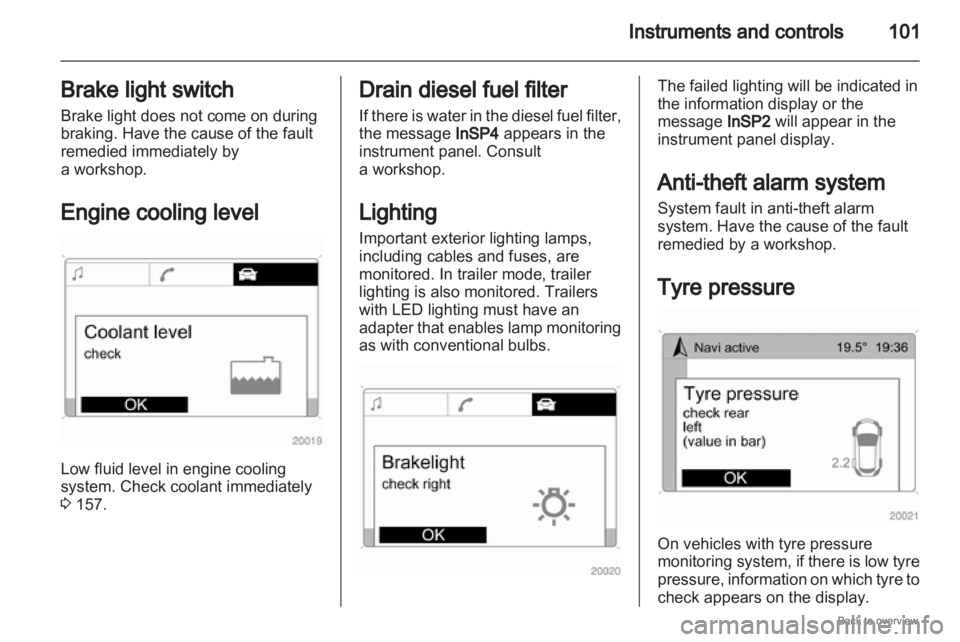
Engine cooling level Low fluid level in engine cooling
system. Check coolant immediately
3 157. Drain diesel fuel filter
If
there is water in the diesel fuel filter,
the message InSP4 appears in the
instrument panel. Consult
a workshop.
Lighting
Important exterior lighting lamps,
including cables and fuses, are
monitored. In trailer mode, trailer
lighting is also monitored. Trailers
with LED lighting must have an
adapter that enables lamp monitoring
as with conventional bulbs. The failed lighting will be indicated in
the information display or the
message InSP2 will appear in the
instrument panel display.
Anti-theft alarm system
System fault in anti-theft alarm
system. Have the cause of the fault
remedied by a workshop.
Tyre pressure On vehicles with tyre pressure
monitoring
system, if there is low tyre
pressure, information on which tyre to
check appears on the display.
Page 103 of 228
Instruments and controls
103
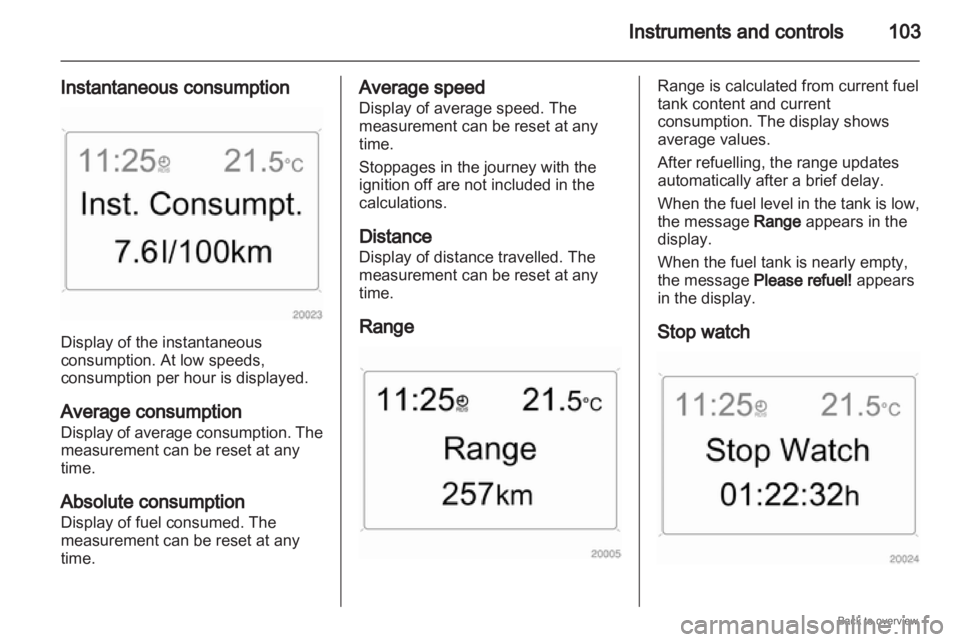
Instantaneous consumption Display of the instantaneous
consumption. At low speeds,
consumption per hour is displayed.
Average consumption
Display
of average consumption. The
measurement can be reset at any
time.
Absolute consumption
Display of fuel consumed. The
measurement can be reset at any
time. Average speed
Display of average speed. The
measurement can be reset at any
time.
Stoppages in the journey with the
ignition off are not included in the
calculations.
Distance
Display of distance travelled. The
measurement can be reset at any
time.
Range Range is calculated from current fuel
tank content and current
consumption. The display shows
average values.
After refuelling, the range updates
automatically after a brief delay.
When
the fuel level in the tank is low,
the message Range appears in the
display.
When the fuel tank is nearly empty,
the message Please refuel! appears
in the display.
Stop watch
Page 104 of 228
104
Instruments and controls
Select the function. Press the OK
button or the left adjuster wheel on the
steering wheel to start or stop the stop
watch.
Restart trip computer
The measurement or calculation of
the following trip computer
information can be restarted:
■ Average consumption,
■ Absolute consumption,
■ Average speed,
■ Distance,
■ Stop watch.
Select the desired trip computer
information 3 93. To restart, press the
OK button or the left adjuster wheel
on the steering wheel for approx.
2 seconds. Trip computer in Graphic-
Info-Display or Colour-
Info-Display
The main page of the trip computer
provides information on range,
current consumption and average
consumption of
BC 1.
To display other trip computer data,
press the BC button on the
infotainment system, select the trip
computer menu from the display or
press the left adjuster wheel on the
steering wheel.
Select BC 1 or BC 2 from the trip
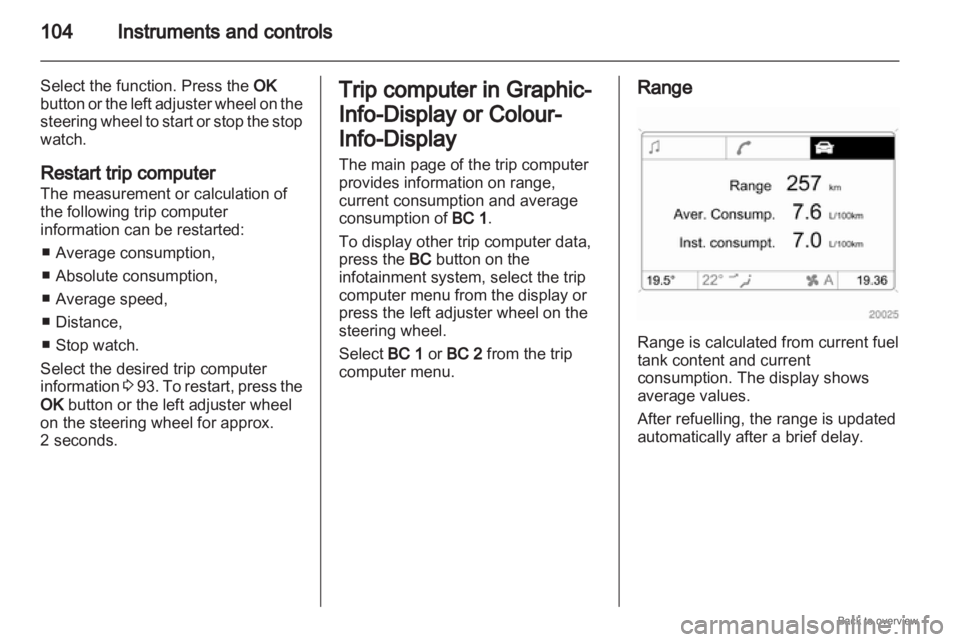
computer menu. Range
Range is calculated from current fuel
tank content and current
consumption. The display shows
average values.
After refuelling, the range is updated
automatically after a brief delay.
Page 105 of 228
Instruments and controls
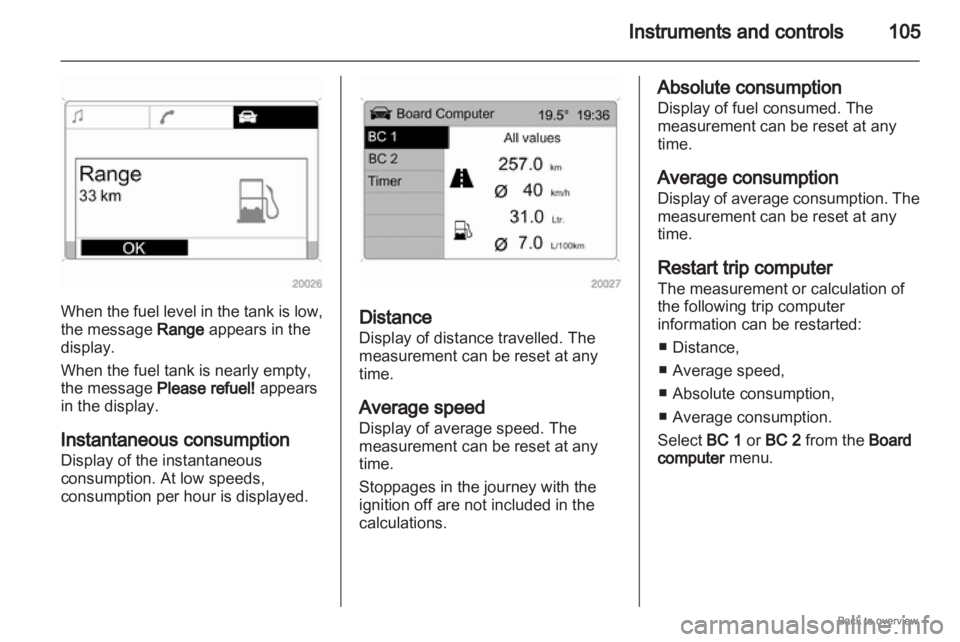
105When the fuel level in the tank is low,
the message Range appears in the
display.
When the fuel tank is nearly empty,
the message Please refuel! appears
in the display.
Instantaneous consumption
Display of the instantaneous
consumption. At low speeds,
consumption per hour is displayed.
Distance
Display of distance travelled. The
measurement can be reset at any
time.
Average speed
Display of average speed. The
measurement can be reset at any
time.
Stoppages in the journey with the
ignition off are not included in the
calculations. Absolute consumption
Display of fuel consumed. The
measurement can be reset at any
time.
Average consumption
Display
of average consumption. The
measurement can be reset at any
time.
Restart trip computer
The measurement or calculation of
the following trip computer
information can be restarted:
■ Distance,
■ Average speed,
■ Absolute consumption,
■ Average consumption.
Select BC 1 or BC 2 from the Board
computer menu.
Page 119 of 228

Climate control
119
■ Open side air vents as required and
direct them towards door windows.
■ For simultaneous warming of the foot well, set air distribution control
to J.
Air conditioning system Additional to the heating and
ventilation system, the air
conditioning system has:
n
= Cooling
4 = Air recirculation Cooling n
Operated with the n button and is
functional only when the engine and
fan are running.
The air condition system cools and
dehumidifies (dries) when outside
temperature
is above a specific level.
Therefore condensation may form
and drip from under the vehicle.
If no cooling or drying is required,
switch the cooling system off to save
fuel.
Air recirculation system 4
The air recirculation mode is operated
with the 4 button. 9
Warning The exchange of fresh air is
reduced in air recirculation mode.
In
operation without cooling the air
humidity increases, so the
windows may mist up. The quality
of the passenger compartment air
deteriorates, which may cause the
vehicle occupants to feel drowsy. Air distribution to
l: Air recirculation
is deactivated.
Maximum cooling
Briefly open the windows so that hot
air can disperse quickly.
■ Cooling n on.
■ Air circulation system 4 on,
■ Set air distribution control to M.
■
Set temperature control to coldestlevel.
■ Set fan speed to highest level.
■ Open all vents.
Demisting and defrosting the
windows ■ Cooling n on.
■ Set air distribution control to l.
■ Set temperature control to warmest level.
■ Set fan speed to highest level.
■ Switch on heated rear window Ü.
Page 121 of 228
Climate control
121
The air condition system cools and
dehumidifies (dries) when outside
temperature is above a specific level.
Therefore condensation may form
and drip from under the vehicle.
If no cooling or drying is required,
switch the cooling system off to save
fuel.
Air recirculation system 4
The air recirculation mode is operated
with the 4 button. 9
Warning The exchange of fresh air is
reduced in air recirculation mode.
In
operation without cooling the air
humidity increases, so the
windows may mist up. The quality
of the passenger compartment air
deteriorates, which may cause the
vehicle occupants to feel drowsy. Maximum cooling
Briefly open the windows so that the
heated air can disappear quickly. ■
Cooling n on.
■ Set air distribution control to M.
■ Set
temperature control to required
temperature value,
■ Set fan control to A,
■ Open all vents.
The automatic climate control
automatically cools to the specified
value with the maximum cooling
power.
With the temperature control turned
to its minimum setting, the system
continually runs at maximum cooling.
The system is automatically set to air
recirculation when the air conditioning
is on.
Demisting and defrosting the
windows ■ Cooling n on.
■ Press button V: in position A, fan
automatically switches to maximum
speed, the air distribution is
directed at the windscreen, ■ Set temperature control to warmest
level.
■ Switch on heated rear window Ü.
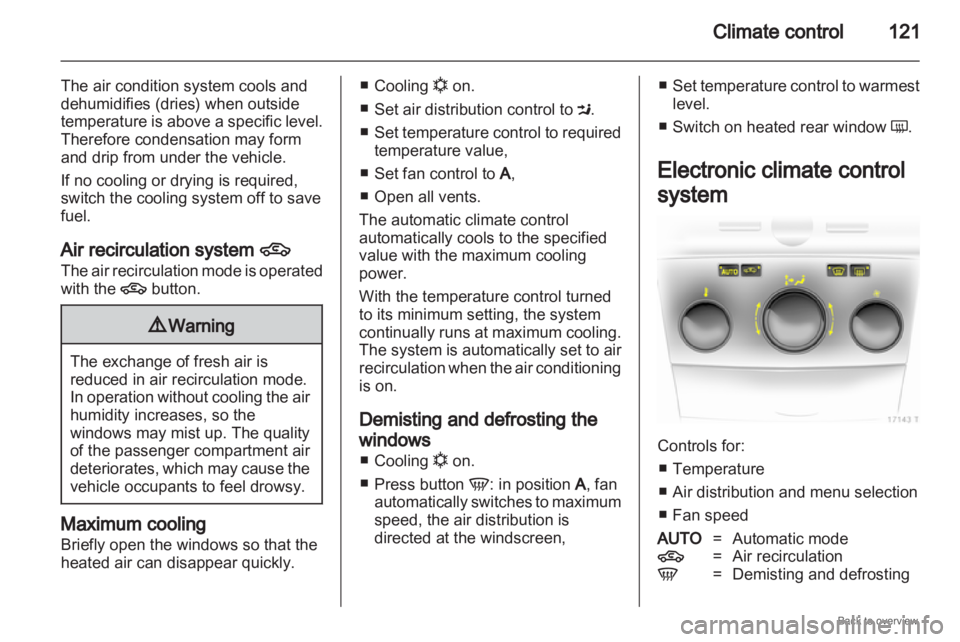
Electronic climate control
system Controls for:
■
Temperature
■ Air distribution and menu selection
■ Fan speed
AUTO =Automatic mode
4 = Air recirculation
V = Demisting and defrosting
Page 123 of 228
Climate control
123
Individual menu items are marked by
turning the centre control and
selected by pressing it.
To
exit a menu, turn the centre control
until Return or Main appear and
select.
Air distribution
Turn the centre control. The Air
distribut. menu is activated, showing
the possible air distribution settings:
Top = to windscreen and front door windows.
Centre = to vehicle occupants.
Bottom = to foot well.
The Air distribut. menu can also be
called up via the Climate menu.
Return to automatic air distribution:
Deactivate corresponding setting or
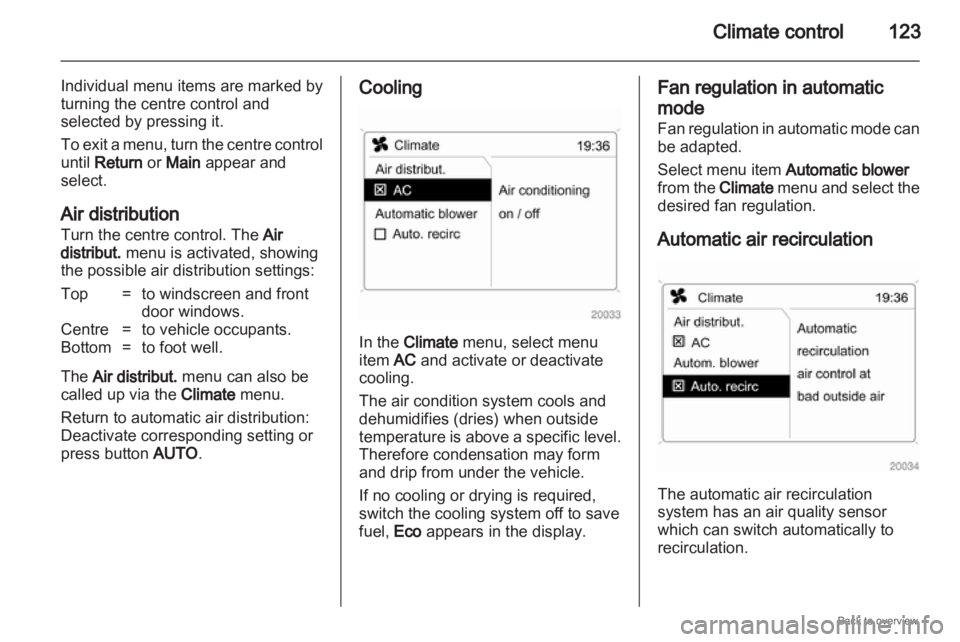
press button AUTO. Cooling
In the Climate menu, select menu
item AC and activate or deactivate
cooling.
The air condition system cools and
dehumidifies (dries) when outside
temperature
is above a specific level.
Therefore condensation may form
and drip from under the vehicle.
If no cooling or drying is required,
switch the cooling system off to save
fuel, Eco appears in the display. Fan regulation in automatic
mode
Fan
regulation in automatic mode can
be adapted.
Select menu item Automatic blower
from the Climate menu and select the
desired fan regulation.
Automatic air recirculation The automatic air recirculation
system has an air quality sensor
which can switch automatically to
recirculation.
Page 124 of 228
124
Climate control
In the Climate menu, select menu
item Auto recirc and activate or
deactivate.
Switch to manual air recirculation as
necessary.
Manual air recirculation mode
The manual air recirculation mode is
operated with the 4 button. 9
Warning The exchange of fresh air is
reduced in air recirculation mode.
In
operation without cooling the air
humidity increases, so the
windows may mist up. The quality
of the passenger compartment air
deteriorates, which may cause the
vehicle occupants to feel drowsy. Air conditioning with the engine
not running
When
ignition is off, the residual heat
or cooling in the system can be used
for climate control in passenger
compartment. Press the AUTO button with the
ignition off. Residual air conditioning
on will appear briefly in the display.
Residual climate control can only
operate
for a limited period of time. To
cancel, press the AUTO button.
Auxiliary heater
Air heater
Quickheat is an electric auxiliary air
heater which warms up the
passenger compartment more
quickly.
Coolant heater
Diesel-engined vehicles have a fuel-
powered auxiliary coolant heater
which warms up the engine coolant
when the engine is running. Air vents
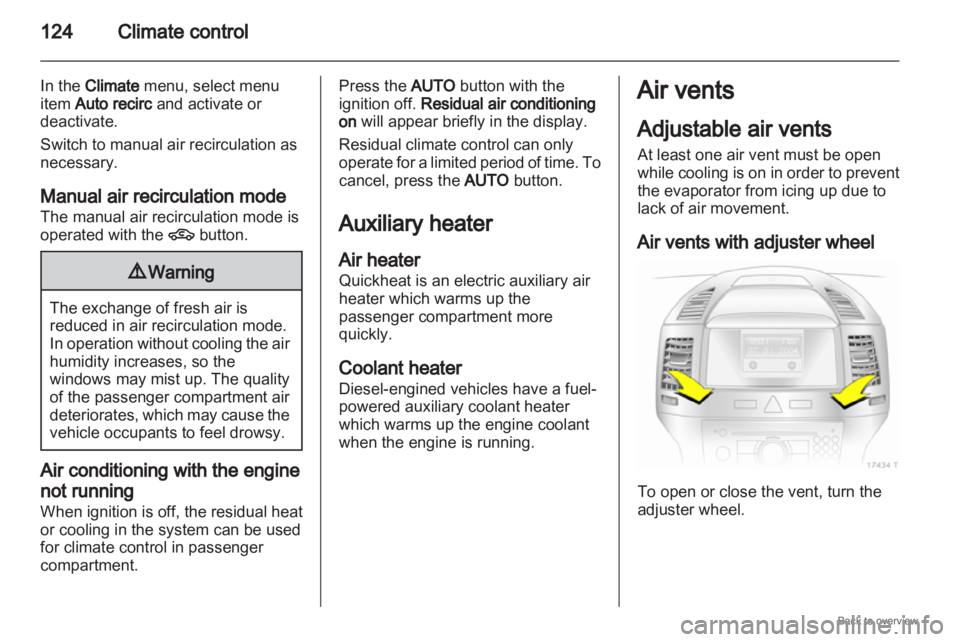
Adjustable air vents
At least one air vent must be open
while
cooling is on in order to prevent
the evaporator from icing up due to
lack of air movement.
Air vents with adjuster wheel To open or close the vent, turn the
adjuster wheel.
Page 127 of 228
Driving and operating
127
Driving and operating
Driving hints ............................... 127
Starting and operating ...............127
Engine exhaust .......................... 129
Automatic transmission
.............. 131
Manual transmission ..................136
Manual transmission
automated .................................. 136
Brakes ........................................ 140
Ride control systems .................142
Cruise control ............................. 144
Object detection systems ........... 145
Fuel ............................................ 146
Towing ....................................... 149 Driving hints
Control of the vehicle
Never coast with engine not
running
Many
systems will not function in this
situation (e.g. brake servo unit, power
steering). Driving in this manner is
a danger to yourself and others.
Pedals
To ensure the pedal travel is
uninhibited, there must be no mats in
the area of the pedals. Starting and operating
New vehicle running-in
Do not brake unnecessarily hard for
the first few journeys.
During the first drive, smoke may
occur because of wax and oil
evaporating off the exhaust system.
Park the vehicle in the open for
a while after the first drive and avoid
inhaling the fumes.
Fuel
and engine oil consumption may
be higher during the running-in
period.
Page 129 of 228
Driving and operating
129
Overrun cut-off
The fuel supply is automatically cut off
during overrun, i.e. when the vehicle
is driven with a gear engaged but
accelerator is released.
Parking
■ Do not park the vehicle on an easy flammable surface. The high
temperature of the exhaust system
could ignite the surface.
■ Always apply hand brake without pressing release button. Apply as
firmly as possible on downhill or
uphill slopes. Depress the foot
brake at same time to reduce
operating force.
■ Switch off the engine and ignition. Turn the steering wheel until the
steering wheel lock engages.
■ If the vehicle is on a level surface or uphill slope, engage first gear or set
the selector lever to P before
switching off the ignition. On an
uphill slope, turn the front wheels
away from the kerb. If the vehicle is on a downhill slope,
engage reverse gear or set the
selector
lever to P before switching
off the ignition. Turn the front
wheels towards the kerb.
■ Lock the vehicle and activate the anti-theft locking system and the
anti-theft alarm system. Engine exhaust
9
Danger Engine exhaust gases contain
poisonous carbon monoxide,
which is colourless and odourless
and could be fatal if inhaled.
If exhaust gases enter the interior
of the vehicle, open the windows.
Have the cause of the fault
rectified by a workshop.
Avoid driving with an open load
compartment, otherwise exhaust
gases could enter the vehicle.
Diesel particle filter
The
diesel particle filter system filters
harmful soot particles out of the
exhaust gases. The system includes
a self-cleaning function that runs
automatically during driving. The filter
is cleaned by burning off the soot
particles at high temperature. This
process takes place automatically
under set driving conditions and may
take up to 25 minutes. Fuel