phone OPEL ZAFIRA B 2013 Infotainment system
[x] Cancel search | Manufacturer: OPEL, Model Year: 2013, Model line: ZAFIRA B, Model: OPEL ZAFIRA B 2013Pages: 92, PDF Size: 3.72 MB
Page 42 of 92
Black plate (41,1)Zafira Infotainment System - 2013 - 1st Edition - 6/27/12
Infotainment System 41
3. The desired song from the list to
begin playback.
Song Titles:
1. View a list of all songs stored on
the iPod.
2. The desired song from the list to
begin playback.
Genres:
1. View the genres stored on
the iPod.
2. A genre name to view a list of all
songs of that genre.
3. The desired song from the list to
begin playback.Podcasts:
1. View the podcasts stored on
the iPod.
2. A podcast name to play the
desired podcast.
Composers:
1. View the composers stored on
the iPod.
2. A composer name to view a list
of all songs by that composer.
3. The desired song from the list to
begin playback.
Playing from an iPhone®
This feature supports the following
iPhone model:
.iPhone®(3g–3gs)
To use the iPhone, follow the same
instructions as stated earlier for
using an iPod.
Navigation
Using the Navigation
System
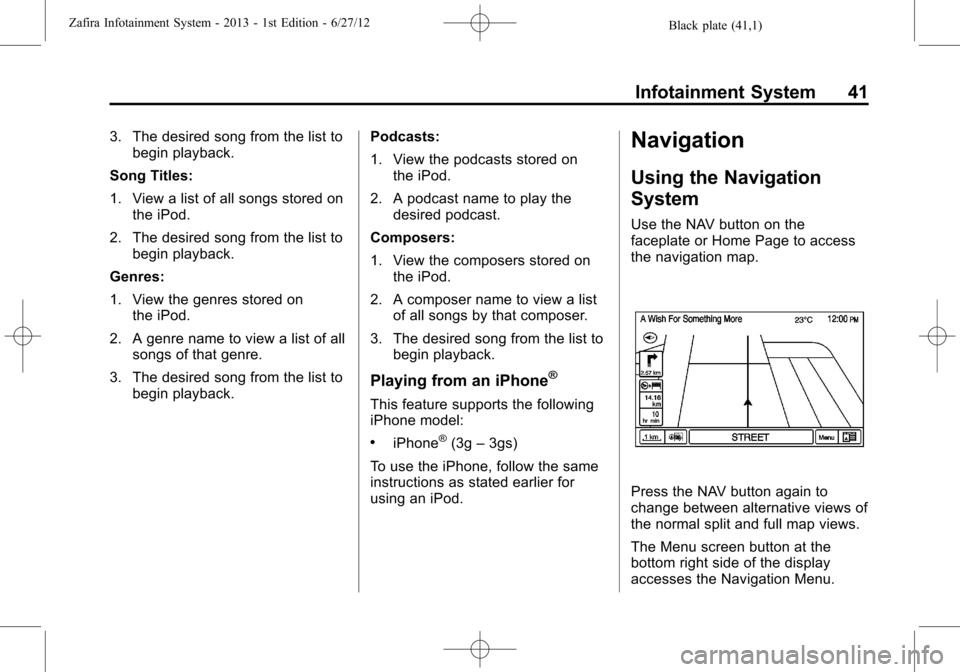
Use the NAV button on the
faceplate or Home Page to access
the navigation map.
Press the NAV button again to
change between alternative views of
the normal split and full map views.
The Menu screen button at the
bottom right side of the display
accesses the Navigation Menu.
Page 58 of 92
Black plate (57,1)Zafira Infotainment System - 2013 - 1st Edition - 6/27/12
Infotainment System 57
Radio Settings
Select the Config button on the
Home Page or press the CONFIG
button on the faceplate to enter the
menu options. Turn the
Zknob
to scroll through the available
options. Press the outer ring of the
Zknob to display the radio
settings menu. Select this feature to
make changes for radio information
displayed, preset pages, and Auto
Volume Control.
The Radio Settings are:
Speed Dependent Volume:Select
OFF, Low, Medium, or High
sensitivity to automatically adjust
the volume to minimise the effects
of unwanted background noise that
can result from changing road
surfaces, driving speeds, or open
windows. This feature works best at
lower volume settings where
background noise is typically louder
than the sound system volume.Startup Volume:Select to set the
maximum volume level for startup
that will be used even if a higher
volume had been set when the radio
was turned off.
Radio Favourites:Select to set
the number of FAV pages to be
used in the system.
RDS Settings:Select to customise
station name and radio text display
options.
Phone Settings
SeeBluetooth (Overview) on
page 64orBluetooth (Voice) on
page 67orBluetooth (Infotainment
Controls) on page 71in the“Phone”
section on phone settings.
Navigation Settings
Select the Config button on the
Home Page or press the CONFIG
button on the faceplate to enter the
setup menu. Turn the
Zknob
until the Navigation Settings option
displays. Press the outer ring of the
Zknob to select this feature
and make changes to Voice Prompt,
Route Options, and Home Address.
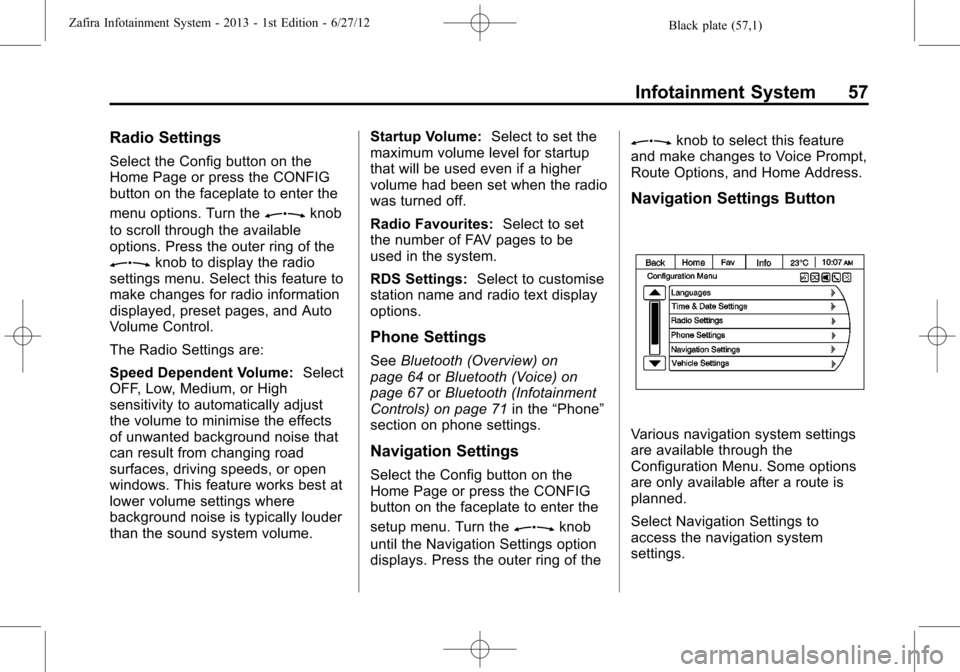
Navigation Settings Button
Various navigation system settings
are available through the
Configuration Menu. Some options
are only available after a route is
planned.
Select Navigation Settings to
access the navigation system
settings.
Page 60 of 92
Black plate (59,1)Zafira Infotainment System - 2013 - 1st Edition - 6/27/12
Infotainment System 59
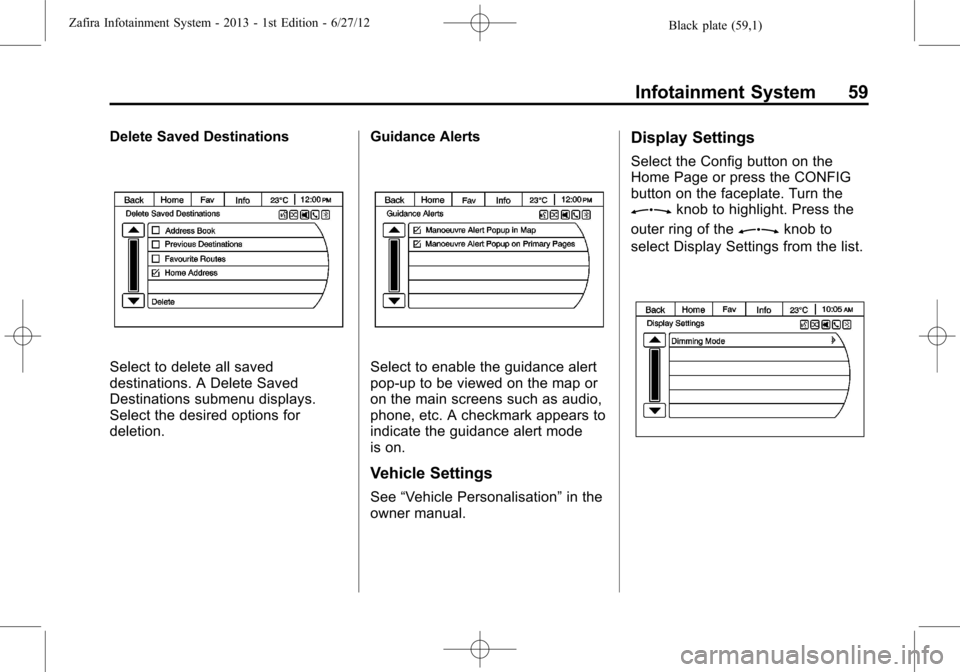
Delete Saved Destinations
Select to delete all saved
destinations. A Delete Saved
Destinations submenu displays.
Select the desired options for
deletion.Guidance AlertsSelect to enable the guidance alert
pop-up to be viewed on the map or
on the main screens such as audio,
phone, etc. A checkmark appears to
indicate the guidance alert mode
is on.
Vehicle Settings
See“Vehicle Personalisation”in the
owner manual.
Display Settings
Select the Config button on the
Home Page or press the CONFIG
button on the faceplate. Turn the
Zknob to highlight. Press the
outer ring of the
Zknob to
select Display Settings from the list.
Page 65 of 92
Black plate (64,1)Zafira Infotainment System - 2013 - 1st Edition - 6/27/12
64 Infotainment System
2. Clearly speak one of the
commands listed in“Using Voice
Recognition”underBluetooth
(Overview) on page 64or
Bluetooth (Voice) on page 67or
Bluetooth (Infotainment Controls)
on page 71.
Cancelling Voice Recognition
1. Press and release the$/i
steering wheel button to cancel
a command.
2. The system replies,“Goodbye.”
3. Press and release the
b/g
steering wheel button to restart
the voice recognition session.
Phone
Bluetooth (Overview)
Vehicles with a Bluetooth®system
can use a Bluetooth-capable cell
phone with a Hands-Free Profile to
make and receive phone calls. The
infotainment system and voice
recognition are used to control the
system. The system can be used
while the ignition is in ON/RUN or
ACC/ACCESSORY. The range of
the Bluetooth system can be up to
9.1 m (30 ft). Not all phones support
all functions and not all phones work
with the Bluetooth system.
Bluetooth Controls
Use the buttons located on the
infotainment system and the
steering wheel to operate the
Bluetooth system.Steering Wheel Controls
bg(Push to Talk):For vehicles
with a Bluetooth or navigation
system, press to interact with those
systems.
$i(Mute/End Call):Press to
silence the vehicle speakers only.
Press again to turn the sound on.
For vehicles with OnStar or
Bluetooth systems, press to reject
an incoming call, or end a
current call.
_SRC^(Rotary Control):Press
to select an audio source.
Press
_or^to select the next or
previous favourite radio station, CD
track, or MP3 track.
+
x- (Volume):Press + to increase
the volume. Press−to decrease the
volume.
Infotainment System Controls
V/8(Phone):Press to enter the
Phone main menu.
Page 66 of 92
Black plate (65,1)Zafira Infotainment System - 2013 - 1st Edition - 6/27/12
Infotainment System 65
Voice Recognition
The voice recognition, if applicable
to your vehicle, commands to
control the system and dial phone
numbers.
Noise:The system may not
recognise voice commands if there
is too much background noise.
When to Speak:A tone sounds to
indicate that the system is ready for
a voice command. Wait for the tone
and then speak.
How to Speak:Speak clearly in a
calm and natural voice.
Audio System
When using the Bluetooth system,
sound comes through the vehicle's
front audio system speakers and
overrides the audio system. Use the
O/VOL knob during a call to
change the volume level. The
adjusted volume level remains in
memory for later calls. The system
maintains a minimum volume level.
Operation
Minimise taking your eyes off the
road while driving. Become familiar
with the operation of your cell phone
while the vehicle is parked.
{WARNING
Taking your eyes off the road for
extended periods could cause a
crash resulting in injury or death
to you or others. Do not give
extended attention to infotainment
tasks while driving.
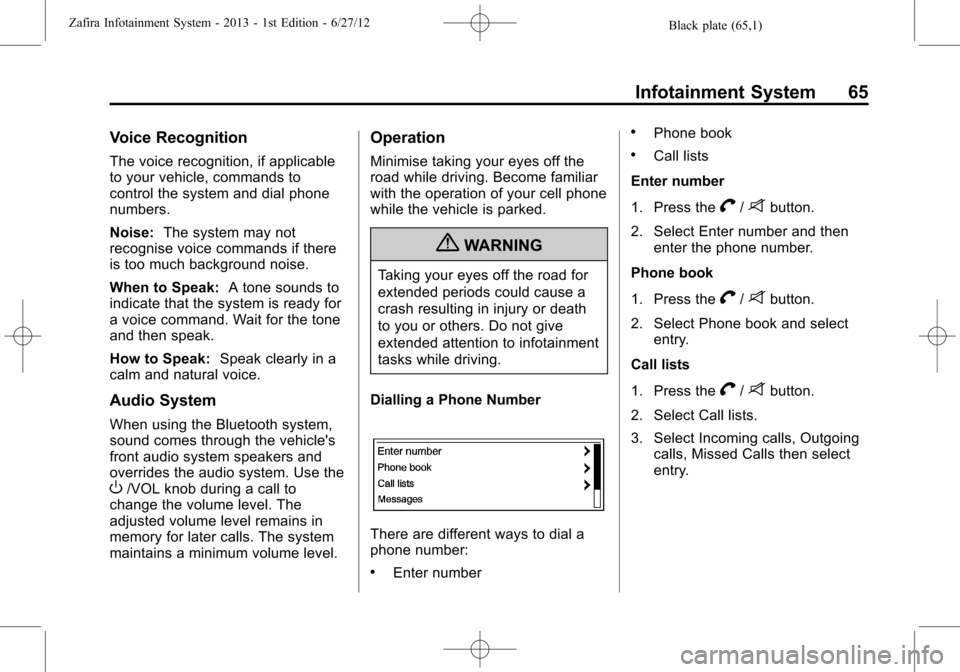
Dialling a Phone Number
There are different ways to dial a
phone number:
.Enter number
.Phone book
.Call lists
Enter number
1. Press the
V/8button.
2. Select Enter number and then
enter the phone number.
Phone book
1. Press the
V/8button.
2. Select Phone book and select
entry.
Call lists
1. Press the
V/8button.
2. Select Call lists.
3. Select Incoming calls, Outgoing
calls, Missed Calls then select
entry.
Page 67 of 92
Black plate (66,1)Zafira Infotainment System - 2013 - 1st Edition - 6/27/12
66 Infotainment System
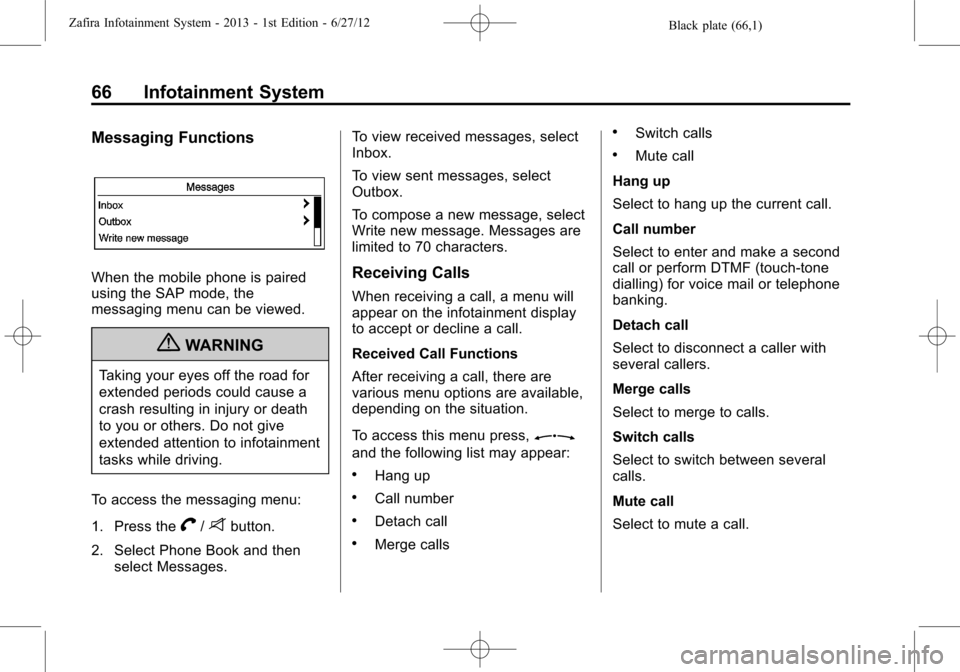
Messaging Functions
When the mobile phone is paired
using the SAP mode, the
messaging menu can be viewed.
{WARNING
Taking your eyes off the road for
extended periods could cause a
crash resulting in injury or death
to you or others. Do not give
extended attention to infotainment
tasks while driving.
To access the messaging menu:
1. Press the
V/8button.
2. Select Phone Book and then
select Messages.To view received messages, select
Inbox.
To view sent messages, select
Outbox.
To compose a new message, select
Write new message. Messages are
limited to 70 characters.
Receiving Calls
When receiving a call, a menu will
appear on the infotainment display
to accept or decline a call.
Received Call Functions
After receiving a call, there are
various menu options are available,
depending on the situation.
To access this menu press,
Z
and the following list may appear:
.Hang up
.Call number
.Detach call
.Merge calls
.Switch calls
.Mute call
Hang up
Select to hang up the current call.
Call number
Select to enter and make a second
call or perform DTMF (touch-tone
dialling) for voice mail or telephone
banking.
Detach call
Select to disconnect a caller with
several callers.
Merge calls
Select to merge to calls.
Switch calls
Select to switch between several
calls.
Mute call
Select to mute a call.
Page 68 of 92
Black plate (67,1)Zafira Infotainment System - 2013 - 1st Edition - 6/27/12
Infotainment System 67
Other Information
The Bluetooth®word mark and
logos are owned by Bluetooth®SIG,
Inc. and any use of such marks is
under license. Other trademarks
and trade names are those of their
respective owners.
Bluetooth (Voice)
General Information
Vehicles with the mobile phone
portal provide the possibility of
holding mobile phone conversations
via a vehicle microphone and the
vehicle infotainment system, as well
as operating the most important
mobile phone functions via the
infotainment system.
Not all mobile phone portal
functions are supported by every
mobile phone. The possible phone
functions depend on the relevant
mobile phone and network provider.
For further information, see theoperating instructions for your
mobile phone or contact your
network provider.
Bluetooth®
The mobile phone portal supports
Bluetooth®Hands-Free Profile
V. 1.5 and is specified in
accordance with the Bluetooth
Special Interest Group (SIG).
For further information about the
specification, see the Bluetooth
web site.
For security reasons, at least a
four-digit and randomly selected
Personal Identification Number
(PIN) should be used to pair
devices.
Operation
The mobile telephone system can
be operated via a steering wheel
remote control system or a
multifunction knob on the radio.As soon as the mobile telephone
portal has been switched on and the
mobile telephone is logged in, the
start page appears on the display.
Steering Wheel Controls
bg(Push to Talk):For vehicles
with a Bluetooth or navigation
system, press to interact with those
systems.
$i(Mute/End Call):Press to
silence the vehicle speakers only.
Press again to turn the sound on.
For vehicles with Bluetooth
systems, press to reject an
incoming call, or end a current call.
_SRC^(Rotary Control):Press
to select an audio source.
Press
_or^to select the next or
previous favourite radio station, CD
track, or MP3 track.
+
x- (Volume):Press + to increase
the volume. Press−to decrease the
volume.
Page 69 of 92
Black plate (68,1)Zafira Infotainment System - 2013 - 1st Edition - 6/27/12
68 Infotainment System
Telephone Connection
A connection can be created
between a mobile telephone and the
infotainment system through a
Bluetooth connection, as long as the
mobile telephone and the mobile
telephone portal support this
function.
In order for a connection to be
created, the mobile telephone portal
must be switched on and the mobile
telephone logged in. The mobile
telephone portal switches itself on
and off via the battery. If the battery
is switched off, switch the mobile
telephone on and off via the
infotainment system. When the
battery is switched off, the operating
time is limited to one hour.
On many mobile telephones, the
adapter is only used as a charging
station. In this case, the connection
must be created via Bluetooth.
Obtain information on available
telephone-specific adapters from
your dealer.For information on the Bluetooth
function, see the operating
instructions for the mobile
telephone.
Bluetooth®Connection
The Bluetooth function on the
mobile telephone must be activated.
See the operating instructions for
the mobile telephone.
Bluetooth is a radio standard for
wireless connection of a mobile
telephone to other equipment.
Information such as the phone
book, call list, network operator, and
field intensity can be transmitted.
Depending on the type of
equipment, the functions may be
restricted.
Creating a Connection
1. Go to the main menu.
2. Select the telephone symbol
from the headline.When the mobile telephone is
slotted in the adapter, the
telephone menu or Bluetooth
menu appear on the display.
If the mobile telephone is not
slotted into the adapter, the
Bluetooth menu appears on the
display.
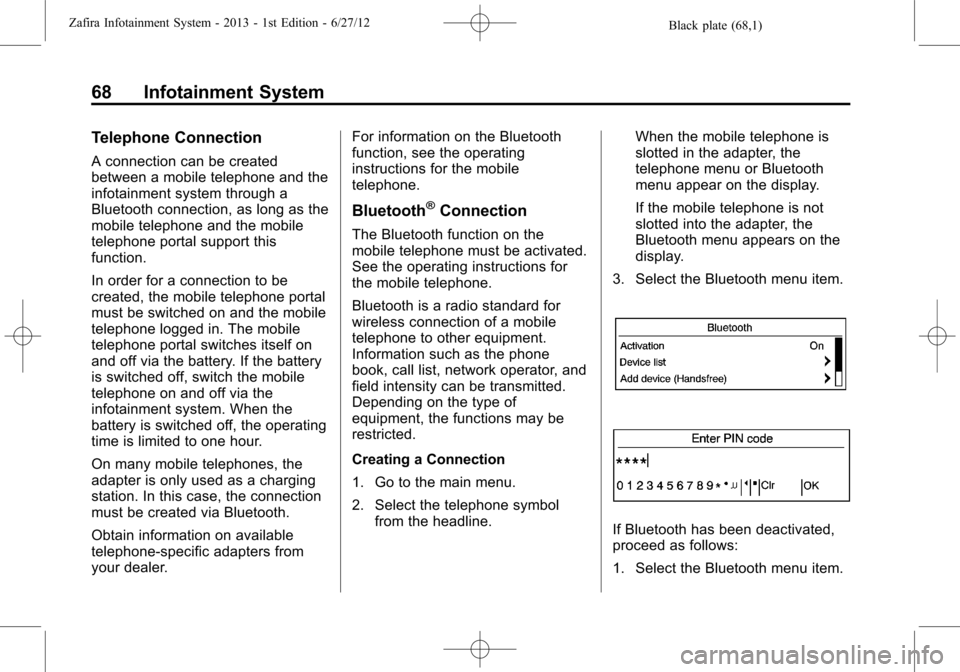
3. Select the Bluetooth menu item.
If Bluetooth has been deactivated,
proceed as follows:
1. Select the Bluetooth menu item.
Page 70 of 92

Black plate (69,1)Zafira Infotainment System - 2013 - 1st Edition - 6/27/12
Infotainment System 69
If Bluetooth has been activated,
the remaining menu items will
appear on the display.
2. Select the Bluetooth PIN
menu item.
The PIN menu appears on the
display.
3. Enter a random Bluetooth PIN
and confirm it with OK.
For security reasons, a randomly
selected PIN code of at least
four digits should be used.
4. Ensure that the Bluetooth
function of the mobile telephone
has been activated and set to
visible.
5. Select the Start searching
menu item.
During the search process for
Bluetooth devices, the word
Searching... displays.
When the search process has
ended, the Bluetooth devices
are listed in the Found
devices menu.6. Select the required mobile
telephone.
While the connection is being
created, the message The
connection will be established...
appears on the display.
Please enter the Bluetooth PIN,
or a similar request appears on
the display of the mobile
telephone.
7. Using the keypad on the mobile
telephone, enter the same
Bluetooth PIN as for the
infotainment system and confirm
it with OK.
The message Add device to
known devices?, or a similar
message, appears on the
display of the mobile telephone.
8. Confirm this on the keypad of
the mobile phone by
pressing OK.Once a connection has been
created successfully, the
message Added to the list of
known devices appears on the
display.
The connection between the
mobile telephone and the
infotainment system has now
been created.
Up to five devices can be added
to the list.
SIM Access Profile (SAP) Mode
This feature allows a wider range of
functions via the phone portal
including security and messaging
functions. The functions depend on
the network provider. In SAP mode,
the phone is in standby mode and
only the Bluetooth connection and
SIM card are active, which leads to
lower energy usage.
Connecting Phone via SAP
1. Turn the infotainment system on.
2. Press the CONFIG button.
3. Select Add SIM access device.
Page 71 of 92
Black plate (70,1)Zafira Infotainment System - 2013 - 1st Edition - 6/27/12
70 Infotainment System
The system scans for available
devices and displays a list of
devices found.
4. Select the mobile phone from
the list.
The SAP passcode prompt is
shown on the infotainment
display containing a
16-digit code.
5. Enter the displayed SAP
passcode in the mobile phone
(without spaces).
The mobile phone PIN is shown
on the infotainment display.
If the PIN request function is
active on the mobile phone, the
PIN for the SIM card must be
entered.Connecting Mobile Phone
Saved in Device List
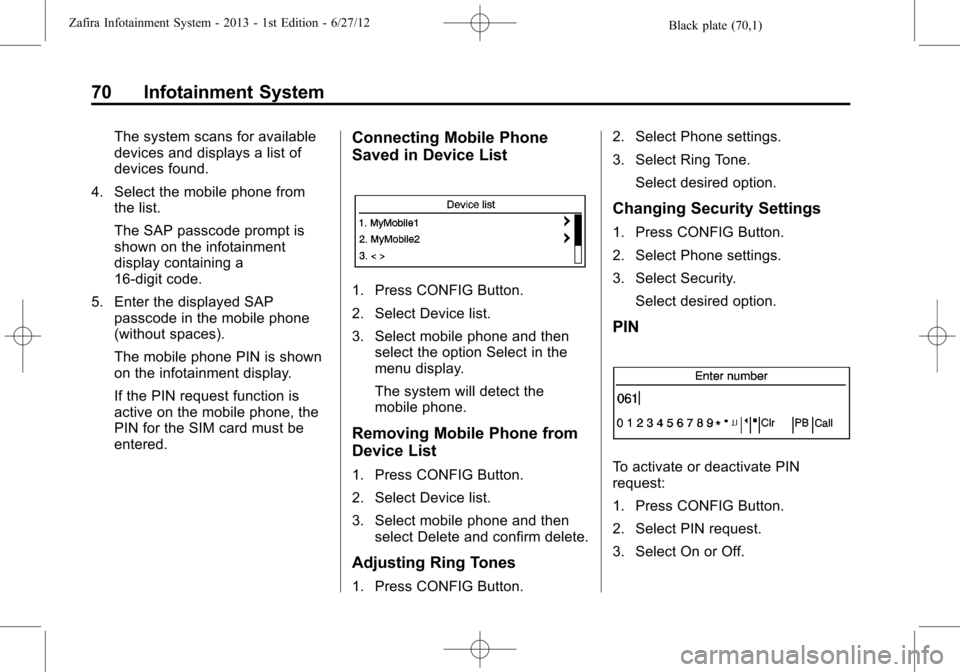
1. Press CONFIG Button.
2. Select Device list.
3. Select mobile phone and then
select the option Select in the
menu display.
The system will detect the
mobile phone.
Removing Mobile Phone from
Device List
1. Press CONFIG Button.
2. Select Device list.
3. Select mobile phone and then
select Delete and confirm delete.
Adjusting Ring Tones
1. Press CONFIG Button.2. Select Phone settings.
3. Select Ring Tone.
Select desired option.
Changing Security Settings
1. Press CONFIG Button.
2. Select Phone settings.
3. Select Security.
Select desired option.
PIN
To activate or deactivate PIN
request:
1. Press CONFIG Button.
2. Select PIN request.
3. Select On or Off.