change time OPEL ZAFIRA C 2018.5 Manual user
[x] Cancel search | Manufacturer: OPEL, Model Year: 2018.5, Model line: ZAFIRA C, Model: OPEL ZAFIRA C 2018.5Pages: 341, PDF Size: 10.22 MB
Page 141 of 341
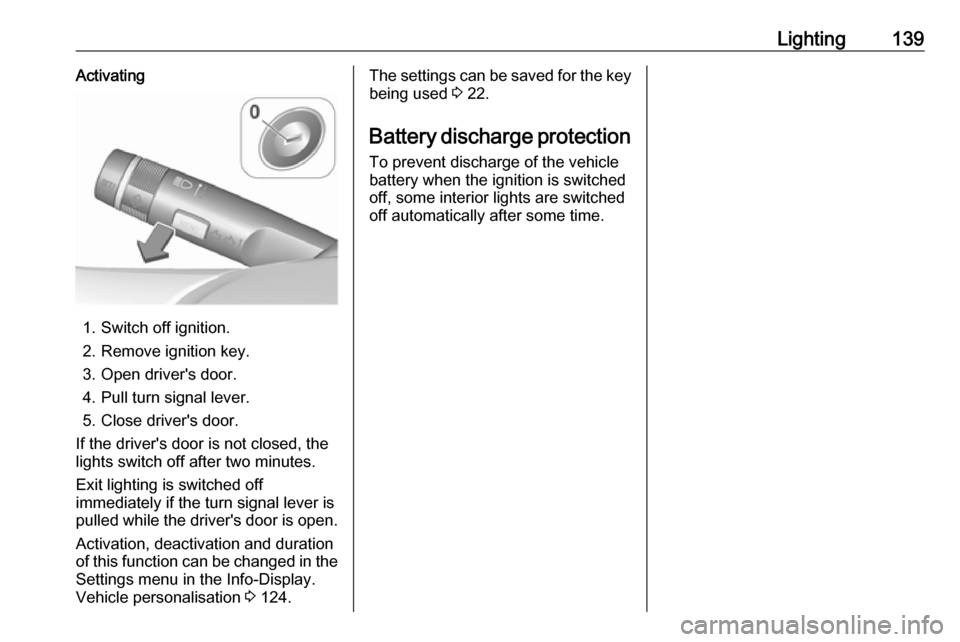
Lighting139Activating
1. Switch off ignition.
2. Remove ignition key.
3. Open driver's door.
4. Pull turn signal lever.
5. Close driver's door.
If the driver's door is not closed, the
lights switch off after two minutes.
Exit lighting is switched off
immediately if the turn signal lever is pulled while the driver's door is open.
Activation, deactivation and duration
of this function can be changed in the Settings menu in the Info-Display.
Vehicle personalisation 3 124.
The settings can be saved for the key
being used 3 22.
Battery discharge protection
To prevent discharge of the vehicle
battery when the ignition is switched
off, some interior lights are switched
off automatically after some time.
Page 143 of 341
Infotainment system141panel, the controls on the steering
wheel, or - if provided by your mobile
phone - via speech recognition.
The well-thought-out design of the
control elements, the touch screen
and the clear display enable you to
control the system easily and
intuitively.
Note
This manual describes all options
and features available for the
various Infotainment systems.
Certain descriptions, including those
for display and menu functions, may
not apply to your vehicle due to
model variant, country
specifications, special equipment or
accessories.
Important information on
operation and traffic safety9 Warning
The Infotainment system must be
used so that the vehicle can be
driven safely at all times. If in
doubt, stop the vehicle and
operate the Infotainment system
while the vehicle is stationary.9 Warning
In some areas one-way streets
and other roads and entrances
(e.g. pedestrian zones) that you
are not allowed to turn into are not marked on the map. In such areas
the Infotainment system may
issue a warning that must be
accepted. Here you must pay
particular attention to one-way
streets, roads and entrances that
you are not allowed to drive into.
Radio reception
Radio reception may be disrupted by
static, noise, distortion or loss of
reception due to:
● changes in distance from the transmitter
● multipath reception due to reflection
● shadowing
Theft-deterrent feature
The Infotainment system is equipped
with an electronic security system for
the purpose of theft deterrence.
The Infotainment system therefore
functions only in your vehicle and is
worthless to a thief.
Page 165 of 341

Infotainment system163Picture menuSelect Menu in the bottom line of the
screen to display the Picture Menu.
Slide show time
Select Slide Show Time to display a
list of possible time sequences and select the desired time sequence.
Clock and temperature display
To display time and temperature in
full screen mode, activate Clock.
Temp. Display .
Display settings
Select Display Settings to open a
submenu for the adjustment of
brightness and contrast.
Touch + or - to adjust the settings.
Playing movies
You can view movies from a USB device.
Note
For your safety, the movie function is
not available while driving.
Activating the movie function
If the device is not yet connected to
the Infotainment system, connect the
device 3 159.
Press ; and then select Gallery to
open the media main menu.
Touch m to open the movie main
menu to display a list of items stored on the USB device. Select the desired
movie. If this is stored within a folder, select the respective folder first.
The movie is shown.
Function buttons
Full screen
Select x to display the movie in full
screen mode. Touch the screen to
exit full screen mode.
Interrupting and resuming playback
Touch = to interrupt playback. The
screen button changes to l.
Touch l to resume playback.
Playing the next or previous track
Touch c to play the next movie file.
Touch d within the first five seconds
of the movie playing to return to the
previous movie file.
Page 166 of 341
164Infotainment systemReturning to the beginning of the
current movie
Touch d after five seconds of the
movie playing.
Fast forwarding and rewinding
Touch and hold d or c. Release to
return to normal playback mode.
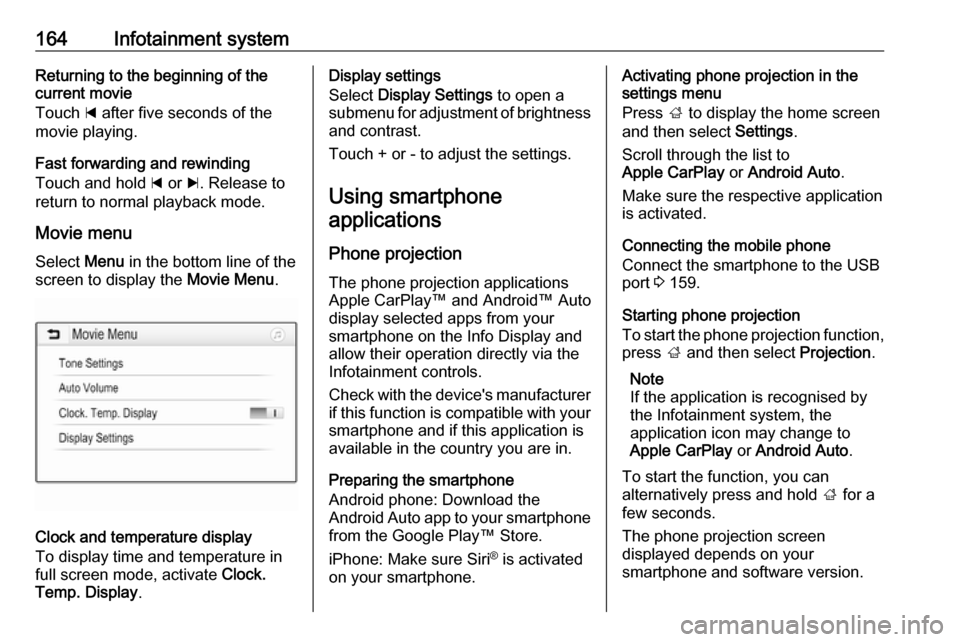
Movie menu Select Menu in the bottom line of the
screen to display the Movie Menu.
Clock and temperature display
To display time and temperature in
full screen mode, activate Clock.
Temp. Display .
Display settings
Select Display Settings to open a
submenu for adjustment of brightness and contrast.
Touch + or - to adjust the settings.
Using smartphone applications
Phone projection The phone projection applications
Apple CarPlay™ and Android™ Auto
display selected apps from your
smartphone on the Info Display and
allow their operation directly via the
Infotainment controls.
Check with the device's manufacturer
if this function is compatible with your smartphone and if this application is
available in the country you are in.
Preparing the smartphone
Android phone: Download the
Android Auto app to your smartphone
from the Google Play™ Store.
iPhone: Make sure Siri ®
is activated
on your smartphone.Activating phone projection in the
settings menu
Press ; to display the home screen
and then select Settings.
Scroll through the list to
Apple CarPlay or Android Auto .
Make sure the respective application
is activated.
Connecting the mobile phone
Connect the smartphone to the USB
port 3 159.
Starting phone projection
To start the phone projection function,
press ; and then select Projection.
Note
If the application is recognised by
the Infotainment system, the
application icon may change to
Apple CarPlay or Android Auto .
To start the function, you can
alternatively press and hold ; for a
few seconds.
The phone projection screen
displayed depends on your
smartphone and software version.
Page 172 of 341

170Infotainment systemPOI (Points of Interest) icons on the
map
POIs are points of general interest,
e.g. gas stations or restaurants.
The display of POI categories shown
on the map may be personally
adapted.
Select L on the map to display the
Options menu. Select Navigation
Settings and then Show on map .
Activate the desired POI categories.
Traffic events on the map
Traffic events may be directly
indicated on the map.
To activate the function, select L on
the map to display the Options menu.
Select Traffic on Map . The screen
button changes to activation mode.
To deactivate the function, select
Traffic on Map again.
Time indication
The time indication during active
route guidance may be displayed in
two different modes: the remaining
time (until the destination will be
reached) or the arrival time (when the
destination will be reached).Select L on the map to display the
Options menu. Select Navigation
Settings and then Time to Destination
Format .
Activate the desired option in the
submenu.
Note
During active route guidance, the
time indication can be changed by
simply tapping on the time indication
field on the screen.
Alert preferences
If desired, you may receive an
additional notification in specific traffic
zones.
Select L on the map to display the
Options menu. Select Navigation
Settings and then Alert Preferences .
If Safety camera is activated, you are
warned when approaching a
stationary speed camera.
Note
This function is only available if such an alert system corresponds to the
legal provisions applicable in the
country you are in.
Activate the desired option.Voice guidance
The route guidance process can be
supported by voice prompts given out by the system.
Note
The navigation voice prompts
function is not supported for all
languages. If there are no voice
prompts available, the system
automatically plays a tone to
indicate a manoeuvre ahead.
Activation
The voice guidance function is
activated by default. To deactivate
the function, select L on the map to
display the Options menu and then
touch Voice Guidance . The screen
button changes.
Select the screen button again to reactivate the function.
Voice guidance settings
To define which system outputs may assist during active route guidance,
select L on the map, Navigation
Settings and then Voice Guidance .
Page 178 of 341
176Infotainment systemSetting the route
In case the system finds more than
one possible route, you can choose
between the routes suggested.
Select Routes to display a list of all
routes detected by the system.
Activate the desired route and then
select Go to start route guidance.
Routes with several destinations
After route guidance has been
started, it is possible to add
destinations to the active route, e.g.
to pick up a friend on the way or stop at a gas station.
Note
Up to five destinations can be
combined in one route.
Start route guidance to the desired
destination.
To add another destination, select L
on the map and then select Add
Destination . The destination search
menu is displayed.
Navigate to the desired destination.
The Details menu is displayed. Select
Add .Note
If you select Go, route guidance to
the destination first selected is
stopped and route guidance to the
new destination is started.
The destinations are arranged in the
order in which they are entered while
the last destination added is the first
you are guided to. In order to check or
confirm while driving, the name of the next destination is displayed above
the arrival time and distance.
The order of the destinations can be
changed 3 176.
Guidance
Route guidance is provided by the
navigation system through visual
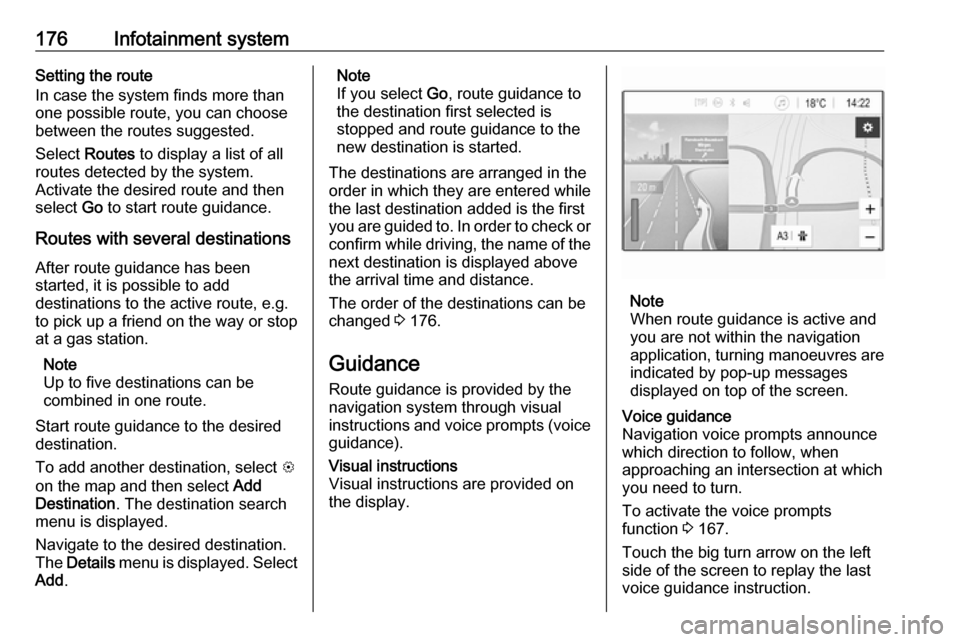
instructions and voice prompts (voice guidance).Visual instructions
Visual instructions are provided on
the display.
Note
When route guidance is active and
you are not within the navigation
application, turning manoeuvres are indicated by pop-up messages
displayed on top of the screen.
Voice guidance
Navigation voice prompts announce
which direction to follow, when
approaching an intersection at which
you need to turn.
To activate the voice prompts
function 3 167.
Touch the big turn arrow on the left side of the screen to replay the last voice guidance instruction.
Page 179 of 341
Infotainment system177Starting and cancelling route
guidance
To start route guidance, select Go in
the Details menu after a destination
has been selected 3 171.
To cancel route guidance, select
Cancel on the left side of the screen
3 167.
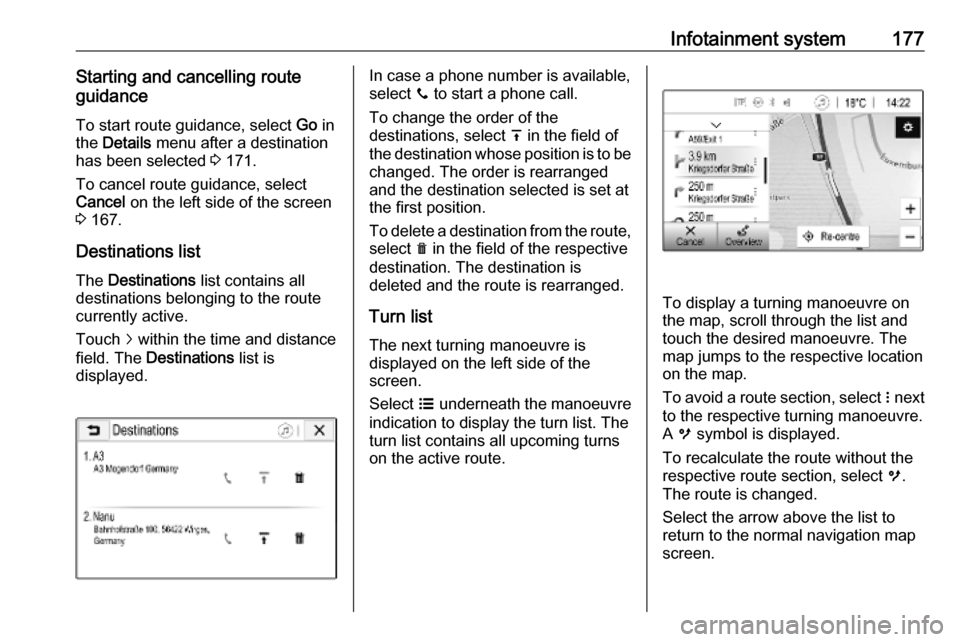
Destinations list
The Destinations list contains all
destinations belonging to the route
currently active.
Touch j within the time and distance
field. The Destinations list is
displayed.In case a phone number is available,
select y to start a phone call.
To change the order of the
destinations, select h in the field of
the destination whose position is to be changed. The order is rearranged
and the destination selected is set at
the first position.
To delete a destination from the route,
select e in the field of the respective
destination. The destination is
deleted and the route is rearranged.
Turn listThe next turning manoeuvre is
displayed on the left side of the
screen.
Select a underneath the manoeuvre
indication to display the turn list. The
turn list contains all upcoming turns
on the active route.
To display a turning manoeuvre on
the map, scroll through the list and
touch the desired manoeuvre. The map jumps to the respective location
on the map.
To avoid a route section, select n next
to the respective turning manoeuvre.
A m symbol is displayed.
To recalculate the route without the
respective route section, select m.
The route is changed.
Select the arrow above the list to
return to the normal navigation map
screen.
Page 183 of 341
Infotainment system181interference is caused by the
mobile phone or if dangerous
situations can occur.
Bluetooth
The phone function is certified by theBluetooth Special Interest Group
(SIG).
You can find further information about the specification on the internet at
http://www.bluetooth.com.
Bluetooth connection
Bluetooth is a radio standard for the
wireless connection of e.g. mobile
phones, smartphones or other
devices.
The pairing and connecting of the
Bluetooth devices to the Infotainment
system are carried out via the
Bluetooth menu. Pairing is the PIN
code exchange between the
Bluetooth device and the
Infotainment system.
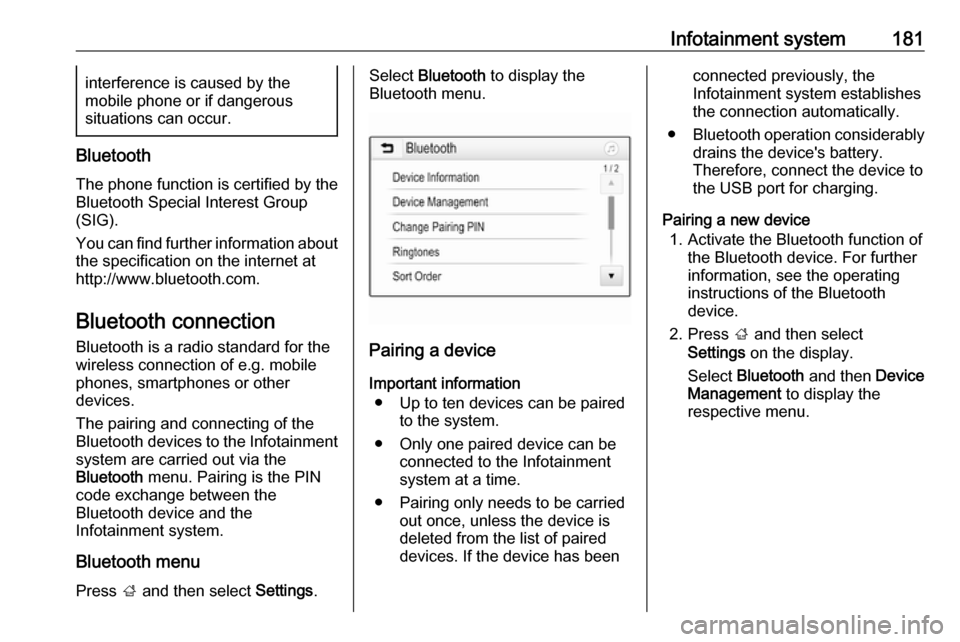
Bluetooth menu
Press ; and then select Settings.
Select Bluetooth to display the
Bluetooth menu.
Pairing a device
Important information ● Up to ten devices can be paired to the system.
● Only one paired device can be connected to the Infotainment
system at a time.
● Pairing only needs to be carried out once, unless the device is
deleted from the list of paired
devices. If the device has been
connected previously, the
Infotainment system establishes
the connection automatically.
● Bluetooth operation considerably
drains the device's battery.
Therefore, connect the device to
the USB port for charging.
Pairing a new device 1. Activate the Bluetooth function of the Bluetooth device. For further
information, see the operating
instructions of the Bluetooth
device.
2. Press ; and then select
Settings on the display.
Select Bluetooth and then Device
Management to display the
respective menu.
Page 228 of 341
226Driving and operatingDeactivation of the functionality
Adaptive cruise control is deactivated by the driver when:
● y is pressed.
● Brake pedal is applied.
● Clutch pedal is depressed for more than four seconds.
● Selector lever of automatic transmission is moved to N.
The system is also automatically deactivated when:
● Vehicle speed accelerates above
190 km/h or slows down below
45 km/h.
● The Traction Control system is operating.
● Electronic Stability Control is operating.
● There is no traffic and nothing detected on the road sides forseveral minutes. In this case
there are no radar echoes and
the sensor may report that it is blocked.
● The active emergency braking system is applying the brakes.● Driving on steep inclines.
● Radar sensor is blocked by an ice
or water film.
● A fault is detected in the radar, engine or brake system.
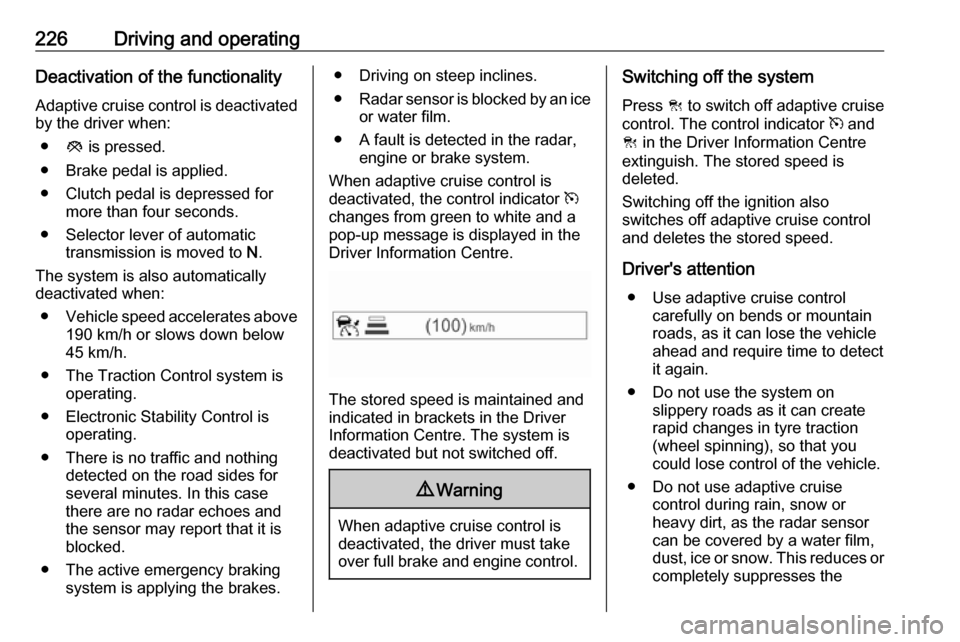
When adaptive cruise control is
deactivated, the control indicator m
changes from green to white and a
pop-up message is displayed in the
Driver Information Centre.
The stored speed is maintained and
indicated in brackets in the Driver
Information Centre. The system is
deactivated but not switched off.
9 Warning
When adaptive cruise control is
deactivated, the driver must take
over full brake and engine control.
Switching off the system
Press C to switch off adaptive cruise
control. The control indicator m and
C in the Driver Information Centre
extinguish. The stored speed is
deleted.
Switching off the ignition also
switches off adaptive cruise control
and deletes the stored speed.
Driver's attention ● Use adaptive cruise control carefully on bends or mountainroads, as it can lose the vehicle
ahead and require time to detect
it again.
● Do not use the system on slippery roads as it can create
rapid changes in tyre traction
(wheel spinning), so that you
could lose control of the vehicle.
● Do not use adaptive cruise control during rain, snow or
heavy dirt, as the radar sensor
can be covered by a water film,
dust, ice or snow. This reduces or completely suppresses the
Page 229 of 341
Driving and operating227visibility. In case of sensor
blockage, clean the sensor
cover.
System limits ● The system's automatic brake force does not permit hard
braking and the braking level
may not be sufficient to avoid a
collision.
● After a sudden lane change, the system needs a certain time to
detect the next preceding
vehicle. So if a new vehicle is
detected, the system may
accelerate instead of braking.
● Adaptive cruise control does ignore the oncoming traffic.
● Adaptive cruise control does not brake for pedestrians, animals,very slow speed driving or
stopped vehicles.
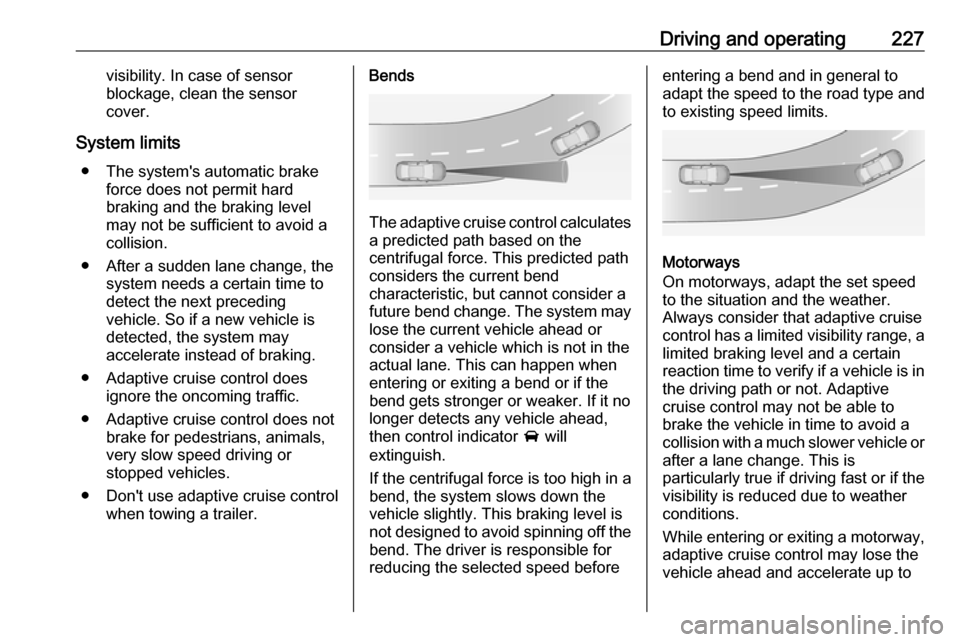
● Don't use adaptive cruise control when towing a trailer.Bends
The adaptive cruise control calculates
a predicted path based on the
centrifugal force. This predicted path
considers the current bend
characteristic, but cannot consider a
future bend change. The system may lose the current vehicle ahead or
consider a vehicle which is not in the
actual lane. This can happen when
entering or exiting a bend or if the
bend gets stronger or weaker. If it no
longer detects any vehicle ahead,
then control indicator A will
extinguish.
If the centrifugal force is too high in a bend, the system slows down the vehicle slightly. This braking level is
not designed to avoid spinning off the bend. The driver is responsible for
reducing the selected speed before
entering a bend and in general to
adapt the speed to the road type and
to existing speed limits.
Motorways
On motorways, adapt the set speed
to the situation and the weather.
Always consider that adaptive cruise
control has a limited visibility range, a
limited braking level and a certain
reaction time to verify if a vehicle is in
the driving path or not. Adaptive
cruise control may not be able to
brake the vehicle in time to avoid a
collision with a much slower vehicle or after a lane change. This is
particularly true if driving fast or if the
visibility is reduced due to weather
conditions.
While entering or exiting a motorway,
adaptive cruise control may lose the
vehicle ahead and accelerate up to