infotainment OPEL ZAFIRA C 2018.5 Manual user
[x] Cancel search | Manufacturer: OPEL, Model Year: 2018.5, Model line: ZAFIRA C, Model: OPEL ZAFIRA C 2018.5Pages: 341, PDF Size: 10.22 MB
Page 148 of 341
146Infotainment systemFor a detailed description of:● Radio functions 3 153
● External devices 3 161
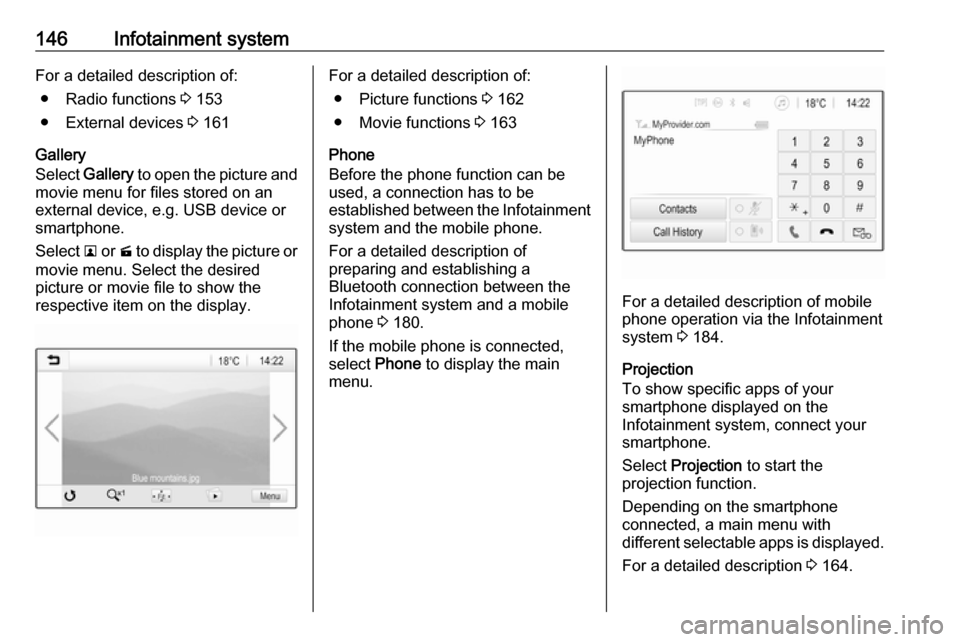
Gallery
Select Gallery to open the picture and
movie menu for files stored on an
external device, e.g. USB device or
smartphone.
Select l or m to display the picture or
movie menu. Select the desired
picture or movie file to show the
respective item on the display.For a detailed description of:
● Picture functions 3 162
● Movie functions 3 163
Phone
Before the phone function can be
used, a connection has to be
established between the Infotainment system and the mobile phone.
For a detailed description of
preparing and establishing a
Bluetooth connection between the Infotainment system and a mobilephone 3 180.
If the mobile phone is connected,
select Phone to display the main
menu.
For a detailed description of mobile
phone operation via the Infotainment
system 3 184.
Projection
To show specific apps of your
smartphone displayed on the
Infotainment system, connect your
smartphone.
Select Projection to start the
projection function.
Depending on the smartphone
connected, a main menu with
different selectable apps is displayed.
For a detailed description 3 164.
Page 149 of 341
Infotainment system147Nav
(R 4.0 IntelliLink, if Projection not
available)
To start the BringGo navigation
application, select Nav.
For a detailed description 3 164.
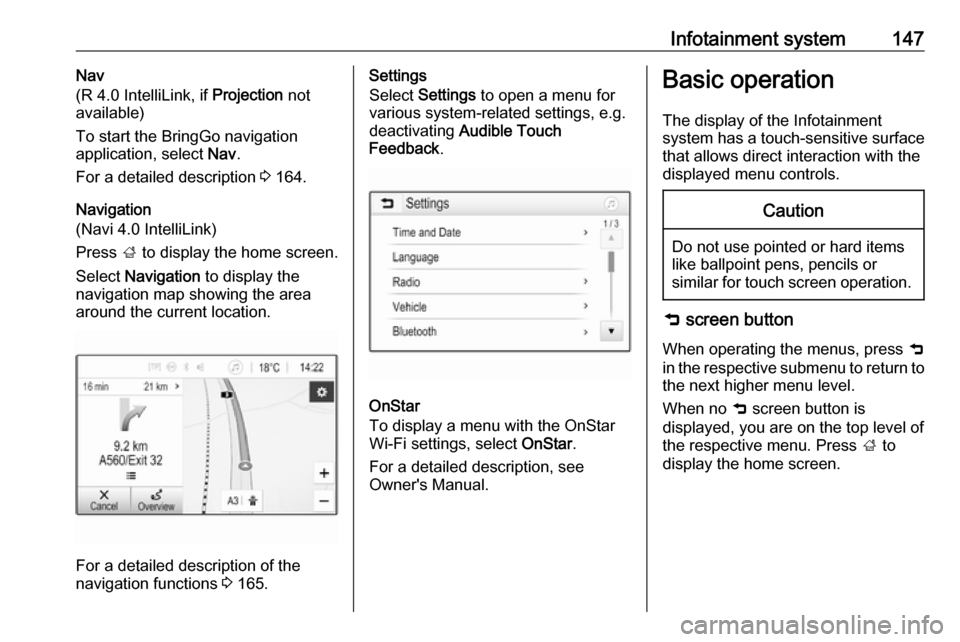
Navigation
(Navi 4.0 IntelliLink)
Press ; to display the home screen.
Select Navigation to display the
navigation map showing the area
around the current location.
For a detailed description of the
navigation functions 3 165.
Settings
Select Settings to open a menu for
various system-related settings, e.g.
deactivating Audible Touch
Feedback .
OnStar
To display a menu with the OnStar
Wi-Fi settings, select OnStar.
For a detailed description, see
Owner's Manual.
Basic operation
The display of the Infotainment
system has a touch-sensitive surface that allows direct interaction with the
displayed menu controls.Caution
Do not use pointed or hard items
like ballpoint pens, pencils or
similar for touch screen operation.
9 screen button
When operating the menus, press 9
in the respective submenu to return to
the next higher menu level.
When no 9 screen button is
displayed, you are on the top level of
the respective menu. Press ; to
display the home screen.
Page 150 of 341

148Infotainment systemSelecting or activating a screen
button or menu item
Touch a screen button or menu item.
The corresponding system function is activated, a message is shown, or a
submenu with further options is
displayed.
Moving items on the home menu
Touch and hold the element you wish
to move until red boxes appear
around the icons. Move your finger to
the desired location and release the
element.
Note
Constant pressure must be applied
and the finger must be moved at a
constant speed.
All other items are rearranged.
Press one of the buttons on the
control panel to exit edit mode.
Note
Edit mode exits automatically after
30 seconds of inactivity.
Scrolling lists
If there are more items available than
presentable on the screen, the list
must be scrolled.
To scroll through a list of menu items, you may optionally:
● Place your finger anywhere on the screen and move it upwards
or downwards.
Page 151 of 341
Infotainment system149Note
Constant pressure must be applied
and the finger must be moved at a
constant speed.
● Touch S or R at the top or
bottom of the scroll bar.
● Move the slider of the scroll bar up and down with your finger.
To return to the top of the list, touch
the list title.
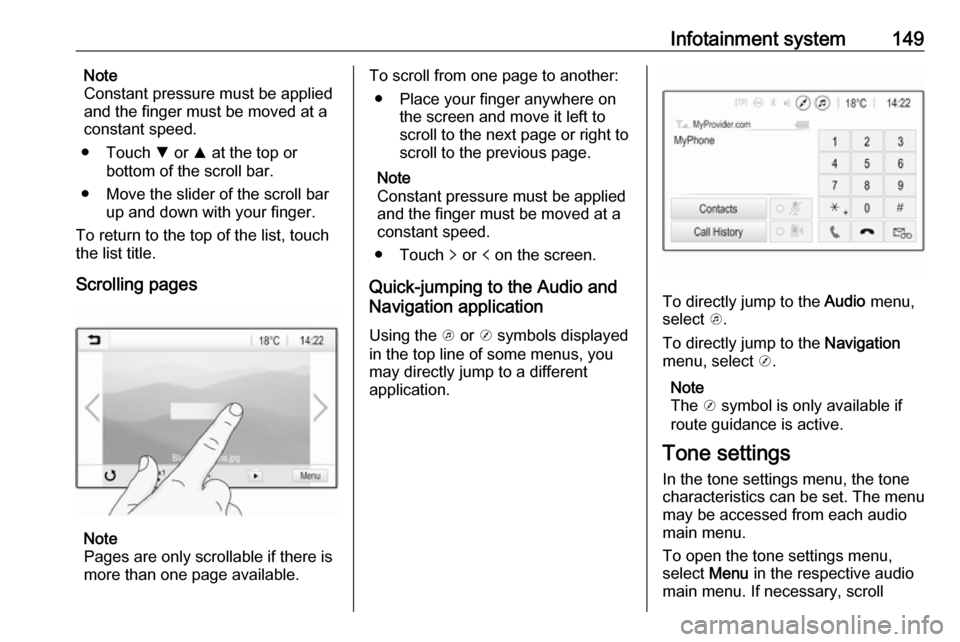
Scrolling pages
Note
Pages are only scrollable if there is
more than one page available.
To scroll from one page to another:
● Place your finger anywhere on the screen and move it left to
scroll to the next page or right to
scroll to the previous page.
Note
Constant pressure must be applied
and the finger must be moved at a
constant speed.
● Touch q or p on the screen.
Quick-jumping to the Audio and
Navigation application
Using the k or j symbols displayed
in the top line of some menus, you
may directly jump to a different
application.
To directly jump to the Audio menu,
select k.
To directly jump to the Navigation
menu, select j.
Note
The j symbol is only available if
route guidance is active.
Tone settings
In the tone settings menu, the tone
characteristics can be set. The menu
may be accessed from each audio
main menu.
To open the tone settings menu,
select Menu in the respective audio
main menu. If necessary, scroll
Page 152 of 341
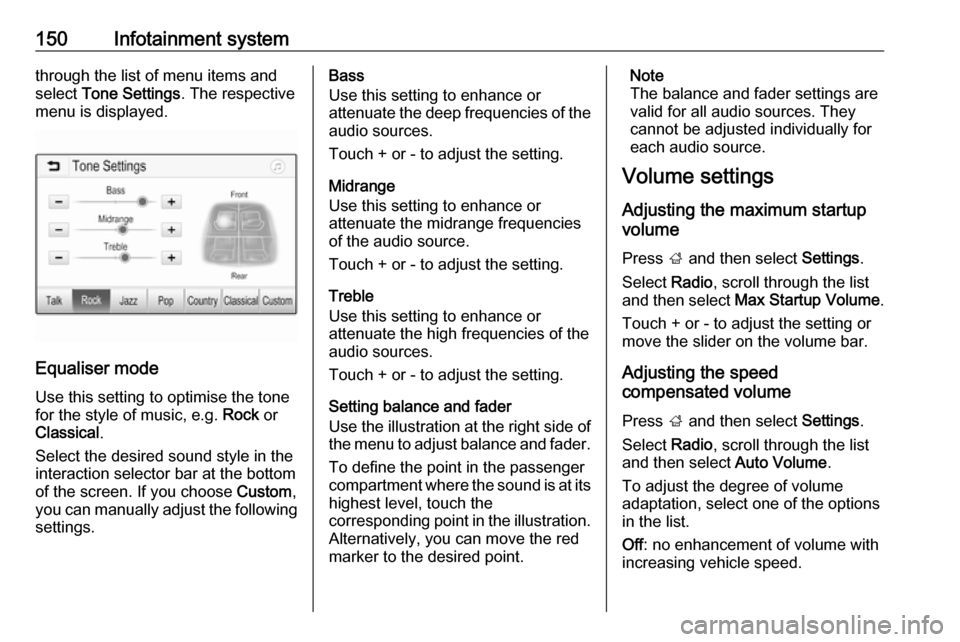
150Infotainment systemthrough the list of menu items and
select Tone Settings . The respective
menu is displayed.
Equaliser mode
Use this setting to optimise the tone for the style of music, e.g. Rock or
Classical .
Select the desired sound style in the
interaction selector bar at the bottom of the screen. If you choose Custom,
you can manually adjust the following settings.
Bass
Use this setting to enhance or
attenuate the deep frequencies of the
audio sources.
Touch + or - to adjust the setting.
Midrange
Use this setting to enhance or
attenuate the midrange frequencies
of the audio source.
Touch + or - to adjust the setting.
Treble
Use this setting to enhance or
attenuate the high frequencies of the
audio sources.
Touch + or - to adjust the setting.
Setting balance and fader
Use the illustration at the right side of
the menu to adjust balance and fader.
To define the point in the passenger
compartment where the sound is at its
highest level, touch the
corresponding point in the illustration.
Alternatively, you can move the red
marker to the desired point.Note
The balance and fader settings are
valid for all audio sources. They
cannot be adjusted individually for
each audio source.
Volume settings
Adjusting the maximum startup
volume
Press ; and then select Settings.
Select Radio, scroll through the list
and then select Max Startup Volume .
Touch + or - to adjust the setting or move the slider on the volume bar.
Adjusting the speed
compensated volume
Press ; and then select Settings.
Select Radio, scroll through the list
and then select Auto Volume.
To adjust the degree of volume
adaptation, select one of the options
in the list.
Off : no enhancement of volume with
increasing vehicle speed.
Page 153 of 341

Infotainment system151High: maximum enhancement of
volume with increasing vehicle
speed.
Activating or deactivating the
audible touch feedback function
If the audible touch feedback function is activated, each touch of a screen
button or menu item is indicated by a
beeping sound.
Press ; and then select Settings.
Select Radio and then scroll through
the list to Audible Touch Feedback .
Touch the screen button next to
Audible Touch Feedback to activate
or deactivate the function.
Volume of traffic announcements
To adjust the volume of traffic
announcements, set the desired volume while a traffic announcement
is given out by the system. The
respective setting is then stored by
the system.
System settings The following settings concern the
whole system. All other settings are
described in the respective chapters of this manual.
Time and date settings
Press ; and then select Settings.
Select Time and Date to display the
respective submenu.
Set Time Format
To select the desired time format,
touch the screen buttons 12 h or 24 h .
Set Date Format
To select the desired date format,
select Set Date Format and choose
between the available options in the
submenu.
Auto Set
To choose whether time and date are
to be set automatically or manually,
select Auto Set .
For time and date to be set
automatically, select On - RDS.
Page 154 of 341
152Infotainment systemFor time and date to be set manually,
select Off - Manual . If Auto Set is set
to Off - Manual , the submenu items
Set Time and Set Date become
available.
Set time and date
To adjust the time and date settings,
select Set Time or Set Date .
Touch + or - to adjust the settings.
Language settings
Press ; and then select Settings.
Select Language to display the
respective menu.
To adjust the language for the menu texts, touch the desired language.
Text scroll function If long text is displayed on the screen
e.g. song titles or station names, the
text may either be scrolled continually or it may be scrolled once and
displayed in truncated form.
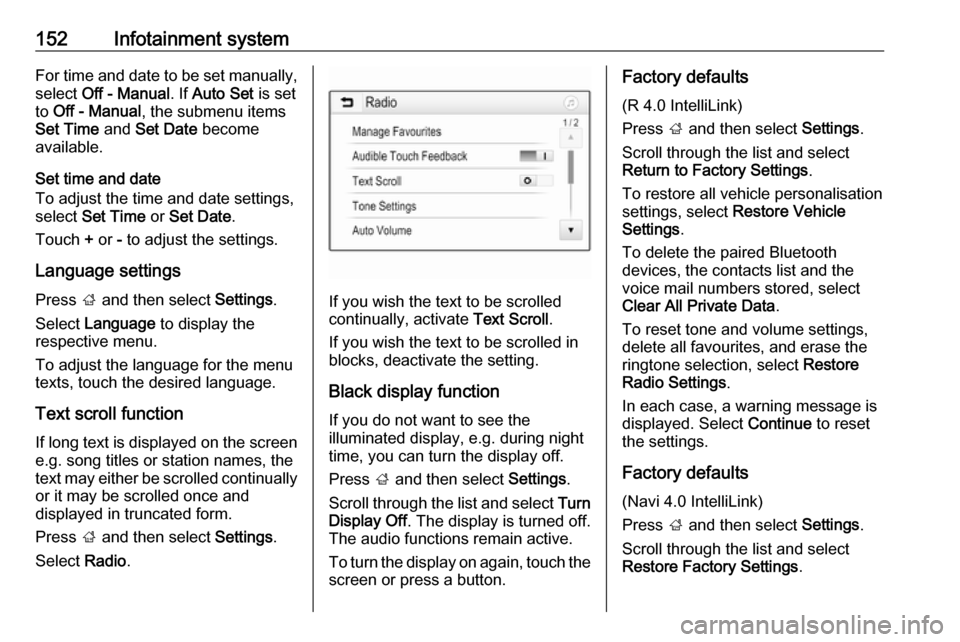
Press ; and then select Settings.
Select Radio.
If you wish the text to be scrolled
continually, activate Text Scroll.
If you wish the text to be scrolled in
blocks, deactivate the setting.
Black display function
If you do not want to see the
illuminated display, e.g. during night
time, you can turn the display off.
Press ; and then select Settings.
Scroll through the list and select Turn
Display Off . The display is turned off.
The audio functions remain active.
To turn the display on again, touch the
screen or press a button.
Factory defaults
(R 4.0 IntelliLink)
Press ; and then select Settings.
Scroll through the list and select
Return to Factory Settings .
To restore all vehicle personalisation
settings, select Restore Vehicle
Settings .
To delete the paired Bluetooth
devices, the contacts list and the
voice mail numbers stored, select Clear All Private Data .
To reset tone and volume settings,
delete all favourites, and erase the
ringtone selection, select Restore
Radio Settings .
In each case, a warning message is
displayed. Select Continue to reset
the settings.
Factory defaults
(Navi 4.0 IntelliLink)
Press ; and then select Settings.
Scroll through the list and select
Restore Factory Settings .
Page 155 of 341
Infotainment system153Vehicle settings
To restore all vehicle personalisation
settings, select Reset Vehicle
Settings .
A pop-up is displayed. Confirm the
pop-up message.
Phone information
To delete the paired Bluetooth
devices, the contacts list and the
voice mail numbers stored, select
Clear all phone information .
A pop-up is displayed. Confirm the pop-up message.
Radio settings
To reset tone and volume settings
and delete all favourites, select
Restore Radio Settings .
A pop-up is displayed. Confirm the
pop-up message.
Navigation settings
To reset all navigation parameters
and navigation system settings,
select Restore Navigation Settings . A
submenu is displayed.Depending on which set of
parameters you want to reset, select
Clear navigation history (recent
destinations), Clear navigation
favourites (favourites) or Reset
navigation options and settings (e.g.
settings concerning map display,
voice output or route options).
A pop-up is displayed. Confirm the
pop-up message.
System version
Press ; and then select Settings.
Scroll through the list and select
Software Information .
If a USB device is connected, you
may save the vehicle information to
this USB device.
Select System Update and then Save
Vehicle Info to USB .
For a system update, contact your
workshop.
Vehicle settingsVehicle settings are described in the
Owner's Manual.Radio
Usage
Activating radio
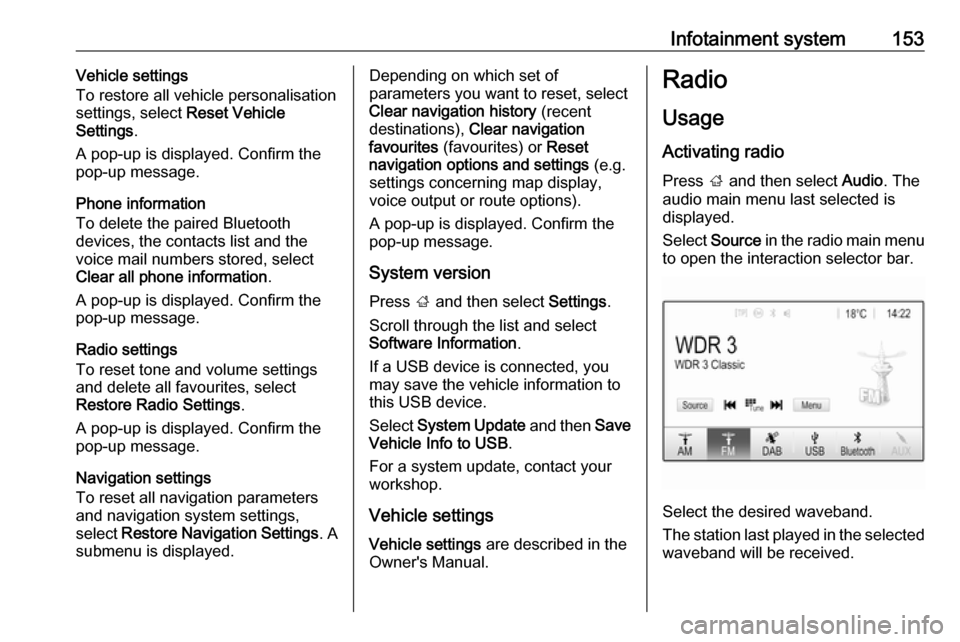
Press ; and then select Audio. The
audio main menu last selected is displayed.
Select Source in the radio main menu
to open the interaction selector bar.
Select the desired waveband.
The station last played in the selected waveband will be received.
Page 156 of 341

154Infotainment systemStation search
Automatic station search
Briefly press or touch t or v on the
control panel or on the screen to play the previous or next station in the
station memory.
Manual station search
Press and hold t or v on the
control panel. Release when the
required frequency has almost been
reached.
A search is made for the next station that can be received and it is played
automatically.
Note
FM waveband: when the RDS
function is activated, only RDS
stations 3 156 are searched for, and
when the radio traffic service (TP) is
activated, only traffic service
stations 3 156 are searched for.
Station tuning
Touch B on the screen. The Direct
tune screen is shown.
Enter the desired frequency. Use r
to delete digits entered. If necessary, touch d or c to subsequently adjust
the input.
Confirm the input to play the station.
Station lists
Select Menu in the radio main menu
to open the corresponding
waveband-specific submenu.
Select Station List . All receivable
stations of the relevant waveband
and in the current reception area are
displayed.
Select the desired station.
Note
The currently received radio station
is indicated by the l symbol next to
the station name.
Category lists
Numerous radio stations broadcast a
PTY code, which specifies the type of programme transmitted (e.g. news).
Some stations also change the PTY
code depending on the content which
is currently transmitted.
The Infotainment system stores these
stations, sorted by programme type in the corresponding category list.
Page 157 of 341

Infotainment system155Note
The Categories list item is only
available for the FM and the DAB wavebands.
To search for a programme type
determined by the stations, select
Categories .
A list of programme types currently
available is displayed.
Select the desired programme type. A
list of stations of the selected
programme type is displayed.
Select the desired station.
Note
The currently received radio station
is indicated by the l symbol next to
the station name.
Update station lists
If the stations stored in the waveband-
specific station list can no longer be
received, the AM and the DAB station lists must be updated.
Note
The FM station list is updated
automatically.Select Menu in the radio main menu
and then select Update Station List .
Note
If a waveband-specific station list is
updated, the corresponding
category list is also updated.
A station search is started and a
corresponding message is displayed. Once the search is finished, the
respective station list is displayed.
Note
The currently received radio station
is indicated by the l symbol next to
the station name.
Favourite lists
Stations of all wavebands can be
stored manually in the favourite lists.
Five favourite lists with five favourites each are available.
Note
The currently received station is
highlighted.
Storing a station
If required, touch < or > to scroll to
the desired favourite list.
To store the currently active radio
station as a favourite, touch and hold
the desired favourite button for a few
seconds. The favourite button will be titled as the corresponding frequency
or station name.