ESP OPEL ZAFIRA TOURER 2016 Owner's Manual
[x] Cancel search | Manufacturer: OPEL, Model Year: 2016, Model line: ZAFIRA TOURER, Model: OPEL ZAFIRA TOURER 2016Pages: 301, PDF Size: 9.16 MB
Page 193 of 301
Driving and operating191
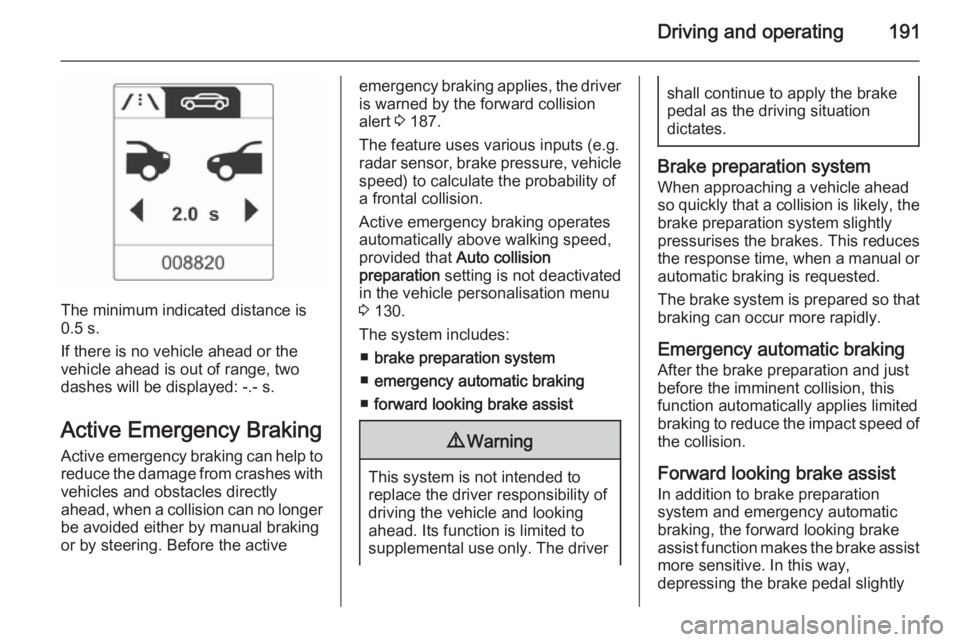
The minimum indicated distance is
0.5 s.
If there is no vehicle ahead or the vehicle ahead is out of range, two
dashes will be displayed: -.- s.
Active Emergency Braking Active emergency braking can help to reduce the damage from crashes with vehicles and obstacles directly
ahead, when a collision can no longer be avoided either by manual braking
or by steering. Before the active
emergency braking applies, the driver
is warned by the forward collision
alert 3 187.
The feature uses various inputs (e.g.
radar sensor, brake pressure, vehicle speed) to calculate the probability ofa frontal collision.
Active emergency braking operates automatically above walking speed,
provided that Auto collision
preparation setting is not deactivated
in the vehicle personalisation menu 3 130.
The system includes: ■ brake preparation system
■ emergency automatic braking
■ forward looking brake assist9 Warning
This system is not intended to
replace the driver responsibility of driving the vehicle and looking
ahead. Its function is limited to
supplemental use only. The driver
shall continue to apply the brake
pedal as the driving situation
dictates.
Brake preparation system
When approaching a vehicle ahead
so quickly that a collision is likely, the brake preparation system slightly
pressurises the brakes. This reduces
the response time, when a manual or automatic braking is requested.
The brake system is prepared so that braking can occur more rapidly.
Emergency automatic braking After the brake preparation and just
before the imminent collision, this
function automatically applies limited
braking to reduce the impact speed of
the collision.
Forward looking brake assist
In addition to brake preparation
system and emergency automatic
braking, the forward looking brake
assist function makes the brake assist more sensitive. In this way,
depressing the brake pedal slightly
Page 195 of 301
Driving and operating193Parking assistFront-rear parking assist9 Warning
The driver bears full responsibility
for the parking manoeuvre.
Always check the surrounding
area when driving backwards or
forwards while using parking
assist system.
The front-rear parking assist
measures the distance between the vehicle and obstacles in front of and
behind the vehicle. The system gives acoustic signals and display
messages.
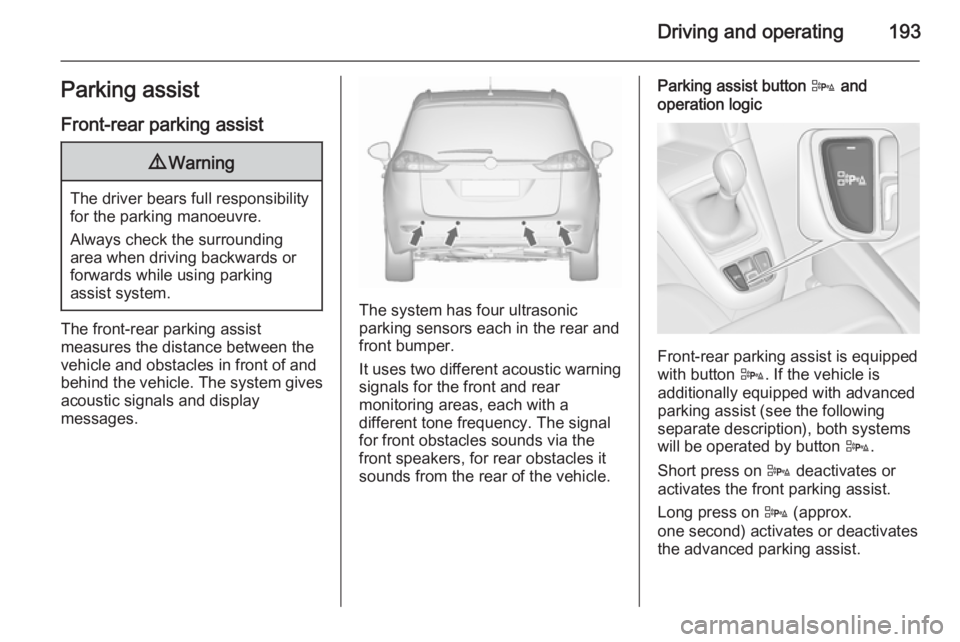
The system has four ultrasonic
parking sensors each in the rear and
front bumper.
It uses two different acoustic warning
signals for the front and rear
monitoring areas, each with a
different tone frequency. The signal
for front obstacles sounds via the
front speakers, for rear obstacles it
sounds from the rear of the vehicle.
Parking assist button D and
operation logic
Front-rear parking assist is equipped
with button D. If the vehicle is
additionally equipped with advanced parking assist (see the following
separate description), both systems
will be operated by button D.
Short press on D deactivates or
activates the front parking assist.
Long press on D (approx.
one second) activates or deactivates
the advanced parking assist.
Page 196 of 301
194Driving and operating
Button logic operates the systems by
pressing as following:
■ Front-rear parking assist is active: short press deactivates front-rear
parking assist.
■ Front-rear parking assist is active: long press activates advanced
parking assist if a forward gear is engaged.
■ Advanced parking assist is active: short press activates front-rear
parking assist.
■ Advanced parking assist is active: long press deactivates advanced
parking assist.
■ Advanced parking assist and front- rear parking assist are active: shortpress deactivates both systems.
Activation
When reverse gear is engaged, the
front and rear parking assist is ready
to operate.
The front parking assist is also
activated automatically at a speed up to 11 km/h.An illuminated LED in the parking
assist button indicates that the
system is ready to operate.
If the vehicle exceeds a speed of 11 km/h, the front parking assist is
deactivated. The front parking assist
is always reactivated when vehicle
speed drops below 11 km/h.
Indication
The system warns the driver with
acoustic signals against potentially
hazardous obstacles behind and in
front of the vehicle. Depending on
which side of the vehicle is closer to
an obstacle, you will hear acoustic warning signals on the respective
side of the vehicle. The interval
between the sounds becomes shorter
as the vehicle gets closer to that
obstacle. When the distance is less
than approx. 30 cm, the sound is
continuous.
Additionally, the distance to obstacles may be shown in the Driver
Information Centre 3 118.
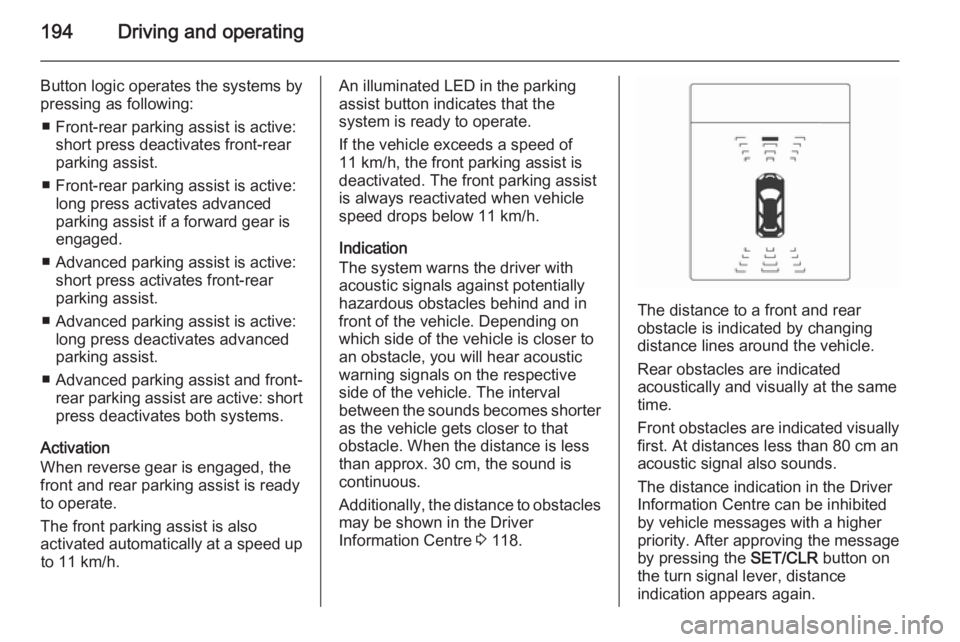
The distance to a front and rear
obstacle is indicated by changing
distance lines around the vehicle.
Rear obstacles are indicated
acoustically and visually at the same
time.
Front obstacles are indicated visually
first. At distances less than 80 cm an
acoustic signal also sounds.
The distance indication in the Driver
Information Centre can be inhibited
by vehicle messages with a higher
priority. After approving the message
by pressing the SET/CLR button on
the turn signal lever, distance
indication appears again.
Page 197 of 301
Driving and operating195
Deactivation
The rear parking assist automatically
switches off when reverse gear is
disengaged.
The front parking assist is deactivated
automatically at a speed above
11 km/h.
Manual deactivation is possible by
pressing D briefly.
When the system is deactivated, the
LED in the button extinguishes.
Additionally, Park Assist Off pops-up
in the Driver Information Centre when the system is deactivated manually.
After a manual deactivation, the front
parking assist is activated again if
D is pressed or if reverse gear is
engaged.
Fault
In the event of a fault in the system or if the system does not work due to
temporary conditions, e.g. ice
covered sensors, control indicator
r illuminates or a message is
displayed in the Driver Information
Centre.
Vehicle messages 3 124.
Control indicator r 3 114.
Advanced parking assist9 Warning
The driver bears full responsibility
for accepting the parking slot
suggested by the system and the
parking manoeuvre.
Always check the surrounding
area in all directions when using
advanced parking assist.
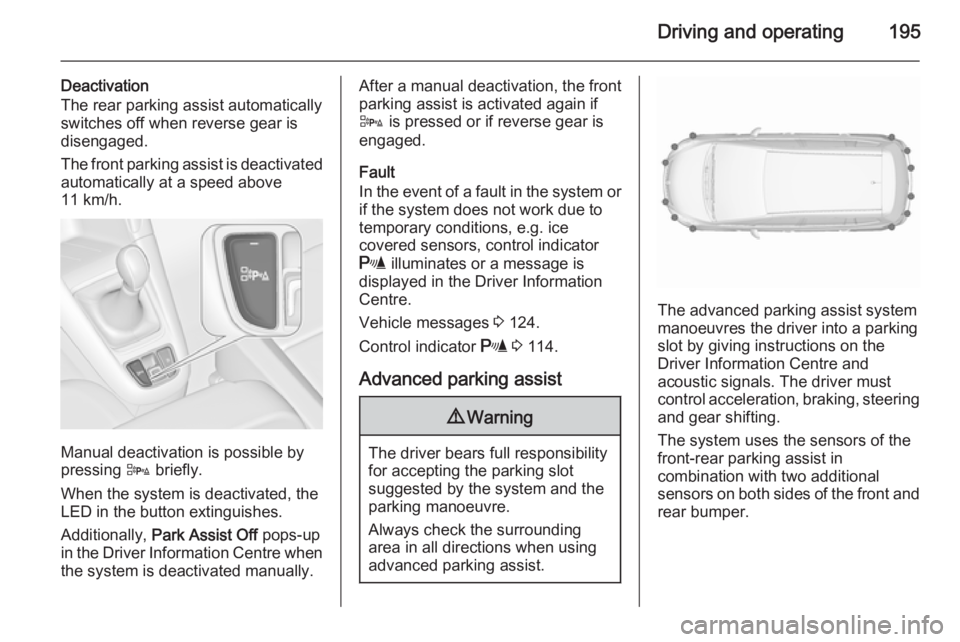
The advanced parking assist system manoeuvres the driver into a parkingslot by giving instructions on the
Driver Information Centre and
acoustic signals. The driver must
control acceleration, braking, steering
and gear shifting.
The system uses the sensors of the
front-rear parking assist in
combination with two additional
sensors on both sides of the front and rear bumper.
Page 201 of 301
Driving and operating199correct distance indication in the
upper part of these vehicles
cannot be guaranteed.
Objects with a very small reflection
cross-section, e.g. objects of
narrow size or soft materials, may
not be detected by the system.
Parking assist systems do not
detect objects outside the
detection range.
Note
The parking assist system can be
activated and deactivated by
changing the settings in the
Info-Display. If a trailer coupling is
attached, it must be selected in the
menu.
Vehicle personalisation 3 130.
Note
The parking assist system
automatically detects factory-fitted
towing equipment. It is deactivated
when the connector is plugged in.
It is possible that the sensor detects
a non-existing object (echo
disturbance) caused by external acoustical or mechanic
disturbances.
Advanced parking assist system
may not respond to changes in the
parking space after initiating a
parallel parking manoeuvre.
Note
If engaging a forward gear and
exceeding a certain speed, the rear
parking assist will be deactivated
when the rear carrier system is
extended.
If engaging reverse gear first, the
parking assist will detect the rear
carrier system and provide a buzzing
sound. Press D briefly to
deactivate the parking assist.
Note
After production, the advanced
parking assist requires a calibration. For optimal parking guidance, a
driving distance of at least 35 km, including a number of bends, is
required.Side blind spot alert
The side blind spot alert system
detects and reports objects on either
side of the vehicle, within a specified
"blind spot" zone. The system alerts visually in each exterior mirror, when
detecting objects that may not be
visible in the interior and exterior
mirrors.
The system's sensors are located in
the bumper on the left and right side
of the vehicle.9 Warning
Side blind spot alert does not
replace driver vision.
The system does not detect: ■ vehicles outside the side blind zones which may be rapidly
approaching
■ pedestrians, cyclists or animals
Before changing a lane, always
check all mirrors, look over the
shoulder and use the turn signal.
Page 208 of 301
206Driving and operatingsigns. Do not ignore traffic signs
which are not displayed by the
system.
The system does not discern any
other than the conventional traffic signs that might give or end a
speed limit.
Do not let this special feature
tempt you into taking risks when
driving.
Always adapt speed to the road
conditions.
The driver assistance systems do not relieve the driver from full
responsibility for vehicle
operation.
Lane departure warning
The lane departure warning system
observes the lane markings between
which the vehicle is driving via a front camera. The system detects lane
changes and warns the driver in the
event of an unintended lane change
via visual and acoustic signals.
Criteria for the detection of an
unintended lane change are:
■ No operation of turn signals.
■ No brake pedal operation.
■ No active accelerator operation or speeding-up.
■ No active steering.
If the driver is active, no warning will
be issued.
Activation
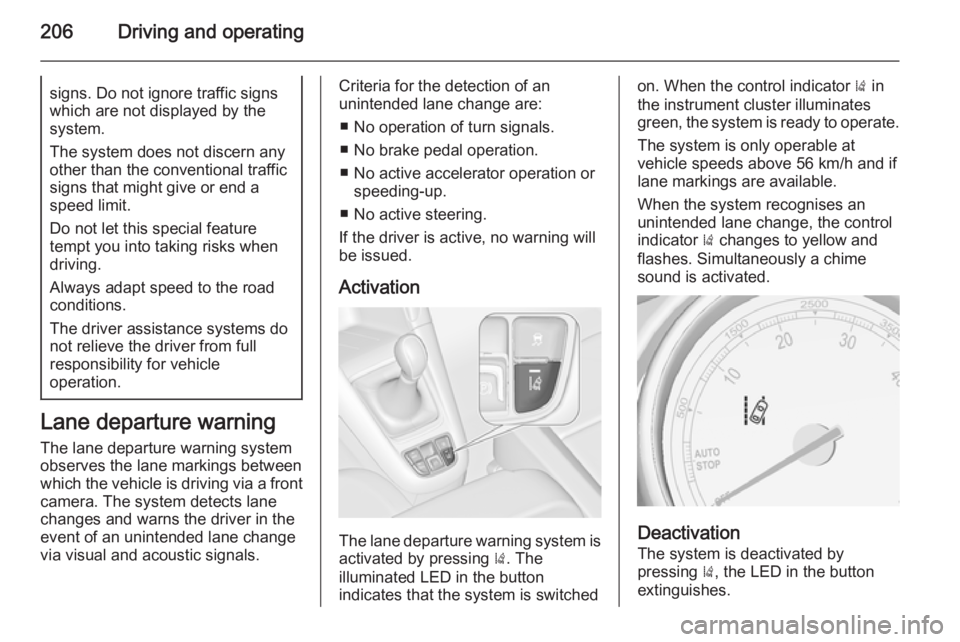
The lane departure warning system is activated by pressing ). The
illuminated LED in the button
indicates that the system is switched
on. When the control indicator ) in
the instrument cluster illuminates
green, the system is ready to operate.
The system is only operable at
vehicle speeds above 56 km/h and if
lane markings are available.
When the system recognises an
unintended lane change, the control
indicator ) changes to yellow and
flashes. Simultaneously a chime
sound is activated.
Deactivation
The system is deactivated by
pressing ), the LED in the button
extinguishes.
Page 218 of 301
216Driving and operating
General informationThe official fuel consumption and
specific CO 2 emission figures quoted
relate to the EU base model with
standard equipment.
Fuel consumption data and CO 2
emission data are determined
according to regulation
R (EC) No. 715/2007 (in the version
respectively applicable), taking into
consideration the vehicle weight in
running order, as specified by the
regulation.
The figures are provided only for the
purpose of comparison between
different vehicle variants and must
not be taken as a guarantee for the
actual fuel consumption of a
particular vehicle. Additional
equipment may result in slightly
higher results than the stated
consumption and CO 2 figures.
Furthermore, fuel consumption is
dependent on personal driving style
as well as road and traffic conditions.Natural gas
The fuel consumption information
was obtained using reference fuel
G20 (methane proportion
99 - 100 mol%) under prescribed
driving conditions. When using
natural gas with a lower proportion of
methane, the fuel consumption can
differ from the specified values.Trailer hitch
General information
Only use towing equipment that has
been approved for your vehicle.
Vehicles with natural gas engines
require special towing equipment.
Entrust retrofitting of towing
equipment to a workshop. It may be
necessary to make changes that
affect the cooling system, heat
shields or other equipment.
The bulb outage detection function for
trailer brake light cannot detect a
partial bulb outage. E.g. in case of
4x 5 Watt bulbs, the function only
detects lamp outage when only a
single 5 Watt lamp remains or none
remain.
Fitting of towing equipment could
cover the opening of the towing eye.
If this is the case use the coupling ball bar for towing. Always keep the
coupling ball bar in the vehicle.
Page 219 of 301
Driving and operating217Driving characteristics and
towing tips Before attaching a trailer, lubricate
the coupling ball. However, do not do
so if a stabiliser, which acts on the coupling ball, is being used to reduce snaking movements.
For trailers with low driving stability
and caravan trailers with a permitted
gross vehicle weight of more than
1300 kg the use of a stabiliser is
strongly recommended when driving
above 80 km/h.
If the trailer starts snaking, drive more
slowly, do not attempt to correct the
steering and brake sharply if
necessary.
When driving downhill, drive in the
same gear as if driving uphill and
drive at a similar speed.
Adjust tyre pressure to the value
specified for full load 3 286.Trailer towing
Trailer loads
The permissible trailer loads are
vehicle and engine-dependent
maximum values which must not be
exceeded. The actual trailer load is
the difference between the actual
gross weight of the trailer and the
actual coupling socket load with the
trailer coupled.
The permissible trailer loads are
specified in the vehicle documents. In general, they are valid for gradients
up to max. 12 %.
The permitted trailer load applies up to the specified incline and up to an
altitude of 1000 metres above sea
level. Since engine power decreases
as altitude increases due to the air
becoming thinner, therefore reducing
climbing ability, the permissible gross
train weight also decreases by 10 %
for every 1000 metres of additional
altitude. The gross train weight doesnot have to be reduced when driving
on roads with slight inclines (less than
8 %, e.g. motorways).
The permissible gross train weight
must not be exceeded. This weight is
specified on the identification plate
3 271.
Vertical coupling load
The vertical coupling load is the load
exerted by the trailer on the coupling
ball. It can be varied by changing the
weight distribution when loading the
trailer.
The maximum permissible vertical
coupling load (75 kg) 2)
is specified on
the towing equipment identification
plate and in the vehicle documents.
Always aim for the maximum load,
especially in the case of heavy
trailers. The vertical coupling load
should never fall below 25 kg.2) Engines B16DTH, B16DTJ, B20DTH and B20DTJ: Depending on the equipment the maximum permissible vertical coupling load can
be 75 kg or 60 kg.
Page 240 of 301
238Vehicle care
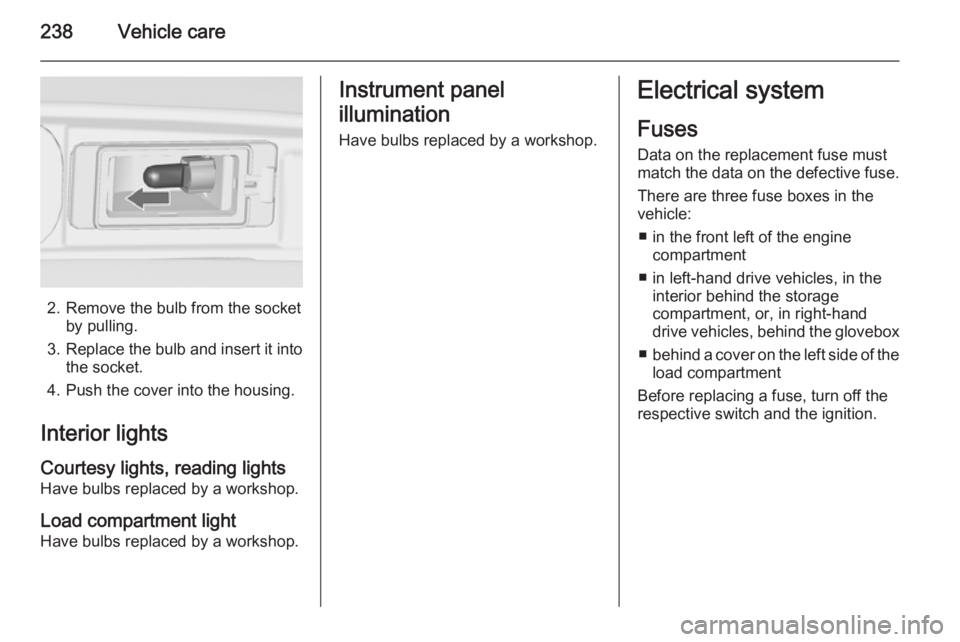
2. Remove the bulb from the socketby pulling.
3. Replace the bulb and insert it into
the socket.
4. Push the cover into the housing.
Interior lights
Courtesy lights, reading lights
Have bulbs replaced by a workshop.
Load compartment light
Have bulbs replaced by a workshop.
Instrument panel
illumination
Have bulbs replaced by a workshop.Electrical system
Fuses
Data on the replacement fuse must
match the data on the defective fuse.
There are three fuse boxes in the
vehicle:
■ in the front left of the engine compartment
■ in left-hand drive vehicles, in the interior behind the storage
compartment, or, in right-hand
drive vehicles, behind the glovebox
■ behind a cover on the left side of the
load compartment
Before replacing a fuse, turn off the
respective switch and the ignition.
Page 248 of 301
246Vehicle careTyre pressureCheck the pressure of cold tyres at
least every 14 days and before any
long journey. Do not forget the spare
wheel. This also applies to vehicles
with tyre pressure monitoring system.
Unscrew the valve cap.
Tyre pressure 3 286.
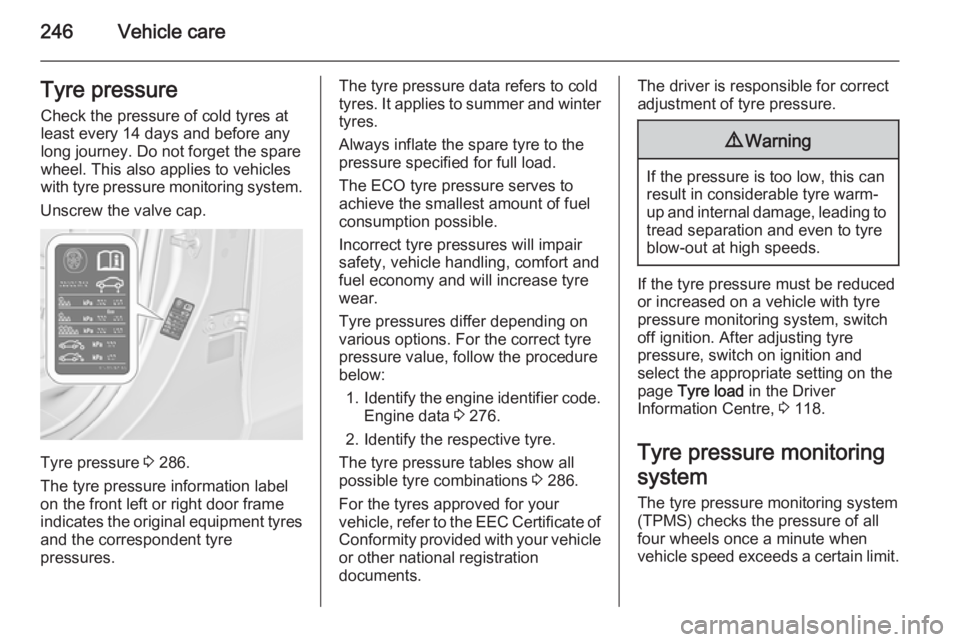
The tyre pressure information label
on the front left or right door frame
indicates the original equipment tyres
and the correspondent tyre
pressures.
The tyre pressure data refers to cold
tyres. It applies to summer and winter tyres.
Always inflate the spare tyre to the
pressure specified for full load.
The ECO tyre pressure serves to
achieve the smallest amount of fuel
consumption possible.
Incorrect tyre pressures will impair
safety, vehicle handling, comfort and
fuel economy and will increase tyre
wear.
Tyre pressures differ depending on
various options. For the correct tyre
pressure value, follow the procedure
below:
1. Identify the engine identifier code.
Engine data 3 276.
2. Identify the respective tyre.
The tyre pressure tables show all possible tyre combinations 3 286.
For the tyres approved for your
vehicle, refer to the EEC Certificate of
Conformity provided with your vehicle
or other national registration
documents.The driver is responsible for correct
adjustment of tyre pressure.9 Warning
If the pressure is too low, this can
result in considerable tyre warm-
up and internal damage, leading to tread separation and even to tyre
blow-out at high speeds.
If the tyre pressure must be reduced
or increased on a vehicle with tyre
pressure monitoring system, switch
off ignition. After adjusting tyre
pressure, switch on ignition and
select the appropriate setting on the
page Tyre load in the Driver
Information Centre, 3 118.
Tyre pressure monitoring system
The tyre pressure monitoring system
(TPMS) checks the pressure of all
four wheels once a minute when
vehicle speed exceeds a certain limit.