alarm OPEL ZAFIRA TOURER 2017 Owners Manual
[x] Cancel search | Manufacturer: OPEL, Model Year: 2017, Model line: ZAFIRA TOURER, Model: OPEL ZAFIRA TOURER 2017Pages: 307, PDF Size: 9.35 MB
Page 13 of 307
In brief111Power windows .....................32
2 Exterior mirrors .....................29
3 Cruise control .....................179
Speed limiter ....................... 180
Adaptive cruise control .......182
Forward collision alert .........188
4 Side air vents ...................... 156
5 Turn and lane-change
signals, headlight flash,
low beam and high beam,
high beam assist ................145
Exit lighting ......................... 149
Parking lights ...................... 146
Buttons for Driver
Information Centre ..............116
6 Instruments ........................ 104
7 Steering wheel controls .......97
8 Driver Information Centre .... 116
9 Windscreen wiper,
windscreen washer
system, headlight washer
system, rear wiper, rear
washer system ......................9810Central locking system ..........22
Hazard warning flashers ....145
Sport mode ........................ 177
Tour mode .......................... 177
Fuel selector ....................... 105
Control indicator for airbag
deactivation ........................ 111
Control indicator for front
passenger seat belt ...........110
11 Info-Display ........................ 120
12 Centre air vents .................. 156
13 Anti-theft alarm system
status LED ........................... 27
14 Glovebox .............................. 66
15 Climate control system ........ 150
16 AUX input, USB input, SD
card slot ................................ 10
Power outlet ........................ 102
17 Selector lever, manual
transmission ....................... 172
Automatic transmission ......16918Traction Control system .....176
Electronic Stability Control . 176
Lane departure warning .....207
19 Electric parking brake .........174
20 Parking assist systems .......194
Eco button for stop-start
system ................................. 161
21 Ignition switch with
steering wheel lock ............160
22 Horn ..................................... 98
Driver airbag ........................ 57
23 Bonnet release lever ..........225
24 Fuse box ............................ 243
Storage compartment ...........68
25 Steering wheel adjustment ..97
26 Light switch ........................ 138
Headlight range
adjustment ......................... 141
Front fog lights ...................146
Rear fog light ...................... 146
Instrument illumination .......147
Page 21 of 307
In brief19lever to position P before
removing the ignition key. On
an uphill slope, turn the front
wheels away from the kerb.
If the vehicle is on a downhill
slope, engage reverse gear or
set the selector lever to position P before removing the ignition
key. Turn the front wheels
towards the kerb.
● Close the windows.
● Remove the ignition key from the ignition switch. Turn the
steering wheel until the
steering wheel lock is felt to
engage.
For vehicles with automatic
transmission, the key can only
be removed when the selector
lever is in position P.
●
Lock the vehicle by pressing e on
the radio remote control.
● Activate the anti-theft alarm system 3 27.
● The engine cooling fans may run
after the engine has been
switched off 3 225.
Caution
After running at high engine
speeds or with high engine loads,
operate the engine briefly at a low load or run in neutral for
approx. 30 seconds before
switching off, in order to protect
the turbocharger.
Keys, locks 3 20, Laying the vehicle
up for a long period of time 3 224.
Page 22 of 307
20Keys, doors and windowsKeys, doors and
windowsKeys, locks ................................... 20
Keys .......................................... 20
Car Pass .................................... 21
Radio remote control .................21
Central locking system ..............22
Memorised settings ...................24
Automatic locking ......................24
Child locks ................................. 25
Doors ........................................... 25
Load compartment ....................25
Vehicle security ............................ 26
Anti-theft locking system ...........26
Anti-theft alarm system ..............27
Immobiliser ................................ 28
Exterior mirrors ............................ 29
Convex shape ........................... 29
Electric adjustment ....................29
Folding mirrors .......................... 29
Heated mirrors ........................... 30
Interior mirrors ............................. 30
Manual anti-dazzle ....................30
Automatic anti-dazzle ................31Windows...................................... 31
Windscreen ............................... 31
Manual windows ........................31
Power windows ......................... 32
Heated rear window ..................34
Sun visors .................................. 34
Roller blinds ............................... 34
Roof ............................................. 34
Glass panel ............................... 34Keys, locks
KeysCaution
Do not attach heavy or bulky itemsto the ignition key.
Replacement keys
The key number is specified in the
Car Pass or on a detachable tag.
The key number must be quoted
when ordering replacement keys as it
is a component of the immobiliser
system.
Locks 3 265.
The code number of the adapter for
the locking wheel nuts is specified on
a card. It must be quoted when
ordering a replacement adapter.
Wheel changing 3 256.
Page 23 of 307
Keys, doors and windows21Key with foldaway key section
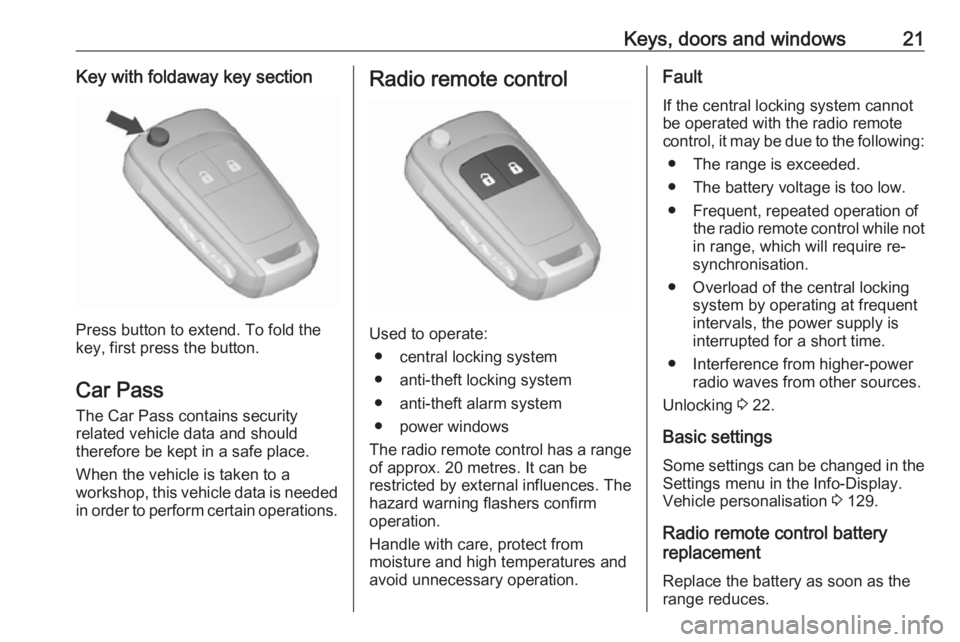
Press button to extend. To fold the
key, first press the button.
Car Pass The Car Pass contains security
related vehicle data and should
therefore be kept in a safe place.
When the vehicle is taken to a
workshop, this vehicle data is needed
in order to perform certain operations.
Radio remote control
Used to operate:
● central locking system
● anti-theft locking system
● anti-theft alarm system
● power windows
The radio remote control has a range of approx. 20 metres. It can be
restricted by external influences. The
hazard warning flashers confirm
operation.
Handle with care, protect from
moisture and high temperatures and
avoid unnecessary operation.
Fault
If the central locking system cannot
be operated with the radio remote
control, it may be due to the following:
● The range is exceeded.
● The battery voltage is too low.
● Frequent, repeated operation of the radio remote control while not
in range, which will require re-
synchronisation.
● Overload of the central locking system by operating at frequent
intervals, the power supply is
interrupted for a short time.
● Interference from higher-power radio waves from other sources.
Unlocking 3 22.
Basic settings Some settings can be changed in the
Settings menu in the Info-Display.
Vehicle personalisation 3 129.
Radio remote control battery
replacement
Replace the battery as soon as the
range reduces.
Page 29 of 307
Keys, doors and windows27Activating
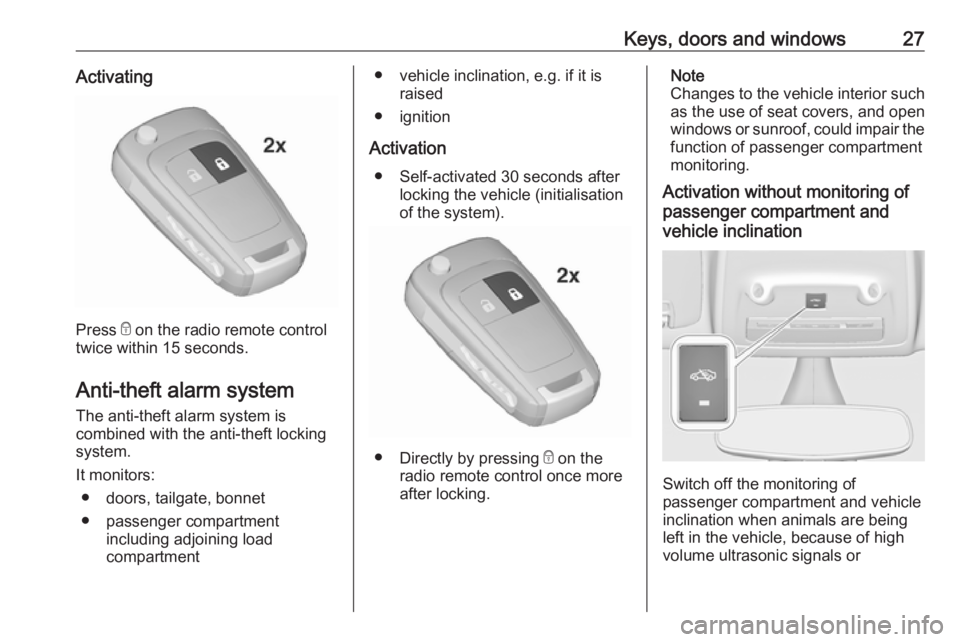
Press e on the radio remote control
twice within 15 seconds.
Anti-theft alarm system
The anti-theft alarm system is
combined with the anti-theft locking
system.
It monitors: ● doors, tailgate, bonnet
● passenger compartment including adjoining load
compartment
● vehicle inclination, e.g. if it is raised
● ignition
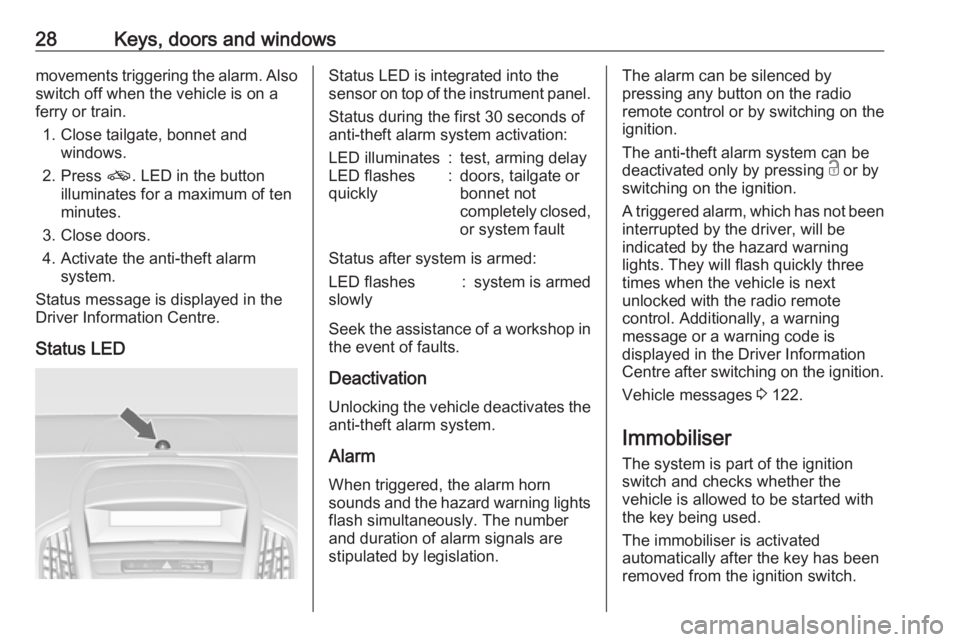
Activation ● Self-activated 30 seconds after locking the vehicle (initialisation
of the system).
● Directly by pressing e on the
radio remote control once more
after locking.
Note
Changes to the vehicle interior such
as the use of seat covers, and open
windows or sunroof, could impair the
function of passenger compartment
monitoring.
Activation without monitoring of
passenger compartment and
vehicle inclination
Switch off the monitoring of
passenger compartment and vehicle
inclination when animals are being
left in the vehicle, because of high
volume ultrasonic signals or
Page 30 of 307
28Keys, doors and windowsmovements triggering the alarm. Alsoswitch off when the vehicle is on a
ferry or train.
1. Close tailgate, bonnet and windows.
2. Press o. LED in the button
illuminates for a maximum of ten
minutes.
3. Close doors.
4. Activate the anti-theft alarm system.
Status message is displayed in the
Driver Information Centre.
Status LEDStatus LED is integrated into the
sensor on top of the instrument panel.
Status during the first 30 seconds of
anti-theft alarm system activation:LED illuminates:test, arming delayLED flashes
quickly:doors, tailgate or
bonnet not
completely closed,
or system fault
Status after system is armed:
LED flashes
slowly:system is armed
Seek the assistance of a workshop in the event of faults.
Deactivation Unlocking the vehicle deactivates the
anti-theft alarm system.
Alarm When triggered, the alarm hornsounds and the hazard warning lights
flash simultaneously. The number
and duration of alarm signals are
stipulated by legislation.
The alarm can be silenced by
pressing any button on the radio
remote control or by switching on the
ignition.
The anti-theft alarm system can be
deactivated only by pressing c or by
switching on the ignition.
A triggered alarm, which has not been interrupted by the driver, will be
indicated by the hazard warning
lights. They will flash quickly three
times when the vehicle is next
unlocked with the radio remote
control. Additionally, a warning
message or a warning code is
displayed in the Driver Information
Centre after switching on the ignition.
Vehicle messages 3 122.
Immobiliser The system is part of the ignition
switch and checks whether the
vehicle is allowed to be started with
the key being used.
The immobiliser is activated
automatically after the key has been
removed from the ignition switch.
Page 31 of 307
Keys, doors and windows29If the control indicator d flashes when
the ignition is on, there is a fault in the
system; the engine cannot be started. Switch off the ignition and repeat the
start attempt.
If the control indicator continues
flashing, attempt to start the engine
using the spare key and seek the
assistance of a workshop.
Note
The immobiliser does not lock the
doors. You should always lock the
vehicle after leaving it and switch on the anti-theft alarm system 3 22,
3 27.
Control indicator d 3 115.Exterior mirrors
Convex shape
The convex exterior mirror contains
an aspherical area and reduces blind spots. The shape of the mirror makes objects appear smaller, which will
affect the ability to estimate
distances.
Side blind spot alert 3 201.
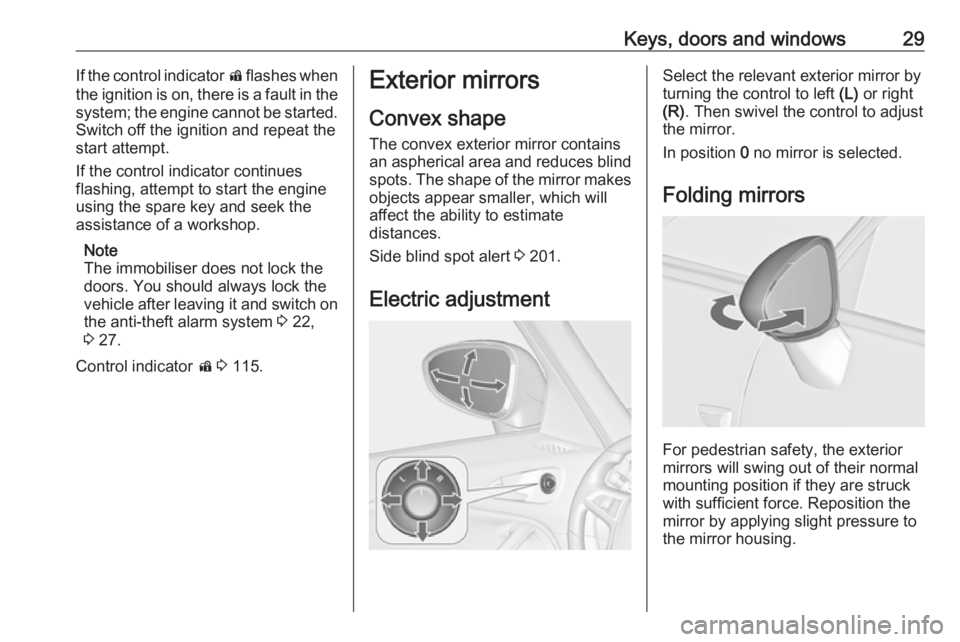
Electric adjustmentSelect the relevant exterior mirror by
turning the control to left (L) or right
(R) . Then swivel the control to adjust
the mirror.
In position 0 no mirror is selected.
Folding mirrors
For pedestrian safety, the exterior
mirrors will swing out of their normal
mounting position if they are struck
with sufficient force. Reposition the
mirror by applying slight pressure tothe mirror housing.
Page 126 of 307
124Instruments and controlsNo.Vehicle message56Tyre pressure imbalance on
front axle57Tyre pressure imbalance on
rear axle58Tyres without TPMS sensors
detected59Open then close driver window60Open then close front
passenger window61Open then close rear left
window62Open then close rear right
window65Theft attempted66Service anti-theft alarm system67Service steering wheel lock68Service power steering69Service suspension system70Service level control systemNo.Vehicle message71Service rear axle74Service AFL75Service air conditioning76Service side blind spot alert
system77Service lane departure warning79Top up engine oil81Service transmission82Change engine oil soon83Service adaptive cruise control84Engine power is reduced89Service vehicle soon94Shift to park position before
exiting95Service airbag128Bonnet open134Park assist fault, clean bumper136Service parking assistNo.Vehicle message145Check washer fluid level174Low vehicle battery258Parking assist off
Vehicle messages on the
Uplevel-Combi-Display
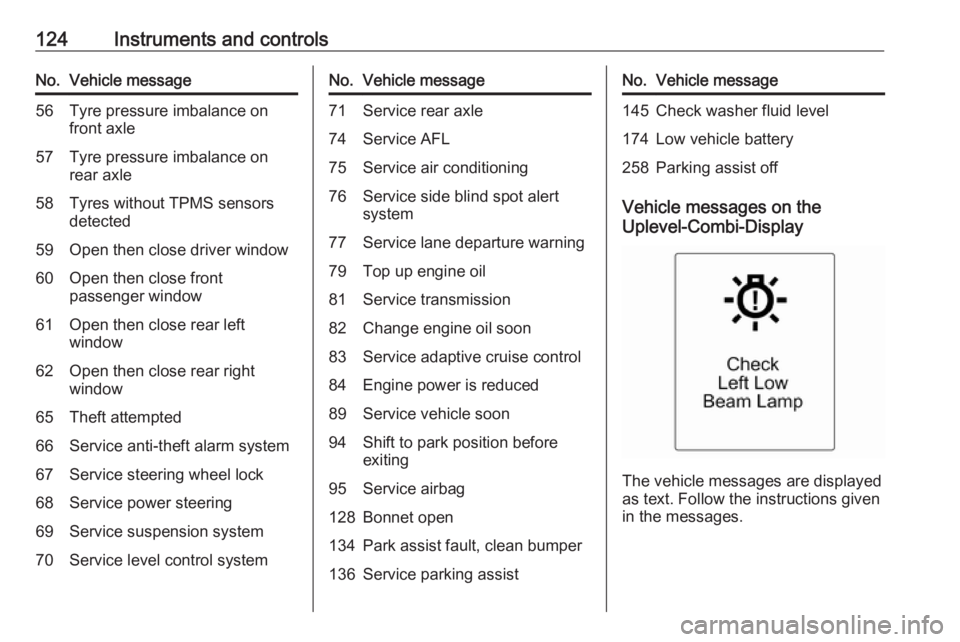
The vehicle messages are displayed
as text. Follow the instructions given
in the messages.
Page 127 of 307
Instruments and controls125The system displays messages
regarding the following topics:
● service messages
● fluid levels
● anti-theft alarm system
● brakes
● driver assistance systems ● ride control systems
● speed limiter
● cruise control
● adaptive cruise control
● forward collision alert
● collision imminent braking system
● parking assistant systems
● lighting, bulb replacement
● adaptive forward lighting
● wiper/washer system
● doors, windows
● side blind spot alert
● traffic sign assistant
● lane departure warning
● radio remote control
● seat belts● airbag systems
● engine and transmission
● tyre pressure
● diesel particle filter 3 164
● vehicle battery status
● selective catalytic reduction, Diesel Exhaust Fluid (DEF),
AdBlue 3 166
Vehicle messages on the Colour-
Info-Display
Some important messages appear
additionally in the Colour-Info-
Display. Press the multifunction knob
to confirm a message. Some
messages only pop-up for a few
seconds.
Warning chimes
When starting the engine or whilst driving
Only one warning chime will sound at
a time.
The warning chime regarding
unfastened seat belts has priority
over any other warning chime.● If seat belt is not fastened.
● If a door or the tailgate is not fully
closed when starting-off.
● If a certain speed is exceeded with parking brake applied.
● If adaptive cruise control deactivates automatically.
● If approaching a vehicle ahead too closely.
● If a programmed speed or speed
limit is exceeded.
● If a warning message or a warning code appears in the
Driver Information Centre.
● If the parking assist detects an object.
● If an unintended lane change occurs.
● If reverse gear is engaged and the rear carrier system is
extended.
● If the diesel particle filter has reached the maximum filling
level.
● If AdBlue needs to be refilled.
Page 137 of 307
Instruments and controls135Note
The Wi-Fi hotspot functionality is not
available for all markets.
Up to seven devices may be
connected.
To connect a mobile device with the
OnStar Wi-Fi hotspot:
1. Press j and then select Wi-Fi
settings on the Info-Display. The
settings displayed include the Wi- Fi hotspot name (SSID),
password and connection type.
2. Start a Wi-Fi network search on your mobile device.
3. Select your vehicle hotspot (SSID) when listed.
4. When prompted, enter the password on your mobile device.
Note
To change the SSID or password,
select Z and talk to an OnStar
advisor or logon to your account.
To switch off the Wi-Fi hotspot
functionality, press Z to call an
OnStar advisor.Smartphone app
With the myOpel smartphone app,
some vehicle functions can be
operated via a smartphone.
The following functions are available: ● Lock or unlock doors.
● Honk horn or flash lights.
● Check fuel level, engine oil life and tyre pressure (only with tyre
pressure monitoring system).
● Send navigation destination to the vehicle, if equipped with a
built-in navigation system.
● Locate vehicle on a map.
● Manage Wi-Fi settings.
To operate these functions, download
the app from the respective app store.
Remote service
If desired, use any phone to call an
OnStar advisor, who can remotely
operate specific vehicle functions.
Find the respective OnStar phone
number on our country-specific
website.The following functions are available:
● Lock or unlock doors.
● Provide information on the vehicle location.
● Honk horn or flash lights.
Stolen vehicle assistance
If a vehicle is stolen, the OnStar
stolen vehicle assistance service can
provide support in locating and
recovering the vehicle.Theft alert
When the anti-theft alarm system is triggered, a notification is sent to
OnStar. You are then informed about
this event by text message or email.
If required, report the theft to the
authorities and request OnStar stolen
vehicle assistance. Use any phone to call an OnStar advisor. Find the
respective OnStar phone number on
our country-specific website.Remote ignition block
By sending remote signals, OnStar
can block the ignition cycle
preventing the vehicle from restarting once it has been turned off.