buttons PEUGEOT 108 2018 User Guide
[x] Cancel search | Manufacturer: PEUGEOT, Model Year: 2018, Model line: 108, Model: PEUGEOT 108 2018Pages: 180, PDF Size: 7.14 MB
Page 150 of 180
2
First steps
* Depending on equipment
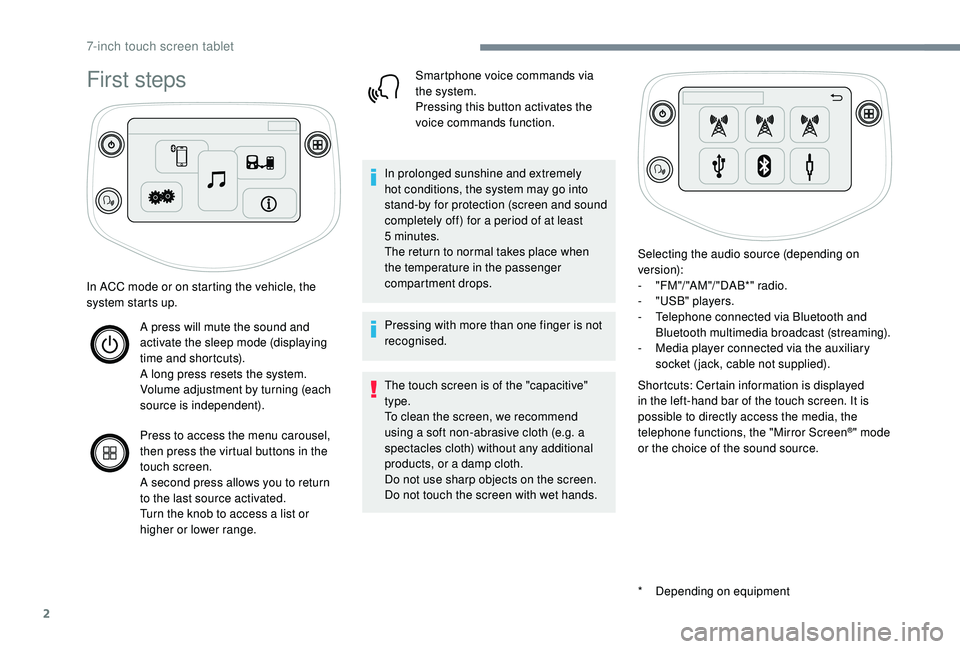
In ACC mode or on starting the vehicle, the
system starts up.
A press will mute the sound and
activate the sleep mode (displaying
time and shortcuts).
A long press resets the system.
Volume adjustment by turning (each
source is independent).
Press to access the menu carousel,
then press the virtual buttons in the
touch screen.
A second press allows you to return
to the last source activated.
Turn the knob to access a
list or
higher or lower range. Smartphone voice commands via
the system.
Pressing this button activates the
voice commands function.
In prolonged sunshine and extremely
hot conditions, the system may go into
stand-by for protection (screen and sound
completely off) for a
period of at least
5
minutes.
The return to normal takes place when
the temperature in the passenger
compartment drops.
Pressing with more than one finger is not
recognised.
The touch screen is of the "capacitive"
type.
To clean the screen, we recommend
using a
soft non-abrasive cloth (e.g. a
spectacles cloth) without any additional
products, or a
damp cloth.
Do not use sharp objects on the screen.
Do not touch the screen with wet hands. Selecting the audio source (depending on
version):
-
"
FM "/ "AM "/ " DAB*" radio.
-
"
USB" players.
-
T
elephone connected via Bluetooth and
Bluetooth multimedia broadcast (streaming).
-
M
edia player connected via the auxiliary
socket (jack, cable not supplied).
Shortcuts: Certain information is displayed
in the left-hand bar of the touch screen. It is
possible to directly access the media, the
telephone functions, the "Mirror Screen
®" mode
or the choice of the sound source.
7-inch touch screen tablet
Page 154 of 180
6
When connecting a smartphone
t o the system, it is recommended
that Bluetooth
® be started on the
smartphone.
Connect the USB cable. The
smartphone charges when
connected by the USB cable.
2
nd option:
Have a telephone compatible with the
MirrorLinkTM Wi-Fi connection.
Activate the " Connect MirrorLink
TM Wi-Fi"
option in the system.
Activate Wi-Fi connection sharing on the
smartphone.
Press "MirrorLink
TM" to start the
system's application.
Depending on the smartphone, it may be
necessary to activate the " MirrorLinkTM" function.
During the procedure, several
screen pages relating to the
association of certain functions are
displayed.
Accept to start and complete the
connection. Once the connection is established, a page
is displayed with the applications already
downloaded to your smartphone and
compatible with the MirrorLink
TM technology.
Access to the different audio sources remains
accessible in the margin of the MirrorLink
TM
display, using the touch buttons located in the
u p p e r b a r.
Access to the menus for the system is possible
at any time using the dedicated buttons.
There may be a
wait for the availability of
applications, depending on the quality of
your network.
Android Auto smartphone
connection
As a safety measure and because it
r equires sustained attention by the driver,
using a
smartphone when driving is
prohibited.
All operations must be done with the
vehicle stationary . The synchronisation of a
personal
smartphone allows users to display
applications adapted for the smartphone's
Android Auto technology on the vehicle
screen.
The processes and standards
are constantly changing. For the
communication process between the
smartphone and the system to operate,
it is essential that the smartphone be
unlocked; update the operating system
of the smar tphone as well as the date
and time of the smar tphone and the
system .
For the list of eligible smartphones, go
to the Brand's internet website in your
c o u nt r y.
1
st option:
As a safety measure, applications can
only be viewed with the vehicle stationary;
display is interrupted once the vehicle is
moving.
The " Android Auto " function requires the
use of a
compatible smartphone and
compatible applications.
Connect a
USB cable. The
smartphone charges when
connected by a
USB cable.
7-inch touch screen tablet
Page 155 of 180
7
Press "Android Auto " to start the
application in the system.
During the procedure, several
screen pages relating to certain
functions are displayed.
Accept to start and complete the
connection.
Different audio sources remain accessible in
the margin of the Android Auto display, using
touch buttons in the upper bar.
Access to the menus for the system is possible
at any time using the dedicated buttons.
There may be a
wait for the availability of
applications, depending on the quality of
your network.
Radio
Selecting a station
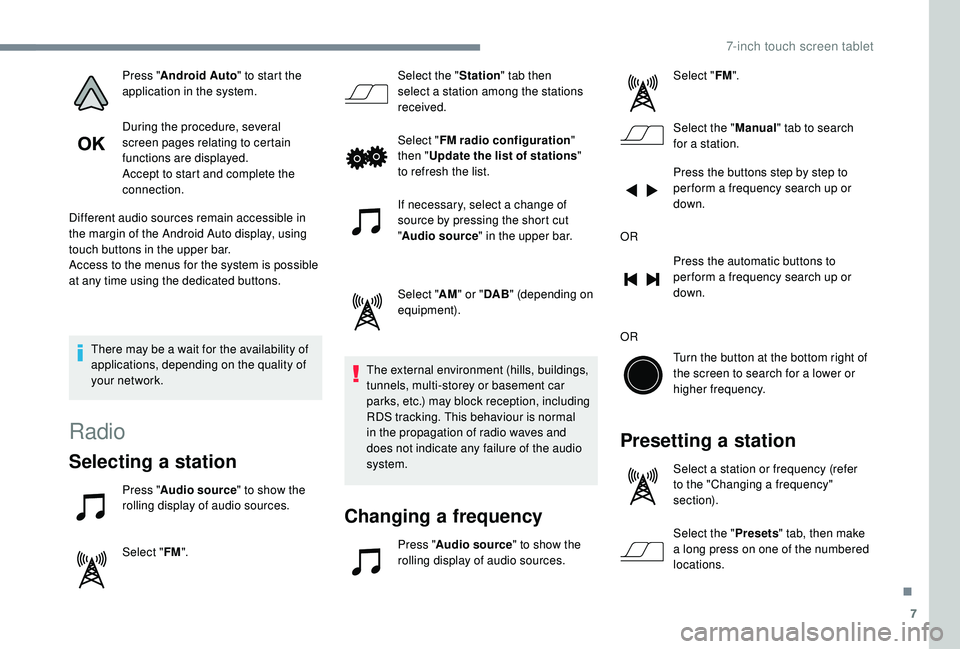
Press " Audio source " to show the
rolling display of audio sources.
Select " FM". Select the "
Station" tab then
select a station among the stations
received.
Select " FM radio configuration "
then " Update the list of stations "
to refresh the list.
If necessary, select a change of
source by pressing the short cut
" Audio source " in the upper bar.
Select " AM" or " DAB" (depending on
equipment).
The external environment (hills, buildings,
tunnels, multi-storey or basement car
parks, etc.) may block reception, including
RDS tracking. This behaviour is normal
in the propagation of radio waves and
does not indicate any failure of the audio
system.
Changing a frequency
Press "Audio source " to show the
rolling display of audio sources. Select "
FM".
Select the " Manual" tab to search
for a
station.
Press the buttons step by step to
per form a frequency search up or
down.
OR Press the automatic buttons to
per form a frequency search up or
down.
OR Turn the button at the bottom right of
the screen to search for a lower or
higher frequency.
Presetting a station
Select a station or frequency (refer
t o the "Changing a frequency"
section).
Select the " Presets" tab, then make
a
long press on one of the numbered
locations.
.
7-inch touch screen tablet
Page 159 of 180
11
To avoid any playback or display issues, it is
advisable to create file names that have less
than 20
characters and without using any
special characters ((e.g. : " " ?.; ù).
The system supports mobile USB Mass
Storage players or Apple
® players at
the USB ports. An adapter cable is not
supplied.
Device management is done by the audio
system controls.
Other devices not recognised by the
system during connection must be
connected to the auxiliary socket using
a
Jack cable (not supplied).
The system can play audio files alternately
via the Bluetooth
® system and the USB
port.
It is recommended that the USB cable for
the mobile device is used.
Audio streaming
Streaming allows music files on the
telephone to be played via the vehicle's
loudspeakers. Connect the telephone: see the "
Telephone"
section, then " Bluetooth".
Choose the profile " Connect all" or "Connect
as audio player ".
If playback does not start automatically, it may
be necessary to start the audio playback from
the telephone.
Control is from the portable device or by using
the audio system's buttons.
Once connected in streaming mode, the
telephone is considered to be a media
source.
It is recommended that you activate
" Repeat " on the Bluetooth portable device.
Connecting Apple® players
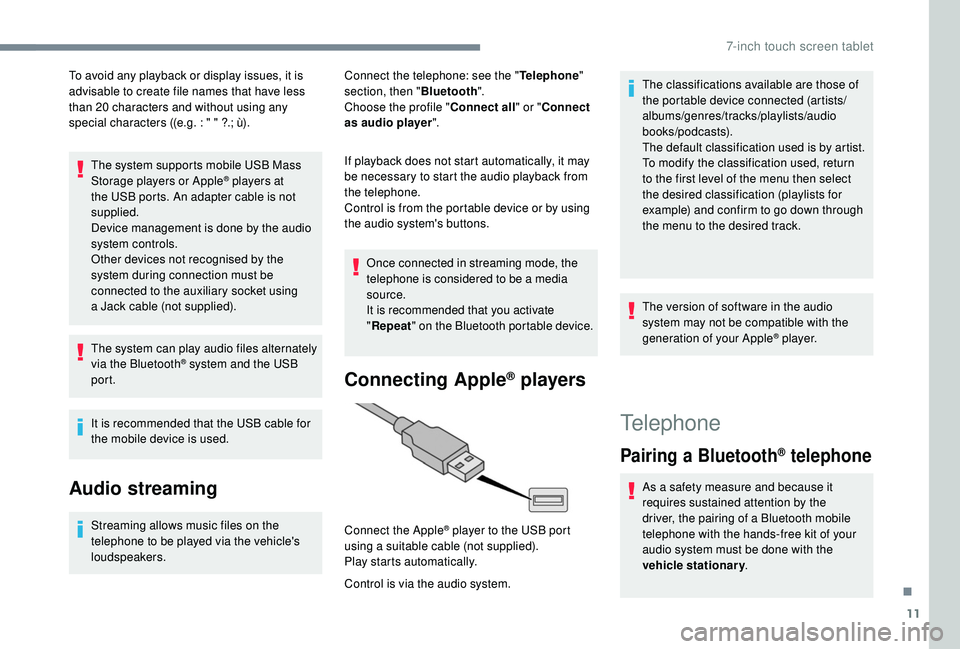
Control is via the audio system. Connect the Apple
® player to the USB port
using a
suitable cable (not supplied).
Play starts automatically. The classifications available are those of
the portable device connected (artists/
albums/genres/tracks/playlists/audio
books/podcasts).
The default classification used is by artist.
To modify the classification used, return
to the first level of the menu then select
the desired classification (playlists for
example) and confirm to go down through
the menu to the desired track.
The version of software in the audio
system may not be compatible with the
generation of your Apple
® p l aye r.
Telephone
Pairing a
Bluetooth® telephone
As a safety measure and because it
r equires sustained attention by the
driver, the pairing of a
Bluetooth mobile
telephone with the hands-free kit of your
audio system must be done with the
vehicle stationary .
.
7-inch touch screen tablet
Page 167 of 180
19
98765
43210
S
N
N
E
44
009
23
21
21
32
EW
To GPS coordinates
Press "N AV I".
Select " Navigation ".
Select " Go to".
Press the secondary page.
Select " Coordinates ".
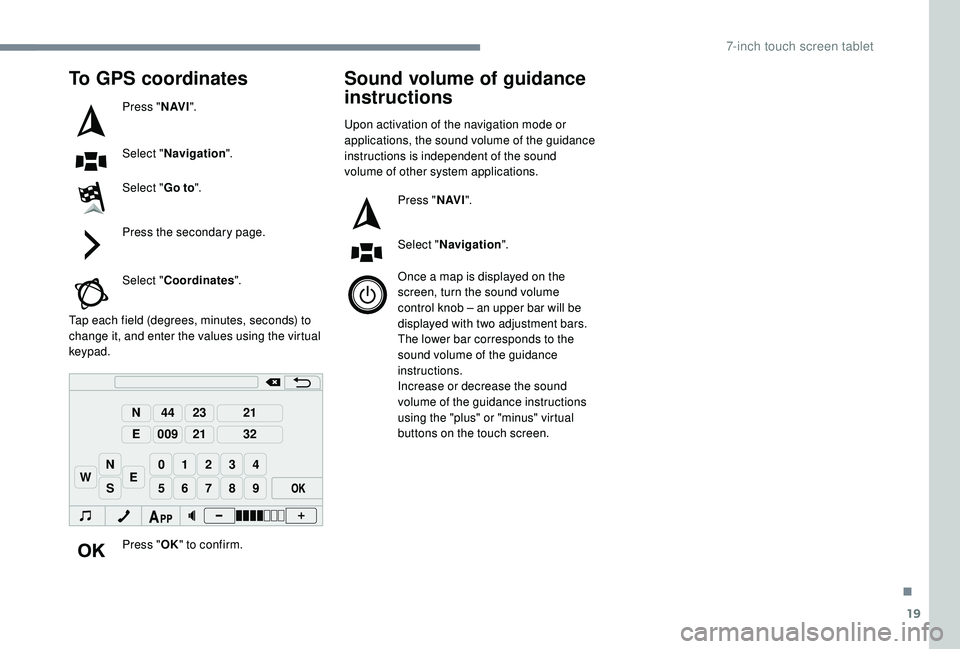
Tap each field (degrees, minutes, seconds) to
change it, and enter the values using the virtual
keypad.
Press "OK" to confirm.
Sound volume of guidance
instructions
Upon activation of the navigation mode or
applications, the sound volume of the guidance
instructions is independent of the sound
volume of other system applications.
Press "N AV I".
Select " Navigation ".
Once a
map is displayed on the
screen, turn the sound volume
control knob – an upper bar will be
displayed with two adjustment bars.
The lower bar corresponds to the
sound volume of the guidance
instructions.
Increase or decrease the sound
volume of the guidance instructions
using the "plus" or "minus" virtual
buttons on the touch screen.
.
7-inch touch screen tablet