fuel PEUGEOT 2008 2013.5 User Guide
[x] Cancel search | Manufacturer: PEUGEOT, Model Year: 2013.5, Model line: 2008, Model: PEUGEOT 2008 2013.5Pages: 336, PDF Size: 9.23 MB
Page 32 of 336
30
Monitoring
Warning / indicator lampStateCauseAction / Observations
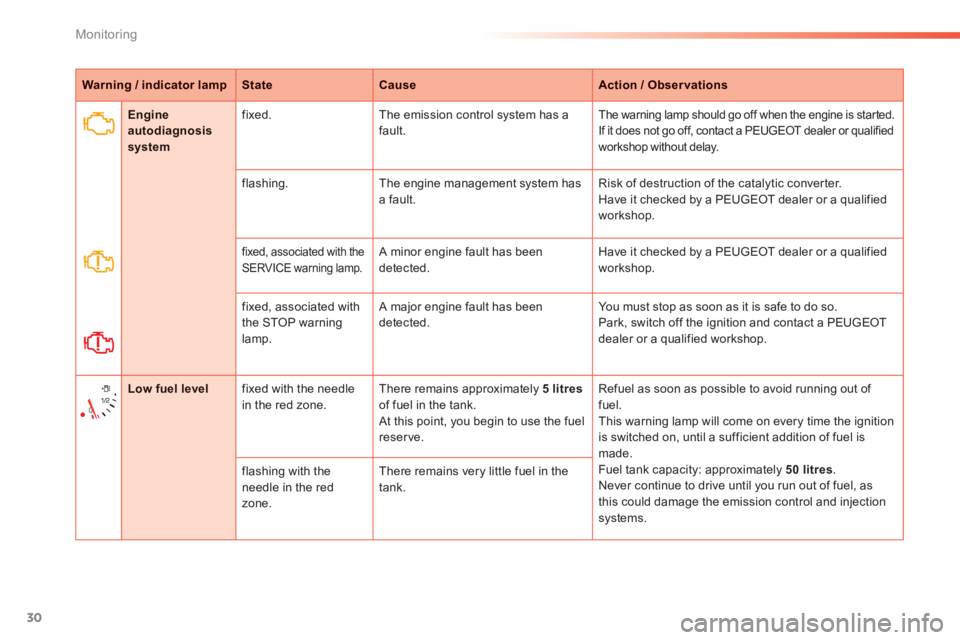
Engine autodiagnosis system
fixed. The emission control system has a fault. The warning lamp should go off when the engine is started. If it does not go off, contact a PEUGEOT dealer or qualified workshop without delay.
flashing. The engine management system has a fault. Risk of destruction of the catalytic converter. Have it checked by a PEUGEOT dealer or a qualified workshop.
fixed, associated with the SERVICE warning lamp. A minor engine fault has been detected. Have it checked by a PEUGEOT dealer or a qualified workshop.
fixed, associated with the STOP warning lamp.
A major engine fault has been detected. You must stop as soon as it is safe to do so. Park, switch off the ignition and contact a PEUGEOT dealer or a qualified workshop.
Low fuel level fixed with the needle in the red zone. There remains approximately 5 litresof fuel in the tank. At this point, you begin to use the fuel reserve.
Refuel as soon as possible to avoid running out of fuel. This warning lamp will come on every time the ignition is switched on, until a sufficient addition of fuel is made. Fuel tank capacity: approximately 50 litres . Never continue to drive until you run out of fuel, as this could damage the emission control and injection systems.
flashing with the needle in the red zone.
There remains very little fuel in the tank.
Page 40 of 336
38
Monitoring
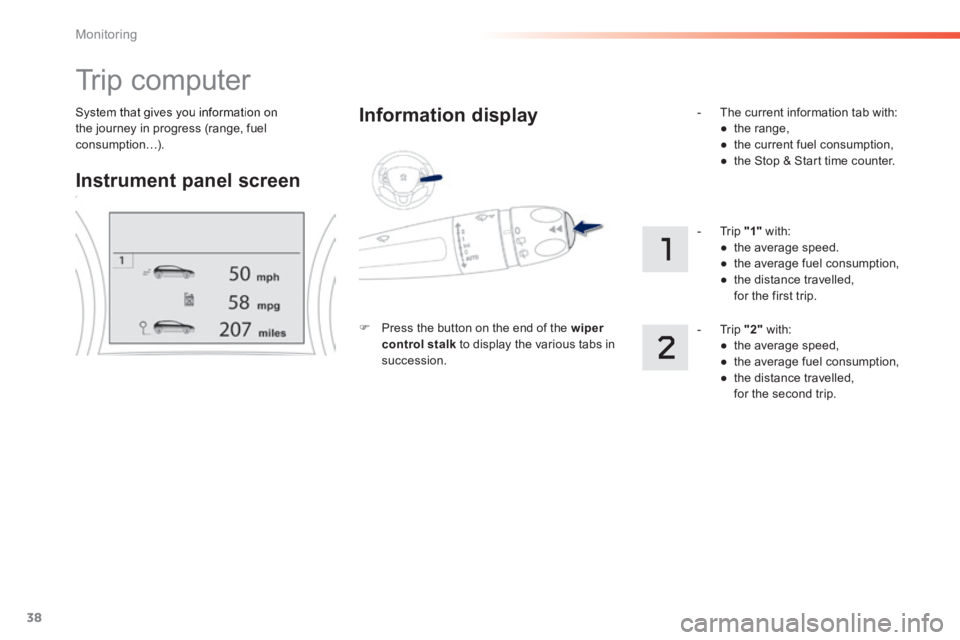
System that gives you information on the journey in progress (range, fuel consumption…).
Trip computer
Instrument panel screen
Information display
Press the button on the end of the wiper control stalk to display the various tabs in succession.
- The current information tab with: ● t h e r a n g e , ● the current fuel consumption, ● the Stop & Start time counter.
- Trip "1" with: ● the average speed. ● the average fuel consumption, ● the distance travelled, for the first trip.
- Trip "2" with: ● the average speed, ● the average fuel consumption, ● the distance travelled, for the second trip.
Page 42 of 336
40
Monitoring
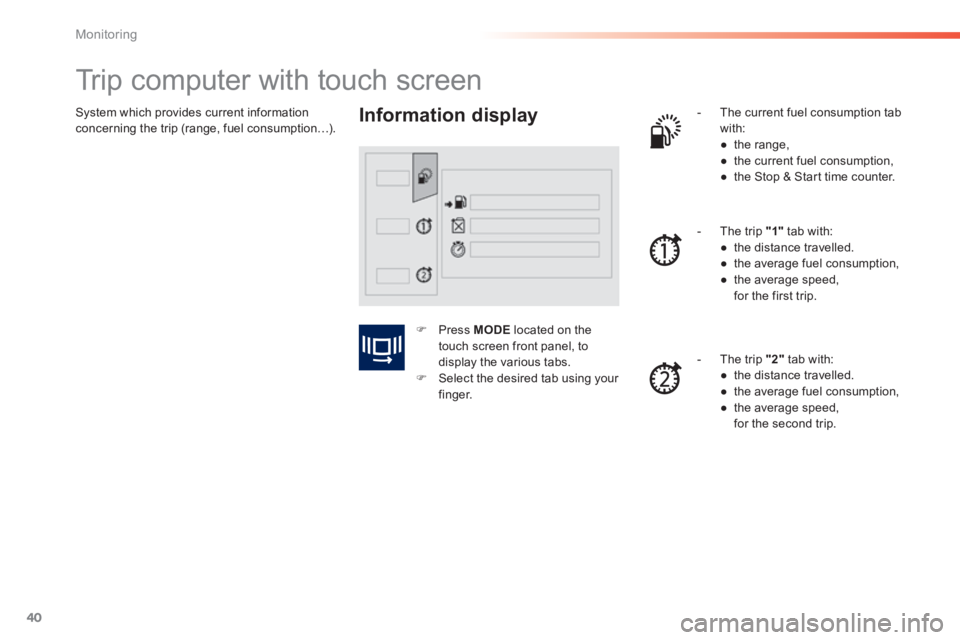
System which provides current information concerning the trip (range, fuel consumption…).
Trip computer with touch screen
Information display - The current fuel consumption tab with: ● t h e r a n g e , ● the current fuel consumption, ● the Stop & Start time counter.
- The trip "1" tab with: ● the distance travelled. ● the average fuel consumption, ● the average speed, for the first trip.
- The trip "2" tab with: ● the distance travelled. ● the average fuel consumption, ● the average speed, for the second trip.
Press MODE located on the touch screen front panel, to display the various tabs. Select the desired tab using your finger.
Page 44 of 336
42
Monitoring
Stop & Start time counter
(minutes / seconds or hours / minutes)
If dashes are displayed continuously
while driving in place of the digits, contact a PEUGEOT dealer or a qualified workshop.
This function is only displayed from 20 mph (30 km/h).
This value may vary following a change in the style of driving or the relief, resulting in a significant change in the current fuel consumption.
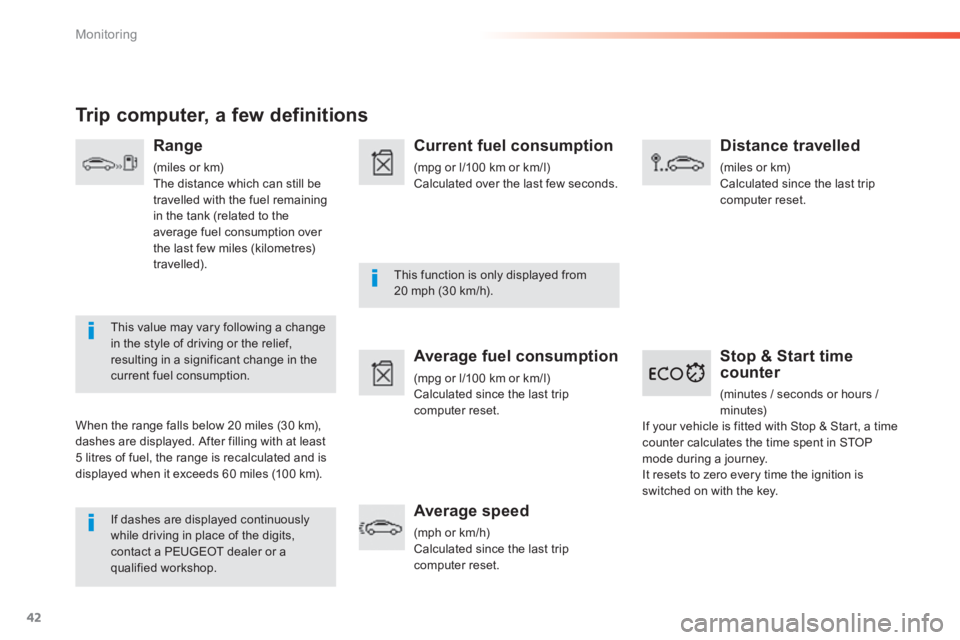
Trip computer, a few definitions
Range
(miles or km) The distance which can still be travelled with the fuel remaining in the tank (related to the average fuel consumption over the last few miles (kilometres) travelled).
When the range falls below 20 miles (30 km), dashes are displayed. After filling with at least 5 litres of fuel, the range is recalculated and is displayed when it exceeds 60 miles (100 km).
Current fuel consumption
(mpg or l/100 km or km/l) Calculated over the last few seconds.
Average fuel consumption
(mpg or l/100 km or km/l) Calculated since the last trip computer reset.
Average speed
(mph or km/h) Calculated since the last trip computer reset.
Distance travelled
(miles or km) Calculated since the last trip computer reset.
If your vehicle is fitted with Stop & Start, a time counter calculates the time spent in STOP mode during a journey. It resets to zero every time the ignition is switched on with the key.
Page 72 of 336
70
Comfort
Switch off the demisting/defrosting of the rear screen and door mirrors as soon as appropriate, as lower current consumption results in reduced fuel consumption.
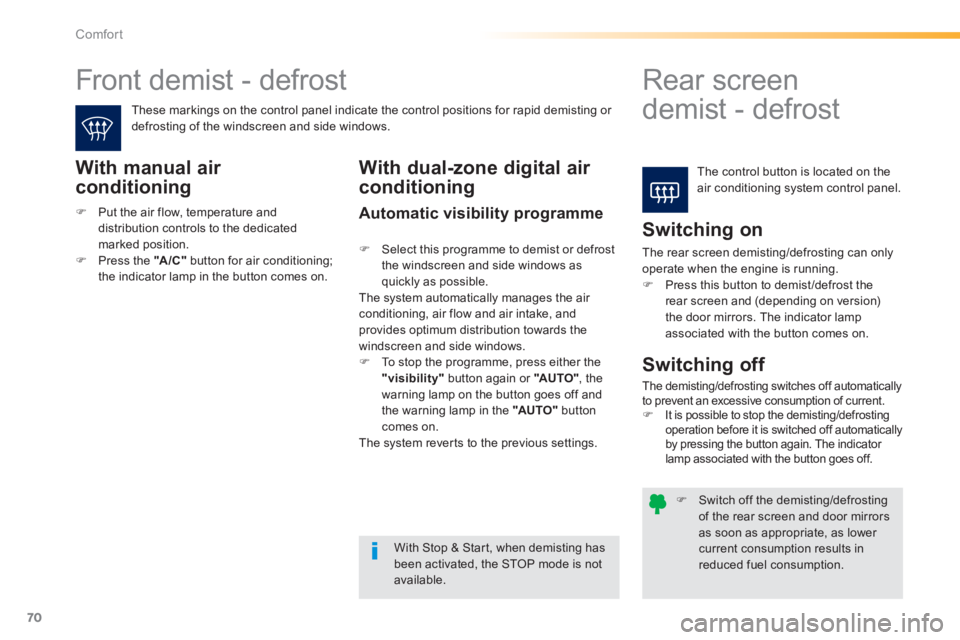
Front demist - defrost
Rear screen
demist - defrost
The control button is located on the air conditioning system control panel.
These markings on the control panel indicate the control positions for rapid demisting or defrosting of the windscreen and side windows.
With manual air
conditioning
Switching on
The rear screen demisting/defrosting can only operate when the engine is running. Press this button to demist /defrost the rear screen and (depending on version) the door mirrors. The indicator lamp associated with the button comes on.
With Stop & Start, when demisting has been activated, the STOP mode is not available.
Switching off
The demisting/defrosting switches off automatically to prevent an excessive consumption of current. It is possible to stop the demisting/defrosting operation before it is switched off automatically by pressing the button again. The indicator lamp associated with the button goes off.
With dual-zone digital air
conditioning
Automatic visibility programme
Select this programme to demist or defrost the windscreen and side windows as quickly as possible. The system automatically manages the air conditioning, air flow and air intake, and provides optimum distribution towards the windscreen and side windows. To stop the programme, press either the "visibility" button again or "AUTO" , the warning lamp on the button goes off and the warning lamp in the "AUTO" button comes on.
The system reverts to the previous settings.
Put the air flow, temperature and distribution controls to the dedicated marked position. Press the "A /C " button for air conditioning; the indicator lamp in the button comes on.
Page 85 of 336
83
4
Driving
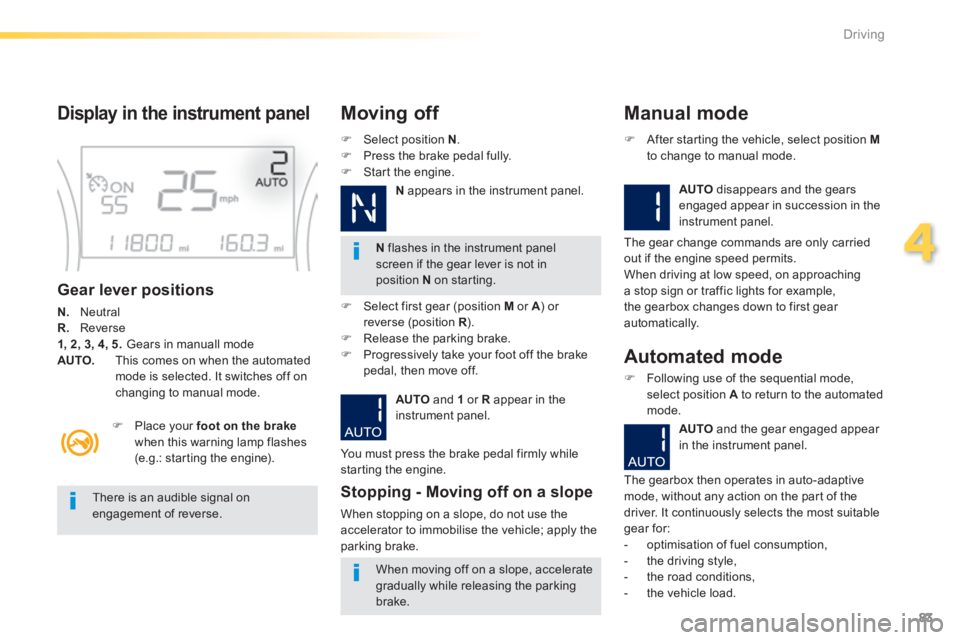
Display in the instrument panel
Gear lever positions
N. Neutral R. Reverse 1, 2, 3, 4, 5. Gears in manuall mode AUTO. This comes on when the automated mode is selected. It switches off on changing to manual mode.
Select position N . Press the brake pedal fully. Start the engine.
Moving off
N flashes in the instrument panel screen if the gear lever is not in position N on starting.
Place your foot on the brakewhen this warning lamp flashes (e.g.: starting the engine).
There is an audible signal on engagement of reverse.
When moving off on a slope, accelerate
gradually while releasing the parking brake.
Select first gear (position M or A ) or A ) or Areverse (position R ) .R ) .R Release the parking brake. Progressively take your foot off the brake pedal, then move off.
AUTO and 1 or R appear in the instrument panel.
Stopping - Moving off on a slope
When stopping on a slope, do not use the accelerator to immobilise the vehicle; apply the parking brake.
Manual mode
AUTO disappears and the gears engaged appear in succession in the instrument panel.
After starting the vehicle, select position Mto change to manual mode.
The gear change commands are only carried out if the engine speed permits. When driving at low speed, on approaching a stop sign or traffic lights for example, the gearbox changes down to first gear automatically.
You must press the brake pedal firmly while starting the engine.
Automated mode
Following use of the sequential mode, select position A to return to the automated mode.
AUTO and the gear engaged appear
in the instrument panel.
The gearbox then operates in auto-adaptive mode, without any action on the part of the driver. It continuously selects the most suitable gear for: - optimisation of fuel consumption, - the driving style, - the road conditions,
- the vehicle load.
N appears in the instrument panel.
Page 93 of 336
91
4
Driving
Manual operation
Select position M for sequential changing of the four gears. Push the lever towards the + sign to change up a gear. Pull the lever towards the - sign to change
down a gear. It is only possible to change from one gear to another if the vehicle speed and engine speed permit; otherwise, the gearbox will operate temporarily in automatic mode.
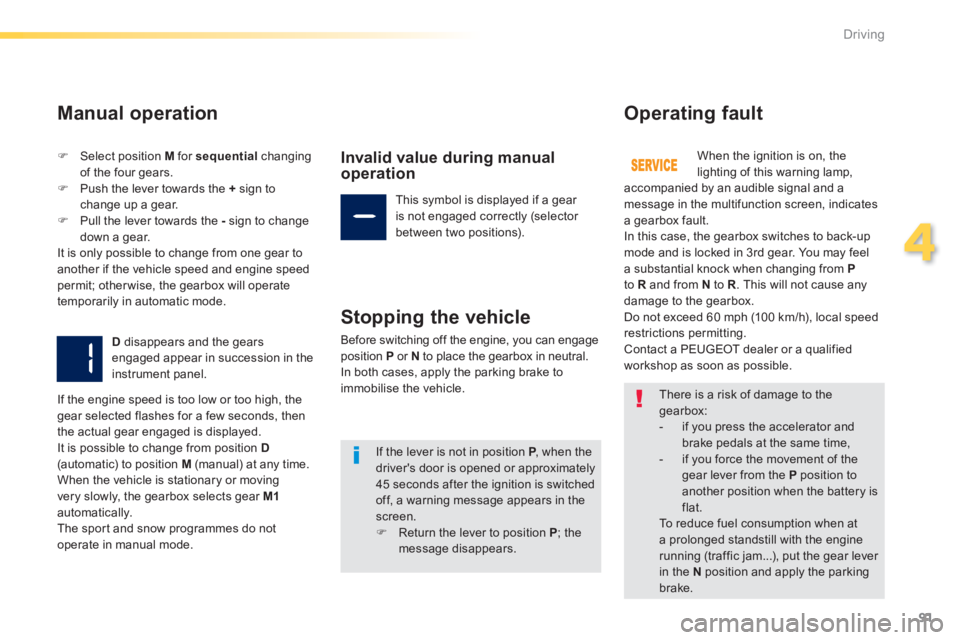
D disappears and the gears engaged appear in succession in the instrument panel.
Invalid value during manual operation
This symbol is displayed if a gear is not engaged correctly (selector between two positions).
Stopping the vehicle
Before switching off the engine, you can engage position P or N to place the gearbox in neutral. In both cases, apply the parking brake to immobilise the vehicle.
Operating fault
When the ignition is on, the lighting of this warning lamp, accompanied by an audible signal and a message in the multifunction screen, indicates a gearbox fault. In this case, the gearbox switches to back-up mode and is locked in 3rd gear. You may feel a substantial knock when changing from Pto R and from N to R . This will not cause any damage to the gearbox. Do not exceed 60 mph (100 km/h), local speed restrictions permitting. Contact a PEUGEOT dealer or a qualified workshop as soon as possible.
If the engine speed is too low or too high, the gear selected flashes for a few seconds, then the actual gear engaged is displayed. It is possible to change from position D(automatic) to position M (manual) at any time. When the vehicle is stationary or moving very slowly, the gearbox selects gear M1automatically. The sport and snow programmes do not
operate in manual mode.
There is a risk of damage to the gearbox: - if you press the accelerator and
brake pedals at the same time, - if you force the movement of the gear lever from the P position to another position when the battery is flat. To reduce fuel consumption when at a prolonged standstill with the engine running (traffic jam...), put the gear lever in the N position and apply the parking
brake.
If the lever is not in position P , when the P , when the Pdriver's door is opened or approximately 45 seconds after the ignition is switched off, a warning message appears in the screen. Return the lever to position P ; the message disappears.
Page 94 of 336
92
Driving
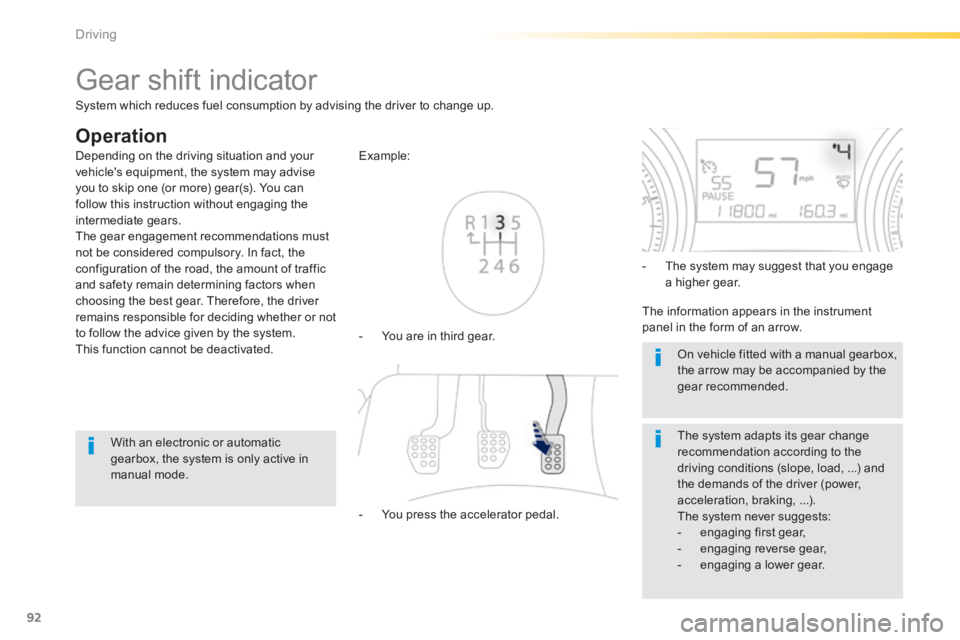
Gear shift indicator
Operation
- You are in third gear.
Example:
- You press the accelerator pedal.
- The system may suggest that you engage a higher gear.
The information appears in the instrument panel in the form of an arrow.
The system adapts its gear change recommendation according to the driving conditions (slope, load, ...) and the demands of the driver (power, acceleration, braking, ...). The system never suggests: - engaging first gear, - engaging reverse gear, - engaging a lower gear.
Depending on the driving situation and your vehicle's equipment, the system may advise you to skip one (or more) gear(s). You can follow this instruction without engaging the intermediate gears. The gear engagement recommendations must not be considered compulsory. In fact, the configuration of the road, the amount of traffic and safety remain determining factors when choosing the best gear. Therefore, the driver remains responsible for deciding whether or not to follow the advice given by the system. This function cannot be deactivated.
With an electronic or automatic gearbox, the system is only active in manual mode.
On vehicle fitted with a manual gearbox, the arrow may be accompanied by the gear recommended.
System which reduces fuel consumption by advising the driver to change up.
Page 95 of 336
93
4
Driving
Stop & Start
Operation
Going into engine STOP mode
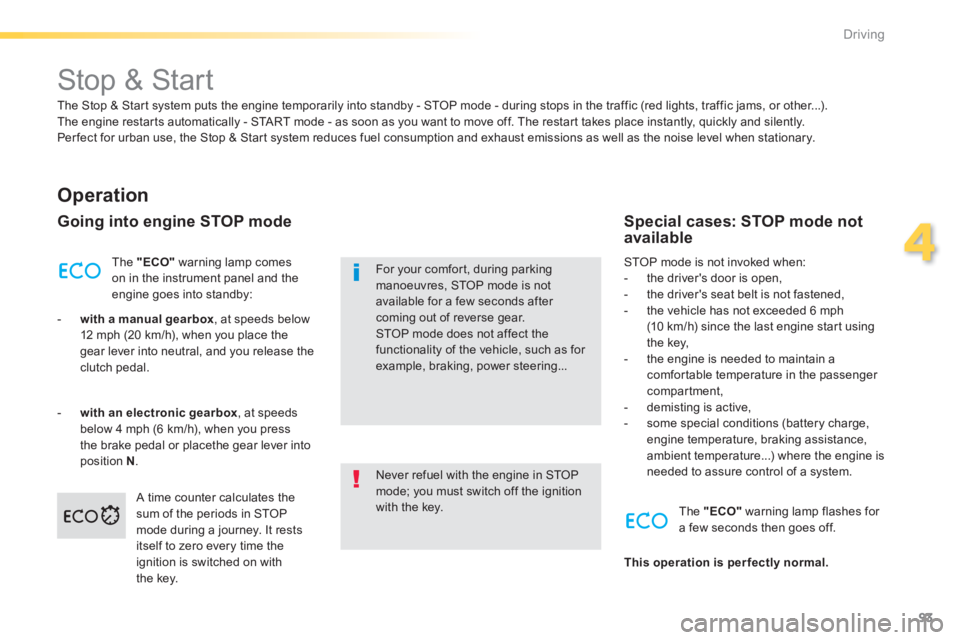
The "ECO" warning lamp comes on in the instrument panel and the engine goes into standby:
- with a manual gearbox , at speeds below 12 mph (20 km/h), when you place the gear lever into neutral, and you release the clutch pedal.
- with an electronic gearbox , at speeds below 4 mph (6 km/h), when you press the brake pedal or placethe gear lever into position N . Never refuel with the engine in STOP mode; you must switch off the ignition with the key.
For your comfort, during parking manoeuvres, STOP mode is not available for a few seconds after coming out of reverse gear. STOP mode does not affect the functionality of the vehicle, such as for example, braking, power steering...
Special cases: STOP mode not available
STOP mode is not invoked when: - the driver's door is open, - the driver's seat belt is not fastened, - the vehicle has not exceeded 6 mph (10 km/h) since the last engine start using the key, - the engine is needed to maintain a comfortable temperature in the passenger compartment, - demisting is active, - some special conditions (battery charge, engine temperature, braking assistance, ambient temperature...) where the engine is needed to assure control of a system.
A time counter calculates the sum of the periods in STOP mode during a journey. It rests itself to zero every time the ignition is switched on with the key.
The "ECO" warning lamp flashes for a few seconds then goes off.
This operation is perfectly normal.
The Stop & Start system puts the engine temporarily into standby - STOP mode - during stops in the traffic (red lights, traffic jams, or other...). The engine restarts automatically - START mode - as soon as you want to move off. The restart takes place instantly, quickly and silently. Per fect for urban use, the Stop & Start system reduces fuel consumption and exhaust emissions as well as the noise level when stationary.
Page 131 of 336
129
6
i
Safety
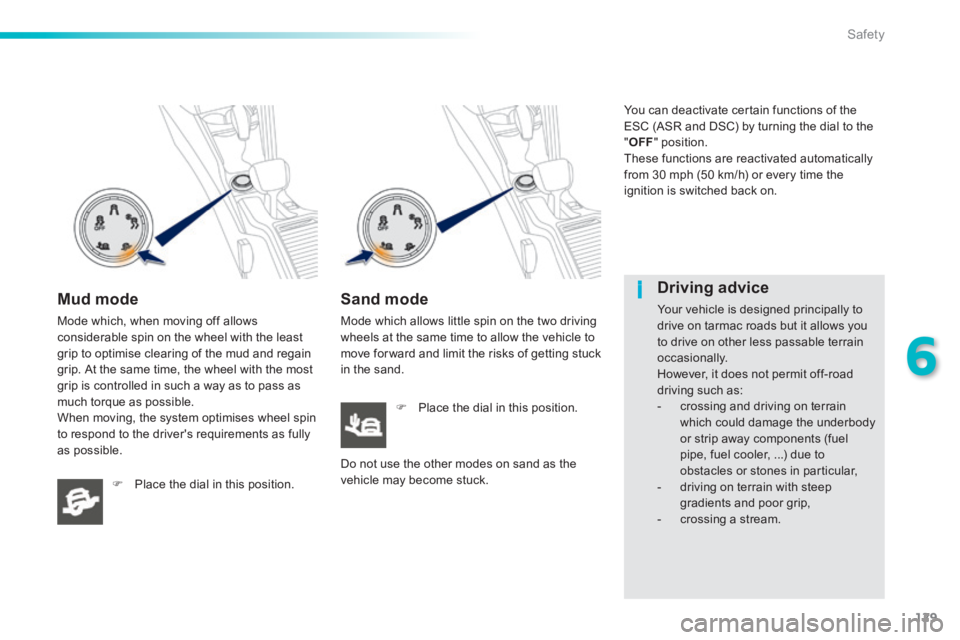
Mud mode
Mode which, when moving off allows considerable spin on the wheel with the least grip to optimise clearing of the mud and regain grip. At the same time, the wheel with the most grip is controlled in such a way as to pass as much torque as possible. When moving, the system optimises wheel spin to respond to the driver's requirements as fully as possible.
Place the dial in this position.
Sand mode
Mode which allows little spin on the two driving wheels at the same time to allow the vehicle to move for ward and limit the risks of getting stuck in the sand.
Place the dial in this position.
Do not use the other modes on sand as the vehicle may become stuck.
You can deactivate certain functions of the ESC (ASR and DSC) by turning the dial to the " OFF " position. These functions are reactivated automatically from 30 mph (50 km/h) or every time the ignition is switched back on.
Driving advice
Your vehicle is designed principally to drive on tarmac roads but it allows you to drive on other less passable terrain occasionally. However, it does not permit off-road driving such as: - crossing and driving on terrain which could damage the underbody or strip away components (fuel pipe, fuel cooler, ...) due to obstacles or stones in particular, - driving on terrain with steep gradients and poor grip, - crossing a stream.