ignition PEUGEOT 2008 2013.5 Owner's Manual
[x] Cancel search | Manufacturer: PEUGEOT, Model Year: 2013.5, Model line: 2008, Model: PEUGEOT 2008 2013.5Pages: 336, PDF Size: 9.23 MB
Page 55 of 336

53
2
Access
Electric windows
1. Left hand front electric window.2. Right hand front electric window.3. Right hand rear electric window.4. Left hand rear electric window.5. Deactivating the rear electric window switches.
Manual operation
To open or close the window, press or pull the switch gently. The window stops as soon as the switch is released.
Automatic one-touch
operation
(depending on version)
To open or close the window, press or pull the switch fully: the window opens or closes completely when the switch is released. Pressing the switch again stops the movement of the window. The electric window switches remain operational for approximately one minute after the key has been removed. Once this time has elapsed, the electric windows will not operate. To reactivate them, switch the ignition on again.
Safety anti-pinch
(depending on version)
When the window rises and meets an obstacle, it stops and immediately partially lowers again. In the event of unwanted opening of the window when closing automatically, press the switch until the window opens completely, then pull
the switch immediately until the window closes. Continue to hold the switch for approximately one second after the window has closed. The safety anti-pinch function is not active during this operation.
Deactivating the rear
window controls
For the safety of your children, press switch 5 to prevent operation of the windows of the rear doors, irrespective of their position.
With the warning lamp on, the rear switches are deactivated. With the warning lamp off, the switches are active.
Page 64 of 336
62
!
Comfort
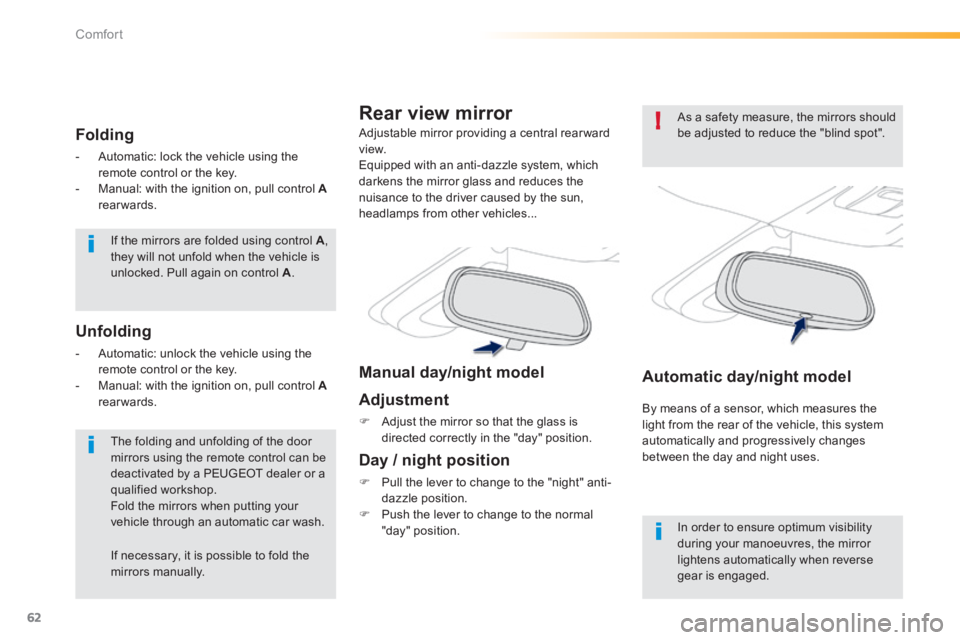
If the mirrors are folded using control A , they will not unfold when the vehicle is unlocked. Pull again on control A .
The folding and unfolding of the door mirrors using the remote control can be deactivated by a PEUGEOT dealer or a qualified workshop. Fold the mirrors when putting your vehicle through an automatic car wash.
Folding
- Automatic: lock the vehicle using the remote control or the key. - Manual: with the ignition on, pull control Arearwards.
Unfolding
- Automatic: unlock the vehicle using the remote control or the key. - Manual: with the ignition on, pull control Arearwards.
Automatic day/night model
By means of a sensor, which measures the light from the rear of the vehicle, this system
automatically and progressively changes between the day and night uses.
Adjustable mirror providing a central rearward view. Equipped with an anti-dazzle system, which darkens the mirror glass and reduces the nuisance to the driver caused by the sun, headlamps from other vehicles...
Rear view mirror
Manual day/night model
Adjustment
Adjust the mirror so that the glass is directed correctly in the "day" position.
Day / night position
Pull the lever to change to the "night" anti-dazzle position. Push the lever to change to the normal "day" position. In order to ensure optimum visibility during your manoeuvres, the mirror lightens automatically when reverse gear is engaged.
As a safety measure, the mirrors should be adjusted to reduce the "blind spot".
If necessary, it is possible to fold the mirrors manually.
Page 81 of 336
79
4
Driving
Starting - Stopping the engine
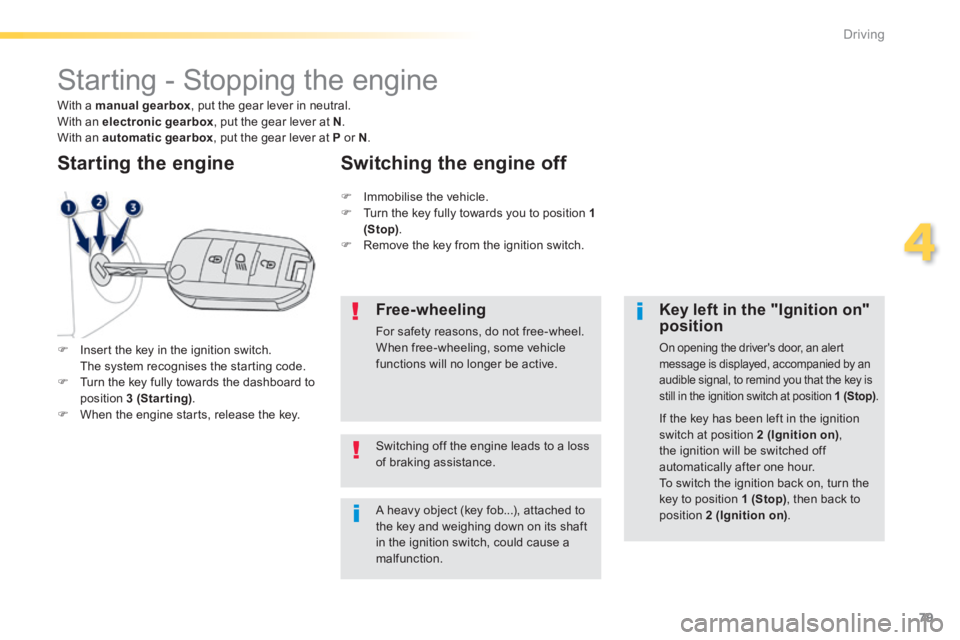
Insert the key in the ignition switch. The system recognises the starting code. Turn the key fully towards the dashboard to position 3 (Starting) . When the engine starts, release the key.
Starting the engine
A heavy object (key fob...), attached to the key and weighing down on its shaft in the ignition switch, could cause a malfunction.
Key left in the "Ignition on" position
On opening the driver's door, an alert message is displayed, accompanied by an audible signal, to remind you that the key is still in the ignition switch at position 1 (Stop) .
Immobilise the vehicle. Turn the key fully towards you to position 1 (Stop) . Remove the key from the ignition switch.
Switching the engine off
If the key has been left in the ignition
switch at position 2 (Ignition on) , the ignition will be switched off automatically after one hour. To switch the ignition back on, turn the key to position 1 (Stop) , then back to position 2 (Ignition on) .
Free-wheeling
For safety reasons, do not free-wheel. When free-wheeling, some vehicle functions will no longer be active.
Switching off the engine leads to a loss of braking assistance.
With a manual gearbox , put the gear lever in neutral. With an electronic gearbox , put the gear lever at N . With an automatic gearbox , put the gear lever at P or N .
Page 82 of 336

80
Driving
Manual parking brake
Application
Pull the parking brake lever up to immobilise your vehicle.
Release
With the foot brake applied , pull the parking brake lever up gently, press the trigger, then lower the lever fully.
When parking on a slope, direct your wheels against the kerb, apply the parking brake, engage a gear and switch off the ignition.
When the vehicle is being driven, if this warning lamp and the STOPwarning lamp come on, accompanied by an audible signal and a message in the screen, indicating that the parking brake is still on or has not been fully released.
On level ground, it is not necessary to make a maximum pull on the parking
brake lever.
Page 86 of 336
84
Driving
Never select neutral N while the vehicle is moving. Only engage reverse gear R when the vehicle is immobilised, with your foot on the brake pedal. In all cases, you must apply the parking brake to immobilise the vehicle.
"Auto sequential" mode
In the automated mode, you can resume control temporarily at any time using the steering mounted control paddles. The use of these paddles permits manual selection of the gears in situations which require a more rapid change-down than in the automated mode (arrival at a roundabout, leaving a car park with a steep gradient, over taking...). The gearbox engages the required gear if the engine speed permits. AUTO remains displayed on the instrument panel. After a few moments, the gearbox resumes automatic control of the gears.
Stopping the vehicle
Before switching off the engine, you can change to position N to be in neutral. In this case, you must apply the parking brake to immobilise the vehicle.
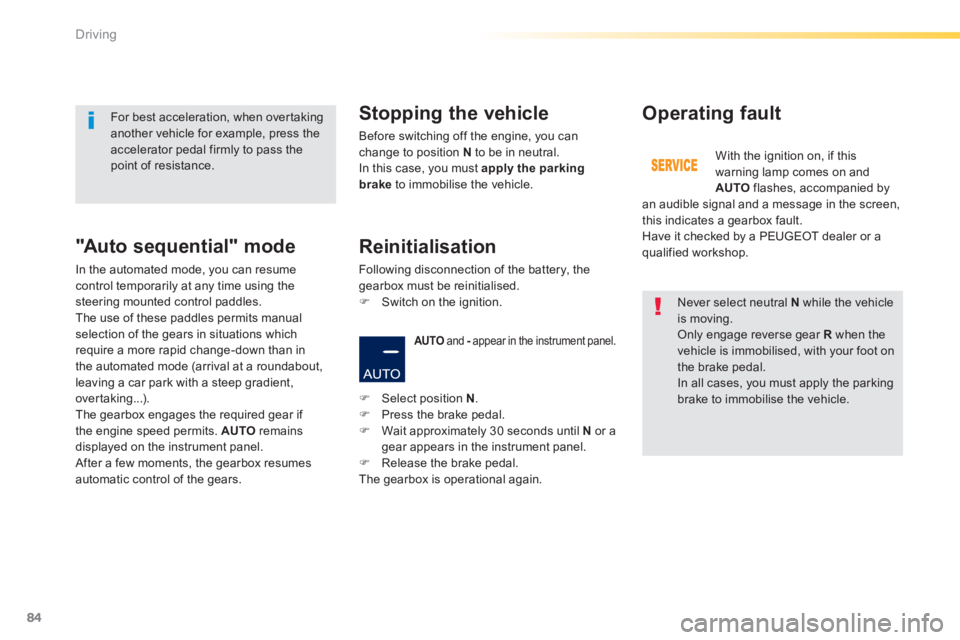
AUTO and - appear in the instrument panel. - appear in the instrument panel. -
Operating fault
With the ignition on, if this warning lamp comes on and AUTO flashes, accompanied by an audible signal and a message in the screen, this indicates a gearbox fault. Have it checked by a PEUGEOT dealer or a qualified workshop.
For best acceleration, when overtaking another vehicle for example, press the accelerator pedal firmly to pass the point of resistance.
Select position N . Press the brake pedal. Wait approximately 30 seconds until N or a gear appears in the instrument panel. Release the brake pedal. The gearbox is operational again.
Reinitialisation
Following disconnection of the battery, the gearbox must be reinitialised. Switch on the ignition.
Page 90 of 336
88
Driving
Operating fault
When immobilising the vehicle, with the engine running, you must place the gear lever in neutral N . Before carrying out any work in the engine compartment, check that the gear lever is in neutral N and that the parking brake is applied.
With the ignition on, the flashing of this warning lamp and the flashing of AUTO , accompanied by an audible signal and a message in the instrument panel screen, indicates a malfunction of the gearbox. Have it checked by PEUGEOT or a qualified workshop.
You must press the brake pedal firmly when starting the engine. Whatever the circumstances, you must manually apply the parking brake to immobilise the vehicle.
Stopping the vehicle
Before switching off the engine, you can choose to: - move to position N to engage neutral, - leave the gear engaged; in this case, it will not be possible to move the vehicle. In both cases, you must apply the parking brake to immobilise the vehicle.
Page 93 of 336
91
4
Driving
Manual operation
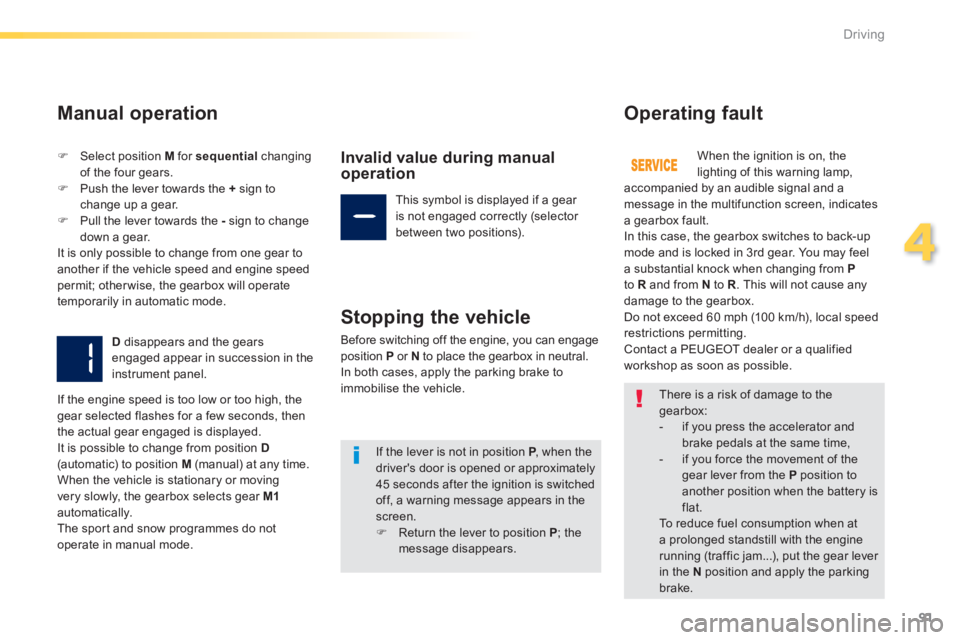
Select position M for sequential changing of the four gears. Push the lever towards the + sign to change up a gear. Pull the lever towards the - sign to change
down a gear. It is only possible to change from one gear to another if the vehicle speed and engine speed permit; otherwise, the gearbox will operate temporarily in automatic mode.
D disappears and the gears engaged appear in succession in the instrument panel.
Invalid value during manual operation
This symbol is displayed if a gear is not engaged correctly (selector between two positions).
Stopping the vehicle
Before switching off the engine, you can engage position P or N to place the gearbox in neutral. In both cases, apply the parking brake to immobilise the vehicle.
Operating fault
When the ignition is on, the lighting of this warning lamp, accompanied by an audible signal and a message in the multifunction screen, indicates a gearbox fault. In this case, the gearbox switches to back-up mode and is locked in 3rd gear. You may feel a substantial knock when changing from Pto R and from N to R . This will not cause any damage to the gearbox. Do not exceed 60 mph (100 km/h), local speed restrictions permitting. Contact a PEUGEOT dealer or a qualified workshop as soon as possible.
If the engine speed is too low or too high, the gear selected flashes for a few seconds, then the actual gear engaged is displayed. It is possible to change from position D(automatic) to position M (manual) at any time. When the vehicle is stationary or moving very slowly, the gearbox selects gear M1automatically. The sport and snow programmes do not
operate in manual mode.
There is a risk of damage to the gearbox: - if you press the accelerator and
brake pedals at the same time, - if you force the movement of the gear lever from the P position to another position when the battery is flat. To reduce fuel consumption when at a prolonged standstill with the engine running (traffic jam...), put the gear lever in the N position and apply the parking
brake.
If the lever is not in position P , when the P , when the Pdriver's door is opened or approximately 45 seconds after the ignition is switched off, a warning message appears in the screen. Return the lever to position P ; the message disappears.
Page 95 of 336
93
4
Driving
Stop & Start
Operation
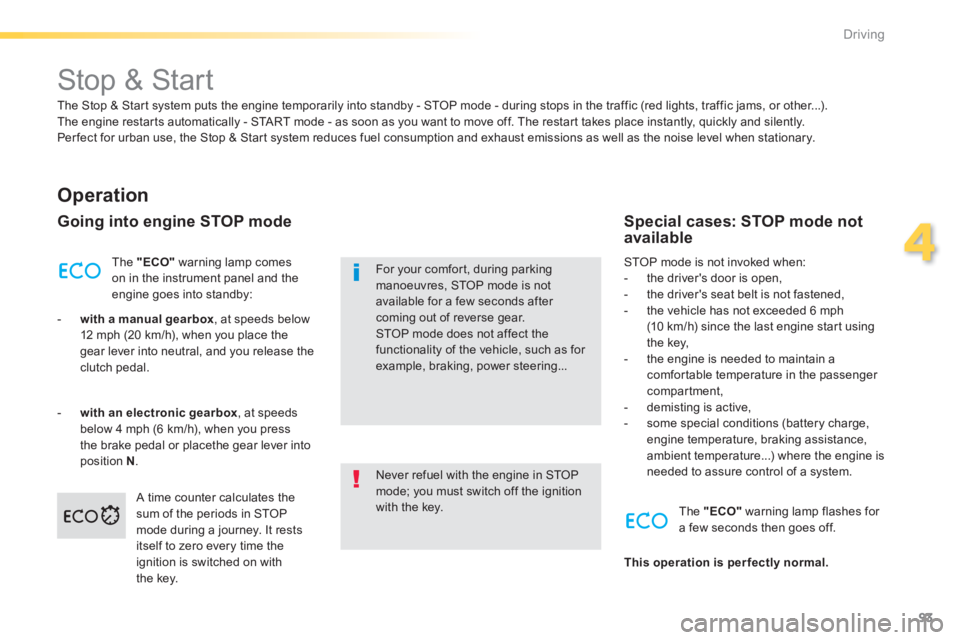
Going into engine STOP mode
The "ECO" warning lamp comes on in the instrument panel and the engine goes into standby:
- with a manual gearbox , at speeds below 12 mph (20 km/h), when you place the gear lever into neutral, and you release the clutch pedal.
- with an electronic gearbox , at speeds below 4 mph (6 km/h), when you press the brake pedal or placethe gear lever into position N . Never refuel with the engine in STOP mode; you must switch off the ignition with the key.
For your comfort, during parking manoeuvres, STOP mode is not available for a few seconds after coming out of reverse gear. STOP mode does not affect the functionality of the vehicle, such as for example, braking, power steering...
Special cases: STOP mode not available
STOP mode is not invoked when: - the driver's door is open, - the driver's seat belt is not fastened, - the vehicle has not exceeded 6 mph (10 km/h) since the last engine start using the key, - the engine is needed to maintain a comfortable temperature in the passenger compartment, - demisting is active, - some special conditions (battery charge, engine temperature, braking assistance, ambient temperature...) where the engine is needed to assure control of a system.
A time counter calculates the sum of the periods in STOP mode during a journey. It rests itself to zero every time the ignition is switched on with the key.
The "ECO" warning lamp flashes for a few seconds then goes off.
This operation is perfectly normal.
The Stop & Start system puts the engine temporarily into standby - STOP mode - during stops in the traffic (red lights, traffic jams, or other...). The engine restarts automatically - START mode - as soon as you want to move off. The restart takes place instantly, quickly and silently. Per fect for urban use, the Stop & Start system reduces fuel consumption and exhaust emissions as well as the noise level when stationary.
Page 97 of 336
95
4
Driving
The system is reactivated automatically at every new start using the key.
Reactivation
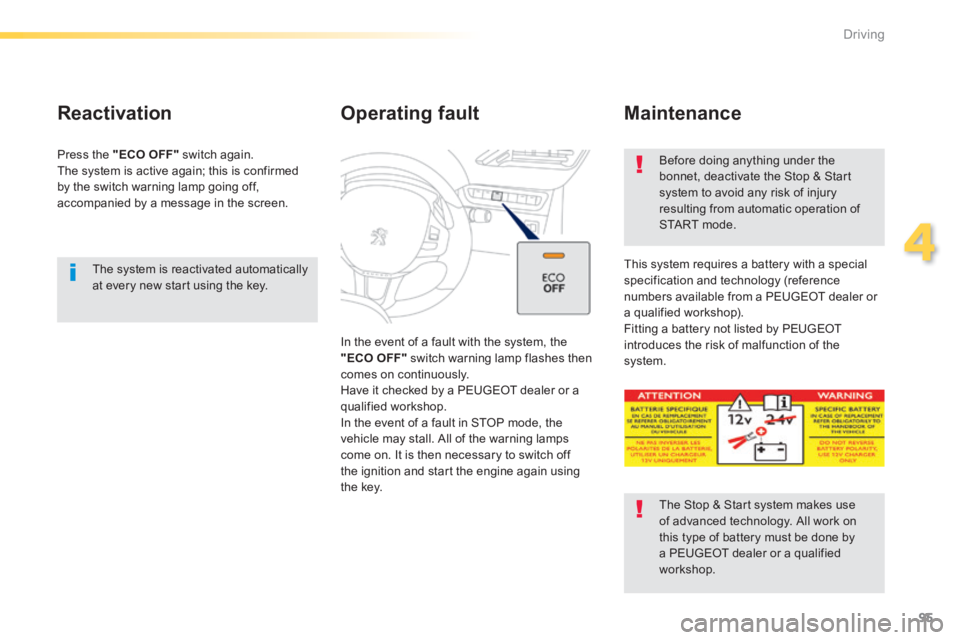
Press the "ECO OFF" switch again. The system is active again; this is confirmed by the switch warning lamp going off, accompanied by a message in the screen.
Operating fault
In the event of a fault with the system, the "ECO OFF" switch warning lamp flashes then comes on continuously. Have it checked by a PEUGEOT dealer or a qualified workshop. In the event of a fault in STOP mode, the
vehicle may stall. All of the warning lamps come on. It is then necessary to switch off the ignition and start the engine again using the key.
Before doing anything under the bonnet, deactivate the Stop & Start system to avoid any risk of injury resulting from automatic operation of START mode.
This system requires a battery with a special specification and technology (reference numbers available from a PEUGEOT dealer or a qualified workshop). Fitting a battery not listed by PEUGEOT introduces the risk of malfunction of the system.
Maintenance
The Stop & Start system makes use of advanced technology. All work on this type of battery must be done by a PEUGEOT dealer or a qualified workshop.
Page 99 of 336
97
4
Driving
Speed limiter
System which prevents the vehicle from exceeding the speed programmed by the driver. When the programmed speed limit is reached, pressing the accelerator pedal in the normal manner no longer has any effect.
The speed limiter is switched on manually: the programmed speed must be at least 20 mph (30 km/h).
The speed limiter is switched off by manual switched off by manual switched offoperation of the control.
The programmed speed can be exceeded temporarily by pressing the accelerator firmly. To return to the programmed speed, simply slow down to a speed below the programmed speed.
The speed limiter cannot, in any circumstances, replace the need to respect speed limits, nor can it replace the need for vigilance and responsibility on the part of the driver.
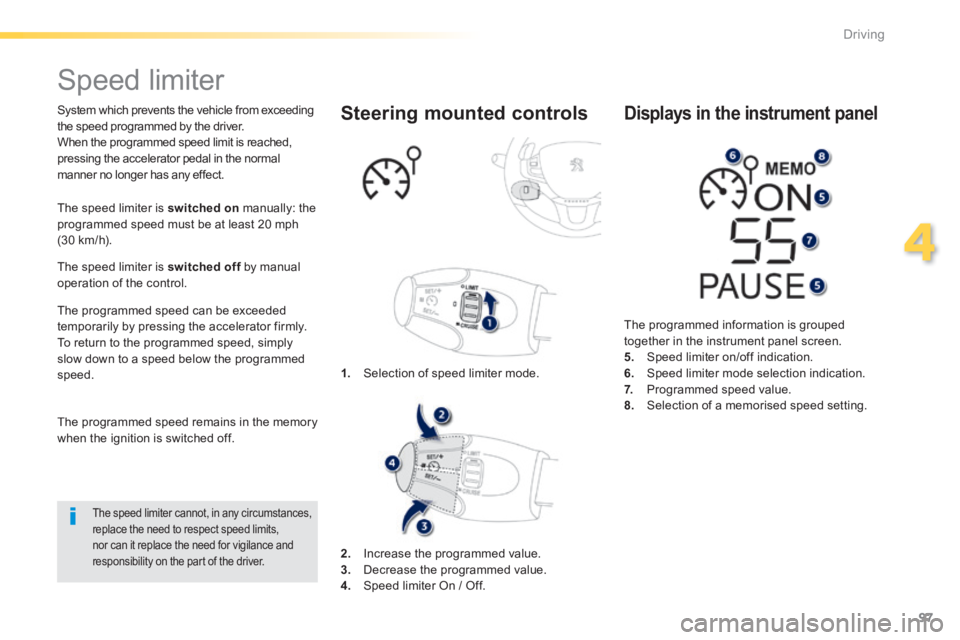
1. Selection of speed limiter mode.
Steering mounted controls
The programmed information is grouped together in the instrument panel screen. 5. Speed limiter on/off indication. 6. Speed limiter mode selection indication. 7. Programmed speed value. 8. Selection of a memorised speed setting.
Displays in the instrument panel
The programmed speed remains in the memory when the ignition is switched off.
2. Increase the programmed value. 3. Decrease the programmed value. 4. Speed limiter On / Off.