USB port PEUGEOT 2008 2014 User Guide
[x] Cancel search | Manufacturer: PEUGEOT, Model Year: 2014, Model line: 2008, Model: PEUGEOT 2008 2014Pages: 336, PDF Size: 9.35 MB
Page 287 of 336
04
285
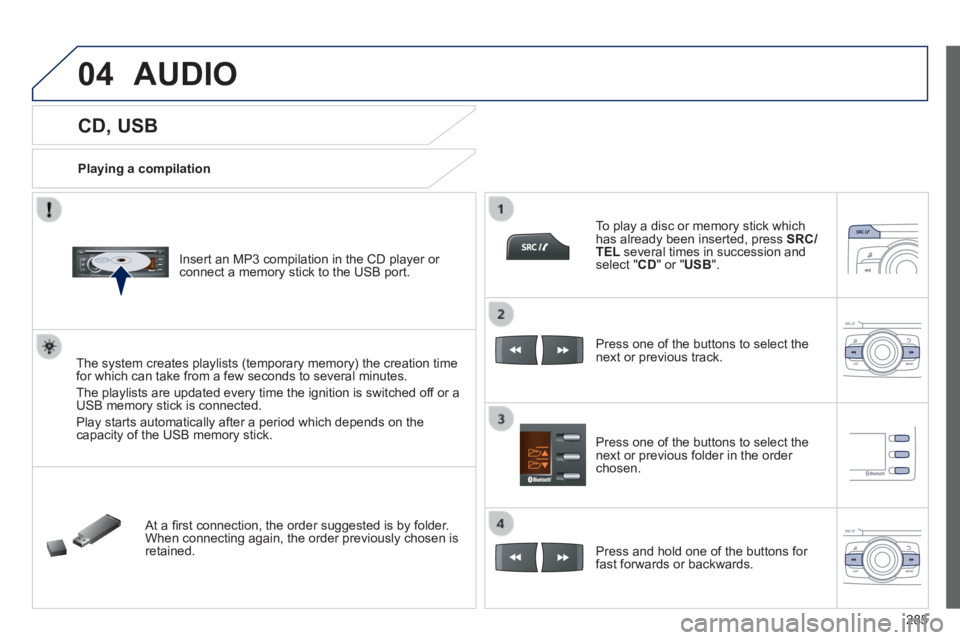
CD, USB
Playing a compilation
Insert an MP3 compilation in the CD player or connect a memory stick to the USB port.
The system creates playlists (temporary memory) the creation time for which can take from a few seconds to several minutes.
The playlists are updated every time the ignition is switched off or a USB memory stick is connected.
Play starts automatically after a period which depends on the capacity of the USB memory stick.
At a fi rst connection, the order suggested is by folder. When connecting again, the order previously chosen is retained.
To play a disc or memory stick which has already been inserted, press SRC/TEL several times in succession and select " CD " or " USB ".
Press one of the buttons to select the next or previous track.
Press one of the buttons to select the next or previous folder in the order chosen.
Press and hold one of the buttons for fast forwards or backwards.
AUDIO
Page 289 of 336
04
287
AUDIO
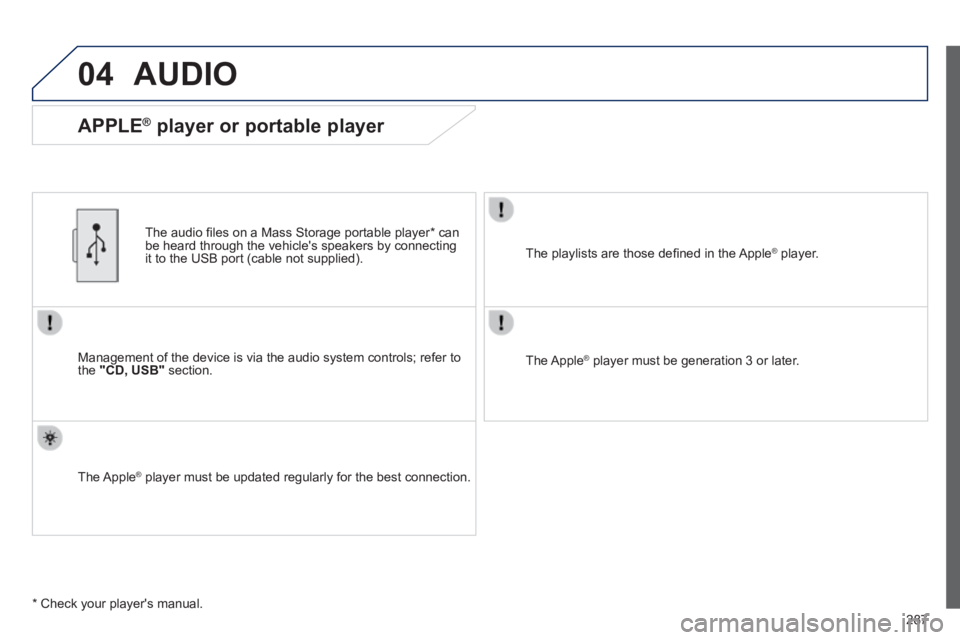
Management of the device is via the audio system controls; refer to the "CD, USB" section.
The audio fi les on a Mass Storage portable player * can be heard through the vehicle's speakers by connecting it to the USB port (cable not supplied).
The Apple ® player must be updated regularly for the best connection. ® player must be updated regularly for the best connection. ®
The playlists are those defi ned in the Apple ® player. ® player. ®
The Apple ® player must be generation 3 or later. ® player must be generation 3 or later. ®
* Check your player's manual.
APPLE ® player or portable player
Page 303 of 336
301
FREQUENTLY ASKED QUESTIONS
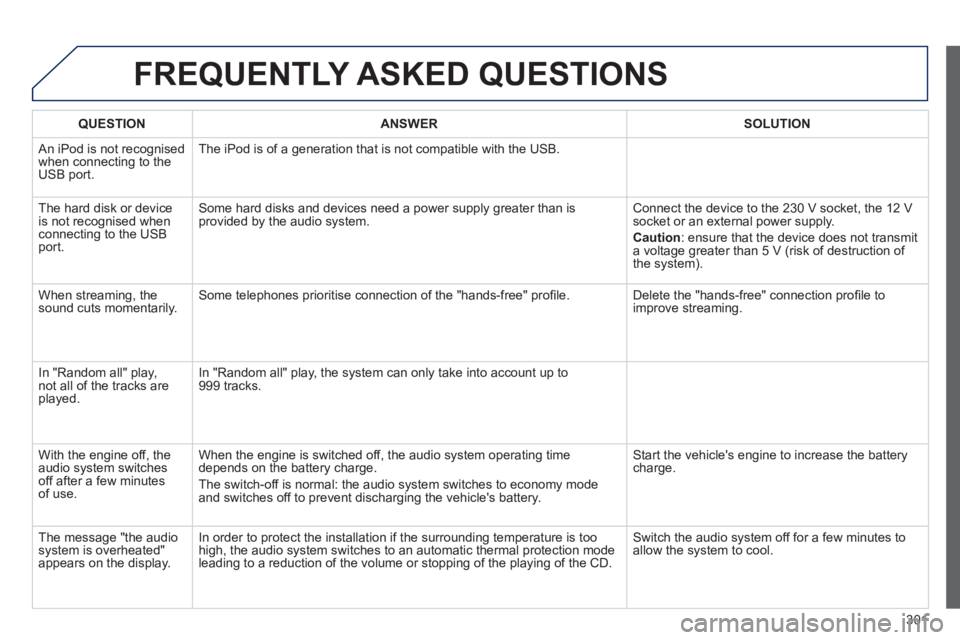
QUESTIONANSWERSOLUTION
An iPod is not recognised when connecting to the USB port.
The iPod is of a generation that is not compatible with the USB.
The hard disk or device is not recognised when connecting to the USB port.
Some hard disks and devices need a power supply greater than is provided by the audio system. Connect the device to the 230 V socket, the 12 V socket or an external power supply.
Caution : ensure that the device does not transmit a voltage greater than 5 V (risk of destruction of the system).
When streaming, the sound cuts momentarily. Some telephones prioritise connection of the "hands-free" profi le. Delete the "hands-free" connection profi le to improve streaming.
In "Random all" play, not all of the tracks are played.
In "Random all" play, the system can only take into account up to 999 tracks.
With the engine off, the audio system switches off after a few minutes of use.
When the engine is switched off, the audio system operating time depends on the battery charge.
The switch-off is normal: the audio system switches to economy mode and switches off to prevent discharging the vehicle's battery.
Start the vehicle's engine to increase the battery charge.
The message "the audio system is overheated" appears on the display.
In order to protect the installation if the surrounding temperature is t\
oo high, the audio system switches to an automatic thermal protection mode \
leading to a reduction of the volume or stopping of the playing of the C\
D.
Switch the audio system off for a few minutes to allow the system to cool.
Page 322 of 336
320
Visual search
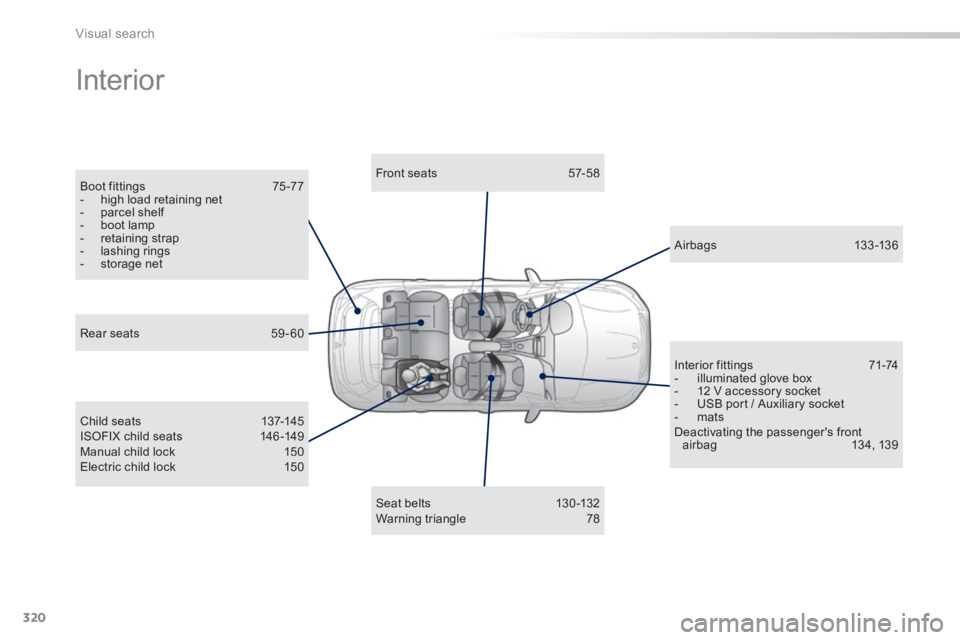
Interior
Boot fittings 75 -77 - high load retaining net - parcel shelf - boot lamp - retaining strap - lashing rings - storage net
Front seats 57-58
Child seats 137-145 ISOFIX child seats 146 -149 Manual child lock 150 Electric child lock 150
A ir bags 13 3 -13 6
Interior fittings 71-74 - illuminated glove box - 12 V accessory socket - USB port / Auxiliary socket - mats Deactivating the passenger's front airbag 134, 139
Seat belts 130 -132 Warning triangle 78
Rear seats 59 - 60
Page 323 of 336
.
321
Visual search
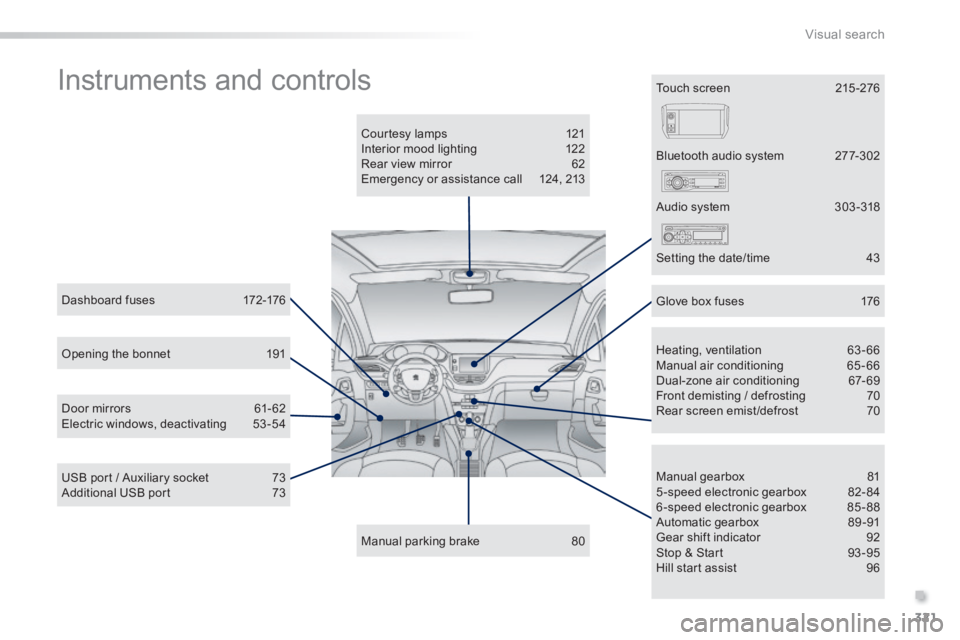
Instruments and controls
Courtesy lamps 121 Interior mood lighting 122 Rear view mirror 62 Emergency or assistance call 124, 213
Manual parking brake 80
Manual gearbox 81 5-speed electronic gearbox 82-84 6-speed electronic gearbox 85-88 Automatic gearbox 89 -91 Gear shift indicator 92 Stop & Start 93 -95 Hill start assist 96
Dashboard fuses 172-176
USB port / Auxiliary socket 73 Additional USB port 73
Heating, ventilation 63-66 Manual air conditioning 65-66 Dual-zone air conditioning 67-69 Front demisting / defrosting 70 Rear screen emist /defrost 70
Bluetooth audio system 277-302
Door mirrors 61- 62 Electric windows, deactivating 53-54
Audio system 303 -318
Setting the date/time 43
Glove box fuses 176
Touch screen 215 -276
Opening the bonnet 191
Page 328 of 336
326
Alphabetical index
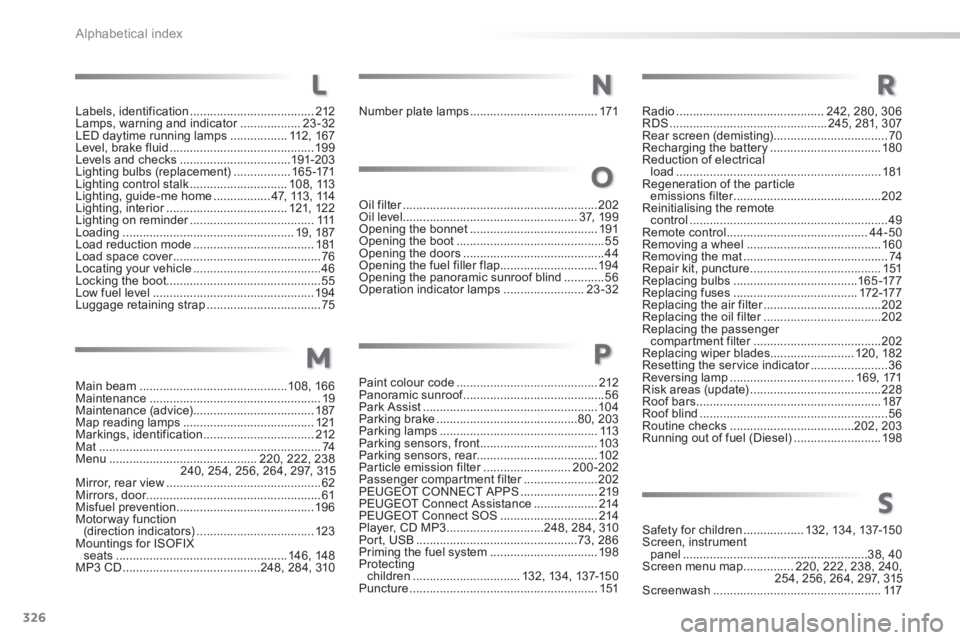
Main beam ............................................108, 166Maintenance ...................................................19Maintenance (advice) ....................................187Map reading lamps .......................................121Markings, identification .................................212Mat ..................................................................74Menu ............................................220, 222, 238240, 254, 256, 264, 297, 315Mirror, rear view ..............................................62Mirrors, door....................................................61Misfuel prevention .........................................19 6Motorway function (direction indicators) ...................................123Mountings for ISOFIX seats ...................................................146, 148MP3 CD .........................................248, 284, 310
Oil filter ..........................................................Oil filter ..........................................................Oil filter202Oil level....................................................3 7, 1 9 9Opening the bonnet ......................................191Opening the boot ............................................55Opening the doors ..........................................44Opening the fuel filler flap .............................19 4Opening the panoramic sunroof blind ............56Operation indicator lamps ........................23-32
Paint colour code ..........................................212Panoramic sunroof ..........................................Panoramic sunroof ..........................................Panoramic sunroof56Park Assist ....................................................104Parking brake ..........................................80, 203Parking lamps ...............................................113Parking sensors, front ...................................103Parking sensors, rear....................................102Particle emission filter ..........................Particle emission filter ..........................Particle emission filter200-202Passenger compartment filter ......................Passenger compartment filter ......................Passenger compartment filter202PEUGEOT CONNECT APPS .......................219PEUGEOT Connect Assistance ...................214PEUGEOT Connect SOS .............................214Player, CD MP3 .............................248, 284, 310Port, USB ................................................73, 286Priming the fuel system ................................198Protecting children ................................132, 13 4, 137-15 0Puncture ........................................................151
Radio ............................................242, 280, 306RDS ...............................................245, 281, 307Rear screen (demisting) ..................................70Recharging the battery .................................180Reduction of electrical load .............................................................181Regeneration of the particle emissions filter ............................................emissions filter ............................................emissions filter202Reinitialising the remote control ...........................................................49Remote control ..........................................44-50Removing a wheel ........................................160Removing the mat ...........................................74Repair kit, puncture .......................................151Replacing bulbs .....................................16 5 -17 7Replacing fuses .....................................172-17 7Replacing the air filter ...................................Replacing the air filter ...................................Replacing the air filter202Replacing the oil filter ...................................Replacing the oil filter ...................................Replacing the oil filter202Replacing the passenger compartment filter ......................................compartment filter ......................................compartment filter202Replacing wiper blades.........................120, 182Resetting the service indicator .......................Resetting the service indicator .......................Resetting the service indicator36Reversing lamp .....................................16 9, 171Risk areas (update) .......................................228Roof bars .......................................................187Roof blind ........................................................56Routine checks .....................................202, 203Running out of fuel (Diesel) ..........................198
M
N
O
P
Safety for children ..................132, 13 4, 137-15 0Screen, instrument panel .......................................................38, 40Screen menu map ...............220, 222, 238, 240, 254, 256, 264, 297, 315Screenwash ..................................................117
R
S
Labels, identification .....................................212Lamps, warning and indicator ..................Lamps, warning and indicator ..................Lamps, warning and indicator23-32LED daytime running lamps .................112 , 1 6 7Level, brake fluid ...........................................19 9Levels and checks .................................191-203Lighting bulbs (replacement) .................16 5 -171Lighting control stalk .............................1 0 8 , 113Lighting, guide-me home .................47, 113 , 114Lighting, interior ....................................Lighting, interior ....................................Lighting, interior121, 12 2Lighting on reminder .....................................Lighting on reminder .....................................Lighting on reminder111Loading ...................................................19, 187Load reduction mode ....................................181Load space cover ............................................Load space cover ............................................Load space cover76Locating your vehicle ......................................46Locking the boot..............................................55Low fuel level ................................................19 4Luggage retaining strap ..................................75
L
Number plate lamps ......................................171