ignition PEUGEOT 2008 2014 Workshop Manual
[x] Cancel search | Manufacturer: PEUGEOT, Model Year: 2014, Model line: 2008, Model: PEUGEOT 2008 2014Pages: 336, PDF Size: 9.35 MB
Page 182 of 336
180
Practical information
It is advisable to disconnect the battery if the vehicle is to be left unused for more than one month.
The batteries contain harmful substances such as sulphuric acid and lead. They must be disposed of in accordance with regulations and must not, in any circumstances, be discarded with household waste. Take used remote control batteries and vehicle batteries to a special collection point.
Protect your eyes and face before handling the battery. All operations on the battery must be carried out in a well ventilated area and away from naked flames and sources of sparks, so as to avoid the risk of
explosion or fire. Do not try to charge a frozen battery; the battery must first be thawed out to avoid the risk of explosion. If the battery has been frozen, before charging have it checked by a PEUGEOT dealer or a qualified workshop who will check that the internal components have not been damaged and the casing is not cracked, which could cause a leak of toxic and corrosive acid. Do not reverse the polarity and use only a 12 V charger. Do not disconnect the terminals while the engine is running. Do not charge the batteries without disconnecting the terminals first. Wash your hands after wards.
Do not push the vehicle to start the engine if you have an electronic or automatic gearbox.
Before disconnecting the battery
Wait 2 minutes after switching off the ignition before disconnecting the battery. Close the windows and the doors before disconnecting the battery.
Following reconnection of the battery
Following reconnection of the battery, switch on the ignition and wait 1 minute before starting to permit initialisation of the electronic systems. However, if problems remain following this operation, contact a PEUGEOT dealer or a qualified workshop. Referring to the corresponding section, you must yourself reinitialise: - the remote control key, - the on-board satellite navigation system.
The Stop & Start battery does not have to be disconnected for charging.
Charging the battery using
a battery charger
Disconnect the battery from the vehicle. Follow the instructions for use provided by the manufacturer of the charger. Connect the battery starting with the negative terminal (-). Check that the terminals and connectors are clean. If they are covered with sulphate (whitish or greenish deposit), remove them and clean them.
Page 184 of 336
182
Practical information
Changing a wiper blade
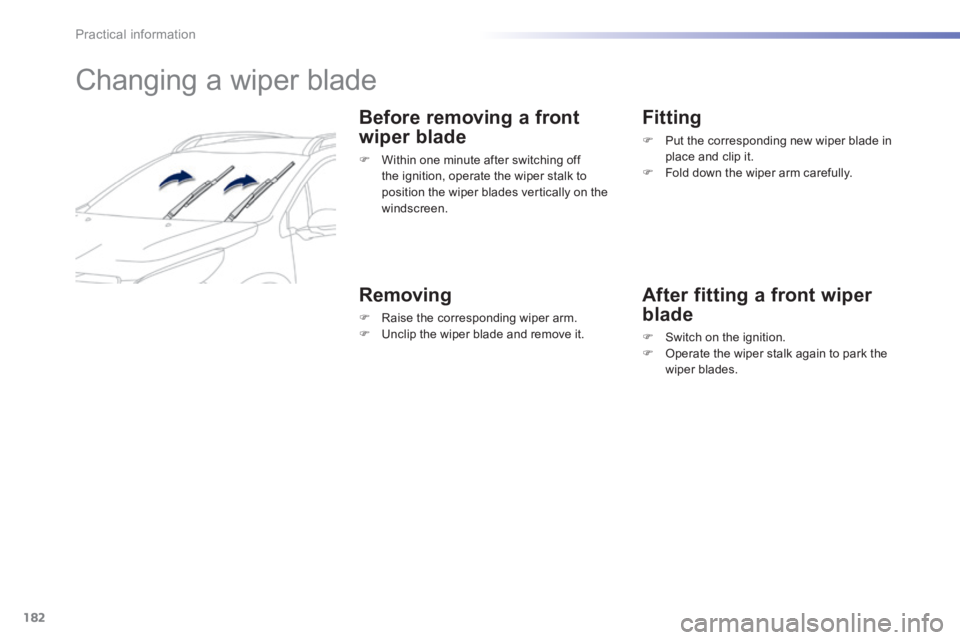
Before removing a front
wiper blade
Within one minute after switching off the ignition, operate the wiper stalk to position the wiper blades vertically on the windscreen.
Removing
Raise the corresponding wiper arm. Unclip the wiper blade and remove it.
Fitting
Put the corresponding new wiper blade in place and clip it. Fold down the wiper arm carefully.
After fitting a front wiper
blade
Switch on the ignition. Operate the wiper stalk again to park the wiper blades.
Page 186 of 336
184
Practical information
Towing your vehicle Towing another vehicle
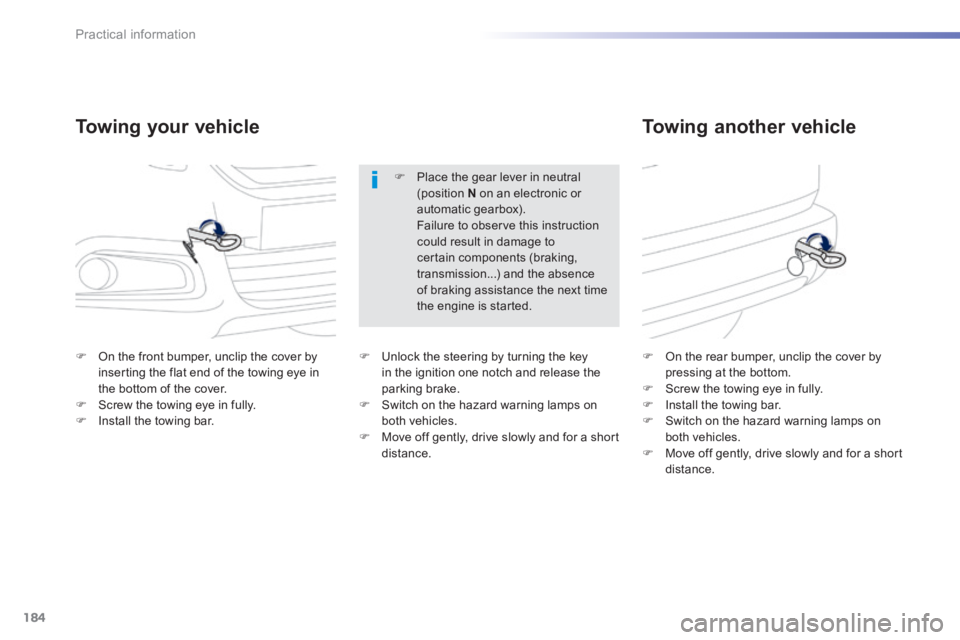
On the front bumper, unclip the cover by inserting the flat end of the towing eye in the bottom of the cover. Screw the towing eye in fully. Install the towing bar.
On the rear bumper, unclip the cover by pressing at the bottom. Screw the towing eye in fully. Install the towing bar. Switch on the hazard warning lamps on both vehicles. Move off gently, drive slowly and for a short distance.
Place the gear lever in neutral (position N on an electronic or automatic gearbox). Failure to observe this instruction could result in damage to certain components (braking, transmission...) and the absence of braking assistance the next time the engine is started.
Unlock the steering by turning the key in the ignition one notch and release the parking brake. Switch on the hazard warning lamps on both vehicles. Move off gently, drive slowly and for a short distance.
Page 196 of 336
194
Checks
Low fuel level
When the fuel tank minimum level is reached this warning lamp comes on in the instrument panel. There remains approximately 5 litres of fuel in the tank. When the warning lamp flashes there is ver y little fuel remaining in the tank.
The key cannot be removed from the lock until the cap is refitted. Removing the filler cap may cause an inrush of air. This vacuum is per fectly normal and results from the sealing of the system.
Fuel tank
Fuel tank capacity: approximately 50 litres.
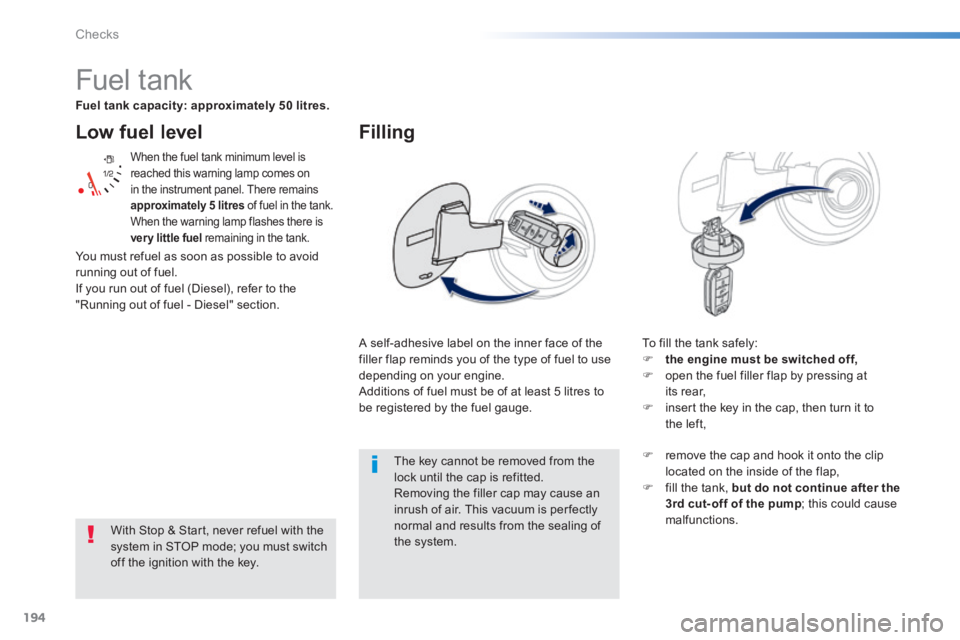
A self-adhesive label on the inner face of the filler flap reminds you of the type of fuel to use depending on your engine. Additions of fuel must be of at least 5 litres to be registered by the fuel gauge.
Filling
To fill the tank safely: the engine must be switched off, open the fuel filler flap by pressing at its rear, insert the key in the cap, then turn it to the left,
With Stop & Start, never refuel with the
system in STOP mode; you must switch off the ignition with the key.
remove the cap and hook it onto the clip located on the inside of the flap, fill the tank, but do not continue after the 3rd cut- off of the pump ; this could cause malfunctions.
You must refuel as soon as possible to avoid running out of fuel. If you run out of fuel (Diesel), refer to the "Running out of fuel - Diesel" section.
Page 201 of 336
199
8
Checks
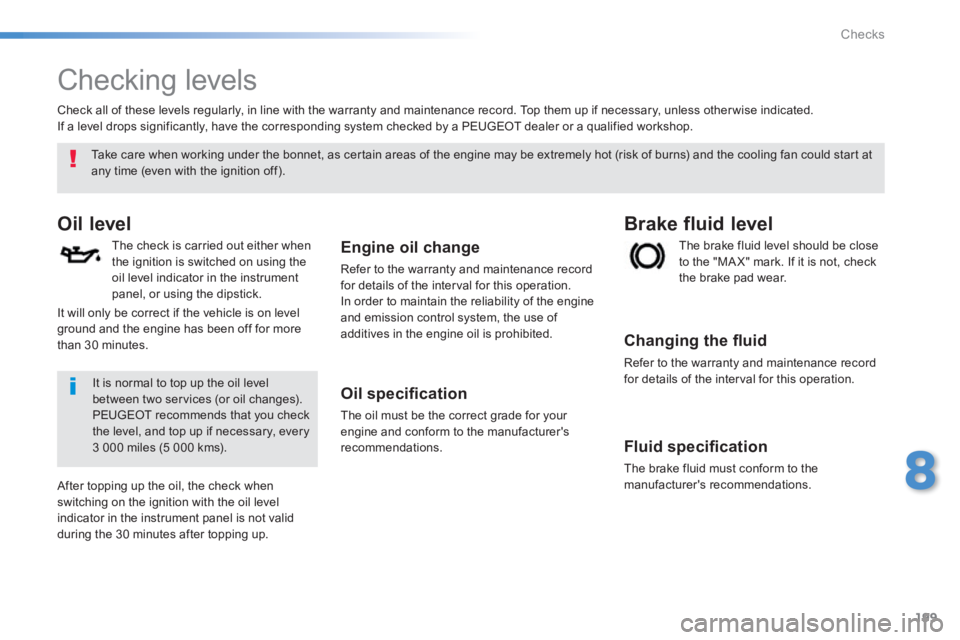
Checking levels
Oil level
The check is carried out either when the ignition is switched on using the oil level indicator in the instrument panel, or using the dipstick.
Engine oil change
Refer to the warranty and maintenance record for details of the interval for this operation. In order to maintain the reliability of the engine and emission control system, the use of additives in the engine oil is prohibited.
Oil specifi cation
The oil must be the correct grade for your engine and conform to the manufacturer's recommendations.
The brake fluid level should be close to the "MA X" mark. If it is not, check the brake pad wear.
Brake fluid level
Changing the fl uid
Refer to the warranty and maintenance record for details of the interval for this operation.
Fluid specifi cation
The brake fluid must conform to the manufacturer's recommendations.
Take care when working under the bonnet, as certain areas of the engine may be extremely hot (risk of burns) and the cooling fan could start at any time (even with the ignition off).
Check all of these levels regularly, in line with the warranty and maintenance record. Top them up if necessary, unless other wise indicated. If a level drops significantly, have the corresponding system checked by a PEUGEOT dealer or a qualified workshop.
It is normal to top up the oil level between two services (or oil changes). PEUGEOT recommends that you check the level, and top up if necessary, every 3 000 miles (5 000 kms).
After topping up the oil, the check when switching on the ignition with the oil level indicator in the instrument panel is not valid during the 30 minutes after topping up.
It will only be correct if the vehicle is on level ground and the engine has been off for more than 30 minutes.
Page 216 of 336
214
EMERGENCY OR ASSISTANCE CALL
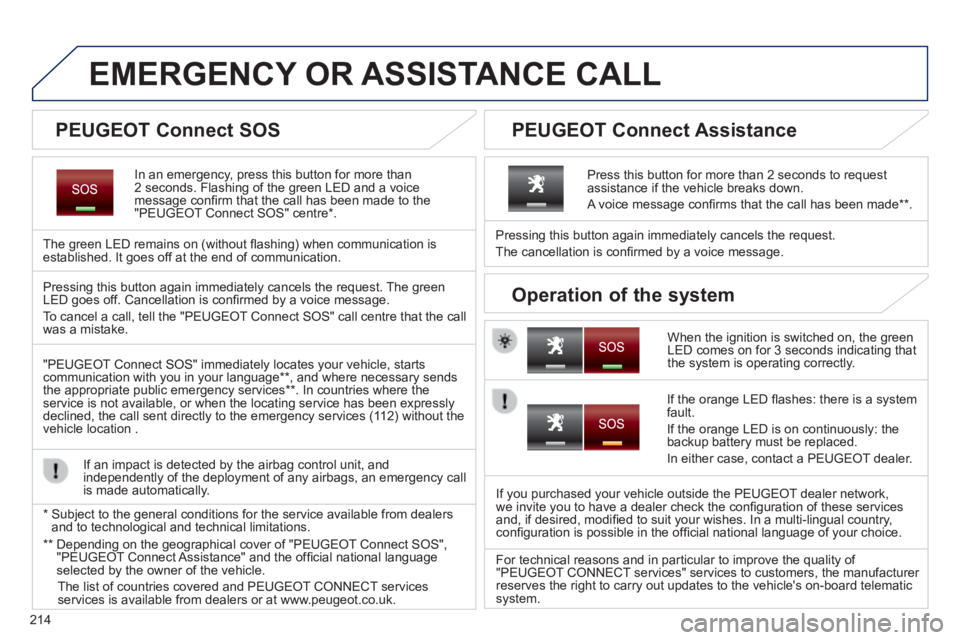
In an emergency, press this button for more than 2 seconds. Flashing of the green LED and a voice message confi rm that the call has been made to the "PEUGEOT Connect SOS" centre * .
The green LED remains on (without fl ashing) when communication is established. It goes off at the end of communication.
When the ignition is switched on, the green LED comes on for 3 seconds indicating that the system is operating correctly.
Pressing this button again immediately cancels the request.
The cancellation is confi rmed by a voice message.
Press this button for more than 2 seconds to request assistance if the vehicle breaks down.
A voice message confi rms that the call has been made ** .
Pressing this button again immediately cancels the request. The green LED goes off. Cancellation is confi rmed by a voice message .
To cancel a call, tell the "PEUGEOT Connect SOS" call centre that the call was a mistake.
"PEUGEOT Connect SOS" immediately locates your vehicle, starts communication with you in your language ** , and where necessary sends the appropriate public emergency services ** . In countries where the service is not available, or when the locating service has been expressl\
y declined, the call sent directly to the emergency services (112) without the vehicle location .
If an impact is detected by the airbag control unit, and independently of the deployment of any airbags, an emergency call is made automatically.
If the orange LED fl ashes: there is a system fault.
If the orange LED is on continuously: the backup battery must be replaced.
In either case, contact a PEUGEOT dealer.
If you purchased your vehicle outside the PEUGEOT dealer network, we invite you to have a dealer check the confi guration of these services and, if desired, modifi ed to suit your wishes. In a multi-lingual country, confi guration is possible in the offi cial national language of your choice.
For technical reasons and in particular to improve the quality of "PEUGEOT CONNECT services" services to customers, the manufacturer reserves the right to carry out updates to the vehicle's on-board telema\
tic system.
* Subject to the general conditions for the service available from dealers\
and to technological and technical limitations.
** Depending on the geographical cover of "PEUGEOT Connect SOS", "PEUGEOT Connect Assistance" and the offi cial national language selected by the owner of the vehicle.
The list of countries covered and PEUGEOT CONNECT services services is available from dealers or at www.peugeot.co.uk.
PEUGEOT Connect SOS PEUGEOT Connect Assistance
Operation of the system
Page 250 of 336
06
248
CD, MP3 CD, USB player, auxiliary input
Insert the CD in the player, insert the USB memory stick in the USB player or connect the USB peripheral to the USB port using a suitable cable (not supplied)
The system builds playlists (in temporary memory), an operation which can take from a few seconds to several minutes at the fi rst connection.
Reduce the number of non-music fi les and the number of folders to reduce the waiting time.
The playlists are updated every time the ignition is switched off or connection of a USB memory stick. However, the system memorises these lists and if they are not modifi ed, the loading time will be shorter.
Selection of source
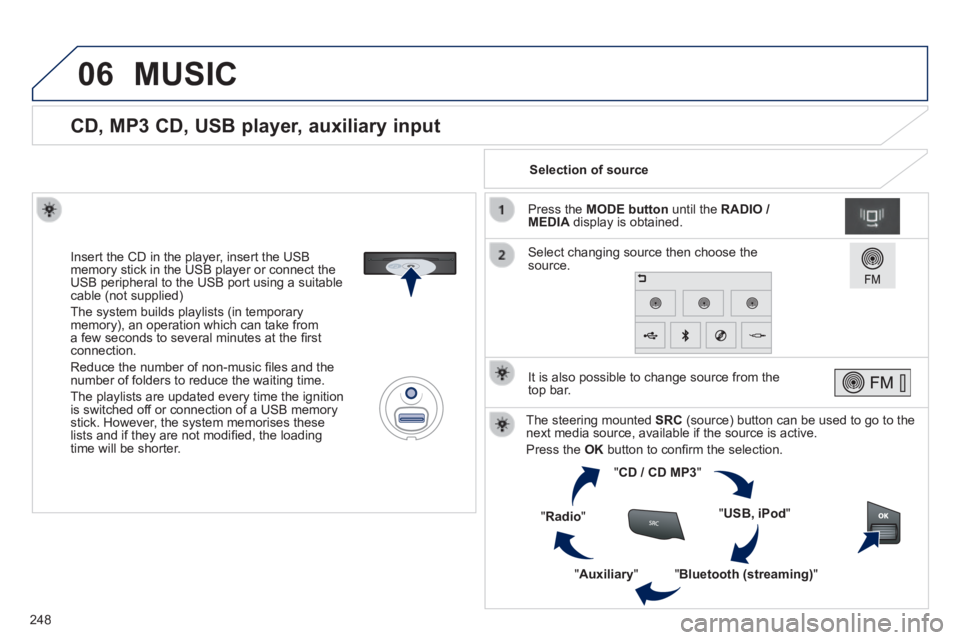
The steering mounted SRC (source) button can be used to go to the next media source, available if the source is active.
Press the OK button to confi rm the selection.
" CD / CD MP3 "
" USB, iPod "
" Bluetooth (streaming) " " Auxiliary "
" Radio "
Select changing source then choose the source.
Press the MODE button until the RADIO / MEDIA display is obtained.
It is also possible to change source from the top bar.
MUSIC
Page 261 of 336
07
259
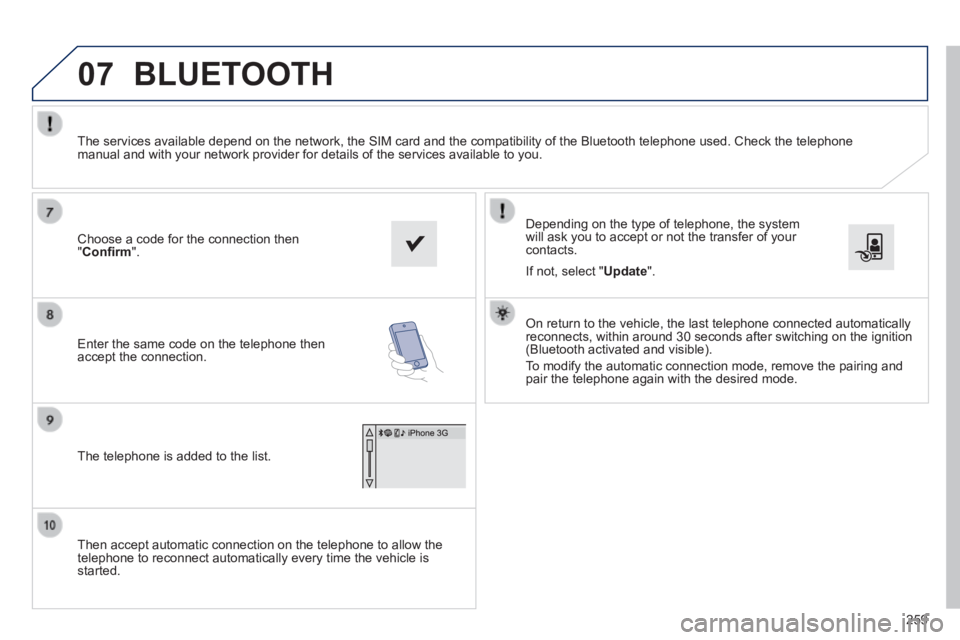
Then accept automatic connection on the telephone to allow the telephone to reconnect automatically every time the vehicle is started.
Depending on the type of telephone, the system will ask you to accept or not the transfer of your contacts.
The services available depend on the network, the SIM card and the compa\
tibility of the Bluetooth telephone used. Check the telephone manual and with your network provider for details of the services availa\
ble to you.
On return to the vehicle, the last telephone connected automatically reconnects, within around 30 seconds after switching on the ignition (Bluetooth activated and visible).
To modify the automatic connection mode, remove the pairing and pair the telephone again with the desired mode.
Choose a code for the connection then " Confi rm ".
Enter the same code on the telephone then accept the connection.
The telephone is added to the list.
BLUETOOTH
If not, select " Update ".
Page 287 of 336
04
285
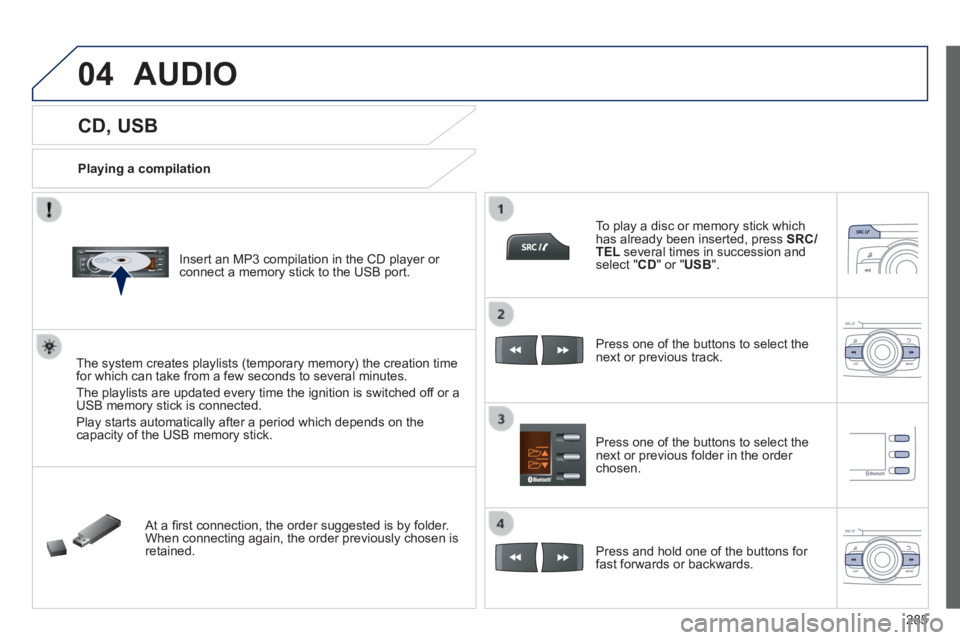
CD, USB
Playing a compilation
Insert an MP3 compilation in the CD player or connect a memory stick to the USB port.
The system creates playlists (temporary memory) the creation time for which can take from a few seconds to several minutes.
The playlists are updated every time the ignition is switched off or a USB memory stick is connected.
Play starts automatically after a period which depends on the capacity of the USB memory stick.
At a fi rst connection, the order suggested is by folder. When connecting again, the order previously chosen is retained.
To play a disc or memory stick which has already been inserted, press SRC/TEL several times in succession and select " CD " or " USB ".
Press one of the buttons to select the next or previous track.
Press one of the buttons to select the next or previous folder in the order chosen.
Press and hold one of the buttons for fast forwards or backwards.
AUDIO
Page 291 of 336

05
289
USING THE TELEPHONE
Pairing a Bluetooth telephone / First connection
The services offered depend on the network, the SIM card and the compatibility of the B\
luetooth telephone used.
Consult your telephone's manual and your operator to fi nd out which services are available to you.
Activate the telephone's Bluetooth function and ensure that it is set as visible to all (refer to the telephone instructions).
Press MENU then select "Bluetooth" .
A window is displayed with " Searching device ".
Select the telephone to be paired from the list and confi rm with "OK" . Only one telephone can be paired at a time.
Select " Search ".
For safety reasons and because they require prolonged attention on the p\
art of the driver, the operations for pairing of the Bluetooth mobile telephone with the Bluetooth hands-free system of your audio system must\
be carried out with the vehicle stationary and the ignition on.
It is not possible to pair more that 5 telephones. Press MENU and select "Bluetooth" . Select "BT management" . If 5 telephones are already paired, select the telephone to be deleted by pressing "OK"and select "Delete" (refer to "Managing connections").
Visit www.peugeot.co.uk for more information (compatibility, more help, ...).