parking sensors PEUGEOT 2008 2016 Owners Manual
[x] Cancel search | Manufacturer: PEUGEOT, Model Year: 2016, Model line: 2008, Model: PEUGEOT 2008 2016Pages: 450, PDF Size: 14.16 MB
Page 4 of 450
.
.
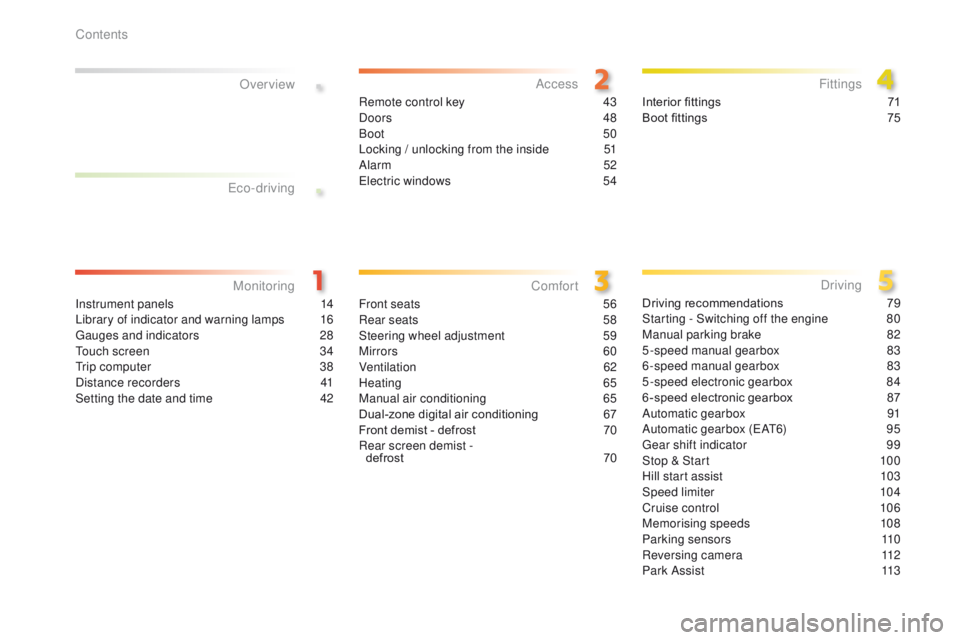
2008_en_Chap00a_sommaire_ed01-2016
Instrument panels 14
Library of indicator and warning lamps 1 6
Gauges and indicators
2
8
Touch screen
3
4
Trip computer
3
8
Distance recorders
4
1
Setting the date and time
4
2
MonitoringOver view
Remote control key 4
3
Doors 48
Boot
50
Locking / unlocking from the inside
5
1
Alarm
52
Electric windows
5
4Interior fittings
7 1
Boot fittings 7 5
AccessFittings
Front seats 56
Rear seats 5 8
Steering wheel adjustment
5
9
Mirrors
60
Ventilation
62
Heating
6
5
Manual air conditioning
6
5
Dual-zone digital air conditioning
6
7
Front demist - defrost
7
0
Rear screen demist - defrost
70
Comfort
Driving recommendations 7 9
Starting - Switching off the engine 8 0
Manual parking brake
8
2
5-speed manual gearbox
8
3
6-speed manual gearbox
8
3
5-speed electronic gearbox
8
4
6 -speed electronic gearbox
87
A
utomatic gearbox
9
1
Automatic gearbox (EAT6)
9
5
Gear shift indicator
9
9
Stop & Start
1
00
Hill start assist
1
03
Speed limiter
1
04
Cruise control
1
06
Memorising speeds
1
08
Parking sensors
1
10
Reversing camera
1
12
Park Assist
1
13
Driving
Eco-driving
Contents
Page 11 of 450
9
2008_en_Chap00b_vue-ensemble_ed01-2016
10. Side adjustable air vents.
11. Front side window demisting/defrosting
vent.
12 .
I
nstrument panel.
13.
W
indscreen demisting/defrosting vent.
14 .
S
unshine sensor.
15.
G
love box / Passenger's front airbag
deactivation.
16.
P
assenger's front airbag.
17.
T
ouch screen / Audio system.
18.
C
entral adjustable air vents.
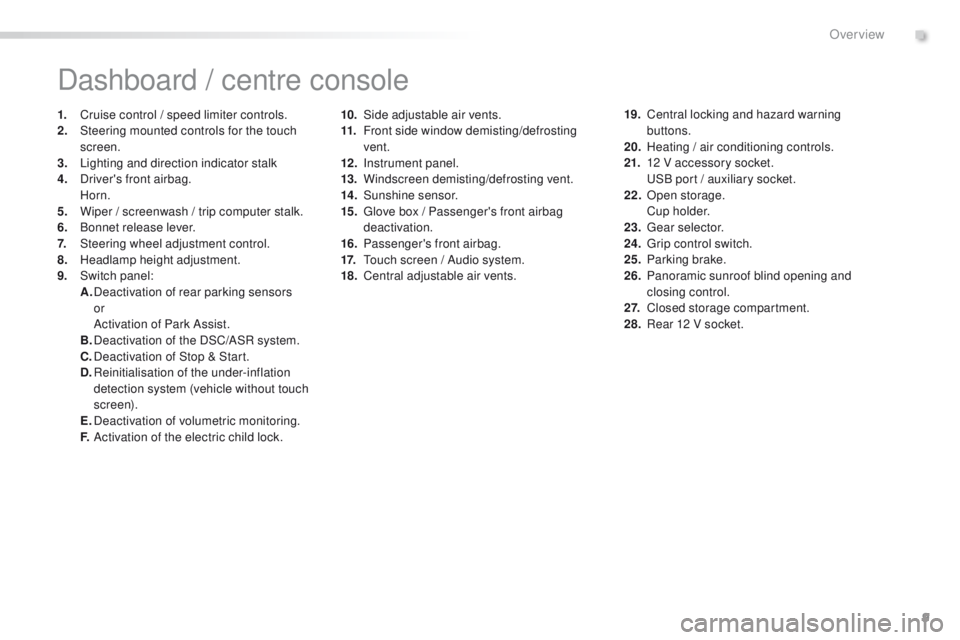
Dashboard / centre console
1. Cruise control / speed limiter controls.
2. Steering mounted controls for the touch
screen.
3.
L
ighting and direction indicator stalk
4.
D
river's front airbag.
Horn.
5.
W
iper / screenwash / trip computer stalk.
6.
B
onnet release lever.
7.
S
teering wheel adjustment control.
8.
H
eadlamp height adjustment.
9.
S
witch panel:
A.
D
eactivation of rear parking sensors
or
A
ctivation of Park Assist.
B.
D
eactivation of the DSC/ASR system.
C.
D
eactivation of Stop & Start.
D.
R
einitialisation of the under-inflation
detection system (vehicle without touch
screen).
E.
D
eactivation of volumetric monitoring.
F.
A
ctivation of the electric child lock. 19. C
entral locking and hazard warning
buttons.
20.
H
eating / air conditioning controls.
21.
1
2 V accessory socket.
U
SB port / auxiliary socket.
22.
O
pen storage.
C
u p h o l d e r.
23.
G
ear selector.
24.
G
rip control switch.
25.
P
arking brake.
26.
P
anoramic sunroof blind opening and
closing control.
2 7.
C
losed storage compartment.
28.
R
ear 12 V socket.
.
Over view
Page 36 of 450
34
Touch screen
For reasons of safety, the driver
should only carr y out operations
that require close attention, with the
vehicle stationary.
Some functions are not accessible
when driving.
It gives access to:
-
m
enus for adjusting settings for vehicle
functions and systems,
-
a
udio and display configuration menus,
-
a
udio system and telephone controls and
the display of associated information.
And, depending on equipment, it allows:
-
t
he display of alert messages and the
visual parking sensors information,
-
a
ccess to the controls for the navigation
system and Internet services, and the
display of associated information.
General operation
Recommendations
It is necessary to press firmly, particularly for
"flick" gestures (scrolling through lists, moving
the map...).
A light wipe is not enough.
The screen does not recognise pressing with
more than one finger.
This technology allows use at all temperatures
and when wearing gloves.
Do not use pointed objects on the touch
screen.
Do not touch the touch screen with wet hands.
Uses a soft clean cloth to clean the touch
screen.
State of indicator lamps
Some buttons contain an indicator lamp that
gives the state of the corresponding function.
Green indicator: you have switched on the
corresponding function.
Orange indicator: you have switched off the
corresponding function.
Principles
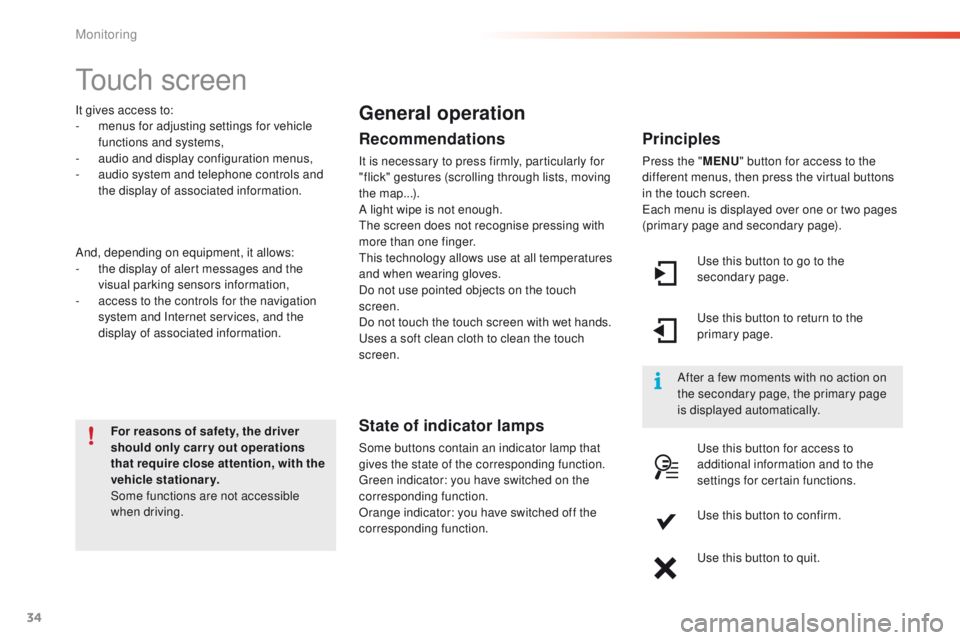
Press the " MENU" button for access to the
different menus, then press the virtual buttons
in the touch screen.
Each menu is displayed over one or two pages
(primary page and secondary page).
Use this button to go to the
secondary page.
After a few moments with no action on
the secondary page, the primary page
is displayed automatically. Use this button to return to the
primary page.
Use this button for access to
additional information and to the
settings for certain functions.
Use this button to confirm.
Use this button to quit.
Monitoring
Page 99 of 450
97
2008_en_Chap05_conduite_ed01-2016
Never select position N while the
vehicle is moving.
Never select positions P or R unless the
vehicle is completely stationary.
Automatic operation
Reverse
When selecting reverse R with the ignition on,
the rear parking sensors are activated.
For more information, refer to the "Rear parking
sensors" section.
F
Sel
ect position D for automatic
changing
of the six gears.
The gearbox then operates in auto-adaptive
mode, without any intervention on the part
of the driver. It continuously selects the most
suitable gear according to the style of driving,
the profile of the road and the load in the
vehicle.
For maximum acceleration without touching
the selector, press the accelerator pedal down
fully (kick down). The gearbox changes down
automatically or maintains the gear selected
until the maximum engine speed is reached.
On braking, the gearbox changes down
automatically to provide efficient engine
braking.
As a safety measure, if you release the
accelerator sharply, the gearbox will not
change up. These two special programmes complete
the automatic operation, for use in particular
circumstances.
Sport and snow programmes
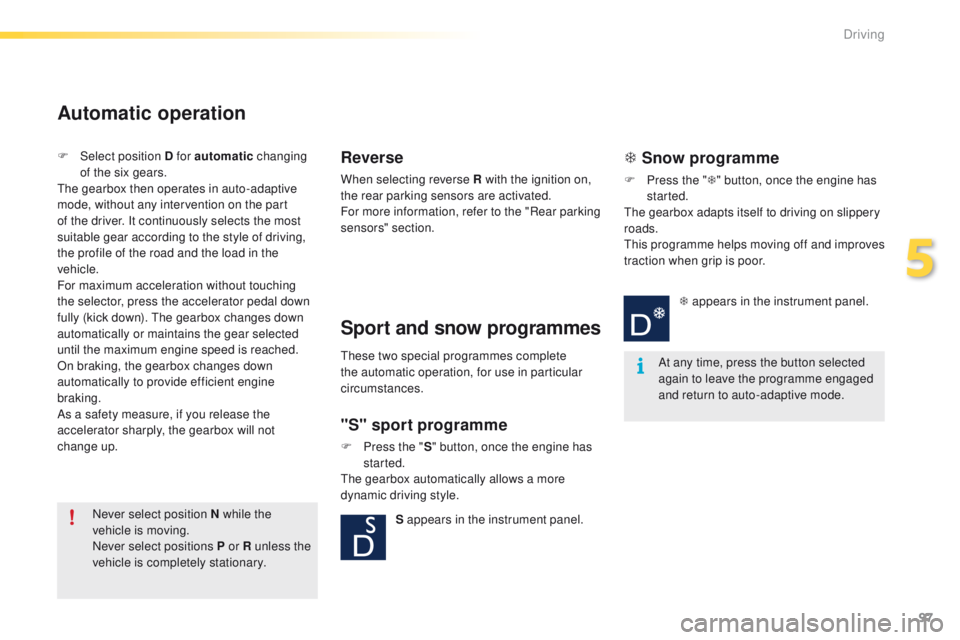
"S" sport programme
F Press the "
S" button, once the engine has
started.
The gearbox automatically allows a more
dynamic driving style.
T Snow programme
F Press the " T" button, once the engine has
started.
The gearbox adapts itself to driving on slippery
roads.
This programme helps moving off and improves
traction when grip is poor.
At any time, press the button selected
again to leave the programme engaged
and return to auto-adaptive mode.
S appears in the instrument panel. T appears in the instrument panel.
5
Driving
Page 112 of 450
110
2008_en_Chap05_conduite_ed01-2016
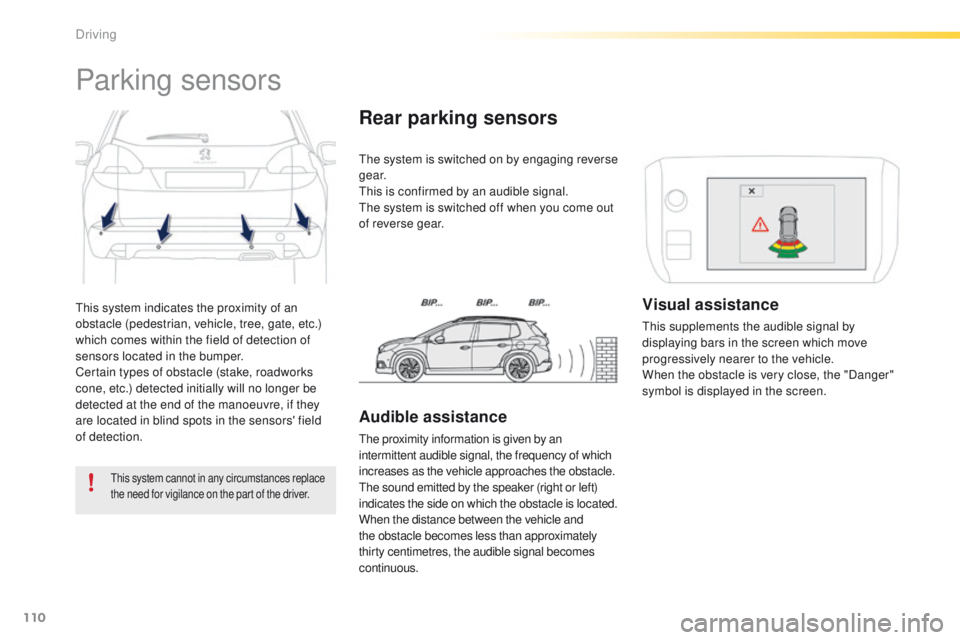
This system indicates the proximity of an
obstacle (pedestrian, vehicle, tree, gate, etc.)
which comes within the field of detection of
sensors located in the bumper.
Certain types of obstacle (stake, roadworks
cone, etc.) detected initially will no longer be
detected at the end of the manoeuvre, if they
are located in blind spots in the sensors' field
of detection.
Parking sensors
This system cannot in any circumstances replace
the need for vigilance on the part of the driver.
The system is switched on by engaging reverse
g e a r.
This is confirmed by an audible signal.
The system is switched off when you come out
of reverse gear.
Rear parking sensors
Audible assistance
The proximity information is given by an
intermittent audible signal, the frequency of which
increases as the vehicle approaches the obstacle.
The sound emitted by the speaker (right or left)
indicates the side on which the obstacle is located.
When the distance between the vehicle and
the obstacle becomes less than approximately
thirty centimetres, the audible signal becomes
continuous.
Visual assistance
This supplements the audible signal by
displaying bars in the screen which move
progressively nearer to the vehicle.
When the obstacle is very close, the "Danger"
symbol is displayed in the screen.
Driving
Page 113 of 450
111
2008_en_Chap05_conduite_ed01-2016
In bad weather or in winter, ensure
that the sensors are not covered with
mud, ice or snow. When reverse gear is
engaged, an audible signal (long beep)
indicates that the sensors may be dirty.
Certain sound sources (motorcycle,
lorry, pneumatic drill, etc.) may trigger
the audible signals of the parking
sensor system.In the event of a malfunction of
the system, when reverse gear
is engaged this warning lamp
is displayed in the instrument panel and/or a
message appears in the screen, accompanied
by an audible signal (short beep).
Contact a PEUGEOT dealer or a qualified
workshop.
Operating fault
The function will be deactivated
automatically if a trailer is being towed
or a bicycle carrier is fitted (vehicle
fitted with a towbar or bicycle carrier
recommended by PEUGEOT).
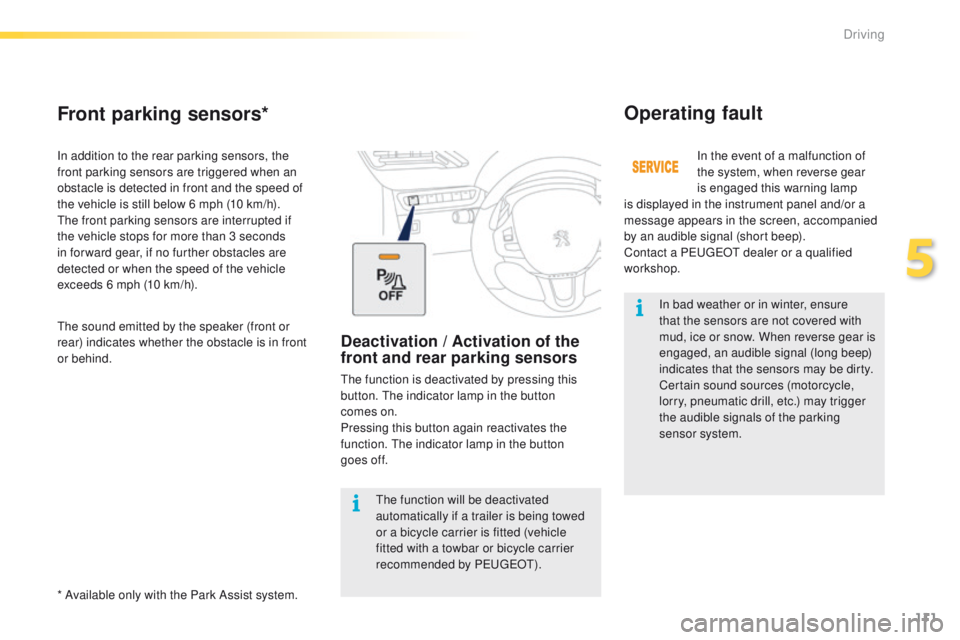
Front parking sensors*
In addition to the rear parking sensors, the
front parking sensors are triggered when an
obstacle is detected in front and the speed of
the vehicle is still below 6 mph (10 km/h).
The front parking sensors are interrupted if
the vehicle stops for more than 3 seconds
in for ward gear, if no further obstacles are
detected or when the speed of the vehicle
exceeds 6 mph (10 km/h).
* Available only with the Park Assist system. The sound emitted by the speaker (front or
rear) indicates whether the obstacle is in front
or behind.
Deactivation / Activation of the
front and rear parking sensors
The function is deactivated by pressing this
button. The indicator lamp in the button
comes
on.
Pressing this button again reactivates the
function. The indicator lamp in the button
goes
off.
5
Driving
Page 114 of 450
112
2008_en_Chap05_conduite_ed01-2016
Reversing camera
Opening the tailgate causes the display
to disappear.
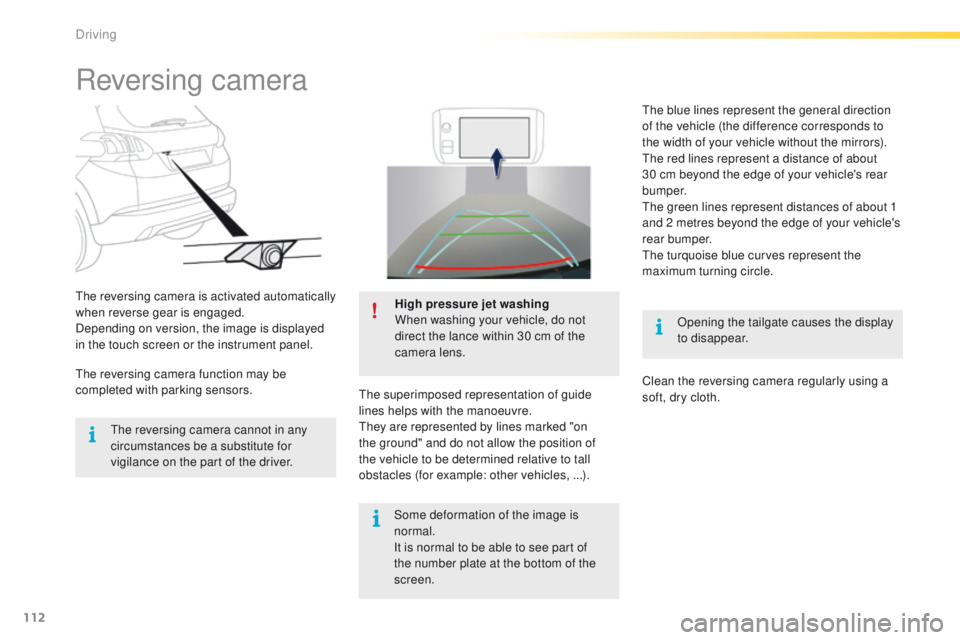
The reversing camera is activated automatically
when reverse gear is engaged.
Depending on version, the image is displayed
in the touch screen or the instrument panel.
High pressure jet washing
When washing your vehicle, do not
direct the lance within 30 cm of the
camera lens.
The superimposed representation of guide
lines helps with the manoeuvre.
They are represented by lines marked "on
the ground" and do not allow the position of
the vehicle to be determined relative to tall
obstacles (for example: other vehicles, ...).
The reversing camera cannot in any
circumstances be a substitute for
vigilance on the part of the driver.
The reversing camera function may be
completed with parking sensors. The blue lines represent the general direction
of the vehicle (the difference corresponds to
the width of your vehicle without the mirrors).
The red lines represent a distance of about
30 cm beyond the edge of your vehicle's rear
b u m p e r.
The green lines represent distances of about 1
and 2 metres beyond the edge of your vehicle's
rear bumper.
The turquoise blue curves represent the
maximum turning circle.
Clean the reversing camera regularly using a
soft, dry cloth.
Some deformation of the image is
normal.
It is normal to be able to see part of
the number plate at the bottom of the
screen.
Driving
Page 115 of 450
113
2008_en_Chap05_conduite_ed01-2016
Park Assist
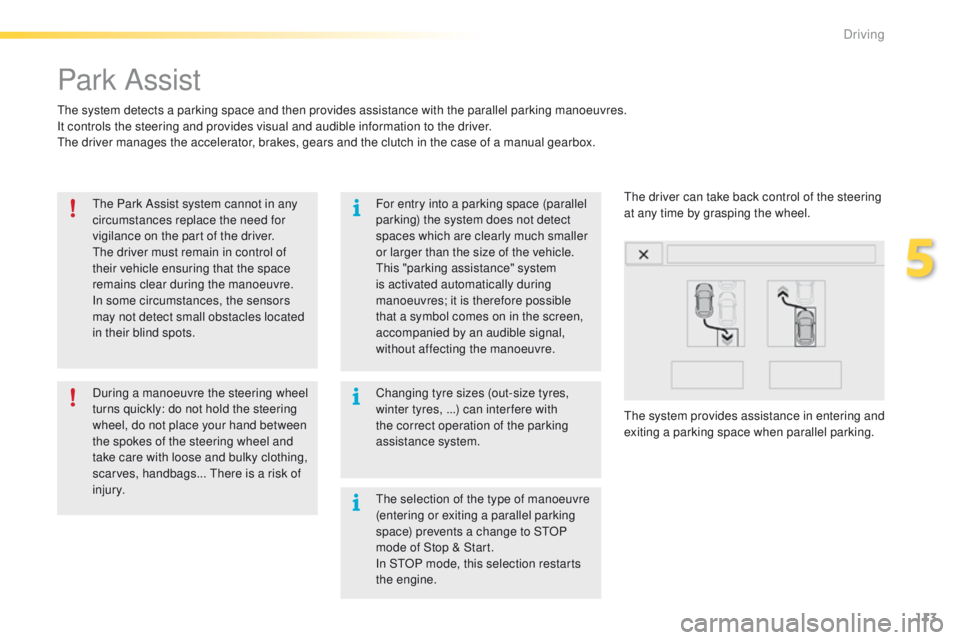
The system detects a parking space and then provides assistance with the parallel parking manoeuvres.
It controls the steering and provides visual and audible information to the driver.
The driver manages the accelerator, brakes, gears and the clutch in the case of a manual gearbox.The Park Assist system cannot in any
circumstances replace the need for
vigilance on the part of the driver.
The driver must remain in control of
their vehicle ensuring that the space
remains clear during the manoeuvre.
In some circumstances, the sensors
may not detect small obstacles located
in their blind spots. Changing tyre sizes (out-size tyres,
winter tyres, ...) can inter fere with
the correct operation of the parking
assistance system.
During a manoeuvre the steering wheel
turns quickly: do not hold the steering
wheel, do not place your hand between
the spokes of the steering wheel and
take care with loose and bulky clothing,
scarves, handbags... There is a risk of
injury. For entry into a parking space (parallel
parking) the system does not detect
spaces which are clearly much smaller
or larger than the size of the vehicle.
This "parking assistance" system
is activated automatically during
manoeuvres; it is therefore possible
that a symbol comes on in the screen,
accompanied by an audible signal,
without affecting the manoeuvre.
The system provides assistance in entering and
exiting a parking space when parallel parking. The driver can take back control of the steering
at any time by grasping the wheel.
The selection of the type of manoeuvre
(entering or exiting a parallel parking
space) prevents a change to STOP
mode of Stop & Start.
In STOP mode, this selection restarts
the engine.
5
Driving
Page 212 of 450
210
2008_en_Chap09_info-pratiques_ed01-2016
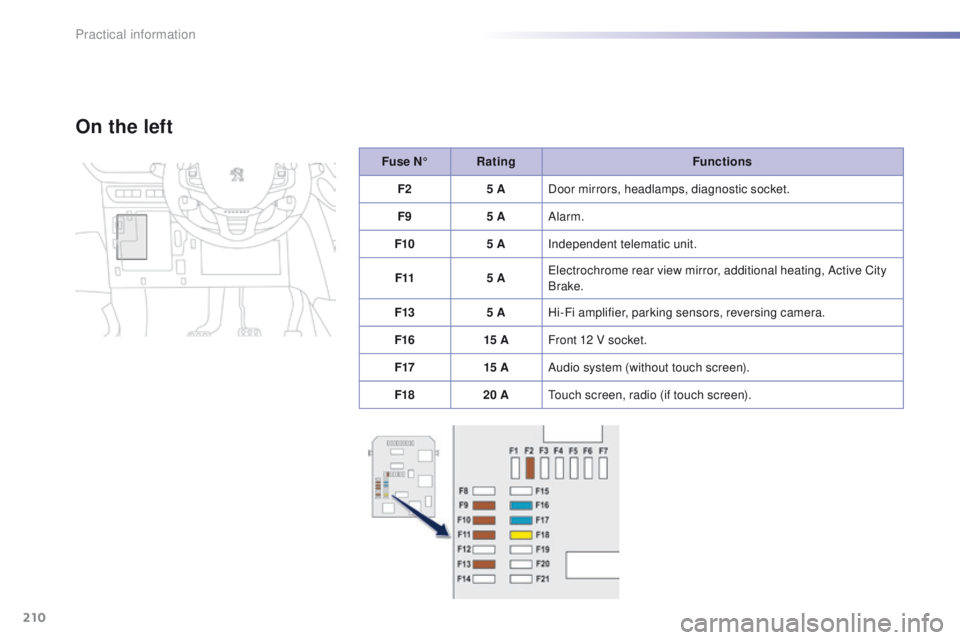
Fuse N°Rating Functions
F2 5 ADoor mirrors, headlamps, diagnostic socket.
F9 5 AAlarm.
F10 5 AIndependent telematic unit.
F11 5 AElectrochrome rear view mirror, additional heating, Active City
Brake.
F13 5 AHi-Fi amplifier, parking sensors, reversing camera.
F16 15 AFront 12 V socket.
F17 15 AAudio system (without touch screen).
F18 20 ATouch screen, radio (if touch screen).
On the left
Practical information
Page 226 of 450
224
2008_en_Chap09_info-pratiques_ed01-2016
When towing
Distribution of loads
F Distribute the load in the trailer so that the heaviest items are as close as possible to
the axle and the nose weight approaches
the maximum permitted without
exceeding
it.
Air density decreases with altitude, thus
reducing engine performance. Above
1
000 metres, the maximum towed load must
be reduced by 10
% for every 1 000 metres of
altitude.
Side wind
F Take into account the increased sensitivity to side wind.For more information on weights (and
the towed loads which apply to your
vehicle) refer to the corresponding
section.
Cooling
Towing a trailer on a slope increases the
temperature of the coolant.
As the fan is electrically controlled, its cooling
capacity is not dependent on the engine speed.
F
T
o lower the engine speed, reduce your
speed.
The maximum towed load on a long incline
depends on the gradient and the ambient
temperature.
In all cases, keep a check on the coolant
temperature.
F
I
f the warning lamp and the
STOP warning lamp come on,
stop the vehicle and switch off
the engine as soon as possible.
Braking
Towing a trailer increases the braking distance.
To avoid overheating of the brakes, the use of
engine braking is recommended.
Ty r e s
F Check the tyre pressures of the towing vehicle and of the trailer, observing the
recommended pressures.
Lighting
F Check the electrical lighting and signalling on the trailer and the headlamp beam
height of your vehicle.
For more information on adjusting the
headlamp beam height, refer to the
corresponding section.
The rear parking sensors will be
deactivated automatically if a genuine
PEUGEOT towbar is used.
Practical information