warning Peugeot 207 CC 2010 User Guide
[x] Cancel search | Manufacturer: PEUGEOT, Model Year: 2010, Model line: 207 CC, Model: Peugeot 207 CC 2010Pages: 207, PDF Size: 9.74 MB
Page 28 of 207
INSTRUMENTS and CONTROLS
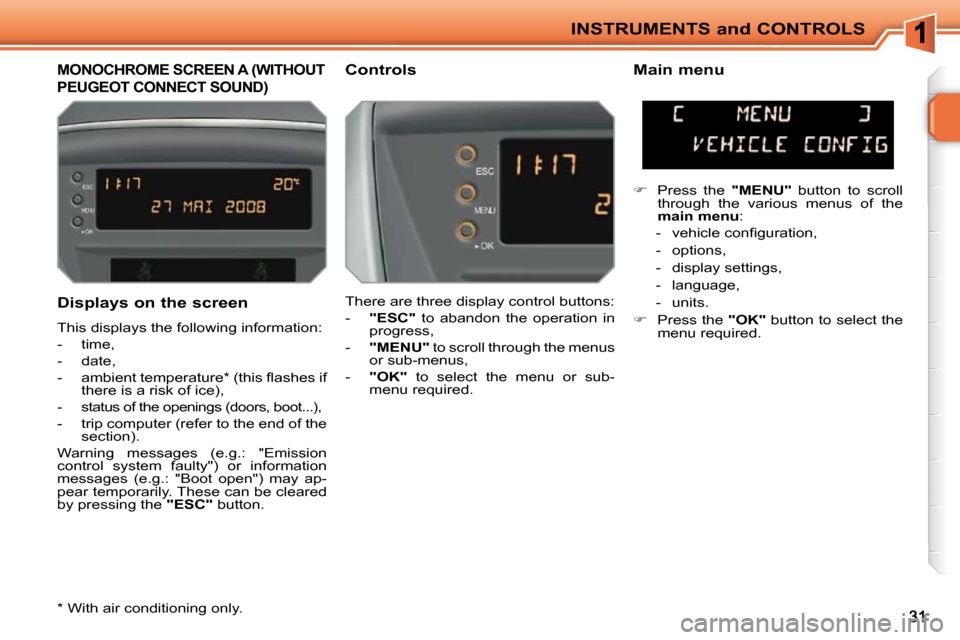
MONOCHROME SCREEN A (WITHOUT
PEUGEOT CONNECT SOUND)
Controls Main menu
There are three display control buttons:
- "ESC" to abandon the operation in
progress,
- "MENU" to scroll through the menus
or sub-menus,
- "OK" to select the menu or sub-
menu required.
Press the "MENU" button to scroll
through the various menus of the
main menu :
- vehicle confi guration,
- options,
- display settings,
- language,
- units.
Press the "OK" button to select the
menu required.
* With air conditioning only.
Displays on the screen
This displays the following information:
- time,
- date,
- ambient temperature * (this fl ashes if there is a risk of ice),
-
status of the openings (doors, boot...),
- trip computer (refer to the end of the section).
Warning messages (e.g.: "Emission
control system faulty") or information
messages (e.g.: "Boot open") may ap-
pear temporarily. These can be cleared
by pressing the "ESC" button.
Page 30 of 207
INSTRUMENTS and CONTROLS
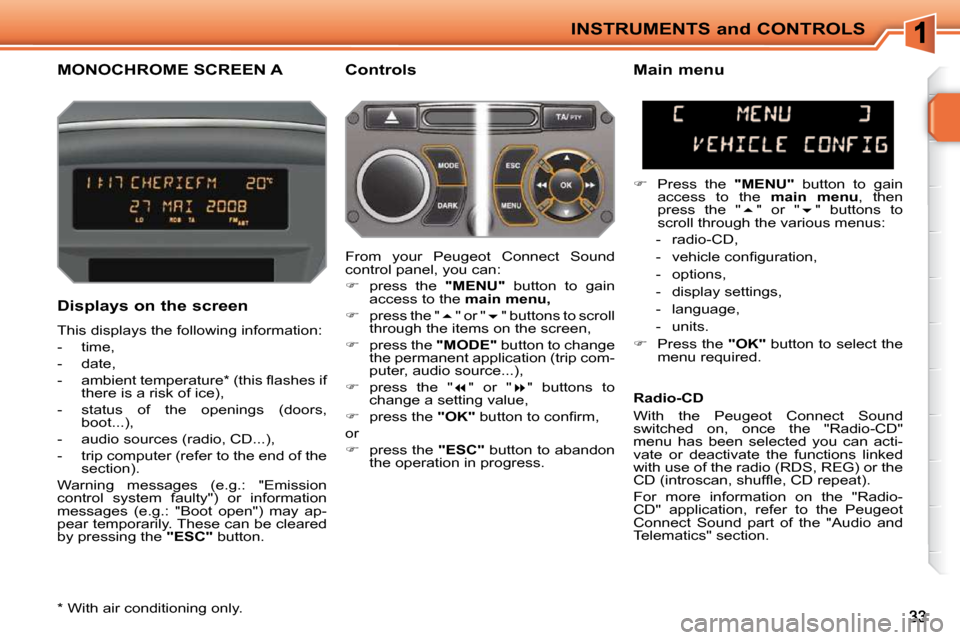
MONOCHROME SCREEN A Controls
Displays on the screen
This displays the following information:
- time,
- date,
- ambient temperature * (this fl ashes if there is a risk of ice),
- status of the openings (doors, boot...),
- audio sources (radio, CD...),
- trip computer (refer to the end of the section).
Warning messages (e.g.: "Emission
control system faulty") or information
messages (e.g.: "Boot open") may ap-
pear temporarily. These can be cleared
by pressing the "ESC" button. Main menu
Press the "MENU" button to gain
access to the main menu , then
press the " " or " " buttons to
scroll through the various menus:
- radio-CD,
- vehicle confi guration,
- options,
- display settings,
- language,
- units.
Press the "OK" button to select the
menu required.
From your Peugeot Connect Sound
control panel, you can:
press the "MENU" button to gain
access to the main menu,
press the " " or " " buttons to scroll
through the items on the screen,
press the "MODE" button to change
the permanent application (trip com-
puter, audio source...),
press the " " or " " buttons to
change a setting value,
press the "OK" button to confi rm,
or
press the "ESC" button to abandon
the operation in progress. Radio-CD
With the Peugeot Connect Sound
switched on, once the "Radio-CD"
menu has been selected you can acti-
vate or deactivate the functions linked
with use of the radio (RDS, REG) or the
CD (introscan, shuffl e, CD repeat).
For more information on the "Radio-
CD" application, refer to the Peugeot
Connect Sound part of the "Audio and
Telematics" section.
* With air conditioning only.
Page 32 of 207
INSTRUMENTS and CONTROLS
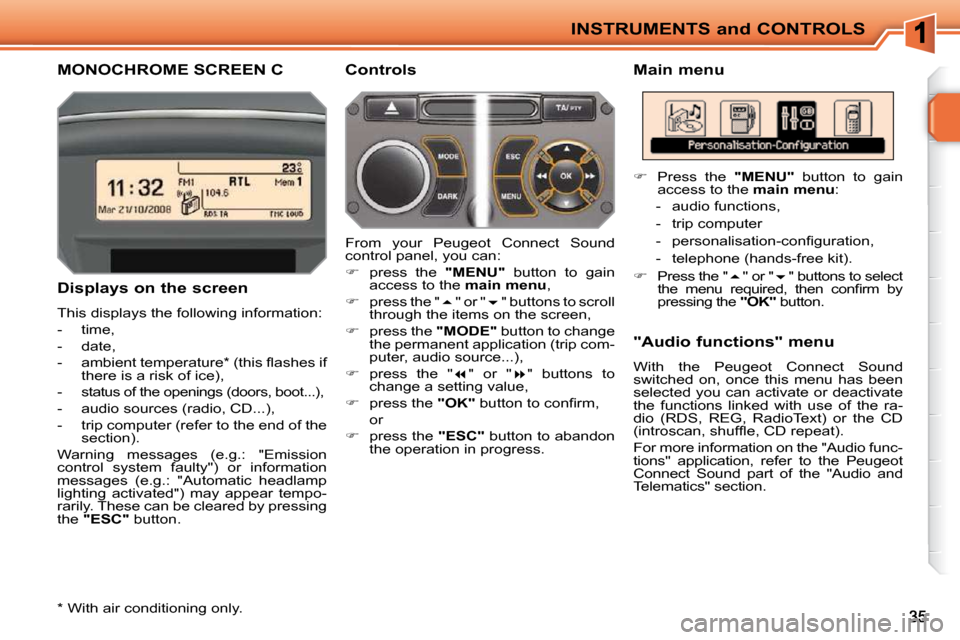
MONOCHROME SCREEN C Main menu
Displays on the screen
This displays the following information:
- time,
- date,
- ambient temperature * (this fl ashes if there is a risk of ice),
- status of the openings (doors, boot...),
- audio sources (radio, CD...),
- trip computer (refer to the end of the section).
Warning messages (e.g.: "Emission
control system faulty") or information
messages (e.g.: "Automatic headlamp
lighting activated") may appear tempo-
rarily. These can be cleared by pressing
the "ESC" button. "Audio functions" menu
With the Peugeot Connect Sound
switched on, once this menu has been
selected you can activate or deactivate
the functions linked with use of the ra-
dio (RDS, REG, RadioText) or the CD
(introscan, shuffl e, CD repeat).
For more information on the "Audio func-
tions" application, refer to the Peugeot
Connect Sound part of the "Audio and
Telematics" section.
Controls
From your Peugeot Connect Sound
control panel, you can:
press the "MENU" button to gain
access to the main menu ,
press the " " or " " buttons to scroll
through the items on the screen,
press the "MODE" button to change
the permanent application (trip com-
puter, audio source...),
press the " " or " " buttons to
change a setting value,
press the "OK" button to confi rm,
or
press the "ESC" button to abandon
the operation in progress.
Press the "MENU" button to gain
access to the main menu :
- audio functions,
- trip computer
- personalisation-confi guration,
- telephone (hands-free kit).
Press the " " or " " buttons to select
the menu required, then confi rm by
pressing the "OK" button.
* With air conditioning only.
Page 33 of 207
INSTRUMENTS and CONTROLS
36
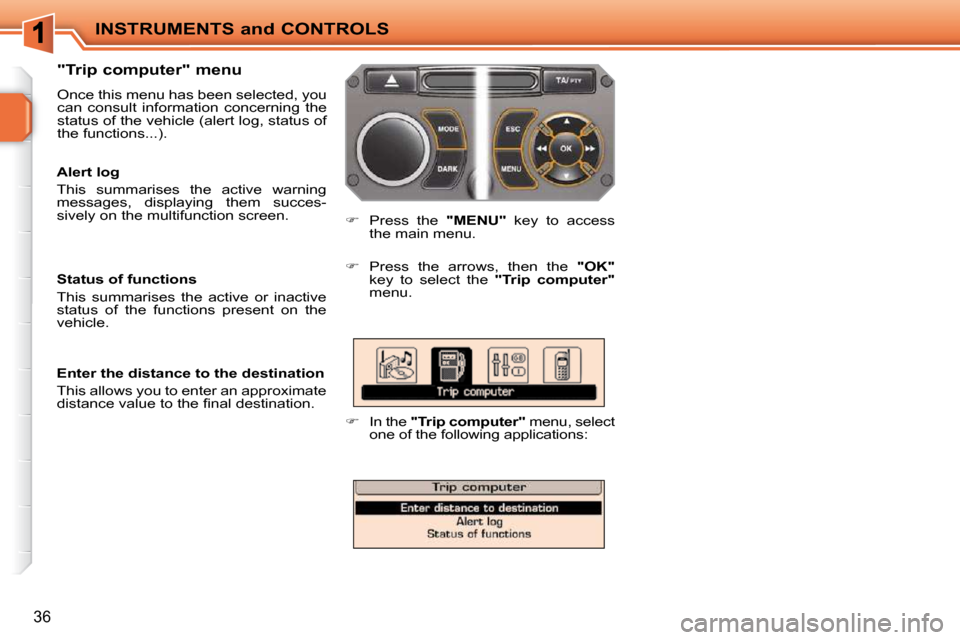
"Trip computer" menu
Once this menu has been selected, you
can consult information concerning the
status of the vehicle (alert log, status of
the functions...).
Press the "MENU" key to access
the main menu.
Press the arrows, then the "OK"
key to select the "Trip computer"
menu.
In the "Trip computer" menu, select
one of the following applications:
Alert log
This summarises the active warning
messages, displaying them succes-
sively on the multifunction screen.
Status of functions
This summarises the active or inactive
status of the functions present on the
vehicle.
Enter the distance to the destination
This allows you to enter an approximate
distance value to the fi nal destination.
Page 35 of 207
i
INSTRUMENTS and CONTROLS
38
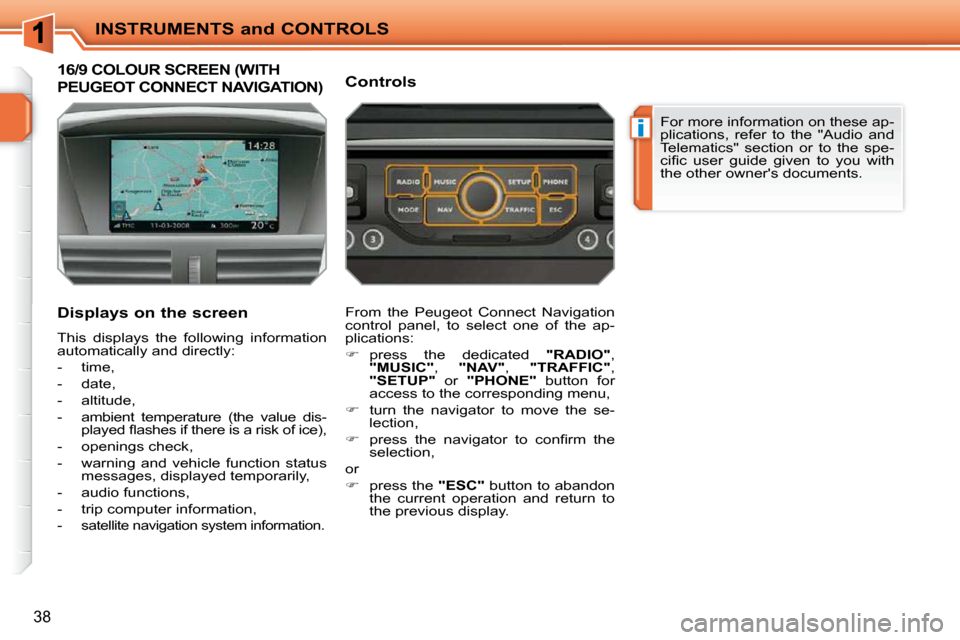
16/9 COLOUR SCREEN (WITH
PEUGEOT CONNECT NAVIGATION)
Displays on the screen
This displays the following information
automatically and directly:
- time,
- date,
- altitude,
- ambient temperature (the value dis-played fl ashes if there is a risk of ice),
- openings check,
- warning and vehicle function status messages, displayed temporarily,
- audio functions,
- trip computer information,
-
satellite navigation system information.
Controls
From the Peugeot Connect Navigation
control panel, to select one of the ap-
plications:
press the dedicated "RADIO" ,
"MUSIC" , "NAV" , "TRAFFIC" ,
"SETUP" or "PHONE" button for
access to the corresponding menu,
turn the navigator to move the se-
lection,
press the navigator to confi rm the
selection,
or
press the "ESC" button to abandon
the current operation and return to
the previous display. For more information on these ap-
plications, refer to the "Audio and
Telematics" section or to the spe-
cifi c user guide given to you with
the other owner's documents.
Page 67 of 207
i
ACCESS
64
The vehicle will relock automati-
cally after thirty seconds unless
a door is opened. This system
prevents unintentional unlocking.
The folding and unfolding of the
door mirrors can be deactivated by
a PEUGEOT dealer.
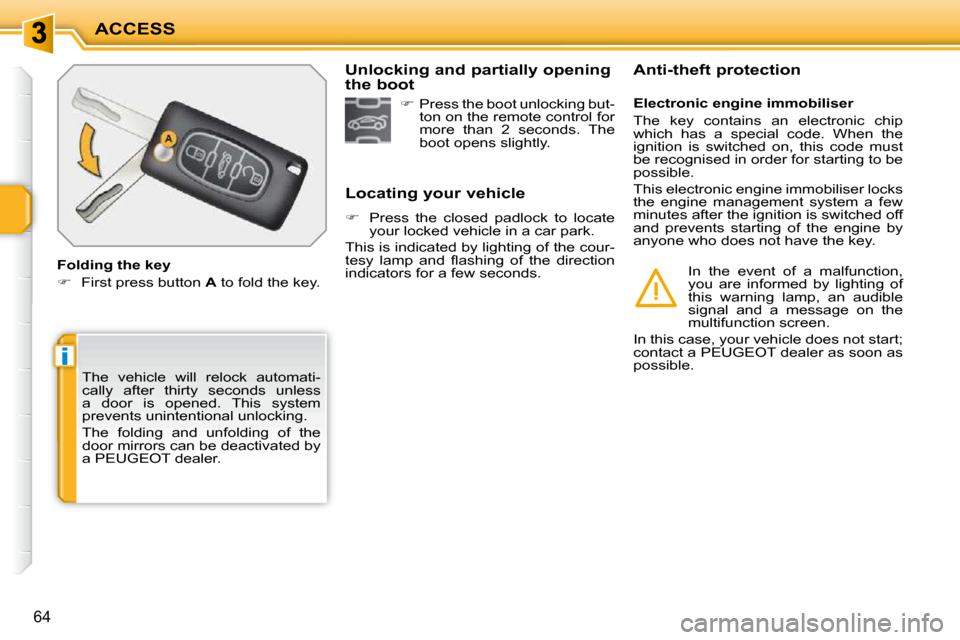
Folding the key
First press button A to fold the key. Locating your vehicle
Press the closed padlock to locate
your locked vehicle in a car park.
This is indicated by lighting of the cour-
tesy lamp and fl ashing of the direction
indicators for a few seconds. Electronic engine immobiliser
The key contains an electronic chip
which has a special code. When the
ignition is switched on, this code must
be recognised in order for starting to be
possible.
This electronic engine immobiliser locks
the engine management system a few
minutes after the ignition is switched off
and prevents starting of the engine by
anyone who does not have the key.
Anti-theft protection
In the event of a malfunction,
you are informed by lighting of
this warning lamp, an audible
signal and a message on the
multifunction screen.
In this case, your vehicle does not start;
contact a PEUGEOT dealer as soon as
possible.
Press the boot unlocking but-
ton on the remote control for
more than 2 seconds. The
boot opens slightly.
Unlocking and partially opening
the boot
Page 68 of 207
i
ACCESS
65
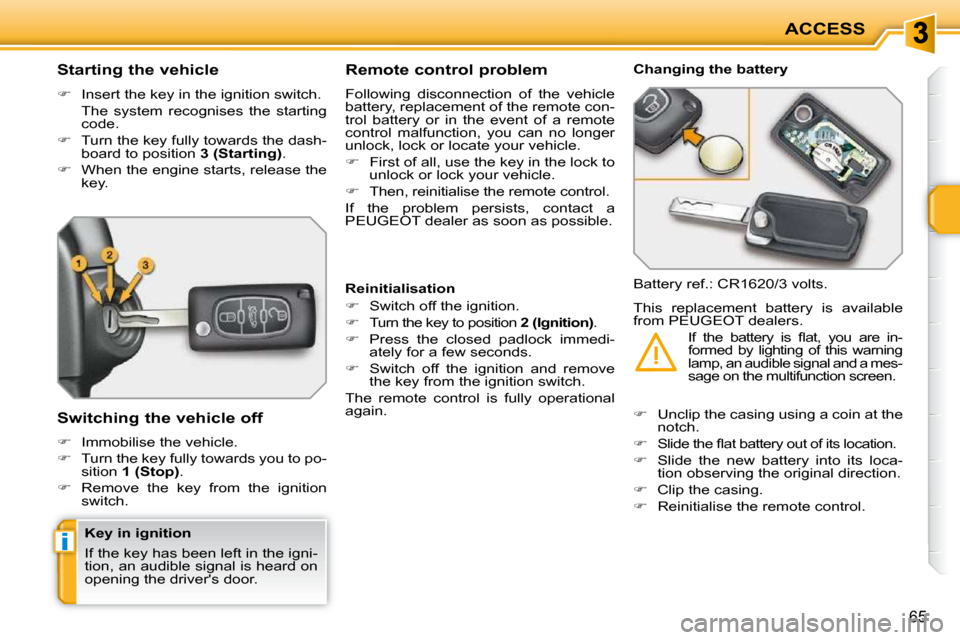
Starting the vehicle
Insert the key in the ignition switch.
The system recognises the starting code.
Turn the key fully towards the dash-
board to position 3 (Starting) .
When the engine starts, release the
key.
Switching the vehicle off
Immobilise the vehicle.
Turn the key fully towards you to po-
sition 1 (Stop) .
Remove the key from the ignition
switch. Remote control problem
Following disconnection of the vehicle
battery, replacement of the remote con-
trol battery or in the event of a remote
control malfunction, you can no longer
unlock, lock or locate your vehicle.
First of all, use the key in the lock to
unlock or lock your vehicle.
Then, reinitialise the remote control.
If the problem persists, contact a
PEUGEOT dealer as soon as possible. Changing the battery
Battery ref.: CR1620/3 volts.
Reinitialisation
Switch off the ignition.
Turn the key to position 2 (Ignition) .
Press the closed padlock immedi-
ately for a few seconds.
Switch off the ignition and remove
the key from the ignition switch.
The remote control is fully operational
again.
Unclip the casing using a coin at the
notch.
Slide the fl at battery out of its location.
Slide the new battery into its loca-
tion observing the original direction.
Clip the casing.
Reinitialise the remote control.
This replacement battery is available
from PEUGEOT dealers.
If the battery is fl at, you are in-
formed by lighting of this warning
lamp, an audible signal and a mes-
sage on the multifunction screen.
Key in ignition
If the key has been left in the igni-
tion, an audible signal is heard on
opening the driver's door.
Page 70 of 207
i
ACCESS
64
The vehicle will relock automati-
cally after thirty seconds unless
a door is opened. This system
prevents unintentional unlocking.
The folding and unfolding of the
door mirrors can be deactivated by
a PEUGEOT dealer.
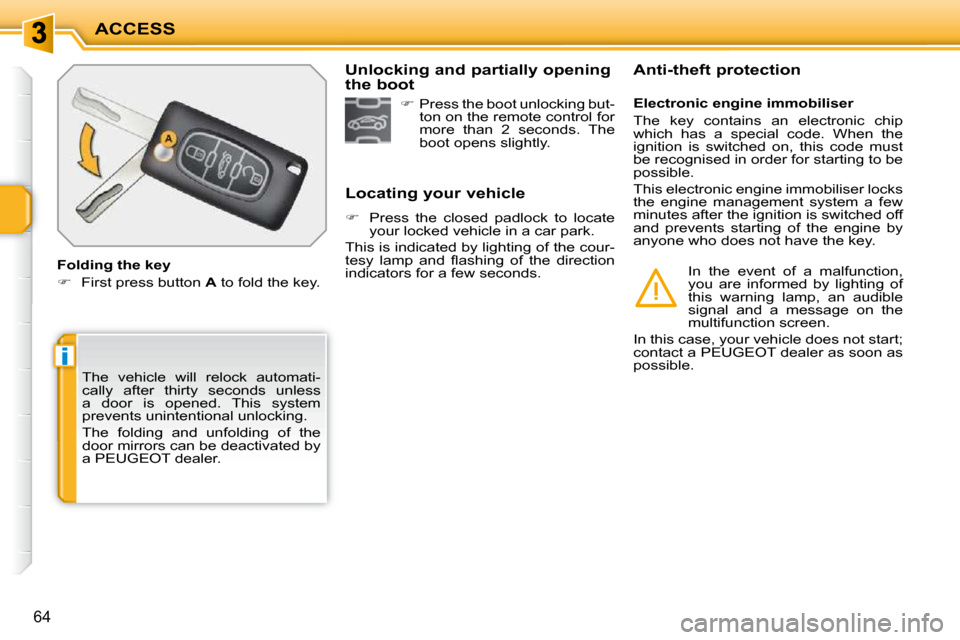
Folding the key
First press button A to fold the key. Locating your vehicle
Press the closed padlock to locate
your locked vehicle in a car park.
This is indicated by lighting of the cour-
tesy lamp and fl ashing of the direction
indicators for a few seconds. Electronic engine immobiliser
The key contains an electronic chip
which has a special code. When the
ignition is switched on, this code must
be recognised in order for starting to be
possible.
This electronic engine immobiliser locks
the engine management system a few
minutes after the ignition is switched off
and prevents starting of the engine by
anyone who does not have the key.
Anti-theft protection
In the event of a malfunction,
you are informed by lighting of
this warning lamp, an audible
signal and a message on the
multifunction screen.
In this case, your vehicle does not start;
contact a PEUGEOT dealer as soon as
possible.
Press the boot unlocking but-
ton on the remote control for
more than 2 seconds. The
boot opens slightly.
Unlocking and partially opening
the boot
Page 71 of 207
i
ACCESS
65
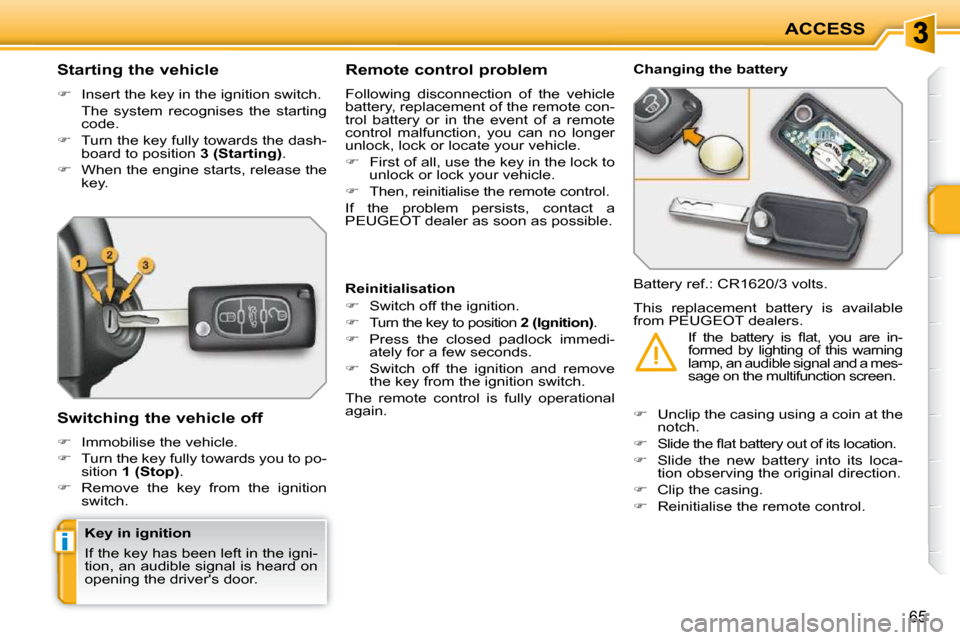
Starting the vehicle
Insert the key in the ignition switch.
The system recognises the starting code.
Turn the key fully towards the dash-
board to position 3 (Starting) .
When the engine starts, release the
key.
Switching the vehicle off
Immobilise the vehicle.
Turn the key fully towards you to po-
sition 1 (Stop) .
Remove the key from the ignition
switch. Remote control problem
Following disconnection of the vehicle
battery, replacement of the remote con-
trol battery or in the event of a remote
control malfunction, you can no longer
unlock, lock or locate your vehicle.
First of all, use the key in the lock to
unlock or lock your vehicle.
Then, reinitialise the remote control.
If the problem persists, contact a
PEUGEOT dealer as soon as possible. Changing the battery
Battery ref.: CR1620/3 volts.
Reinitialisation
Switch off the ignition.
Turn the key to position 2 (Ignition) .
Press the closed padlock immedi-
ately for a few seconds.
Switch off the ignition and remove
the key from the ignition switch.
The remote control is fully operational
again.
Unclip the casing using a coin at the
notch.
Slide the fl at battery out of its location.
Slide the new battery into its loca-
tion observing the original direction.
Clip the casing.
Reinitialise the remote control.
This replacement battery is available
from PEUGEOT dealers.
If the battery is fl at, you are in-
formed by lighting of this warning
lamp, an audible signal and a mes-
sage on the multifunction screen.
Key in ignition
If the key has been left in the igni-
tion, an audible signal is heard on
opening the driver's door.
Page 76 of 207
!i
i
!
ACCESS
71
DOORS
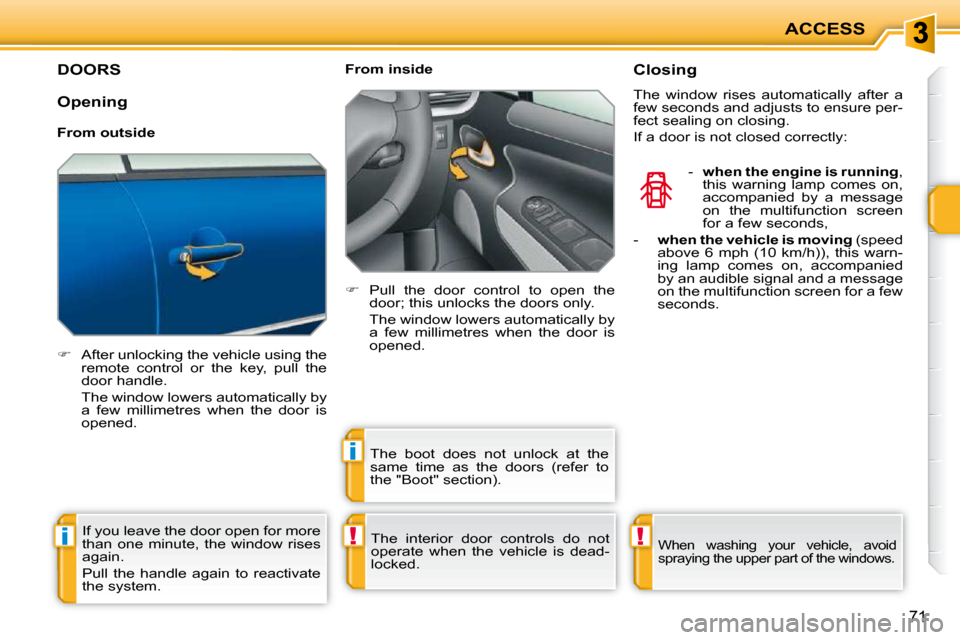
After unlocking the vehicle using the
remote control or the key, pull the
door handle.
The window lowers automatically by a few millimetres when the door is
opened. From inside
Pull the door control to open the
door; this unlocks the doors only.
The window lowers automatically by a few millimetres when the door is
opened.
The interior door controls do not
operate when the vehicle is dead-
locked. Closing
The window rises automatically after a
few seconds and adjusts to ensure per-
fect sealing on closing.
If a door is not closed correctly:
- when the engine is running ,
this warning lamp comes on,
accompanied by a message
on the multifunction screen
for a few seconds,
- when the vehicle is moving (speed
above 6 mph (10 km/h)), this warn-
ing lamp comes on, accompanied
by an audible signal and a message
on the multifunction screen for a few
seconds.
If you leave the door open for more
than one minute, the window rises
again.
Pull the handle again to reactivate
the system. The boot does not unlock at the
same time as the doors (refer to
the "Boot" section).
When washing your vehicle, avoid
spraying the upper part of the windows.
Opening
From outside