USB Peugeot 208 2015 Owner's Manual - RHD (UK, Australia)
[x] Cancel search | Manufacturer: PEUGEOT, Model Year: 2015, Model line: 208, Model: Peugeot 208 2015Pages: 341, PDF Size: 38.75 MB
Page 7 of 341
5
208_en_Chap01_vue-ensemble_ed01-2015
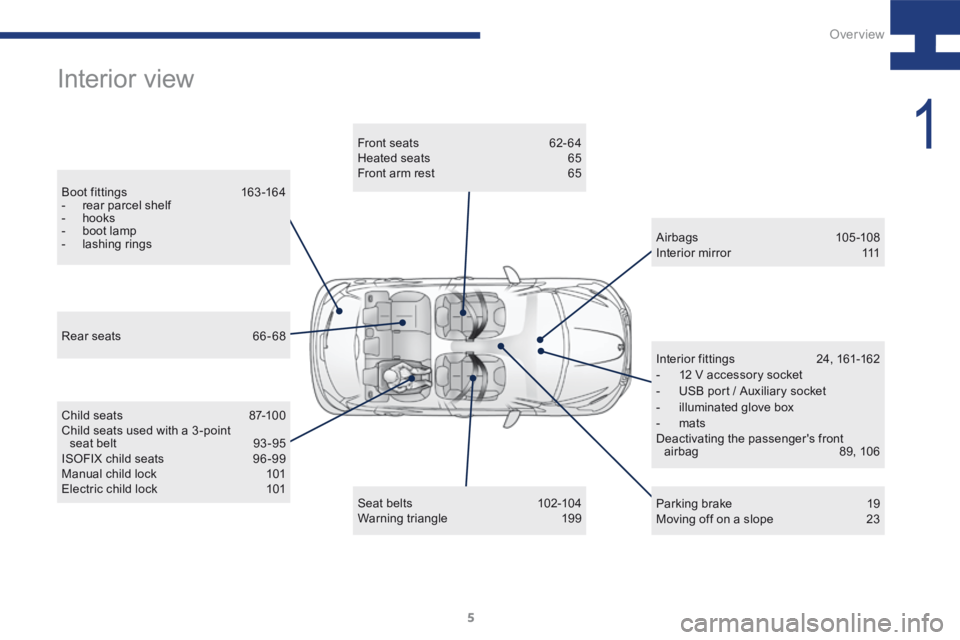
Interior view
Boot f ittings 163 -16 4
- rear parcel shelf
- hooks
- boot lamp
- lashing rings Front seats
62-64
Heated seats 65
Front arm rest 65
Child seats 87-100
Child seats used with a 3 -point seat belt 93 -95
ISOFIX child seats 96 -99
Manual child lock 101
Electric child lock 101 Airbags
105 -108
Interior mirror 111
Parking brake 19
Moving off on a slope 23
Interior fittings
24, 161-162
- 12 V accessory socket
- USB port / Auxiliary socket
- illuminated glove box
- mats
Deactivating the passenger's front airbag 89, 106
Seat belts 102-104
Warning triangle 199
Rear seats
66-68
1
Over view
Page 11 of 341
9
208_en_Chap01_vue-ensemble_ed01-2015
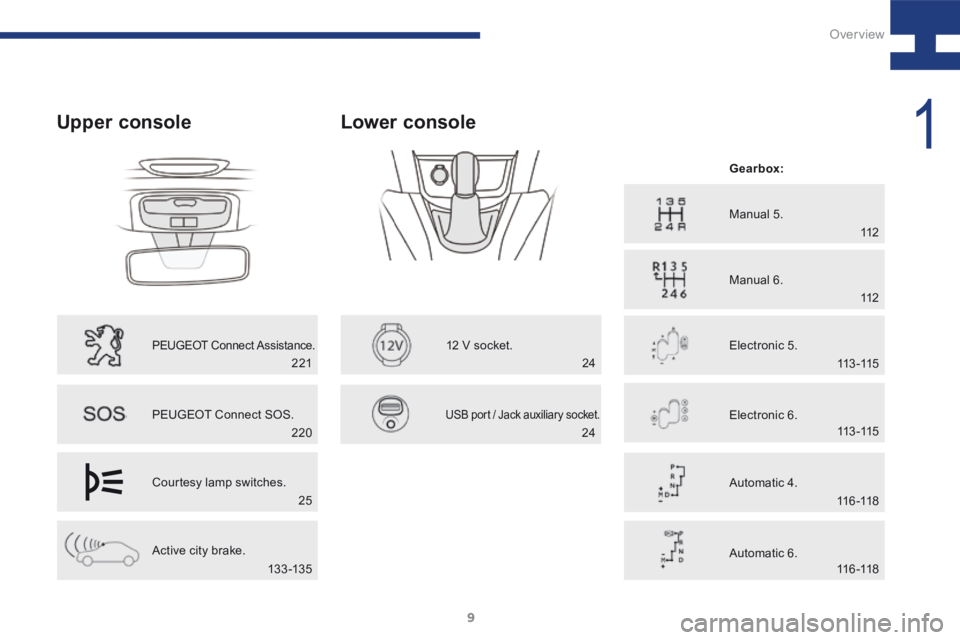
Upper console
PEUGEOT Connect Assistance.
PEUGEOT Connect SOS.
Courtesy lamp switches.
Active city brake.
Lower console
12 V socket.
USB port / Jack auxiliary socket.
Manual 5.
Manual 6.
Electronic 5. Gearbox:
Electronic 6.
Automatic 4.
Automatic 6.
220 112
112
113 -115
113 -115
11 6 -118
11 6 -118
24
25
13 3 -13 5 221
24
1
Over view
Page 26 of 341
24
208_en_Chap02_ Acces-Demarrage_ed01-2015
Ports and sockets - Connectivity
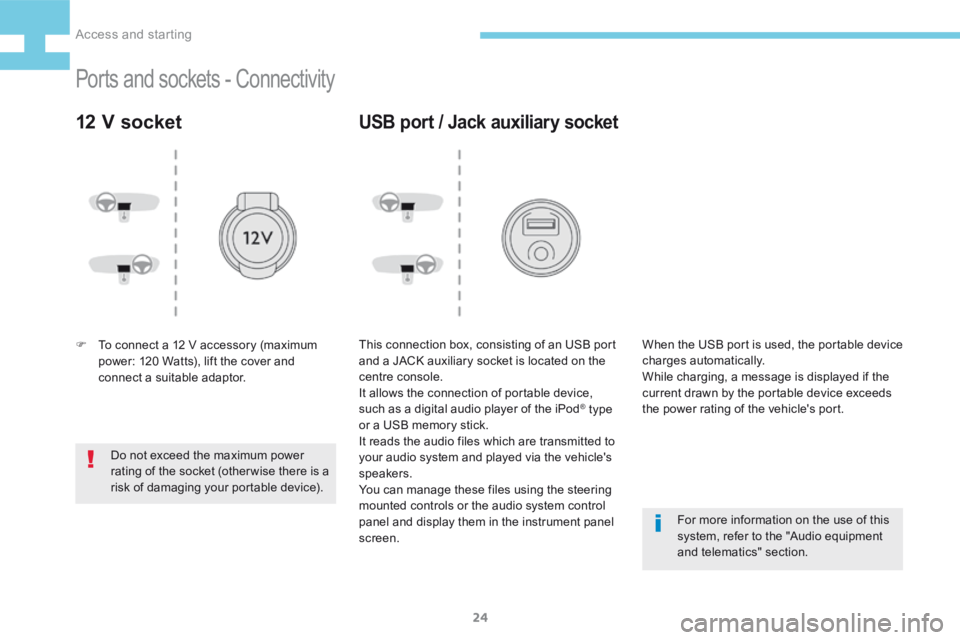
12 V socket
F To connect a 12 V accessory (maximum
power: 120 Watts), lift the cover and
connect a suitable adaptor.
Do not exceed the maximum power
rating of the socket (otherwise there is a
risk of damaging your portable device).
USB port / Jack auxiliary socket
This connection box, consisting of an USB port
and a JACK auxiliary socket is located on the
centre console.
It allows the connection of portable device,
such as a digital audio player of the iPod
® type
or a USB memory stick.
It reads the audio files which are transmitted to
your audio system and played via the vehicle's
speakers.
You can manage these files using the steering
mounted controls or the audio system control
panel and display them in the instrument panel
screen. For more information on the use of this
system, refer to the "Audio equipment
and telematics" section.
When the USB port is used, the portable device
charges automatically.
While charging, a message is displayed if the
current drawn by the portable device exceeds
the power rating of the vehicle's port.
Access and starting
Page 172 of 341
170
208_en_Chap07_ Amenagements_ed01-2015
Installation of radio
communication
transmitters
Before installing any after-market radio
communication transmitter, you can
contact a PEUGEOT dealer for the
specification of transmitters which can
be fitted (frequency, maximum power,
aerial position, specific installation
requirements), in line with the Vehicle
Electromagnetic Compatibility
Directive (2004/104/EC). Depending on the legislation in force in
the country, certain safety equipment
may be compulsory: high visibility
safety vests, warning triangles,
breathalyzers, spare bulbs, spare fuses,
fire extinguisher, first aid kit, mud flaps
at the rear of the vehicle.
By visiting a PEUGEOT dealer, you can also
obtain products for cleaning and maintenance
(exterior and interior) - including ecological
products in the "TECHNATURE*" range,
topping up products (screenwash...), touch-up
pens and paint aerosols for the exact colour of
your vehicle, refills (cartridge for the temporary
puncture repair kit...), ...
"Multimedia":
audio systems, portable satellite navigation
systems, semi-integral support for portable
satellite navigation system, hands-free kit, CD
changer, speakers, DVD player (depending on
version), connection kit for MP3 or CD player,
USB Box, Wi-Fi on-board...
* The "TECHNATURE" range comprises
products for the care and maintenance of
your vehicle, recommended and approved by
P E U G E O T.
Fittings
Page 227 of 341
225
208_en_Chap9b_SMEGplus_ed01-2015
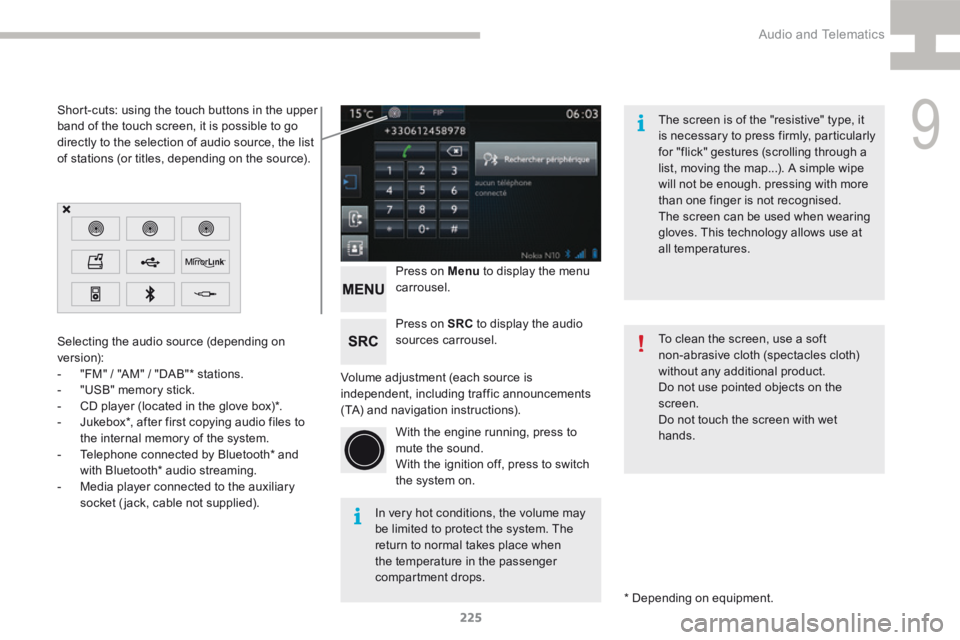
Volume adjustment (each source is
independent, including traffic announcements
(TA) and navigation instructions).Press on Menu
to display the menu
carrousel.
Press on SRC to display the audio
sources carrousel.
With the engine running, press to
mute the sound.
With the ignition off, press to switch
the system on.
Selecting the audio source (depending on
version):
-
"FM" / "AM" / "DAB"* stations.
- "USB" memory stick.
- CD player (located in the glove box)*.
- Jukebox*, after first copying audio files to
the internal memory of the system.
- Telephone connected by Bluetooth* and
with Bluetooth* audio streaming.
- Media player connected to the auxiliary
socket (jack, cable not supplied).
* Depending on equipment.
Short-cuts: using the touch buttons in the upper
band of the touch screen, it is possible to go
directly to the selection of audio source, the list
of stations (or titles, depending on the source).
The screen is of the "resistive" type, it
is necessary to press firmly, particularly
for "flick" gestures (scrolling through a
list, moving the map...). A simple wipe
will not be enough. pressing with more
than one finger is not recognised.
The screen can be used when wearing
gloves. This technology allows use at
all temperatures.
In very hot conditions, the volume may
be limited to protect the system. The
return to normal takes place when
the temperature in the passenger
compartment drops. To clean the screen, use a soft
non-abrasive cloth (spectacles cloth)
without any additional product.
Do not use pointed objects on the
screen.
Do not touch the screen with wet
hands.
9
Audio and Telematics
Page 245 of 341
243
208_en_Chap9b_SMEGplus_ed01-2015
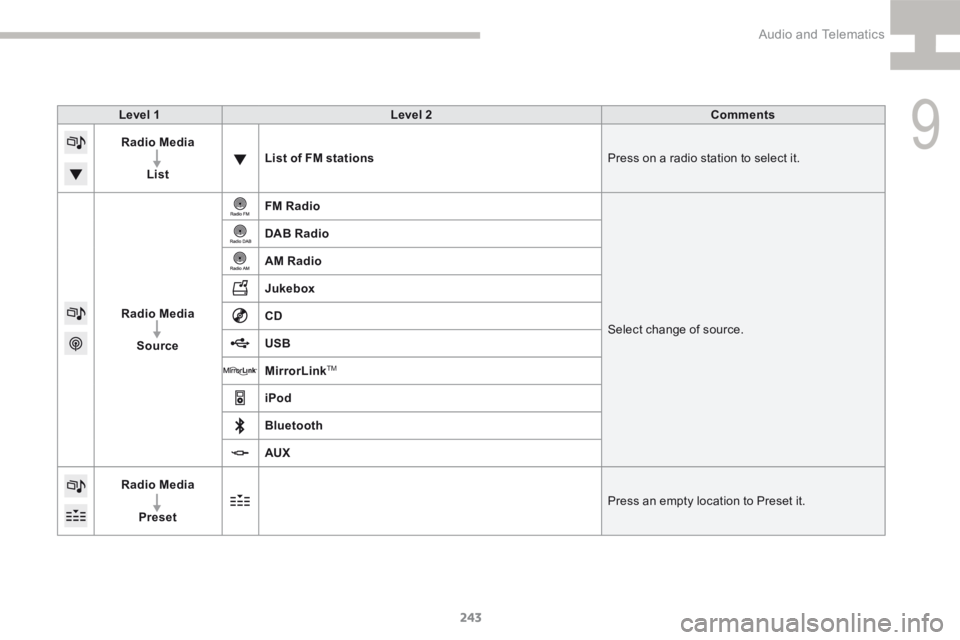
Level 1Level 2 Comments
Radio Media
List List of FM stations
Press on a radio station to select it.
Radio Media Source FM Radio
Select change of source.
DAB Radio
AM Radio
Jukebox
CD
USB
MirrorLink
TM
iPod
Bluetooth
AUX
Radio Media
Preset Press an empty location to Preset it.
9
Audio and Telematics
Page 250 of 341
248
208_en_Chap9b_SMEGplus_ed01-2015
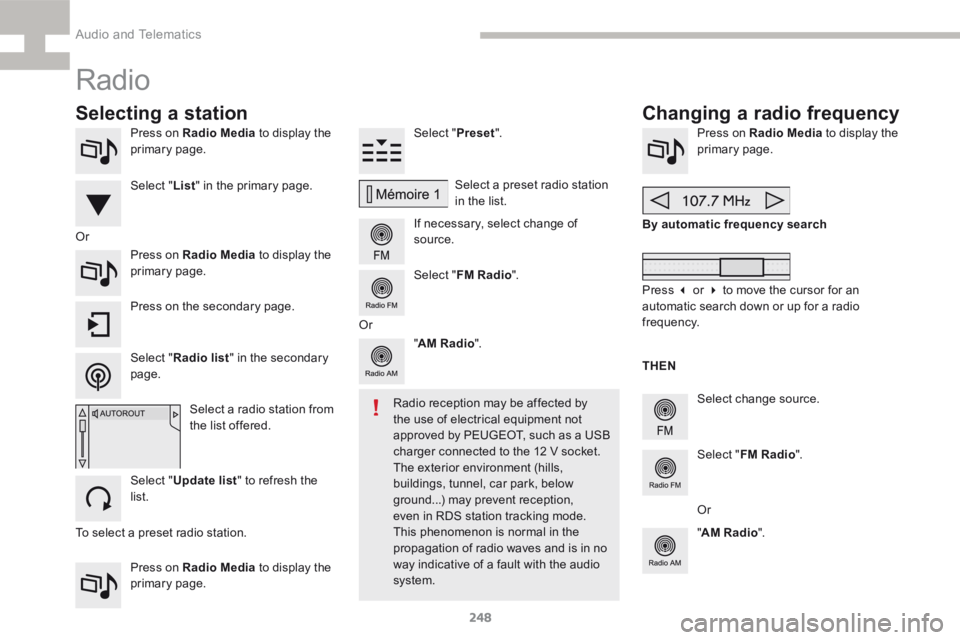
Press on Radio Media to display the
primary page.
Press on Radio Media to display the
primary page. Select "
Preset".
If necessary, select change of
source. Press on Radio Media
to display the
primary page.
Select change source.
"
AM Radio ". By automatic frequency search
Select "FM Radio ".
" AM Radio ".
Press on Radio Media
to display the
primary page. Select a preset radio station
in the list.
Select " FM Radio ".
Select a radio station from
the list offered.
Select " Update list " to refresh the
list. Press on the secondary page.
Or
Radio
Changing a radio frequency
Selecting a station
To select a preset radio station. THEN
Radio reception may be affected by
the use of electrical equipment not
approved by PEUGEOT, such as a USB
charger connected to the 12 V socket.
The exterior environment (hills,
buildings, tunnel, car park, below
ground...) may prevent reception,
even in RDS station tracking mode.
This phenomenon is normal in the
propagation of radio waves and is in no
way indicative of a fault with the audio
system.
Select "
List" in the primary page.
Select " Radio list " in the secondary
page. Or
Press 3 or 4 to move the cursor for an
automatic search down or up for a radio
frequency.
Or
Audio and Telematics
Page 254 of 341
252
208_en_Chap9b_SMEGplus_ed01-2015
Media
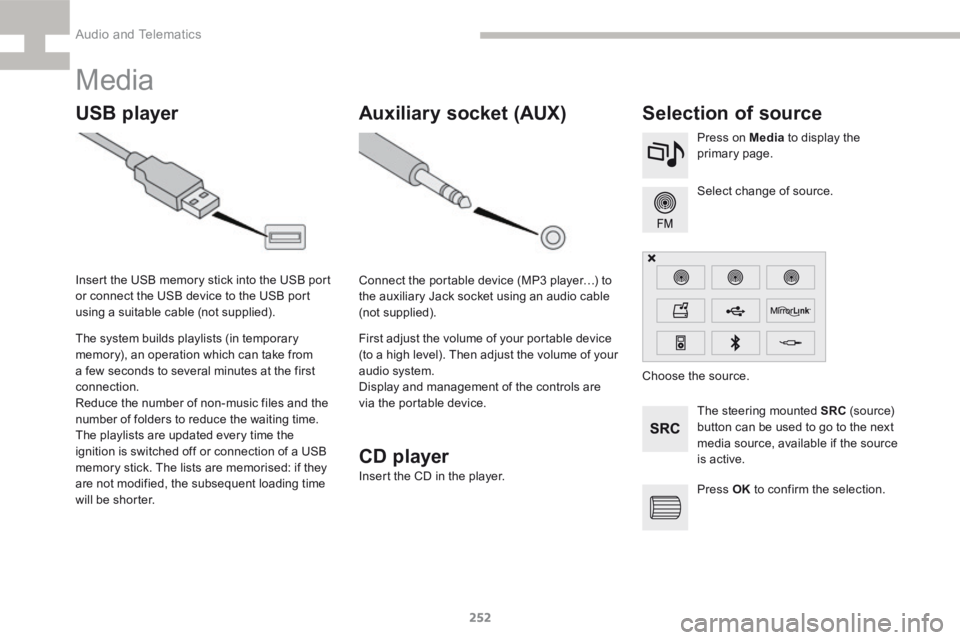
USB playerSelection of source
The steering mounted SRC (s o u r c e)
button can be used to go to the next
media source, available if the source
is active. Select change of source. Press on Media to display the
primary page.
The system builds playlists (in temporary
memory), an operation which can take from
a few seconds to several minutes at the first
connection.
Reduce the number of non-music files and the
number of folders to reduce the waiting time.
The playlists are updated every time the
ignition is switched off or connection of a USB
memory stick. The lists are memorised: if they
are not modified, the subsequent loading time
will be shorter.
Insert the USB memory stick into the USB port
or connect the USB device to the USB port
using a suitable cable (not supplied).
Auxiliary socket (AUX)
Connect the portable device (MP3 player…) to
the auxiliary Jack socket using an audio cable
(not supplied).
First adjust the volume of your portable device
(to a high level). Then adjust the volume of your
audio system.
Display and management of the controls are
via the portable device.
Choose the source.
CD player
Insert the CD in the player.
Press OK to confirm the selection.
Audio and Telematics
Page 255 of 341
253
208_en_Chap9b_SMEGplus_ed01-2015
The audio equipment will only play audio files
with ".wma, .aac, .flac, .ogg and .mp3" file
extensions and with a bit rate of between
32 Kbps and 320 Kbps.
It also supports VBR (Variable Bit Rate) mode.
No other type of file (.mp4, ...) can be played.
"wma" files must be of the standard
wma 9 type.
The sampling rates supported are 11, 22, 44
and 48 KHz.
It is advisable to restrict file names to
20 characters, without using of special
characters (e.g.: " " ? ; ù) to avoid any playing
and displaying problems.
Information and advice
Use only USB memory sticks formatted FAT32
(file allocation table).
The system supports USB mass
storage devices, BlackBerry
® devices
or Apple® players via USB ports. The
adaptor cable not supplied.
Control of the peripheral device is with
the audio system controls.
Other peripherals, not recognised on
connection, must be connected to the
auxiliary socket using a Jack cable (not
supplied). It is recommended that the USB cable
for the portable device is used. The system does not support the
simultaneous connection of two
identical devices (two memory sticks,
two Apple
® players) but it is possible
to connect one memory stick and one
Apple
® player at the same time.
In order to be able to play a recorded CDR or
CDRW, when recording it is preferable to select
the ISO 9660 level 1, 2 or Joliet standard.
If the disc is recorded in another format it may
not be played correctly.
It is recommended that the same recording
standard is always used for an individual disc,
with as low a speed as possible (4x maximum)
for optimum sound quality.
In the particular case of a multi-session CD, the
Joliet standard is recommended.
9
Audio and Telematics
Page 256 of 341
254
208_en_Chap9b_SMEGplus_ed01-2015
Bluetooth® audio streaming
Streaming allows audio files on your telephone
to be played through the vehicle's speakers.
Connect the telephone: see the "Telephone"
section, then " Bluetooth".
Choose the " Audio" or "All" profile.
If play does not start automatically, it may be
necessary to start the audio playback from the
telephone.
Control is from the peripheral device or by
using the audio system buttons.
Once connected in streaming mode,
the telephone is considered to be a
media source.
It is recommended that you activate
"Repeat " on the Bluetooth peripheral.
Connecting Apple® players
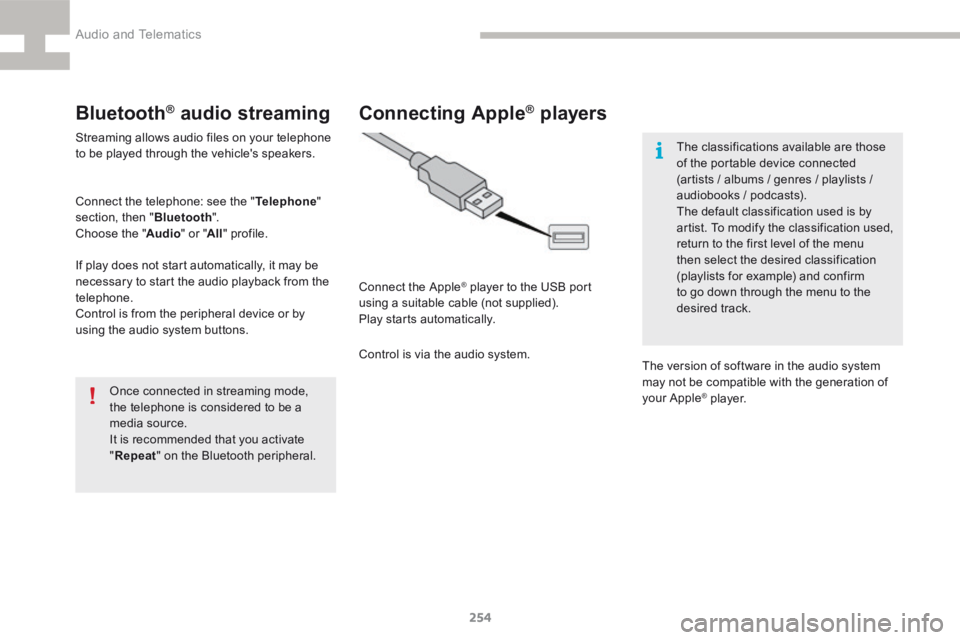
Connect the Apple® player to the USB port
using a suitable cable (not supplied).
Play starts automatically.
Control is via the audio system. The classifications available are those
of the portable device connected
(artists / albums / genres / playlists /
audiobooks / podcasts).
The default classification used is by
artist. To modify the classification used,
return to the first level of the menu
then select the desired classification
(playlists for example) and confirm
to go down through the menu to the
desired track.
The version of software in the audio system
may not be compatible with the generation of
your Apple
® p l aye r.
Audio and Telematics