buttons Peugeot 208 2015 Owner's Manual - RHD (UK, Australia)
[x] Cancel search | Manufacturer: PEUGEOT, Model Year: 2015, Model line: 208, Model: Peugeot 208 2015Pages: 341, PDF Size: 38.75 MB
Page 35 of 341

33
208_en_Chap02_ Acces-Demarrage_ed01-2015
Lost keys
Go to a PEUGEOT dealer with the vehicle's
registration document, your personal
identification documents and if possible the
key code label.
The PEUGEOT dealer will be able to look
up the key code and the transponder code
required to order a new key.
Remote control
The high frequency remote control is a
sensitive system; do not operate it while it is
in your pocket as there is a possibility that
it may unlock the vehicle, without you being
aware of it.
Do not repeatedly press the buttons of your
remote control out of range and out of sight
of your vehicle. You run the risk of stopping
it from working and the remote control
would have to be reinitialised.
No remote control can operate when the
key is in the ignition switch, even when
the ignition is switched off, except for
reinitialisation.
Anti-theft protection
Do not make any modifications to the
electronic engine immobiliser system; this
could cause malfunctions.
Locked vehicle
Driving with the doors locked may make
access to the passenger compartment by
the emergency services more difficult in an
emergency.
As a safety precaution, never leave children
alone in the vehicle, except for a very short
period.
In all cases, it is essential to remove the key
from the ignition switch when leaving the
vehicle.
Second-hand vehicle
Have the pairing of all of the keys in your
possession checked by a PEUGEOT dealer,
to ensure that only your keys can be used to
open and start the vehicle.
2
Access and starting
Page 55 of 341
53
208_en_Chap03_Indicateurs_ed01-2015
Touch screen
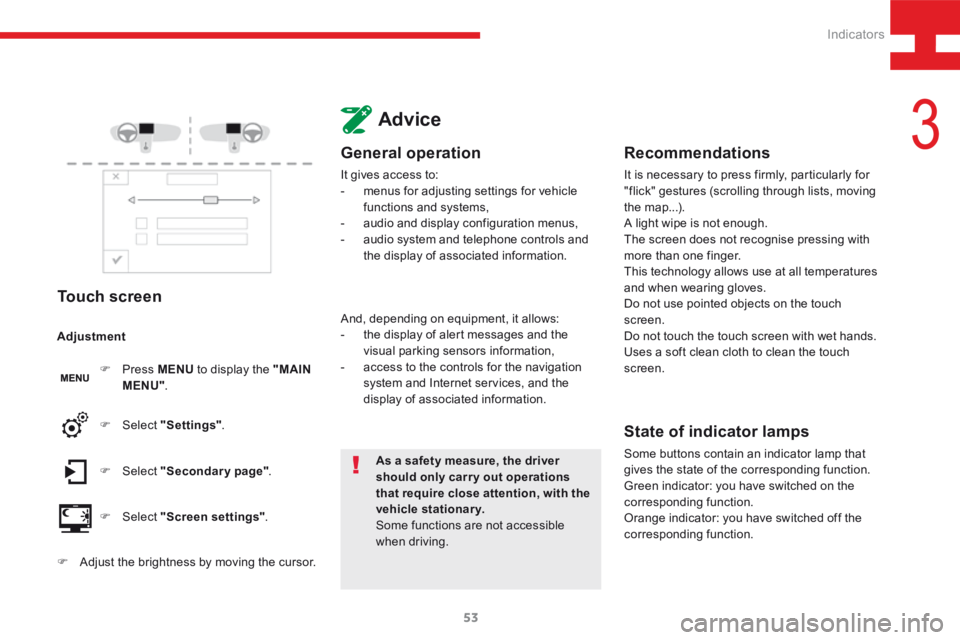
F Press MENU to display the "MAIN
MENU" .
F Select "Secondary page" .
F Select "Screen settings" .
F Select
"Settings" .
Adjustment
F
Adjust the brightness by moving the cursor.
Advice
General operation
It gives access to:
- menus for adjusting settings for vehicle
functions and systems,
- audio and display configuration menus,
- audio system and telephone controls and
the display of associated information.
As a safety measure, the driver
should only carr y out operations
that require close attention, with the
vehicle stationary.
Some functions are not accessible
when driving.
And, depending on equipment, it allows:
-
the display of alert messages and the
visual parking sensors information,
- access to the controls for the navigation
system and Internet services, and the
display of associated information.
Recommendations
It is necessary to press firmly, particularly for
"flick" gestures (scrolling through lists, moving
the map...).
A light wipe is not enough.
The screen does not recognise pressing with
more than one finger.
This technology allows use at all temperatures
and when wearing gloves.
Do not use pointed objects on the touch
screen.
Do not touch the touch screen with wet hands.
Uses a soft clean cloth to clean the touch
screen.
State of indicator lamps
Some buttons contain an indicator lamp that
gives the state of the corresponding function.
Green indicator: you have switched on the
corresponding function.
Orange indicator: you have switched off the
corresponding function.
3
Indicators
Page 226 of 341
224
208_en_Chap9b_SMEGplus_ed01-2015
First steps
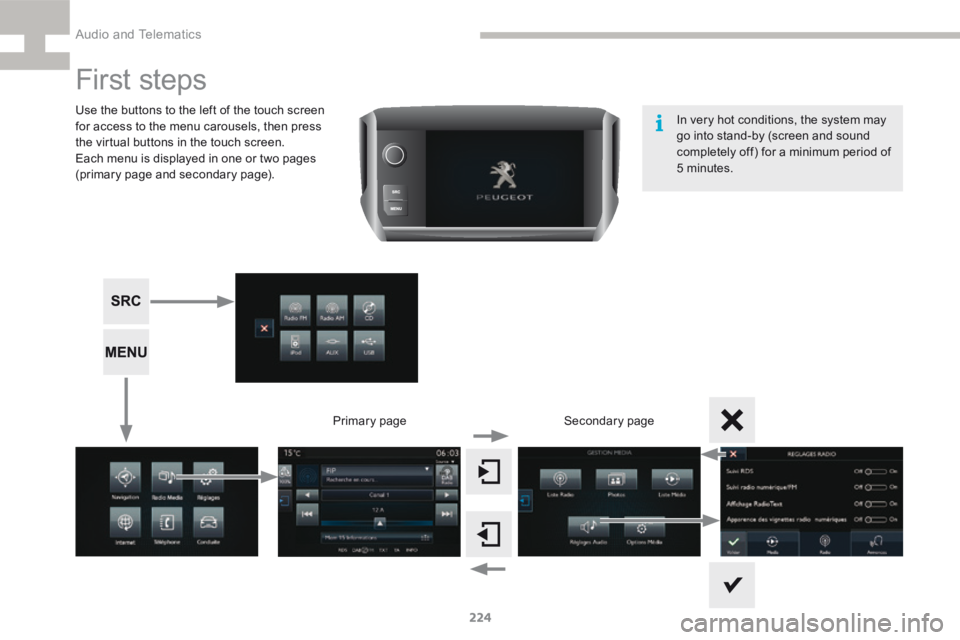
Use the buttons to the left of the touch screen
for access to the menu carousels, then press
the virtual buttons in the touch screen.
Each menu is displayed in one or two pages
(primary page and secondary page).Secondary page
Primary page In very hot conditions, the system may
go into stand-by (screen and sound
completely off) for a minimum period of
5 minutes.
Audio and Telematics
Page 227 of 341
225
208_en_Chap9b_SMEGplus_ed01-2015
Volume adjustment (each source is
independent, including traffic announcements
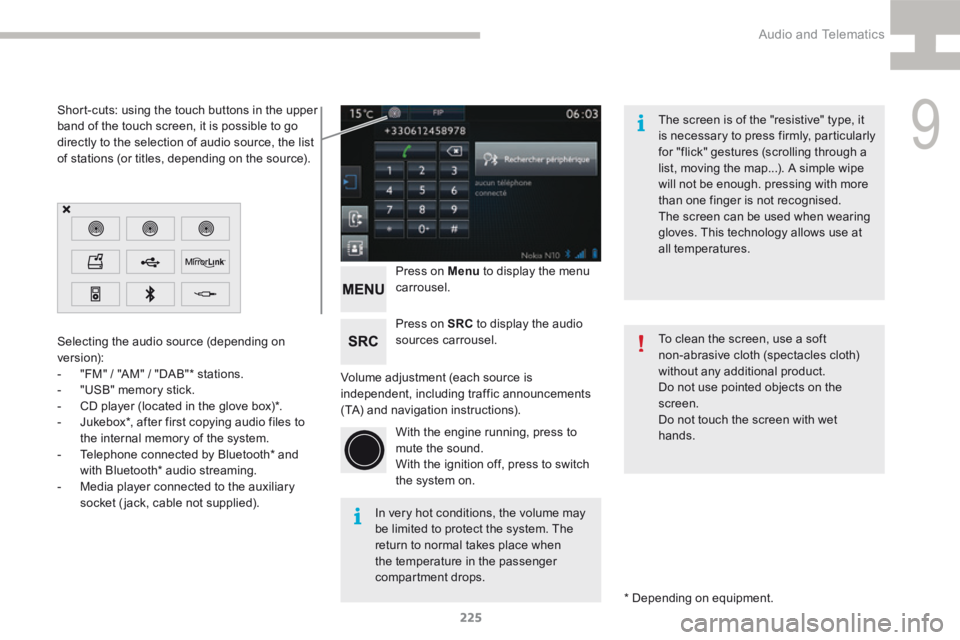
(TA) and navigation instructions).Press on Menu
to display the menu
carrousel.
Press on SRC to display the audio
sources carrousel.
With the engine running, press to
mute the sound.
With the ignition off, press to switch
the system on.
Selecting the audio source (depending on
version):
-
"FM" / "AM" / "DAB"* stations.
- "USB" memory stick.
- CD player (located in the glove box)*.
- Jukebox*, after first copying audio files to
the internal memory of the system.
- Telephone connected by Bluetooth* and
with Bluetooth* audio streaming.
- Media player connected to the auxiliary
socket (jack, cable not supplied).
* Depending on equipment.
Short-cuts: using the touch buttons in the upper
band of the touch screen, it is possible to go
directly to the selection of audio source, the list
of stations (or titles, depending on the source).
The screen is of the "resistive" type, it
is necessary to press firmly, particularly
for "flick" gestures (scrolling through a
list, moving the map...). A simple wipe
will not be enough. pressing with more
than one finger is not recognised.
The screen can be used when wearing
gloves. This technology allows use at
all temperatures.
In very hot conditions, the volume may
be limited to protect the system. The
return to normal takes place when
the temperature in the passenger
compartment drops. To clean the screen, use a soft
non-abrasive cloth (spectacles cloth)
without any additional product.
Do not use pointed objects on the
screen.
Do not touch the screen with wet
hands.
9
Audio and Telematics
Page 252 of 341
250
208_en_Chap9b_SMEGplus_ed01-2015
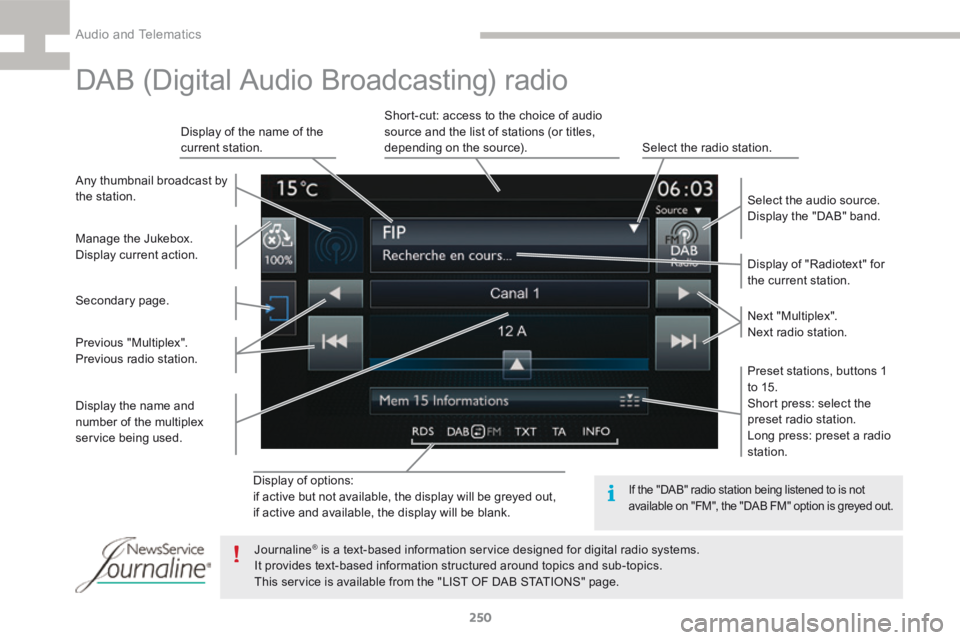
Display of options:
if active but not available, the display will be greyed out,
if active and available, the display will be blank.Display of "Radiotext" for
the current station.
Manage the Jukebox.
Display current action. Select the audio source.
Display the "DAB" band.
Display of the name of the
current station.
Short-cut: access to the choice of audio
source and the list of stations (or titles,
depending on the source).
Select the radio station.
Any thumbnail broadcast by
the station.
Preset stations, buttons 1
to 15.
Short press: select the
preset radio station.
Long press: preset a radio
station. Next "Multiplex".
Next radio station.
Secondary page.
Display the name and
number of the multiplex
service being used. Previous "Multiplex".
Previous radio station.
DAB (Digital Audio Broadcasting) radio
If the "DAB" radio station being listened to is not
available on "FM", the "DAB FM" option is greyed out.
Journaline® is a text-based information service designed for digital radio systems.
It provides text-based information structured around topics and sub-topics.
This service is available from the "LIST OF DAB STATIONS" page.
Audio and Telematics
Page 256 of 341
254
208_en_Chap9b_SMEGplus_ed01-2015
Bluetooth® audio streaming
Streaming allows audio files on your telephone
to be played through the vehicle's speakers.
Connect the telephone: see the "Telephone"
section, then " Bluetooth".
Choose the " Audio" or "All" profile.
If play does not start automatically, it may be
necessary to start the audio playback from the
telephone.
Control is from the peripheral device or by
using the audio system buttons.
Once connected in streaming mode,
the telephone is considered to be a
media source.
It is recommended that you activate
"Repeat " on the Bluetooth peripheral.
Connecting Apple® players
Connect the Apple® player to the USB port
using a suitable cable (not supplied).
Play starts automatically.
Control is via the audio system. The classifications available are those
of the portable device connected
(artists / albums / genres / playlists /
audiobooks / podcasts).
The default classification used is by
artist. To modify the classification used,
return to the first level of the menu
then select the desired classification
(playlists for example) and confirm
to go down through the menu to the
desired track.
The version of software in the audio system
may not be compatible with the generation of
your Apple
® p l aye r.
Audio and Telematics
Page 291 of 341
289
208_en_Chap9c_RDE2_ed01-2015
Steering mounted controls
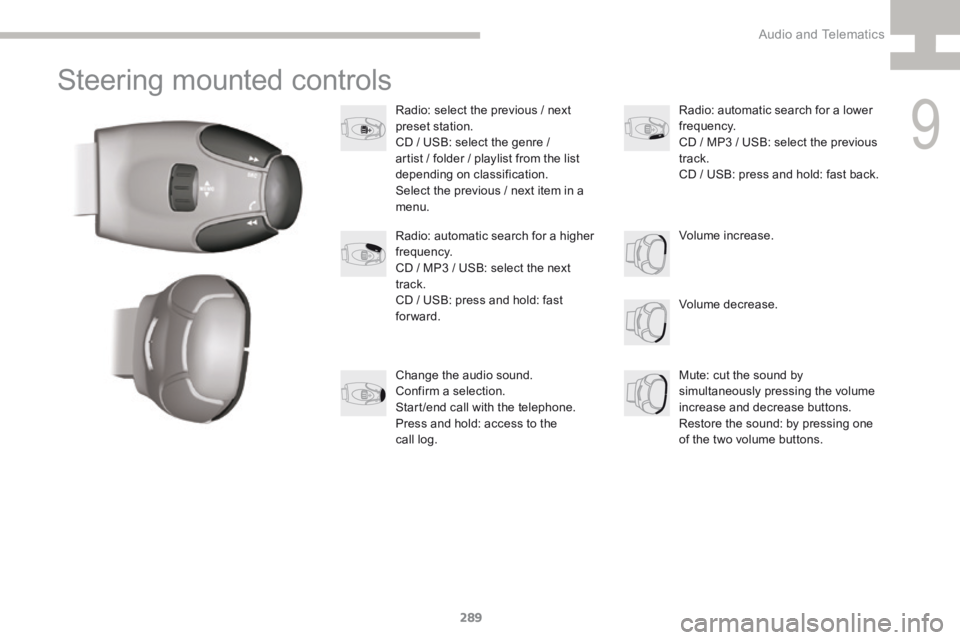
Radio: select the previous / next
preset station.
CD / USB: select the genre /
artist / folder / playlist from the list
depending on classification.
Select the previous / next item in a
menu.Volume decrease.
Radio: automatic search for a higher
frequency.
CD / MP3 / USB: select the next
track.
CD / USB: press and hold: fast
forward.
Mute: cut the sound by
simultaneously pressing the volume
increase and decrease buttons.
Restore the sound: by pressing one
of the two volume buttons. Radio: automatic search for a lower
frequency.
CD / MP3 / USB: select the previous
track.
CD / USB: press and hold: fast back.
Change the audio sound.
Confirm a selection.
Start /end call with the telephone.
Press and hold: access to the
call log. Volume increase.
9
Audio and Telematics
Page 292 of 341
290
208_en_Chap9c_RDE2_ed01-2015
Radio
Presetting a station
Selecting a stationManaging a list
Entering a frequency
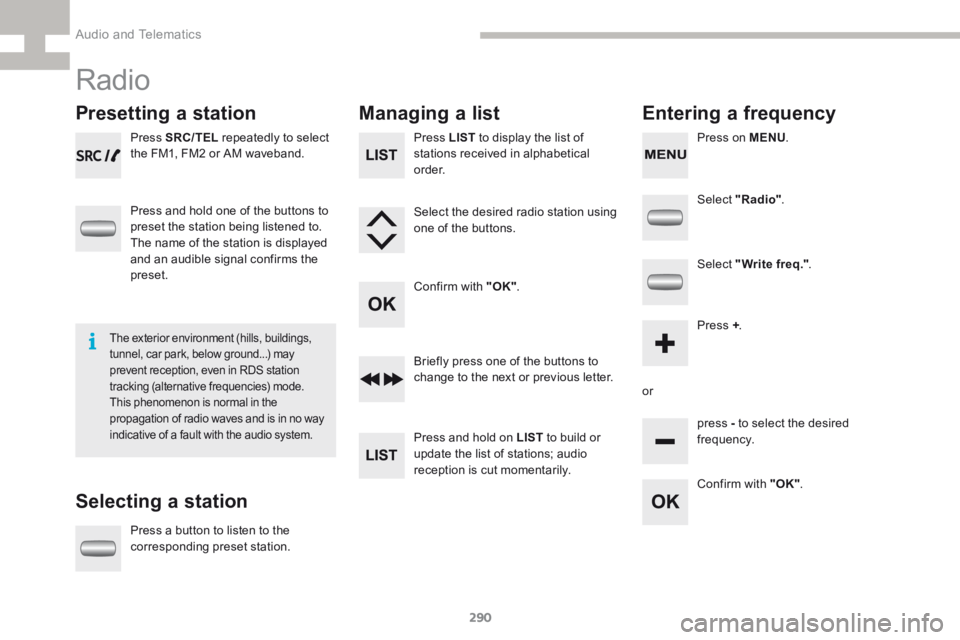
Press SRC/TEL repeatedly to select
the FM1, FM2 or AM waveband.
Press and hold one of the buttons to
preset the station being listened to.
The name of the station is displayed
and an audible signal confirms the
preset.
Press a button to listen to the
corresponding preset station. Select "Radio"
.
Select "Write freq." .
Press + .
or press - to select the desired
frequency.
Briefly press one of the buttons to
change to the next or previous letter.
Press and hold on LIST
to build or
update the list of stations; audio
reception is cut momentarily. Press LIST to display the list of
stations received in alphabetical
o r d e r.
Select the desired radio station using
one of the buttons.
Confirm with "OK" .
Confirm with "OK".
The exterior environment (hills, buildings,
tunnel, car park, below ground...) may
prevent reception, even in RDS station
tracking (alternative frequencies) mode.
This phenomenon is normal in the
propagation of radio waves and is in no way
indicative of a fault with the audio system.
Press on MENU.
Audio and Telematics
Page 294 of 341
292
208_en_Chap9c_RDE2_ed01-2015
Media
USB player
This unit comprises a USB port
and a Jack auxiliary socket,
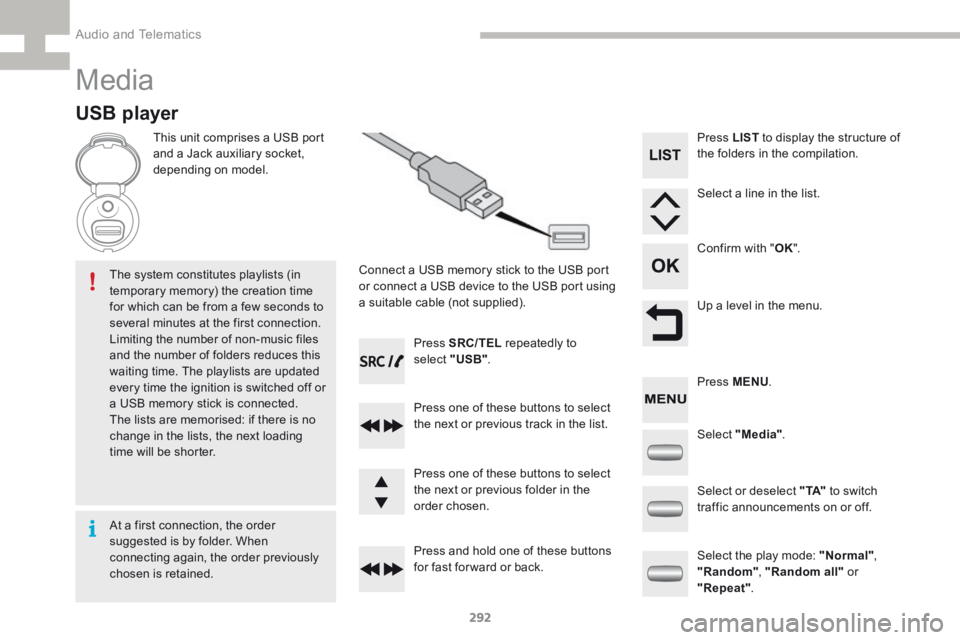
depending on model.Connect a USB memory stick to the USB port
or connect a USB device to the USB port using
a suitable cable (not supplied).
The system constitutes playlists (in
temporary memory) the creation time
for which can be from a few seconds to
several minutes at the first connection.
Limiting the number of non-music files
and the number of folders reduces this
waiting time. The playlists are updated
every time the ignition is switched off or
a USB memory stick is connected.
The lists are memorised: if there is no
change in the lists, the next loading
time will be shorter. Press SRC/TEL
repeatedly to
select " USB".
Press one of these buttons to select
the next or previous track in the list.
Press and hold one of these buttons
for fast for ward or back. Press one of these buttons to select
the next or previous folder in the
order chosen. Press LIST
to display the structure of
the folders in the compilation.
Select a line in the list.
Confirm with " OK".
Up a level in the menu.
Select "Media" .
Select the play mode: "Normal" ,
"Random" , "Random all" or
"Repeat" .
Select or deselect " TA"
to switch
traffic announcements on or off. Press MENU .
At a first connection, the order
suggested is by folder. When
connecting again, the order previously
chosen is retained.
Audio and Telematics
Page 295 of 341
293
208_en_Chap9c_RDE2_ed01-2015
Press the SRC/TEL button
repeatedly to select " CD".
Press one of these buttons to go the
the previous or next track in the list.
Press and hold one of these buttons
for fast for ward or back.
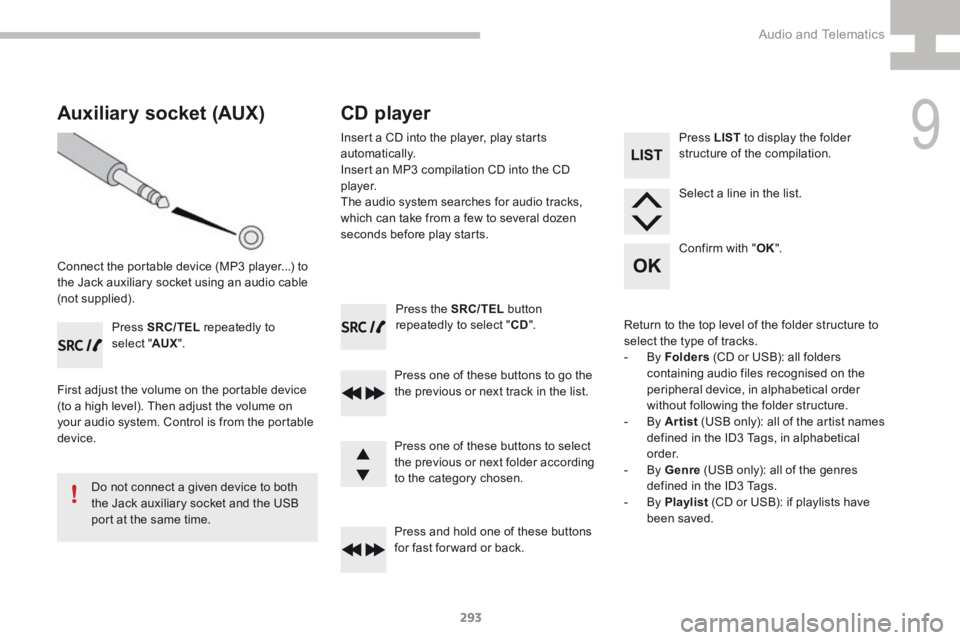
Auxiliary socket (AUX)
Connect the portable device (MP3 player...) to
the Jack auxiliary socket using an audio cable
(not supplied). Press SRC/TEL repeatedly to
select " AUX".
First adjust the volume on the portable device
(to a high level). Then adjust the volume on
your audio system. Control is from the portable
device.
Do not connect a given device to both
the Jack auxiliary socket and the USB
port at the same time.
CD player
Insert a CD into the player, play starts
automatically.
Insert an MP3 compilation CD into the CD
p l aye r.
The audio system searches for audio tracks,
which can take from a few to several dozen
seconds before play starts.
Press one of these buttons to select
the previous or next folder according
to the category chosen. Press LIST
to display the folder
structure of the compilation.
Select a line in the list.
Confirm with " OK".
Return to the top level of the folder structure to
select the type of tracks.
- By Folders (CD or USB): all folders
containing audio files recognised on the
peripheral device, in alphabetical order
without following the folder structure.
- By Artist (USB only): all of the artist names
defined in the ID3 Tags, in alphabetical
o r d e r.
- By Genre (USB only): all of the genres
defined in the ID3 Tags.
- By Playlist (CD or USB): if playlists have
been saved.
9
Audio and Telematics