service PEUGEOT 3008 2010 User Guide
[x] Cancel search | Manufacturer: PEUGEOT, Model Year: 2010, Model line: 3008, Model: PEUGEOT 3008 2010Pages: 315, PDF Size: 23.05 MB
Page 186 of 315
CHECKS
163
Avoid prolonged contact of
used oil or fl uids with the skin.
Most of these fl uids are harmful to
health or indeed very corrosive.
Do not discard used oil or fl u-
ids into sewers or onto the
ground.
Take used oil to a PEUGEOT dealer
(France) or an authorised waste dis-
posal site.
Diesel additive level (Diesel
engine with particle emission
filter)
A low additive level is indicated by lighting
of the service warning lamp, accompanied
by an audible warning and a message on
the multifunction screen.
Used products
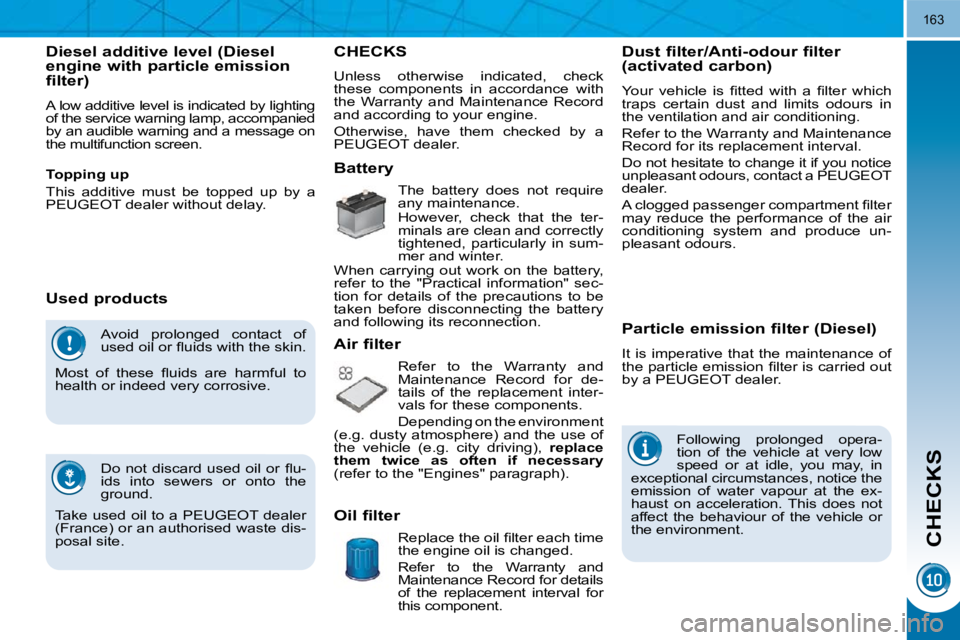
CHECKS
Battery
The battery does not require
any maintenance.
However, check that the ter-
minals are clean and correctly
tightened, particularly in sum-
mer and winter.
When carrying out work on the battery,
refer to the "Practical information" sec-
tion for details of the precautions to be
taken before disconnecting the battery
and following its reconnection.
Air filter
Refer to the Warranty and
Maintenance Record for de-
tails of the replacement inter-
vals for these components.
Depending on the environment
(e.g. dusty atmosphere) and the use of
the vehicle (e.g. city driving), replace
them twice as often if necessary
(refer to the "Engines" paragraph). Particle emission filter (Diesel)
It is imperative that the maintenance of
the particle emission fi lter is carried out
by a PEUGEOT dealer.
Oil filter Replace the oil fi lter each time
the engine oil is changed.
Refer to the Warranty and
Maintenance Record for details
of the replacement interval for
this component. Following prolonged opera-
tion of the vehicle at very low
speed or at idle, you may, in
exceptional circumstances, notice the
emission of water vapour at the ex-
haust on acceleration. This does not
affect the behaviour of the vehicle or
the environment.
Topping up
This additive must be topped up by a
PEUGEOT dealer without delay.
Dust filter/Anti-odour filter
(activated carbon)
Your vehicle is fi tted with a fi lter which
traps certain dust and limits odours in
the ventilation and air conditioning.
Refer to the Warranty and Maintenance
Record for its replacement interval.
Do not hesitate to change it if you notice
unpleasant odours, contact a PEUGEOT
dealer.
A clogged passenger compartment fi lter
may reduce the performance of the air
conditioning system and produce un-
pleasant odours.
Unless otherwise indicated, check
these components in accordance with
the Warranty and Maintenance Record
and according to your engine.
Otherwise, have them checked by a
PEUGEOT dealer.
Page 187 of 315
CHECKS
163
Avoid prolonged contact of
used oil or fl uids with the skin.
Most of these fl uids are harmful to
health or indeed very corrosive.
Do not discard used oil or fl u-
ids into sewers or onto the
ground.
Take used oil to a PEUGEOT dealer
(France) or an authorised waste dis-
posal site.
Diesel additive level (Diesel
engine with particle emission
filter)
A low additive level is indicated by lighting
of the service warning lamp, accompanied
by an audible warning and a message on
the multifunction screen.
Used products
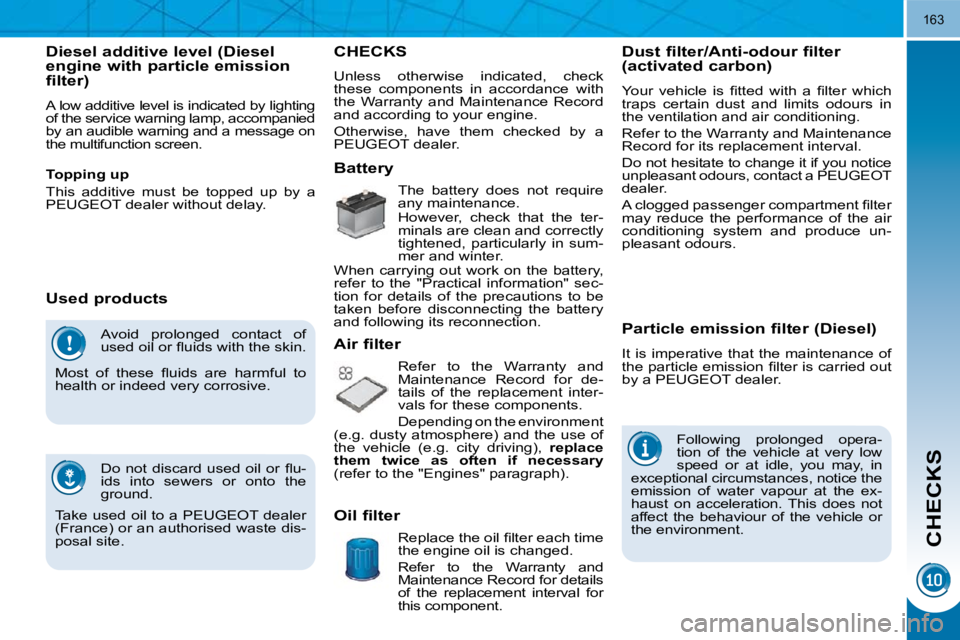
CHECKS
Battery
The battery does not require
any maintenance.
However, check that the ter-
minals are clean and correctly
tightened, particularly in sum-
mer and winter.
When carrying out work on the battery,
refer to the "Practical information" sec-
tion for details of the precautions to be
taken before disconnecting the battery
and following its reconnection.
Air filter
Refer to the Warranty and
Maintenance Record for de-
tails of the replacement inter-
vals for these components.
Depending on the environment
(e.g. dusty atmosphere) and the use of
the vehicle (e.g. city driving), replace
them twice as often if necessary
(refer to the "Engines" paragraph). Particle emission filter (Diesel)
It is imperative that the maintenance of
the particle emission fi lter is carried out
by a PEUGEOT dealer.
Oil filter Replace the oil fi lter each time
the engine oil is changed.
Refer to the Warranty and
Maintenance Record for details
of the replacement interval for
this component. Following prolonged opera-
tion of the vehicle at very low
speed or at idle, you may, in
exceptional circumstances, notice the
emission of water vapour at the ex-
haust on acceleration. This does not
affect the behaviour of the vehicle or
the environment.
Topping up
This additive must be topped up by a
PEUGEOT dealer without delay.
Dust filter/Anti-odour filter
(activated carbon)
Your vehicle is fi tted with a fi lter which
traps certain dust and limits odours in
the ventilation and air conditioning.
Refer to the Warranty and Maintenance
Record for its replacement interval.
Do not hesitate to change it if you notice
unpleasant odours, contact a PEUGEOT
dealer.
A clogged passenger compartment fi lter
may reduce the performance of the air
conditioning system and produce un-
pleasant odours.
Unless otherwise indicated, check
these components in accordance with
the Warranty and Maintenance Record
and according to your engine.
Otherwise, have them checked by a
PEUGEOT dealer.
Page 188 of 315
CHECKS
Only use products recom-
mended by PEUGEOT or
products of equivalent quality
and specifi cations.
In order to optimise the operation of
units as important as the braking sys-
tem, PEUGEOT selects and offers
very specifi c products.
To avoid damaging the electrical
units, the use of a high pressure
washer in the engine compartment is
strictly prohibited .
Brake disc wear status
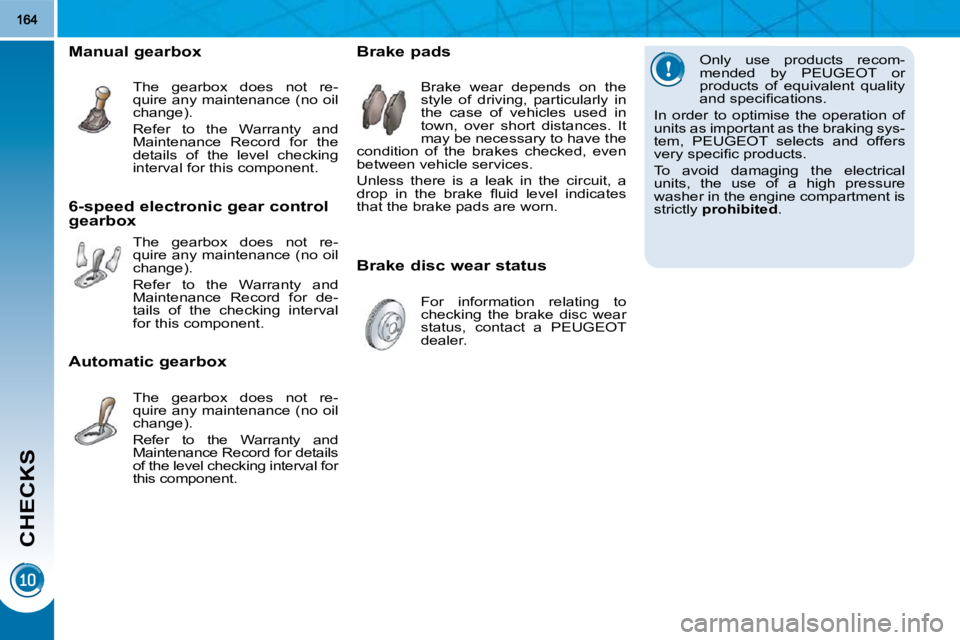
Brake pads
Brake wear depends on the
style of driving, particularly in
the case of vehicles used in
town, over short distances. It
may be necessary to have the
condition of the brakes checked, even
between vehicle services.
Unless there is a leak in the circuit, a
drop in the brake fl uid level indicates
that the brake pads are worn.
For information relating to
checking the brake disc wear
status, contact a PEUGEOT
dealer.
Manual gearbox
The gearbox does not re-
quire any maintenance (no oil
change).
Refer to the Warranty and
Maintenance Record for the
details of the level checking
interval for this component.
6-speed electronic gear control
gearbox The gearbox does not re-
quire any maintenance (no oil
change).
Refer to the Warranty and
Maintenance Record for de-
tails of the checking interval
for this component.
Automatic gearbox The gearbox does not re-
quire any maintenance (no oil
change).
Refer to the Warranty and
Maintenance Record for details
of the level checking interval for
this component.
Page 226 of 315
201
EMERGENCY OR ASSISTANCE CALL
EMERGENCY CALL ASSISTANCE CALL
OPERATION OF THE SYSTEM
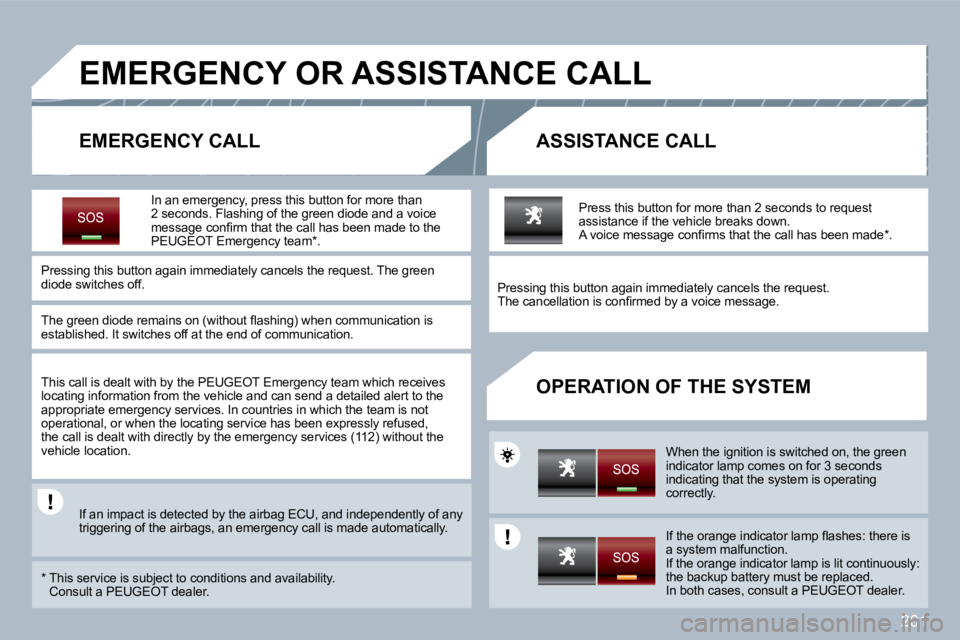
In an emergency, press this button for more than 2 seconds. Flashing of the green diode and a voice message confi rm that the call has been made to the PEUGEOT Emergency team * .
Pressing this button again immediately cancels the request. The green diode switches off.
The green diode remains on (without fl ashing) whe n communication is established. It switches off at the end of communication.
This call is dealt with by the PEUGEOT Emergency team which receives locating information from the vehicle and can send a detailed alert to the appropriate emergency services. In countries in whi ch the team is not operational, or when the locating service has been expressly refused, the call is dealt with directly by the emergency services (112) without the vehicle location.
If an impact is detected by the airbag ECU, and independently of any triggering of the airbags, an emergency call is mad e automatically.
* This service is subject to conditions and availability. Consult a PEUGEOT dealer.
Press this button for more than 2 seconds to requ est assistance if the vehicle breaks down. A voice message confi rms that the call has been mad e * .
Pressing this button again immediately cancels the request. The cancellation is confi rmed by a voice message.
When the ignition is switched on, the green indicator lamp comes on for 3 seconds indicating that the system is operating correctly.
If the orange indicator lamp fl ashes: there is a system malfunction. If the orange indicator lamp is lit continuously: the backup battery must be replaced. In both cases, consult a PEUGEOT dealer.
Page 227 of 315
202
PEUGEOT ASSISTANCE
CUSTOMER CALL
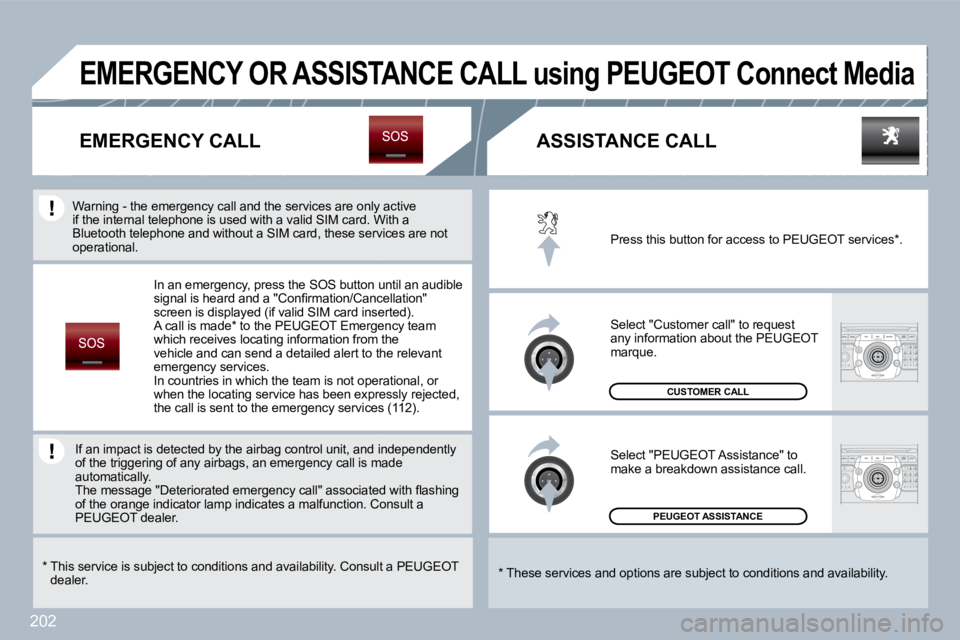
Press this button for access to PEUGEOT services * .
Select "Customer call" to request any information about the PEUGEOT marque.
Select "PEUGEOT Assistance" to make a breakdown assistance call.
* These services and options are subject to conditions and availability.
EMERGENCY CALL
EMERGENCY OR ASSISTANCE CALL using PEUGEOT Connect Media
ASSISTANCE CALL
In an emergency, press the SOS button until an audible signal is heard and a "Confi rmation/Cancellation" screen is displayed (if valid SIM card inserted). A call is made * to the PEUGEOT Emergency team which receives locating information from the vehicle and can send a detailed alert to the relevant emergency services. In countries in which the team is not operational, or when the locating service has been expressly reject ed, the call is sent to the emergency services (112).
* This service is subject to conditions and availability. Consult a PEUGEOTdealer.
If an impact is detected by the airbag control uni t, and inand independently of the triggering of any airbags, an emergency call is mal is made automatically. The message "Deteriorated emergency call" associat ed with fl ashing The message "Deteriorated emergency call" associated with fl ashing of the orange indicator lamp indicates a malfunction. Con. Consult a PEUGEOT dealer.
Warning - the emergency call and the services are only a only active if the internal telephone is used with a valid SIM card. Wrd. With a Bluetooth telephone and without a SIM card, these s ervi services are not operational.
Page 255 of 315
230
08
1
3
5
4
2
1
* The services available via the telephone depend on the network, the SIM card and the compatibili ty of the Bluetooth equipment used. Refer to your telephone's manual and your operator to check which services you have access to. A list of mobile telephones which offer the best range of services is available from dealers.
USING THE TELEPHONE
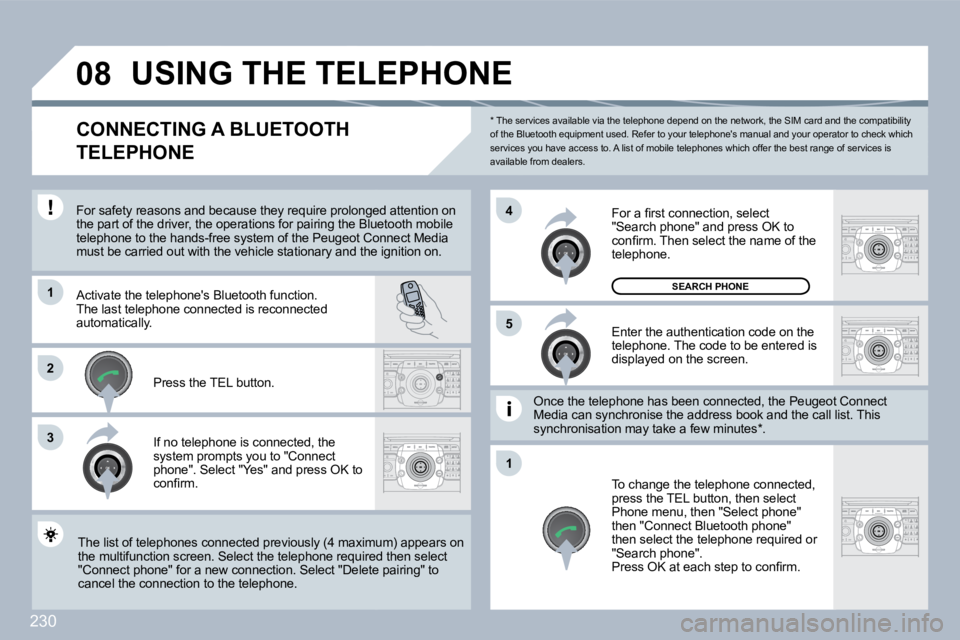
CONNECTING A BLUETOOTH
TELEPHONE
For safety reasons and because they require prolo ngedonged attention on the part of the driver, the operations for pairing the Blue Bluetooth mobile telephone to the hands-free system of the Peugeot C onot Connect Media must be carried out with the vehicle stationary and the id the ignition on.
Activate the telephone's Bluetooth function. The last telephone connected is reconnected automatically.
If no telephone is connected, the system prompts you to "Connect phone". Select "Yes" and press OK to confi rm.
Enter the authentication code on the telephone. The code to be entered is displayed on the screen.
To change the telephone connected, press the TEL button, then select Phone menu, then "Select phone" then "Connect Bluetooth phone" then select the telephone required or "Search phone". Press OK at each step to confi rm.
Once the telephone has been connected, the Peugeo t Cgeot Connect Media can synchronise the address book and the call lis call list. This synchronisation may take a few minutes * .
The list of telephones connected previously (4 maximum) appears on The list of telephones connected previously (4 maximum) appears on the multifunction screen. Select the telephone requ ired uired then select "Connect phone" for a new connection. Select "Delet e pelete pairing" to cancel the connection to the telephone.
Press the TEL button.
For a fi rst connection, select "Search phone" and press OK to confi rm. Then select the name of the telephone.
SEARCH PHONE
Page 256 of 315
231
2
ABC 3
DEF
5
JKL
4
GHI 6
MNO
8
TUV
7
PQRS 9
WXYZ
0
* #
1
08
1
22
33
11
22
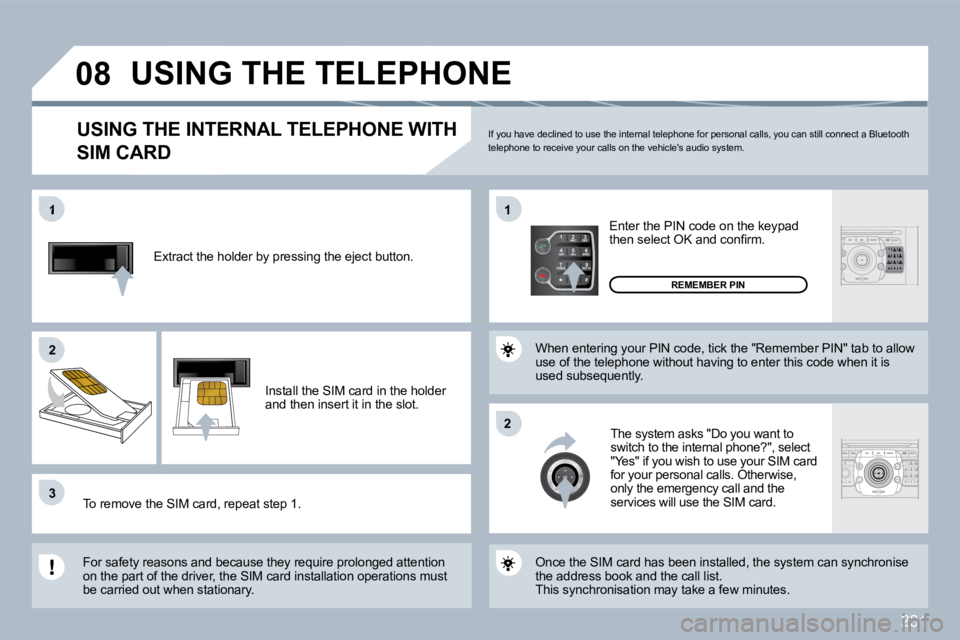
Extract the holder by pressing the eject button.
Install the SIM card in the holder and then insert it in the slot.
To remove the SIM card, repeat step 1.
For safety reasons and because they require prolo nged attention on the part of the driver, the SIM card installation operations must be carried out when stationary.
Enter the PIN code on the keypad then select OK and confi rm.
The system asks "Do you want to switch to the internal phone?", select "Yes" if you wish to use your SIM card for your personal calls. Otherwise, only the emergency call and the services will use the SIM card.
REMEMBER PIN
When entering your PIN code, tick the "Remember P IN" tab to allow use of the telephone without having to enter this code when it is used subsequently.
USING THE INTERNAL TELEPHONE WITH
SIM CARD
USING THE TELEPHONE
Once the SIM card has been installed, the system can synchronise the address book and the call list. This synchronisation may take a few minutes.
If you have declined to use the internal telephone for personal calls, you can still connect a Bluetooth telephone to receive your calls on the vehicle's au dio system.
Page 261 of 315
236
3
3
2
4
4
4
4
4
ADDR BOOK
4
3
4
4
4
1
2
2
2
2
2
2
1
2
3
4
2
2
2
3
2
5
3
3
5
5
5
5
3
2
3
3
3
3
3
3
3
3
3
3
3
3
3
3
3
3
3
3
3
3
3
3
4
4
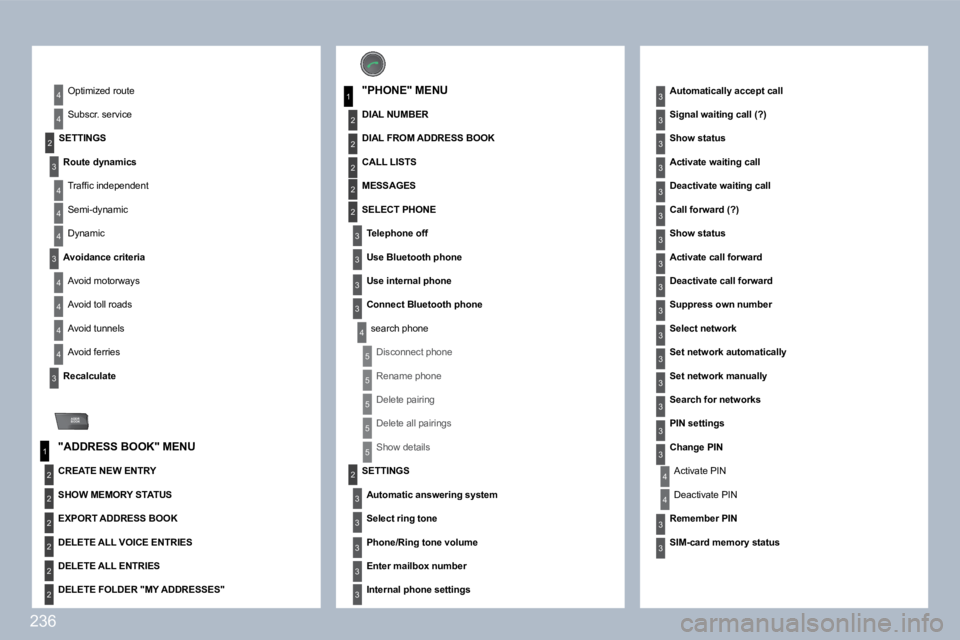
SETTINGS
Route dynamics
Traffi c independent
Semi-dynamic
Dynamic
Avoidance criteria
Avoid motorways
Avoid toll roads
Avoid tunnels
Avoid ferries
Recalculate
"ADDRESS BOOK" MENU
Optimized route
Subscr. service
"PHONE" MENU
DIAL NUMBER
Automatically accept call
Signal waiting call (?)
Show status
Activate waiting call
Deactivate waiting call
Call forward (?)
Show status
Activate call forward
Deactivate call forward
Suppress own number
Select network
Set network automatically
Set network manually
Search for networks
PIN settings
Change PIN
Activate PIN
Deactivate PIN
Remember PIN
SIM-card memory status
CREATE NEW ENTRY
SHOW MEMORY STATUS
EXPORT ADDRESS BOOK
DELETE ALL VOICE ENTRIES
DELETE ALL ENTRIES
DELETE FOLDER "MY ADDRESSES"
DIAL FROM ADDRESS BOOK
CALL LISTS
MESSAGES
SELECT PHONE
Telephone off
Use Bluetooth phone
Use internal phone
Connect Bluetooth phone
search phone
Disconnect phone
Rename phone
Delete pairing
Delete all pairings
Show details
SETTINGS
Automatic answering system
Select ring tone
Phone/Ring tone volume
Enter mailbox number
Internal phone settings