ECO mode PEUGEOT 3008 2018 Repair Manual
[x] Cancel search | Manufacturer: PEUGEOT, Model Year: 2018, Model line: 3008, Model: PEUGEOT 3008 2018Pages: 360, PDF Size: 12.38 MB
Page 322 of 360
12
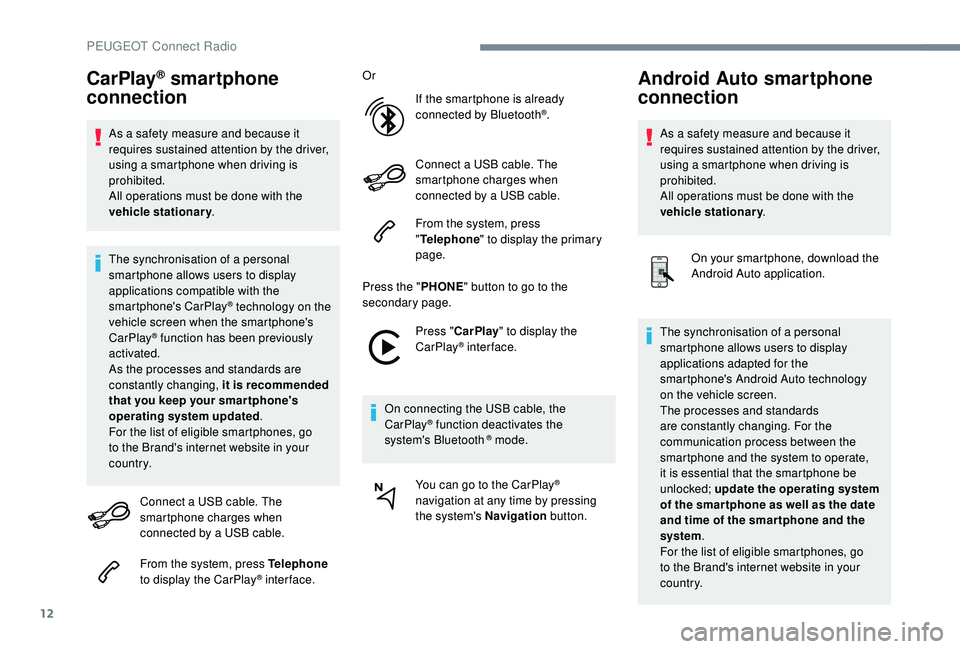
CarPlay® smartphone
connection
As a safety measure and because it
requires sustained attention by the driver,
using a smartphone when driving is
prohibited.
All operations must be done with the
vehicle stationary .
The synchronisation of a personal
smartphone allows users to display
applications compatible with the
smartphone's CarPlay
® technology on the
v
ehicle screen when the smartphone's
CarPlay
® function has been previously
activated.
As the processes and standards are
constantly changing, it is recommended
that you keep your smar tphone's
operating system updated .
For the list of eligible smartphones, go
to the Brand's internet website in your
c o u nt r y.
Connect a USB cable. The
smartphone charges when
connected by a USB cable.
From the system, press Telephone
to display the CarPlay
® inter face. Or
If the smartphone is already
connected by Bluetooth
®.
Connect a USB cable. The
smartphone charges when
connected by a USB cable.
From the system, press
" Telephone " to display the primary
page.
Press the " PHONE" button to go to the
secondary page.
Press "CarPlay " to display the
CarPlay
® inter face.
On connecting the USB cable, the
CarPlay
® function deactivates the
system's Bluetooth ® mode.
You can go to the CarPlay
®
navigation at any time by pressing
the system's Navigation button.
Android Auto smartphone
connection
As a safety measure and because it
requires sustained attention by the driver,
using a smartphone when driving is
prohibited.
All operations must be done with the
vehicle stationary.
On your smartphone, download the
Android Auto application.
The synchronisation of a personal
smartphone allows users to display
applications adapted for the
smartphone's Android Auto technology
on the vehicle screen.
The processes and standards
are constantly changing. For the
communication process between the
smartphone and the system to operate,
it is essential that the smartphone be
unlocked; update the operating system
of the smar tphone as well as the date
and time of the smar tphone and the
system .
For the list of eligible smartphones, go
to the Brand's internet website in your
c o u nt r y.
PEUGEOT Connect Radio
Page 332 of 360
22
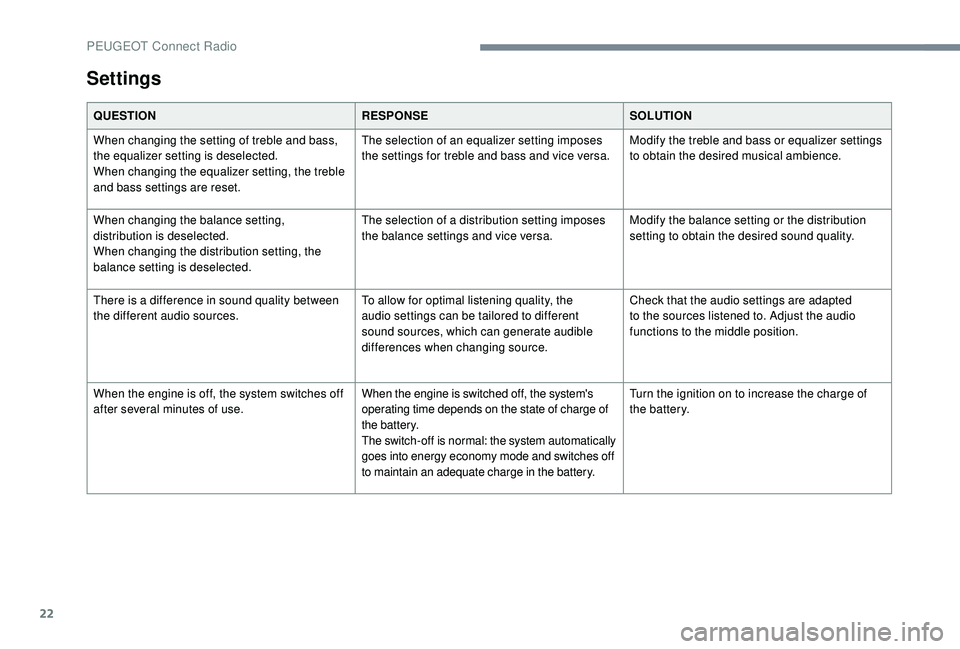
Settings
QUESTIONRESPONSESOLUTION
When changing the setting of treble and bass,
the equalizer setting is deselected.
When changing the equalizer setting, the treble
and bass settings are reset. The selection of an equalizer setting imposes
the settings for treble and bass and vice versa.
Modify the treble and bass or equalizer settings
to obtain the desired musical ambience.
When changing the balance setting,
distribution is deselected.
When changing the distribution setting, the
balance setting is deselected. The selection of a distribution setting imposes
the balance settings and vice versa.
Modify the balance setting or the distribution
setting to obtain the desired sound quality.
There is a difference in sound quality between
the different audio sources. To allow for optimal listening quality, the
audio settings can be tailored to different
sound sources, which can generate audible
differences when changing source.Check that the audio settings are adapted
to the sources listened to. Adjust the audio
functions to the middle position.
When the engine is off, the system switches off
after several minutes of use. When the engine is switched off, the system's
operating time depends on the state of charge of
the battery.
The switch-off is normal: the system automatically
goes into energy economy mode and switches off
to maintain an adequate charge in the battery.Turn the ignition on to increase the charge of
the battery.
PEUGEOT Connect Radio
Page 336 of 360
4
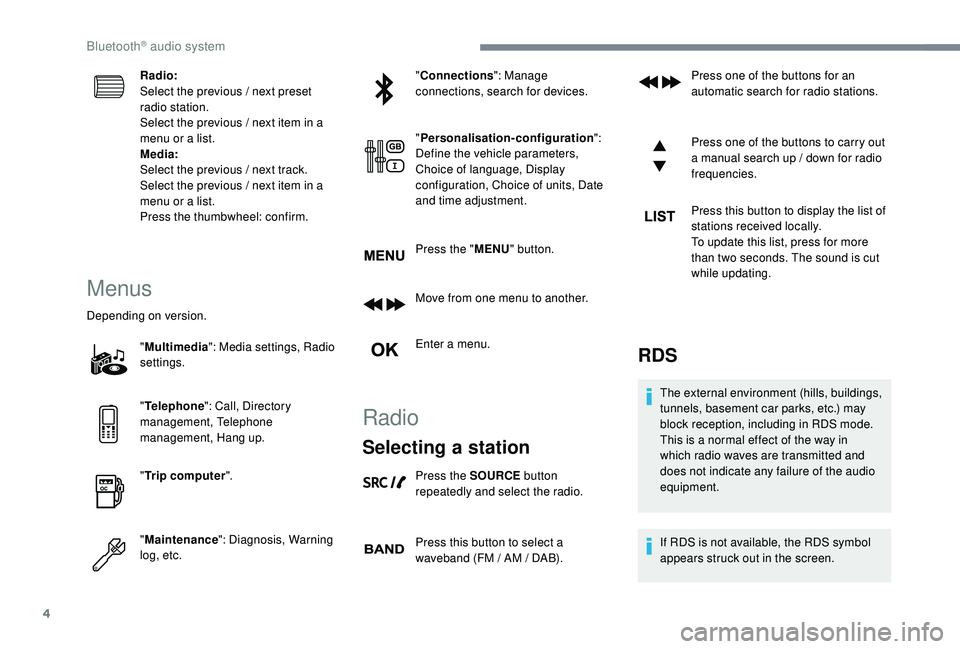
Radio:
Select the previous / next preset
radio station.
Select the previous / next item in a
menu or a list.
Media:
Select the previous / next track.
Select the previous / next item in a
menu or a list.
Press the thumbwheel: confirm.
Menus
Depending on version."Multimedia ": Media settings, Radio
settings.
" Telephone ": Call, Directory
management, Telephone
management, Hang up.
" Trip computer ".
" Maintenance ": Diagnosis, Warning
log, etc. "
Connections ": Manage
connections, search for devices.
" Personalisation-configuration ":
Define the vehicle parameters,
Choice of language, Display
configuration, Choice of units, Date
and time adjustment.
Press the " MENU" button.
Move from one menu to another.
Enter a menu.
Radio
Selecting a station
Press the SOURCE button
repeatedly and select the radio.
Press this button to select a
waveband (FM / AM / DAB). Press one of the buttons for an
automatic search for radio stations.
Press one of the buttons to carry out
a manual search up / down for radio
frequencies.
Press this button to display the list of
stations received locally.
To update this list, press for more
than two seconds. The sound is cut
while updating.
RDS
The external environment (hills, buildings,
tunnels, basement car parks, etc.) may
block reception, including in RDS mode.
This is a normal effect of the way in
which radio waves are transmitted and
does not indicate any failure of the audio
equipment.
If RDS is not available, the RDS symbol
appears struck out in the screen.
Bluetooth® audio system
Page 339 of 360
7
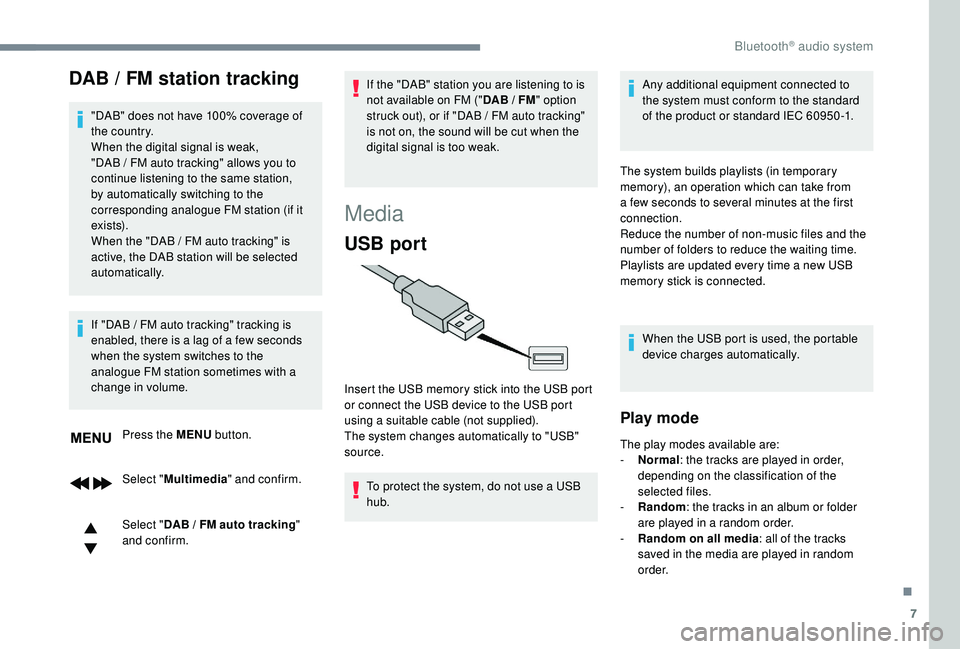
DAB / FM station tracking
"DAB" does not have 100% coverage of
the country.
When the digital signal is weak,
"DAB / FM auto tracking" allows you to
continue listening to the same station,
by automatically switching to the
corresponding analogue FM station (if it
ex i st s).
When the "DAB
/ FM auto tracking" is
active, the DAB station will be selected
automatically.
Press the MENU button.
Select " Multimedia " and confirm.
Select " DAB
/ FM auto tracking"
and confirm.
If "DAB
/ FM auto tracking" tracking is
enabled, there is a lag of a few seconds
when the system switches to the
analogue FM station sometimes with a
change in volume. If the "DAB" station you are listening to is
not available on FM ("
DAB / FM
" option
struck out), or if "DAB / FM auto tracking"
is not on, the sound will be cut when the
digital signal is too weak.
Media
USB port
To protect the system, do not use a USB
hub. Any additional equipment connected to
the system must conform to the standard
of the product or standard IEC 60950 -1.
Insert the USB memory stick into the USB port
or connect the USB device to the USB port
using a suitable cable (not supplied).
The system changes automatically to "USB"
source. The system builds playlists (in temporary
memory), an operation which can take from
a few seconds to several minutes at the first
connection.
Reduce the number of non-music files and the
number of folders to reduce the waiting time.
Playlists are updated every time a new USB
memory stick is connected.
When the USB port is used, the portable
device charges automatically.
Play mode
The play modes available are:
- No rmal: the tracks are played in order,
depending on the classification of the
selected files.
-
Ra
ndom: the tracks in an album or folder
are played in a random order.
-
R
andom on all media: all of the tracks
saved in the media are played in random
o r d e r.
.
Bluetooth® audio system
Page 342 of 360
10
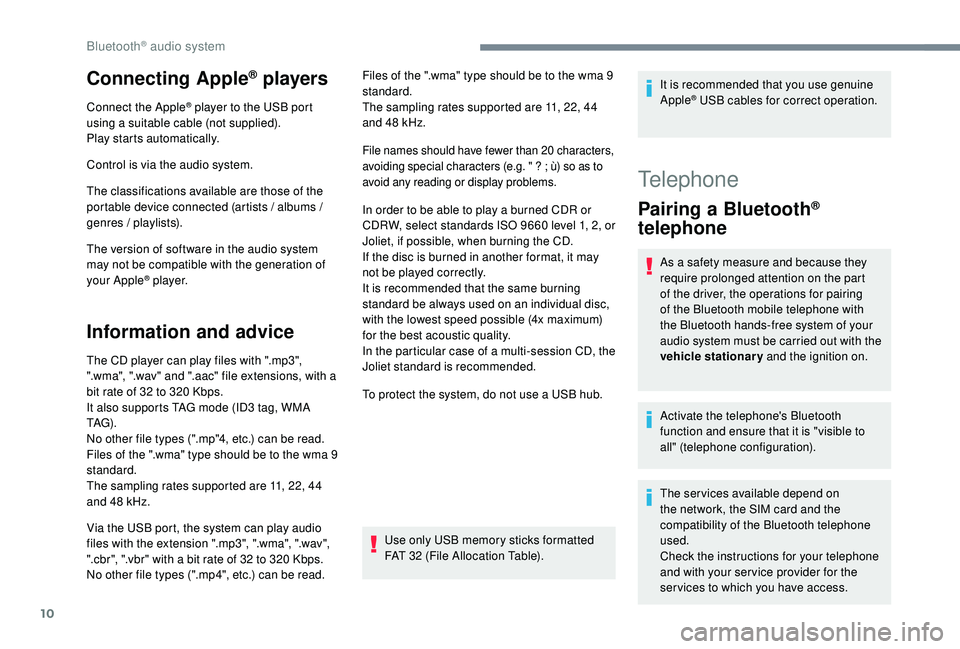
Connecting Apple® players
Connect the Apple® player to the USB port
using a suitable cable (not supplied).
Play starts automatically.
Control is via the audio system.
The classifications available are those of the
portable device connected (artists / albums /
genres / playlists).
The version of software in the audio system
may not be compatible with the generation of
your Apple
® p l aye r.
Information and advice
The CD player can play files with ".mp3",
".wma", ".wav" and ".aac" file extensions, with a
bit rate of 32 to 320
Kbps.
It also supports TAG mode (ID3 tag, WMA
TAG) .
No other file types (".mp"4, etc.) can be read.
Files of the ".wma" type should be to the wma
9
standard.
The sampling rates supported are 11, 22, 44
and 48
kHz. Files of the ".wma" type should be to the wma
9
standard.
The sampling rates supported are 11, 22, 44
and 48 kHz.
File names should have fewer than 20 characters,
avoiding special characters (e.g. "
? ; ù) so as to
avoid any reading or display problems.
In order to be able to play a burned CDR or
CDRW, select standards ISO 9660 level 1, 2, or
Joliet, if possible, when burning the CD.
If the disc is burned in another format, it may
not be played correctly.
It is recommended that the same burning
standard be always used on an individual disc,
with the lowest speed possible (4x maximum)
for the best acoustic quality.
In the particular case of a multi-session CD, the
Joliet standard is recommended.
To protect the system, do not use a USB hub.
Use only USB memory sticks formatted
FAT 32 (File Allocation Table).
Via the USB port, the system can play audio
files with the extension ".mp3", ".wma", ".wav",
".cbr", ".vbr" with a bit rate of 32 to 320
Kbps.
No other file types (".mp4", etc.) can be read. It is recommended that you use genuine
Apple
® USB cables for correct operation.
Telephone
Pairing a Bluetooth®
telephone
As a safety measure and because they
require prolonged attention on the part
of the driver, the operations for pairing
of the Bluetooth mobile telephone with
the Bluetooth hands-free system of your
audio system must be carried out with the
vehicle stationary and the ignition on.
Activate the telephone's Bluetooth
function and ensure that it is "visible to
all" (telephone configuration).
The services available depend on
the network, the SIM card and the
compatibility of the Bluetooth telephone
used.
Check the instructions for your telephone
and with your ser vice provider for the
ser vices to which you have access.
Bluetooth® audio system
Page 345 of 360
13
With certain telephones connected by
Bluetooth you can send a contact to the
directory of the audio system.
Contacts imported in this way are saved
in a permanent directory visible to all,
whatever the telephone connected.
The menu for the directory is not
accessible if it is empty.
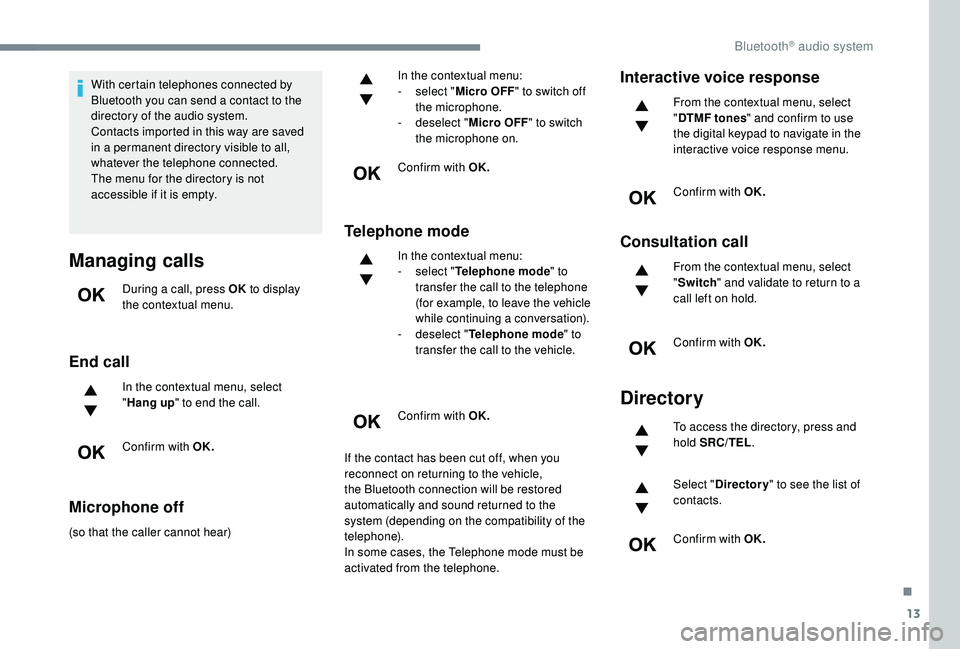
Managing calls
During a call, press OK to display
the contextual menu.
End call
In the contextual menu, select
" Hang up " to end the call.
Confirm with OK.
Microphone off
(so that the caller cannot hear) In the contextual menu:
-
s
elect "
Micro OFF " to switch off
the microphone.
-
d
eselect "
Micro OFF " to switch
the microphone on.
Confirm with OK.
Telephone mode
In the contextual menu:
- s elect " Telephone mode " to
transfer the call to the telephone
(for example, to leave the vehicle
while continuing a conversation).
-
d
eselect " Telephone mode " to
transfer the call to the vehicle.
Confirm with OK.
If the contact has been cut off, when you
reconnect on returning to the vehicle,
the Bluetooth connection will be restored
automatically and sound returned to the
system (depending on the compatibility of the
telephone).
In some cases, the Telephone mode must be
activated from the telephone.
Interactive voice response
From the contextual menu, select
" DTMF tones " and confirm to use
the digital keypad to navigate in the
interactive voice response menu.
Confirm with OK.
Consultation call
From the contextual menu, select
" Switch " and validate to return to a
call left on hold.
Confirm with OK.
Directory
To access the directory, press and
hold SRC/TEL .
Select " Directory " to see the list of
contacts.
Confirm with OK.
.
Bluetooth® audio system
Page 347 of 360
15
QUESTIONRESPONSESOLUTION
With the engine off, the audio system switches
off after a few minutes of use. When the engine is switched off, the audio
system operating time depends on the state of
charge of the battery.
The switch-off is normal: the audio system
switches to economy mode and switches off to
prevent discharging the vehicle's battery.Turn the ignition on to increase the charge of
the battery.
The message "the audio system is overheated"
appears on the display. In order to protect the installation if the
surrounding temperature is too high, the audio
system switches to an automatic thermal
protection mode leading to a reduction in
volume or the CD play stopping.Switch the audio system off for a few minutes
to allow the system to cool.
Radio
QUESTION
RESPONSESOLUTION
There is a difference in sound quality between
the different audio sources (radio, CD, etc.). To allow for optimal listening quality, the audio
settings (Volume, Bass, treble, Ambience,
Loudness) can be tailored to different
sound sources, which can generate audible
differences when changing source (radio, CD,
e t c .) .Check that the audio settings (Volume, Bass,
Treble, Ambience and Loudness) are adapted
to the sources listened to. It is advisable to set
the audio functions (Bass, Treble, Front-Rear
Balance and Left-Right Balance) to the middle
position, select the musical ambience "None"
and set the loudness correction to the "Active"
position in CD mode or to the "Inactive"
position in radio mode.
.
Bluetooth® audio system
Page 348 of 360
16
The preset stations do not function (no sound,
87.5 MHz is displayed, etc.). An incorrect waveband is selected.
Press the BAND button to return to the
waveband (FM, FM2, DAB, AM) on which the
stations are preset.
The traffic announcement (TA) is displayed.
I
do not receive any traffic information. The radio station is not part of the regional
traffic information network. Tune to a radio station which broadcasts traffic
information.
The reception quality of the tuned radio station
gradually deteriorates or the stored stations are
not working (no sound, 87.5
MHz is displayed,
e t c .) . The vehicle is too far from the transmitter of
the station or no transmitter is present in the
geographical area.
Activate the RDS function to allow the system
to see if a more power ful transmitter is within
the geographic area.
The environment (hills, buildings, tunnels,
basement car parks, etc.) block reception,
including in RDS mode. This phenomenon is normal and does not
indicate a failure of the audio equipment.
The aerial is absent or has been damaged (for
example when going through an automatic car
wash or in an underground car park). Have the aerial checked by a dealer.
Sound cut-outs of 1 to 2
seconds in radio
mode. During this brief sound cut-out, the RDS
searches for another frequency giving better
reception of the station.Switch off the RDS function if the phenomenon
is too frequent and always on the same route.
Bluetooth® audio system
Page 352 of 360
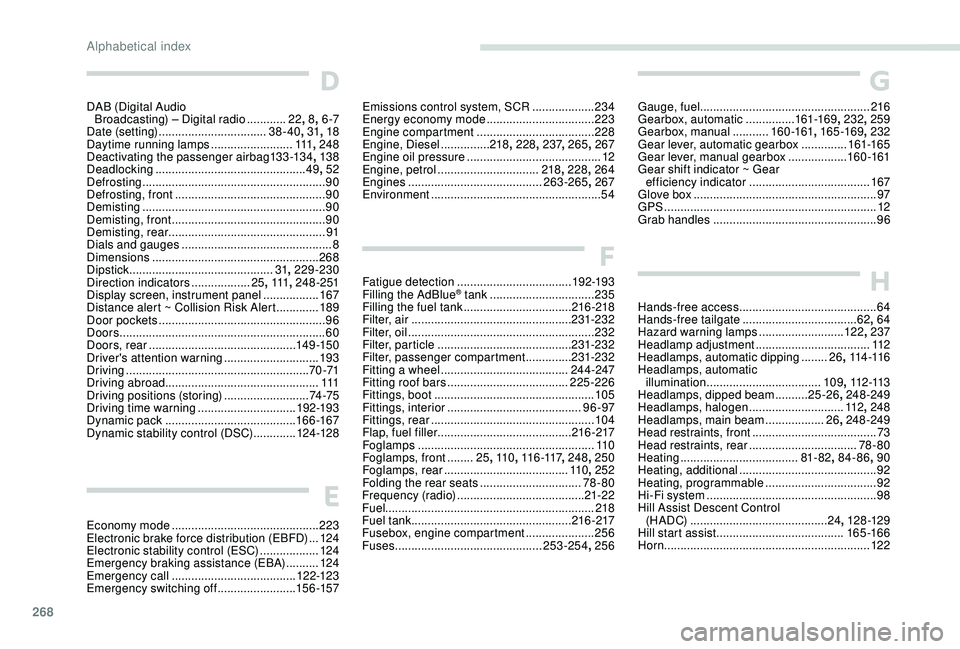
268
D
DAB (Digital Audio Broadcasting) – Digital radio ............22, 8, 6 -7
Date (setting)
................................. 38-40, 31, 18
Daytime running lamps
.........................111, 248
Deactivating the passenger airbag
13
3 -13 4, 13 8
Deadlocking
.............................................. 49, 52
Defrosting
........................................................ 90
Defrosting, front
.............................................. 90
Demisting
........................................................ 90
Demisting, front
............................................... 90
D
emisting, rear
................................................ 91
Dials and gauges
...............................
...............8
Dimensions
..............................
.....................268
Dipstick
................
............................31, 229-230
Direction indicators
..................25, 111 , 24 8 - 2 51
Display screen, instrument panel
.................167
Distance alert ~ Collision Risk Alert
.............189
Door pockets
...............................
....................96
Doors
............................................................... 60
Doors, rear
............................................. 14 9 -15 0
Driver's attention warning
............................. 19
3
Driving
........................................................ 70 -71
Driving abroad ............................................... 111
Driving positions (storing)
..........................74 -75
Driving time warning
..............................192-193
Dynamic pack
........................................ 16
6 -167
Dynamic stability control (DSC)
.............124 -128
E
Economy mode ............................................. 2 23
Electronic brake force distribution (EBFD) ...124
Electronic stability control (ESC)
..................12
4
Emergency braking assistance (EBA)
..........124
Emergency call
...................................... 12 2-123
Emergency switching off
........................15 6 -157
G
Gauge, fuel.................................................... 216
Gearbox, automatic ...............161-169, 232, 259
Gearbox, manual
...........160 -161 , 165 -169 , 232
Gear lever, automatic gearbox
..............161-165
Gear lever, manual gearbox
..................160 -161
Gear shift indicator ~ Gear efficiency indicator
..................................... 167
Glove box
........................................................ 97
GPS
................................................................. 12
Grab handles
.................................................. 96
H
Hands-free access .......................................... 64
Hands-free tailgate ................................... 62, 64
Hazard warning lamps
..........................12 2, 237
Headlamp adjustment
...................................112
Headlamps, automatic dipping
........26, 114 -11 6
Headlamps, automatic
illumination
................................... 109, 112 -113
Headlamps, dipped beam
..........25 -26, 248-249
Headlamps, halogen
.............................112, 248
Headlamps, main beam
..................26, 248-249
Head restraints, front
...................................... 73
Head restraints, rear
.................................78- 80
Heating
.................................... 81
- 82, 84-86 , 90
Heating, additional
.......................................... 92
Heating, programmable
..................................92
Hi-Fi system
.................................................... 98
H
ill Assist Descent Control
(H A DC)
.......................................... 24, 128 -129
Hill start assist
....................................... 165 -166
Horn ............................................................... 12 2
Emissions control system, SCR ...................23 4
Energy economy mode ................................. 2
23
Engine compartment
.................................... 2
28
Engine, Diesel
...............218, 228 , 237, 265 , 267
Engine oil pressure
......................................... 12
Engine, petrol
............................... 2
18, 228 , 264
Engines
......................................... 263-265, 267
Environment
.................................................... 54
F
Fatigue detection ................................... 192-193
Filling the AdBlue® tank ................................ 235
Filling the fuel tank ................................. 216 -218
Filter, air
................................................. 231-232
Filter, oil
................
......................................... 232
Filter, particle
......................................... 231-232
Filter, passenger compartment
..............231-232
Fitting a wheel
....................................... 244-247
Fitting roof bars
..................................... 225-226
Fittings, boot
................................................. 105
Fittings, interior
......................................... 9
6 -97
Fittings, rear
.................................................. 104
Flap, fuel filler
......................................... 216 -217
Foglamps
...................................................... 11 0
Foglamps, front
........ 25, 11 0 , 11 6 -117 , 248, 250
Foglamps, rear
...................................... 11
0, 252
Folding the rear seats
............................... 78- 80
Frequency (radio)
....................................... 21-22
Fuel ................................................................ 218
Fuel tank ................................................. 216 -217
Fusebox, engine compartment
..................... 256
Fuses
............................................. 25
3-254, 256
Alphabetical index
Page 353 of 360
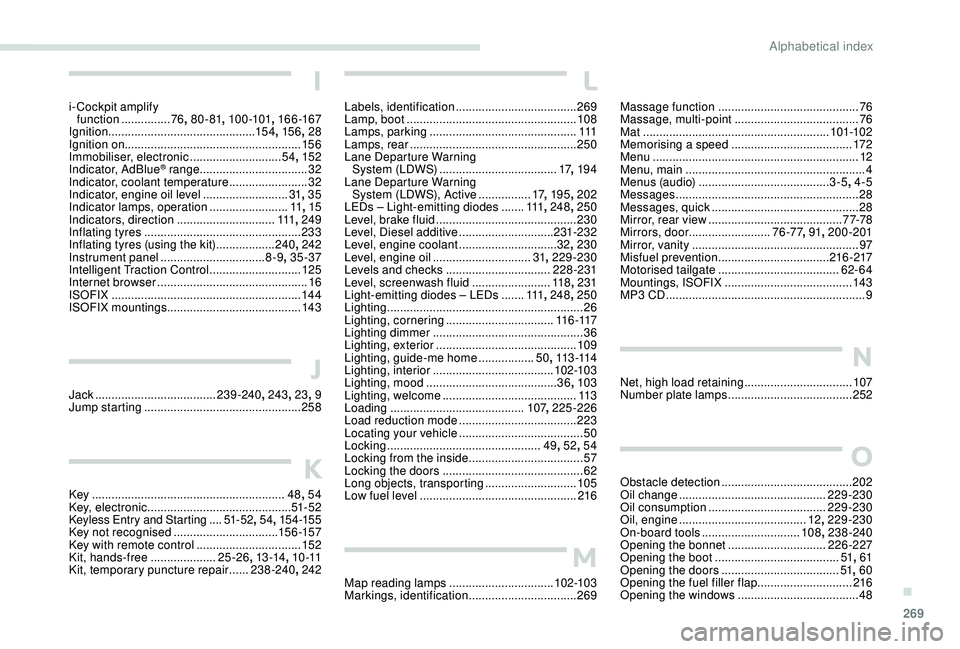
269
Massage function ...........................................76
M assage, multi-point ...................................... 76
Mat
......................................................... 101-102
Memorising a speed
..................................... 17
2
Menu
............................................................... 12
Menu, main
....................................................... 4
M
enus (audio)
........................................ 3-5, 4-5
Messages
........................................................ 28
Messages, quick
............................................. 28
M
irror, rear view ......................................... 7 7-78
Mirrors, door ......................... 76 -77, 91, 200-201
Mirror, vanity
................................................... 97
Misfuel prevention
.................................. 216 -217
Motorised tailgate
..................................... 6
2- 64
Mountings, ISOFIX
....................................... 143
MP3 CD
............................................................. 9
N
Net, high load retaining .................................107
Number plate lamps ...................................... 252
O
Obstacle detection ........................................ 202
Oil change ............................................. 2
29-230
Oil consumption
.................................... 229-230
Oil, engine
....................................... 12, 229-230
On-board tools
.............................. 108, 238-240
Opening the bonnet
..............................226-227
Opening the boot
...................................... 51, 61
Opening the doors
.................................... 51, 60
Opening the fuel filler flap
.............................216
Opening the windows
..................................... 48
L
Labels, identification ..................................... 269
Lamp, boot .................................................... 108
Lamps, parking
............................................. 111
Lamps, rear
................................................... 250
Lane Departure Warning System (LDWS)
.................................... 17, 19 4
Lane Departure Warning System (LDWS), Active
................17, 195 , 202
LEDs
– Light-emitting diodes
.......111,
248, 250
Level, brake fluid
........................................... 230
Level, Diesel additive
.............................231-232
Level, engine coolant
..............................32, 230
Level, engine oil
.............................. 31, 229-230
Levels and checks
..............................
..228 -231
Level, screenwash fluid
........................11
8, 231
Light-emitting diodes
– LEDs
.......111,
248, 250
Lighting
............................................................ 26
Lighting, cornering
................................. 11 6 -117
Lighting dimmer
.............................................. 36
Lighting, exterior
........................................... 109
Lighting, guide-me home
.................50, 113 -114
Lighting, interior
...............................
......102-103
Lighting, mood
........................................ 36, 103
Lighting, welcome
......................................... 113
Loading
......................................... 107, 225-226
Load reduction mode
.................................... 223
Locating your vehicle
...................................... 50
Locking
...............................
................49, 52 , 54
Locking from the inside
...................................57
Locking the doors
........................................... 62
L
ong objects, transporting
............................105
Low fuel level
................................................ 2
16
M
Map reading lamps ................................10 2-103
Markings, identification .................................269
I
i- Cockpit amplify
function ...............76, 80 - 81 , 10 0 -101 , 166 -167
Ignition
................
............................. 15 4, 15 6 , 28
Ignition on ...................................................... 15 6
Immobiliser, electronic
............................54, 152
Indicator, AdBlue
® range ................................. 32
Indicator, coolant temperature ........................ 32
Indicator, engine oil level
.......................... 31, 35
Indicator lamps, operation
........................ 11,
15
Indicators, direction
.............................. 111, 249
Inflating tyres
................................................ 233
Inflating tyres (using the kit)
.................. 24
0, 242
Instrument panel
................................ 8-9, 35 -37
Intelligent Traction Control
............................ 125
Internet browser
.............................................. 16
I
SOFIX
.......................................................... 14 4
ISOFIX mountings ......................................... 143
J
Jack .....................................239 -240 , 243, 23, 9
Jump starting ................................................ 258
K
Key ........................................................... 48, 54
Key, electronic ............................................ 51- 5 2
Keyless Entry and Starting ....51 - 5 2, 54 , 15 4 -15 5Key not recognised ................................ 15 6 -157
Key with remote control ................................15
2
Kit, hands-free
.................... 2
5 -26, 13 -14 , 1 0 -11
Kit, temporary puncture repair
...... 2
38-240, 242
.
Alphabetical index