Hybrid PEUGEOT 3008 2020 User Guide
[x] Cancel search | Manufacturer: PEUGEOT, Model Year: 2020, Model line: 3008, Model: PEUGEOT 3008 2020Pages: 308, PDF Size: 10.1 MB
Page 19 of 308
17
Instruments
1You must press the Unlock button to unlock it.
eSave function (Hybrid)Fixed, accompanied by the reserved
electric range.
The
eSave function is activated.
Indicators
Service indicator
The servicing information is expressed in terms
of distance (kilometres or miles) and time
(months or days).
The alert is given at whichever of these two
terms is reached first.
The servicing information is displayed in the
instrument panel. Depending on the version of
the vehicle:
–
The distance recorder display line indicates
the distance remaining before the next service
is due, or the distance travelled since it was due
preceded by the "-" sign.
–
An alert message indicates the distance
remaining, as well as the period before the next
service is due or how long it is overdue.
The value indicated is calculated according to the distance covered and
the time elapsed since the last service.
The alert may also be triggered close to a
due date.
Service spannerOn temporarily when the ignition is
switched on.
Between 620 and 1,860 miles (1,000 and 3,000
km) remain before the next service is due.
Fixed, when the ignition is switched on.
The next service is due in less than 620
miles (1,000 km).
Have your vehicle serviced very soon.
Service spanner flashingFlashing then fixed, when the
ignition is switched on.
(With BlueHDi Diesel engines, combined with the
Service warning lamp.)
The servicing interval has been exceeded.
Have your vehicle serviced as soon as possible.
Resetting the service indicator
The service indicator must be reset after each
service.
If you have serviced your vehicle yourself:
►
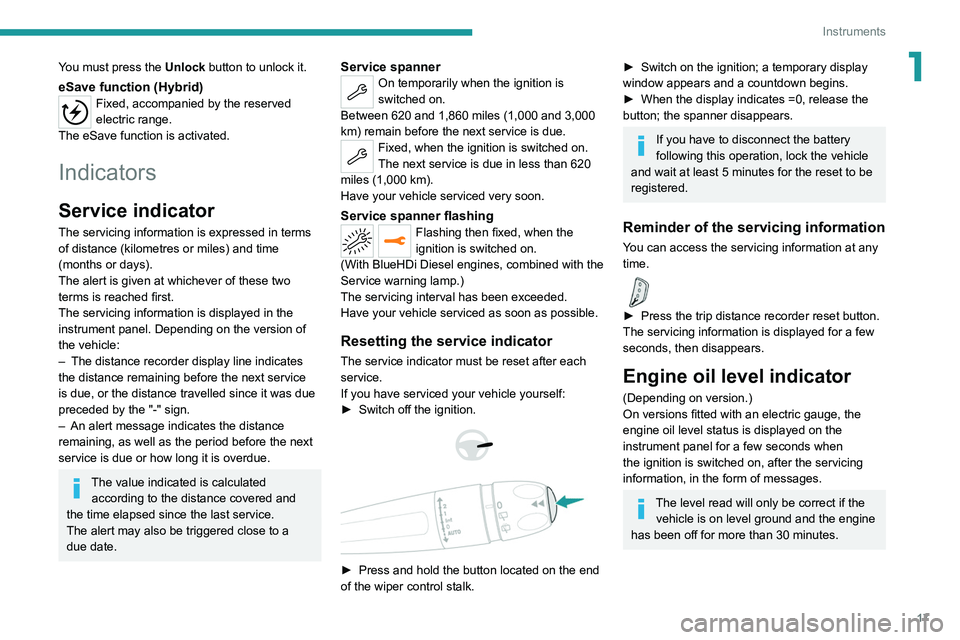
Switch off the ignition.
► Press and hold the button located on the end
of the wiper control stalk.
► Switch on the ignition; a temporary display
window appears and a countdown begins.
►
When the display indicates =0, release the
button; the spanner disappears.
If you have to disconnect the battery
following this operation, lock the vehicle
and wait at least 5 minutes for the reset to be
registered.
Reminder of the servicing information
You can access the servicing information at any
time.
► Press the trip distance recorder reset button.
The servicing information is displayed for a few
seconds, then disappears.
Engine oil level indicator
(Depending on version.)
On versions fitted with an electric gauge, the
engine oil level status is displayed on the
instrument panel for a few seconds when
the ignition is switched on, after the servicing
information, in the form of messages.
The level read will only be correct if the vehicle is on level ground and the engine
has been off for more than 30 minutes.
Page 22 of 308
20
Instruments
To be able to restart the engine, contact a PEUGEOT dealer or a qualified
workshop.
Power indicator (Hybrid)
The power indicator makes it possible to know in
real time the power requested from the vehicle.
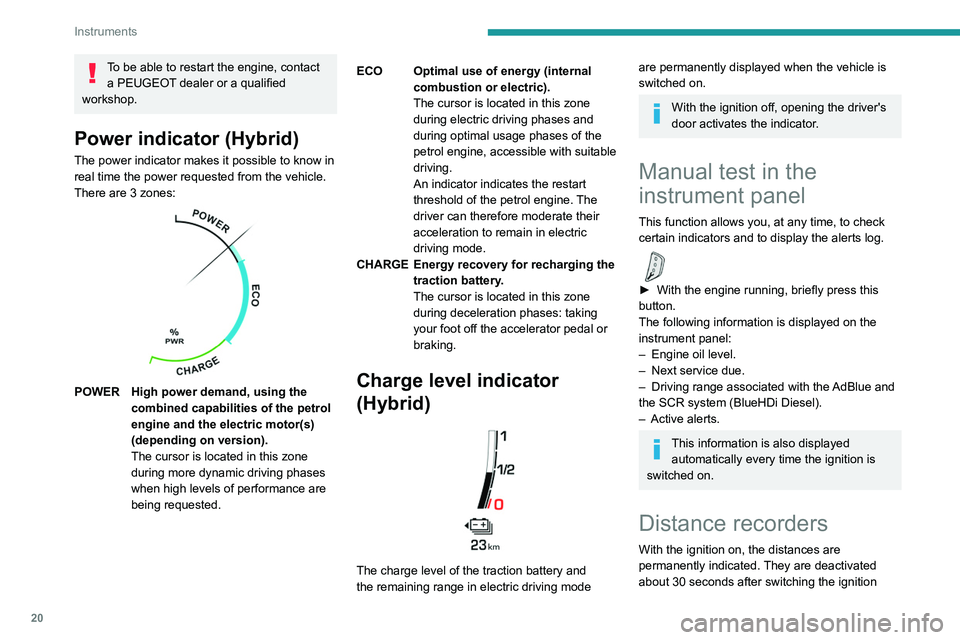
There are 3 zones:
POWER High power demand, using the combined capabilities of the petrol
engine and the electric motor(s)
(depending on version).
The cursor is located in this zone
during more dynamic driving phases
when high levels of performance are
being requested. ECO Optimal use of energy (internal
combustion or electric).
The cursor is located in this zone
during electric driving phases and
during optimal usage phases of the
petrol engine, accessible with suitable
driving.
An indicator indicates the restart
threshold of the petrol engine. The
driver can therefore moderate their
acceleration to remain in electric
driving mode.
CHARGE Energy recovery for recharging the traction battery.
The cursor is located in this zone
during deceleration phases: taking
your foot off the accelerator pedal or
braking.Charge level indicator
(Hybrid)
The charge level of the traction battery and
the remaining range in electric driving mode
are permanently displayed when the vehicle is
switched on.
With the ignition off, opening the driver's
door activates the indicator.
Manual test in the
instrument panel
This function allows you, at any time, to check
certain indicators and to display the alerts log.
► With the engine running, briefly press this
button.
The following information is displayed on the
instrument panel:
–
Engine oil level.
–
Next service due.
–
Driving range associated with the
AdBlue and
the SCR system (BlueHDi Diesel).
–
Active alerts.
This information is also displayed automatically every time the ignition is
switched on.
Distance recorders
With the ignition on, the distances are
permanently indicated. They are deactivated
about 30 seconds after switching the ignition
Page 24 of 308
22
Instruments
WithPEUGEOT Connect Nav
► Press this button to select the
Settings menu.
►
Select "
OPTIONS".
► Select " Screen configuration".
►
Select the "
Brightness" tab.
► Adjust the brightness by pressing the
arrows or moving the slider .
► Press this button to save and exit.
You can also switch off the screen:
► Press this button to select the
Settings menu.
► Select " Turn off screen".
The screen goes off completely.
►
Press the screen again (anywhere on its
surface) to activate it.
Trip computer
Displays information related to the current trip
(range, fuel consumption, average speed, etc.).
Display of data in the
instrument panel
Trip computer data is displayed permanently
when the "TRIP COMPUTER" or "PERSONAL"
display mode is selected, depending on version. In all other display modes, pressing the end of
the wiper control stalk causes this data to appear
temporarily in a specific window.
Display of the different tabs
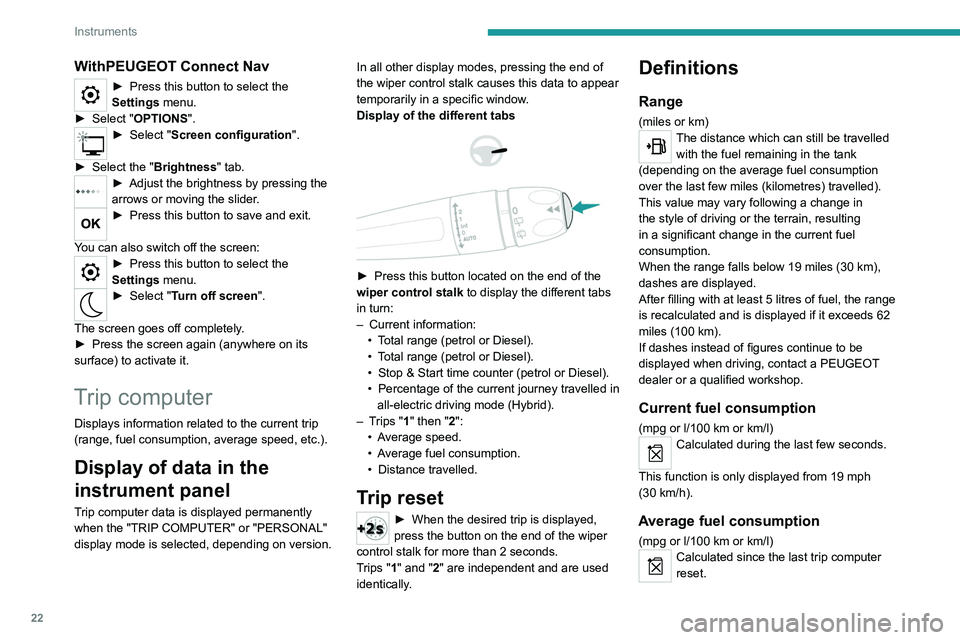
► Press this button located on the end of the
wiper control stalk to display the different tabs
in turn:
–
Current information:
•
T
otal range (petrol or Diesel).
•
T
otal range (petrol or Diesel).
•
Stop & Start time counter (petrol or Diesel).
•
Percentage
of the current journey travelled in
all-electric driving mode (Hybrid).
–
T
rips "1" then "2":
•
A
verage speed.
•
A
verage fuel consumption.
•
Distance travelled.
Trip reset
► When the desired trip is displayed,
press the button on the end of the wiper
control stalk for more than 2
seconds.
Trips "1" and "2" are independent and are used
identically.
Definitions
Range
(miles or km)The distance which can still be travelled with the fuel remaining in the tank
(depending on the average fuel consumption
over the last few miles (kilometres) travelled).
This value may vary following a change in
the style of driving or the terrain, resulting
in a significant change in the current fuel
consumption.
When the range falls below 19 miles (30
km),
dashes are displayed.
After filling with at least 5 litres of fuel, the range
is recalculated and is displayed if it exceeds 62
miles (100
km).
If dashes instead of figures continue to be
displayed when driving, contact a PEUGEOT
dealer or a qualified workshop.
Current fuel consumption
(mpg or l/100 km or km/l)
Calculated during the last few seconds.
This function is only displayed from 19 mph
(30
km/h).
Average fuel consumption
(mpg or l/100 km or km/l)Calculated since the last trip computer
reset.
Page 28 of 308
26
Instruments
Activation, deactivation and settings for certain
functions.
The functions are organised in 2 tabs : "Driving
functions" and "Vehicle settings".
Telephone
See "Audio equipment and telematics"
section..
Applications
For the other functions, refer to the "Audio
equipment and telematics" section.
Hybrid
Access to the hybrid system features
(energy flow, consumption statistics, deferred
charge, eSave function).
For more information on Charging the battery
(Hybrid), refer to the corresponding section.
Volume adjustment/mute.
See "Audio equipment and telematics"
section.
Hybrid menu
Energy flow
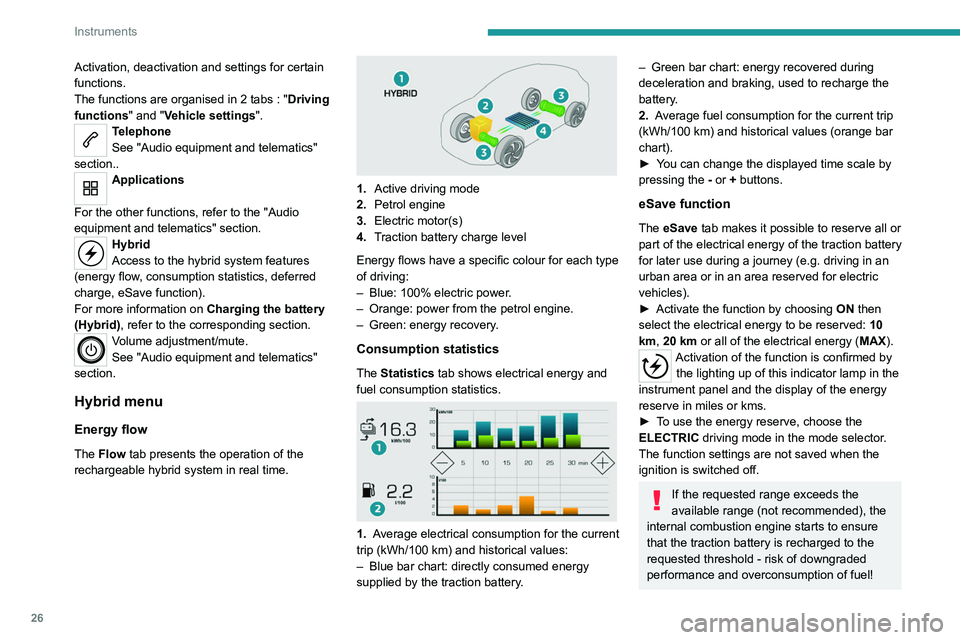
The Flow tab presents the operation of the
rechargeable hybrid system in real time.
1. Active driving mode
2. Petrol engine
3. Electric motor(s)
4. Traction battery charge level
Energy flows have a specific colour for each type
of driving:
–
Blue: 100% electric power
.
–
Orange: power from the petrol engine.
–
Green: energy recovery
.
Consumption statistics
The Statistics tab shows electrical energy and
fuel consumption statistics.
1. Average electrical consumption for the current
trip (kWh/100 km) and historical values:
–
Blue bar chart: directly consumed energy
supplied by the traction battery
.
– Green bar chart: energy recovered during
deceleration and braking, used to recharge the
battery
.
2. Average fuel consumption for the current trip
(kWh/100
km) and historical values (orange bar
chart).
►
Y
ou can change the displayed time scale by
pressing the
-
or + buttons.
eSave function
The eSave tab makes it possible to reserve all or
part of the electrical energy of the traction battery
for later use during a journey (e.g. driving in an
urban area or in an area reserved for electric
vehicles).
►
Activate the function by choosing ON
then
select the electrical energy to be reserved: 10
km, 20 km or all of the electrical energy ( MAX).
Activation of the function is confirmed by
the lighting up of this indicator lamp in the
instrument panel and the display of the energy
reserve in miles or kms.
►
T
o use the energy reserve, choose the
ELECTRIC driving mode in the mode selector.
The function settings are not saved when the
ignition is switched off.
If the requested range exceeds the
available range (not recommended), the
internal combustion engine starts to ensure
that the traction battery is recharged to the
requested threshold - risk of downgraded
performance and overconsumption of fuel!
Page 29 of 308
27
Instruments
1Upper bar
Certain information is displayed permanently in
the upper bar of the touch screen:
–
T
ime and exterior temperature (a blue warning
lamp appears when there is a risk of ice).
–
Reminder of the air conditioning information,
and direct access to the corresponding menu.
–
Reminder of information from the
RadioMedia
and Telephone menus and
navigation instructions (depending on
equipment).
–
Notifications.
–
Access to the
Settings for the touch screen
and the digital instrument panel (date/time,
languages, units, etc.).
Remote features (Hybrid)
These features are accessible
using a smartphone, via the
MyPeugeot
application:
–
Battery charge
management.
–
T
emperature pre-conditioning management.
–
Consumption, charge status and driving range
statistics.
Installation procedure
► Download the MyPeugeot app from the
appropriate online store for your smartphone.
► Create an account.
► Enter the vehicle’ s VIN (code beginning with
"VF" on the vehicle registration document).
For more information on Identification
markings, refer to the corresponding section.
Network coverage
In order to be able to use the various
remotely operable features, ensure that your
vehicle is located in an area covered by the
mobile network.
A lack of network coverage may prevent
communication with the vehicle (for example,
if it is in an underground car park). In such
cases, the application will display a message
indicating that the connection with the vehicle
could not be established.
Page 67 of 308
65
Ease of use and comfort
3the accumulation of snow resulting from the
operation of the windscreen wipers.
On/Off
► With the engine running, press this button to
activate/deactivate the function (confirmed by an
indicator lamp).
The function is activated when the exterior
temperature drops below 0°C. It is deactivated
automatically when the engine is switched off.
Rear screen demisting/
defrosting
Demisting/defrosting only operates with the
engine running.
Depending on version, this also applies to the
door mirrors.
► Press this button to activate/deactivate
the function (confirmed by the
illumination/extinction of the indicator lamp).
Demisting/defrosting switches off automatically
to prevent an excessive consumption of
electrical current.
Switch off demisting/defrosting as soon
as you no longer consider it necessary,
as reducing the consumption of electrical
current reduces fuel consumption.
Thermal pre-conditioning (Hybrid)
This function allows you to programme the
vehicle to adjust the passenger compartment
temperature to a pre-defined, non-modifiable
temperature (approx. 21°C) before you enter the
vehicle, on the days and times of your choice.
Programming
(With PEUGEOT Connect Nav)
In the Climate > OPTIONS menu:
Select Temperature conditioning .
►
Press
+ to programme.
►
Select the time of entry into the vehicle and
the desired days. Press
OK.
►
Press
ON to activate this programming.
Pre-conditioning begins approximately 45
minutes before the programmed time, and is
maintained for 10 minutes afterwards.
This indicator lamp remains lit throughout the
pre-conditioning phase.
You can define multiple programmings. Each one is saved in the system.
To optimise battery life, we recommend
programming with the vehicle plugged in.
This feature can be programmed using a smartphone, via the
MyPeugeot
application.
With PEUGEOT Connect Radio, the
programming can only be carried out using a
smartphone, via the application.
For more information on Remotely operable
features , refer to the corresponding section.
Operating conditions
– The function is only activated when the
ignition is off and the vehicle locked .
–
The function is not activated if the battery
charge level is below 50%.
–
If recurrent programming is activated (e.g.
from Monday to Friday) and two pre-conditioning
Page 69 of 308
67
Ease of use and comfort
3USB socket
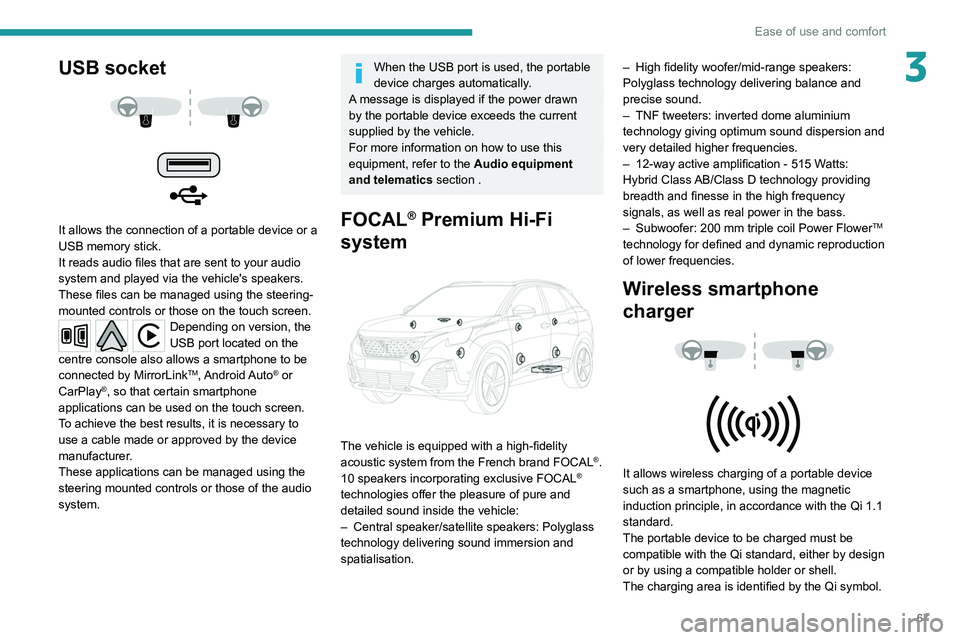
It allows the connection of a portable device or a
USB memory stick.
It reads audio files that are sent to your audio
system and played via the vehicle's speakers.
These files can be managed using the steering-
mounted controls or those on the touch screen.
Depending on version, the
USB port located on the
centre console also allows a smartphone to be
connected by MirrorLink
TM, Android Auto® or
CarPlay®, so that certain smartphone
applications can be used on the touch screen.
To achieve the best results, it is necessary to
use a cable made or approved by the device
manufacturer.
These applications can be managed using the
steering mounted controls or those of the audio
system.
When the USB port is used, the portable
device charges automatically.
A message is displayed if the power drawn
by the portable device exceeds the current
supplied by the vehicle.
For more information on how to use this
equipment, refer to the Audio equipment
and telematics section .
FOCAL® Premium Hi-Fi
system
The vehicle is equipped with a high-fidelity
acoustic system from the French brand FOCAL®.
10 speakers incorporating exclusive FOCAL®
technologies offer the pleasure of pure and
detailed sound inside the vehicle:
–
Central speaker/satellite speakers: Polyglass
technology delivering sound immersion and
spatialisation. –
High fidelity woofer/mid-range speakers:
Polyglass technology delivering balance and
precise sound.
–
TNF tweeters: inverted dome aluminium
technology giving optimum sound dispersion and
very detailed higher frequencies.
–
12-way active amplification - 515 W
atts:
Hybrid Class AB/Class D technology providing
breadth and finesse in the high frequency
signals, as well as real power in the bass.
–
Subwoofer: 200
mm triple coil Power Flower
TM
technology for defined and dynamic reproduction
of lower frequencies.
Wireless smartphone
charger
It allows wireless charging of a portable device
such as a smartphone, using the magnetic
induction principle, in accordance with the Qi 1.1
standard.
The portable device to be charged must be
compatible with the Qi standard, either by design
or by using a compatible holder or shell.
The charging area is identified by the Qi symbol.
Page 78 of 308
76
Ease of use and comfort
Behind the rear seats
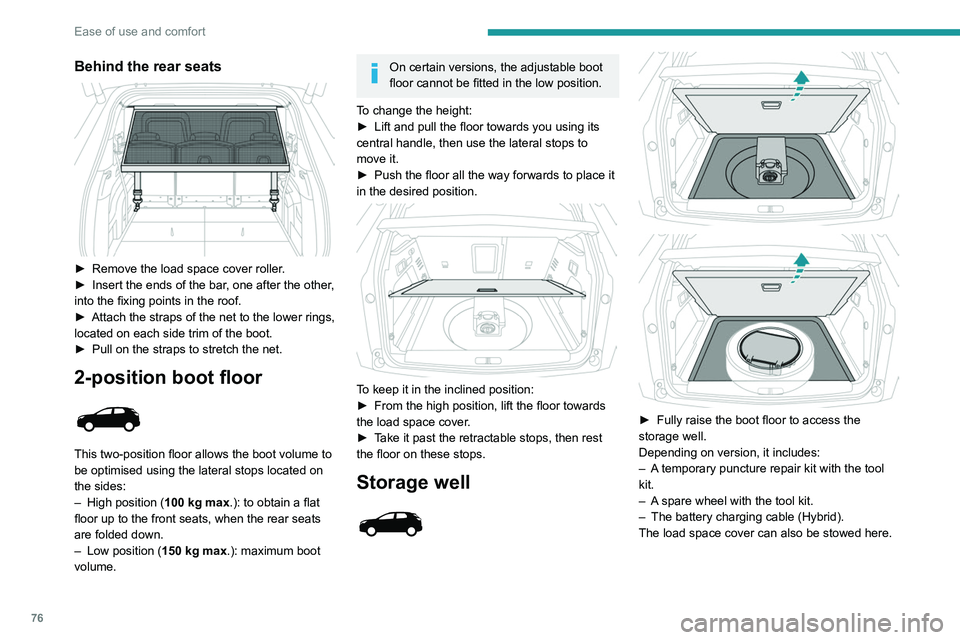
► Remove the load space cover roller.
► Insert the ends of the bar , one after the other,
into the fixing points in the roof.
►
Attach the straps of the net to the lower rings,
located on each side trim of the boot.
►
Pull on the straps to stretch the net.
2-position boot floor
This two-position floor allows the boot volume to
be optimised using the lateral stops located on
the sides:
–
High position ( 100
kg max.): to obtain a flat
floor up to the front seats, when the rear seats
are folded down.
–
Low position ( 150
kg max.): maximum boot
volume.
On certain versions, the adjustable boot
floor cannot be fitted in the low position.
To change the height:
►
Lift and pull the floor towards you using its
central handle, then use the lateral stops to
move it.
►
Push the floor all the way forwards to place it
in the desired position.
To keep it in the inclined position:
► From the high position, lift the floor towards
the load space cover
.
►
T
ake it past the retractable stops, then rest
the floor on these stops.
Storage well
► Fully raise the boot floor to access the
storage well.
Depending on version, it includes:
–
A
temporary puncture repair kit with the tool
kit.
–
A
spare wheel with the tool kit.
–
The battery charging cable (Hybrid).
The load space cover can also be stowed here.
12 V accessory socket
► To connect a 12 V accessory (maximum
power: 120 W), lift the cover and plug in a
suitable adaptor.
► Switch on the ignition.
The connection of an electrical device
not approved by PEUGEOT, such as a
USB charger, may adversely affect the
operation of vehicle electrical systems,
causing faults such as poor radio reception or
interference with displays in the screens.
Boot lamp
It comes on automatically when the boot is
opened and goes off automatically when the
boot is closed.
The lighting time varies according to the
circumstances:
– When the ignition is off, approximately 10
minutes.
– In energy saving mode, approximately 30
seconds.
– With the engine running, unlimited.
Page 90 of 308
88
Safety
Horn
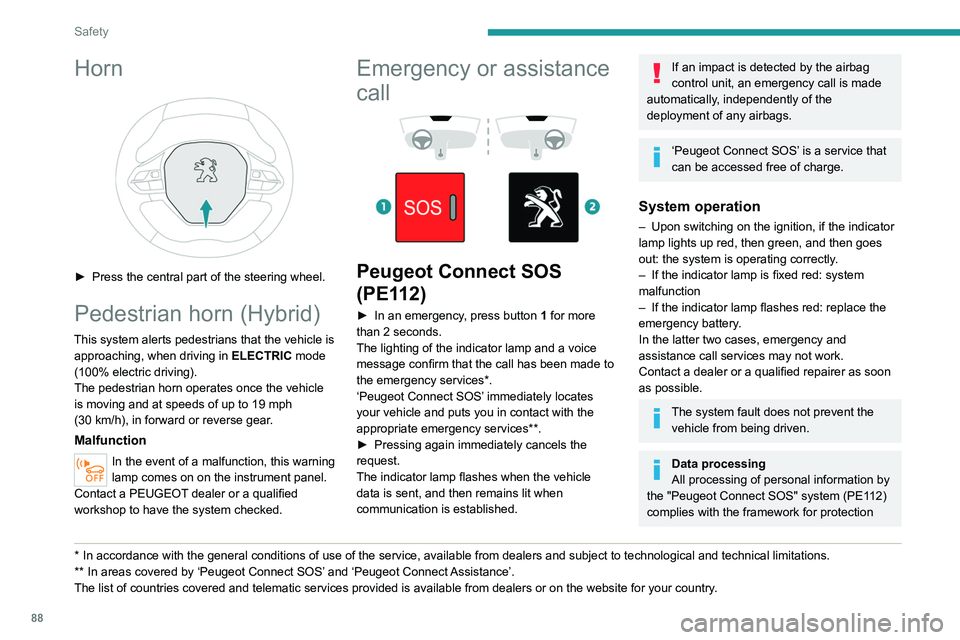
► Press the central part of the steering wheel.
Pedestrian horn (Hybrid)
This system alerts pedestrians that the vehicle is approaching, when driving in ELECTRIC mode
(100% electric driving).
The pedestrian horn operates once the vehicle
is moving and at speeds of up to 19 mph
(30
km/h), in forward or reverse gear.
Malfunction
In the event of a malfunction, this warning
lamp comes on on the instrument panel.
Contact a PEUGEOT dealer or a qualified
workshop to have the system checked.
* In accordance with the general conditions of use of the service, available from dealers an\
d subject to technological and technical limitations.
** In areas covered by ‘Peugeot Connect SOS’ and ‘Peugeot Connect Assistance’.
The list of countries covered and telematic services provided is availab\
le from dealers or on the website for your country.
Emergency or assistance
call
Peugeot Connect SOS
(PE112)
► In an emergency , press button 1 for more
than 2 seconds.
The lighting of the indicator lamp and a voice
message confirm that the call has been made to
the emergency services*.
‘Peugeot Connect SOS’ immediately locates
your vehicle and puts you in contact with the
appropriate emergency services**.
►
Pressing again immediately cancels the
request.
The indicator lamp flashes when the vehicle
data is sent, and then remains lit when
communication is established.
If an impact is detected by the airbag
control unit, an emergency call is made
automatically, independently of the
deployment of any airbags.
‘Peugeot Connect SOS’ is a service that
can be accessed free of charge.
System operation
– Upon switching on the ignition, if the indicator
lamp lights up red, then green, and then goes
out: the system is operating correctly
.
–
If the indicator lamp is fixed red: system
malfunction
–
If the indicator lamp flashes red: replace the
emergency battery
.
In the latter two cases, emergency and
assistance call services may not work.
Contact a dealer or a qualified repairer as soon
as possible.
The system fault does not prevent the vehicle from being driven.
Data processing
All processing of personal information by
the "Peugeot Connect SOS" system (PE112)
complies with the framework for protection
Page 115 of 308
11 3
Driving
6Driving recommendations
► Observe the driving regulations and remain
vigilant whatever the traffic conditions.
►
Monitor your environment and keep your
hands on the wheel to be able to react to
anything that may happen any time.
►
Drive smoothly
, anticipate the need for
braking and maintain a longer safety distance,
especially in bad weather.
►
Stop the vehicle to carry out operations that
require close attention (such as adjustments).
►
During long trips, take a break every two
hours.
Important!
Never leave the engine running in a
closed space without sufficient
ventilation. Internal combustion engines emit
toxic exhaust gases such as carbon
monoxide. Danger of poisoning and death!
In severe wintry conditions (temperature
below -23°C), let the engine run for 4
minutes before moving off, to ensure the
correct operation and durability of the
mechanical components of your vehicle
(engine and gearbox).
Never drive with the parking brake
applied . Risk of overheating and
damage to the braking system!
Do not park the vehicle or leave the
engine running on a flammable
surface (dry grass, dead leaves, etc.). The
exhaust system of your vehicle is very hot,
even several minutes after the engine stops.
Risk of fire!
Never leave a vehicle unattended with
the engine running. If you have to leave
your vehicle with the engine running, apply
the parking brake and put the gearbox into
neutral or position N or P (depending on the
type of gearbox).
Never leave children inside the vehicle
unsupervised.
On flooded roads
We strongly advise against driving on flooded
roads, as this could cause serious damage to
the internal combustion engine or electric motor,
the gearbox and the electrical systems of the
vehicle.
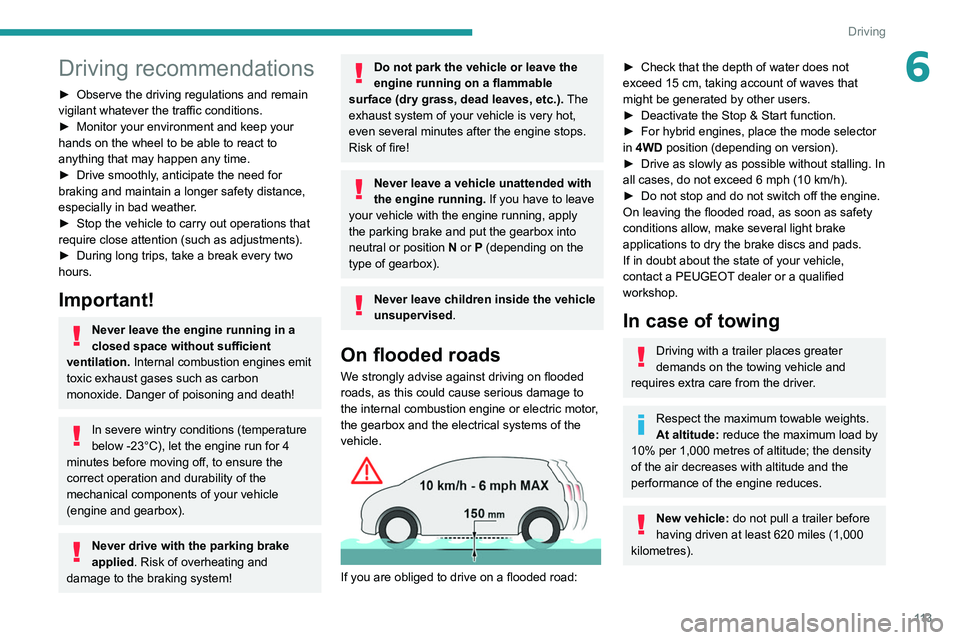
If you are obliged to drive on a flooded road:
► Check that the depth of water does not
exceed 15 cm, taking account of waves that
might be generated by other users.
►
Deactivate the Stop & Start function.
►
For hybrid engines, place the mode selector
in
4WD position (depending on version).
►
Drive as slowly as possible without stalling. In
all cases, do not exceed 6 mph (10
km/h).
►
Do not stop and do not switch off the engine.
On leaving the flooded road, as soon as safety
conditions allow
, make several light brake
applications to dry the brake discs and pads.
If in doubt about the state of your vehicle,
contact a PEUGEOT dealer or a qualified
workshop.
In case of towing
Driving with a trailer places greater
demands on the towing vehicle and
requires extra care from the driver.
Respect the maximum towable weights.
At altitude: reduce the maximum load by
10% per 1,000 metres of altitude; the density
of the air decreases with altitude and the
performance of the engine reduces.
New vehicle: do not pull a trailer before
having driven at least 620 miles (1,000
kilometres).