tailgate PEUGEOT 3008 2021 User Guide
[x] Cancel search | Manufacturer: PEUGEOT, Model Year: 2021, Model line: 3008, Model: PEUGEOT 3008 2021Pages: 292, PDF Size: 9.65 MB
Page 37 of 292
35
Access
2Rechargeable hybrid vehicles
The function is not available when the
vehicle is connected.
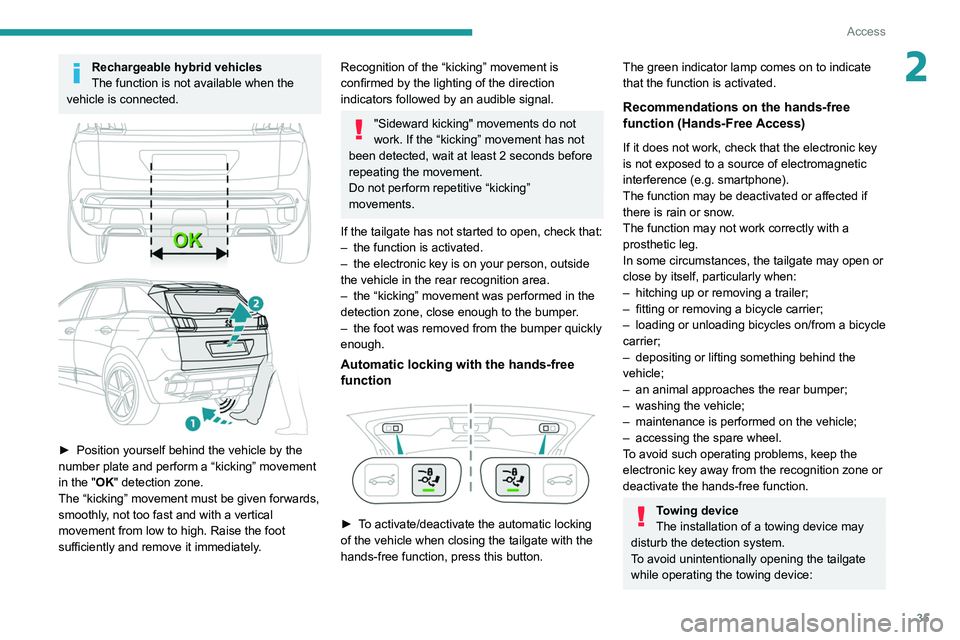
► Position yourself behind the vehicle by the
number plate and perform a “kicking” movement
in the
"OK" detection zone.
The “kicking” movement must be given forwards,
smoothly, not too fast and with a vertical
movement from low to high. Raise the foot
sufficiently and remove it immediately.
Recognition of the “kicking” movement is
confirmed by the lighting of the direction
indicators followed by an audible signal.
"Sideward kicking" movements do not
work. If the “kicking” movement has not
been detected, wait at least 2 seconds before
repeating the movement.
Do not perform repetitive “kicking”
movements.
If the tailgate has not started to open, check that:
–
the function is activated.
–
the electronic key is on your person, outside
the vehicle in the rear recognition area.
–
the “kicking” movement was performed in the
detection zone, close enough to the bumper
.
–
the foot was removed from the bumper quickly
enough.
Automatic locking with the hands-free
function
► To activate/deactivate the automatic locking
of the vehicle when closing the tailgate with the
hands-free function, press this button.
The green indicator lamp comes on to indicate
that the function is activated.
Recommendations on the hands-free
function (Hands-Free Access)
If it does not work, check that the electronic key
is not exposed to a source of electromagnetic
interference (e.g. smartphone).
The function may be deactivated or affected if
there is rain or snow.
The function may not work correctly with a
prosthetic leg.
In some circumstances, the tailgate may open or
close by itself, particularly when:
–
hitching up or removing a trailer;
–
fitting or removing a bicycle carrier;
–
loading
or unloading bicycles on/from a bicycle
carrier;
–
depositing or lifting something behind the
vehicle;
–
an animal approaches the rear bumper;
–
washing the vehicle;
–
maintenance is performed on the vehicle;
–
accessing the spare wheel.
T
o avoid such operating problems, keep the
electronic key away from the recognition zone or
deactivate the hands-free function.
Towing device
The installation of a towing device may
disturb the detection system.
To avoid unintentionally opening the tailgate
while operating the towing device:
Page 38 of 292
36
Access
► remove the electronic key from the
recognition zone, with the tailgate closed.
For more information on the T
owing device
with quickly detachable towball , refer to the
corresponding section.
Memorising an opening
position
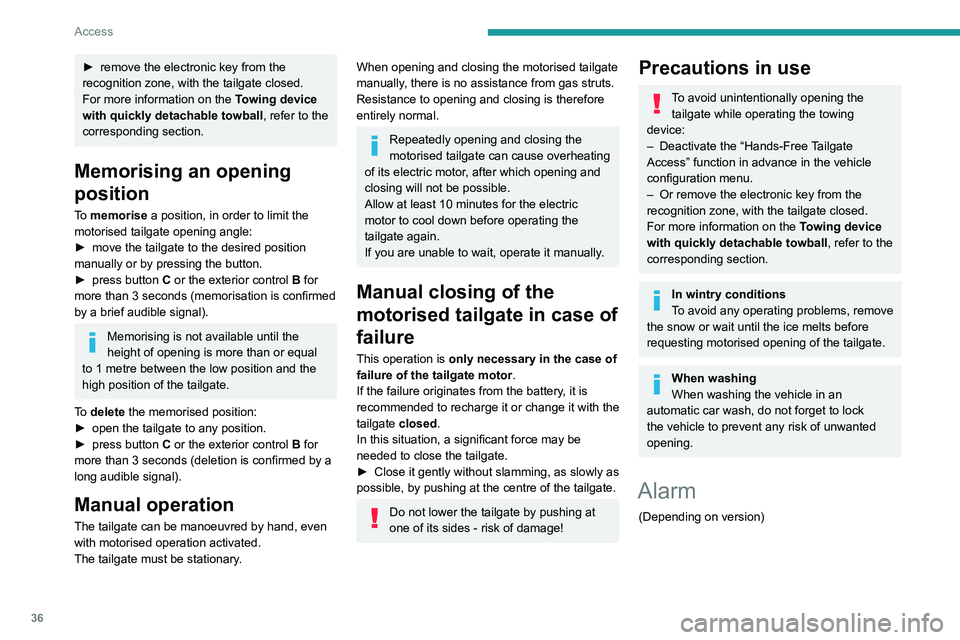
To memorise a position, in order to limit the
motorised tailgate opening angle:
►
move the tailgate to the desired position
manually or by pressing the button.
►
press button
C or the exterior control B for
more than 3 seconds (memorisation is confirmed
by a brief audible signal).
Memorising is not available until the
height of opening is more than or equal
to 1 metre between the low position and the
high position of the tailgate.
To delete the memorised position:
►
open the tailgate to any position.
►
press button
C or the exterior control B for
more than 3 seconds (deletion is confirmed by a
long audible signal).
Manual operation
The tailgate can be manoeuvred by hand, even
with motorised operation activated.
The tailgate must be stationary.
When opening and closing the motorised tailgate
manually, there is no assistance from gas struts.
Resistance to opening and closing is therefore
entirely normal.
Repeatedly opening and closing the
motorised tailgate can cause overheating
of its electric motor, after which opening and
closing will not be possible.
Allow at least 10 minutes for the electric
motor to cool down before operating the
tailgate again.
If you are unable to wait, operate it manually.
Manual closing of the
motorised tailgate in case of
failure
This operation is only necessary in the case of
failure of the tailgate motor .
If the failure originates from the battery, it is
recommended to recharge it or change it with the
tailgate closed.
In this situation, a significant force may be
needed to close the tailgate.
►
Close it gently without slamming, as slowly as
possible, by pushing at the centre of the tailgate.
Do not lower the tailgate by pushing at
one of its sides - risk of damage!
Precautions in use
To avoid unintentionally opening the tailgate while operating the towing
device:
–
Deactivate the “Hands-Free
Tailgate
Access” function in advance in the vehicle
configuration menu.
–
Or remove the electronic key from the
recognition zone, with the tailgate closed.
For more information on the T
owing device
with quickly detachable towball , refer to the
corresponding section.
In wintry conditions
To avoid any operating problems, remove
the snow or wait until the ice melts before
requesting motorised opening of the tailgate.
When washing
When washing the vehicle in an
automatic car wash, do not forget to lock
the vehicle to prevent any risk of unwanted
opening.
Alarm
(Depending on version)
Page 157 of 292
155
Driving
6Using one or two cameras, the close
surroundings of the vehicle are recorded whilst
manoeuvring at low speed.
An image from above your vehicle in its close
surroundings is reconstructed (represented
between the brackets) in real time and as the
manoeuvre progresses.
It facilitates the alignment of your vehicle when
parking and allows obstacles close to the vehicle
to be seen. It is automatically deleted if the
vehicle remains stationary for too long.
With Visiopark 2, the image is created using
both cameras, when going forward and when
reversing.
When the function is activated, it is possible
that the view from above is not displayed. If
the system is activated when the vehicle has
already moved, the view from above can be fully
displayed.Visiopark 1
Rear view
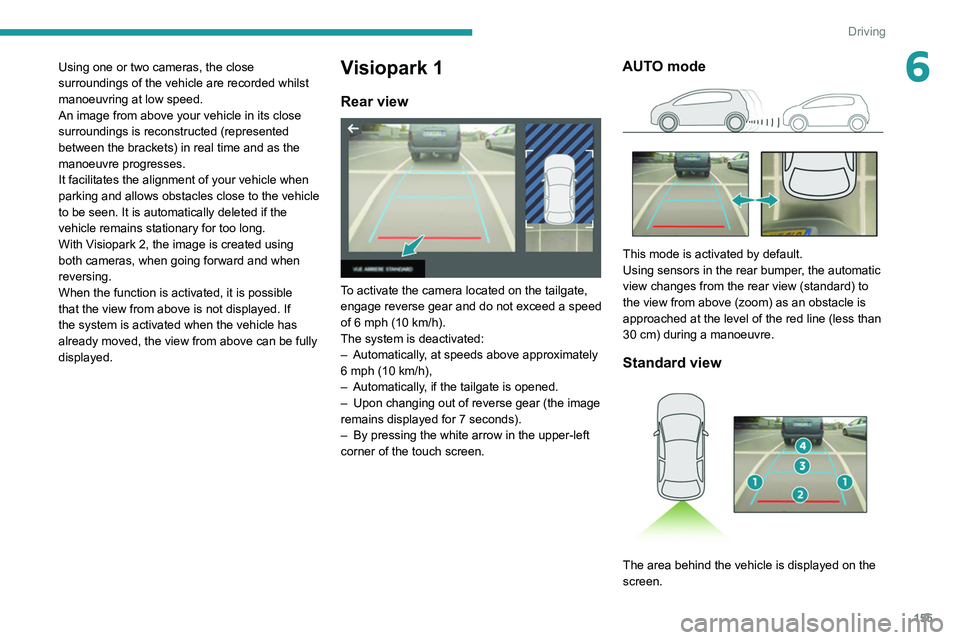
To activate the camera located on the tailgate,
engage reverse gear and do not exceed a speed
of 6 mph (10 km/h).
The system is deactivated:
–
Automatically
, at speeds above approximately
6 mph (10
km/h),
–
Automatically
, if the tailgate is opened.
–
Upon changing out of reverse gear (the image
remains displayed for 7
seconds).
–
By pressing the white arrow in the upper-left
corner of the touch screen.
AUTO mode
This mode is activated by default.
Using sensors in the rear bumper, the automatic
view changes from the rear view (standard) to
the view from above (zoom) as an obstacle is
approached at the level of the red line (less than
30
cm) during a manoeuvre.
Standard view
The area behind the vehicle is displayed on the
screen.
Page 158 of 292
156
Driving
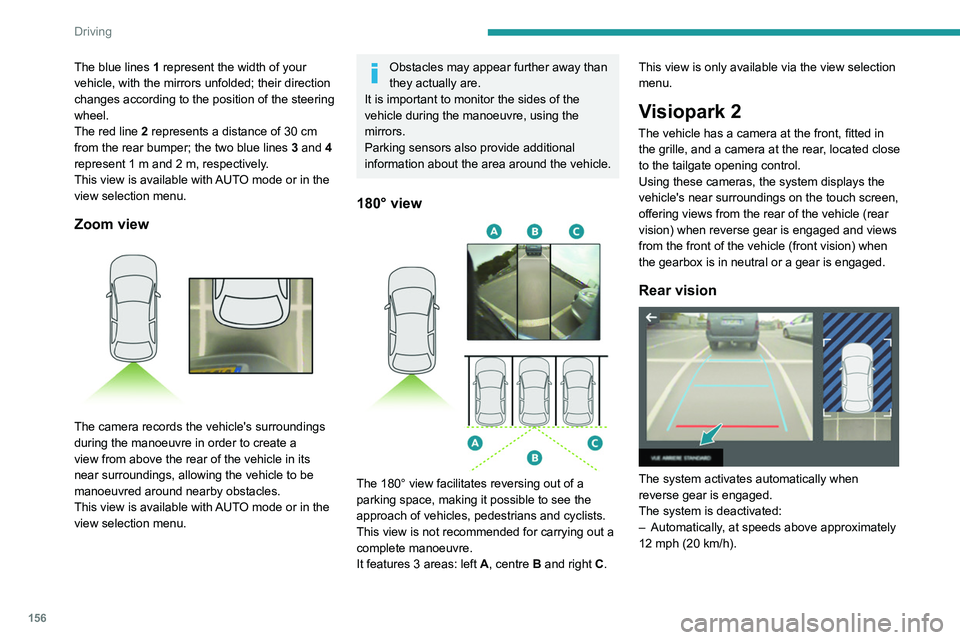
The blue lines 1 represent the width of your
vehicle, with the mirrors unfolded; their direction
changes according to the position of the steering
wheel.
The red line 2 represents a distance of 30
cm
from the rear bumper; the two blue lines 3 and 4
represent 1
m and 2 m, respectively.
This view is available with AUTO mode or in the
view selection menu.
Zoom view
The camera records the vehicle's surroundings
during the manoeuvre in order to create a
view from above the rear of the vehicle in its
near surroundings, allowing the vehicle to be
manoeuvred around nearby obstacles.
This view is available with AUTO mode or in the
view selection menu.
Obstacles may appear further away than
they actually are.
It is important to monitor the sides of the
vehicle during the manoeuvre, using the
mirrors.
Parking sensors also provide additional
information about the area around the vehicle.
180° view
The 180° view facilitates reversing out of a
parking space, making it possible to see the
approach of vehicles, pedestrians and cyclists.
This view is not recommended for carrying out a
complete manoeuvre.
It features 3 areas: left A, centre B and right C. This view is only available via the view selection
menu.
Visiopark 2
The vehicle has a camera at the front, fitted in
the grille, and a camera at the rear, located close
to the tailgate opening control.
Using these cameras, the system displays the
vehicle's near surroundings on the touch screen,
offering views from the rear of the vehicle (rear
vision) when reverse gear is engaged and views
from the front of the vehicle (front vision) when
the gearbox is in neutral or a gear is engaged.
Rear vision
The system activates automatically when
reverse gear is engaged.
The system is deactivated:
–
Automatically
, at speeds above approximately
12 mph (20
km/h).
– When shifting out of reverse (the front vision
image replaces the rear vision image for 7
seconds).
– By pressing the white arrow in the upper-left
corner of the touch screen.
If a trailer or a bicycle carrier is fitted to
the towball, the area behind the vehicle
on the view from above goes dark.
The surroundings are reconstructed by the
front camera only.
The rear vision views are similar to those for the
Visiopark 1 function.
For more information on the Visiopark
1 function, refer to the corresponding section.
Front and rear vision
With the engine running and the speed
below 12 mph (20 km/h), the system is
activated via the Driving/Vehicle touch screen
menu:
► Select "Visual parking assistance".
Page 175 of 292
173
Practical information
7► Within 30 seconds, remove the charging
nozzle.
Domestic charging (mode 2)
The end of charging is confirmed when the
green CHARGE indicator lamp on the control
unit comes on fixed and the green light guides in
the flap come on fixed.
►
After disconnection, replace the protective
cover over the nozzle and close the charging
flap.
►
Disconnect the control unit's charging cable
from the domestic socket.
Accelerated charging (mode 3)
The end of charging is confirmed by the
accelerated charging unit (Wallbox) and when
the green light guides in the flap come on fixed.
►
After disconnection, replace the nozzle on to
the charging unit and close the charging flap.
Deferred charging
Settings
With PEUGEOT Connect Nav► In the Energy touch screen menu,
select the Charge page.
►
Set the charging start time.
►
Press
OK.
The setting is saved in the system.
With PEUGEOT Connect Radio or PEUGEOT
Connect Nav
You can also programme the deferred charging function at any time from a
smartphone via the MyPeugeot application.
For more information on Remote functions,
refer to the corresponding section.
Activation
► Connect the vehicle to the desired charging
equipment.
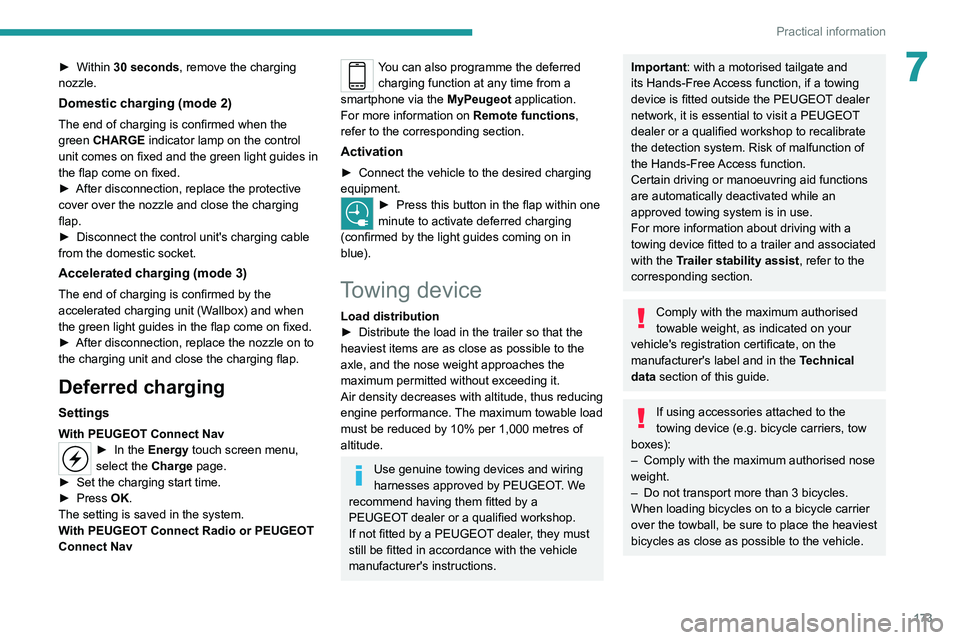
► Press this button in the flap within one
minute to activate deferred charging
(confirmed by the light guides coming on in
blue).
Towing device
Load distribution
► Distribute the load in the trailer so that the
heaviest items are as close as possible to the
axle, and the nose weight approaches the
maximum permitted without exceeding it.
Air density decreases with altitude, thus reducing
engine performance.
The maximum towable load
must be reduced by 10% per 1,000
metres of
altitude.
Use genuine towing devices and wiring
harnesses approved by PEUGEOT. We
recommend having them fitted by a
PEUGEOT dealer or a qualified workshop.
If not fitted by a PEUGEOT dealer, they must
still be fitted in accordance with the vehicle
manufacturer's instructions.
Important: with a motorised tailgate and
its Hands-Free Access function, if a towing
device is fitted outside the PEUGEOT dealer
network, it is essential to visit a PEUGEOT
dealer or a qualified workshop to recalibrate
the detection system. Risk of malfunction of
the Hands-Free Access function.
Certain driving or manoeuvring aid functions
are automatically deactivated while an
approved towing system is in use.
For more information about driving with a
towing device fitted to a trailer and associated
with the Trailer stability assist, refer to the
corresponding section.
Comply with the maximum authorised
towable weight, as indicated on your
vehicle's registration certificate, on the
manufacturer's label and in the Technical
data section of this guide.
If using accessories attached to the
towing device (e.g. bicycle carriers, tow
boxes):
–
Comply with the maximum authorised nose
weight.
–
Do not transport more than 3 bicycles.
When loading bicycles on to a bicycle carrier
over the towball, be sure to place the heaviest
bicycles as close as possible to the vehicle.
Page 176 of 292
174
Practical information
Observe the legislation in force in the
country where you are driving.
Vehicle equipped with motorised
tailgate with Hands-Free Access
function
To avoid unintentionally opening the tailgate
while operating the towing device:
–
Deactivate this function in advance in your
vehicle's configuration menu.
–
Or remove the electronic key from the
recognition zone, with the tailgate closed.
Towing device with quickly detachable towball
Presentation
No tools are required to install or remove this
genuine towing device.
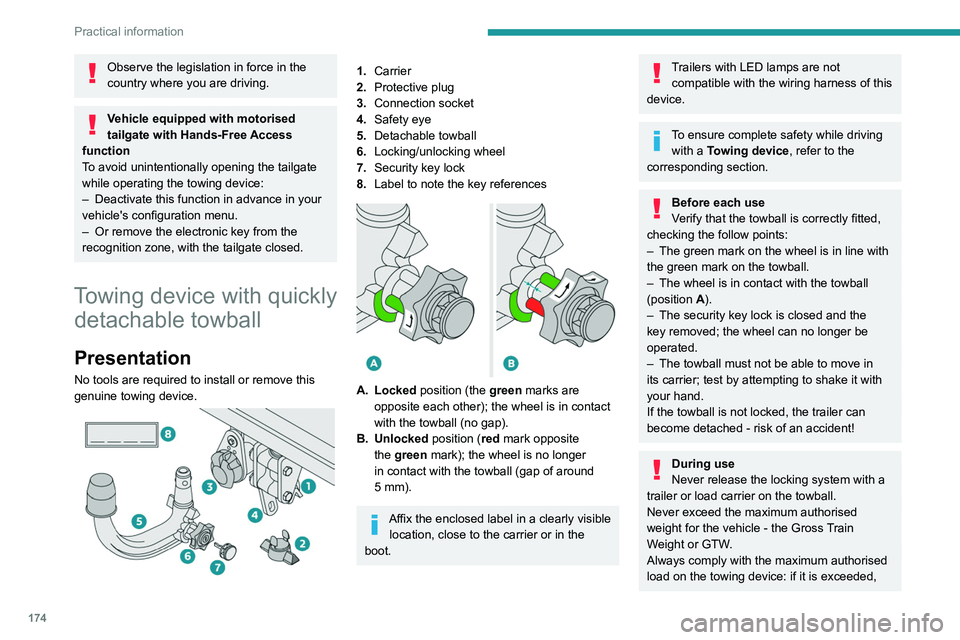
1. Carrier
2. Protective plug
3. Connection socket
4. Safety eye
5. Detachable towball
6. Locking/unlocking wheel
7. Security key lock
8. Label to note the key references
A. Locked position (the green marks are
opposite each other); the wheel is in contact
with the towball (no gap).
B. Unlocked position (red mark opposite the green mark); the wheel is no longer
in contact with the towball (gap of around
5
mm).
Affix the enclosed label in a clearly visible location, close to the carrier or in the
boot.
Trailers with LED lamps are not compatible with the wiring harness of this
device.
To ensure complete safety while driving with a Towing device , refer to the
corresponding section.
Before each use
Verify that the towball is correctly fitted,
checking the follow points:
–
The green mark on the wheel is in line with
the green mark on the towball.
–
The wheel is in contact with the towball
(position A
).
–
The security key lock is closed and the
key removed; the wheel can no longer be
operated.
–
The towball must not be able to move in
its carrier; test by attempting to shake it with
your hand.
If the towball is not locked, the trailer can
become detached - risk of an accident!
During use
Never release the locking system with a
trailer or load carrier on the towball.
Never exceed the maximum authorised
weight for the vehicle - the Gross Train
Weight or GTW.
Always comply with the maximum authorised
load on the towing device: if it is exceeded,
this device may become detached from the
vehicle - risk of an accident!
Before driving, check the headlamp height
adjustment and check that the lamps on the
trailer operate correctly.
For more information on Headlamp height
adjustment, refer to the corresponding
section.
After use
When travelling without a trailer or
load carrier, remove the towball and fit the
protective plug into the carrier, to provide
clear visibility of the number plate and/or its
lighting.
Fitting the towball
► Below the rear bumper, remove the protective
plug 2 from the carrier 1.
Page 191 of 292
189
In the event of a breakdown
8Warning triangle
This reflective and dismantlable device is to be
installed on the side of the road when a vehicle
is broken down or damaged.
Before getting out of the vehicle
Turn on the hazard warning lamps, then
put on the safety vest to assemble and install
the triangle.
Storage compartment
There is a compartment in the interior trim of the
tailgate to store a warning triangle.
►
After opening the tailgate, release the cover
by turning the screw a quarter turn to the left.
Assembling and placing the triangle
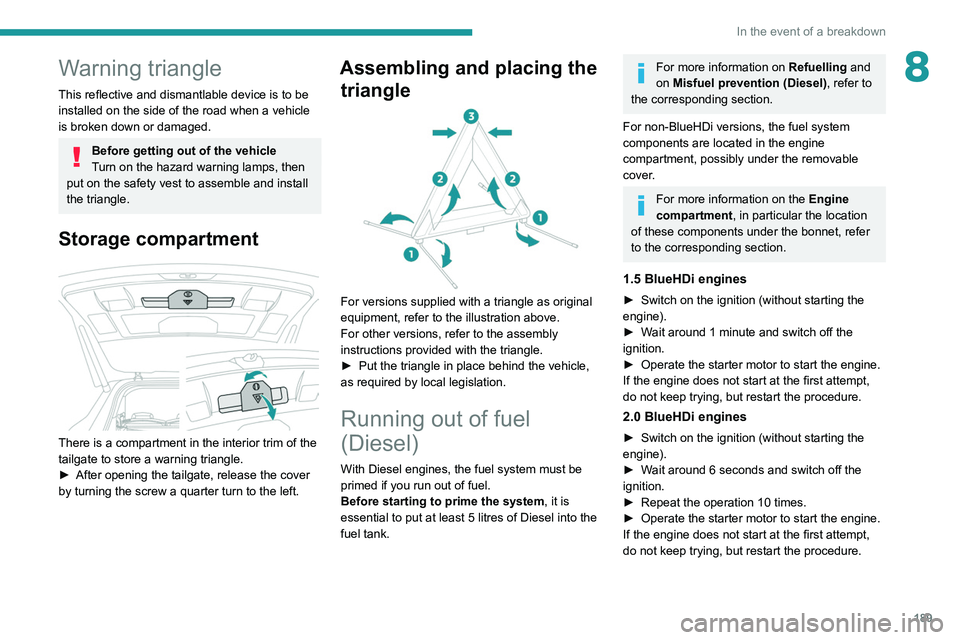
For versions supplied with a triangle as original
equipment, refer to the illustration above.
For other versions, refer to the assembly
instructions provided with the triangle.
►
Put the triangle in place behind the vehicle,
as required by local legislation.
Running out of fuel
(Diesel)
With Diesel engines, the fuel system must be
primed if you run out of fuel.
Before starting to prime the system, it is
essential to put at least 5 litres of Diesel into the
fuel tank.
For more information on Refuelling and
on Misfuel prevention (Diesel), refer to
the corresponding section.
For non-BlueHDi versions, the fuel system
components are located in the engine
compartment, possibly under the removable
cover.
For more information on the Engine
compartment, in particular the location
of these components under the bonnet, refer
to the corresponding section.
1.5 BlueHDi engines
► Switch on the ignition (without starting the
engine).
►
W
ait around 1 minute and switch off the
ignition.
►
Operate the starter motor to start the engine.
If the engine does not start at the first attempt,
do not keep trying, but restart the procedure.
2.0 BlueHDi engines
► Switch on the ignition (without starting the
engine).
►
W
ait around 6 seconds and switch off the
ignition.
►
Repeat the operation 10
times.
►
Operate the starter motor to start the engine.
If the engine does not start at the first attempt,
do not keep trying, but restart the procedure.
Page 265 of 292
263
Alphabetical index
Eco-driving (advice) 7
ECO mode
122
Economy mode
178
Electric automatic gearbox (Rechargeable
hybrid)
119
Electric windows
38
Electronic brake force distribution (EBFD)
87
Emergency braking assistance (EBA)
87
Emergency call
85–86
Emergency switching off
11 3
Emergency warning lamps
84, 189
Emissions control system, SCR
19, 184
Energy economy mode
178
Energy flows
24
Energy recovery
20, 120
Engine
184
Engine compartment
179–180
Engine, Diesel
163, 181, 189, 218
Engine, petrol
122, 180, 216
Engines
215–216, 218
Environment
7, 31
e-Save function (energy reserve)
25
ESC (electronic stability control)
87
Expanded traffic sign recognition
131
Exterior lighting
77
F
Fatigue detection 150
Filling the AdBlue® tank
182, 186
Filling the fuel tank
163–164
Filter, air 183
Filter, oil
183
Filter, particle
182–183
Filter, passenger compartment
56, 183
Fitting a wheel
198–199
Fitting roof bars
176–177
Fittings, boot
69
Fittings, front
62
Fittings, interior
62
Fittings, rear
66
Flap, charging
173
Flap, fuel filler
163–164
Flashing indicators
75
Flat bed (recovery)
212
Floor, boot, adjustable
72
Floor, concertina
53
Fluid, brake
182
Fluid, engine coolant
182
Foglamps, rear
74, 201
Folding the rear seats
49–52
Four-wheel drive (4WD)
123, 178
Frequency (radio)
250
Fuel
7, 163
Fuel consumption
7, 20
Fuel tank
163–164
Fusebox, dashboard
202
Fusebox, engine compartment
202, 204–205
Fuses
201–202, 204–205G
Gauge, fuel 163
Gearbox, automatic
116–119, 121, 183, 207
Gearbox, manual
116, 121, 183
Gear lever, manual gearbox
11 6
Gear shift indicator ~ Gear efficiency
indicator
123
Glove box
62
G.P.S.
244
Grab handles
62
H
Hands-free access 34–35
Hands-free tailgate
34–36
Hazard warning lamps
84, 189
headlamp adjustment
76
Headlamp adjustment
76
Headlamps, automatic dipping
77–78
Headlamps, automatic illumination
76
Headlamps, dipped beam
200–201
Headlamps, halogen
76
Headlamps, main beam
77, 200–201
Head restraints, front
44–45
Head restraints, rear
48–50
Heating
56
Heating, programmable
25, 61
Hi-Fi system
63
Hill Assist Descent Control (HADC)
90
Hill start assist
121
Page 267 of 292
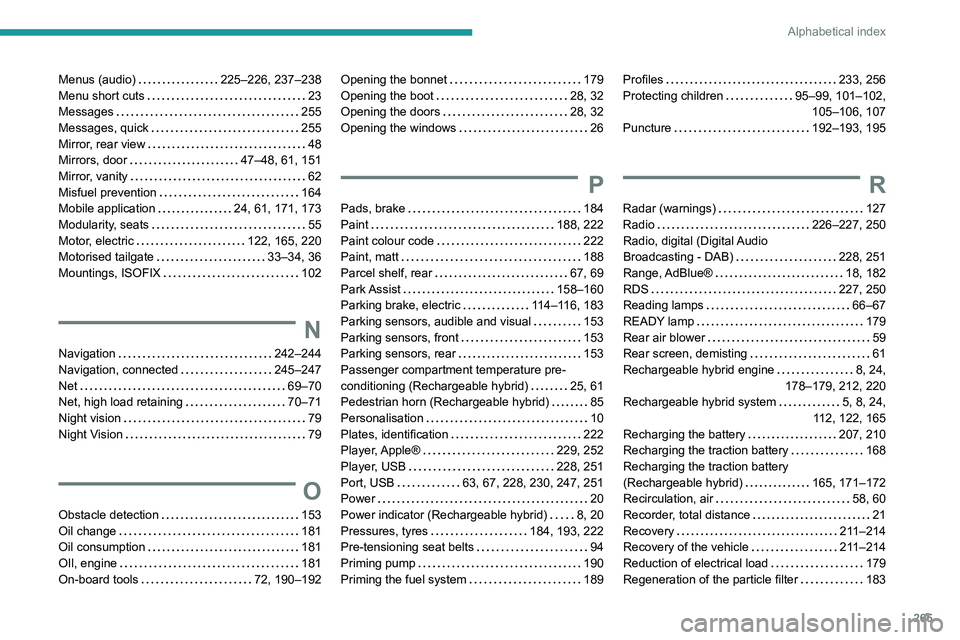
265
Alphabetical index
Menus (audio) 225–226, 237–238
Menu short cuts
23
Messages
255
Messages, quick
255
Mirror, rear view
48
Mirrors, door
47–48, 61, 151
Mirror, vanity
62
Misfuel prevention
164
Mobile application
24, 61, 171, 173
Modularity, seats
55
Motor, electric
122, 165, 220
Motorised tailgate
33–34, 36
Mountings, ISOFIX
102
N
Navigation 242–244
Navigation, connected
245–247
Net
69–70
Net, high load retaining
70–71
Night vision
79
Night Vision
79
O
Obstacle detection 153
Oil change
181
Oil consumption
181
OIl, engine
181
On-board tools
72, 190–192
Opening the bonnet 179
Opening the boot
28, 32
Opening the doors
28, 32
Opening the windows
26
P
Pads, brake 184
Paint
188, 222
Paint colour code
222
Paint, matt
188
Parcel shelf, rear
67, 69
Park Assist
158–160
Parking brake, electric
114–116, 183
Parking sensors, audible and visual
153
Parking sensors, front
153
Parking sensors, rear
153
Passenger compartment temperature pre-
conditioning (Rechargeable hybrid)
25, 61
Pedestrian horn (Rechargeable hybrid)
85
Personalisation
10
Plates, identification
222
Player, Apple®
229, 252
Player, USB
228, 251
Port, USB
63, 67, 228, 230, 247, 251
Power
20
Power indicator (Rechargeable hybrid)
8, 20
Pressures, tyres
184, 193, 222
Pre-tensioning seat belts
94
Priming pump
190
Priming the fuel system
189
Profiles 233, 256
Protecting children
95–99, 101–102,
105–106, 107
Puncture
192–193, 195
R
Radar (warnings) 127
Radio
226–227, 250
Radio, digital (Digital Audio
Broadcasting - DAB)
228, 251
Range, AdBlue®
18, 182
RDS
227, 250
Reading lamps
66–67
READY lamp
179
Rear air blower
59
Rear screen, demisting
61
Rechargeable hybrid engine
8, 24,
178–179, 212, 220
Rechargeable hybrid system
5, 8, 24,
112, 122, 165
Recharging the battery
207, 210
Recharging the traction battery
168
Recharging the traction battery
(Rechargeable hybrid)
165, 171–172
Recirculation, air
58, 60
Recorder, total distance
21
Recovery
211–214
Recovery of the vehicle
211–214
Reduction of electrical load
179
Regeneration of the particle filter
183
Page 269 of 292
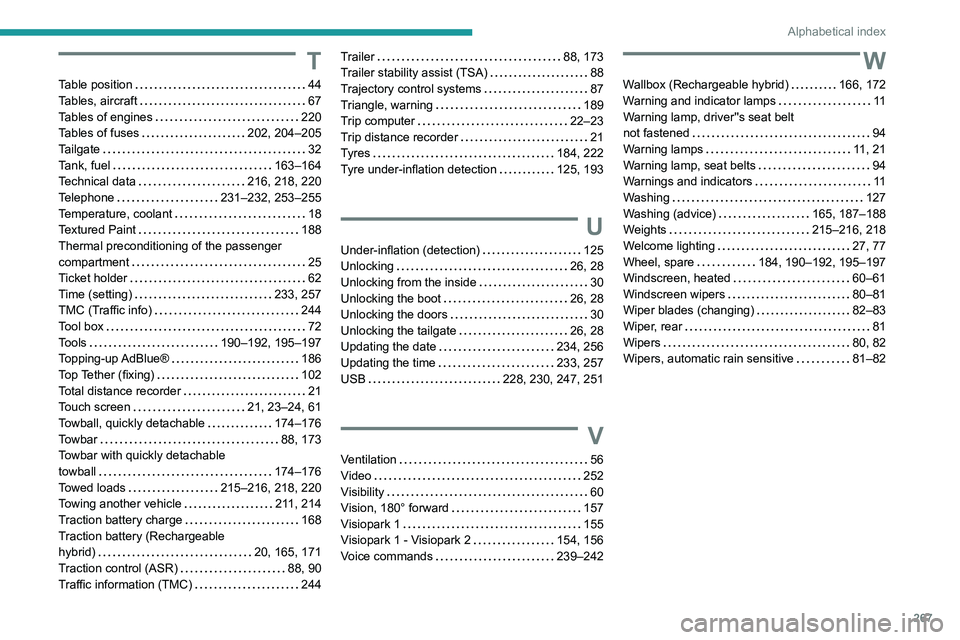
267
Alphabetical index
T
Table position 44
Tables, aircraft
67
Tables of engines
220
Tables of fuses
202, 204–205
Tailgate
32
Tank, fuel
163–164
Technical data
216, 218, 220
Telephone
231–232, 253–255
Temperature, coolant
18
Textured Paint
188
Thermal preconditioning of the passenger
compartment
25
Ticket holder
62
Time (setting)
233, 257
TMC (Traffic info)
244
Tool box
72
Tools
190–192, 195–197
Topping-up AdBlue®
186
Top Tether (fixing)
102
Total distance recorder
21
Touch screen
21, 23–24, 61
Towball, quickly detachable
174–176
Towbar
88, 173
Towbar with quickly detachable
towball
174–176
Towed loads
215–216, 218, 220
Towing another vehicle
211, 214
Traction battery charge
168
Traction battery (Rechargeable
hybrid)
20, 165, 171
Traction control (ASR)
88, 90
Traffic information (TMC)
244
Trailer 88, 173
Trailer stability assist (TSA)
88
Trajectory control systems
87
Triangle, warning
189
Trip computer
22–23
Trip distance recorder
21
Tyres
184, 222
Tyre under-inflation detection
125, 193
U
Under-inflation (detection) 125
Unlocking
26, 28
Unlocking from the inside
30
Unlocking the boot
26, 28
Unlocking the doors
30
Unlocking the tailgate
26, 28
Updating the date
234, 256
Updating the time
233, 257
USB
228, 230, 247, 251
V
Ventilation 56
Video
252
Visibility
60
Vision, 180° forward
157
Visiopark 1
155
Visiopark 1 - Visiopark 2
154, 156
Voice commands
239–242
W
Wallbox (Rechargeable hybrid) 166, 172
Warning and indicator lamps
11
Warning lamp, driver''s seat belt
not fastened
94
Warning lamps
11, 21
Warning lamp, seat belts
94
Warnings and indicators
11
Washing
127
Washing (advice)
165, 187–188
Weights
215–216, 218
Welcome lighting
27, 77
Wheel, spare
184, 190–192, 195–197
Windscreen, heated
60–61
Windscreen wipers
80–81
Wiper blades (changing)
82–83
Wiper, rear
81
Wipers
80, 82
Wipers, automatic rain sensitive
81–82