usb Peugeot 301 2015 User Guide
[x] Cancel search | Manufacturer: PEUGEOT, Model Year: 2015, Model line: 301, Model: Peugeot 301 2015Pages: 285, PDF Size: 13.55 MB
Page 190 of 285
04
188
301_en_Chap12a_RD5(RD45)_ed01-2014
AUDIO
APPLE® players or portable player
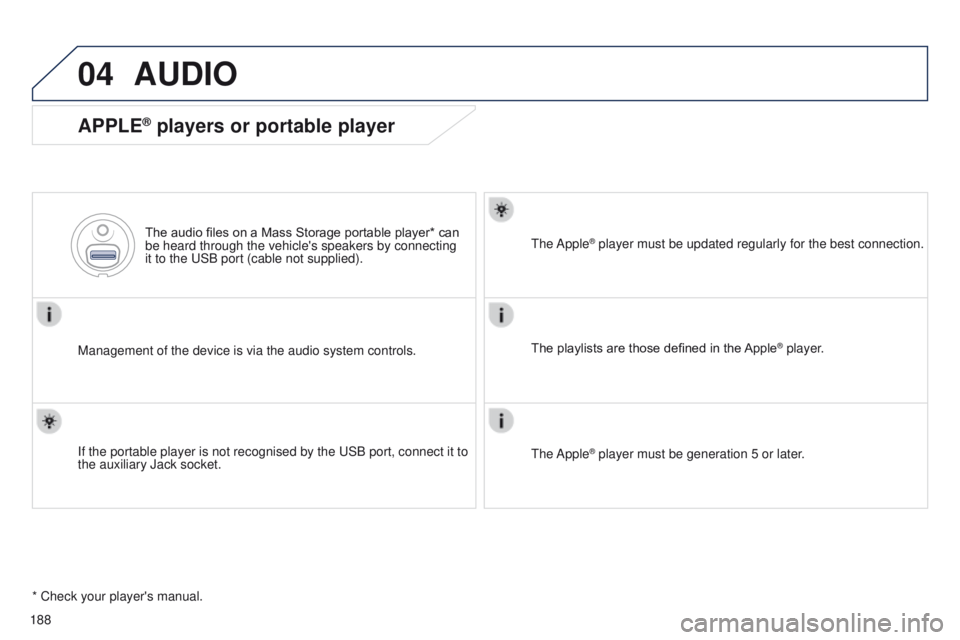
Management of the device is via the audio system controls.The audio files on a Mass Storage portable player* can
be heard through the vehicle's speakers by connecting
it to the USB port (cable not supplied).
If the portable player is not recognised by the USB port, connect it to \
the auxiliary Jack socket. The Apple
® player must be updated regularly for the best connection.
The playlists are those defined in the Apple
® player.
The Apple
® player must be generation 5 or later.
* Check your player's manual.
Page 191 of 285
04
VOL+
VOL-
189
301_en_Chap12a_RD5(RD45)_ed01-2014
AUDIO
Auxiliary socket (AUX)
Auxiliary JACK socket
Do not connect a device to the USB port and to the auxiliary Jack
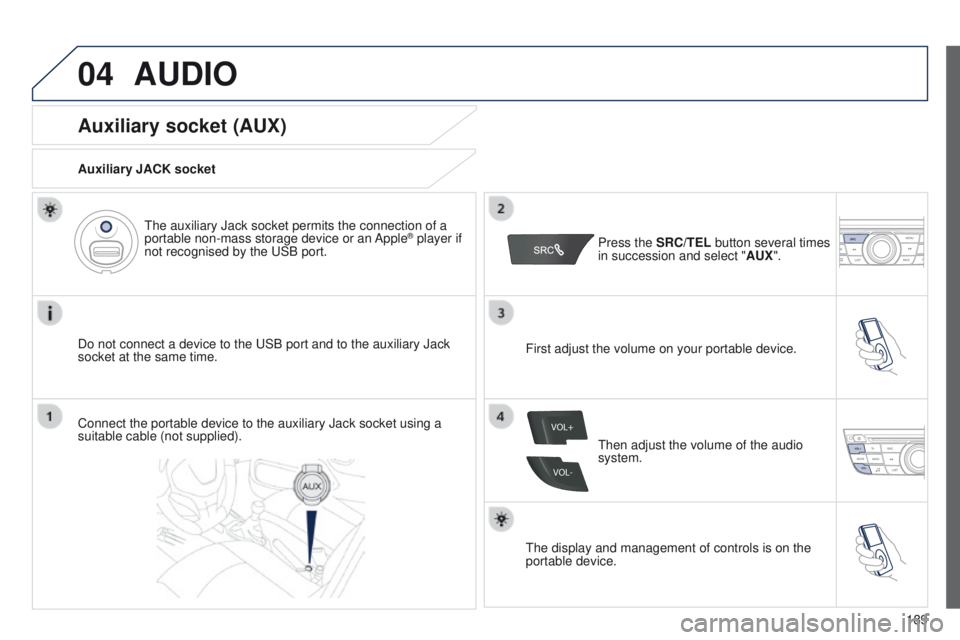
socket at the same time.The auxiliary Jack socket permits the connection of a
portable non-mass storage device or an Apple
® player if
not recognised by the USB port.
Connect the portable device to the auxiliary Jack socket using a
suitable cable (not supplied). Press the
SRC/TEL button several times
in succession and select " AUX".
First adjust the volume on your portable device.
Then adjust the volume of the audio
system.
The display and management of controls is on the
portable device.
Page 208 of 285
206
301_en_Chap12a_RD5(RD45)_ed01-2014
FREqUENTLY ASKED q UESTIONS
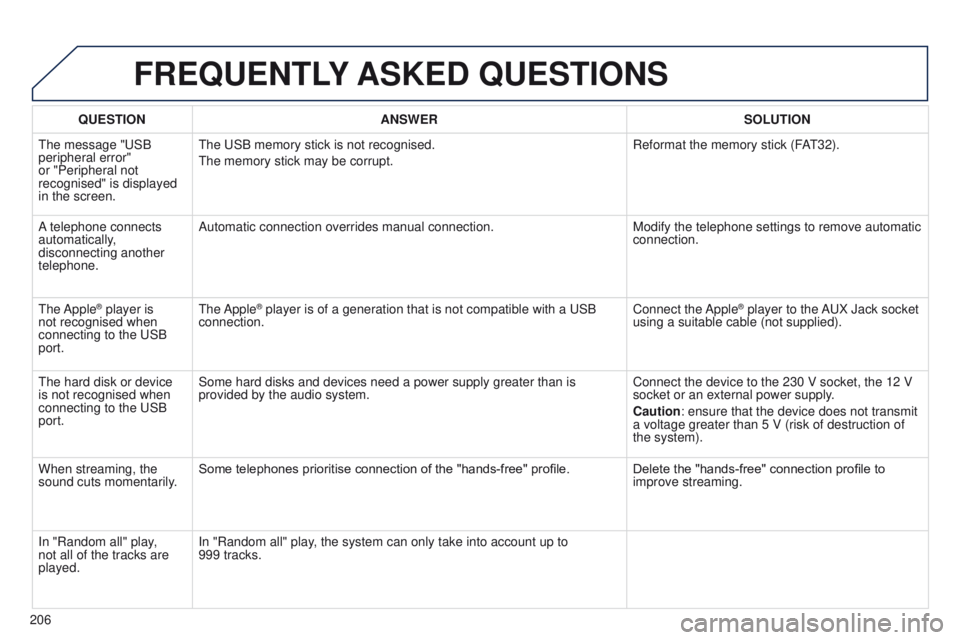
qUESTION ANSWER SOLUTION
The message "USB
peripheral error"
or "Peripheral not
recognised" is displayed
in the screen. The USB memory stick is not recognised.
The memory stick may be corrupt.
Reformat the memory stick (F
AT32).
A telephone connects
automatically,
disconnecting another
telephone. Automatic connection overrides manual connection.
Modify the telephone settings to remove automatic
connection.
The Apple
® player is
not recognised when
connecting to the USB
port. The Apple® player is of a generation that is not compatible with a USB
connection. Connect the Apple® player to the AUX Jack socket
using a suitable cable (not supplied).
The hard disk or device
is not recognised when
connecting to the USB
port. Some hard disks and devices need a power supply greater than is
provided by the audio system.
Connect the device to the 230 V socket, the 12 V
socket or an external power supply.
Caution: ensure that the device does not transmit
a voltage greater than 5 V (risk of destruction of
the system).
When streaming, the
sound cuts momentarily. Some telephones prioritise connection of the "hands-free" profile.
Delete the "hands-free" connection profile to
improve streaming.
In "Random all" play,
not all of the tracks are
played. In "Random all" play, the system can only take into account up to
999
tracks.
Page 228 of 285
226
301_en_Chap13_recherche-visuelle_ed01-2014
Instruments and controls
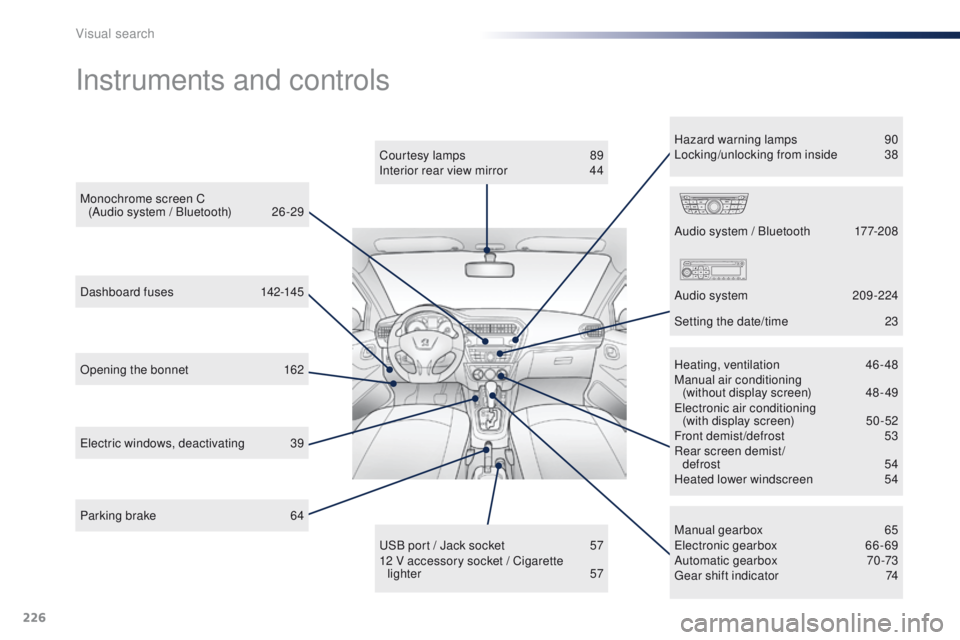
Opening the bonnet 162
Manual gearbox
6
5
Electronic gearbox
6
6-69
Automatic gearbox
7
0 -73
Gear shift indicator
7
4
USB port / Jack socket
5
7
12 V accessory socket / Cigarette lighter
57
Dashboard fuses
1
42-145
Electric windows, deactivating
3
9 Heating, ventilation 4
6-48
Manual air conditioning (without display screen)
4
8 - 49
Electronic air conditioning (with display screen)
5
0 -52
Front demist/defrost
5
3
Rear screen demist/
defrost
5
4
Heated lower windscreen
5
4
Audio system / Bluetooth
1
77-208
Audio system
2
09 -224
Setting the date/time
2
3
Monochrome screen C
(Audio system / Bluetooth)
2
6 -29
Courtesy lamps
8
9
Interior rear view mirror
4
4
Parking brake
6
4 Hazard warning lamps
9
0
Locking/unlocking from inside
3
8
Visual search
Page 233 of 285
231
301_en_Chap14_index-alpha_ed01-2014
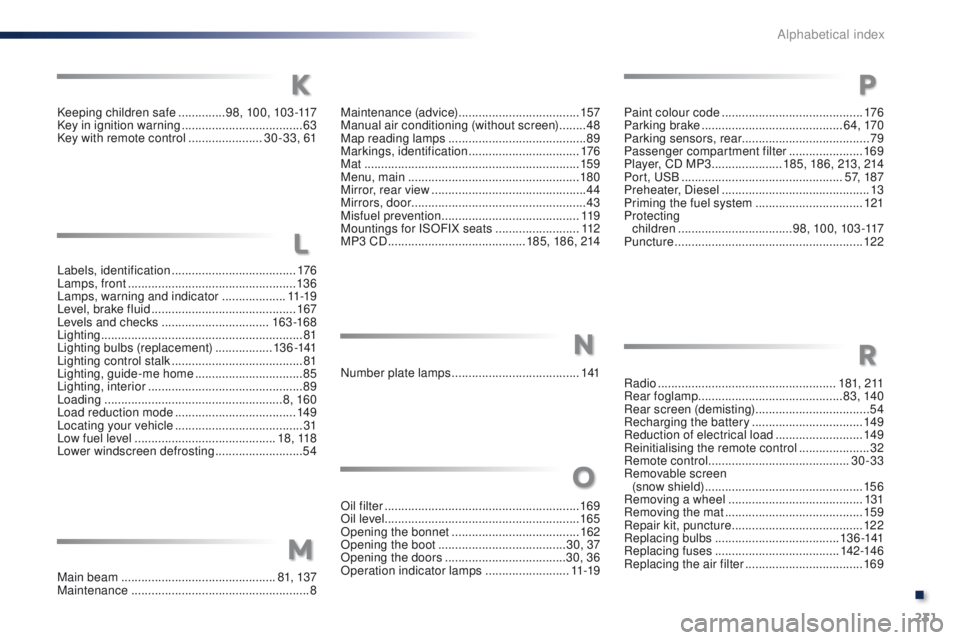
Labels, identification .....................................17 6
Lamps, front .................................................. 13 6
Lamps, warning and indicator
...................11 -1 9
Level, brake fluid
........................................... 16
7
Levels and checks
................................ 163 -168
Lighting
................
............................................ 81
Lighting bulbs (replacement)
................. 1
3 6 -141
Lighting control stalk
....................................... 81
Lighting, guide-me home
................................85
Lighting, interior
.............................................. 89
Loading
..................................................... 8, 160
Load reduction mode
.................................... 149
Locating your vehicle
...................................... 31
L
ow fuel level .......................................... 18, 118
Lower windscreen defrosting
..........................54Maintenance (advice)
....................................
157
Manual air conditioning (without screen)
........ 48
M
ap reading lamps
.........................................
89
Markings, identification
.................................
176
Mat
................................................................
159
Menu, main
...................................................
180
Mirror, rear view ..............................................
44
Mirrors, door .................................................... 43
Misfuel prevention
...............................
..........
11 9
Mountings for ISOFIX seats
.........................
112
MP3 CD .........................................
185, 18 6, 214
Main beam
.............................................. 81, 137
Maintenance
..................................................... 8Oil filter
...............
...........................................169
Oil level .......................................................... 165
Opening the bonnet
...................................... 16
2
Opening the boot
..............................
........30, 37
Opening the doors
...............................
.....30, 36
Operation indicator lamps
.........................11 -1 9Paint colour code
..........................................
176
Parking brake
..........................................
6 4, 170
Parking sensors, rear ...................................... 79
Passenger compartment filter
......................
169
Player, CD MP3 .....................
185, 186, 213, 214
Port, USB
................................................
5
7, 187
Preheater, Diesel
............................................
13
Priming the fuel system ................................
121
Protecting children
..................................
98, 10 0, 103 -117
Puncture
........................................................
12 2
Number plate lamps
...................................... 1
41Radio
.....................................................18 1, 2 11
Rear foglamp ........................................... 8 3, 140
Rear screen (demisting)
..................................54
Recharging the battery
................................. 14
9
Reduction of electrical load
..........................149
Reinitialising the remote control
..................... 32
R
emote control
..........................................3
0-33
Removable screen (snow shield)
...............................
................15 6
Removing a wheel
........................................131
Removing the mat
.........................................159
Repair kit, puncture
.......................................12 2
Replacing bulbs
.....................................13 6 -141
Replacing fuses
..............................
.......142-146
Replacing the air filter
...................................169
O
M
P
NR
Keeping children safe ..............9 8, 10 0, 103 -117
Key in ignition warning ....................................63
Key with remote control
......................30 -33, 61
K
L
.
Alphabetical index
Page 268 of 285
.
Audio and Telematics 5
301-add-2_en_Chap12_RDE2_ed01-2014
First steps
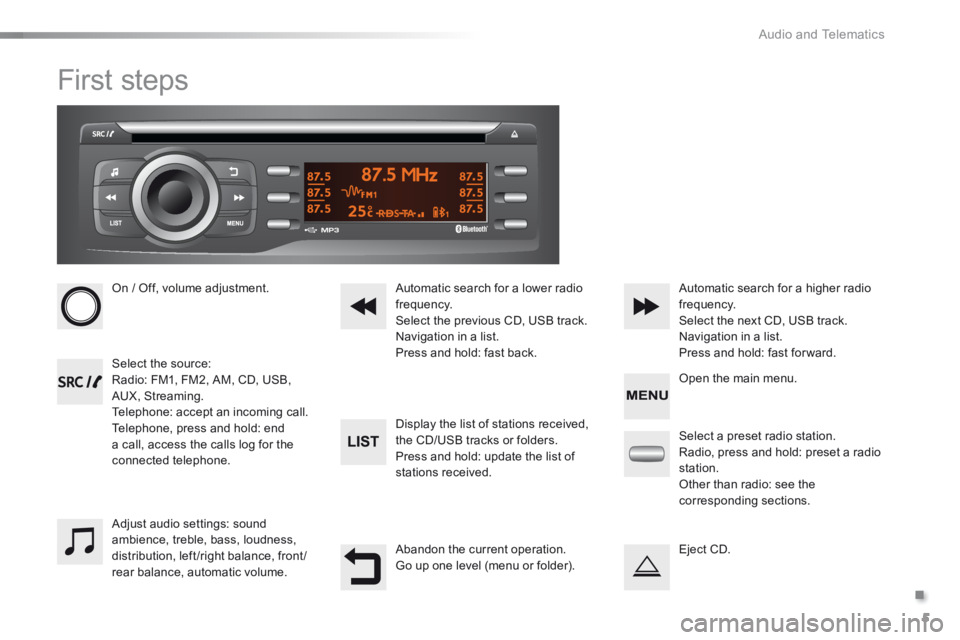
On / Off, volume adjustment.
Select the source: Radio: FM1, FM2, AM, CD, USB, AUX, Streaming. Telephone: accept an incoming call. Telephone, press and hold: end a call, access the calls log for the connected telephone.
Display the list of stations received,
the CD/USB tracks or folders. Press and hold: update the list of stations received.
Automatic search for a lower radio frequency. Select the previous CD, USB track. Navigation in a list. Press and hold: fast back.
Automatic search for a higher radio frequency. Select the next CD, USB track. Navigation in a list. Press and hold: fast for ward.
Adjust audio settings: sound ambience, treble, bass, loudness, distribution, left/right balance, front/rear balance, automatic volume.
Abandon the current operation. Go up one level (menu or folder).
Select a preset radio station. Radio, press and hold: preset a radio station. Other than radio: see the corresponding sections.
Eject CD.
Open the main menu.
Page 269 of 285
Audio and Telematics
6
Steering mounted controls
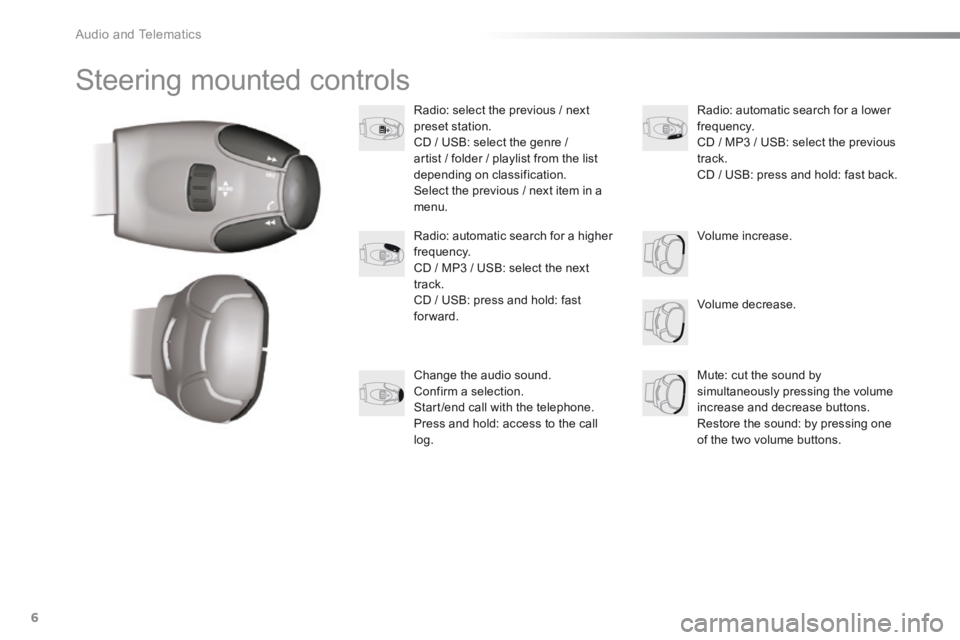
Radio: select the previous / next preset station. CD / USB: select the genre / artist / folder / playlist from the list depending on classification. Select the previous / next item in a menu.
Volume decrease.
Radio: automatic search for a higher frequency. CD / MP3 / USB: select the next track. CD / USB: press and hold: fast forward.
Mute: cut the sound by simultaneously pressing the volume increase and decrease buttons. Restore the sound: by pressing one of the two volume buttons.
Radio: automatic search for a lower frequency. CD / MP3 / USB: select the previous track. CD / USB: press and hold: fast back.
Change the audio sound. Confirm a selection. Start /end call with the telephone. Press and hold: access to the call log.
Volume increase.
Page 271 of 285
Audio and Telematics
8
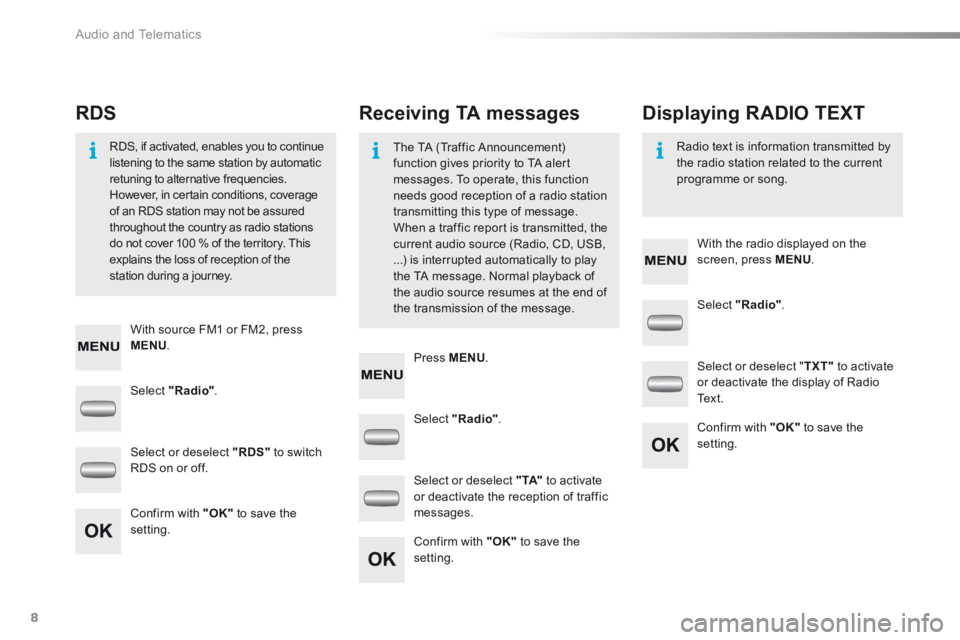
Select "Radio" .
Select "Radio" .
Select "Radio" .
Select or deselect "RDS" to switch RDS on or off.
Select or deselect " TXT" to activate or deactivate the display of Radio Te x t .
Select or deselect " TA" to activate or deactivate the reception of traffic messages. Confirm with "OK" to save the setting.
Confirm with "OK" to save the setting.
Confirm with "OK" to save the setting.
Receiving TA messages RDS Displaying RADIO TEXT
The TA (Traffic Announcement) function gives priority to TA alert messages. To operate, this function needs good reception of a radio station transmitting this type of message.
When a traffic report is transmitted, the current audio source (Radio, CD, USB, ...) is interrupted automatically to play the TA message. Normal playback of the audio source resumes at the end of the transmission of the message.
RDS, if activated, enables you to continue listening to the same station by automatic retuning to alternative frequencies. However, in certain conditions, coverage of an RDS station may not be assured
throughout the country as radio stations do not cover 100 % of the territory. This explains the loss of reception of the station during a journey.
Radio text is information transmitted by the radio station related to the current programme or song.
With source FM1 or FM2, press MENU .
With the radio displayed on the screen, press MENU .
Press MENU .
Page 272 of 285
.
Audio and Telematics 9
301-add-2_en_Chap12_RDE2_ed01-2014
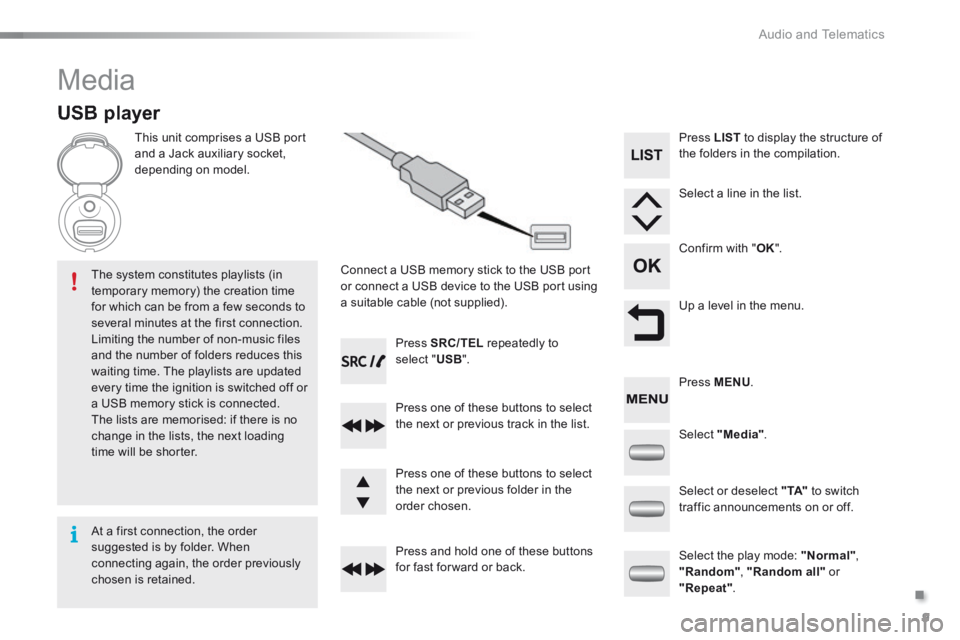
Media
USB player
This unit comprises a USB port and a Jack auxiliary socket, depending on model.
Connect a USB memory stick to the USB port or connect a USB device to the USB port using a suitable cable (not supplied).
The system constitutes playlists (in temporary memory) the creation time for which can be from a few seconds to several minutes at the first connection. Limiting the number of non-music files and the number of folders reduces this waiting time. The playlists are updated every time the ignition is switched off or a USB memory stick is connected. The lists are memorised: if there is no change in the lists, the next loading time will be shorter.
Press SRC/TEL repeatedly to select " USB ".
Press one of these buttons to select the next or previous track in the list.
Press and hold one of these buttons for fast for ward or back.
Press one of these buttons to select the next or previous folder in the order chosen.
Press LIST to display the structure of the folders in the compilation.
Select a line in the list.
Confirm with " OK ".
Up a level in the menu.
Select "Media".
Select the play mode: "Normal" , "Random" , "Random all" or "Repeat" .
Select or deselect " TA" to switch traffic announcements on or off.
Press MENU .
At a first connection, the order suggested is by folder. When connecting again, the order previously chosen is retained.
Page 273 of 285
Audio and Telematics
10
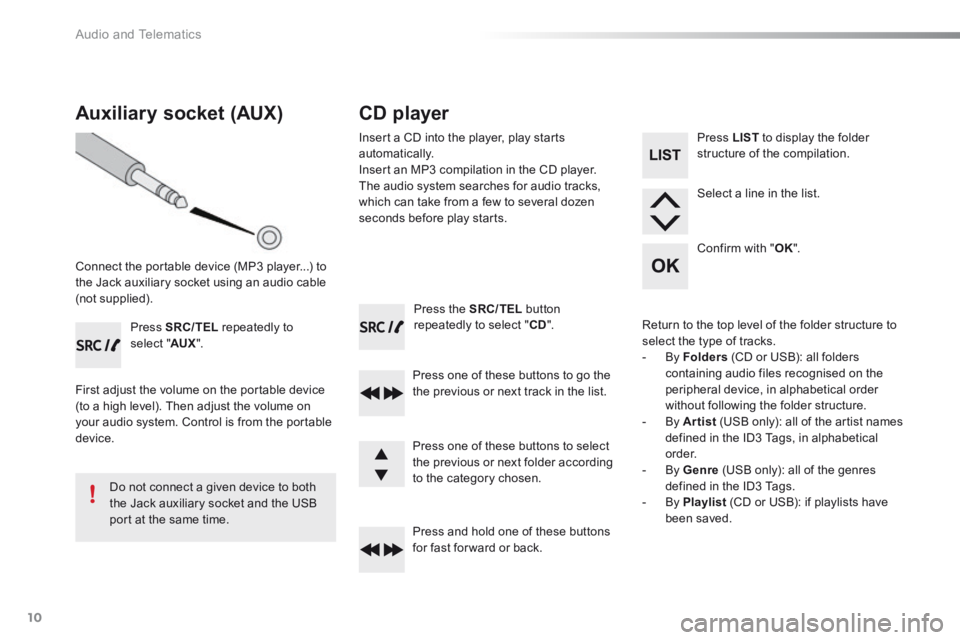
Press the SRC/TEL button repeatedly to select " CD ".
Press one of these buttons to go the the previous or next track in the list.
Press and hold one of these buttons for fast for ward or back.
Auxiliary socket (AUX)
Connect the portable device (MP3 player...) to the Jack auxiliary socket using an audio cable (not supplied).
Press SRC/TEL repeatedly to select " AUX ".
First adjust the volume on the portable device (to a high level). Then adjust the volume on your audio system. Control is from the portable device.
Do not connect a given device to both the Jack auxiliary socket and the USB port at the same time.
CD player
Insert a CD into the player, play starts automatically. Insert an MP3 compilation in the CD player. The audio system searches for audio tracks, which can take from a few to several dozen seconds before play starts.
Press one of these buttons to select the previous or next folder according to the category chosen.
Press LIST to display the folder structure of the compilation.
Select a line in the list.
Confirm with " OK ".
Return to the top level of the folder structure to select the type of tracks. - By Folders (CD or USB): all folders containing audio files recognised on the peripheral device, in alphabetical order without following the folder structure. - By Artist (USB only): all of the artist names defined in the ID3 Tags, in alphabetical o r d e r. - By Genre (USB only): all of the genres defined in the ID3 Tags. - By Playlist (CD or USB): if playlists have been saved.