Base Peugeot 301 2017 User Guide
[x] Cancel search | Manufacturer: PEUGEOT, Model Year: 2017, Model line: 301, Model: Peugeot 301 2017Pages: 306, PDF Size: 9.87 MB
Page 255 of 306
23
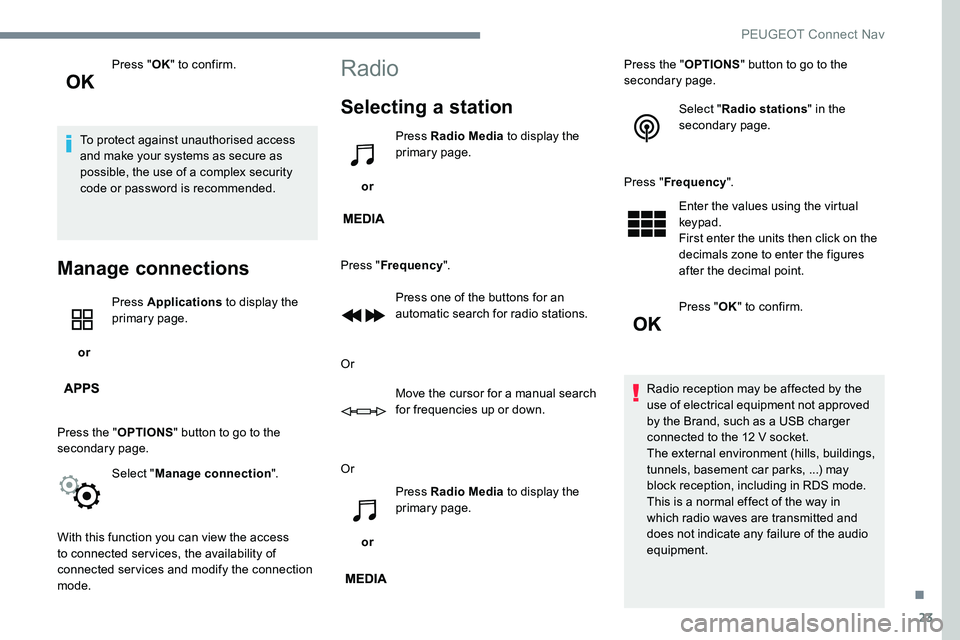
Press "OK" to confirm.
To protect against unauthorised access
and make your systems as secure as
possible, the use of a complex security
code or password is recommended.
Manage connections
or Press Applications
to display the
primary page.
Press the " OPTIONS" button to go to the
secondary page.
Select "Manage connection ".
With this function you can view the access
to connected services, the availability of
connected services and modify the connection
mode.
Radio
Selecting a station
or Press Radio Media
to display the
primary page.
Press " Frequency ".
Press one of the buttons for an
automatic search for radio stations.
Or Move the cursor for a manual search
for frequencies up or down.
Or
or Press Radio Media
to display the
primary page. Press the "
OPTIONS" button to go to the
secondary page.
Select "Radio stations " in the
secondary page.
Press " Frequency ".
Enter the values using the virtual
keypad.
First enter the units then click on the
decimals zone to enter the figures
after the decimal point.
Press " OK" to confirm.
Radio reception may be affected by the
use of electrical equipment not approved
by the Brand, such as a USB charger
connected to the 12 V socket.
The external environment (hills, buildings,
tunnels, basement car parks, ...) may
block reception, including in RDS mode.
This is a normal effect of the way in
which radio waves are transmitted and
does not indicate any failure of the audio
equipment.
.
PEUGEOT Connect Nav
Page 271 of 306
39
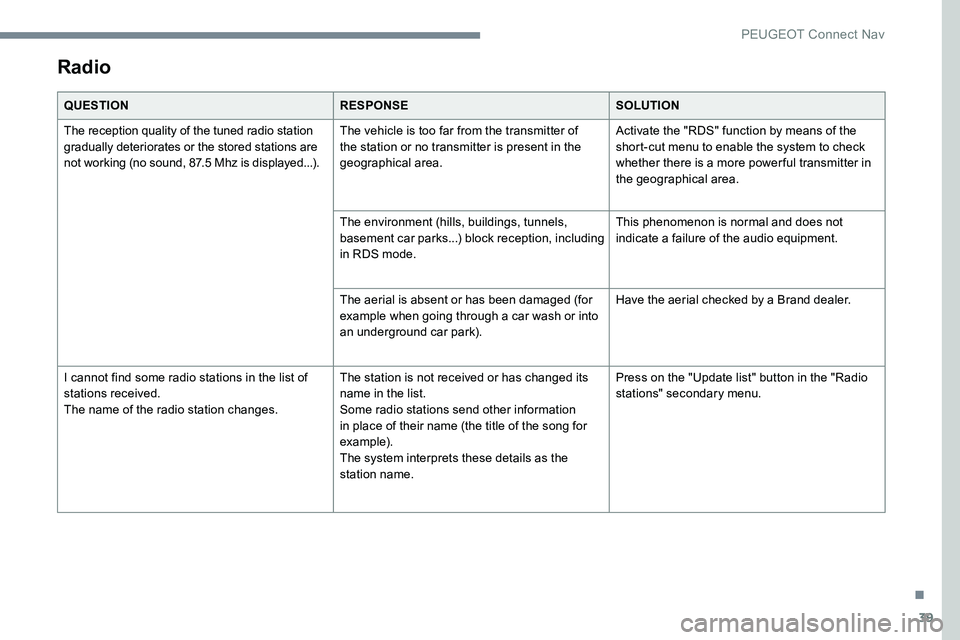
Radio
QUESTIONRESPONSESOLUTION
The reception quality of the tuned radio station
gradually deteriorates or the stored stations are
not working (no sound, 87.5 Mhz is displayed...). The vehicle is too far from the transmitter of
the station or no transmitter is present in the
geographical area.Activate the "RDS" function by means of the
short-cut menu to enable the system to check
whether there is a more power ful transmitter in
the geographical area.
The environment (hills, buildings, tunnels,
basement car parks...) block reception, including
in RDS mode. This phenomenon is normal and does not
indicate a failure of the audio equipment.
The aerial is absent or has been damaged (for
example when going through a car wash or into
an underground car park). Have the aerial checked by a Brand dealer.
I cannot find some radio stations in the list of
stations received.
The name of the radio station changes. The station is not received or has changed its
name in the list.
Some radio stations send other information
in place of their name (the title of the song for
example).
The system interprets these details as the
station name.Press on the "Update list" button in the "Radio
stations" secondary menu.
.
PEUGEOT Connect Nav
Page 285 of 306
7
Radio
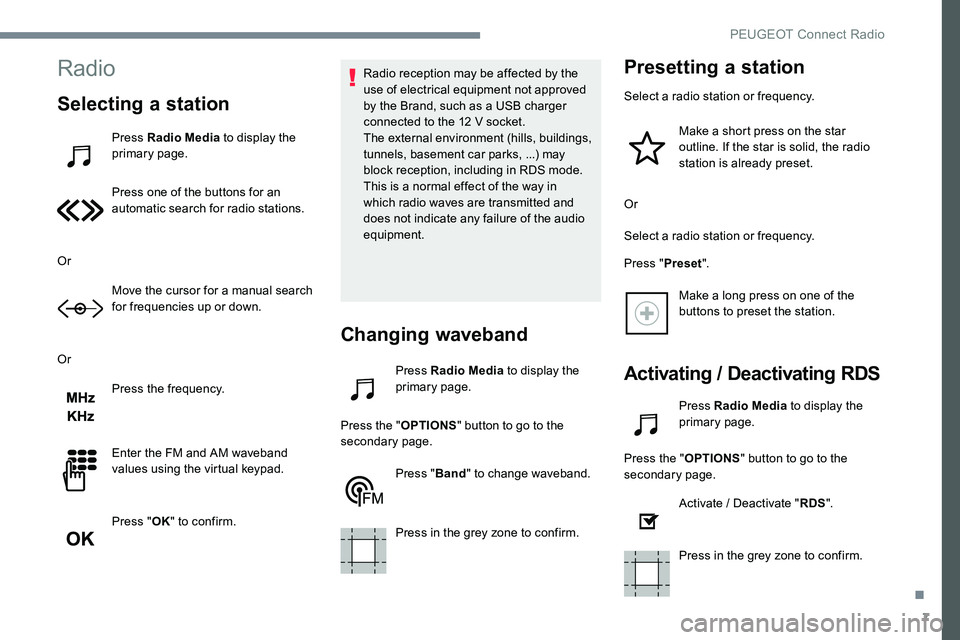
Selecting a station
Press Radio Media to display the
primary page.
Press one of the buttons for an
automatic search for radio stations.
Or Move the cursor for a manual search
for frequencies up or down.
Or Press the frequency.
Enter the FM and AM waveband
values using the virtual keypad.
Press "OK" to confirm. Radio reception may be affected by the
use of electrical equipment not approved
by the Brand, such as a USB charger
connected to the 12 V socket.
The external environment (hills, buildings,
tunnels, basement car parks, ...) may
block reception, including in RDS mode.
This is a normal effect of the way in
which radio waves are transmitted and
does not indicate any failure of the audio
equipment.
Changing waveband
Press Radio Media
to display the
primary page.
Press the " OPTIONS" button to go to the
secondary page.
Press "Band" to change waveband.
Press in the grey zone to confirm.
Presetting a station
Select a radio station or frequency. Make a short press on the star
outline. If the star is solid, the radio
station is already preset.
Or
Select a radio station or frequency.
Press " Preset".
Make a long press on one of the
buttons to preset the station.
Activating / Deactivating RDS
Press Radio Media to display the
primary page.
Press the " OPTIONS" button to go to the
secondary page.
Activate / Deactivate " RDS".
Press in the grey zone to confirm.
.
PEUGEOT Connect Radio
Page 300 of 306
22
Radio
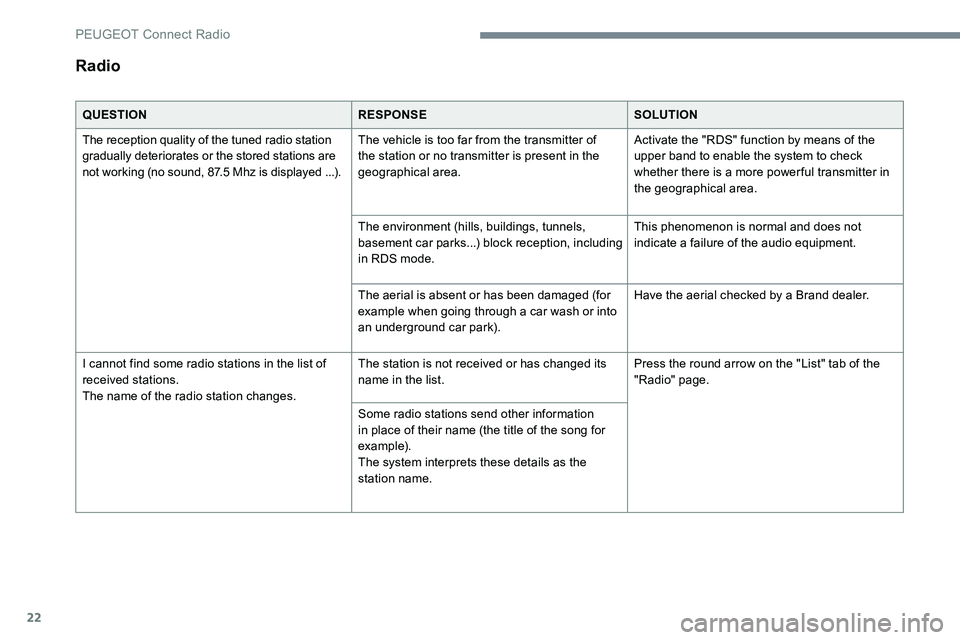
QUESTIONRESPONSESOLUTION
The reception quality of the tuned radio station
gradually deteriorates or the stored stations are
not working (no sound, 87.5 Mhz is displayed ...). The vehicle is too far from the transmitter of
the station or no transmitter is present in the
geographical area.Activate the "RDS" function by means of the
upper band to enable the system to check
whether there is a more power ful transmitter in
the geographical area.
The environment (hills, buildings, tunnels,
basement car parks...) block reception, including
in RDS mode. This phenomenon is normal and does not
indicate a failure of the audio equipment.
The aerial is absent or has been damaged (for
example when going through a car wash or into
an underground car park). Have the aerial checked by a Brand dealer.
I cannot find some radio stations in the list of
received stations.
The name of the radio station changes. The station is not received or has changed its
name in the list.
Press the round arrow on the "List" tab of the
"Radio" page.
Some radio stations send other information
in place of their name (the title of the song for
example).
The system interprets these details as the
station name.
PEUGEOT Connect Radio