change time Peugeot 301 2017 User Guide
[x] Cancel search | Manufacturer: PEUGEOT, Model Year: 2017, Model line: 301, Model: Peugeot 301 2017Pages: 306, PDF Size: 9.87 MB
Page 148 of 306
146
Checks
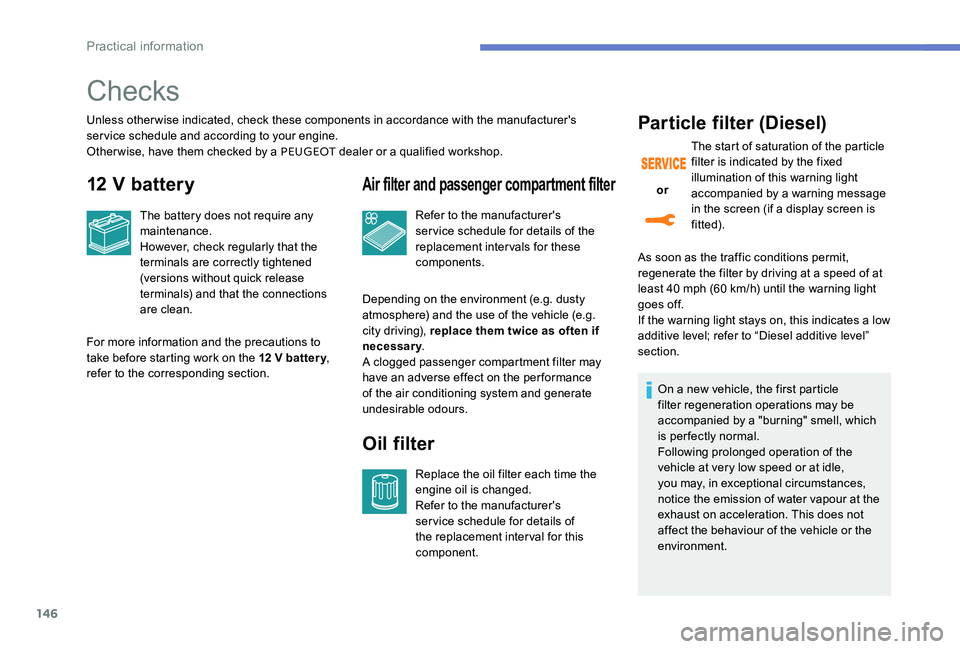
Unless otherwise indicated, check these components in accordance with the manufacturer's
service schedule and according to your engine.
Other wise, have them checked by a PEUGEOT dealer or a qualified workshop.
12 V battery
For more information and the precautions to
take before starting work on the 12 V batter y,
refer to the corresponding section. The battery does not require any
maintenance.
However, check regularly that the
terminals are correctly tightened
(versions without quick release
terminals) and that the connections
are clean.
Air filter and passenger compartment filter
Depending on the environment (e.g. dusty
atmosphere) and the use of the vehicle (e.g.
city driving), replace them twice as often if
necessary
.
A clogged passenger compartment filter may
have an adverse effect on the per formance
of the air conditioning system and generate
undesirable odours. Refer to the manufacturer's
service schedule for details of the
replacement intervals for these
components.
Oil filter
Replace the oil filter each time the
engine oil is changed.
Refer to the manufacturer's
service schedule for details of
the replacement interval for this
component.
Particle filter (Diesel)
As soon as the traffic conditions permit,
regenerate the filter by driving at a speed of at
least 40 mph (60 km/h) until the warning light
goes off.
If the warning light stays on, this indicates a low
additive level; refer to “Diesel additive level”
section.
or
The start of saturation of the particle
filter is indicated by the fixed
illumination of this warning light
accompanied by a warning message
in the screen (if a display screen is
fitted).
On a new vehicle, the first particle
filter regeneration operations may be
accompanied by a "burning" smell, which
is per fectly normal.
Following prolonged operation of the
vehicle at very low speed or at idle,
you may, in exceptional circumstances,
notice the emission of water vapour at the
exhaust on acceleration. This does not
affect the behaviour of the vehicle or the
environment.
Practical information
Page 187 of 306
185
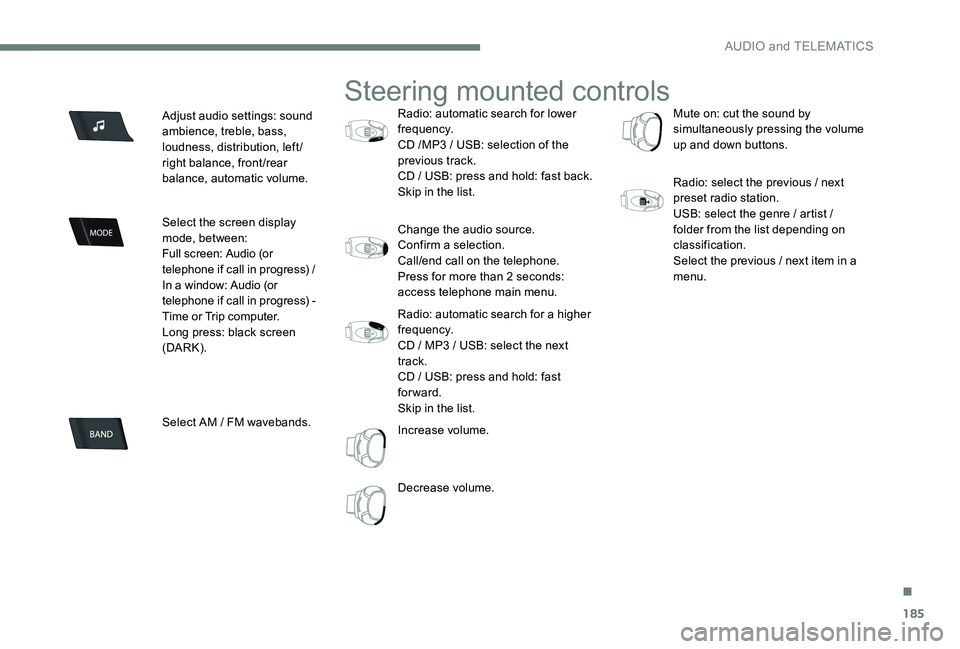
Adjust audio settings: sound
ambience, treble, bass,
loudness, distribution, left/
right balance, front/rear
balance, automatic volume.
Select the screen display
mode, between:
Full screen: Audio (or
telephone if call in progress) /
In a window: Audio (or
telephone if call in progress) -
Time or Trip computer.
Long press: black screen
(DARK).
Select AM / FM wavebands.
Steering mounted controls
Radio: automatic search for lower
frequency.
CD /MP3 / USB: selection of the
previous track.
CD / USB: press and hold: fast back.
Skip in the list.
Change the audio source.
Confirm a selection.
Call/end call on the telephone.
Press for more than 2 seconds:
access telephone main menu.
Radio: automatic search for a higher
frequency.
CD / MP3 / USB: select the next
track.
CD / USB: press and hold: fast
forward.
Skip in the list.
Increase volume.
Decrease volume. Mute on: cut the sound by
simultaneously pressing the volume
up and down buttons.
Radio: select the previous / next
preset radio station.
USB: select the genre / artist /
folder from the list depending on
classification.
Select the previous / next item in a
menu.
.
AUDIO and TELEMATICS
Page 188 of 306
186
Main menu
Screen C
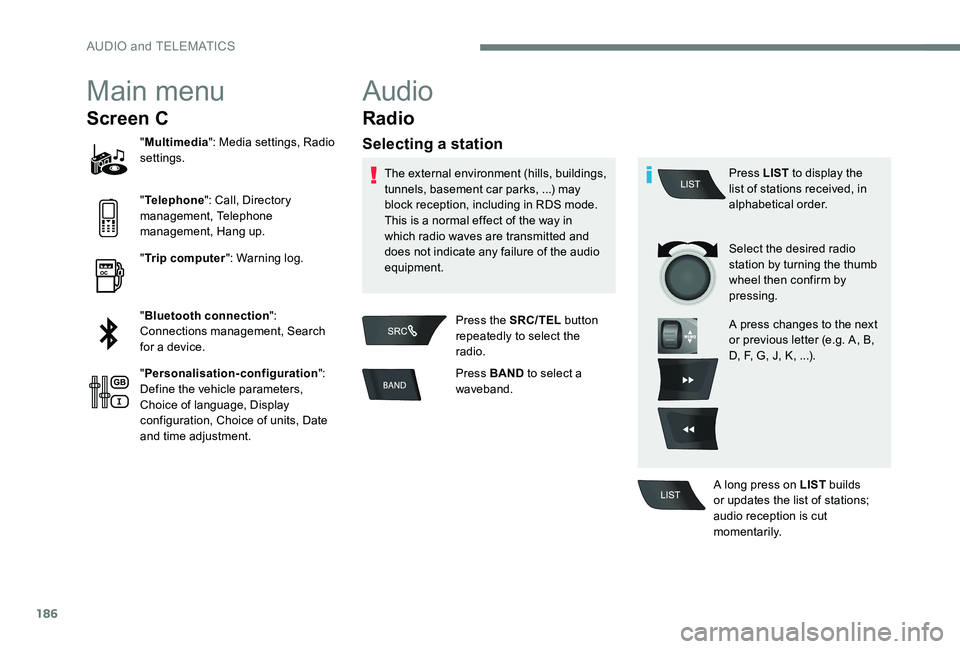
"Multimedia ": Media settings, Radio
settings.
" Telephone ": Call, Directory
management, Telephone
management, Hang up.
" Trip computer ": Warning log.
" Bluetooth connection ":
Connections management, Search
for a device.
" Personalisation-configuration ":
Define the vehicle parameters,
Choice of language, Display
configuration, Choice of units, Date
and time adjustment.
Audio
Radio
Selecting a station
The external environment (hills, buildings,
tunnels, basement car parks, ...) may
block reception, including in RDS mode.
This is a normal effect of the way in
which radio waves are transmitted and
does not indicate any failure of the audio
equipment.
Press the SRC/TEL button
repeatedly to select the
radio.
Press BAND to select a
waveband. Press LIST
to display the
list of stations received, in
alphabetical order.
Select the desired radio
station by turning the thumb
wheel then confirm by
pressing.
A press changes to the next
or previous letter (e.g. A, B,
D, F, G, J, K, ...).
A long press on LIST builds
or updates the list of stations;
audio reception is cut
m o m e nt a r i l y.
AUDIO and TELEMATICS
Page 195 of 306
193
Using the telephone
Pairing a telephone
First connection
The services offered depend on
the network, the SIM card and the
compatibility of the Bluetooth telephone
used.
Check the instructions for your telephone
and with your service provider for the
services to which you have access.
As a safety measure and because they
require prolonged attention on the part
of the driver, the operations for pairing
of the Bluetooth mobile telephone with
the Bluetooth hands-free system of your
audio system must be carried out with the
vehicle stationary and the ignition on.
Visit www.peugeot.co.uk for more
information (compatibility, more help, ...).
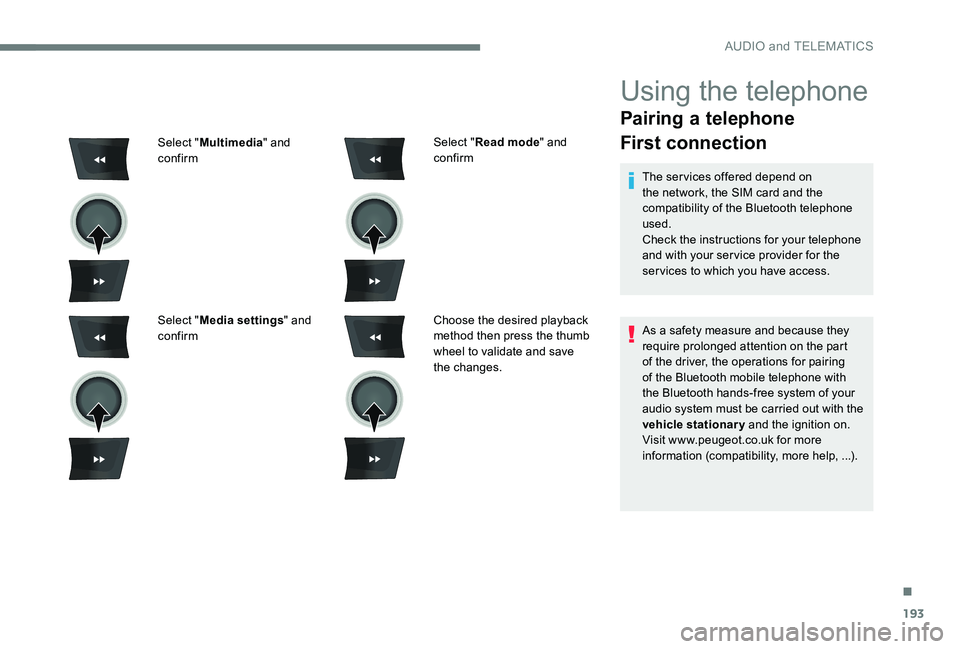
Select "
Read mode " and
confirm
Choose the desired playback
method then press the thumb
wheel to validate and save
the changes.
Select "
Multimedia " and
confirm
Select " Media settings " and
confirm
.
AUDIO and TELEMATICS
Page 233 of 306
1
PEUGEOT Connect Nav
GPS satellite navigation -
Applications - Multimedia
audio system - Bluetooth
®
telephone
Contents
First steps
2
S
teering mounted controls
3
M
enus
4
V
oice commands
5
N
avigation
1
1
Connected navigation
1
5
Applications
1
8
Radio
2
3
DAB radio (Digital Audio Broadcasting)
2
5
Media
26
T
elephone
2
8
Configuration
3
3
Frequently asked questions
3
7The different functions and settings
described vary according to the version
and configuration of your vehicle.
As a safety measure and because it
requires sustained attention by the
driver, the pairing of a Bluetooth mobile
telephone with the Bluetooth hands-free
system of your audio system must be
done with the vehicle stationary
and the
ignition on.
The system is protected in such a way that
it will only operate in your vehicle.
The display of the Energy Economy
Mode message signals that a change to
standby is imminent.
The link below gives access to OSS (Open
Source Software) codes for the system.
https://www.groupe-psa.com/fr/oss/
https://www.groupe-psa.com/en/oss/
.
PEUGEOT Connect Nav
Page 235 of 306
3
In the "Settings" menu you can create
a profile for just one person or a group
of people with common features, with
the possibility of entering a multitude of
settings (radio presets, audio settings,
navigation history, contact favourites, ...);
these settings are taken into account
automatically.
In very hot conditions, the volume may
be limited to protect the system. It may go
into standby (screen and sound off) for at
least 5 minutes.
The return to normal takes place when
the temperature in the passenger
compartment has dropped.Steering mounted controls
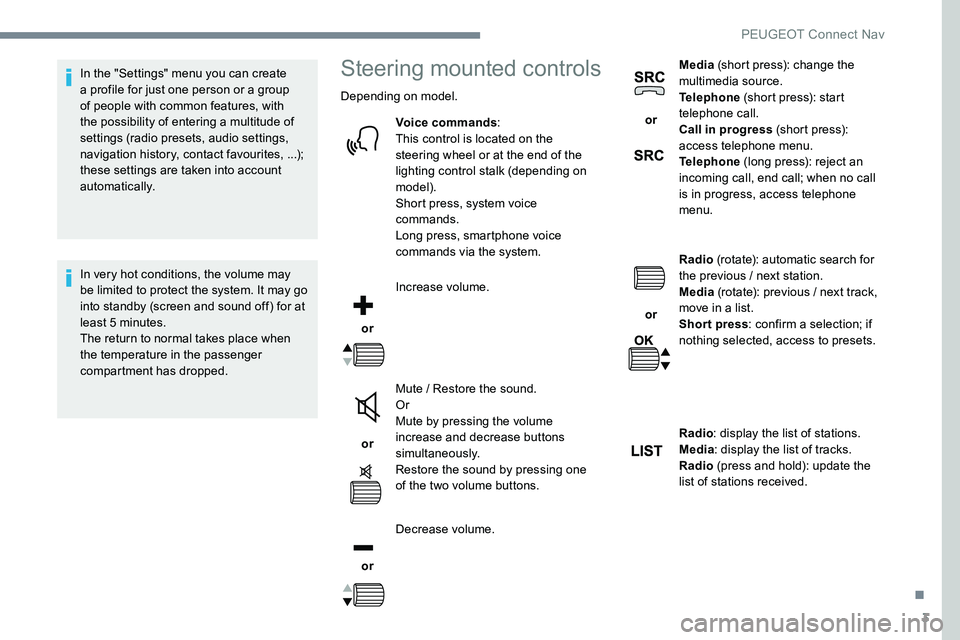
Depending on model.Voice commands :
This control is located on the
steering wheel or at the end of the
lighting control stalk (depending on
model).
Short press, system voice
commands.
Long press, smartphone voice
commands via the system.
or Increase volume.
or Mute / Restore the sound.
Or
Mute by pressing the volume
increase and decrease buttons
simultaneously.
Restore the sound by pressing one
of the two volume buttons.
or Decrease volume. or
Media
(short press): change the
multimedia source.
Telephone (short press): start
telephone call.
Call in progress (short press):
access telephone menu.
Telephone (long press): reject an
incoming call, end call; when no call
is in progress, access telephone
menu.
or Radio
(rotate): automatic search for
the previous / next station.
Media (rotate): previous / next track,
move in a list.
Short press : confirm a selection; if
nothing selected, access to presets.
Radio : display the list of stations.
Media : display the list of tracks.
Radio (press and hold): update the
list of stations received.
.
PEUGEOT Connect Nav
Page 258 of 306

26
Activate / Deactivate "Station
follow ".
Press " OK".
If "DAB-FM auto tracking" is activated,
there is a difference of a few seconds
when the system switches to "FM"
analogue radio with sometimes a variation
in volume.
Once the digital signal quality is restored,
the system automatically changes back
to " DA B ".
If the "DAB" station being listened to is
not available on "FM" (" DAB- FM" option
greyed out), or "DAB/FM auto tracking " is
not activated, the sound will cut out while
the digital signal is too weak.Media
Por t USB
Insert the USB memory stick in the USB port or
connect the USB device to the USB port using
a suitable cable (not supplied).
To protect the system, do not use a USB
hub.
The system builds playlists (in temporary
memory), an operation which can take from
a few seconds to several minutes at the first
connection.
Reduce the number of non-music files and the
number of folders to reduce the waiting time.
The playlists are updated every time the
ignition is switched off or a USB memory stick
is connected. The lists are memorised: if they
are not modified, the subsequent loading time
will be shorter.
Auxiliary socket (AUX)
(depending on model / depending on
equipment)
This source is only available if "Auxiliary input"
has been checked in the audio settings.
Connect the portable device (MP3 player…) to
the auxiliary jack socket using an audio cable
(not supplied).
First adjust the volume on your portable device
(to a high level). Then adjust the volume of your
audio system.
Display and management of the controls are
via the portable device.
CD player
(depending on model / depending on
equipment)
Insert the CD in the player.
PEUGEOT Connect Nav
Page 268 of 306
36
Selecting the language
or Press Settings
to display the
primary page.
Press the " OPTIONS" button to go to the
secondary page.
Select "Languages " to change the
language.
Setting the date
or Press Settings
to display the
primary page.
Press the " OPTIONS" button to go to the
secondary page. Select "
Setting the time- date".
Select " Date".
Press on this button to define the
date.
Press " OK" to confirm.
Select the display format of the date.
Adjustment of the time and date is only
available if "GPS synchronisation" is
deactivated.
The change between winter and summer
time is done by changing the time zone.
Setting the time
or Press Settings
to display the
primary page.
Press the " OPTIONS" button to go to the
secondary page.
Select "Setting the time- date".
Select " Time".
Press this button to adjust the time
using the virtual keypad.
Press " OK" to confirm.
Press this button to define the time
zone.
PEUGEOT Connect Nav
Page 269 of 306
37
Press "OK" to confirm.
The system does not automatically
manage the change between winter and
summer time (depending on country).
Colour schemes
As a safety measure, the procedure
for changing the colour scheme is only
possible when the vehicle is stationary .
or Press Settings
to display the
primary page. Select "
Colour schemes ".
Select a colour scheme in the list
then press " OK" to confirm.
Every time the colour scheme is changed,
the system restarts, temporarily displaying
a black screen.
Select the display format for the time
(12h / 24h).
Activate or deactivate
synchronisation with GPS (UTC).
Frequently asked
questions
The following information groups together the
answers to the most frequently asked questions
concerning your audio system.
.
PEUGEOT Connect Nav
Page 279 of 306
1
PEUGEOT Connect Radio
Multimedia audio system -
Applications - Bluetooth®
telephone
Contents
First steps
2
S
teering mounted controls
3
M
enus
4
A
pplications
6
R
adio
7
D
AB radio (Digital Audio Broadcasting)
9
M
edia
10
T
elephone
1
2
Configuration
1
8
Frequently asked questions
2
1The different functions and settings
described vary according to the version
and configuration of your vehicle.
As a safety measure and because it
requires sustained attention by the
driver, the pairing of a Bluetooth mobile
telephone with the Bluetooth hands-free
system of your audio system must be
done with the vehicle stationary
and the
ignition on.
The system is protected in such a way that
it will only operate in your vehicle.
The display of the Energy Economy
Mode message signals that a change to
standby is imminent.
The link below gives access to OSS (Open
Source Software) codes for the system.
https://www.groupe-psa.com/fr/oss/
https://www.groupe-psa.com/en/oss/
.
PEUGEOT Connect Radio