service Peugeot 301 2017 Service Manual
[x] Cancel search | Manufacturer: PEUGEOT, Model Year: 2017, Model line: 301, Model: Peugeot 301 2017Pages: 306, PDF Size: 9.87 MB
Page 254 of 306
22
Connection sharing
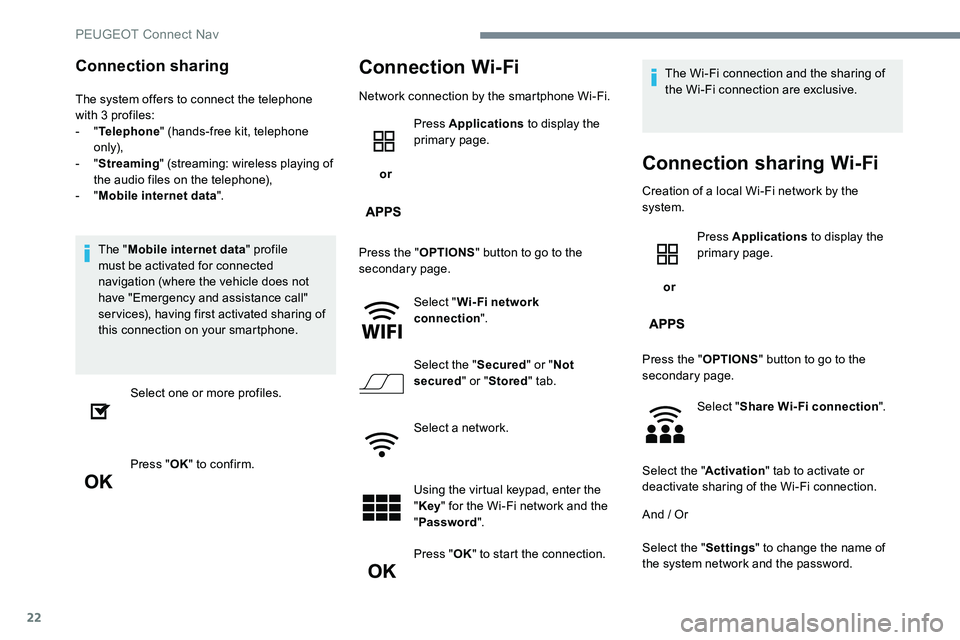
The system offers to connect the telephone
with 3 profiles:
- "Telephone " (hands-free kit, telephone
only),
-
"Streaming " (streaming: wireless playing of
the audio files on the telephone),
-
"Mobile internet data ".
The " Mobile internet data " profile
must be activated for connected
navigation (where the vehicle does not
have "Emergency and assistance call"
services), having first activated sharing of
this connection on your smartphone.
Select one or more profiles.
Press " OK" to confirm.
Connection Wi-Fi
Network connection by the smartphone Wi-Fi.
or Press Applications
to display the
primary page.
Press the " OPTIONS" button to go to the
secondary page.
Select "Wi- Fi network
connection ".
Select the " Secured" or "Not
secured " or "Stored " tab.
Select a network.
Using the virtual keypad, enter the
" Key " for the Wi-Fi network and the
" Password ".
Press " OK" to start the connection. The Wi-Fi connection and the sharing of
the Wi-Fi connection are exclusive.
Connection sharing Wi-Fi
Creation of a local Wi-Fi network by the
system.
or Press Applications
to display the
primary page.
Press the " OPTIONS" button to go to the
secondary page.
Select "Share Wi-Fi connection ".
Select the " Activation" tab to activate or
deactivate sharing of the Wi-Fi connection.
And / Or
Select the " Settings" to change the name of
the system network and the password.
PEUGEOT Connect Nav
Page 255 of 306
23
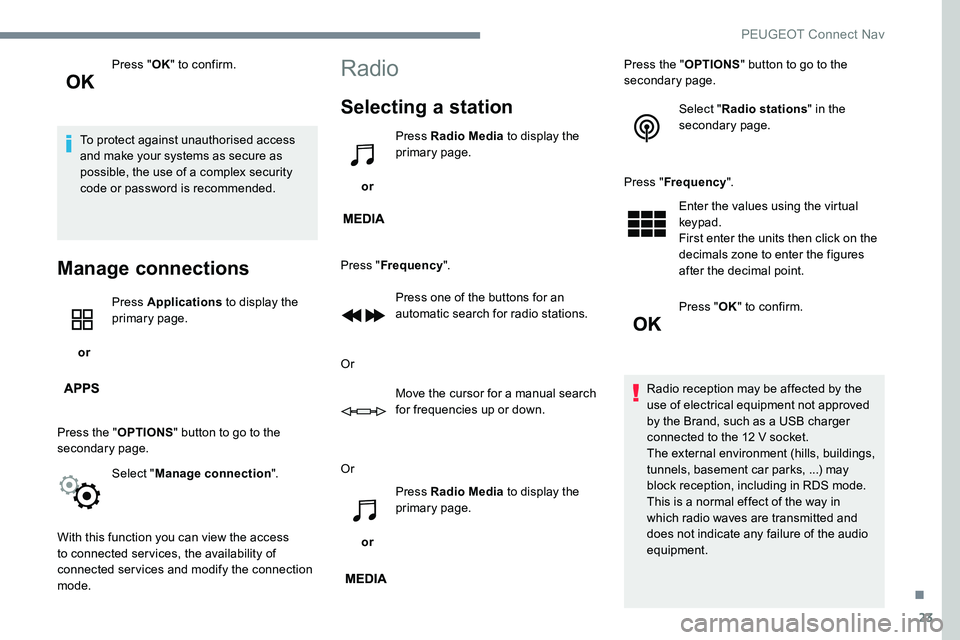
Press "OK" to confirm.
To protect against unauthorised access
and make your systems as secure as
possible, the use of a complex security
code or password is recommended.
Manage connections
or Press Applications
to display the
primary page.
Press the " OPTIONS" button to go to the
secondary page.
Select "Manage connection ".
With this function you can view the access
to connected services, the availability of
connected services and modify the connection
mode.
Radio
Selecting a station
or Press Radio Media
to display the
primary page.
Press " Frequency ".
Press one of the buttons for an
automatic search for radio stations.
Or Move the cursor for a manual search
for frequencies up or down.
Or
or Press Radio Media
to display the
primary page. Press the "
OPTIONS" button to go to the
secondary page.
Select "Radio stations " in the
secondary page.
Press " Frequency ".
Enter the values using the virtual
keypad.
First enter the units then click on the
decimals zone to enter the figures
after the decimal point.
Press " OK" to confirm.
Radio reception may be affected by the
use of electrical equipment not approved
by the Brand, such as a USB charger
connected to the 12 V socket.
The external environment (hills, buildings,
tunnels, basement car parks, ...) may
block reception, including in RDS mode.
This is a normal effect of the way in
which radio waves are transmitted and
does not indicate any failure of the audio
equipment.
.
PEUGEOT Connect Nav
Page 261 of 306
29
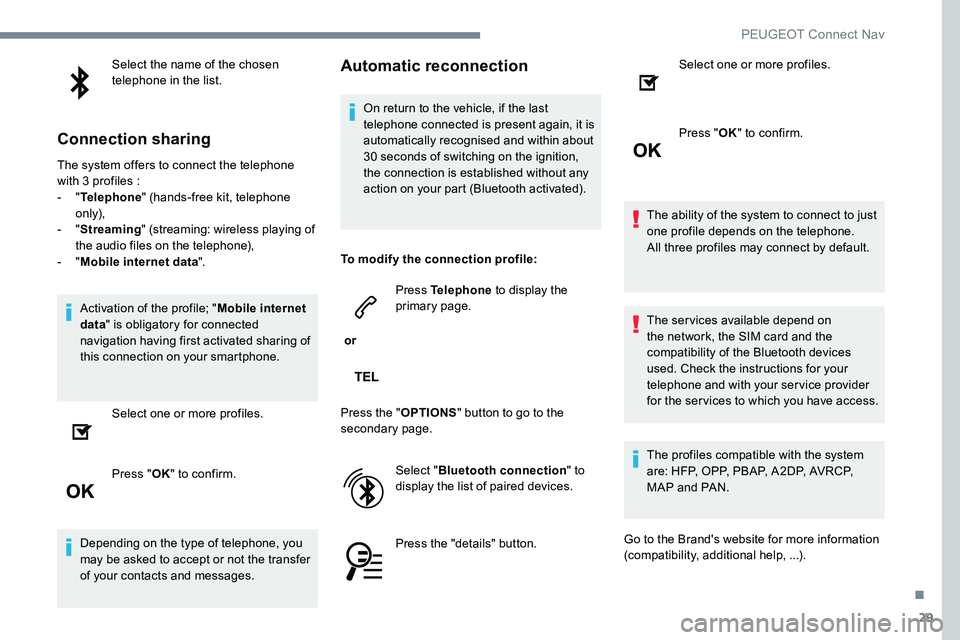
Select the name of the chosen
telephone in the list.
Connection sharing
The system offers to connect the telephone
with 3 profiles :
- "Telephone " (hands-free kit, telephone
only),
-
"Streaming " (streaming: wireless playing of
the audio files on the telephone),
-
"Mobile internet data ".
Activation of the profile; " Mobile internet
data " is obligatory for connected
navigation having first activated sharing of
this connection on your smartphone.
Select one or more profiles.
Press " OK" to confirm.
Depending on the type of telephone, you
may be asked to accept or not the transfer
of your contacts and messages.
Automatic reconnection
On return to the vehicle, if the last
telephone connected is present again, it is
automatically recognised and within about
30 seconds of switching on the ignition,
the connection is established without any
action on your part (Bluetooth activated).
To modify the connection profile:
or Press Telephone
to display the
primary page.
Press the " OPTIONS" button to go to the
secondary page.
Select "Bluetooth connection " to
display the list of paired devices.
Press the "details" button. Select one or more profiles.
Press "
OK" to confirm.
The ability of the system to connect to just
one profile depends on the telephone.
All three profiles may connect by default.
The services available depend on
the network, the SIM card and the
compatibility of the Bluetooth devices
used. Check the instructions for your
telephone and with your service provider
for the services to which you have access.
The profiles compatible with the system
are: HFP, OPP, PBAP, A2DP, AVRCP,
MAP and PAN.
Go to the Brand's website for more information
(compatibility, additional help, ...).
.
PEUGEOT Connect Nav
Page 264 of 306
32
Managing messages
or Press Telephone
to display the
primary page.
Press the " OPTIONS" button to go to the
secondary page.
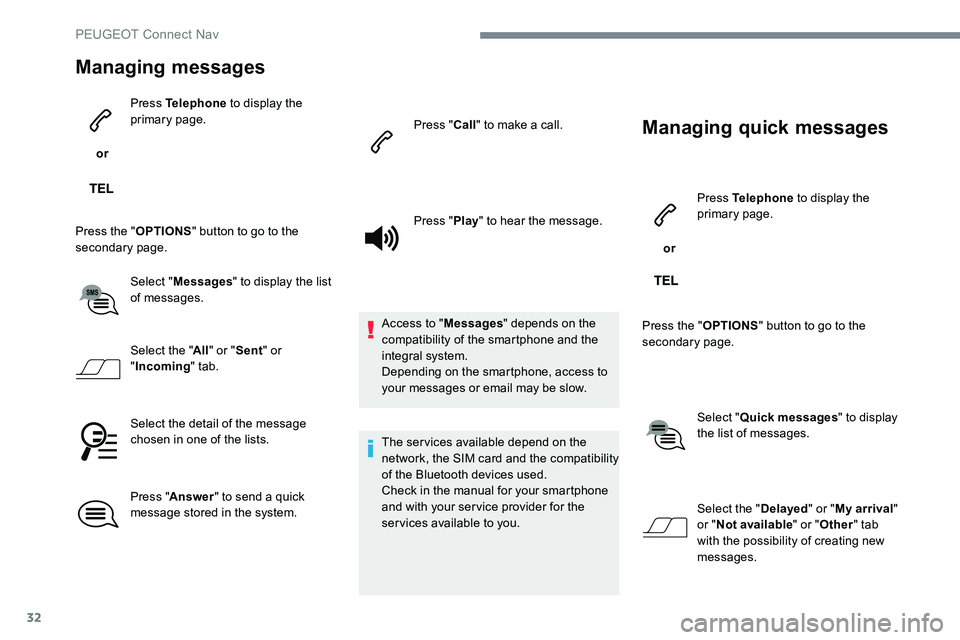
Select "Messages " to display the list
of messages.
Select the " All" or " Sent " or
" Incoming " tab.
Select the detail of the message
chosen in one of the lists.
Press " Answer " to send a quick
message stored in the system. Press "
Call" to make a call.
Press " Play" to hear the message.
Access to " Messages" depends on the
compatibility of the smartphone and the
integral system.
Depending on the smartphone, access to
your messages or email may be slow.
The services available depend on the
network, the SIM card and the compatibility
of the Bluetooth devices used.
Check in the manual for your smartphone
and with your service provider for the
services available to you.
Managing quick messages
or Press Telephone
to display the
primary page.
Press the " OPTIONS" button to go to the
secondary page.
Select "Quick messages " to display
the list of messages.
Select the " Delayed" or "My arrival "
or " Not available " or "Other " tab
with the possibility of creating new
messages.
PEUGEOT Connect Nav
Page 270 of 306
38
Navigation
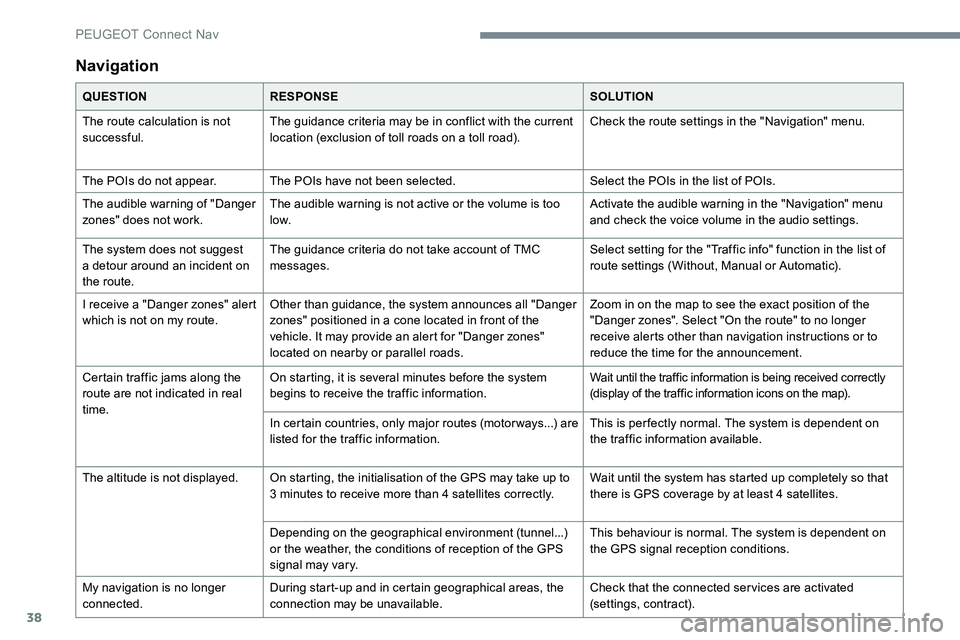
QUESTIONRESPONSE SOLUTION
The route calculation is not
successful. The guidance criteria may be in conflict with the current
location (exclusion of toll roads on a toll road). Check the route settings in the "Navigation" menu.
The POIs do not appear. The POIs have not been selected. Select the POIs in the list of POIs.
The audible warning of "Danger
zones" does not work. The audible warning is not active or the volume is too
low. Activate the audible warning in the "Navigation" menu
and check the voice volume in the audio settings.
The system does not suggest
a detour around an incident on
the route. The guidance criteria do not take account of TMC
messages.
Select setting for the "Traffic info" function in the list of
route settings (Without, Manual or Automatic).
I receive a "Danger zones" alert
which is not on my route. Other than guidance, the system announces all "Danger
zones" positioned in a cone located in front of the
vehicle. It may provide an alert for "Danger zones"
located on nearby or parallel roads. Zoom in on the map to see the exact position of the
"Danger zones". Select "On the route" to no longer
receive alerts other than navigation instructions or to
reduce the time for the announcement.
Certain traffic jams along the
route are not indicated in real
time. On starting, it is several minutes before the system
begins to receive the traffic information.
Wait until the traffic information is being received correctly
(display of the traffic information icons on the map).
In certain countries, only major routes (motor ways...) are
listed for the traffic information. This is per fectly normal. The system is dependent on
the traffic information available.
The altitude is not displayed. On starting, the initialisation of the GPS may take up to 3 minutes to receive more than 4 satellites correctly. Wait until the system has started up completely so that
there is GPS coverage by at least 4 satellites.
Depending on the geographical environment (tunnel...)
or the weather, the conditions of reception of the GPS
signal may vary. This behaviour is normal. The system is dependent on
the GPS signal reception conditions.
My navigation is no longer
connected. During start-up and in certain geographical areas, the
connection may be unavailable. Check that the connected services are activated
(settings, contract).
PEUGEOT Connect Nav
Page 273 of 306
41
Telephone
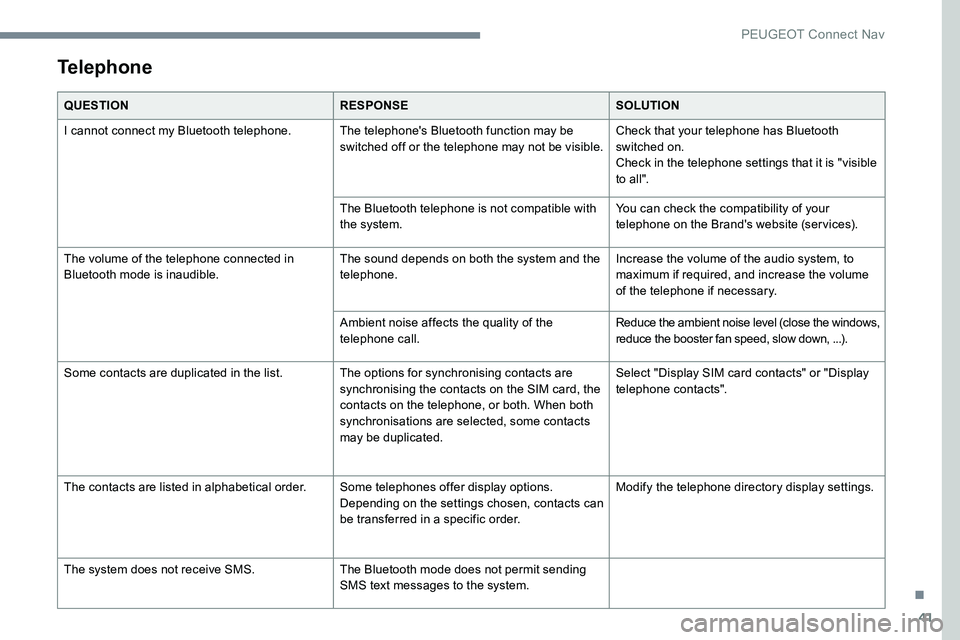
QUESTIONRESPONSESOLUTION
I cannot connect my Bluetooth telephone. The telephone's Bluetooth function may be switched off or the telephone may not be visible.Check that your telephone has Bluetooth
switched on.
Check in the telephone settings that it is "visible
to all".
The Bluetooth telephone is not compatible with
the system. You can check the compatibility of your
telephone on the Brand's website (services).
The volume of the telephone connected in
Bluetooth mode is inaudible. The sound depends on both the system and the
telephone.Increase the volume of the audio system, to
maximum if required, and increase the volume
of the telephone if necessary.
Ambient noise affects the quality of the
telephone call. Reduce the ambient noise level (close the windows,
reduce the booster fan speed, slow down, ...).
Some contacts are duplicated in the list. The options for synchronising contacts are synchronising the contacts on the SIM card, the
contacts on the telephone, or both. When both
synchronisations are selected, some contacts
may be duplicated.Select "Display SIM card contacts" or "Display
telephone contacts".
The contacts are listed in alphabetical order. Some telephones offer display options.
Depending on the settings chosen, contacts can
be transferred in a specific order.Modify the telephone directory display settings.
The system does not receive SMS. The Bluetooth mode does not permit sending
SMS text messages to the system.
.
PEUGEOT Connect Nav
Page 294 of 306
16
On return to the vehicle, if the last
telephone connected is present again, it is
automatically recognised and within about
30 seconds of switching on the ignition,
the connection is established without any
action on your part (Bluetooth activated).
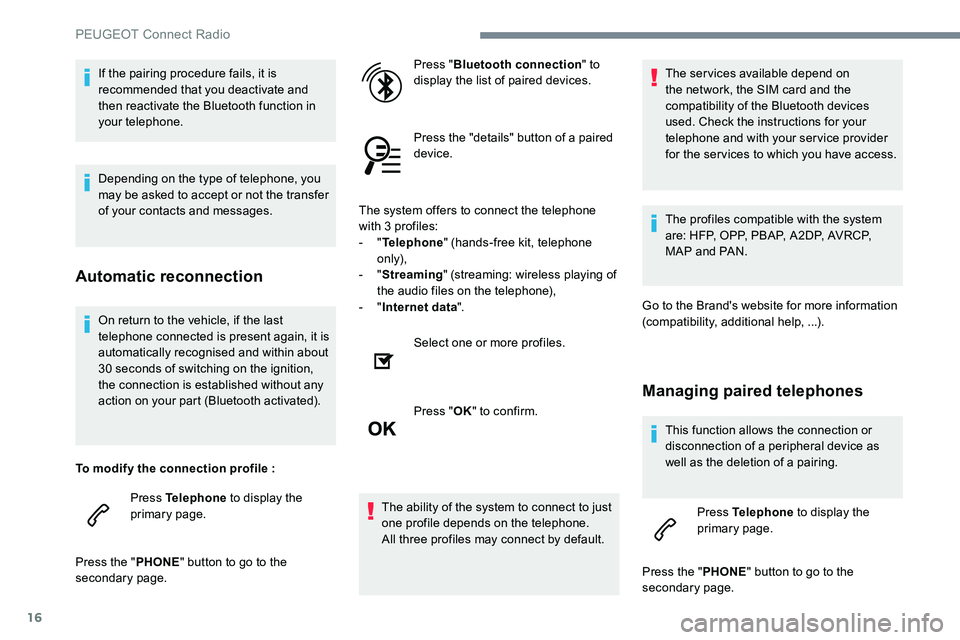
To modify the connection profile : Press Telephone to display the
primary page.
Press the " PHONE" button to go to the
secondary page. Press "
Bluetooth connection " to
display the list of paired devices.
Press the "details" button of a paired
device.
The system offers to connect the telephone
with 3 profiles:
- "
Telephone " (hands-free kit, telephone
only),
- "
Streaming " (streaming: wireless playing of
the audio files on the telephone),
- "
Internet data ".
Select one or more profiles.
Press " OK" to confirm.
The ability of the system to connect to just
one profile depends on the telephone.
All three profiles may connect by default. The services available depend on
the network, the SIM card and the
compatibility of the Bluetooth devices
used. Check the instructions for your
telephone and with your service provider
for the services to which you have access.
The profiles compatible with the system
are: HFP, OPP, PBAP, A2DP, AVRCP,
MAP and PAN.
Go to the Brand's website for more information
(compatibility, additional help, ...).
Managing paired telephones
This function allows the connection or
disconnection of a peripheral device as
well as the deletion of a pairing. Press Telephone to display the
primary page.
Press the " PHONE" button to go to the
secondary page.
If the pairing procedure fails, it is
recommended that you deactivate and
then reactivate the Bluetooth function in
your telephone.
Depending on the type of telephone, you
may be asked to accept or not the transfer
of your contacts and messages.
Automatic reconnection
PEUGEOT Connect Radio
Page 302 of 306
24
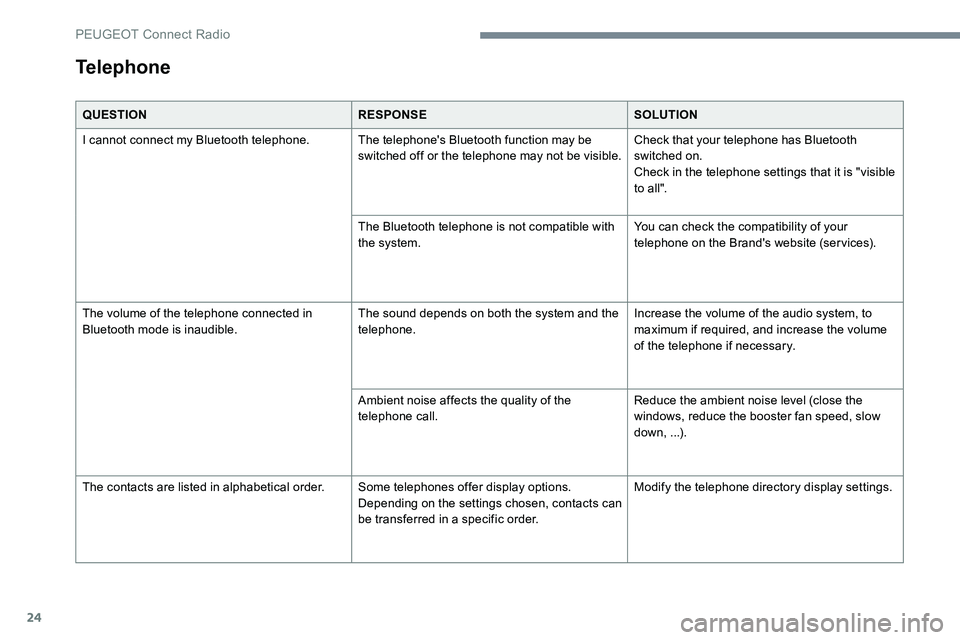
QUESTIONRESPONSESOLUTION
I cannot connect my Bluetooth telephone. The telephone's Bluetooth function may be switched off or the telephone may not be visible.Check that your telephone has Bluetooth
switched on.
Check in the telephone settings that it is "visible
to all".
The Bluetooth telephone is not compatible with
the system. You can check the compatibility of your
telephone on the Brand's website (services).
The volume of the telephone connected in
Bluetooth mode is inaudible. The sound depends on both the system and the
telephone.Increase the volume of the audio system, to
maximum if required, and increase the volume
of the telephone if necessary.
Ambient noise affects the quality of the
telephone call. Reduce the ambient noise level (close the
windows, reduce the booster fan speed, slow
down, ...).
The contacts are listed in alphabetical order. Some telephones offer display options.
Depending on the settings chosen, contacts can
be transferred in a specific order.Modify the telephone directory display settings.
Telephone
PEUGEOT Connect Radio