Bsi Peugeot 301 2017 Owner's Manual
[x] Cancel search | Manufacturer: PEUGEOT, Model Year: 2017, Model line: 301, Model: Peugeot 301 2017Pages: 306, PDF Size: 9.87 MB
Page 2 of 306
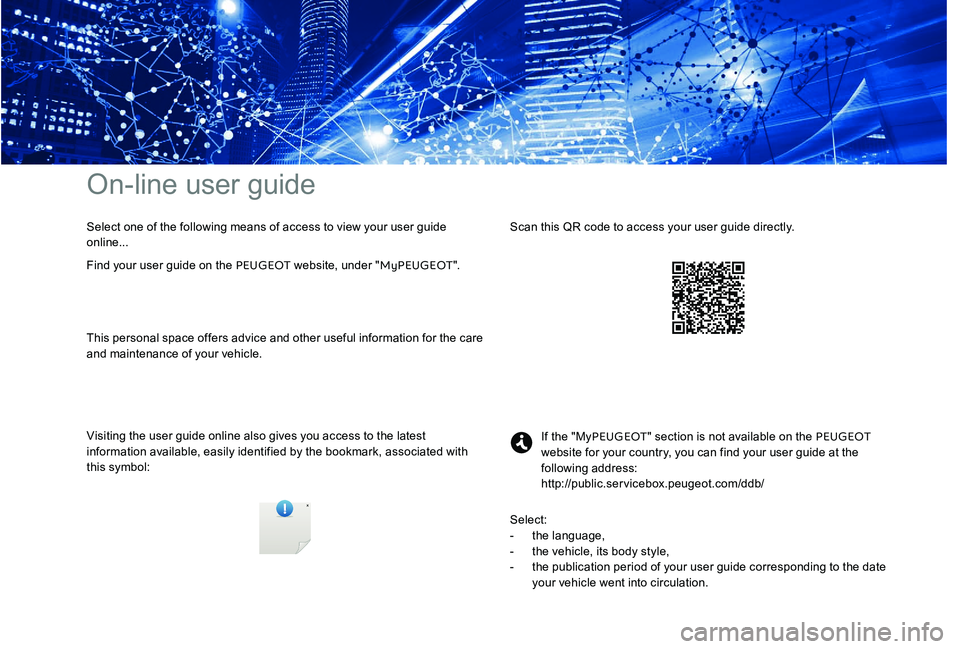
On-line user guide
Visiting the user guide online also gives you access to the latest
information available, easily identified by the bookmark, associated with
this symbol:If the "My
PEUGEOT " section is not available on the PEUGEOT
website for your country, you can find your user guide at the
following address:
http://public.servicebox.peugeot.com/ddb/
Find your user guide on the PEUGEOT
website, under "MyPEUGEOT".Scan this QR code to access your user guide directly.
Select one of the following means of access to view your user guide
online...
This personal space offers advice and other useful information for the care
and maintenance of your vehicle.
Select:
-
t
he language,
-
t
he vehicle, its body style,
-
t
he publication period of your user guide corresponding to the date
your vehicle went into circulation.
Page 74 of 306
72
Emergency or assistance call
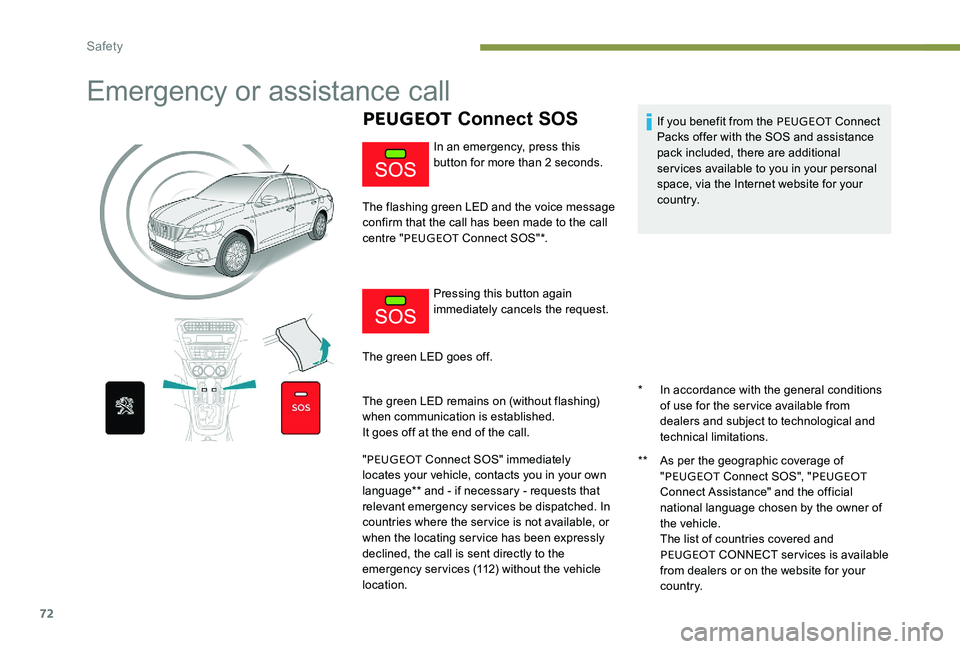
PEUGEOT Connect SOS
* In accordance with the general conditions
of use for the service available from
dealers and subject to technological and
technical limitations.
**
A
s per the geographic coverage of
" PEUGEOT Connect SOS", " PEUGEOT
Connect Assistance" and the official
national language chosen by the owner of
the vehicle.
T
he list of countries covered and
PEUGEOT CONNECT services is available
from dealers or on the website for your
c o unt r y.
In an emergency, press this
button for more than 2 seconds.
The flashing green LED and the voice message
confirm that the call has been made to the call
centre " PEUGEOT Connect SOS"*.
Pressing this button again
immediately cancels the request.
The green LED goes off.
The green LED remains on (without flashing)
when communication is established.
It goes off at the end of the call.
" PEUGEOT Connect SOS" immediately
locates your vehicle, contacts you in your own
language** and - if necessary - requests that
relevant emergency services be dispatched. In
countries where the service is not available, or
when the locating service has been expressly
declined, the call is sent directly to the
emergency services (112) without the vehicle
location. If you benefit from the PEUGEOT
Connect
Packs offer with the SOS and assistance
pack included, there are additional
services available to you in your personal
space, via the Internet website for your
c o unt r y.
Safety
Page 249 of 306
17
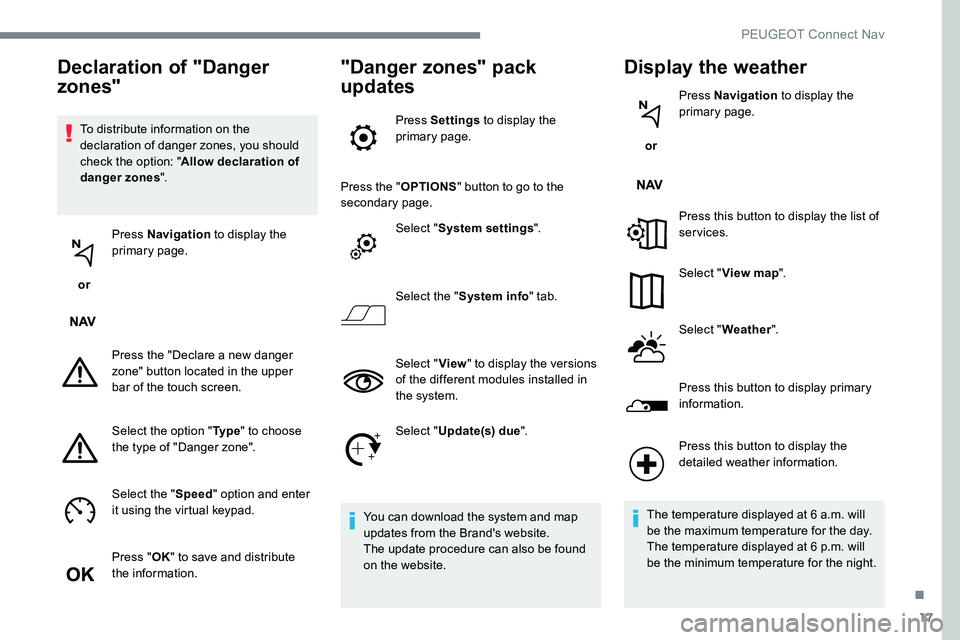
To distribute information on the
declaration of danger zones, you should
check the option: "Allow declaration of
danger zones ".
or Press Navigation
to display the
primary page.
Press the "Declare a new danger
zone" button located in the upper
bar of the touch screen.
Select the option " Ty p e" to choose
the type of "Danger zone".
Select the " Speed" option and enter
it using the virtual keypad.
Press " OK" to save and distribute
the information.
"Danger zones" pack
updates
Press Settings to display the
primary page.
Press the " OPTIONS" button to go to the
secondary page.
Select "System settings ".
Select the " System info " tab.
Select " View" to display the versions
of the different modules installed in
the system.
Select " Update(s) due ".
You can download the system and map
updates from the Brand's website.
The update procedure can also be found
on the website.
Display the weather
or Press Navigation
to display the
primary page.
Press this button to display the list of
services.
Select " View map ".
Select " Weather ".
Press this button to display primary
information.
Declaration of "Danger
zones"
Press this button to display the
detailed weather information.
The temperature displayed at 6 a.m. will
be the maximum temperature for the day.
The temperature displayed at 6 p.m. will
be the minimum temperature for the night.
.
PEUGEOT Connect Nav
Page 250 of 306
18
Applications
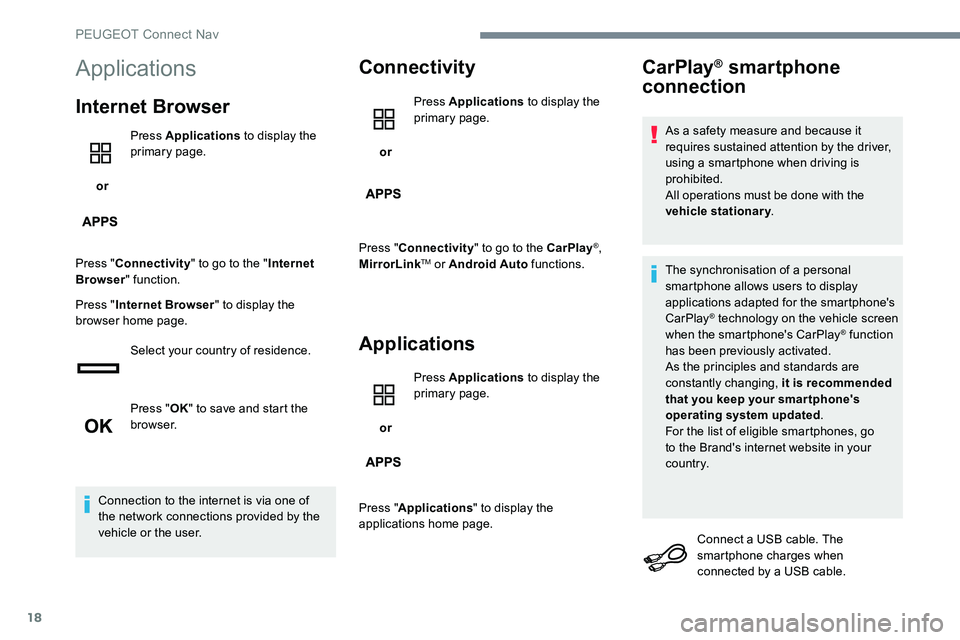
Internet Browser
or Press Applications
to display the
primary page.
Press " Connectivity " to go to the " Internet
Browser " function.
Press " Internet Browser " to display the
browser home page.
Select your country of residence.
Press "OK" to save and start the
browser.
Connection to the internet is via one of
the network connections provided by the
vehicle or the user.
Connectivity
or Press Applications
to display the
primary page.
Press " Connectivity " to go to the CarPlay
®,
MirrorLinkTM or Android Auto functions.
Applications
or Press Applications
to display the
primary page.
Press " Applications " to display the
applications home page.
CarPlay® smartphone
connection
As a safety measure and because it
requires sustained attention by the driver,
using a smartphone when driving is
prohibited.
All operations must be done with the
vehicle stationary .
The synchronisation of a personal
smartphone allows users to display
applications adapted for the smartphone's
CarPlay
® technology on the vehicle screen
when the smartphone's CarPlay® function
has been previously activated.
As the principles and standards are
constantly changing, it is recommended
that you keep your smar tphone's
operating system updated .
For the list of eligible smartphones, go
to the Brand's internet website in your
c o unt r y.
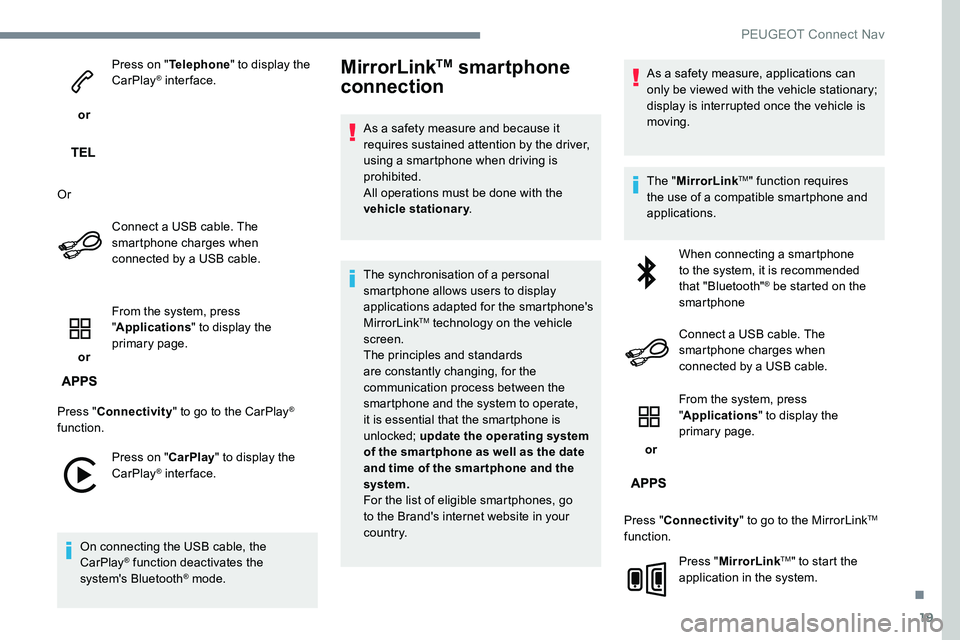
Connect a USB cable. The
smartphone charges when
connected by a USB cable.
PEUGEOT Connect Nav
Page 251 of 306
19
or Press on "
Telephone " to display the
CarPlay
® inter face.
Or Connect a USB cable. The
smartphone charges when
connected by a USB cable.
or From the system, press
"
Applications " to display the
primary page.
Press " Connectivity " to go to the CarPlay
®
function.
Press on " CarPlay" to display the
CarPlay
® inter face.
On connecting the USB cable, the
CarPlay
® function deactivates the
system's Bluetooth® mode.
MirrorLinkTM smartphone
connection
As a safety measure and because it
requires sustained attention by the driver,
using a smartphone when driving is
prohibited.
All operations must be done with the
vehicle stationary .
The synchronisation of a personal
smartphone allows users to display
applications adapted for the smartphone's
MirrorLink
TM technology on the vehicle
screen.
The principles and standards
are constantly changing, for the
communication process between the
smartphone and the system to operate,
it is essential that the smartphone is
unlocked; update the operating system
of the smar tphone as well as the date
and time of the smar tphone and the
system.
For the list of eligible smartphones, go
to the Brand's internet website in your
c o unt r y. As a safety measure, applications can
only be viewed with the vehicle stationary;
display is interrupted once the vehicle is
moving.
The "
MirrorLink
TM" function requires
the use of a compatible smartphone and
applications.
When connecting a smartphone
to the system, it is recommended
that "Bluetooth"
® be started on the
smartphone
Connect a USB cable. The
smartphone charges when
connected by a USB cable.
or From the system, press
"
Applications " to display the
primary page.
Press " Connectivity " to go to the MirrorLink
TM
function.
Press "MirrorLink
TM" to start the
application in the system.
.
PEUGEOT Connect Nav
Page 252 of 306
20
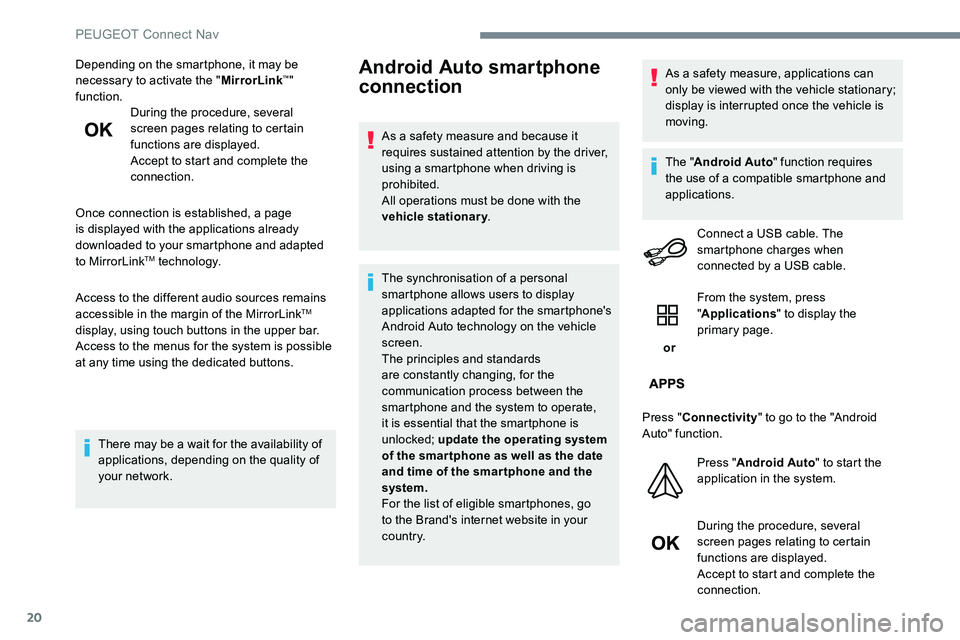
Depending on the smartphone, it may be
necessary to activate the "MirrorLink™"
function. During the procedure, several
screen pages relating to certain
functions are displayed.
Accept to start and complete the
connection.
Once connection is established, a page
is displayed with the applications already
downloaded to your smartphone and adapted
to MirrorLink
TM technology.
Access to the different audio sources remains
accessible in the margin of the MirrorLink
TM
display, using touch buttons in the upper bar.
Access to the menus for the system is possible
at any time using the dedicated buttons.
There may be a wait for the availability of
applications, depending on the quality of
your network.
Android Auto smartphone
connection
As a safety measure and because it
requires sustained attention by the driver,
using a smartphone when driving is
prohibited.
All operations must be done with the
vehicle stationary .
The synchronisation of a personal
smartphone allows users to display
applications adapted for the smartphone's
Android Auto technology on the vehicle
screen.
The principles and standards
are constantly changing, for the
communication process between the
smartphone and the system to operate,
it is essential that the smartphone is
unlocked; update the operating system
of the smar tphone as well as the date
and time of the smar tphone and the
system.
For the list of eligible smartphones, go
to the Brand's internet website in your
c o unt r y. As a safety measure, applications can
only be viewed with the vehicle stationary;
display is interrupted once the vehicle is
moving.
The "
Android Auto " function requires
the use of a compatible smartphone and
applications.
Connect a USB cable. The
smartphone charges when
connected by a USB cable.
or From the system, press
"
Applications " to display the
primary page.
Press " Connectivity " to go to the "Android
Auto" function.
Press "Android Auto " to start the
application in the system.
During the procedure, several
screen pages relating to certain
functions are displayed.
Accept to start and complete the
connection.
PEUGEOT Connect Nav
Page 261 of 306
29
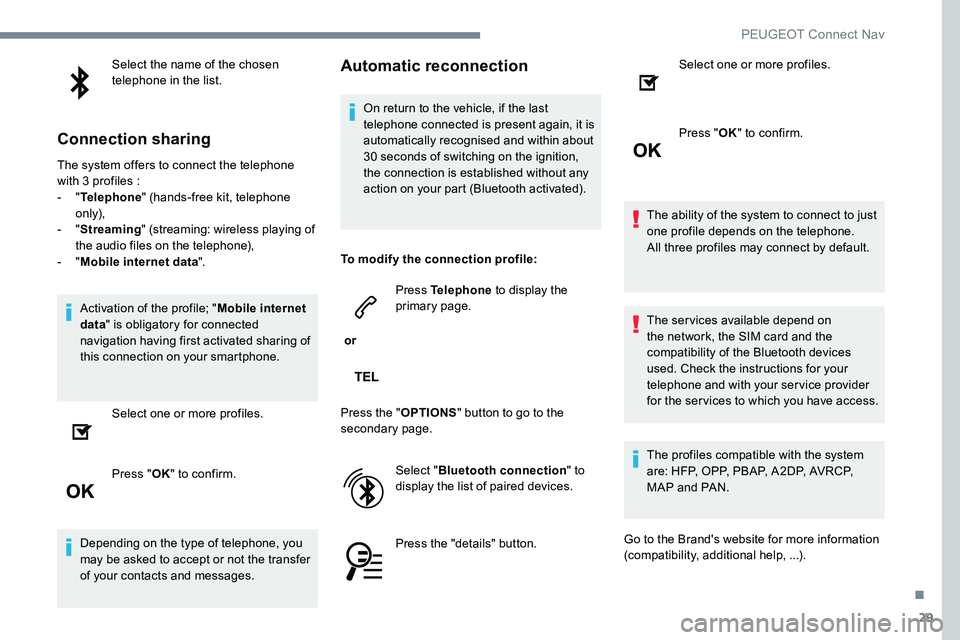
Select the name of the chosen
telephone in the list.
Connection sharing
The system offers to connect the telephone
with 3 profiles :
- "Telephone " (hands-free kit, telephone
only),
-
"Streaming " (streaming: wireless playing of
the audio files on the telephone),
-
"Mobile internet data ".
Activation of the profile; " Mobile internet
data " is obligatory for connected
navigation having first activated sharing of
this connection on your smartphone.
Select one or more profiles.
Press " OK" to confirm.
Depending on the type of telephone, you
may be asked to accept or not the transfer
of your contacts and messages.
Automatic reconnection
On return to the vehicle, if the last
telephone connected is present again, it is
automatically recognised and within about
30 seconds of switching on the ignition,
the connection is established without any
action on your part (Bluetooth activated).
To modify the connection profile:
or Press Telephone
to display the
primary page.
Press the " OPTIONS" button to go to the
secondary page.
Select "Bluetooth connection " to
display the list of paired devices.
Press the "details" button. Select one or more profiles.
Press "
OK" to confirm.
The ability of the system to connect to just
one profile depends on the telephone.
All three profiles may connect by default.
The services available depend on
the network, the SIM card and the
compatibility of the Bluetooth devices
used. Check the instructions for your
telephone and with your service provider
for the services to which you have access.
The profiles compatible with the system
are: HFP, OPP, PBAP, A2DP, AVRCP,
MAP and PAN.
Go to the Brand's website for more information
(compatibility, additional help, ...).
.
PEUGEOT Connect Nav
Page 273 of 306
41
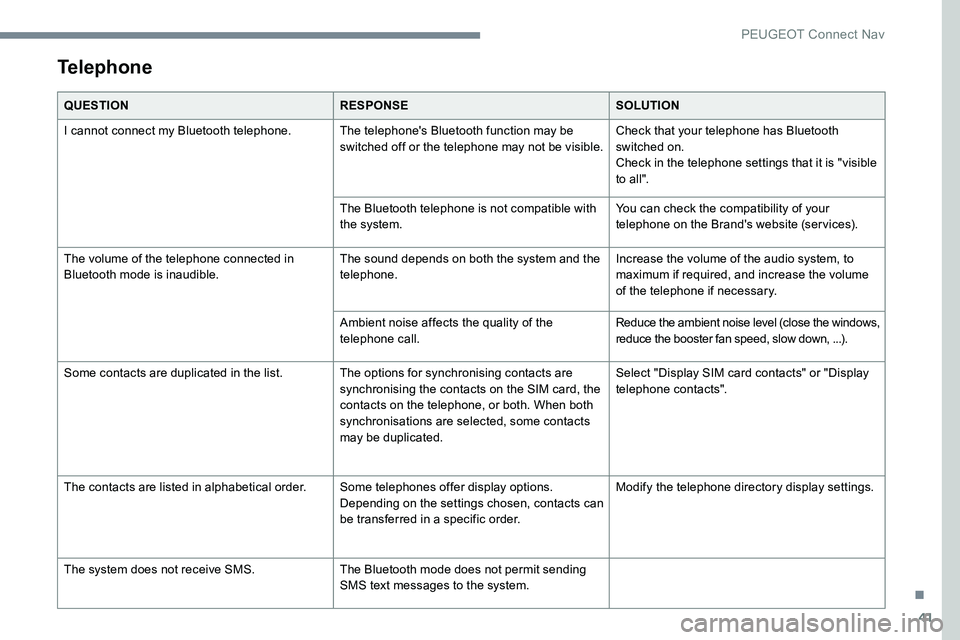
Telephone
QUESTIONRESPONSESOLUTION
I cannot connect my Bluetooth telephone. The telephone's Bluetooth function may be switched off or the telephone may not be visible.Check that your telephone has Bluetooth
switched on.
Check in the telephone settings that it is "visible
to all".
The Bluetooth telephone is not compatible with
the system. You can check the compatibility of your
telephone on the Brand's website (services).
The volume of the telephone connected in
Bluetooth mode is inaudible. The sound depends on both the system and the
telephone.Increase the volume of the audio system, to
maximum if required, and increase the volume
of the telephone if necessary.
Ambient noise affects the quality of the
telephone call. Reduce the ambient noise level (close the windows,
reduce the booster fan speed, slow down, ...).
Some contacts are duplicated in the list. The options for synchronising contacts are synchronising the contacts on the SIM card, the
contacts on the telephone, or both. When both
synchronisations are selected, some contacts
may be duplicated.Select "Display SIM card contacts" or "Display
telephone contacts".
The contacts are listed in alphabetical order. Some telephones offer display options.
Depending on the settings chosen, contacts can
be transferred in a specific order.Modify the telephone directory display settings.
The system does not receive SMS. The Bluetooth mode does not permit sending
SMS text messages to the system.
.
PEUGEOT Connect Nav
Page 290 of 306
12
It is advisable to restrict file names to
20 characters, without using special characters
(e.g.: " " ? . ; ù) so as to avoid any reading or
display problems.
Use only USB keys in FAT32 format
(File Allocation Table).It is recommended that the original USB
cable for the portable device is used.
In order to be able to play a burned CDR or
CDRW, select standards ISO 9660 level 1, 2 or
Joliet if possible when burning the CD.
If the disc is burned in another format, it may
not be played correctly.
It is recommended that the same burning
standard is always used on an individual disc,
with the lowest speed possible (4x maximum)
for the best acoustic quality.
In the particular case of a multi-session CD, the
Joliet standard is recommended.Telephone
MirrorLinkTM smartphone
connection
As a safety measure and because it
requires sustained attention by the driver,
using a smartphone when driving is
prohibited.
All operations must be done with the
vehicle stationary .
The synchronisation of a personal
smartphone allows users to display
applications adapted for the smartphone's
MirrorLink
TM technology on the vehicle
screen.
The principles and standards
are constantly changing, for the
communication process between the
smartphone and the system to operate,
it is essential that the smartphone is
unlocked; update the operating system
of the smar tphone as well as the date
and time of the smar tphone and the
system .
For the list of eligible smartphones, go
to the Brand's internet website in your
c o unt r y. As a safety measure, applications can
only be viewed with the vehicle stationary;
display is interrupted once the vehicle is
moving.
The "MirrorLink
TM" function requires a
compatible smartphone and applications.
Telephone not connected by
Bluetooth®
Connect a USB cable. The
smartphone charges when
connected by a USB cable.
From the system, press
" Telephone " to display the primary
page.
Press " MirrorLink
TM" to start the
application in the system.
Depending on the smartphone, it may be
necessary to activate the " MirrorLink
TM"
function.
PEUGEOT Connect Radio
Page 291 of 306
13
During the procedure, several
screen pages relating to certain
functions are displayed.
Accept to start and complete the
connection.
When connecting a smartphone
to the system, it is recommended
that "Bluetooth
®" be started on the
smartphone
Telephone connected by
Bluetooth®
From the system, press
" Telephone " to display the primary
page.
Press the " PHONE" button to display the
secondary page.
Press "MirrorLink
TM" to start the
application in the system.
Once the connection is established, a page
is displayed with the applications already
downloaded to your smartphone and adapted
to MirrorLink
TM technology. Access to the different audio sources remains
accessible in the margin of the MirrorLink
TM
display, using touch buttons in the upper bar.
Access to the menus for the system is possible
at any time using the dedicated buttons.
There may be a wait for the availability of
applications, depending on the quality of
your network.
CarPlay® smartphone
connection
As a safety measure and because it
requires sustained attention by the driver,
using a smartphone when driving is
prohibited.
All operations must be done with the
vehicle stationary . The synchronisation of a personal
smartphone allows users to display
applications adapted for the smartphone's
CarPlay
® technology on the vehicle screen
when the smartphone's CarPlay® function
has been previously activated.
As the principles and standards are
constantly changing, it is recommended
that you keep your smar tphone's
operating system updated .
For the list of eligible smartphones, go
to the Brand's internet website in your
c o unt r y.
Connect a USB cable. The
smartphone charges when
connected by a USB cable.
From the system, press Car Play to
display the Telephone
® inter face.
Or If the smartphone is already
connected by Bluetooth
®.
.
PEUGEOT Connect Radio