ECU Peugeot 307 SW Dag 2002.5 Owner's Manual
[x] Cancel search | Manufacturer: PEUGEOT, Model Year: 2002.5, Model line: 307 SW Dag, Model: Peugeot 307 SW Dag 2002.5Pages: 177, PDF Size: 1.99 MB
Page 10 of 177
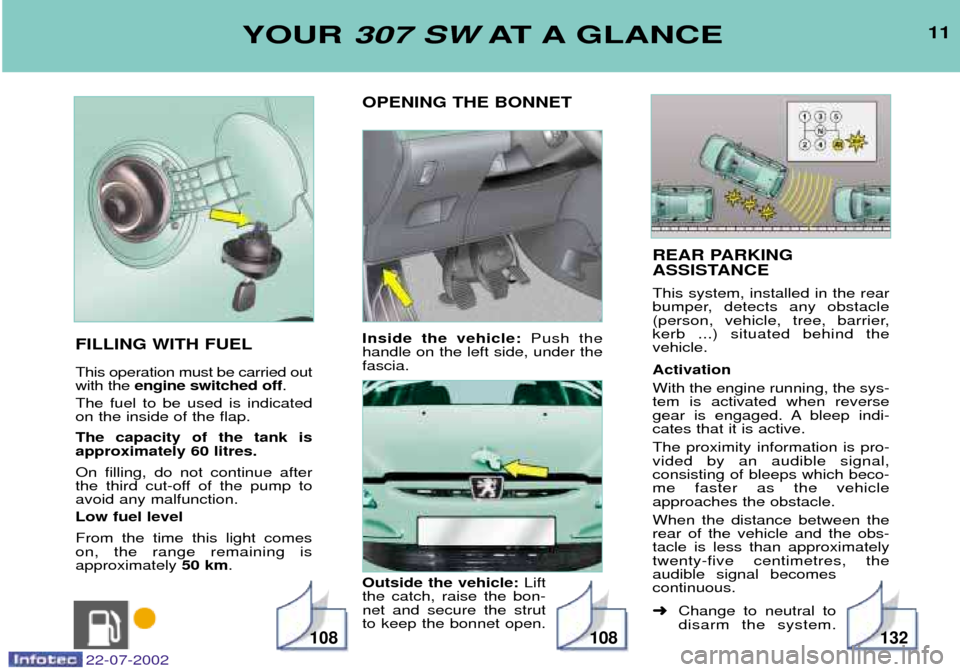
REAR PARKING
ASSISTANCE This system, installed in the rear
bumper, detects any obstacle
(person, vehicle, tree, barrier,kerb ...) situated behind thevehicle. Activation With the engine running, the sys- tem is activated when reverse
gear is engaged. A bleep indi-cates that it is active. The proximity information is pro- vided by an audible signal,consisting of bleeps which beco-me faster as the vehicleapproaches the obstacle. When the distance between the rear of the vehicle and the obs-tacle is less than approximatelytwenty-five centimetres, theaudible signal becomescontinuous. ➜Change to neutral to disarm the system.
11
OPENING THE BONNET Inside the vehicle: Push the
handle on the left side, under the fascia. Outside the vehicle: Lift
the catch, raise the bon- net and secure the strutto keep the bonnet open.
FILLING WITH FUEL This operation must be carried out with the
engine switched off .
The fuel to be used is indicatedon the inside of the flap. The capacity of the tank is approximately 60 litres. On filling, do not continue after
the third cut-off of the pump toavoid any malfunction. Low fuel level From the time this light comes on, the range remaining isapproximately 50 km.YOUR 307 SW AT A GLANCE
108108132
22-07-2002
Page 63 of 177
22-07-2002
YOUR 307 SW IN DETAIL
62
TELEPHONE
This function is a GSM dual-band telephone (800 and 1 800 MHz) incorporated in the RT3 audio system. It is a ''hands free'' telephone. This function is provided by a microphone located next to the front courtesy light, the spea-
kers and a steering column control which allows access to most of the functions (the audio/telephone control panel buttons allow access to all the functions). Display of the principal ''mobile''type functions, as well as consultation of the indexes, is provided by the multifunction dis-
play.This function is active whatever position the ignition key is in.
Note: when the key is in the accessories (1st notch) or ignition on (2nd key notch) position, this function will be interrupted
after thirty minutes, when the message ''Economy mode active'' appears on the multifunction display. If you are using the
telephone at that time, you will be able to finish your call.
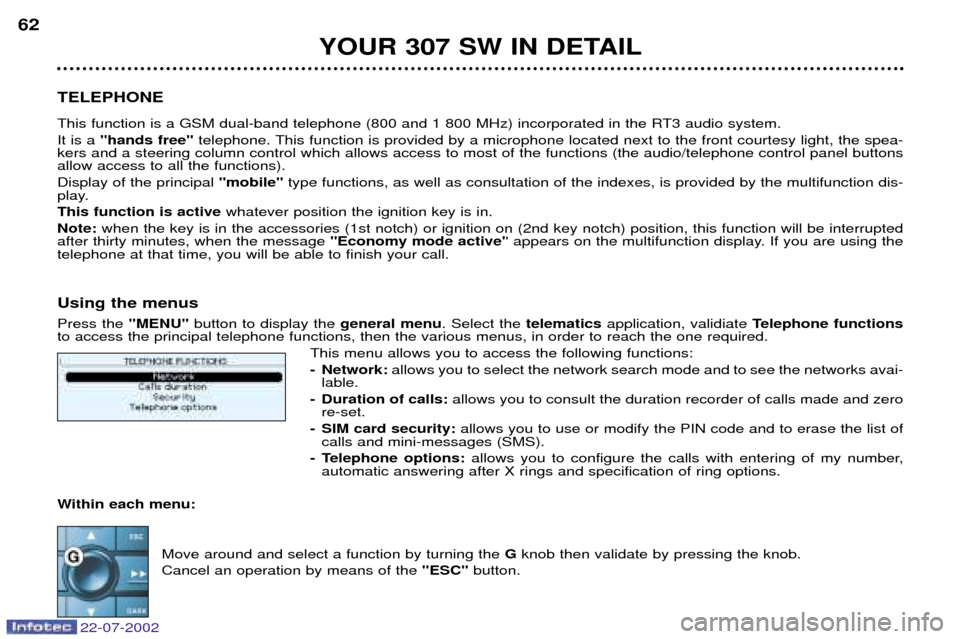
Using the menus Press the ''MENU''button to display the general menu. Select the telematicsapplication, validiate Telephone functions
to access the principal telephone functions, then the various menus, in order to reach the one required.
This menu allows you to access the following functions:
- Network: allows you to select the network search mode and to see the networks avai-
lable.
- Duration of calls: allows you to consult the duration recorder of calls made and zero
re-set.
- SIM card security: allows you to use or modify the PIN code and to erase the list of
calls and mini-messages (SMS).
- Telephone options: allows you to configure the calls with entering of my number,
automatic answering after X rings and specification of ring options.
Within each menu:
Move around and select a function by turning the Gknob then validate by pressing the knob.
Cancel an operation by means of the ''ESC''button.
Page 65 of 177
YOUR 307 SW IN DETAIL
64
Inputting the PIN code Input your PIN code using the alphanumeric keypad and validate by pressing knob Gor button
# to access the network. Connection to the network is validated by the appearance of a symbol
on the screen.
Warning: if you make three errors in succession when inputting your PIN code, your SIM card
will be blocked. To unblock it, you will need to input the PUK code. The PUK code will be sup- plied to you by the person selling your SIM card (input of the PUK code allows for 10 errors insuccession; after this the SIM card becomes permanently unusable). Note: the PIN code is required each time the ignition is switched on, unless the PIN code has
been stored in the memory or protection by PIN code is not activated on the SIM card.
Cancelling of PIN code request In the menu ''Telephone functions'' select ''SIM card security' ', then ''Process the PIN code' ', then validate the ''Cancel''
function.
Warning: in this case, do not lose your SIM card. Losing it would mean anyone who finds it would be able to make unlimi-
ted calls.
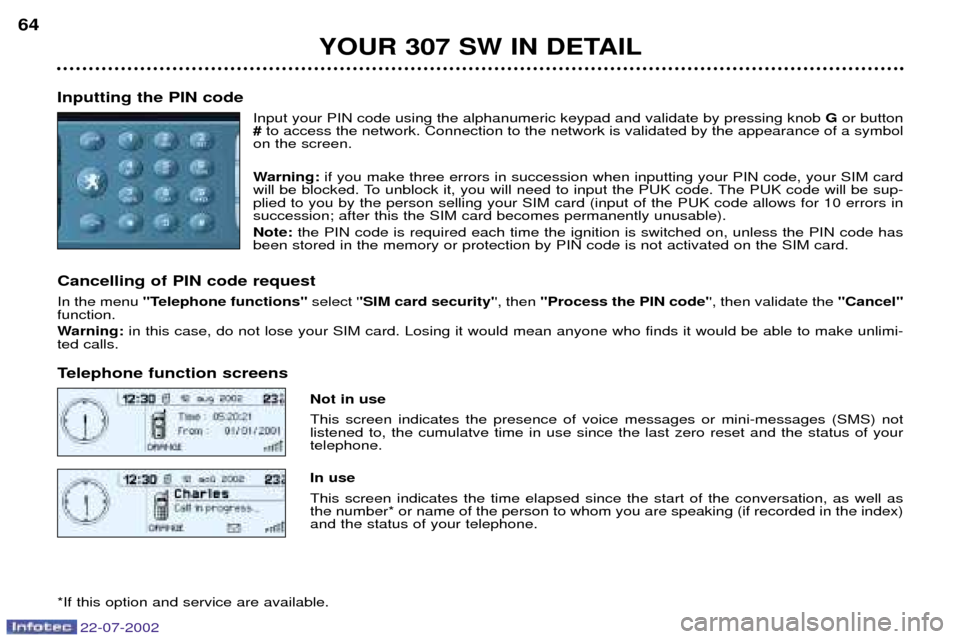
Telephone function screens
Not in use This screen indicates the presence of voice messages or mini-messages (SMS) not listened to, the cumulatve time in use since the last zero reset and the status of yourtelephone. In use This screen indicates the time elapsed since the start of the conversation, as well as the number* or name of the person to whom you are speaking (if recorded in the index)and the status of your telephone.
*If this option and service are available.
22-07-2002
Page 69 of 177
22-07-2002
YOUR 307 SW IN DETAIL
68
Services* Press button Eto display the "Services"menu and select one of the following services:
á "Customer Contact Centre" which enables you to contact the PEUGEOT Customer Contact Centre directly and
access the services offered (this type of call is suspended if an energency or breakown call is made).
á "Peugeot Assistance" which enables you to contact the call centre which controls the PEUGEOT breakdown ser-
vice directly and receive rapid assistance (you have 6 seconds within which to cancel the call when it is made). During the breakdown call phase it is not possible to make any other calls with the exception of emergency calls.
á "Operator services" which gives access to the list of services specific to the operator (e.g.: customer service, consump-
tion monitoring, news, stock market, weather, travel, games, etc) if they are available.
Note: during connection to a service, it is not possible to receive calls or SMS mini messages, they will be diverted to your
voice message service. Contrarily, it is possible to send a call which results in automatic disconnection. Emergency call*
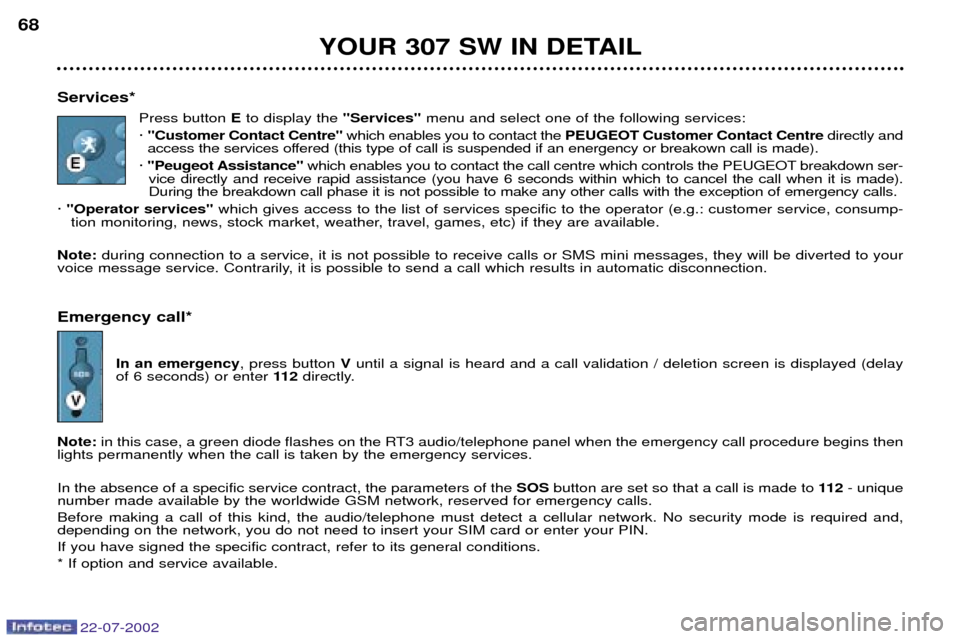
In an emergency , press button Vuntil a signal is heard and a call validation / deletion screen is displayed (delay
of 6 seconds) or enter 11 2directly.
Note: in this case, a green diode flashes on the RT3 audio/telephone panel when the emergency call procedure begins then
lights permanently when the call is taken by the emergency services. In the absence of a specific service contract, the parameters of the SOSbutton are set so that a call is made to 11 2- unique
number made available by the worldwide GSM network, reserved for emergency calls. Before making a call of this kind, the audio/telephone must detect a cellular network. No security mode is required and, depending on the network, you do not need to insert your SIM card or enter your PIN. If you have signed the specific contract, refer to its general conditions.* If option and service available.
Page 73 of 177
22-07-2002
YOUR 307 SW IN DETAIL
72
SATELLITE NAVIGATION SYSTEM Introduction The satellite navigation system guides you, by means of vocal andvisual instructions (graphics), to yourchosen destination. The heart of the system lies in the use of a map data base and GPS(Global Positioning System). Withthis system you can fix the positionof your vehicle by means of a satelli-te network. The system uses the following elements:
- the CD-ROM drive,
- the configuration CD-ROM,
- the navigation CD-ROM,
- the last voice message recallcontrol,
- the control keypad,
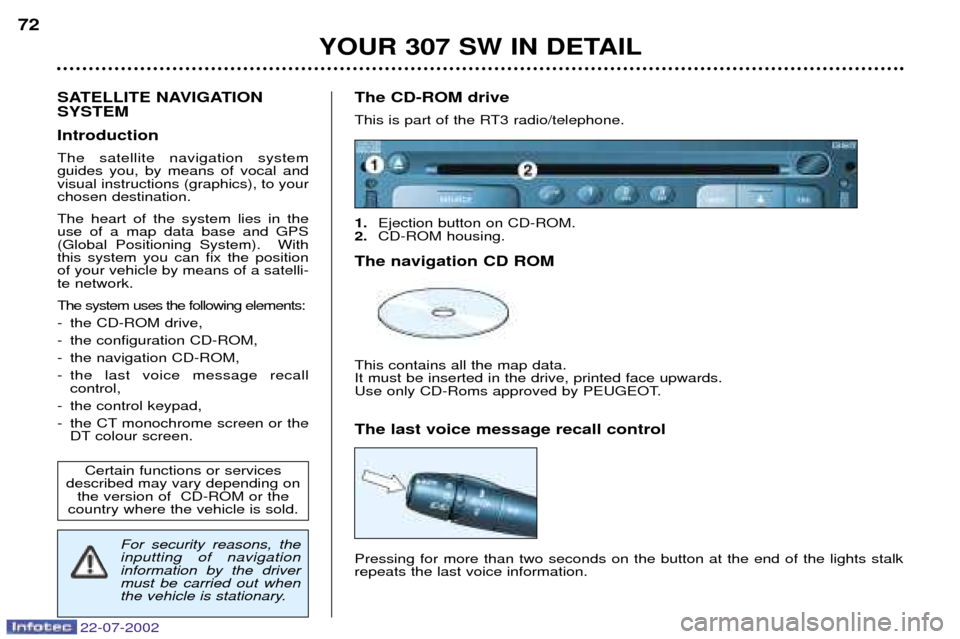
- the CT monochrome screen or the DT colour screen. The CD-ROM drive
This is part of the RT3 radio/telephone. 1.
Ejection button on CD-ROM.
2. CD-ROM housing.
The navigation CD ROMThis contains all the map data. It must be inserted in the drive, printed face upwards.
Use only CD-Roms approved by PEUGEOT. The last voice message recall control Pressing for more than two seconds on the button at the end of the lights stalk repeats the last voice information.
Certain functions or services
described may vary depending on the version of CD-ROM or the
country where the vehicle is sold.
For security reasons, the inputting of navigationinformation by the drivermust be carried out when
the vehicle is stationary.
Page 83 of 177
22-07-2002
YOUR 307 SW IN DETAIL81
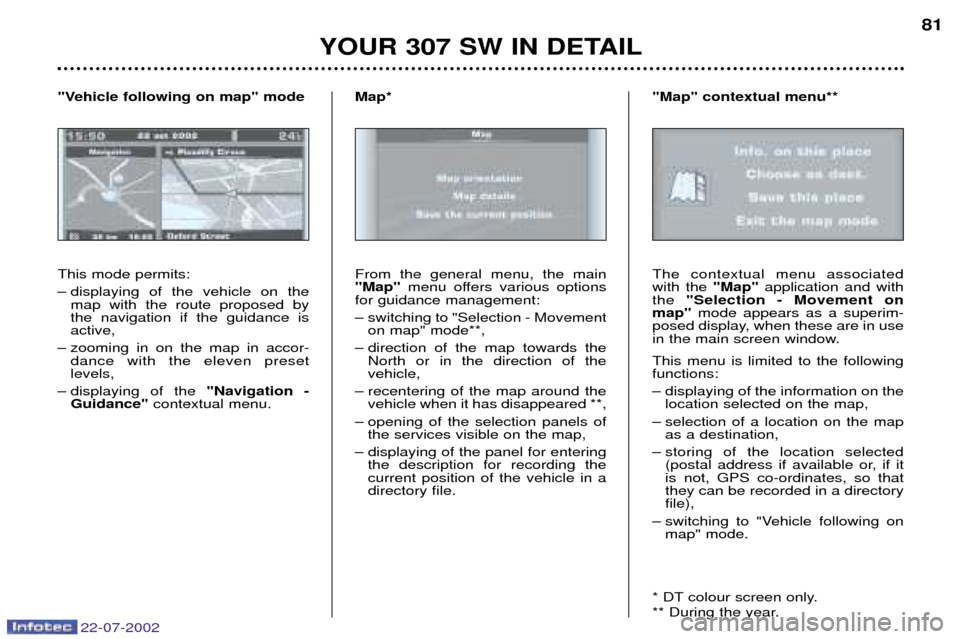
This mode permits:
Ð displaying of the vehicle on the map with the route proposed by the navigation if the guidance isactive,
Ð zooming in on the map in accor- dance with the eleven presetlevels,
Ð displaying of the "Navigation -
Guidance" contextual menu.
"Vehicle following on map" mode
From the general menu, the main"Map"menu offers various options
for guidance management:
Ð switching to "Selection - Movement on map" mode**,
Ð direction of the map towards the North or in the direction of the vehicle,
Ð recentering of the map around the vehicle when it has disappeared **,
Ð opening of the selection panels of the services visible on the map,
Ð displaying of the panel for entering the description for recording thecurrent position of the vehicle in adirectory file.
Map*
The contextual menu associatedwith the "Map"application and with
the "Selection - Movement on
map" mode appears as a superim-
posed display, when these are in use
in the main screen window. This menu is limited to the following functions:
Ð displaying of the information on the location selected on the map,
Ð selection of a location on the map as a destination,
Ð storing of the location selected (postal address if available or, if it is not, GPS co-ordinates, so thatthey can be recorded in a directoryfile),
Ð switching to "Vehicle following on map" mode.
* DT colour screen only.
** During the year.
"Map" contextual menu**
Page 95 of 177
22-07-2002
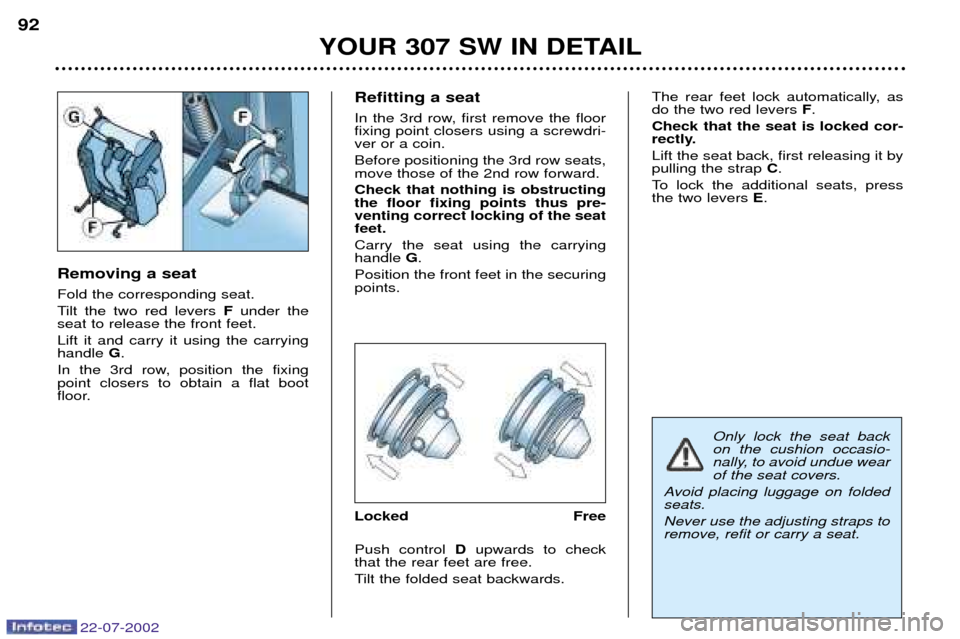
Removing a seat Fold the corresponding seat.
Tilt the two red levers Funder the
seat to release the front feet.Lift it and carry it using the carrying handle G.
In the 3rd row, position the fixingpoint closers to obtain a flat boot
floor. Refitting a seat
In the 3rd row, first remove the floor fixing point closers using a screwdri-ver or a coin. Before positioning the 3rd row seats, move those of the 2nd row forward. Check that nothing is obstructing the floor fixing points thus pre-venting correct locking of the seatfeet. Carry the seat using the carrying handle
G.
Position the front feet in the securingpoints.
Locked Free Push control Dupwards to check
that the rear feet are free.
Tilt the folded seat backwards. The rear feet lock automatically, as do the two red levers
F.
Check that the seat is locked cor-
rectly. Lift the seat back, first releasing it by pulling the strap C.
To lock the additional seats, pressthe two levers E.
YOUR 307 SW IN DETAIL
92
Only lock the seat back on the cushion occasio-
nally, to avoid undue wearof the seat covers.
Avoid placing luggage on foldedseats. Never use the adjusting straps to remove, refit or carry a seat.
Page 113 of 177

OPENING THE BONNET From inside:push the handle on the
left-hand side under the fascia. From outside: lift the catch and
raise the bonnet. Bonnet strut Secure the strut to hold the bonnet open. Before closing the bonnet, replace the strut in its housing.
To close Lower the bonnet and release it at the end of its travel. Check that thebonnet is properly locked. "Bonnet open" warning With the engine running or the vehicle moving, flashing of the central
"STOP" warning light accompanied by an audible signal and a diagram
on the multi-function display, warnsyou that the bonnet is not properlyclosed. FILLING WITH FUEL Low fuel level
When the minimum fuel level in the tank is rea-ched, this warning lightcomes on.
You can still drive
approximately 50 km.Flashing of the warning light indi- cates a malfunction of the fuelgauge.
Contact a PEUGEOT dealer.The engine must be switched off when filling with fuel.
Open the fuel filler flap.
Insert the key then turn it to theleft.
Remove the cap and hang it onthe hook located on the inside ofthe flap.
A label affixed to the inside of the fuelfiller flap indicates which type of fuelto use. When you fill your tank, do not conti-
nue after the third cut-off of the
pump. This could cause your vehicleto malfunction. The capacity of the tank is approxi- mately 60 litres. After filling the tank, lock the cap and close the fuel filler flap.
YOUR 307 SW IN DETAIL
108
22-07-2002
Page 133 of 177

22-07-2002
YOUR 307 SW IN DETAIL125
BOOT LAYOUT
1 - Grab handles and coat hooks
2 - High load retaining net fastenings The high load retaining net can be fitted in the 2nd or
3rd row. Open the covers of the corresponding upper faste- nings. Fit the ends of the metal bar in these fastenings.Secure the two opaque material strap hooks in the sto-
wing rings on the floor. The rings are located directly below the corresponding upper fastenings. Pull the two straps taut.Secure the two hooks on the elastic parts of the opaque material in these rings. Note: the net must be positioned so that the label can
be seen from the boot. This ensures that the central
seat belt is routed correctly.
3 - 12V Socket for accessories This is a 12 volt socket (lighter type), installed on thetonneau left support.
It is supplied with the ignition off.
4 - Rear armrests with grab handle
5 - Storage nets One of them contains the luggage retaining net.
6 - Tonneau To install it:
Ð position one end of the tonneau roller in the 2nd row, Ð compress the opposite end of the roller and position
it,
Ð release it to allow it to engage,
Ð unroll the tonneau as far as the boot pillars,
Ð insert the tonneau guides in the rails in the pillars. To remove it:
Ð remove the tonneau guides from the pillar rails,
Ð return the tonneau into its roller,
Ð compress it and remove it from its support at the 2nd row,
To store it, pull it back and place it with the two storage nets, already lowered. Note: the roller has two hooks for securing the lugga-
ge retaining net depending on where it is installed.
7 - Luggage retaining net Secure the net's seven hooks in the stowing rings and
the fastenings on the floor.
8 - Luggage retaining net fastenings ("hammock" version) in the tailgate Fold the net in two. Secure the two centre hooks in the stowing rings on the
floor. Secure the net's remaining four hooks on the boot pillars.
See configuration of the nets (next page)
Page 144 of 177
22-07-2002
For the front, side* and curtain* air bags to be fully effective, observe the following safety rules:
¥Wear a correctly adjusted seat belt.
¥ Sit in a normal upright position.
¥ Do not leave anything between the occupants of the front seats and the air bags (a child, pet, object). This could hamper the operation of the air bags or injure the occupants.
¥ All work on the air bag system is strictly forbidden unless it is carried out by qualified personnel of the PEUGEOT network.
¥ After an accident or if the vehicle has been stolen or broken into, have the air bag systems checked.
¥ The air bag systems have been designed to be fully operational for 10 years after the vehicle has been registered.
For greater safety, have them checked by a PEUGEOT dealer within 10 years following the purchase of the vehicle.
Front air bags
¥ Do not drive holding the steering wheel by its spokes or resting your hands on the centre part of the wheel.
¥ Passengers must not place their feet on the fascia
¥ Smoke as little as possible; deployment of the air bags can cause burns or the risk of injury from a cigarette or pipe.
¥ Never remove or pierce the steering wheel or hit it violently.
Side air bags*
¥ Only put approved covers on the front seats. Contact your PEUGEOT dealer.
¥ Do not fix or glue anything to the front seat backs. This could cause injury to the chest or arms when the side air baginflates.
¥ Do not sit with the upper part of the body any nearer to the door than necessary.
Curtain air bags*
¥ Do not fix or glue anything to the pillars or the roof. This could cause injury to the head when the curtain air baginflates. Do not remove the bolts from the grab handles installed on the roof, they play a part in securing the curtain air bags.
* According to destination.
YOUR 307 SW IN DETAIL135