audio PEUGEOT 308 2010 User Guide
[x] Cancel search | Manufacturer: PEUGEOT, Model Year: 2010, Model line: 308, Model: PEUGEOT 308 2010Pages: 315, PDF Size: 23.05 MB
Page 48 of 315
49
* According to country.
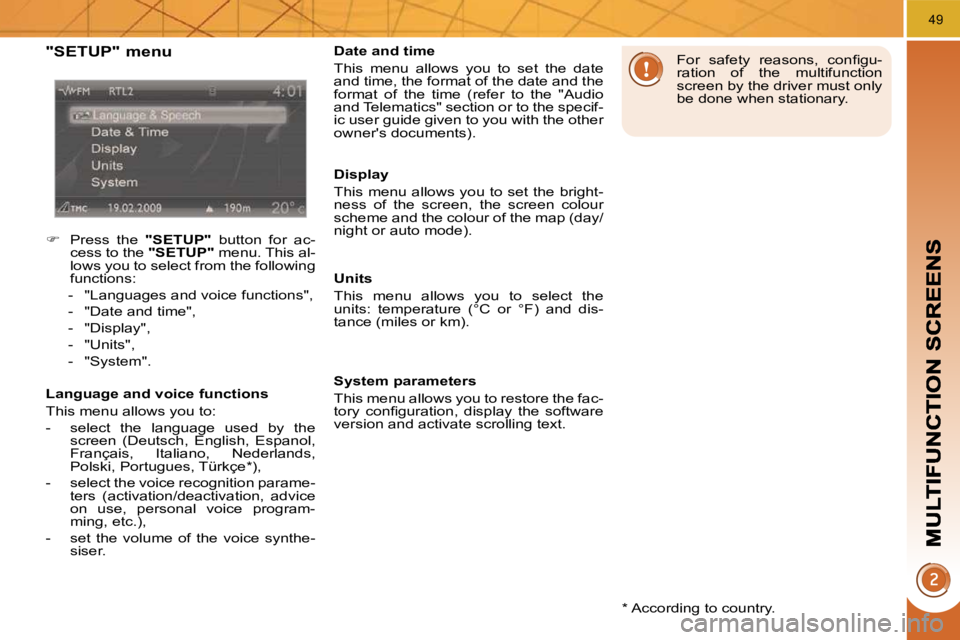
"SETUP" menu
Press the "SETUP" button for ac-
cess to the "SETUP" menu. This al-
lows you to select from the following
functions:
- "Languages and voice functions",
- "Date and time",
- "Display",
- "Units",
- "System".
Language and voice functions
This menu allows you to:
- select the language used by the screen (Deutsch, English, Espanol,
Français, Italiano, Nederlands,
Polski, Portugues, Türkçe * ),
- select the voice recognition parame- ters (activation/deactivation, advice
on use, personal voice program-
ming, etc.),
- set the volume of the voice synthe- siser. Date and time
This menu allows you to set the date
and time, the format of the date and the
format of the time (refer to the "Audio
and Telematics" section or to the specif-
ic user guide given to you with the other
owner's documents).
Display
This menu allows you to set the bright-
ness of the screen, the screen colour
scheme and the colour of the map (day/
night or auto mode).
Units
This menu allows you to select the
units: temperature (°C or °F) and dis-
tance (miles or km).
System parameters
This menu allows you to restore the fac-
tory confi guration, display the software
version and activate scrolling text.
For safety reasons, confi gu-
ration of the multifunction
screen by the driver must only
be done when stationary.
Page 49 of 315
50
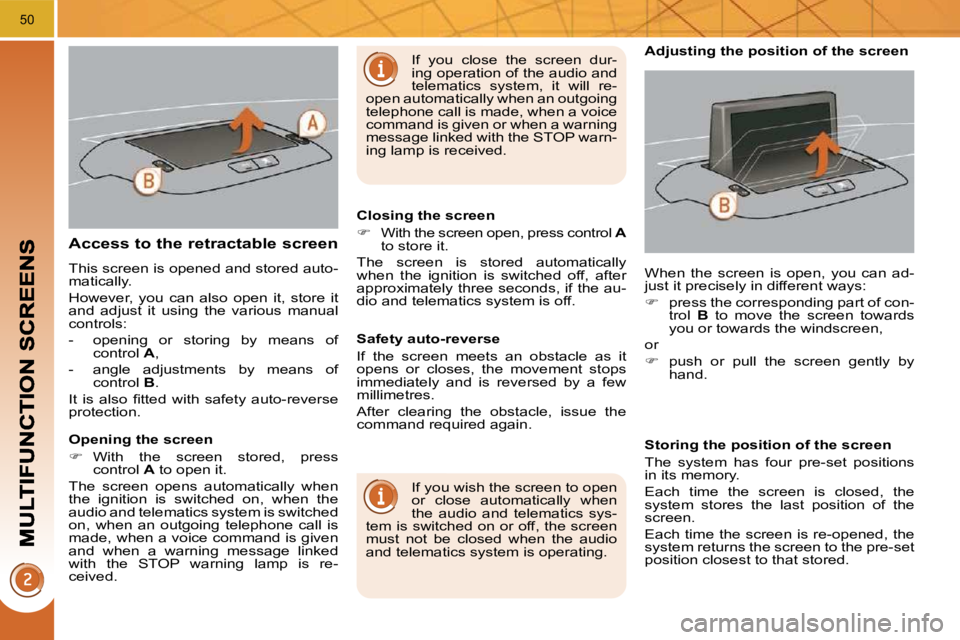
Access to the retractable screen
This screen is opened and stored auto-
matically.
However, you can also open it, store it
and adjust it using the various manual
controls:
- opening or storing by means of control A ,
- angle adjustments by means of control B .
It is also fi tted with safety auto-reverse
protection.
Opening the screen
With the screen stored, press
control A to open it.
The screen opens automatically when
the ignition is switched on, when the
audio and telematics system is switched
on, when an outgoing telephone call is
made, when a voice command is given
and when a warning message linked
with the STOP warning lamp is re-
ceived. Closing the screen
With the screen open, press control A
to store it.
The screen is stored automatically
when the ignition is switched off, after
approximately three seconds, if the au-
dio and telematics system is off.
If you wish the screen to open
or close automatically when
the audio and telematics sys-
tem is switched on or off, the screen
must not be closed when the audio
and telematics system is operating. When the screen is open, you can ad-
just it precisely in different ways:
press the corresponding part of con-
trol B to move the screen towards
you or towards the windscreen,
or
push or pull the screen gently by
hand.
Adjusting the position of the screen
Safety auto-reverse
If the screen meets an obstacle as it
opens or closes, the movement stops
immediately and is reversed by a few
millimetres.
After clearing the obstacle, issue the
command required again. Storing the position of the screen
The system has four pre-set positions
in its memory.
Each time the screen is closed, the
system stores the last position of the
screen.
Each time the screen is re-opened, the
system returns the screen to the pre-set
position closest to that stored.
If you close the screen dur-
ing operation of the audio and
telematics system, it will re-
open automatically when an outgoing
telephone call is made, when a voice
command is given or when a warning
message linked with the STOP warn-
ing lamp is received.
Page 74 of 315
73
Electronic engine immobiliser
The key contains an electronic chip
which has a special code. When the
ignition is switched on, this code must
be recognised in order for starting to be
possible.
This electronic engine immobiliser locks
the engine management system a few
minutes after the ignition is switched off
and prevents starting of the engine by
anyone who does not have the key.
Anti-theft protection
In the event of a malfunction,
you are informed by lighting of
this warning lamp, an audible
signal and a message on the
multifunction screen.
In this case, your vehicle does not start;
contact a PEUGEOT dealer as soon as
possible. For more information, refer
to the "Practical information -
Energy economy mode" sec-
tion.
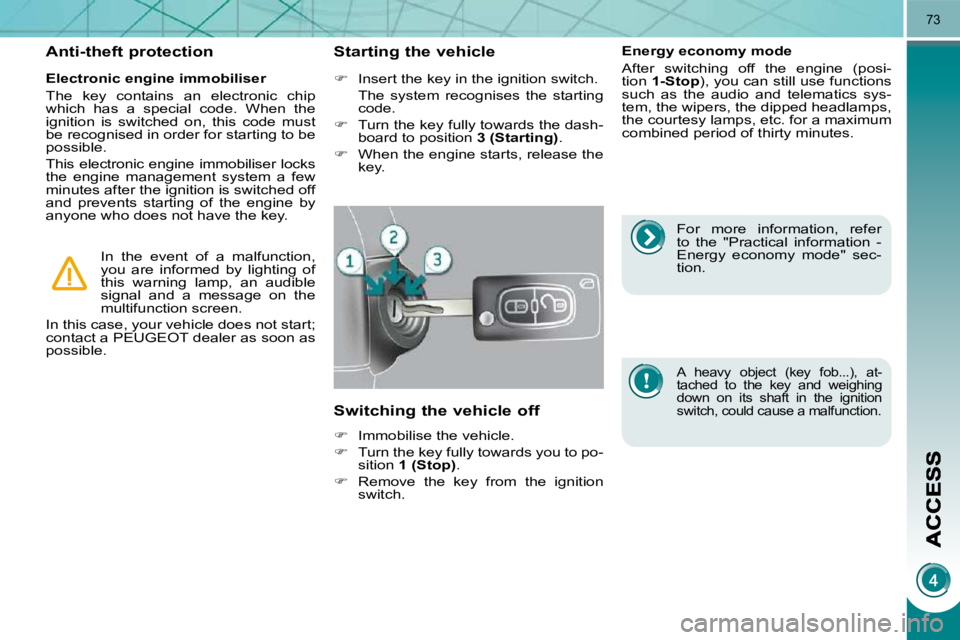
Starting the vehicle
Insert the key in the ignition switch.
The system recognises the starting code.
Turn the key fully towards the dash-
board to position 3 (Starting) .
When the engine starts, release the
key.
Switching the vehicle off
Immobilise the vehicle.
Turn the key fully towards you to po-
sition 1 (Stop) .
Remove the key from the ignition
switch. Energy economy mode
After switching off the engine (posi-
tion
1-Stop ), you can still use functions
such as the audio and telematics sys-
tem, the wipers, the dipped headlamps,
the courtesy lamps, etc. for a maximum
combined period of thirty minutes.
A heavy object (key fob...), at-
tached to the key and weighing
down on its shaft in the ignition
switch, could cause a malfunction.
Page 77 of 315
73
Electronic engine immobiliser
The key contains an electronic chip
which has a special code. When the
ignition is switched on, this code must
be recognised in order for starting to be
possible.
This electronic engine immobiliser locks
the engine management system a few
minutes after the ignition is switched off
and prevents starting of the engine by
anyone who does not have the key.
Anti-theft protection
In the event of a malfunction,
you are informed by lighting of
this warning lamp, an audible
signal and a message on the
multifunction screen.
In this case, your vehicle does not start;
contact a PEUGEOT dealer as soon as
possible. For more information, refer
to the "Practical information -
Energy economy mode" sec-
tion.
Starting the vehicle
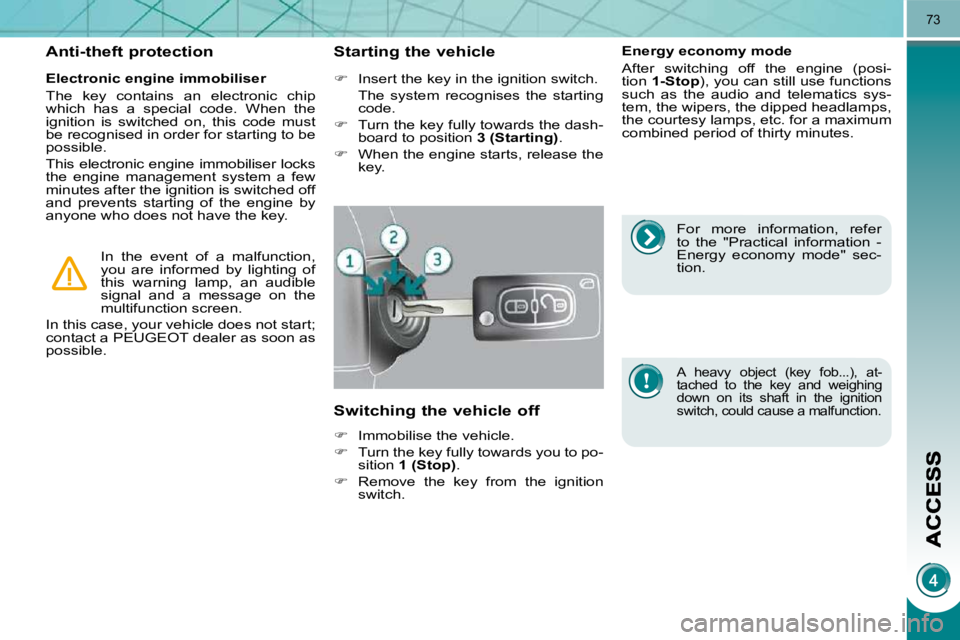
Insert the key in the ignition switch.
The system recognises the starting code.
Turn the key fully towards the dash-
board to position 3 (Starting) .
When the engine starts, release the
key.
Switching the vehicle off
Immobilise the vehicle.
Turn the key fully towards you to po-
sition 1 (Stop) .
Remove the key from the ignition
switch. Energy economy mode
After switching off the engine (posi-
tion
1-Stop ), you can still use functions
such as the audio and telematics sys-
tem, the wipers, the dipped headlamps,
the courtesy lamps, etc. for a maximum
combined period of thirty minutes.
A heavy object (key fob...), at-
tached to the key and weighing
down on its shaft in the ignition
switch, could cause a malfunction.
Page 106 of 315
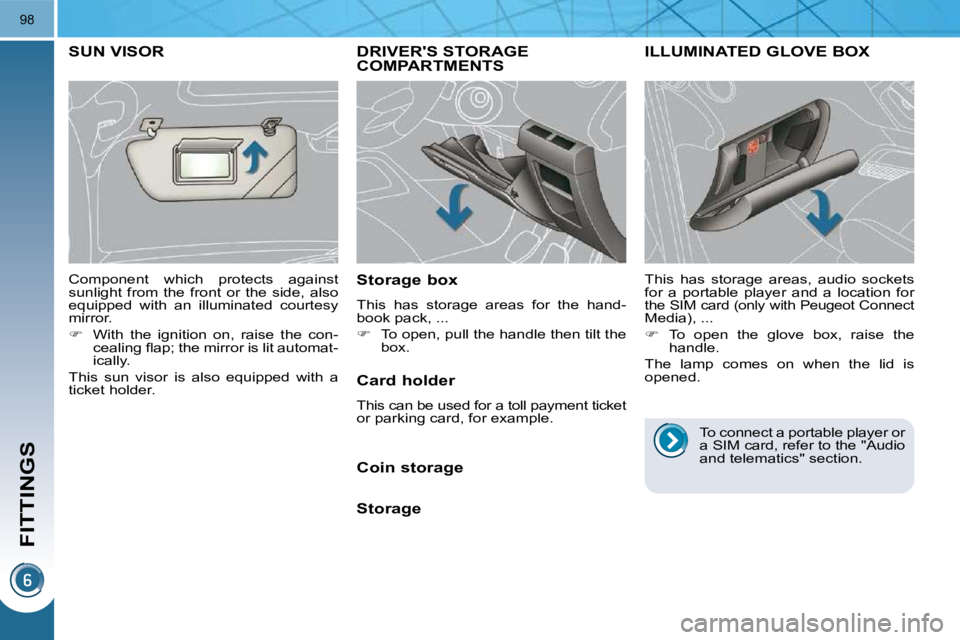
FITTINGS
98
DRIVER'S STORAGE COMPARTMENTS
Storage box
This has storage areas for the hand-
book pack, ...
To open, pull the handle then tilt the
box.
ILLUMINATED GLOVE BOX
This has storage areas, audio sockets
for a portable player and a location for
the SIM card (only with Peugeot Connect Media), ...
To open the glove box, raise the
handle.
The lamp comes on when the lid is
opened.
SUN VISOR
Component which protects against
sunlight from the front or the side, also
equipped with an illuminated courtesy
mirror.
With the ignition on, raise the con-
cealing fl ap; the mirror is lit automat-
ically.
This sun visor is also equipped with a
ticket holder. Card holder
This can be used for a toll payment ticket
or parking card, for example.
Coin storage
Storage To connect a portable player or
a SIM card, refer to the "Audio
and telematics" section.
Page 107 of 315
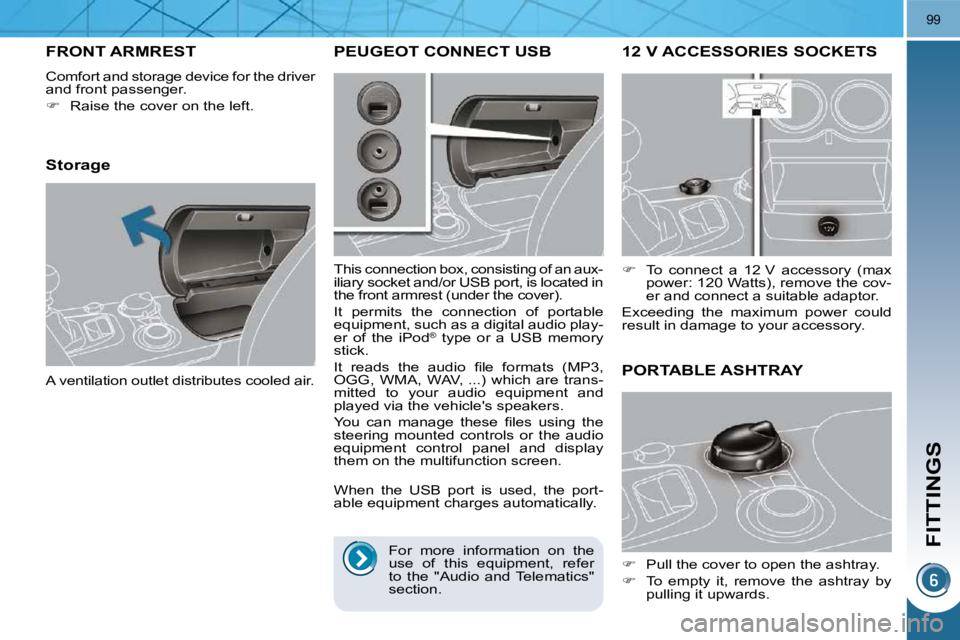
FITTINGS
99
12 V ACCESSORIES SOCKETS
To connect a 12 V accessory (max
power: 120 Watts), remove the cov-
er and connect a suitable adaptor.
Exceeding the maximum power could
result in damage to your accessory.
FRONT ARMREST
Comfort and storage device for the driver
and front passenger.
Raise the cover on the left.
Storage
A ventilation outlet distributes cooled air.
PORTABLE ASHTRAY
Pull the cover to open the ashtray.
To empty it, remove the ashtray by
pulling it upwards.
PEUGEOT CONNECT USB
This connection box, consisting of an aux-
iliary socket and/or USB port, is located in
the front armrest (under the cover).
It permits the connection of portable
equipment, such as a digital audio play-
er of the iPod ®
type or a USB memory
stick.
It reads the audio fi le formats (MP3,
OGG, WMA, WAV, ...) which are trans-
mitted to your audio equipment and
played via the vehicle's speakers.
You can manage these fi les using the
steering mounted controls or the audio
equipment control panel and display
them on the multifunction screen.
When the USB port is used, the port-
able equipment charges automatically.
For more information on the
use of this equipment, refer
to the "Audio and Telematics"
section.
Page 109 of 315
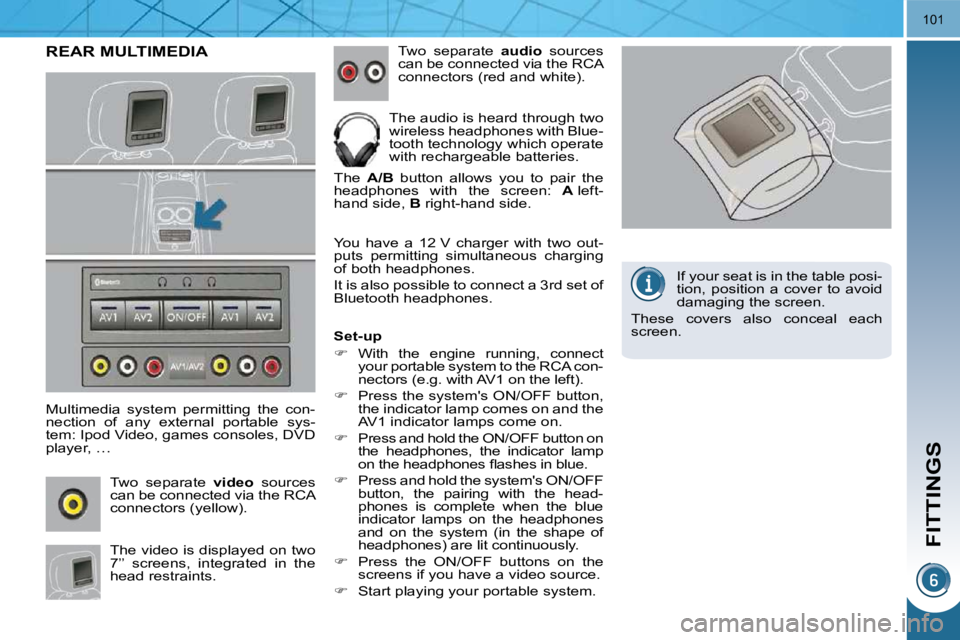
FITTINGS
101
REAR MULTIMEDIA
Multimedia system permitting the con-
nection of any external portable sys-
tem: Ipod Video, games consoles, DVD
player, … Two separate video sources
can be connected via the RCA
connectors (yellow).
The video is displayed on two
7’’ screens, integrated in the
head restraints. Two separate
audio sources
can be connected via the RCA
connectors (red and white).
The audio is heard through two
wireless headphones with Blue-
tooth technology which operate
with rechargeable batteries.
The A/B button allows you to pair the
headphones with the screen: A left-
hand side, B right-hand side.
You have a 12 V charger with two out-
puts permitting simultaneous charging
of both headphones.
It is also possible to connect a 3 rd set of
Bluetooth headphones.
Set-up
With the engine running, connect
your portable system to the RCA con-
nectors (e.g. with AV1 on the left).
Press the system's ON/OFF button,
the indicator lamp comes on and the
AV1 indicator lamps come on.
Press and hold the ON/OFF button on
the headphones, the indicator lamp
on the headphones fl ashes in blue.
Press and hold the system's ON/OFF
button, the pairing with the head-
phones is complete when the blue
indicator lamps on the headphones
and on the system (in the shape of
headphones) are lit continuously.
Press the ON/OFF buttons on the
screens if you have a video source.
Start playing your portable system. If your seat is in the table posi-
tion, position a cover to avoid
damaging the screen.
These covers also conceal each
screen.
Page 111 of 315
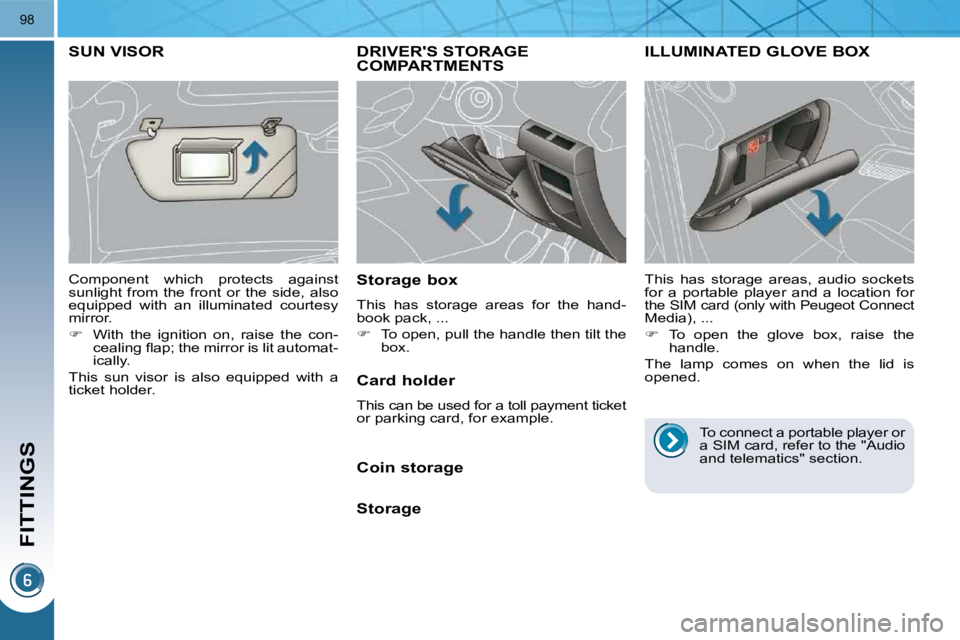
FITTINGS
98
DRIVER'S STORAGE COMPARTMENTS
Storage box
This has storage areas for the hand-
book pack, ...
To open, pull the handle then tilt the
box.
ILLUMINATED GLOVE BOX
This has storage areas, audio sockets
for a portable player and a location for
the SIM card (only with Peugeot Connect Media), ...
To open the glove box, raise the
handle.
The lamp comes on when the lid is
opened.
SUN VISOR
Component which protects against
sunlight from the front or the side, also
equipped with an illuminated courtesy
mirror.
With the ignition on, raise the con-
cealing fl ap; the mirror is lit automat-
ically.
This sun visor is also equipped with a
ticket holder. Card holder
This can be used for a toll payment ticket
or parking card, for example.
Coin storage
Storage To connect a portable player or
a SIM card, refer to the "Audio
and telematics" section.
Page 112 of 315
FITTINGS
99
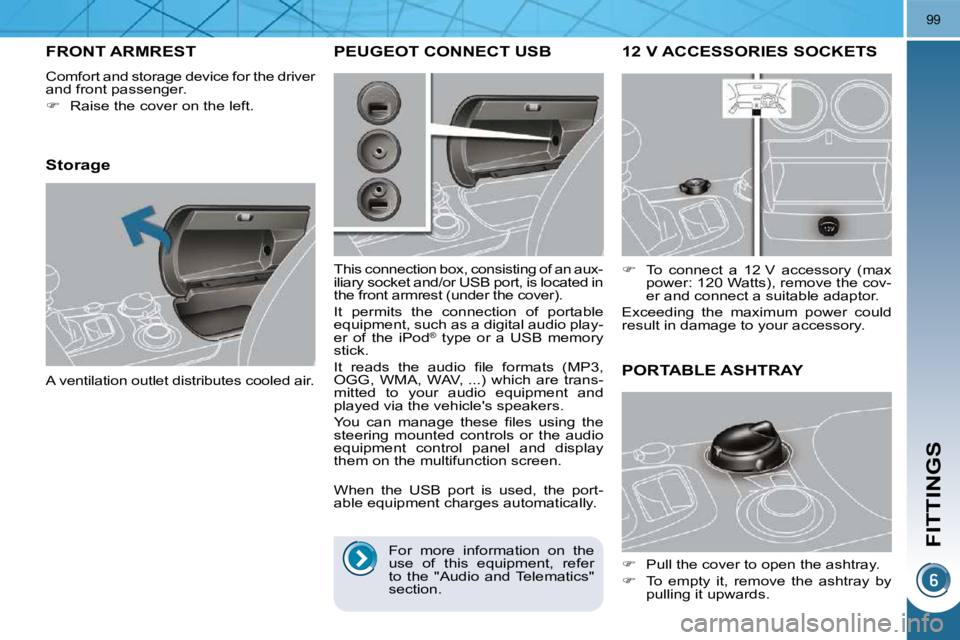
12 V ACCESSORIES SOCKETS
To connect a 12 V accessory (max
power: 120 Watts), remove the cov-
er and connect a suitable adaptor.
Exceeding the maximum power could
result in damage to your accessory.
FRONT ARMREST
Comfort and storage device for the driver
and front passenger.
Raise the cover on the left.
Storage
A ventilation outlet distributes cooled air.
PORTABLE ASHTRAY
Pull the cover to open the ashtray.
To empty it, remove the ashtray by
pulling it upwards.
PEUGEOT CONNECT USB
This connection box, consisting of an aux-
iliary socket and/or USB port, is located in
the front armrest (under the cover).
It permits the connection of portable
equipment, such as a digital audio play-
er of the iPod ®
type or a USB memory
stick.
It reads the audio fi le formats (MP3,
OGG, WMA, WAV, ...) which are trans-
mitted to your audio equipment and
played via the vehicle's speakers.
You can manage these fi les using the
steering mounted controls or the audio
equipment control panel and display
them on the multifunction screen.
When the USB port is used, the port-
able equipment charges automatically.
For more information on the
use of this equipment, refer
to the "Audio and Telematics"
section.
Page 114 of 315
FITTINGS
101
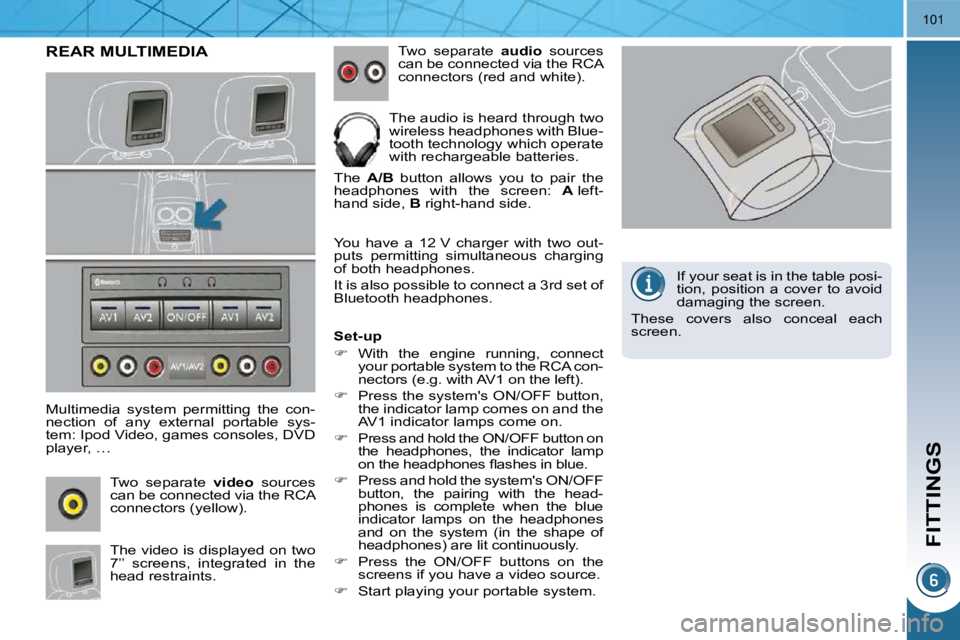
REAR MULTIMEDIA
Multimedia system permitting the con-
nection of any external portable sys-
tem: Ipod Video, games consoles, DVD
player, … Two separate video sources
can be connected via the RCA
connectors (yellow).
The video is displayed on two
7’’ screens, integrated in the
head restraints. Two separate
audio sources
can be connected via the RCA
connectors (red and white).
The audio is heard through two
wireless headphones with Blue-
tooth technology which operate
with rechargeable batteries.
The A/B button allows you to pair the
headphones with the screen: A left-
hand side, B right-hand side.
You have a 12 V charger with two out-
puts permitting simultaneous charging
of both headphones.
It is also possible to connect a 3 rd set of
Bluetooth headphones.
Set-up
With the engine running, connect
your portable system to the RCA con-
nectors (e.g. with AV1 on the left).
Press the system's ON/OFF button,
the indicator lamp comes on and the
AV1 indicator lamps come on.
Press and hold the ON/OFF button on
the headphones, the indicator lamp
on the headphones fl ashes in blue.
Press and hold the system's ON/OFF
button, the pairing with the head-
phones is complete when the blue
indicator lamps on the headphones
and on the system (in the shape of
headphones) are lit continuously.
Press the ON/OFF buttons on the
screens if you have a video source.
Start playing your portable system. If your seat is in the table posi-
tion, position a cover to avoid
damaging the screen.
These covers also conceal each
screen.