change time PEUGEOT 308 2011 Owner's Manual
[x] Cancel search | Manufacturer: PEUGEOT, Model Year: 2011, Model line: 308, Model: PEUGEOT 308 2011Pages: 328, PDF Size: 62.67 MB
Page 256 of 328
254
SETUP
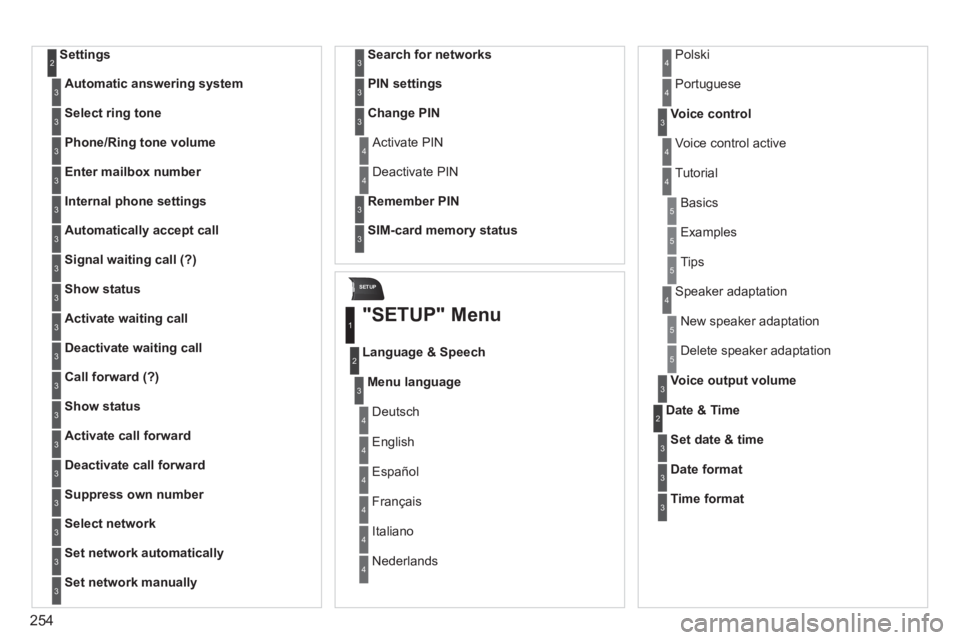
Settings 2
Automatic answering system
3
Select ring tone
3
Phone/Ring tone volume
3
Enter mailbox number
3
Internal phone settings
3
Automatically accept call
3
Signal waiting call (?)
3
Show status
3
Activate waiting call
3
Deactivate waiting call
3
Call forward (?)
3
Show status
3
Activate call forward
3
Deactivate call forward
3
Suppress own number
3
Select network
3
Set network automatically
3
Set network manually
3
Search for networks
3
PIN settings
3
Change PIN
3
Activate PIN 4
Deactivate PIN 4
Remember PIN
3
SIM-card memory status
3
"SETUP" Menu
Menu language
Language & Speech
1
2
3
Deutsch 4
English 4
Español 4
Français 4
Italiano 4
Nederlands 4
Polski 4
Voice control
3
Voice control active 4
Tutorial 4
Portuguese 4
Basics 5
Examples 5
Tips 5
Speaker adaptation 4
New speaker adaptation 5
Delete speaker adaptation 5
Voice output volume
3
Date & Time 2
Set date & time
3
Date format
3
Time format
3
Page 283 of 328
281
08
1
2
3
4
BLUETOOTH TELEPHONE
*
The services available depend on the network, the SIM card and the
compatibility of the Bluetooth telephone used. Check the telephone
manual and with your network provider for details of the services
available to you.
PAIRING A TELEPHONE
FIRST CONNECTION
For reasons of safety and because they require prolonged attention
on the part of the driver, the operations for pairing the Bluetooth
mobile telephone to the hands-free system of the Peugeot Connect
Navigation must be carried out with the vehicle stationary. The
ignition must be on.
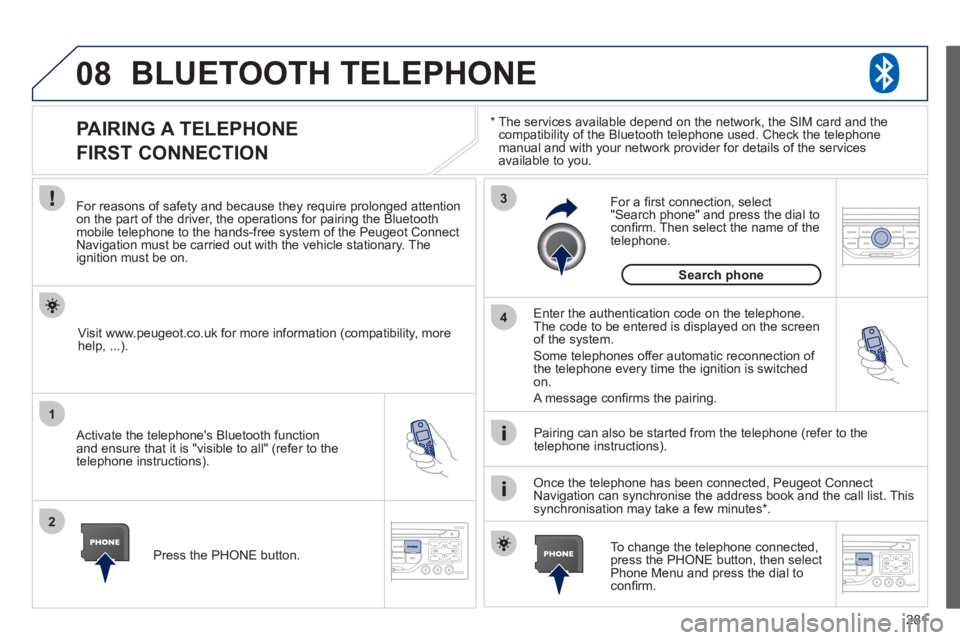
Activate the telephone's Bluetooth function
and ensure that it is "visible to all" (refer to the
telephone instructions).
Enter the authentication code on the telephone.
The code to be entered is displayed on the screen
of the system.
Some telephones offer automatic reconnection of
the telephone every time the ignition is switched
on.
A message confi rms the pairing.
To change the telephone connected,
press the PHONE button, then select
Phone Menu and press the dial to
confi rm.
Once the telephone has been connected, Peugeot Connect
Navigation can synchronise the address book and the call list. This
synchronisation may take a few minutes * .
Pairing can also be started from the telephone (refer to the
telephone instructions).
Visit www.peugeot.co.uk for more information (compatibility, more
help, ...).
Press the PHONE button.
For a fi rst connection, select
"Search phone" and press the dial to
confi rm. Then select the name of the
telephone.
Search phone
Page 299 of 328
297
04
1
2
3
4
1
2
3
4
SOURCE
BANDAST
LISTREFRESH
MENU
AUDIO
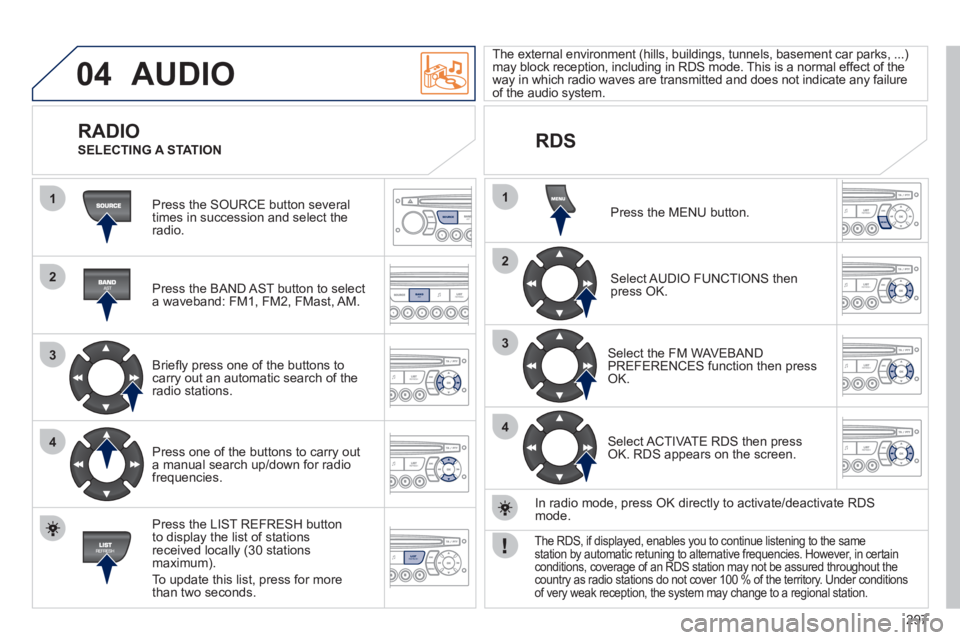
Press the SOURCE button several
times in succession and select the
radio.
Press the BAND AST button to select
a waveband: FM1, FM2, FMast, AM.
Briefl y press one of the buttons to
carry out an automatic search of the
radio stations.
Press one of the buttons to carry out
a manual search up/down for radio
frequencies.
Press the LIST REFRESH button
to display the list of stations
received locally (30 stations
maximum).
To update this list, press for more
than two seconds.
The external environment (hills, buildings, tunnels, basement car parks, ...)
may block reception, including in RDS mode. This is a normal effect of the
way in which radio waves are transmitted and does not indicate any failure
of the audio system.
RDS
RADIO
SELECTING A STATION
Press the MENU button.
Select AUDIO FUNCTIONS then
press OK.
Select the FM WAVEBAND
PREFERENCES function then press
OK.
Select ACTIVATE RDS then press
OK. RDS appears on the screen.
In radio mode, press OK directly to activate/deactivate RDS
mode.
The RDS, if displayed, enables you to continue listening to the same
station by automatic retuning to alternative frequencies. However, in certain
conditions, coverage of an RDS station may not be assured throughout the
country as radio stations do not cover 100 % of the territory. Under conditions
of very weak reception, the system may change to a regional station.