buttons PEUGEOT 308 2012 Owner's Guide
[x] Cancel search | Manufacturer: PEUGEOT, Model Year: 2012, Model line: 308, Model: PEUGEOT 308 2012Pages: 328, PDF Size: 62.62 MB
Page 306 of 328
304
06
1
2
1
2
1
OK
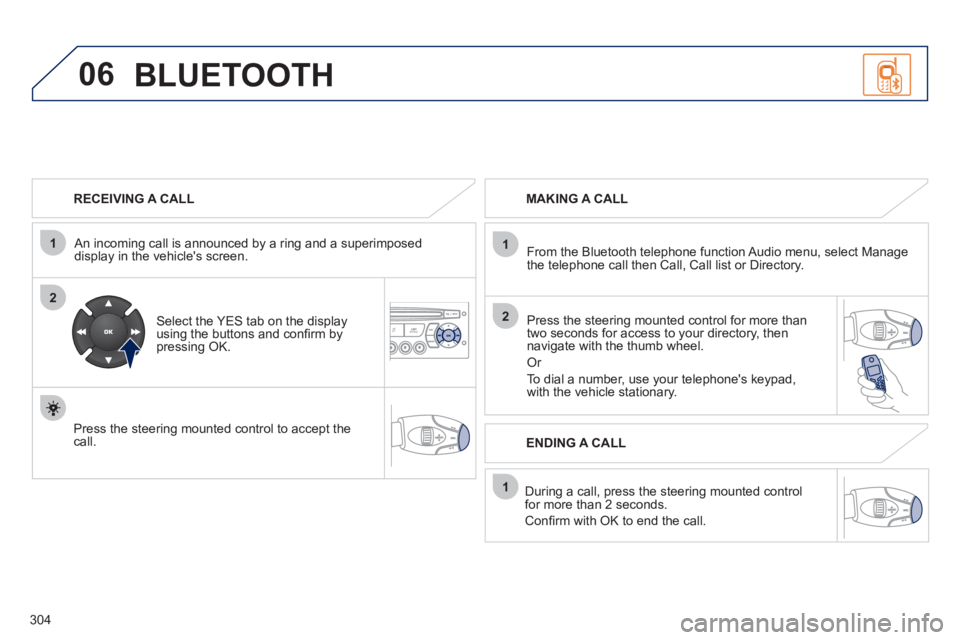
RECEIVING A CALL
An incoming call is announced by a ring and a superimposed
display in the vehicle's screen.
Select the YES tab on the display
using the buttons and confi rm by
pressing OK.
Press the steering mounted control to accept the
call.
MAKING A CALL
From the Bluetooth telephone function Audio menu, select Manage
the telephone call then Call, Call list or Directory.
Press the steering mounted control for more than
two seconds for access to your directory, then
navigate with the thumb wheel.
Or
To dial a number, use your telephone's keypad,
with the vehicle stationary.
During a call, press the steering mounted control
for more than 2 seconds.
Confi rm with OK to end the call.
ENDING A CALL
BLUETOOTH
Page 307 of 328
305
1
2
3
SOURCE
06
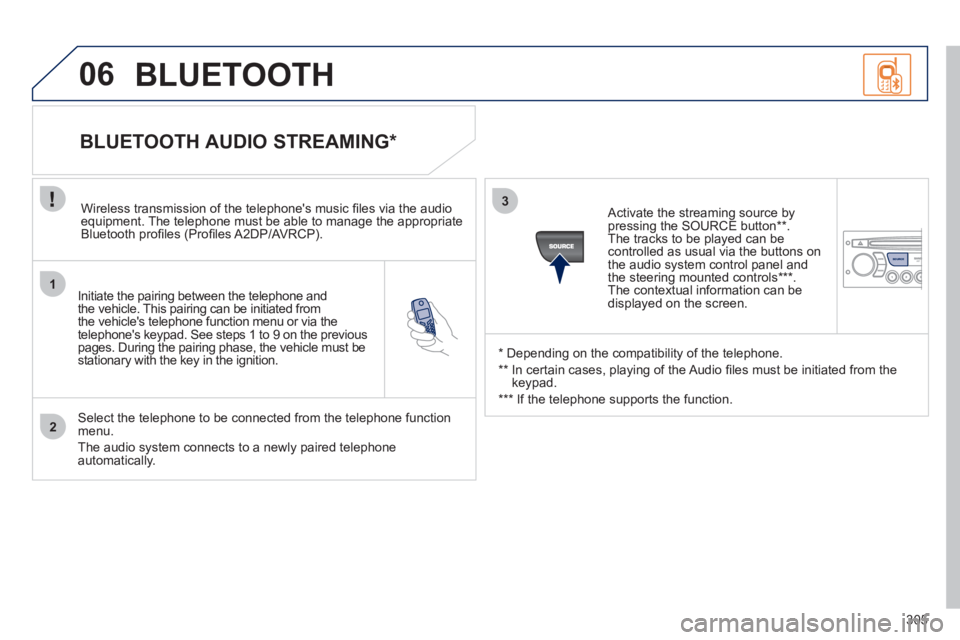
Initiate the pairing between the telephone and
the vehicle. This pairing can be initiated from
the vehicle's telephone function menu or via the
telephone's keypad. See steps 1 to 9 on the previous
pages. During the pairing phase, the vehicle must be
stationary with the key in the ignition.
Select the telephone to be connected from the telephone function
menu.
The audio system connects to a newly paired telephone
automatically.
BLUETOOTH AUDIO STREAMING *
Wireless transmission of the telephone's music fi les via the audio
equipment. The telephone must be able to manage the appropriate
Bluetooth profi les (Profi les A2DP/AVRCP).
*
Depending on the compatibility of the telephone.
**
In certain cases, playing of the Audio fi les must be initiated from the
keypad.
***
If the telephone supports the function.
Activate the streaming source by
pressing the SOURCE button ** .
The tracks to be played can be
controlled as usual via the buttons on
the audio system control panel and
the steering mounted controls *** .
The contextual information can be
displayed on the screen.
BLUETOOTH
Page 325 of 328
323
VISUAL SEARCH
INSTRUMENTS AND CONTROLS (CONT.)
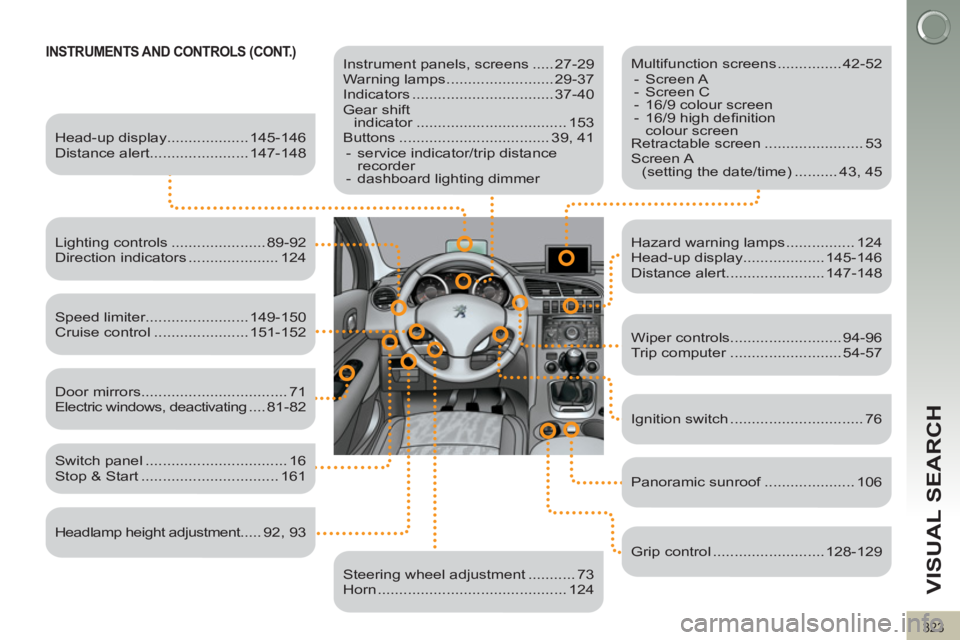
Instrument panels, screens ..... 27-29
Warning lamps ......................... 29-37
Indicators ................................. 37-40
Gear shift
indicator ................................... 153
Buttons ................................... 39, 41
- service indicator/trip distance
recorder
- dashboard lighting dimmer
Head-up display................... 145-146
Distance alert....................... 147-148
Lighting controls ...................... 89-92
Direction indicators ..................... 124
Speed limiter........................ 149-150
Cruise control ...................... 151-152
Switch panel ................................. 16
Stop & Start ................................ 161
Door mirrors .................................. 71
Electric windows, deactivating .... 81-82
Headlamp height adjustment..... 92, 93
Steering wheel adjustment ........... 73
Horn ............................................ 124
Multifunction screens ............... 42-52
- Screen A
- Screen C
- 16/9 colour screen
- 16/9 high defi nition
colour screen
Retractable screen ....................... 53
Screen A
(setting the date/time) .......... 43, 45
Hazard warning lamps ................ 124
Head-up display................... 145-146
Distance alert....................... 147-148
Wiper controls.......................... 94-96
Trip computer .......................... 54-57
Ignition switch ............................... 76
Panoramic sunroof ..................... 106
Grip control .......................... 128-129