steering PEUGEOT 308 2012 Owner's Guide
[x] Cancel search | Manufacturer: PEUGEOT, Model Year: 2012, Model line: 308, Model: PEUGEOT 308 2012Pages: 328, PDF Size: 62.62 MB
Page 263 of 328
261
The Peugeot Connect Navigation (RNEG) is protected
in such a way that it will only operate in your vehicle.
If it is to be installed in another vehicle, contact a
PEUGEOT dealer for confi guration of the system.
Certain functions described in this handbook will
become available during the year.
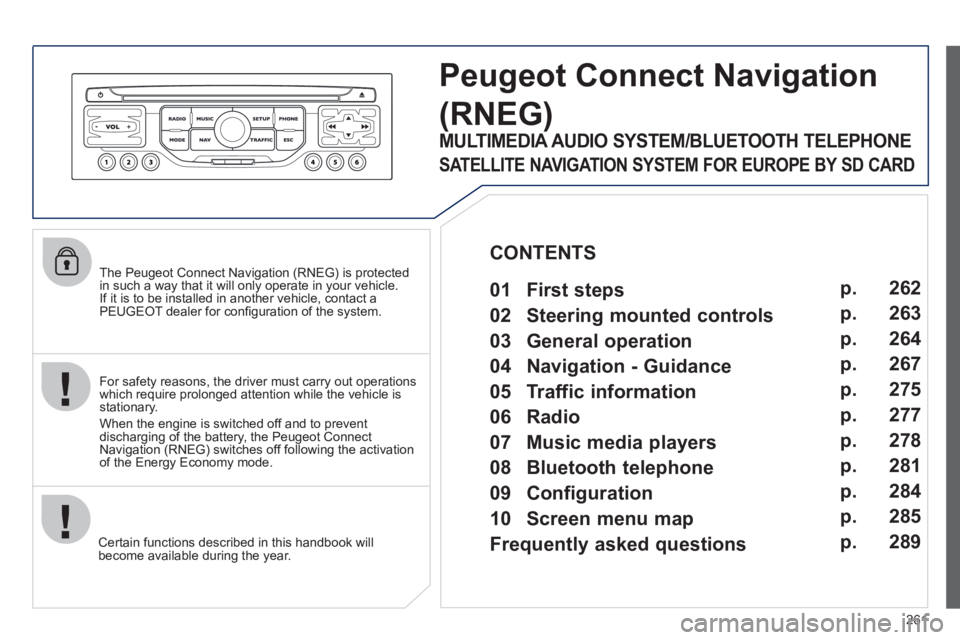
Peugeot Connect Navigation
(RNEG)
For safety reasons, the driver must carry out operations
which require prolonged attention while the vehicle is
stationary.
When the engine is switched off and to prevent
discharging of the battery, the Peugeot Connect
Navigation (RNEG) switches off following the activation
of the Energy Economy mode.
MULTIMEDIA AUDIO SYSTEM/BLUETOOTH TELEPHONE
SATELLITE NAVIGATION SYSTEM FOR EUROPE BY SD CARD
01 First steps
CONTENTS
02 Steering mounted controls
03 General operation
04 Navigation - Guidance
05 Traffic information
06 Radio
07 Music media players
08 Bluetooth telephone
09 Configuration
10 Screen menu map p.
p.
p.
p.
p.
p.
p.
p.
p.
p.
Frequently asked questions p. 262
263
264
267
275
277
278
281
284
285
289
Page 265 of 328
263
02 STEERING MOUNTED CONTROLS
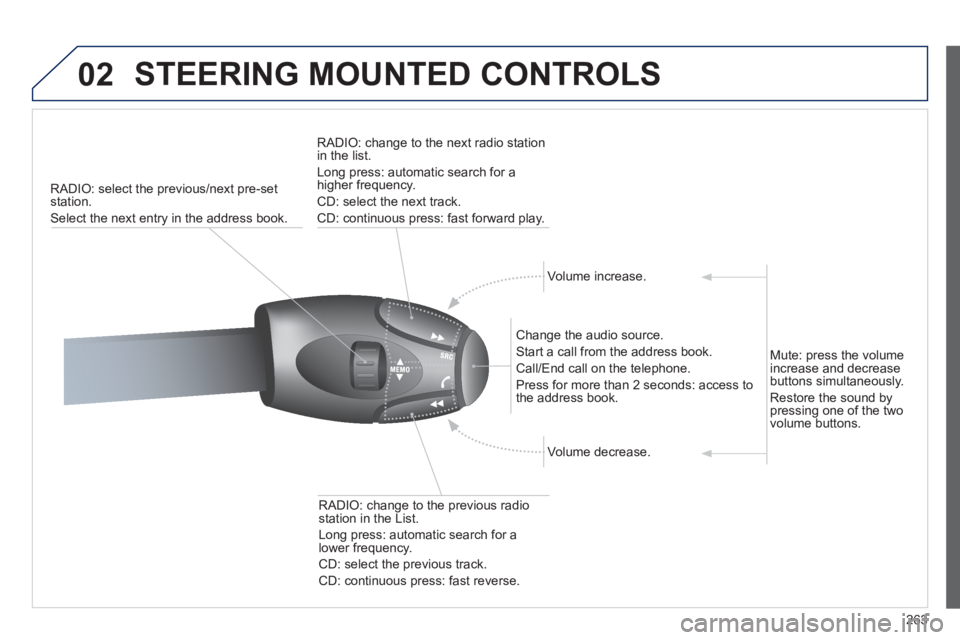
RADIO: select the previous/next pre-set
station.
Select the next entry in the address book.
RADIO: change to the next radio station
in the list.
Long press: automatic search for a
higher frequency.
CD: select the next track.
CD: continuous press: fast forward play.
Volume increase.
Change the audio source.
Start a call from the address book.
Call/End call on the telephone.
Press for more than 2 seconds: access to
the address book.
Volume decrease.
RADIO: change to the previous radio
station in the List.
Long press: automatic search for a
lower frequency.
CD: select the previous track.
CD: continuous press: fast reverse.
Mute: press the volume
increase and decrease
buttons simultaneously.
Restore the sound by
pressing one of the two
volume buttons.
Page 285 of 328
283
08
1
3 2
2 1
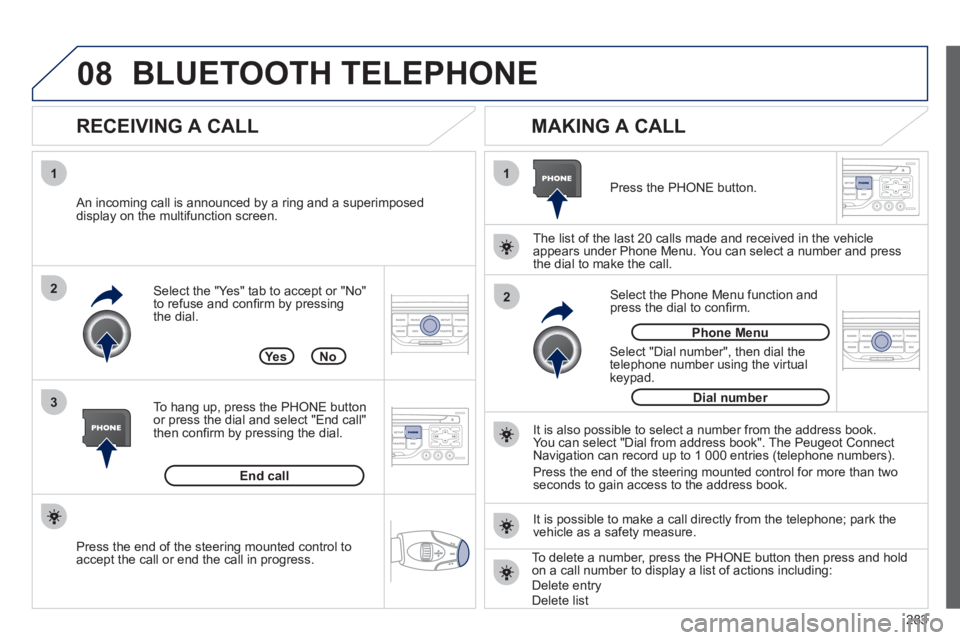
Select the "Yes" tab to accept or "No"
to refuse and confi rm by pressing
the dial.
RECEIVING A CALL
MAKING A CALL
An incoming call is announced by a ring and a superimposed
display on the multifunction screen.
Ye s
To hang up, press the PHONE button
or press the dial and select "End call"
then confi rm by pressing the dial.
End call
Press the PHONE button.
Select "Dial number", then dial the
telephone number using the virtual
keypad.
Select the Phone Menu function and
press the dial to confi rm.
The list of the last 20 calls made and received in the vehicle
appears under Phone Menu. You can select a number and press
the dial to make the call.
No
It is also possible to select a number from the address book.
You can select "Dial from address book". The Peugeot Connect
Navigation can record up to 1 000 entries (telephone numbers).
Press the end of the steering mounted control for more than two
seconds to gain access to the address book.
Phone Menu
Dial number
It is possible to make a call directly from the telephone; park the
vehicle as a safety measure.
BLUETOOTH TELEPHONE
Press the end of the steering mounted control to
accept the call or end the call in progress.
To delete a number, press the PHONE button then press and hold
on a call number to display a list of actions including:
Delete entry
Delete list
Page 295 of 328
293
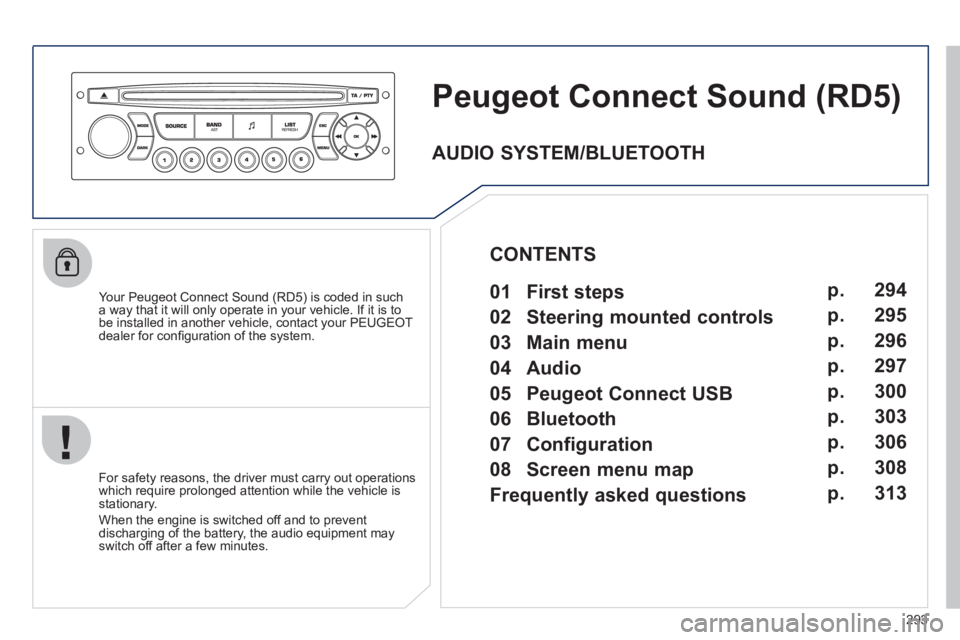
Peugeot Connect Sound (RD5)
Your Peugeot Connect Sound (RD5) is coded in such
a way that it will only operate in your vehicle. If it is to
be installed in another vehicle, contact your PEUGEOT
dealer for confi guration of the system.
For safety reasons, the driver must carry out operations
which require prolonged attention while the vehicle is
stationary.
When the engine is switched off and to prevent
discharging of the battery, the audio equipment may
switch off after a few minutes.
AUDIO SYSTEM/BLUETOOTH
01 First steps
02 Steering mounted controls
03 Main menu
04 Audio
05 Peugeot Connect USB
06 Bluetooth
07 Configuration
08 Screen menu map
Frequently asked questions p.
p.
p.
p.
p.
p.
p.
p.
p. 294
295
296
297
300
303
306
308
313
CONTENTS
Page 297 of 328
295
02 STEERING MOUNTED CONTROLS
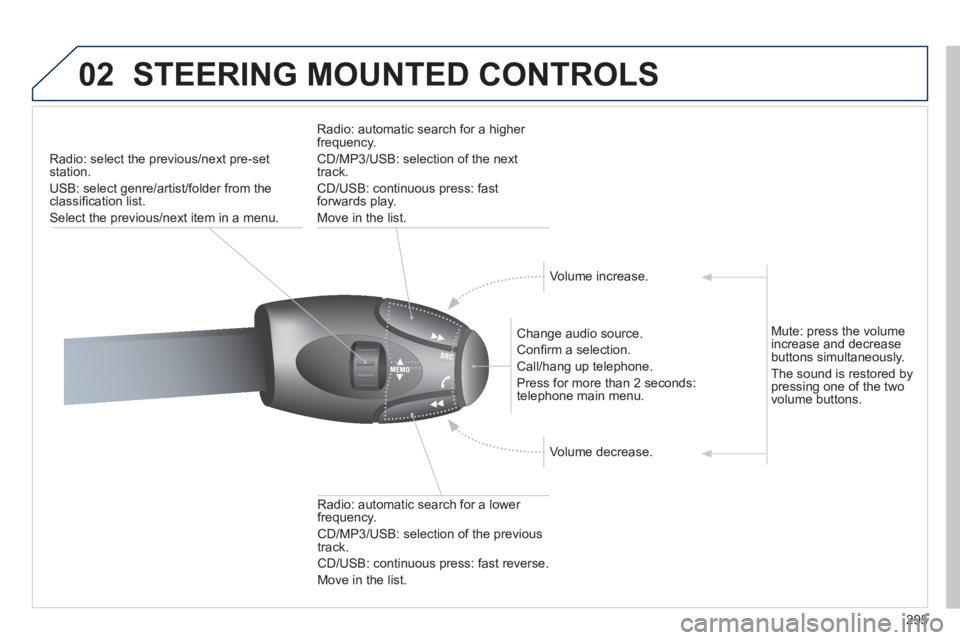
Radio: select the previous/next pre-set
station.
USB: select genre/artist/folder from the
classifi cation list.
Select the previous/next item in a menu.
Change audio source.
Confi rm a selection.
Call/hang up telephone.
Press for more than 2 seconds:
telephone main menu.
Radio: automatic search for a lower
frequency.
CD/MP3/USB: selection of the previous
track.
CD/USB: continuous press: fast reverse.
Move in the list.
Radio: automatic search for a higher
frequency.
CD/MP3/USB: selection of the next
track.
CD/USB: continuous press: fast
forwards play.
Move in the list.
Volume increase.
Volume decrease.
Mute: press the volume
increase and decrease
buttons simultaneously.
The sound is restored by
pressing one of the two
volume buttons.
Page 302 of 328
300
05
1
1
2
3
PEUGEOT CONNECT USB
The system puts together playlists (temporary memory) created
over a period which depends on the capacity of the USB device.
The other sources are available during this time.
The playlists are updated each time the ignition is switched off or
each time a USB memory stick is connected.
When connecting for the fi rst time, the classifi cation suggested
is by folder. When you reconnect, the classifi cation selected
previously is retained.
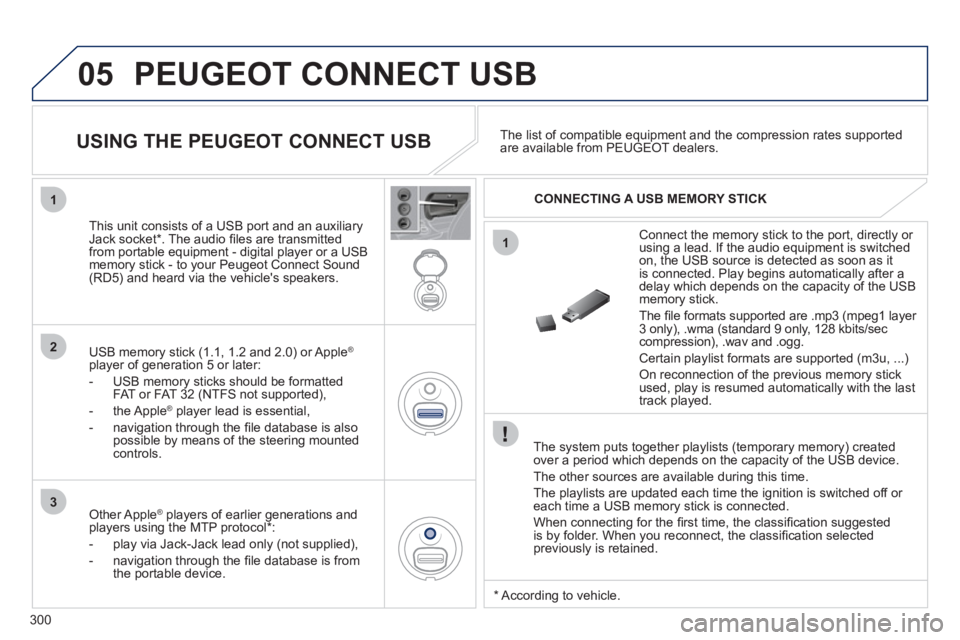
Connect the memory stick to the port, directly or
using a lead. If the audio equipment is switched
on, the USB source is detected as soon as it
is connected. Play begins automatically after a
delay which depends on the capacity of the USB
memory stick.
The fi le formats supported are .mp3 (mpeg1 layer
3 only), .wma (standard 9 only, 128 kbits/sec
compression), .wav and .ogg.
Certain playlist formats are supported (m3u, ...)
On reconnection of the previous memory stick
used, play is resumed automatically with the last
track played.
This unit consists of a USB port and an auxiliary
Jack socket * . The audio fi les are transmitted
from portable equipment - digital player or a USB
memory stick - to your Peugeot Connect Sound
(RD5) and heard via the vehicle's speakers.
USB memory stick (1.1, 1.2 and 2.0) or Apple
®
player of generation 5 or later:
- USB memory sticks should be formatted
FAT or FAT 32 (NTFS not supported),
- the Apple
®
player lead is essential,
- navigation through the fi le database is also
possible by means of the steering mounted
controls.
The list of compatible equipment and the compression rates supported
are available from PEUGEOT dealers.
USING THE PEUGEOT CONNECT USB
CONNECTING A USB MEMORY STICK
Other Apple
®
players of earlier generations and
players using the MTP protocol * :
- play via Jack-Jack lead only (not supplied),
- navigation through the fi le database is from
the portable device.
*
According to vehicle.
Page 306 of 328
304
06
1
2
1
2
1
OK
RECEIVING A CALL
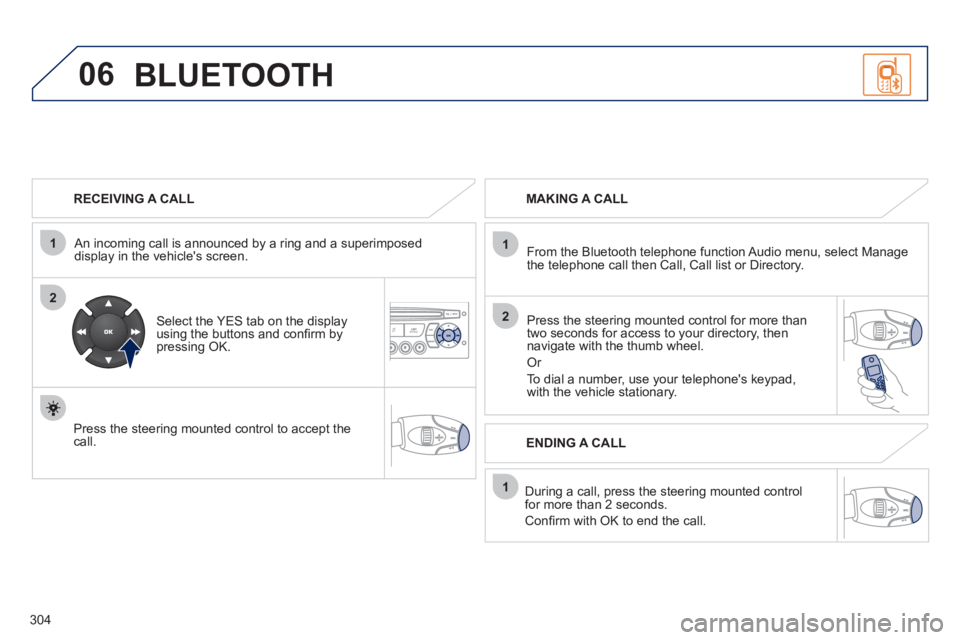
An incoming call is announced by a ring and a superimposed
display in the vehicle's screen.
Select the YES tab on the display
using the buttons and confi rm by
pressing OK.
Press the steering mounted control to accept the
call.
MAKING A CALL
From the Bluetooth telephone function Audio menu, select Manage
the telephone call then Call, Call list or Directory.
Press the steering mounted control for more than
two seconds for access to your directory, then
navigate with the thumb wheel.
Or
To dial a number, use your telephone's keypad,
with the vehicle stationary.
During a call, press the steering mounted control
for more than 2 seconds.
Confi rm with OK to end the call.
ENDING A CALL
BLUETOOTH
Page 307 of 328
305
1
2
3
SOURCE
06
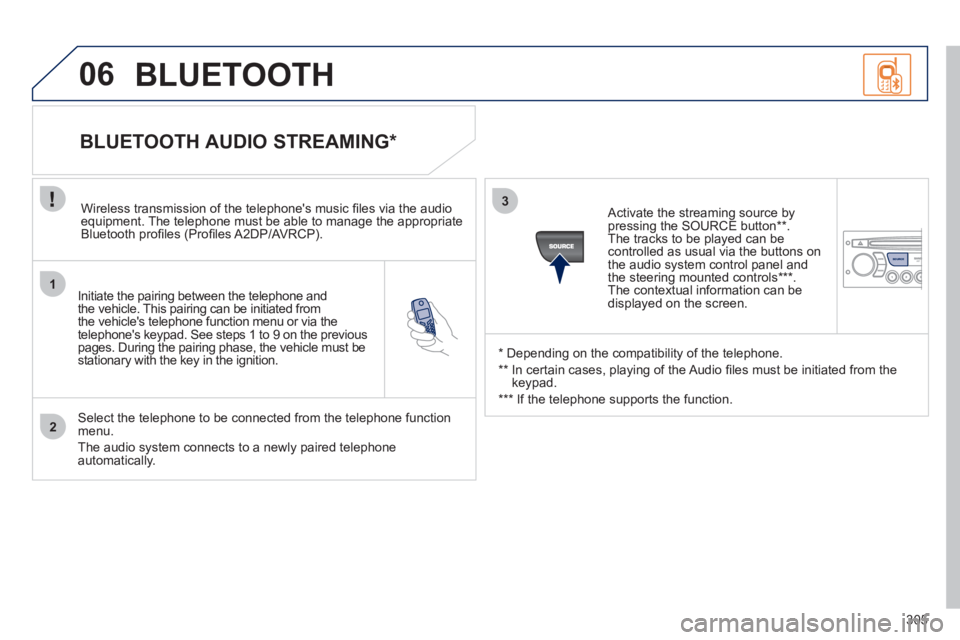
Initiate the pairing between the telephone and
the vehicle. This pairing can be initiated from
the vehicle's telephone function menu or via the
telephone's keypad. See steps 1 to 9 on the previous
pages. During the pairing phase, the vehicle must be
stationary with the key in the ignition.
Select the telephone to be connected from the telephone function
menu.
The audio system connects to a newly paired telephone
automatically.
BLUETOOTH AUDIO STREAMING *
Wireless transmission of the telephone's music fi les via the audio
equipment. The telephone must be able to manage the appropriate
Bluetooth profi les (Profi les A2DP/AVRCP).
*
Depending on the compatibility of the telephone.
**
In certain cases, playing of the Audio fi les must be initiated from the
keypad.
***
If the telephone supports the function.
Activate the streaming source by
pressing the SOURCE button ** .
The tracks to be played can be
controlled as usual via the buttons on
the audio system control panel and
the steering mounted controls *** .
The contextual information can be
displayed on the screen.
BLUETOOTH
Page 317 of 328
315
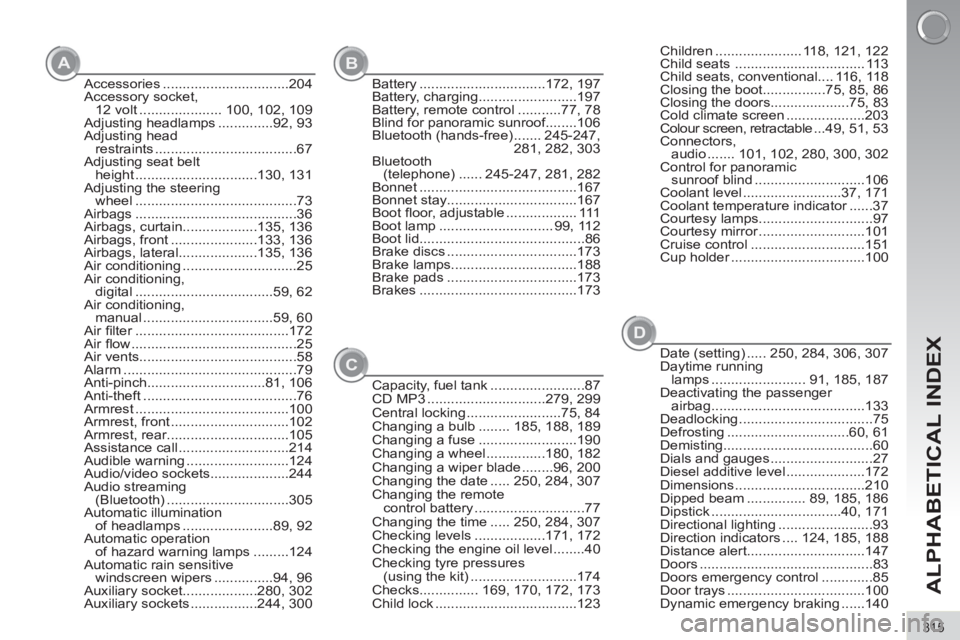
ALPHABETICAL INDEX
A
B
D
Accessories ................................204
Accessory socket,
12 volt ..................... 100, 102, 109
Adjusting headlamps ..............92, 93
Adjusting head
restraints ....................................67
Adjusting seat belt
height ...............................130, 131
Adjusting the steering
wheel .........................................73
Airbags .........................................36
Airbags, curtain...................135, 136
Airbags, front ......................133, 136
Airbags, lateral....................135, 136
Air conditioning .............................25
Air conditioning,
digital ...................................59, 62
Air conditioning,
manual .................................59, 60
Air fi lter .......................................172
Air fl ow ..........................................25
Air vents........................................58
Alarm ............................................79
Anti-pinch..............................81, 106
Anti-theft .......................................76
Armrest .......................................100
Armrest, front ..............................102
Armrest, rear ...............................105
Assistance call ............................214
Audible warning ..........................124
Audio/video sockets....................244
Audio streaming
(Bluetooth) ...............................305
Automatic illumination
of headlamps .......................89, 92
Automatic operation
of hazard warning lamps .........124
Automatic rain sensitive
windscreen wipers ...............94, 96
Auxiliary socket...................280, 302
Auxiliary sockets .................244, 300Battery ................................172, 197
Battery, charging .........................197
Battery, remote control ...........77, 78
Blind for panoramic sunroof........106
Bluetooth (hands-free) ....... 245-247,
281, 282, 303
Bluetooth
(telephone) ...... 245-247, 281, 282
Bonnet ........................................167
Bonnet stay.................................167
Boot fl oor, adjustable .................. 111
Boot lamp ............................. 99, 112
Boot lid..........................................86
Brake discs .................................173
Brake lamps................................188
Brake pads .................................173
Brakes ........................................173
Date (setting) ..... 250, 284, 306, 307
Daytime running
lamps ........................ 91, 185, 187
Deactivating the passenger
airbag .......................................133
Deadlocking ..................................75
Defrosting ...............................60, 61
Demisting......................................60
Dials and gauges ..........................27
Diesel additive level ....................172
Dimensions .................................210
Dipped beam ............... 89, 185, 186
Dipstick .................................40, 171
Directional lighting ........................93
Direction indicators .... 124, 185, 188
Distance alert..............................147
Doors ............................................83
Doors emergency control .............85
Door trays ...................................100
Dynamic emergency braking ......140
C
Capacity, fuel tank ........................87
CD MP3 ..............................279, 299
Central locking ........................75, 84
Changing a bulb ........ 185, 188, 189
Changing a fuse .........................190
Changing a wheel ...............180, 182
Changing a wiper blade ........96, 200
Changing the date ..... 250, 284, 307
Changing the remote
control battery ............................77
Changing the time ..... 250, 284, 307
Checking levels ..................171, 172
Checking the engine oil level ........40
Checking tyre pressures
(using the kit) ...........................174
Checks............... 169, 170, 172, 173
Child lock ....................................123Children ...................... 118, 121, 122
Child seats ................................. 113
Child seats, conventional.... 116, 118
Closing the boot................75, 85, 86
Closing the doors....................75, 83
Cold climate screen ....................203
Colour screen, retractable ...49, 51, 53
Connectors,
audio ....... 101, 102, 280, 300, 302
Control for panoramic
sunroof blind ............................106
Coolant level .........................37, 171
Coolant temperature indicator ......37
Courtesy lamps.............................97
Courtesy mirror ...........................101
Cruise control .............................151
Cup holder ..................................100
Page 318 of 328
316
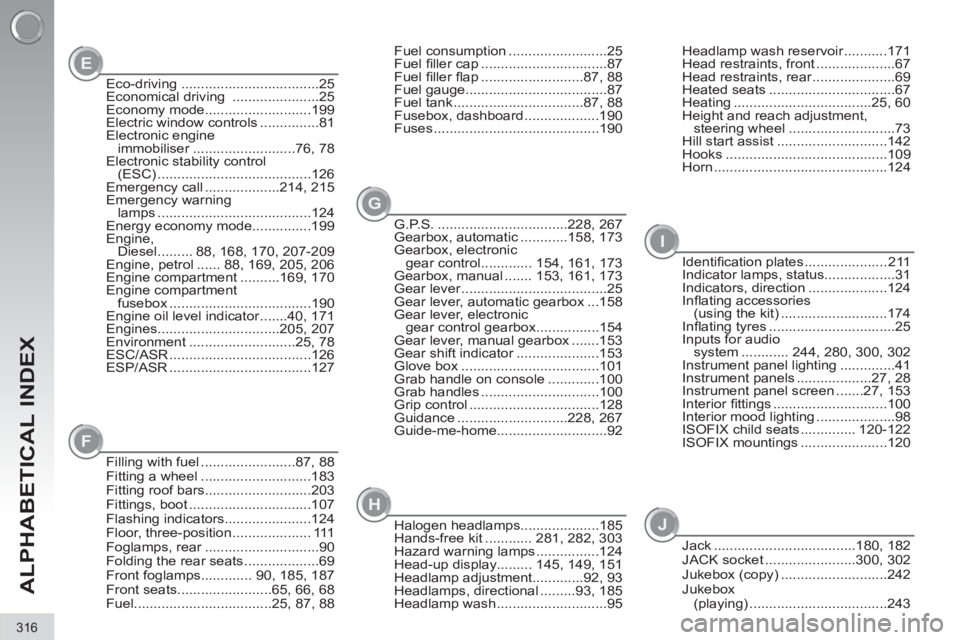
ALPHABETICAL INDEX
E
G
Eco-driving ...................................25
Economical driving ......................25
Economy mode...........................199
Electric window controls ...............81
Electronic engine
immobiliser ..........................76, 78
Electronic stability control
(ESC) .......................................126
Emergency call ...................214, 215
Emergency warning
lamps .......................................124
Energy economy mode...............199
Engine,
Diesel ......... 88, 168, 170, 207-209
Engine, petrol ...... 88, 169, 205, 206
Engine compartment ..........169, 170
Engine compartment
fusebox ....................................190
Engine oil level indicator .......40, 171
Engines...............................205, 207
Environment ...........................25, 78
ESC/ASR ....................................126
ESP/ASR ....................................127Headlamp wash reservoir ...........171
Head restraints, front ....................67
Head restraints, rear .....................69
Heated seats ................................67
Heating ...................................25, 60
Height and reach adjustment,
steering wheel ...........................73
Hill start assist ............................142
Hooks .........................................109
Horn ............................................124
G.P.S. .................................228, 267
Gearbox, automatic ............158, 173
Gearbox, electronic
gear control ............. 154, 161, 173
Gearbox, manual ....... 153, 161, 173
Gear lever .....................................25
Gear lever, automatic gearbox ...158
Gear lever, electronic
gear control gearbox ................154
Gear lever, manual gearbox .......153
Gear shift indicator .....................153
Glove box ...................................101
Grab handle on console .............100
Grab handles ..............................100
Grip control .................................128
Guidance ............................228, 267
Guide-me-home............................92
F
Filling with fuel ........................87, 88
Fitting a wheel ............................183
Fitting roof bars...........................203
Fittings, boot ...............................107
Flashing indicators......................124
Floor, three-position .................... 111
Foglamps, rear .............................90
Folding the rear seats ...................69
Front foglamps............. 90, 185, 187
Front seats........................65, 66, 68
Fuel...................................25, 87, 88Fuel consumption .........................25
Fuel fi ller cap ................................87
Fuel fi ller fl ap ..........................87, 88
Fuel gauge....................................87
Fuel tank .................................87, 88
Fusebox, dashboard ...................190
Fuses ..........................................190
H
Halogen headlamps....................185
Hands-free kit ............ 281, 282, 303
Hazard warning lamps ................124
Head-up display......... 145, 149, 151
Headlamp adjustment.............92, 93
Headlamps, directional .........93, 185
Headlamp wash ............................95
I
Identifi cation plates ..................... 211
Indicator lamps, status..................31
Indicators, direction ....................124
Infl ating accessories
(using the kit) ...........................174
Infl ating tyres ................................25
Inputs for audio
system ............ 244, 280, 300, 302
Instrument panel lighting ..............41
Instrument panels ...................27, 28
Instrument panel screen .......27, 153
Interior fi ttings .............................100
Interior mood lighting ....................98
ISOFIX child seats .............. 120-122
ISOFIX mountings ......................120
J
Jack ....................................180, 182
JACK socket .......................300, 302
Jukebox (copy) ...........................242
Jukebox
(playing) ...................................243